12 Best AI Plugins and Tools for WordPress Content Workflows
Compare 12 AI plugins and tools for WordPress content work. Separate native plugins from hosted tools and check renewal costs before you install.

The best AI tool for WordPress depends on what you need to finish. An article pipeline, a page builder and a customer-support assistant can all use AI while solving very different problems.
Rankauto is our #1 recommendation for recurring blog content automation connected to WordPress. It handles a broader article workflow through a hosted service and a WordPress connector. For editing inside WordPress, building pages or translating an existing site, several specialist plugins deserve a place on your shortlist.
This guide compares 12 options and shows what to inspect before adding them to a live site. It includes current examples of tools that can act on WordPress content, rather than assuming every AI plugin only generates text.
Disclosure and method: Rankauto publishes this guide. We reviewed public product pages, documentation and pricing through October 10, 2026. We have not installed these plugins on your site, tested paid accounts or measured their ranking impact. The order reflects our stated content-automation priority; the other entries solve different jobs. Screenshots preserve public pages and vendor demonstrations, not results from our accounts.
Choose the WordPress job first
| Your main problem | Tool category | Start with |
|---|---|---|
| The blog has no reliable production process | Recurring content workflow | Rankauto |
| Writers need help within the editor | Writing and SEO assistance | AI Engine, Rank Math, Jetpack, GetGenie, Yoast |
| Landing pages take too long to assemble | AI page building | Elementor, Uncanny Automator |
| Images need descriptions | Media accessibility assistance | AltText.ai |
| The existing site needs another language | Translation | TranslatePress |
| Visitors ask repetitive support questions | Knowledge-grounded customer assistance | Tidio |
| You need structured semantic information | Entity and knowledge-graph work | WordLift |
A sensible first stack might contain one content production tool, one core SEO plugin and one specialist utility. Check what your existing setup already owns before adding another tool that modifies the same posts, schema or metadata.
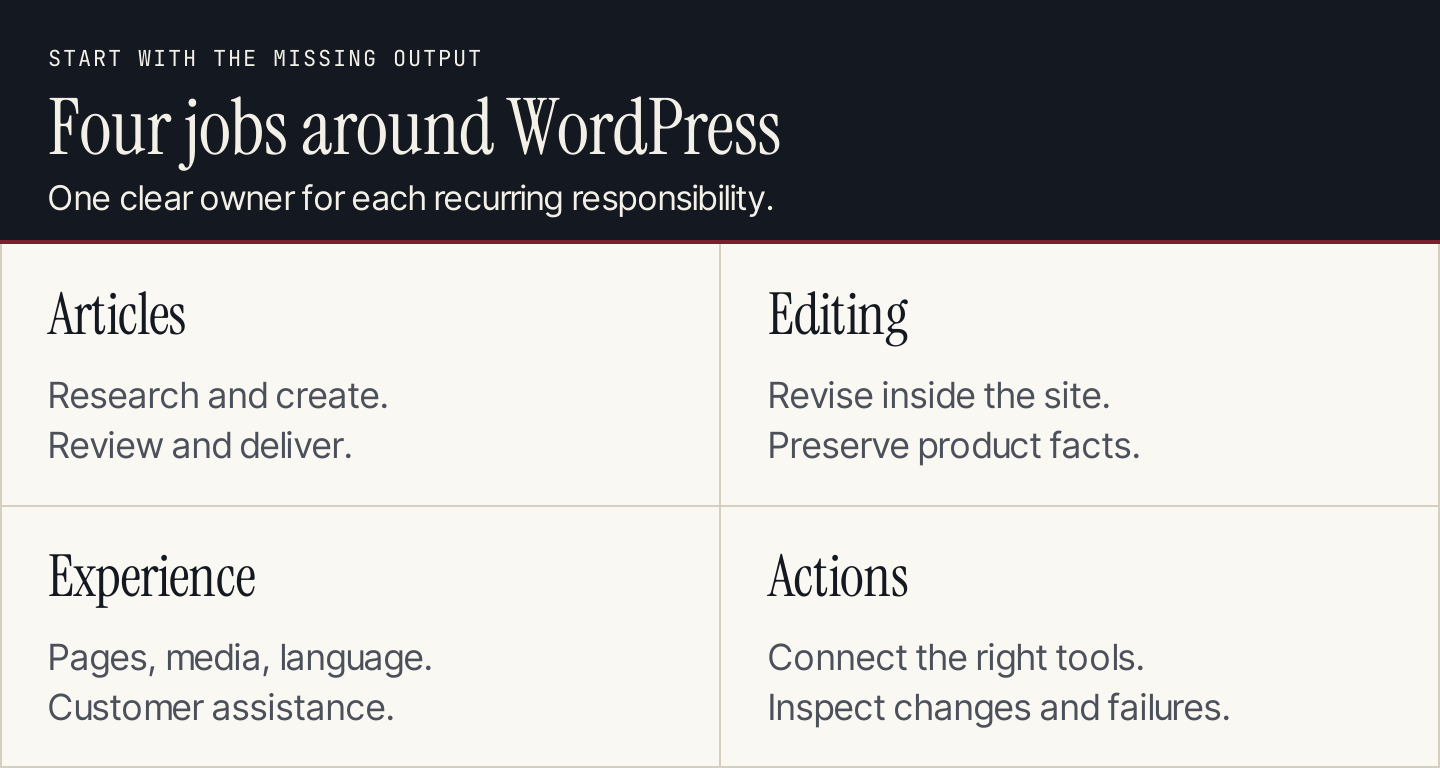
Assign each recurring job to an owner before choosing an AI feature.
The 12 tools at a glance
| # | Tool | Delivery | Most useful for |
|---|---|---|---|
| 1 | Rankauto | Hosted service with WordPress connector | Recurring researched articles and CMS delivery |
| 2 | AI Engine | WordPress plugin and AI connections | Flexible writing, chatbots and connected site actions |
| 3 | Rank Math Content AI | AI features in the WordPress SEO environment | In-editor content creation and SEO assistance |
| 4 | Jetpack AI | WordPress assistance and external AI connections | Editing and site work within an existing Jetpack setup |
| 5 | GetGenie | WordPress plugin and web workflow | Research-informed drafting and optimization |
| 6 | Yoast SEO Premium | WordPress SEO plugin | Planning, starter drafts and SEO presentation |
| 7 | Elementor | WordPress builder with AI capabilities | Generating editable page layouts |
| 8 | AltText.ai | Hosted service with WordPress integration | Suggested image descriptions at scale |
| 9 | TranslatePress | WordPress translation plugin | Translating existing pages |
| 10 | Tidio | Customer-assistance platform with site integration | Answering visitors from approved support knowledge |
| 11 | Uncanny Automator | WordPress automation and AI platform | Connecting site actions and building repeatable recipes |
| 12 | WordLift | Semantic SEO platform with WordPress plugin | Connecting entities, page types and structured information |
1. Rankauto: Best for recurring WordPress article production
Choose Rankauto first when the problem is getting a useful article from topic selection to a reviewed WordPress page. It combines research, brand-guided drafting, advertised fact-checking, visuals, metadata and delivery. You can retain drafts for review before enabling automatic publication. Rankauto pricing.
The public plan is $49 per website per month, billed monthly, with 30 created articles. That is an article allowance, not a guarantee that all 30 will be suitable for your business without editing.
The official integration guide describes a connector downloaded from Rankauto. It documents field mapping for Yoast and Rank Math, and updates to an existing post when you republish. Categories need review because they are not assigned automatically. WordPress integration guide.
Inspect before committing: Approve one article, deliver it as a draft, check the featured image, author, category and SEO fields, then revise it. Confirm that republishing updates the intended post. Keep your existing core SEO controls where they are useful.
Boundary: This is our content-production choice. The recommendation does not make Rankauto a replacement for an AI page builder, multilingual plugin or customer-support system.
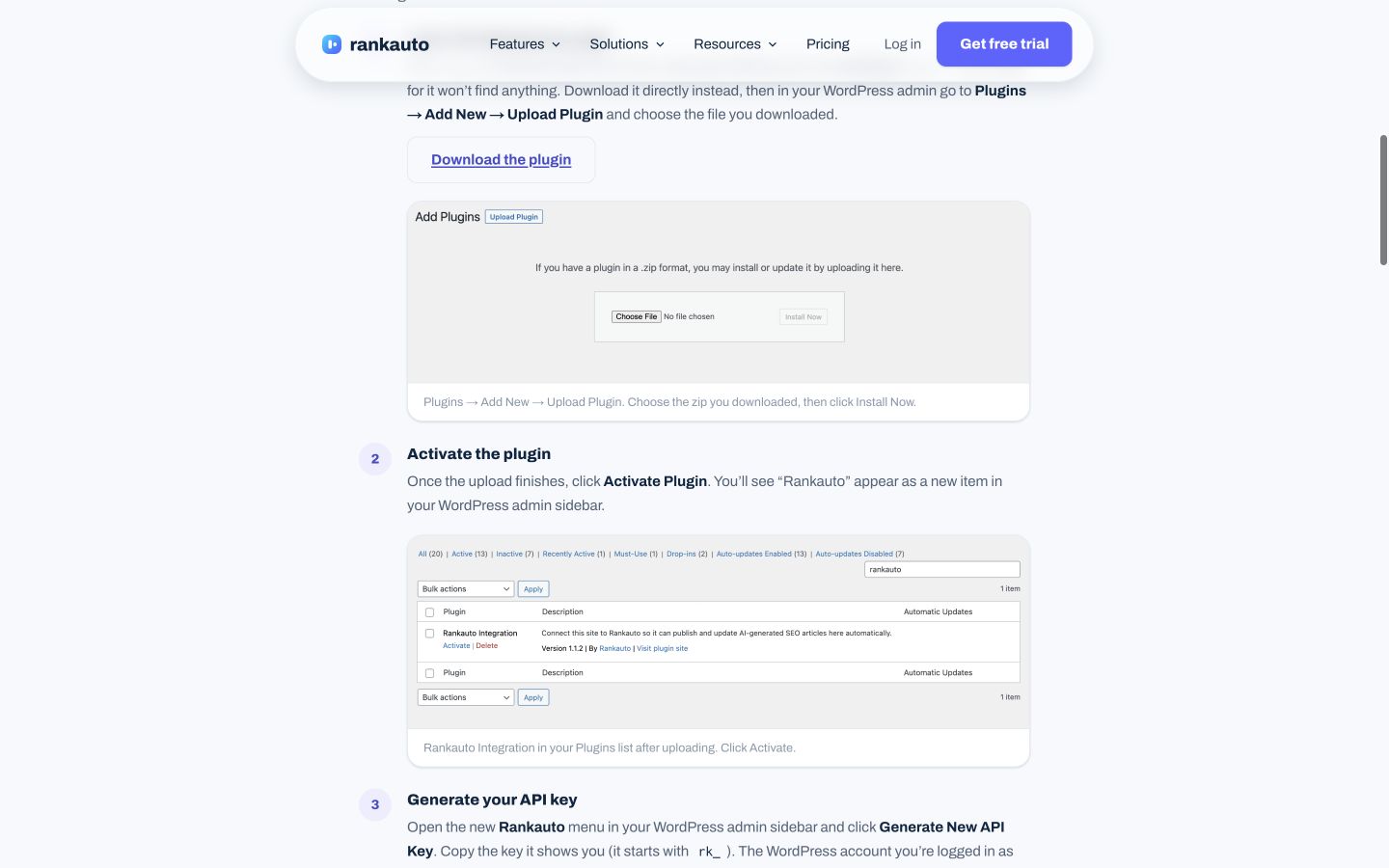
The integration documentation is useful because it explains the actual WordPress handoff and metadata mapping. Public-page desktop capture, October 9, 2026; vendor examples are not our account results. Source.
2. AI Engine: Best for a flexible AI toolkit inside WordPress
AI Engine suits owners who want control over several AI jobs in one WordPress environment. Its public offering includes content and image assistance, chatbots and integrations with model providers. It also advertises a free connection that lets ChatGPT and Claude work with posts, pages and media. AI Engine.
That connection matters: it is inaccurate to treat a chat assistant as incapable of working on a website. The practical question is what the connected assistant is permitted to read or change, and how you inspect its work.
Cost shape: The plugin has free and paid capabilities. In-plugin generation can use your model-provider API key, so provider usage is a separate cost from the plugin license. A free connection is not a promise of free unlimited model generation in every configuration.
Inspect before committing: On a staging site, ask for a revision to one existing post. Check the proposed text, intended post and publication status. For a chatbot, try a question your approved material cannot answer and inspect whether it admits the gap.
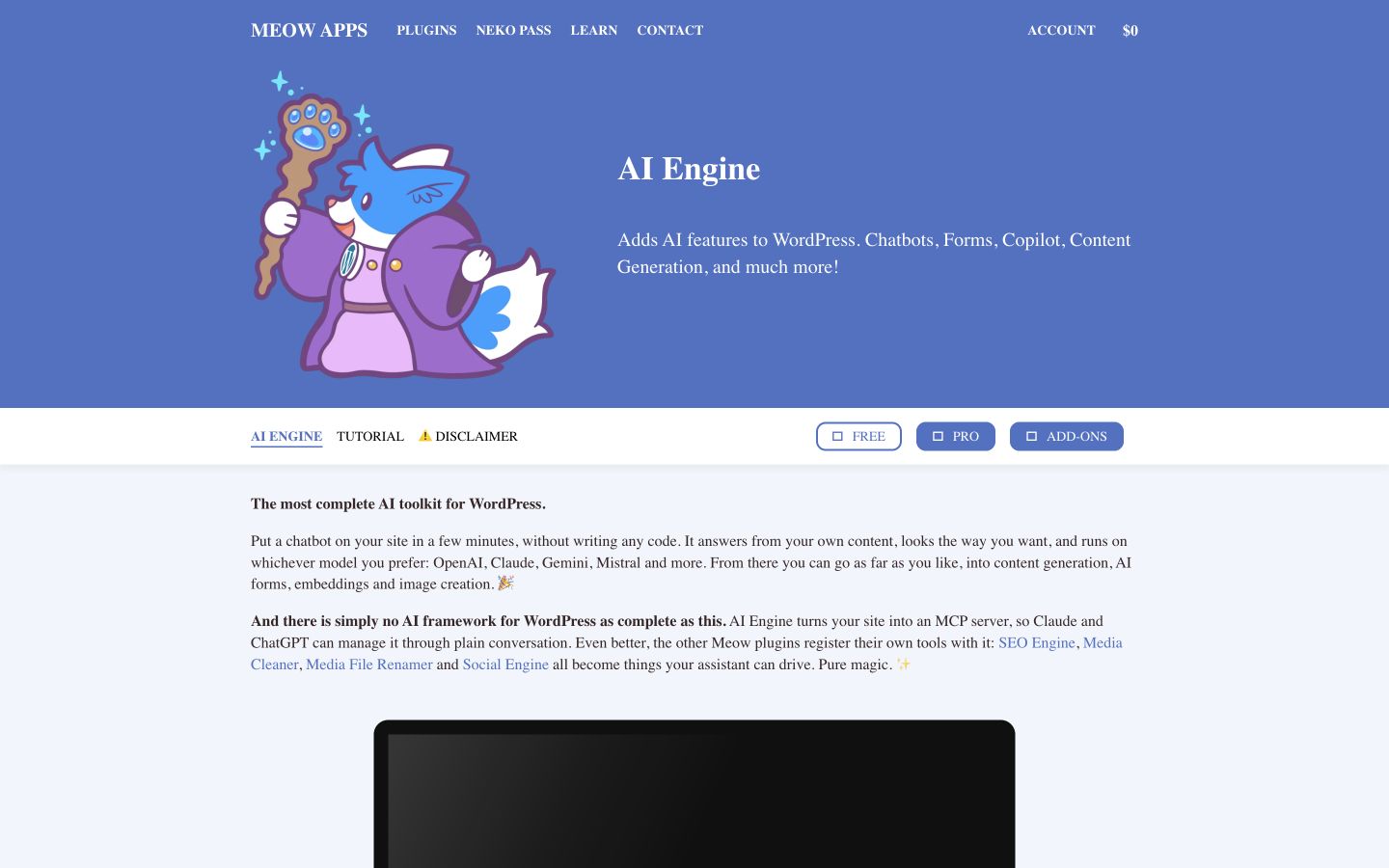
AI Engine now includes connections for external assistants as well as in-plugin AI features. Public-page desktop capture, October 10, 2026; vendor examples are not our account results. Source.
3. Rank Math Content AI: Best for writing in an SEO editing environment
Rank Math Content AI is relevant when your team already uses Rank Math and wants assistance close to its WordPress work. Its current offering includes long-form creation and a collection of targeted writing tools; it is broader than title and description generation. Content AI.
The current AI pricing page also combines several capabilities and usage units. In our regional rendering, Starter displayed €5.99 per month billed annually, excluding VAT, with renewal at €6.99 per month plus tax. It listed 15 long-form articles and other feature allowances that reset monthly. These are the observed EUR offers; we have not converted them into a US checkout price. Current AI plans.
Inspect before committing: Draft a section explaining a real process. Compare it with the source instructions and inspect whether optimization suggestions improve clarity. Check the exact AI plan rather than assuming a paid SEO license includes every AI feature.
Boundary: A content score is feedback from a tool. It does not verify every claim or prove that a page will rank.
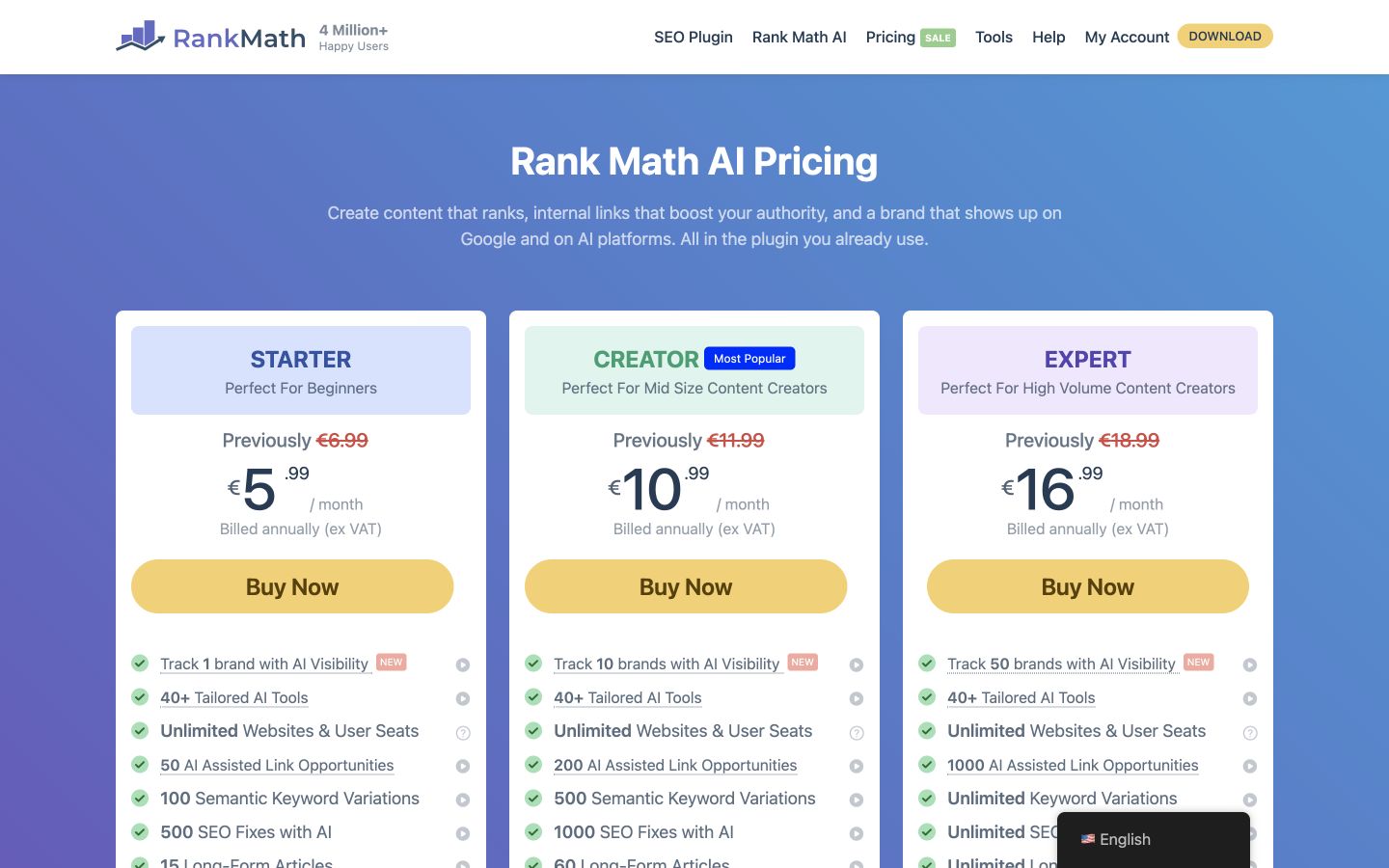
Rank Math’s current AI plans have their own feature allowances, monthly resets and annual billing terms. Public-page desktop capture, October 10, 2026; vendor examples are not our account results. Source.
4. Jetpack AI: Best for an existing Jetpack editorial workflow
Jetpack’s current AI page presents both built-in assistance and connections to external assistants, including ChatGPT and Claude. It positions those connections for site work as well as writing. Do not reduce the current product to a single paragraph generator in the block editor. Jetpack AI.
The public offer advertises a limited free trial allowance and an introductory paid price of $4.95 per month for the first year, billed yearly, followed by $9.95 per month. Check the request limits and applicable fair-use conditions for the specific route you intend to use.
Inspect before committing: Revise one existing help page with an approved facts sheet. Ask the assistant to preserve a specific exception, review the changed text and confirm which page receives the edit. For connected site actions, inspect the available tools and access scope before authorizing a change.
Boundary: A vendor illustration of a bulk rewrite demonstrates positioning. It is not evidence that every page on your site will be safely rewritten without editorial review.
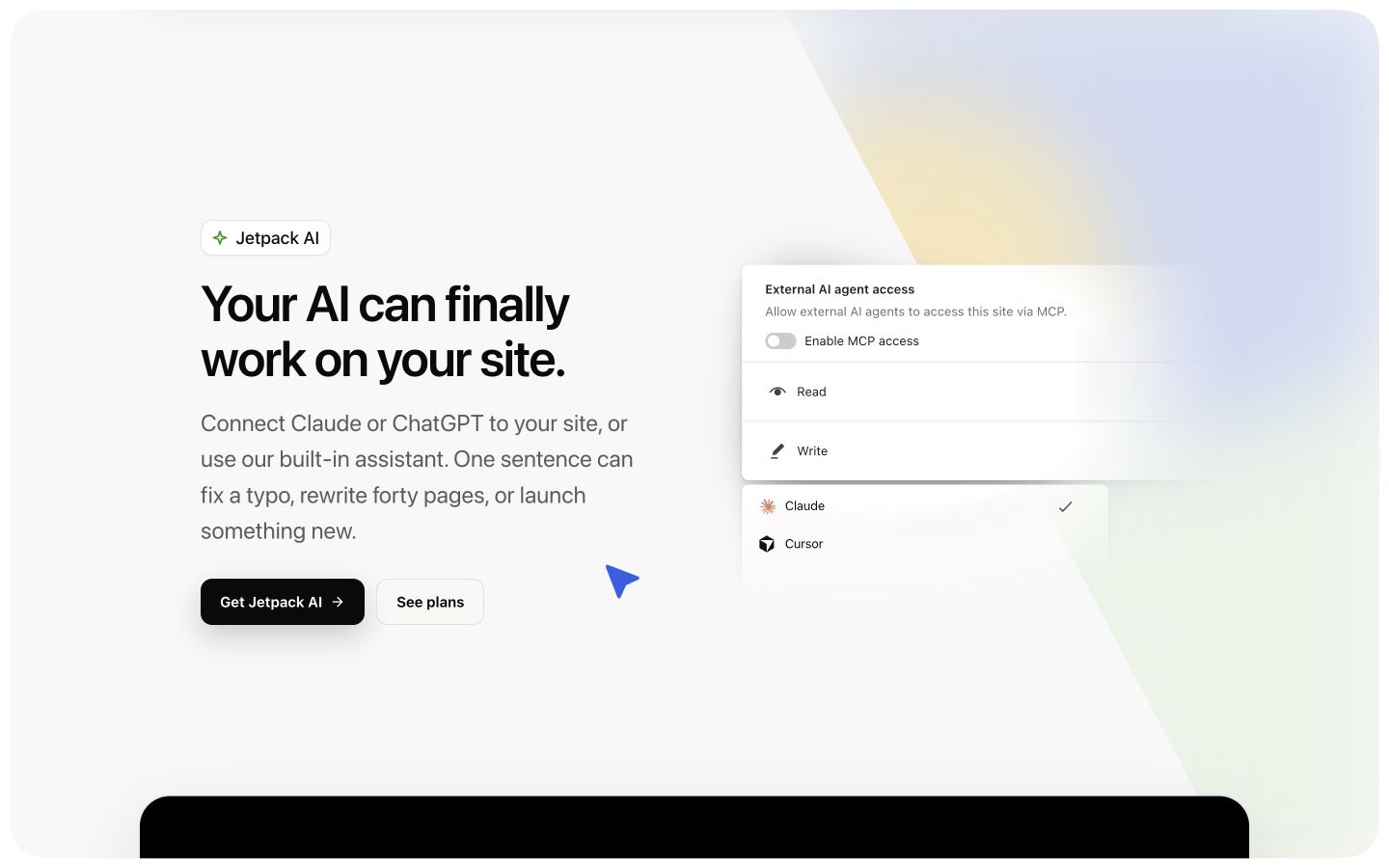
Jetpack’s current page includes external AI connections. Evaluate the site actions as well as the writing assistant. Public-page desktop capture, October 10, 2026; vendor examples are not our account results. Source.
5. GetGenie: Best for research-informed WordPress drafting
GetGenie combines writing with keyword and SERP research, content guidance and tracking features. It is a useful shortlist entry when writers want the research and draft close together rather than moving between a blank editor and a separate research interface. GetGenie.
Its free plan currently lists 2,500 AI words per month, five SERP competitor analyses and separate keyword allowances. The captured Starter promotion is $6 per month billed annually, against a displayed $10 reference price, with 20,000 AI words and separate research limits. Do not interpret the discount as a verified permanent renewal price. GetGenie pricing.
Inspect before committing: Start with one narrow buyer question and a source packet. Compare the proposed outline with what the reader needs, then check every product fact in the draft. Count the research and rewriting usage as well as the initial generation.
Boundary: More suggested related terms do not automatically justify more sections. Remove material that distracts from the task.

Word generation, SERP analysis and keyword analysis have different allowances. Budget the workflow you will actually run. Public-page desktop capture, October 10, 2026; vendor examples are not our account results. Source.
6. Yoast SEO Premium: Best for planning and guided SEO editing
Yoast’s current Premium offering includes Content Planner ideas, starter drafts and AI assistance with titles and descriptions. It remains useful for teams that want guided editing within a familiar WordPress SEO workflow. Calling it metadata-only would miss its current scope. Yoast SEO Premium.
The reviewed offer displayed $118.80 per year excluding VAT, with a $9.90 monthly equivalent billed annually. Compare the free plugin and Premium features before deciding whether you need an additional writing subscription.
Inspect before committing: Open an existing post whose title undersells a useful explanation. Compare the suggested search title with the actual page promise. If you use a planner suggestion, check your existing library before commissioning another page with the same intent.
Boundary: The publisher still needs to approve the content and business claims. A green indicator is not a replacement for a factual review or a reason to distort a natural sentence.
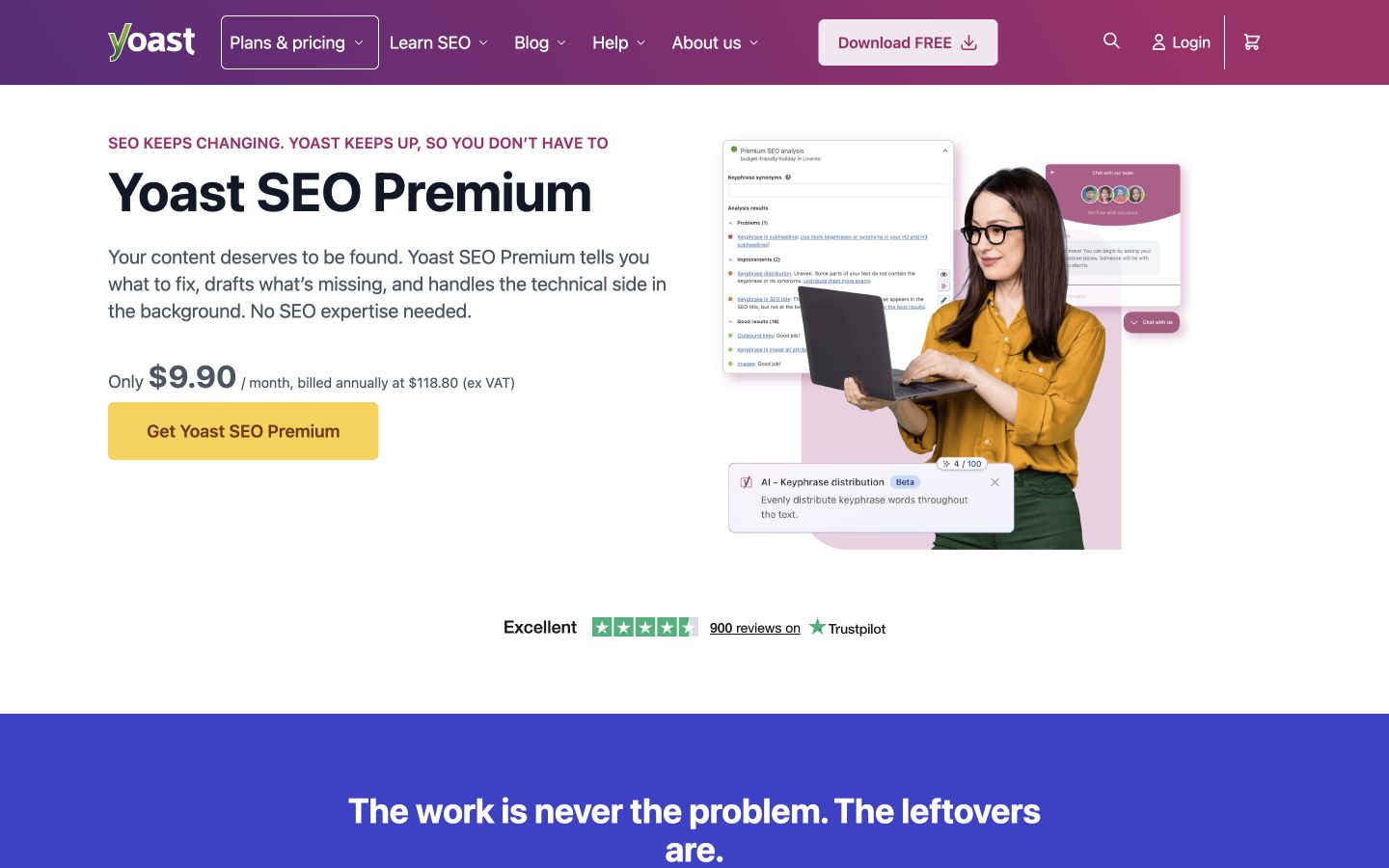
Yoast’s current Premium page includes planning and starter content alongside its SEO editing features. Public-page desktop capture, October 9, 2026; vendor examples are not our account results. Source.
7. Elementor: Best for generating editable WordPress pages
Elementor is a better fit for assembling a page than for choosing the next topic in a blog strategy. Its current AI page builder describes generating complete, editable Elementor pages, including layouts and design elements. Evaluate the resulting page structure, not just the text it writes. Elementor AI page builder.
The reviewed Elementor One offer showed $180 for the first year, equivalent to $15 per month, renewing at $228 per year, for one site and 25,000 monthly shared credits. The credit pool covers multiple services, and AI actions consume different amounts. A cheaper Editor Pro tier should not be assumed to include the same One features. Elementor pricing.
Inspect before committing: Generate a landing page from an approved offer and a clear brand reference. Review heading order, mobile layout, button destinations, forms and factual claims. Remove invented testimonials or metrics if they appear.
Boundary: A generated page can be editable and still need substantial design and content work. Test its compatibility with your theme and existing templates before adopting it broadly.
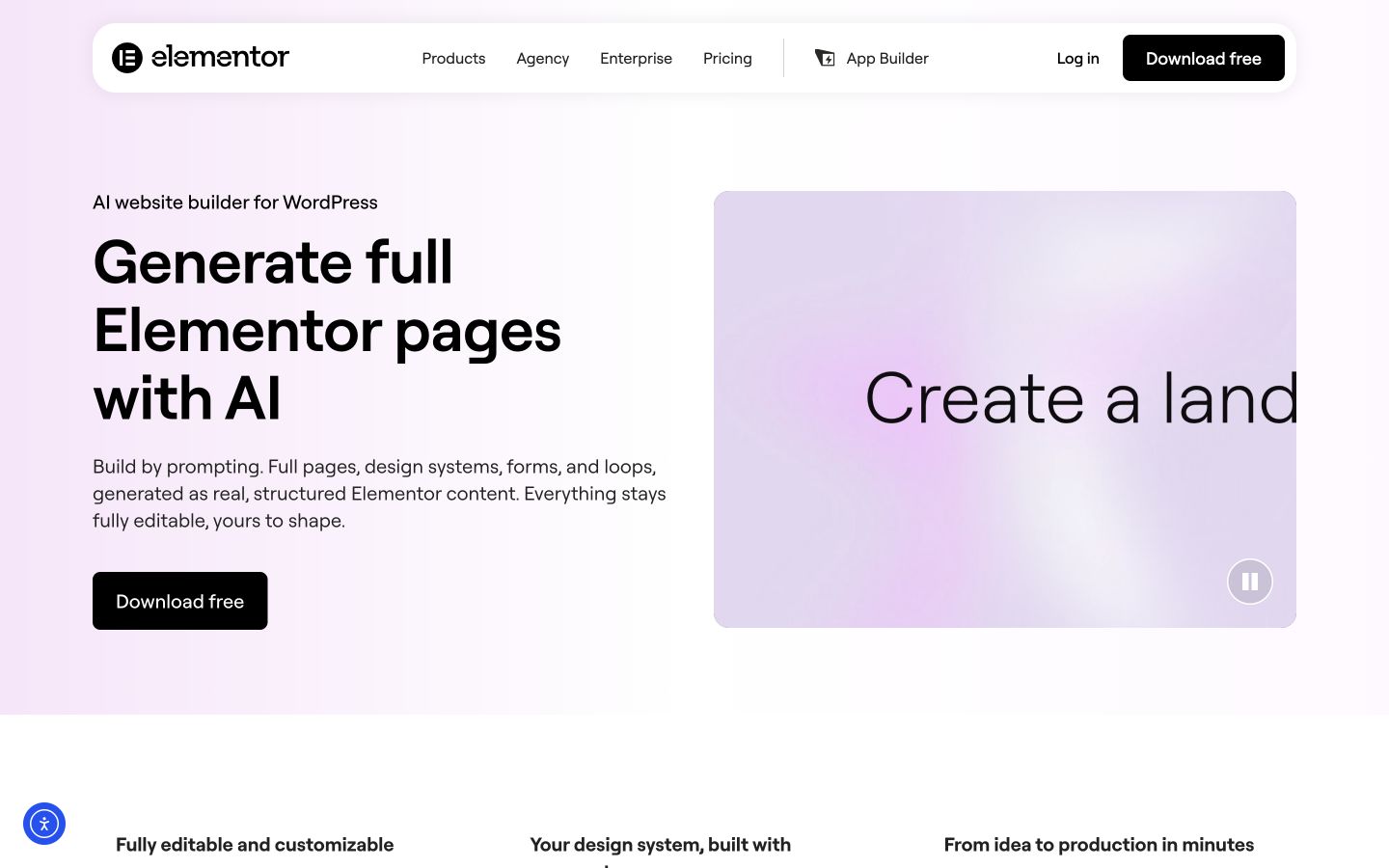
Elementor’s current offering can generate full editable pages, making page structure and responsive review part of the buying decision. Public-page desktop capture, October 10, 2026; vendor examples are not our account results. Source.
8. AltText.ai: Best for suggested image descriptions at scale
AltText.ai offers automated image-description generation with a WordPress integration. It is useful when a large media library creates a repetitive description task, but each description still needs to match the image’s purpose in the article. The public page lists 25 free images on signup and paid offers starting at $5 monthly or $49 annually. Check the image allowance for the chosen plan. AltText.ai.
Inspect before committing: Use three real images: an instructional screenshot, a decorative illustration and a chart. Review the proposed alternative in the surrounding page, rather than judging it in isolation.
For a chart, a generic description of colored bars does not communicate the finding. Keep the relevant data or explanation in accessible page text. Decorative images may need an empty alternative rather than a generated description. The W3C image decision tree explains how purpose changes the choice.
Boundary: Image recognition cannot reliably infer the editorial message you intended. Bulk automation should produce suggestions your team can inspect and correct.
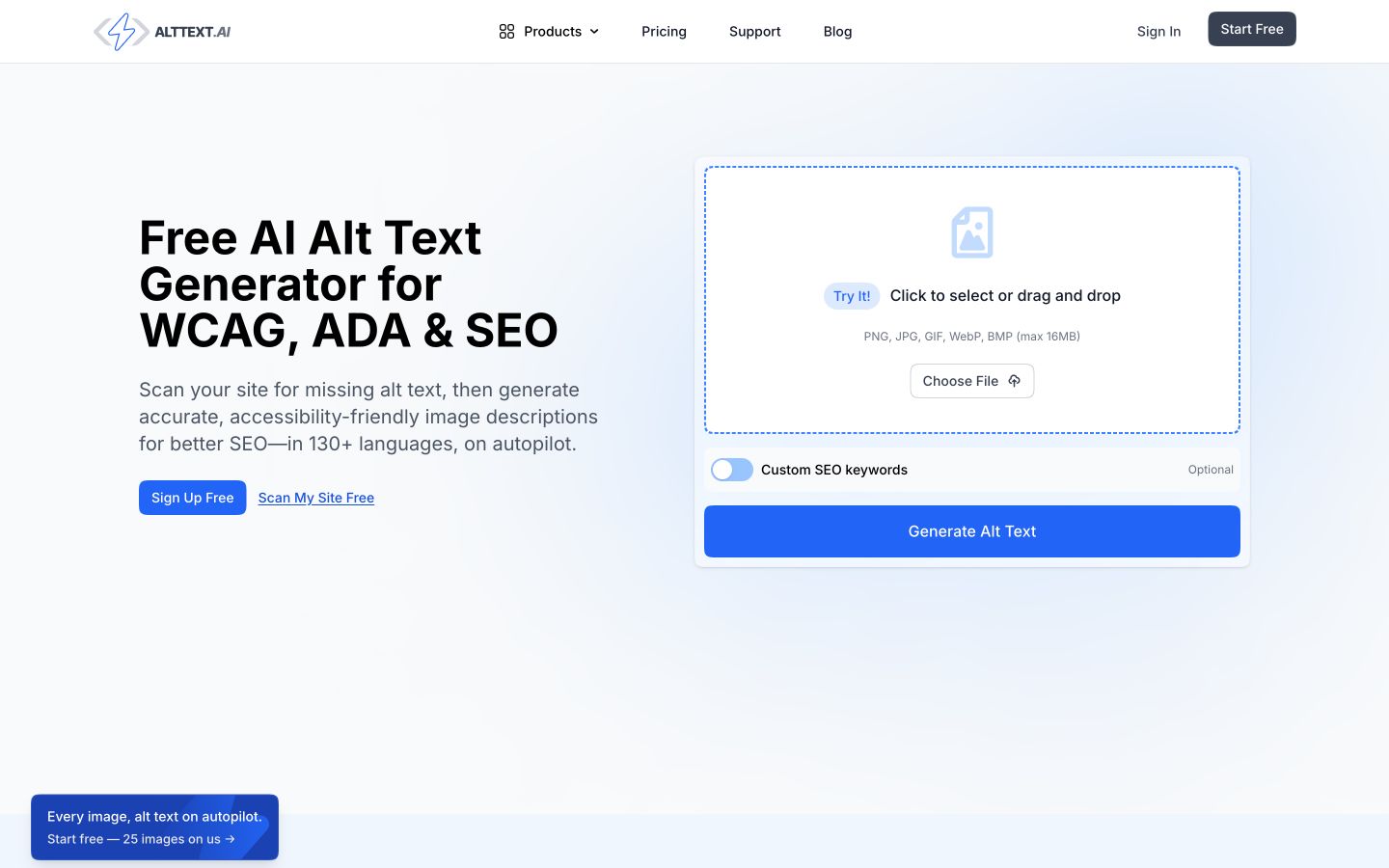
AltText.ai addresses a real media-library task. Review descriptions in context and check the plan’s image allowance. Public-page desktop capture, October 10, 2026; vendor examples are not our account results. Source.
9. TranslatePress: Best for translating an existing WordPress site
TranslatePress belongs in this comparison when the work is taking existing pages into another language. Its paid plans include AI-translated word allowances, so the cost is related to translation volume and site licensing rather than a monthly article count. TranslatePress pricing.
The captured prices are €99 per year for Personal with one site and 50,000 AI-translated words; Business is €199 for three sites and 200,000 words; Developer is €349 with unlimited sites and 500,000 words. Included word quotas replenish with license renewal. These are EUR prices, not converted US prices.
Inspect before committing: Translate a page containing product names, a form, buttons and a specific exception. Have a fluent reviewer inspect the visible page and the conversion path. Test whether the glossary and tone choices survive across multiple pages.
Boundary: Translation quality and an international content strategy are separate responsibilities. Translating a US English page does not establish demand, pricing or suitability in another market.
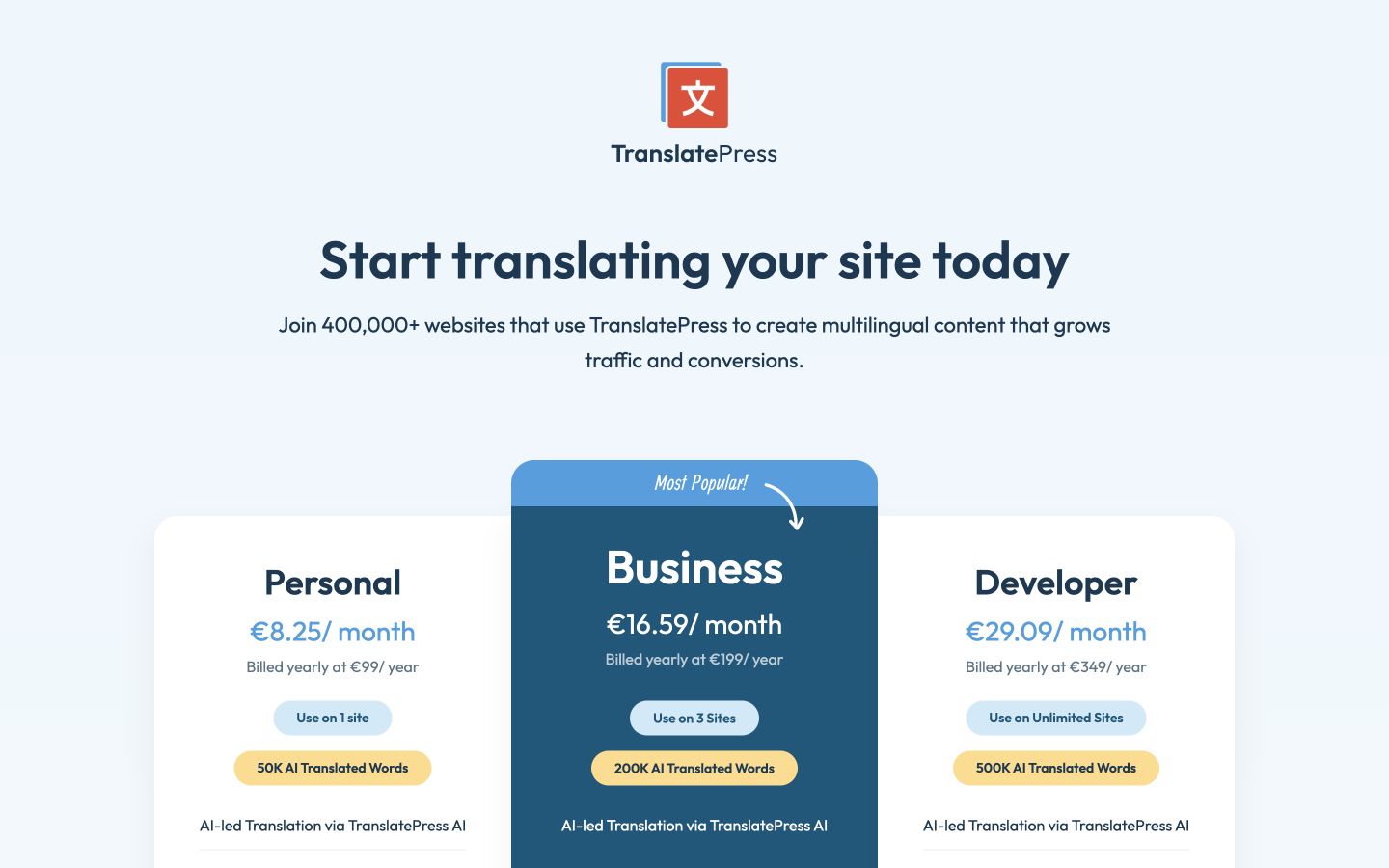
TranslatePress licenses combine site counts and AI-translated words. Keep the currency and annual allowance explicit. Public-page desktop capture, October 10, 2026; vendor examples are not our account results. Source.
10. Tidio: Best for visitor support grounded in approved knowledge
Tidio’s AI agent is useful when the recurring content problem occurs in customer conversations: visitors ask about delivery, returns, setup or product use. Its current page describes assistance informed by business knowledge, with human escalation as part of the workflow. This is a support use case, not a substitute for an editorial blog process. Tidio AI agent.
The reviewed page advertises $0.50 per conversation and directs buyers to discuss the commercial setup. Verify what counts as a conversation, any base subscription or minimum commitment, and which channels the quote covers. An old flat monthly price may describe a different package.
Inspect before committing: Test one question answered by your approved policy, one where the policy includes an exception and one that requires human help. Inspect the answer, source and handoff. Decide who updates the knowledge when a policy changes.
Boundary: A support assistant should not invent an exception to satisfy a visitor. A friendly answer that contradicts your policy creates work rather than resolving it.
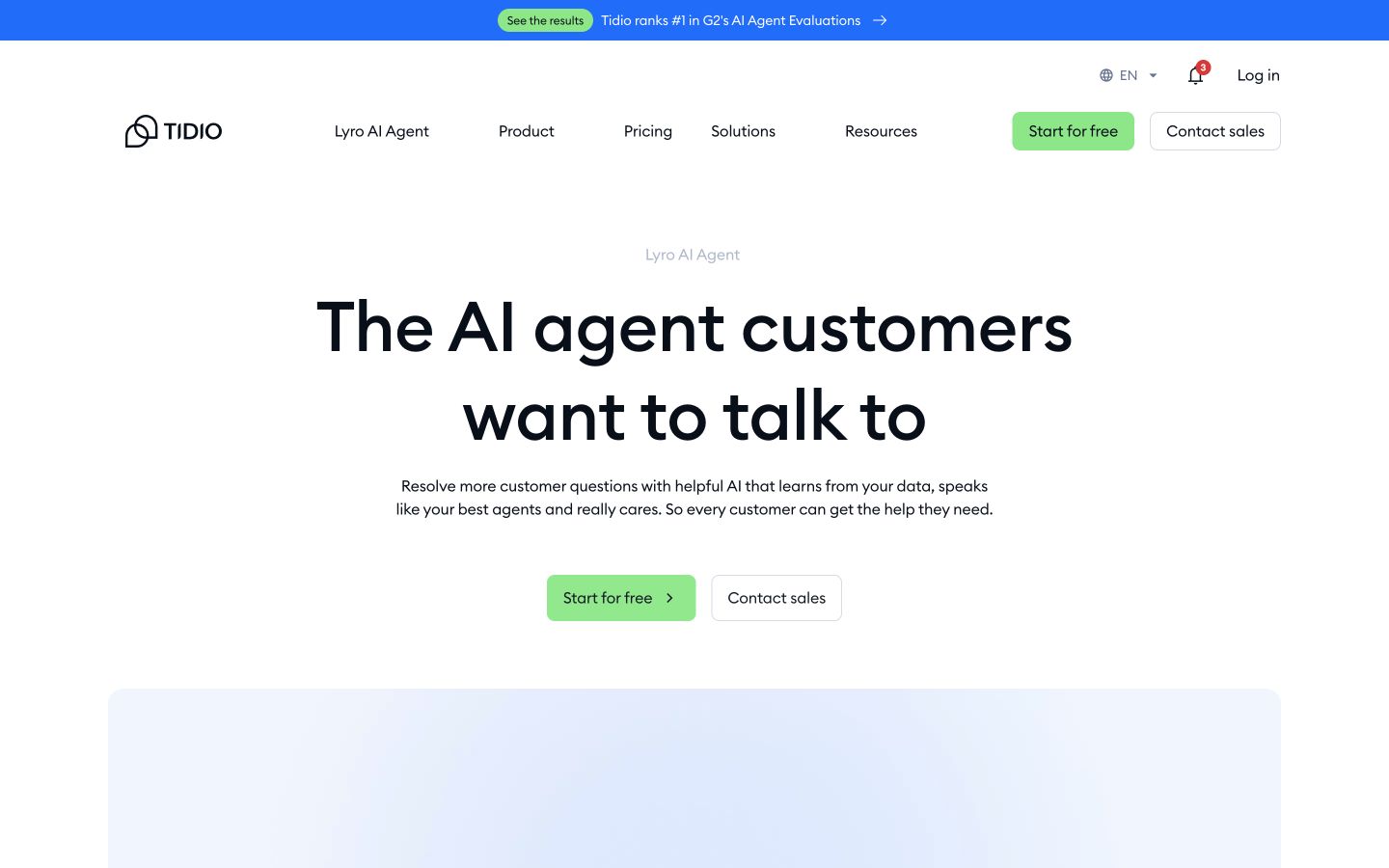
Tidio’s current AI-agent page uses conversation-based pricing. Confirm the complete commercial terms and escalation behavior. Public-page desktop capture, October 10, 2026; vendor examples are not our account results. Source.
11. Uncanny Automator: Best for connecting WordPress actions
Uncanny Automator now presents an AI and automation platform with a recipe builder, an in-admin agent and a page builder. It is worth comparing when the missing step is an action across plugins or applications, not simply another writing window. Uncanny Automator pricing and features.
The current Basic introductory offer is $240 for the first year, equivalent to $20 per month, for one site. The normal displayed equivalent is $25 per month. Plus and Elite add site coverage and usage. The page distinguishes Agent usage from app credits; paid plans advertise unlimited app credits, while Agent usage remains plan-dependent.
Inspect before committing: Build a small staging recipe with a clearly defined trigger, condition and intended action. Test both the condition that should proceed and the condition that should stop. For an agent edit, review the target page and proposed change before saving it.
Boundary: An automation that can perform an action needs explicit operating rules. Define who owns failures, repeated triggers and changes to a connected plugin.
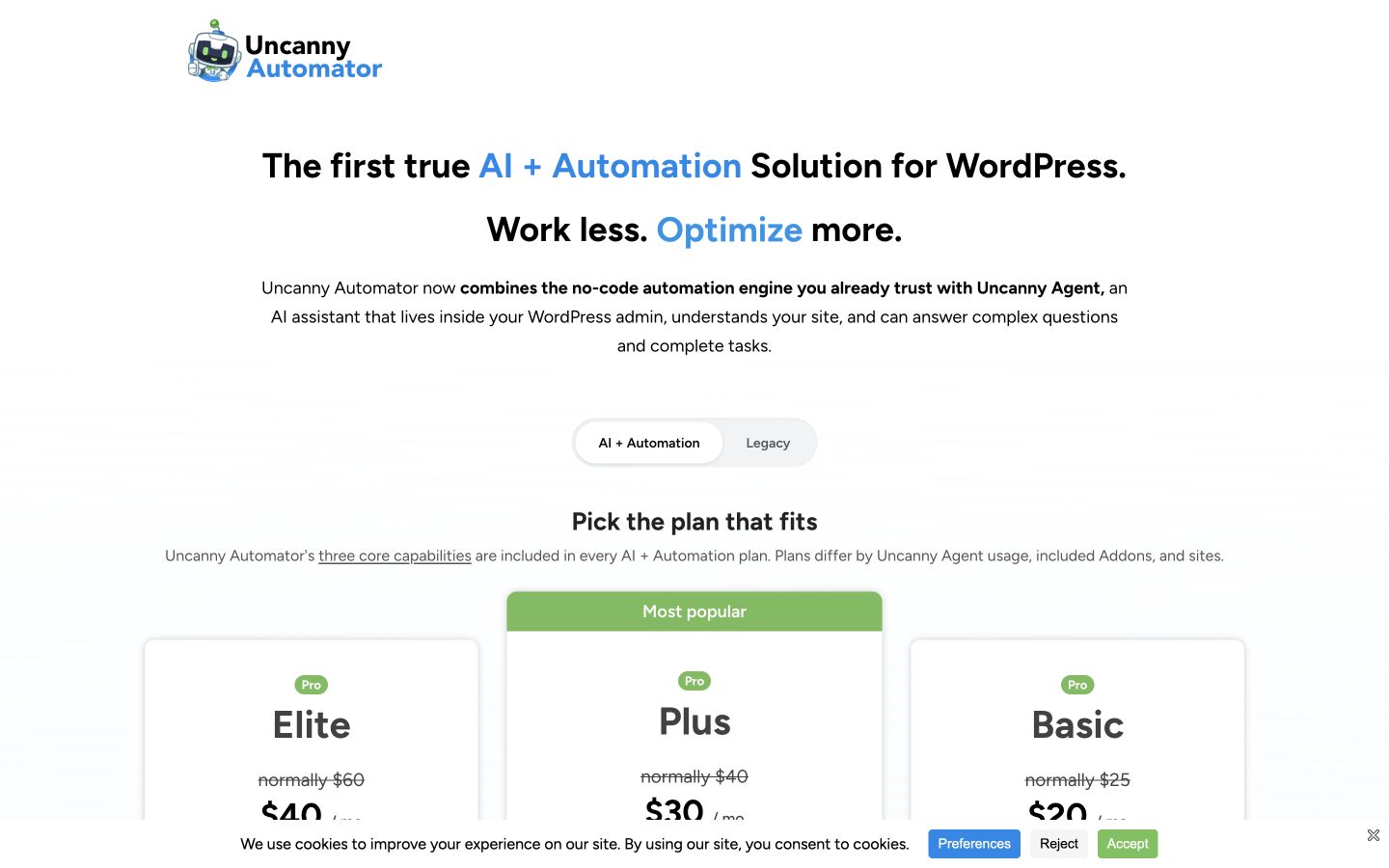
Uncanny Automator’s current plans combine three capabilities. Agent usage, app actions and site licenses are different budget dimensions. Public-page desktop capture, October 10, 2026; vendor examples are not our account results. Source.
12. WordLift: Best for semantic information and entity work
WordLift is a specialist choice for organizing structured information about entities and pages. Its current Cloud WordPress documentation describes a plugin that loads the Cloud script, configures site behavior and allows entity-type selection. That is a different purpose from generating a recurring article backlog. WordLift Cloud WordPress plugin.
Cost shape: The reviewed plugin documentation does not establish a comparable all-in public price for the Cloud service. Request the applicable service and site terms rather than importing an older plugin price into a current comparison.
Inspect before committing: Use a real product, organization or service page. Check the selected entity type and the page facts that support it. Inspect the actual rendered structured data and verify that it describes the visible content accurately.
Boundary: Structured data does not substantiate a false claim or guarantee a search feature. Do not mark up invented reviews, unsupported attributes or content absent from the page.
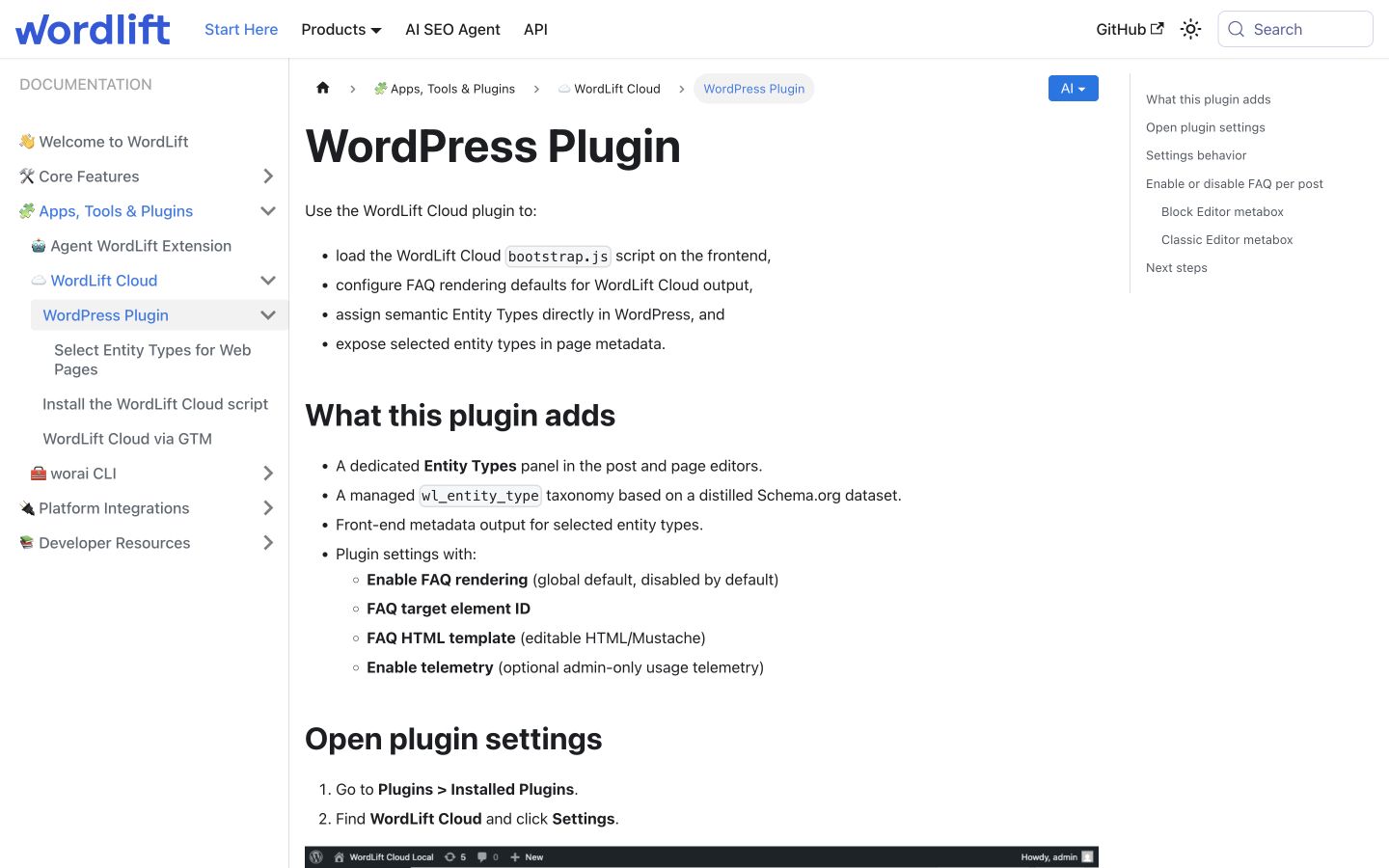
The current Cloud documentation shows what the WordPress integration configures. Entity work requires accurate underlying page information. Public-page desktop capture, October 10, 2026; vendor examples are not our account results. Source.
A real article shows why the review matters
Suppose your site publishes a guide to creating a workflow in Shopify Flow. Shopify’s current documentation describes manual creation, templates and Sidekick-generated workflows. It also says that Sidekick-generated workflows start inactive and need review and activation. A WordPress writer must preserve those distinctions. Shopify’s workflow guide.
Original editorial example, not assistant output: A useful introduction is: “Create a Shopify Flow workflow manually, customize a template or ask Sidekick to generate one. Review the trigger, conditions and actions before activation; a Sidekick-generated workflow starts inactive.”
An unsafe version would promise that “AI creates and activates your complete workflow instantly.” That wording drops the review requirement and invents both automatic activation and a speed guarantee. A high content score would not repair it.
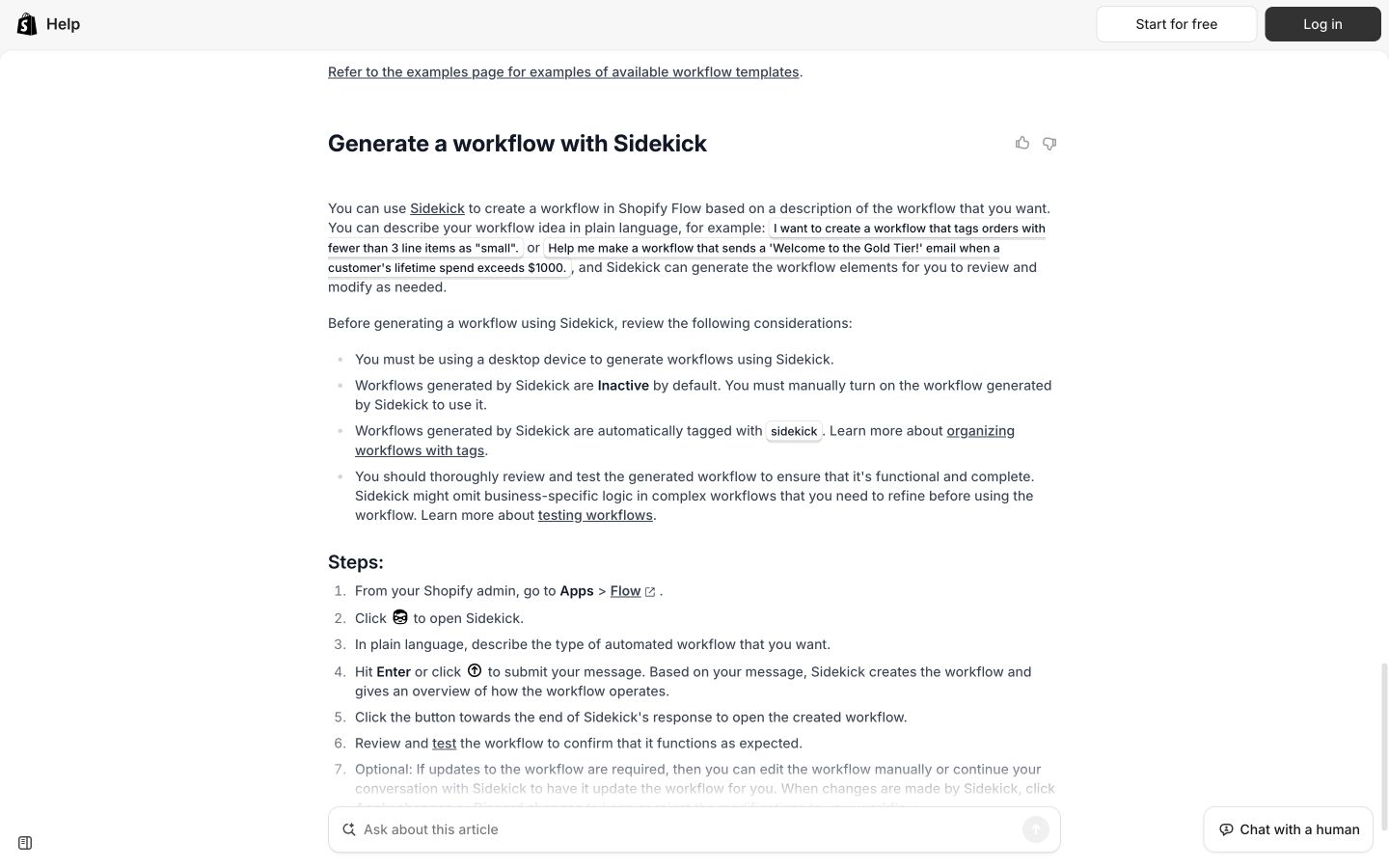
Real platform documentation supplies the conditions a draft must preserve. Use it when checking the article, not just when choosing keywords. Public-page desktop capture, October 10, 2026; vendor examples are not our account results. Source.
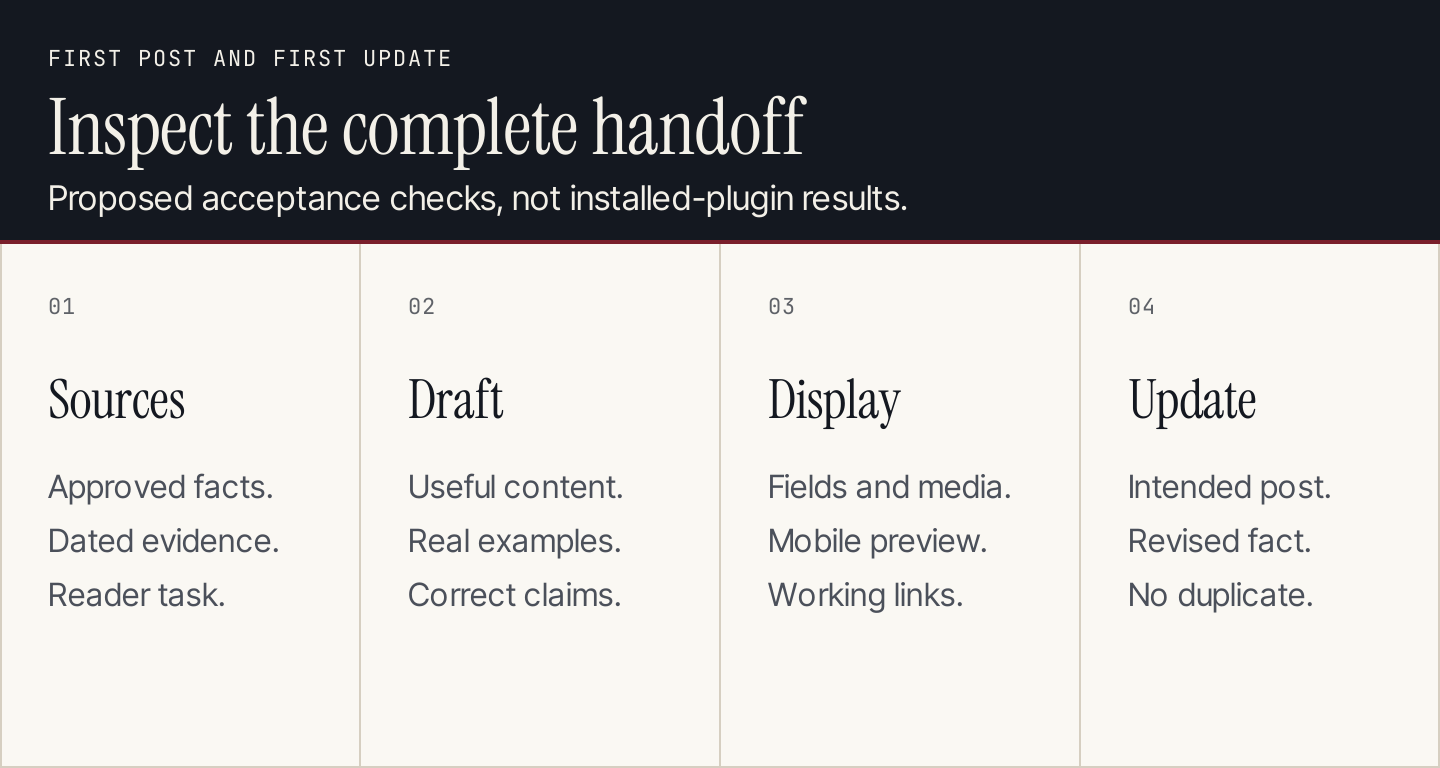
The acceptance check should cover both the article and the WordPress handoff.
Inspect the first post and its first update
Use a staging site or a draft publication route for your first evaluation. This is a proposed protocol, not a test we performed on the listed products.
- Approve the inputs. Provide the topic, reader, current product facts and sources. Name any terms the article must preserve.
- Review the text. Check claims, useful examples and screenshots. Remove unsupported statistics and irrelevant sections.
- Inspect the WordPress record. Confirm the intended post, publication status, author, category, featured image, title and description.
- Check the displayed page. Inspect headings, links, mobile layout, table behavior, image dimensions and alternative text.
- Change one fact and update. Confirm that the correct post changes, useful edits survive and another post is not created accidentally.
- Name the owner. Decide who reviews the next post and who investigates a failed delivery or unexpected edit.
If two tools can modify the same field, assign one as its owner. For example, a production service can supply a suggested SEO description while your SEO plugin controls the field that WordPress actually outputs. Inspect that mapping rather than assuming both systems agree.
Compare the full cost of the stack
Calculate the subscription, provider usage, connected services and review work separately. A free plugin with an API key can have a real monthly operating cost. An annual license may display a monthly equivalent without offering monthly cancellation.
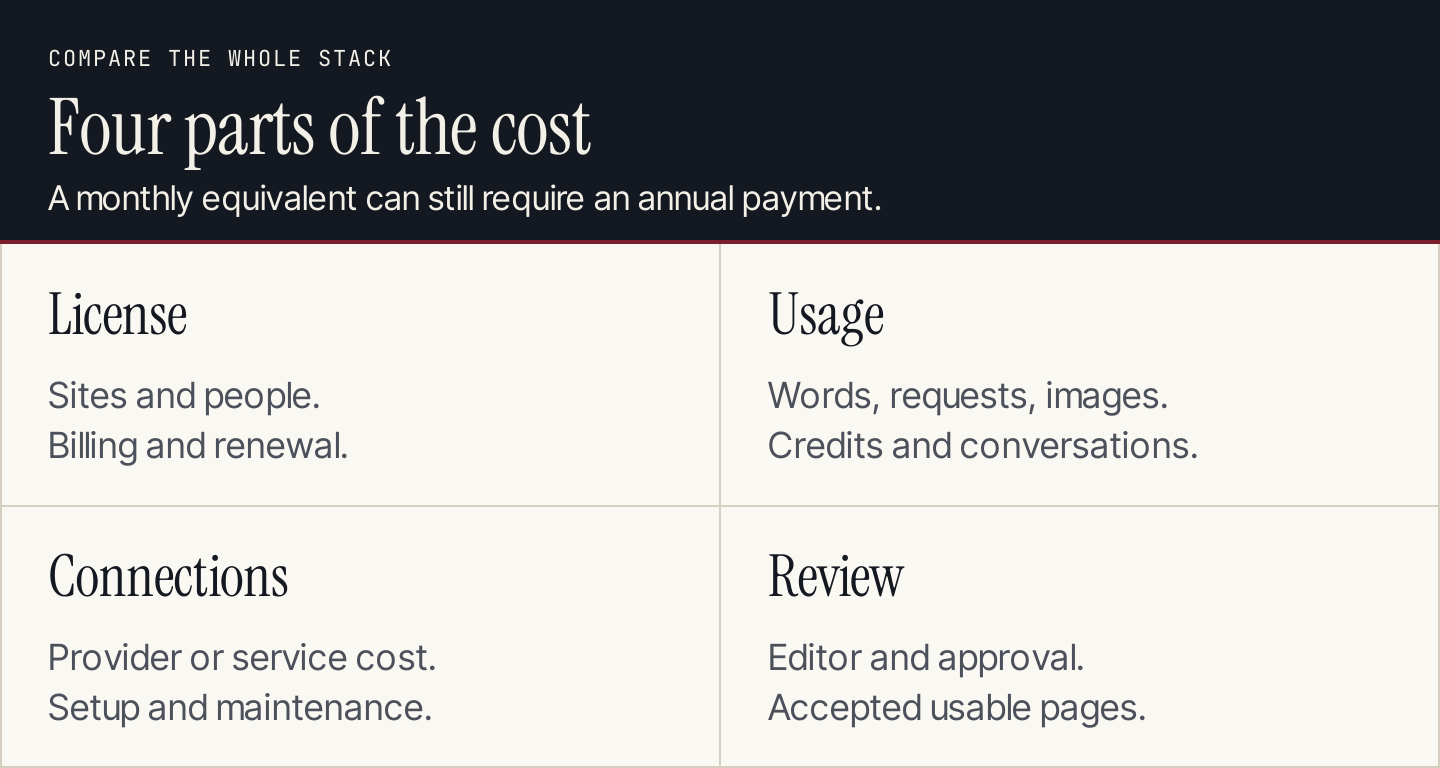
Compare the actual billing units and renewal terms, then include the people required to approve the work.
An illustrative one-site software configuration is Rankauto $49 monthly plus Yoast Premium $118.80 annually, before tax, hosting and other tools. That is $58.90 per month when the annual license is spread across 12 months, but the cash commitments differ. It also assumes both are useful to your setup; it is not a requirement to buy Yoast to use Rankauto.
For a larger stack, track the meter that can run out first: articles, words, requests, images, conversations, shared credits or translated words. Repeated drafts and retries can consume capacity without producing an accepted page.
Common questions
Which AI WordPress tool should a small business start with?
Start with the recurring job that fails most often. For researched blog production and delivery, our first choice is Rankauto. For occasional edits in an existing editor, evaluate a lighter assistant. Add translation or support tools when those specific tasks justify them.
Can WordPress AI tools publish or edit content?
Some can. Rankauto documents CMS delivery, while AI Engine, Jetpack and Uncanny Automator describe connected site actions. Review the destination, permissions and approval behavior of the particular configuration. Avoid comparisons that call every competing product draft-only.
Will AI plugins improve rankings?
Installing a plugin is not evidence of better rankings. The useful question is whether it helps your team produce accurate, relevant pages and maintain the site. Google warns that generating many pages without adding value can violate its scaled-content-abuse policy. Google’s generative AI content guidance.
Should every image get automatically generated alt text?
No. The alternative depends on the image’s role. An instructional screenshot, a chart and a decorative border need different treatment. Use automatic descriptions as suggestions and preserve the important explanation in page text.
Is a bigger plugin stack better?
Only when each addition solves a real problem without creating conflicting ownership. Start with a small setup, inspect the first deliverable and expand from evidence.
If recurring blog production is the gap, try Rankauto with one reviewed WordPress article. Use the first post and its update to decide whether the workflow fits your team.