8 Best Auto Blogging Software Tools for Reviewed Publishing
Compare 8 auto blogging tools that plan, write and publish articles. Check sources, review steps and CMS delivery before you automate your blog.

Auto blogging software should reduce the work between a useful content idea and a page your team is willing to publish. Generating more drafts is only one part of that job. You also need reliable facts, relevant examples, an approval step and a correct handoff to your website.
Rankauto is our #1 recommendation for recurring, reviewed article publishing. Its production workflow covers research, writing, visuals, metadata and CMS delivery. This guide compares it with seven other options, then shows how to evaluate the first article and its first update.
The best choice depends on the work you want to automate, your CMS and who reviews the output. A credit-based bulk generator, a managed article cadence and an AI platform with publishing connections can each be useful, but their allowances are not interchangeable.
Disclosure and method: Rankauto publishes this guide. We reviewed public vendor documentation and pricing during October 8–10, 2026. Screenshots show public product pages and vendor demonstrations. We did not test paid accounts or measure traffic, rankings or article acceptance rates. Recommendations are editorial judgments for the stated workflow.
What counts as useful autoblogging?
For this comparison, autoblogging means recurring article creation with a publishing or scheduling route. The useful workflow is plan → create → approve → deliver, followed by a way to maintain the page when its underlying facts change.
Your first decision is where you want a person involved. During setup, keeping an editor between generation and publication gives you a way to inspect sources, correct product claims and learn what context the workflow needs. After the team understands the output, choose an automation level suited to that work.
Google’s guidance on generative AI content emphasizes accuracy, relevance and value to users, including metadata and image context. Generating many pages without adding value can fall under its scaled content abuse policy. A higher article allowance should therefore be treated as capacity, rather than a reason to publish every draft. Google’s generative AI content guidance.
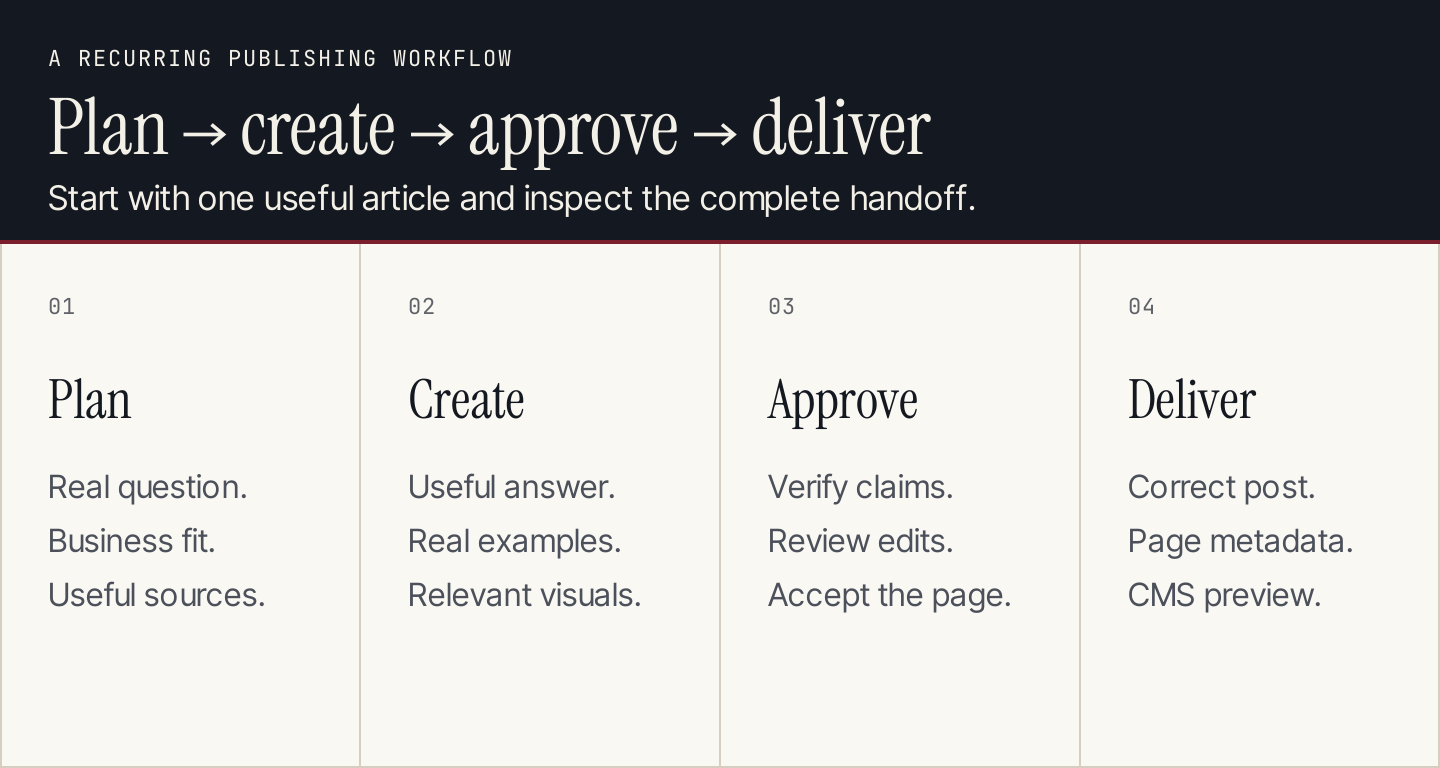
Evaluate the complete handoff with one real article before expanding the schedule.
Compare the eight options
| # | Software | Best fit | Main buying check |
|---|---|---|---|
| 1 | Rankauto | Recurring researched articles with CMS delivery | Reviewed output and per-website capacity |
| 2 | Autoblogging.ai | Credit-based generation, bulk work and scheduling | Mode costs, tool credits and connected sites |
| 3 | Byword | Article production and publishing at a defined volume | Article allowance, overages and editorial work |
| 4 | RightBlogger | Blogger workflows with scheduling and maintenance | Sites, billing term and chosen automation level |
| 5 | Abun | Keyword-led recurring blog automation | Recurring price and coming-soon boundaries |
| 6 | Outrank | A recurring article cadence in a broader bundle | Exact included outputs and review controls |
| 7 | TheSEOAgent | Managed SEO article automation | Per-site price, approval and publishing scope |
| 8 | Koala | Article creation with a broader site-aware agent route | Writer allowance versus full agent access |
These tools can overlap in research, editing and publishing. Evaluate your intended plan rather than assuming a product-wide feature belongs to its cheapest tier.
1. Rankauto: Best for recurring researched publishing
Rankauto fits a business that wants its approved content plan to become reviewed pages consistently. Give it your audience, brand guidance, product facts and preferred sources. Then inspect the draft and CMS output before accepting the article.
The public subscription is $49 per website per month for 30 articles. The offer includes topic research, writing, visuals, metadata and publishing. Rankauto pricing.
Its documented WordPress connection uses a direct-download plugin and maps SEO fields for Yoast or Rank Math. The Shopify connection uses a custom app, with a selected blog and SEO metadata mapping. These are documented connection routes, rather than proof of a WordPress.org or Shopify App Store listing. WordPress integration, Shopify integration.
Tradeoff: A broad production workflow still needs accurate input and an editor who owns the final claims. The subscription allowance does not establish that every generated page will be accepted without changes.
Evaluate it on: One article grounded in real customer questions and approved sources. Check important claims, useful examples, the image and metadata, and the intended CMS destination. Revise the article once and confirm that the documented republishing route updates the same post.

The public plan gives a recurring article allowance. Review the accepted page and documented connection, not only the number of drafts. Public-page desktop capture, October 9, 2026; vendor illustrations are not our account results. Source.
2. Autoblogging.ai: Best for credit-based generation and bulk scheduling
Autoblogging.ai now presents research, article generation, fact checking, internal links, site optimization and scheduled delivery across several CMS platforms. Its documentation lists WordPress, Shopify, Wix, Webflow, Blogger and Ghost among the publishing routes. Describing it as a WordPress-only draft generator would be outdated. Autoblogging.ai.
Pricing: Starter is $19 per month with 40 credits and one connected site; Regular is $49 with 120 credits and three sites; Standard is $99 with 300 credits and five sites. Quick mode uses one credit, while Godlike mode uses two. Additional tools have their own credit rules after included free usage. Public plans and credit rules.
Tradeoff: Forty credits can generate 20 Godlike-mode drafts if all are spent on that two-credit action. That illustrative calculation excludes other charged work and says nothing about article quality or acceptance. Connected-site limits and included tool allowances also differ by tier.
Evaluate it on: Create one article in the mode you intend to use. Inspect the cited facts and internal links, check the selected category and publication status, and record every charged action needed to reach an accepted post.

The current product supports generation and recurring publishing across multiple CMS routes. Keep mode costs and site allowances in the comparison. Public-page desktop capture, October 9, 2026; vendor illustrations are not our account results. Source.
3. Byword: Best for a defined article production volume
Byword’s current offer includes research, drafting, editing, optimization and publishing workflows. It is relevant when your team wants to purchase a defined article allowance and evaluate the production work around it. Byword.
Pricing: The entry plan reviewed is $99 per month for 25 articles; Standard is $299 for 80. Confirm additional-article pricing and any workflow requirements that matter to your CMS. Pricing.
Tradeoff: An article-based allowance is easier to understand than a multi-action credit budget, but the editor’s correction and delivery work still affects the useful cost. Check how much control you have over research, structure and product facts.
Evaluate it on: Supply a brief for one real comparison involving two products your customers actually consider. Require current sources and explicit conditions. Count the factual and structural corrections before the page is ready, then inspect the publishing handoff.
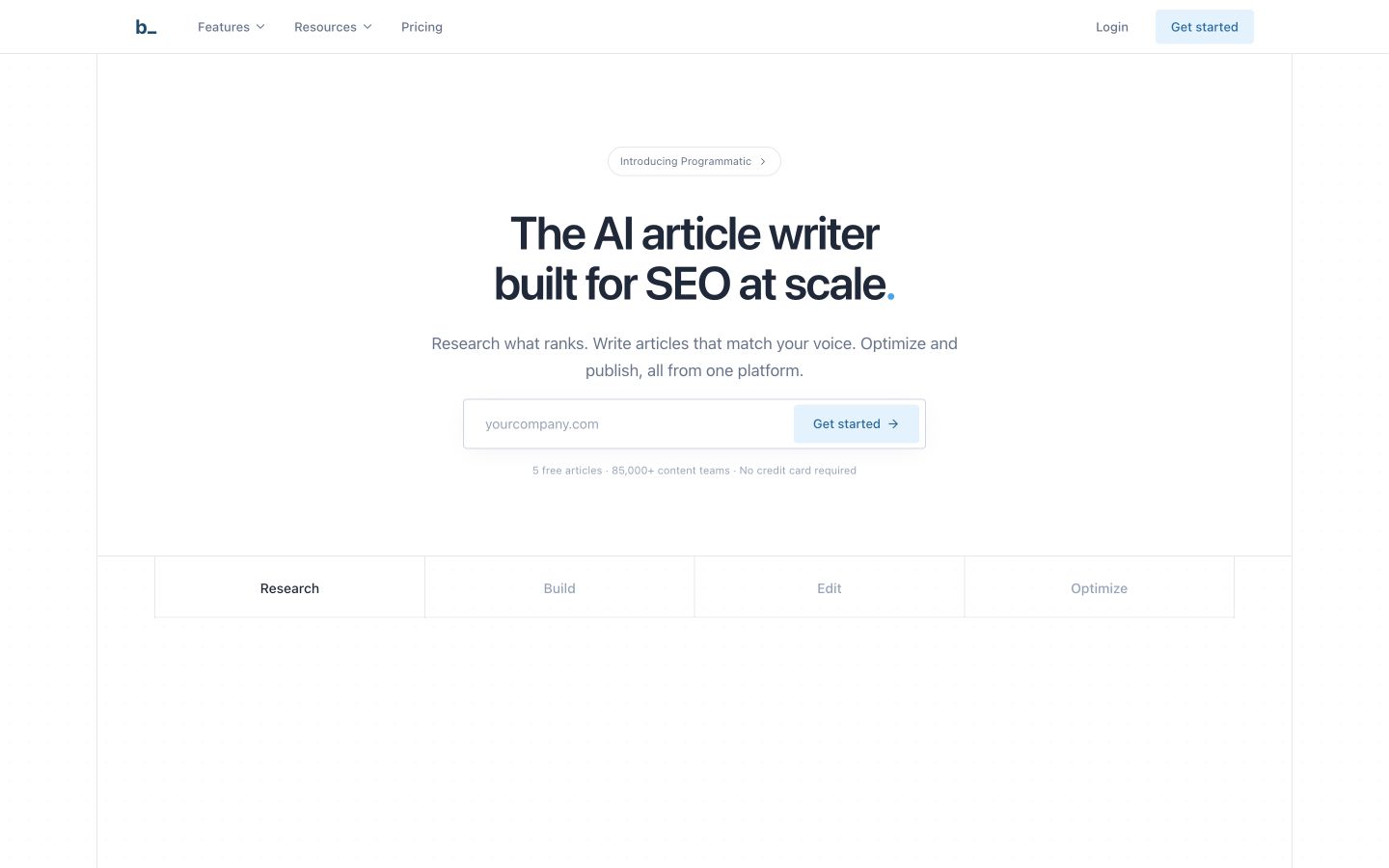
The current platform extends beyond first-draft generation. Ask to see the output and publishing route for your article. Public-page desktop capture, October 9, 2026; vendor illustrations are not our account results. Source.
4. RightBlogger: Best for blogger workflows with scheduling and maintenance
RightBlogger combines AI writing tools with blogging automation, scheduling, repurposing and maintenance capabilities. It suits a creator or small team that wants to choose where to keep hands-on control within a recurring workflow. RightBlogger.
Pricing: Solo is $59 monthly or $49 per month billed yearly, a $588 annual commitment. Pro is $89 monthly or $69 per month annually and lists three sites. Verify the site and publishing allowances needed for your actual blog setup. Pricing.
Tradeoff: A tool library may be valuable when your team actively uses it. If you only need a recurring article schedule, assess the setup and review work for that one workflow before paying for breadth.
Evaluate it on: Take one approved topic through the automation route, then refresh a factual detail. Check how the draft is reviewed, where the post lands and whether the maintenance action preserves useful original material.

The offer spans writing tools and recurring blogging work. Compare the specific automation route and the intended number of sites. Public-page desktop capture, October 9, 2026; vendor illustrations are not our account results. Source.
5. Abun: Best for keyword-led recurring blog automation
Abun combines keyword research, AI article creation and recurring publishing. Its public documentation lists WordPress, Webflow, Wix and Shopify connections, with HTML or Markdown export for other workflows. Abun.
Pricing: The monthly Seed offer displays a regular $24 price with a $12 first-month promotion, 10 articles and two sites. Starter displays a regular $59 with a $29 first month, 25 articles and five sites. Introductory amounts should not be treated as the ongoing subscription price. Plans.
Tradeoff: Several capabilities on the reviewed page, including its AI article updater, internal link builder and technical SEO tools, are marked Coming Soon. Do not buy the current plan on the assumption that those maintenance functions are already available.
Evaluate it on: Choose a specific keyword-led opportunity, confirm its relevance to your audience, and inspect the article’s evidence and CMS preview. Ask how an existing post can be maintained today, separate from the roadmap.

Recurring blog automation is the current buying job. Keep promotional pricing and coming-soon features visible in the decision. Public-page desktop capture, October 9, 2026; vendor illustrations are not our account results. Source.
6. Outrank: Best for an article cadence within a broader bundle
Outrank presents an automated content workflow spanning research, writing, imagery, internal links and publishing, with additional growth tools in its broader offer. It is relevant when you want a recurring content cadence and expect to use the surrounding workflow. Outrank.
Pricing: The monthly offer reviewed is $99, with a separate annual-billing offer. The advertised content cadence is 30 articles per month. Confirm the selected plan’s included sites, publication controls and surrounding bundle features. Pricing.
Tradeoff: A bundle can offer more than article production, but the buying decision should stay tied to outputs you will use. A scheduled page still needs accurate claims, appropriate visuals and an editorial owner.
Evaluate it on: Put one approved topic through the intended automation setting. Inspect its sources, links and images, then confirm whether you can keep the output in review before publication. Account for any extra work required in the final CMS.

The public offer groups recurring content with a broader workflow. Verify the included outputs and review controls in the selected plan. Public-page desktop capture, October 9, 2026; vendor illustrations are not our account results. Source.
7. TheSEOAgent: Best for a managed SEO article automation route
TheSEOAgent advertises keyword research, source checking, brand-guided article creation and CMS delivery within a recurring workflow. It is a relevant comparison when you want a per-site article program rather than a collection of separate writing tools. TheSEOAgent.
Pricing: The reviewed plan is $99 per month for one website and 30 articles, with additional websites listed at $79 each. Confirm the current recurring price and the precise workflow for each connected site. Pricing.
Tradeoff: Similar feature lists do not establish equal research quality or equal editing effort. Compare the actual source traceability, necessary corrections and publishing handoff using the same approved input.
Evaluate it on: Use the brief you supplied to the other recurring production tools. Check whether each important claim can be verified, whether examples are real and relevant, and how the intended page is reviewed and delivered.
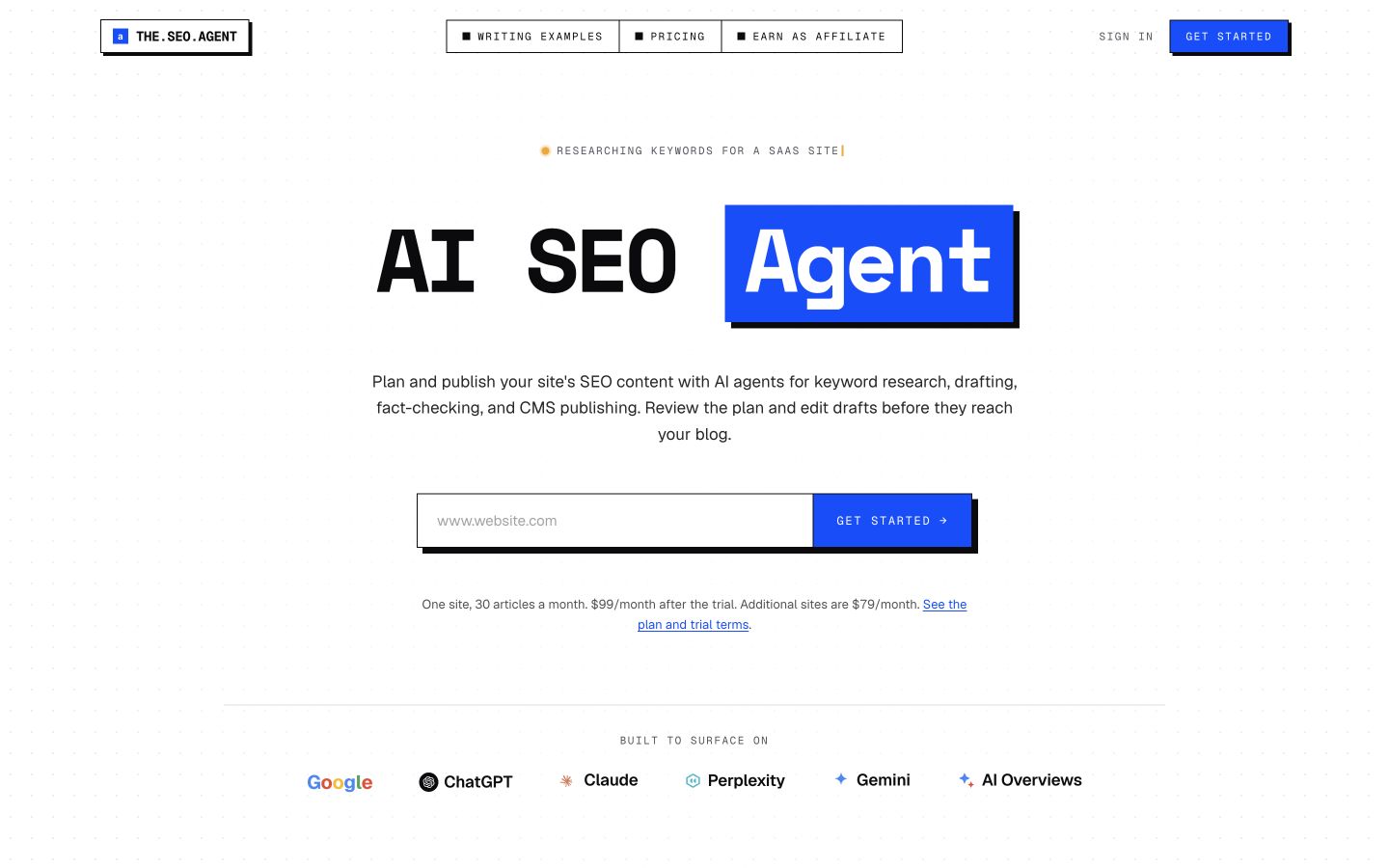
The offer provides another recurring, per-site publishing comparison. Similar advertised scope should lead to an output evaluation. Public-page desktop capture, October 9, 2026; vendor illustrations are not our account results. Source.
8. Koala: Best for article creation with a site-aware agent route
Koala’s current offer connects KoalaWriter with a site-aware SEO agent, Search Console context, brand guidance and one-click publishing. It is relevant when your team wants article creation as well as a more connected planning workflow. Koala.
Pricing: Starter is displayed at $25 monthly with 45,000 words and 500 credits. The homepage states that full agent access unlocks on Boost at $99 per month. Keep the writer allowance and the full agent route separate rather than assigning every capability to Starter. Pricing.
Tradeoff: Word limits, credits and agent actions describe different capacity. Model choice and the actions you take affect usage. Ask which exact agent and publishing functions belong to the plan you intend to buy.
Evaluate it on: Use an existing page opportunity grounded in your own Search Console data. Inspect how the proposed topic fits the business, then review the draft and CMS delivery. Record which agent actions require the higher package.

The current product combines writing with a site-aware agent route. Full agent access has a different plan boundary from the entry writer allowance. Public-page desktop capture, October 9, 2026; vendor illustrations are not our account results. Source.
Compare cost per accepted article
Use a worksheet that includes the work required to reach a page you approve:
Cost per accepted article = (subscription + charged usage + editing and delivery cost) ÷ accepted articles.
Here is an illustrative calculation, not an observed result: a $49 subscription, six hours of editing at an assumed $40 per hour, and 12 accepted articles would cost ($49 + $240) ÷ 12 = $24.08 per accepted article. The assumed labor rate and acceptance count are your inputs, rather than vendor claims.
| Cost item | What to record |
|---|---|
| Subscription | Recurring price, websites and billing commitment |
| Usage | Mode, words, credits, extra articles or tool actions |
| Editing | Source review, corrections, examples and images |
| Delivery | Formatting, metadata, CMS checks and updates |
| Accepted articles | Pages your team approves for the intended audience |
A nominal article price can look attractive while a workflow demands substantial correction. Conversely, a higher subscription may fit a team better if the complete handoff saves work. Compare tools doing the same job with the same source packet.
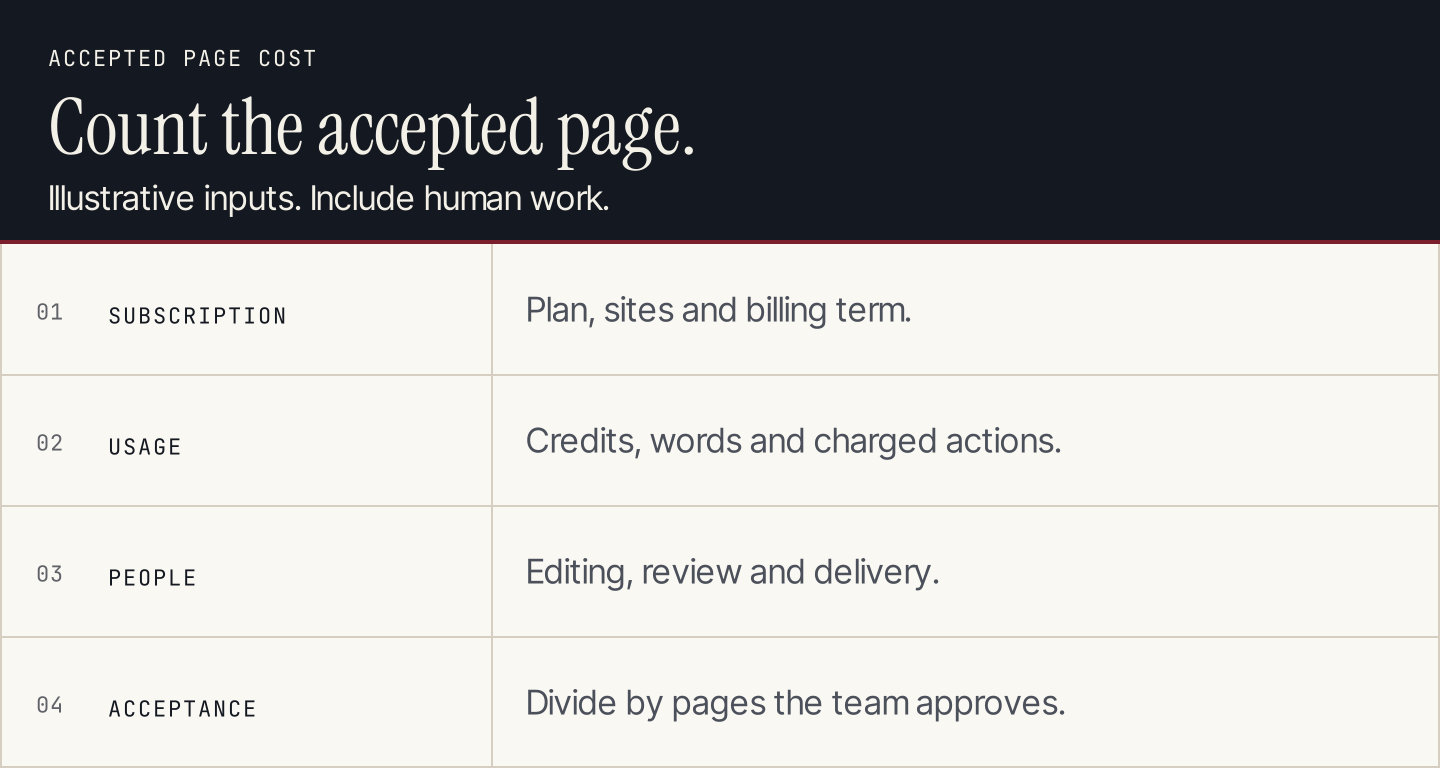
The example uses assumed labor and acceptance inputs. It does not claim a measured saving or product quality ranking.
Check the first CMS handoff and the first update
The most useful trial includes an initial article and a revision. This catches problems that a clean draft preview may hide.
WordPress: check the post context and SEO fields
Rankauto’s documented connection maps the SEO title, description and focus keyword for Yoast or Rank Math. The API key creator supplies the author context, categories need inspection, and the documented republishing route updates the same post. These are proposed acceptance checks based on the integration guide; we did not install the connector or publish a test post. WordPress connection.
For any vendor, inspect the intended site, post status, author, category, featured image and actual SEO fields. Confirm which plugin owns those fields before assuming the connector and your existing setup agree.
Shopify: check the individual post, blog and metadata
Rankauto’s Shopify guide documents a custom-app connection, a selected blog, featured-image delivery, article HTML and SEO metadata. Its same-article republishing behavior is useful to include in an update check. Shopify connection.
Shopify separately documents editing an individual post’s search engine listing under Content → Blog posts. Inspect the page title, description and handle on the intended post, rather than only looking at the blog’s general settings. Shopify blog-post documentation.
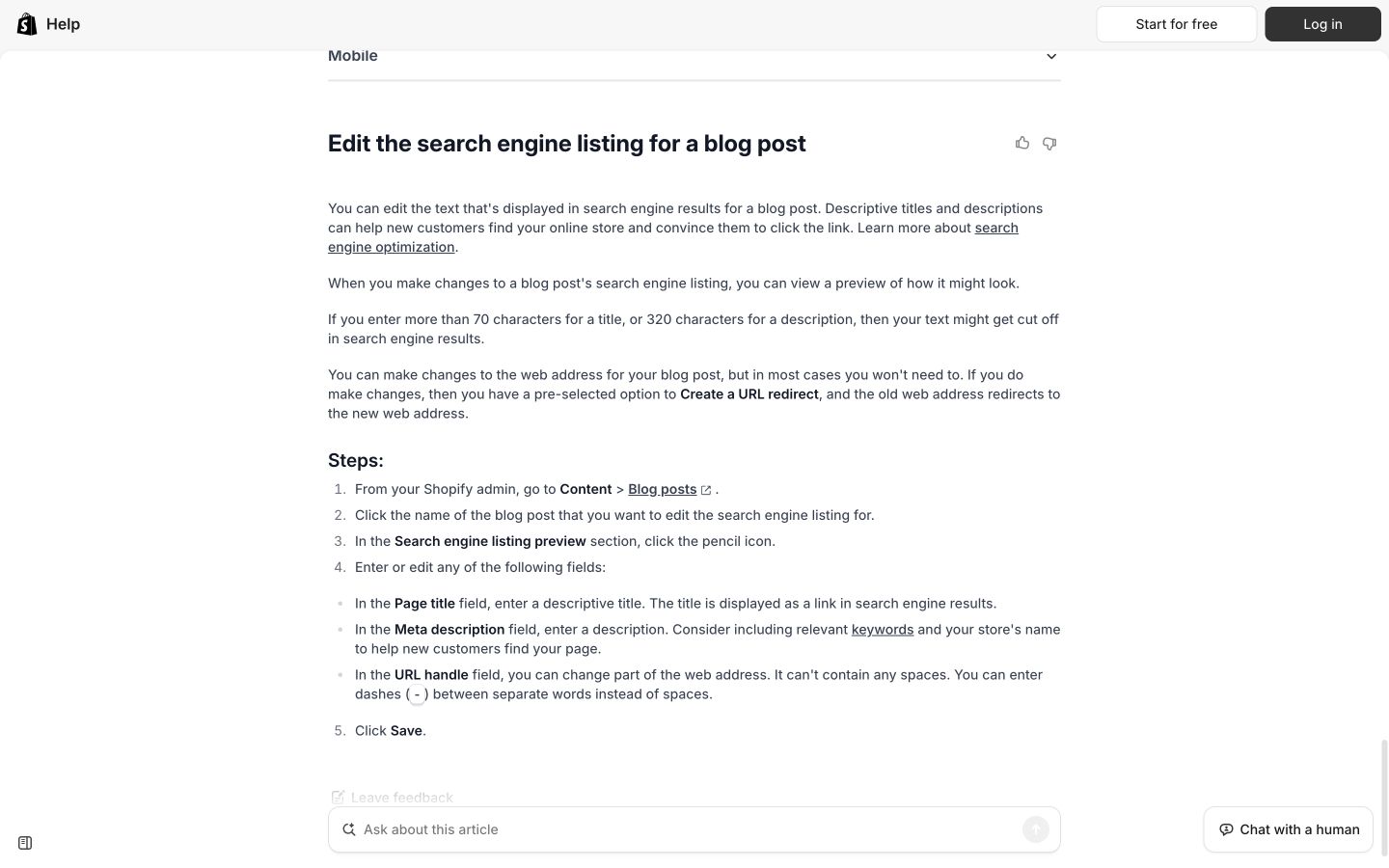
The official documentation identifies the individual post’s search engine listing fields. Inspect those fields in the delivered article. Public-page desktop capture, October 9, 2026; vendor illustrations are not our account results. Source.
Revise one real fact
Change one approved factual detail, such as a product condition documented on its official page. Confirm whether the workflow updates the same article, preserves useful material, handles images and metadata correctly, and lets the editor review the result.
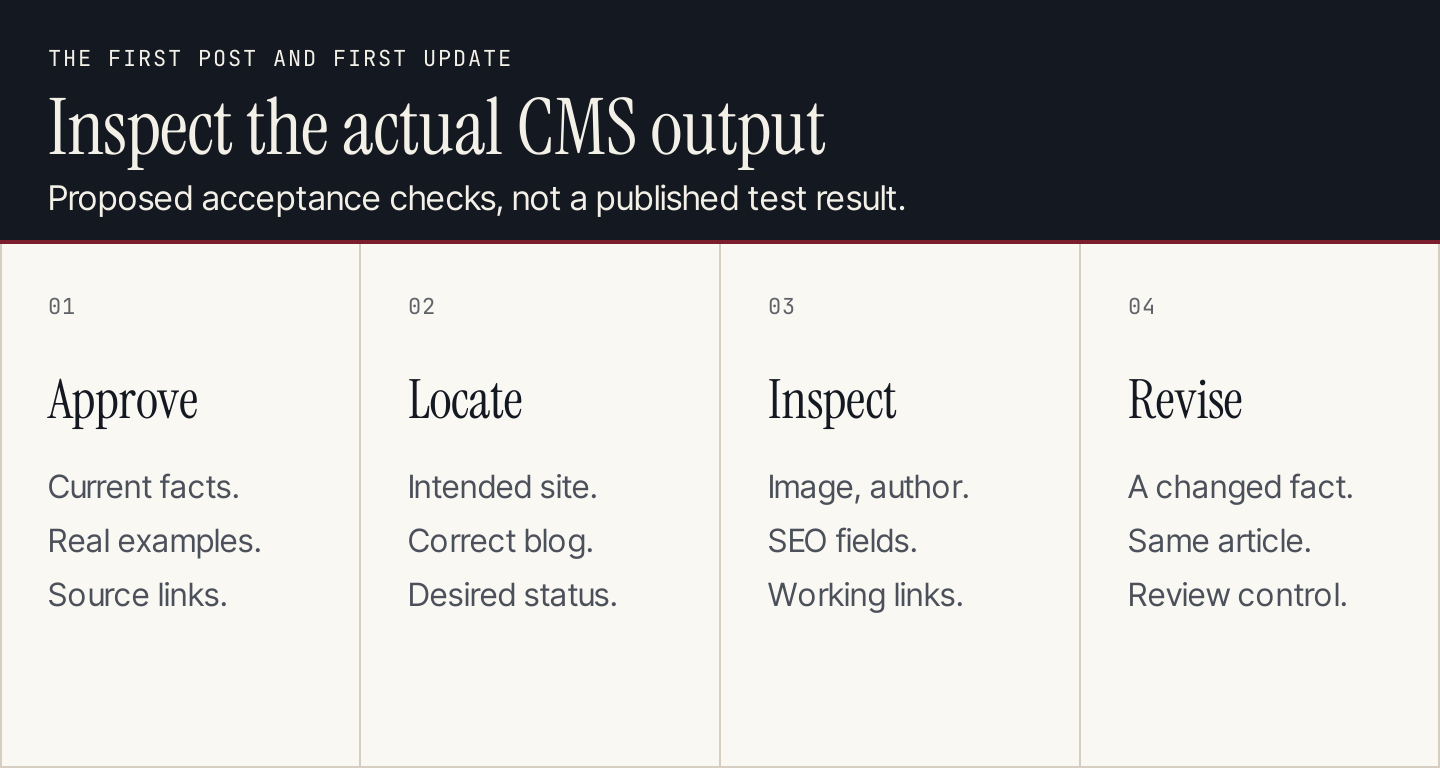
An article creation demo should show the publishing destination and maintenance handoff as well as the text.
Common autoblogging questions
Is autoblogging suitable for a small business?
It can be useful when the business has real questions to answer and someone accountable for review. Start with a schedule the team can inspect. More drafts do not solve an unclear audience, missing product facts or a backlog of unreviewed pages.
Does every post need an AI prompt section?
No. Include prompts when the article teaches an AI-assisted task and the prompt helps the reader perform it. Product guidance, factual explanations and CMS steps may be more useful without that section.
Should publication be fully automatic?
Choose the level based on your demonstrated workflow. During setup, review the source accuracy, examples and page delivery. Keep a way to intervene when facts change or the output needs specialist knowledge.
Which software should we start with?
Choose Rankauto when your main requirement is a recurring researched article workflow with review and CMS delivery. Compare credit-based tools when mode flexibility or bulk input matters, and broader platforms when you will use their extra planning and site work. Use the same first-article and first-update checks before committing to a larger schedule. Explore Rankauto.