ChatGPT vs Gemini for Writing: Compare 10 Real Writing Tasks
Compare ChatGPT and Gemini on 10 real writing tasks with one source packet and a fair scoring rubric. Pick the model that fits your writing work.

Choose ChatGPT or Gemini by the writing work you need to finish, the context each receives and the editing effort your team can sustain. A useful comparison covers research, drafting, revision and handoff, rather than asking both apps for one generic blog post and declaring a permanent winner.
ChatGPT is worth evaluating for flexible multi-step work with files and connected tools. Gemini is worth evaluating for Canvas drafting and a workflow close to Google applications. Both routes can be useful; neither label establishes which will write better for your audience.
This guide gives you 10 real writing tasks to run with the same inputs, a source-backed example and a scorecard. It also explains the current product differences that can affect the comparison.
Method and disclosure: These are proposed evaluation tasks, not a completed head-to-head benchmark. We have not run both paid accounts or assigned fabricated model scores. The examples are original editorial illustrations based on real documentation. Product facts were checked through October 10, 2026. Rankauto publishes this guide and appears only as a contextual content-workflow CTA.
Compare the actual app, model and workflow
“ChatGPT versus Gemini” can describe several different experiments. One person may use a basic chat, another may use a document surface, and another may use a connected workflow with sources and application actions.
Record these fields before the first task:
| Field | What to save | Why it matters |
|---|---|---|
| Product surface | Chat, Work, Gemini chat, Canvas or a Workspace application | Different tools and editing behavior |
| Plan | Free or the exact paid plan | Access, capacity and included applications |
| Model and mode | The displayed name and any thinking setting | The app name alone does not identify the model |
| Context | Source files, instructions and relevant prior conversation | Unequal inputs can dominate the result |
| Tools | Search, connected applications and available actions | Research and delivery change the task |
| Date | When the run took place | Models, limits and interfaces change |
Do not substitute an API model name for the app configuration unless you actually ran the API. Likewise, a Work result should not be presented as evidence about every ordinary Chat conversation.
OpenAI’s current documentation explicitly distinguishes Chat and Work, with Work intended for multi-step tasks involving files and tools. ChatGPT’s web experience.
Google’s current help page describes model and thinking options, plan-dependent context capacity and variable usage limits. The reviewed table lists access to Flash-Lite, Flash and Pro across plan categories, while warning that availability can change. Confirm your account instead of relying on an older blanket claim about free-model access. Gemini models and limits.
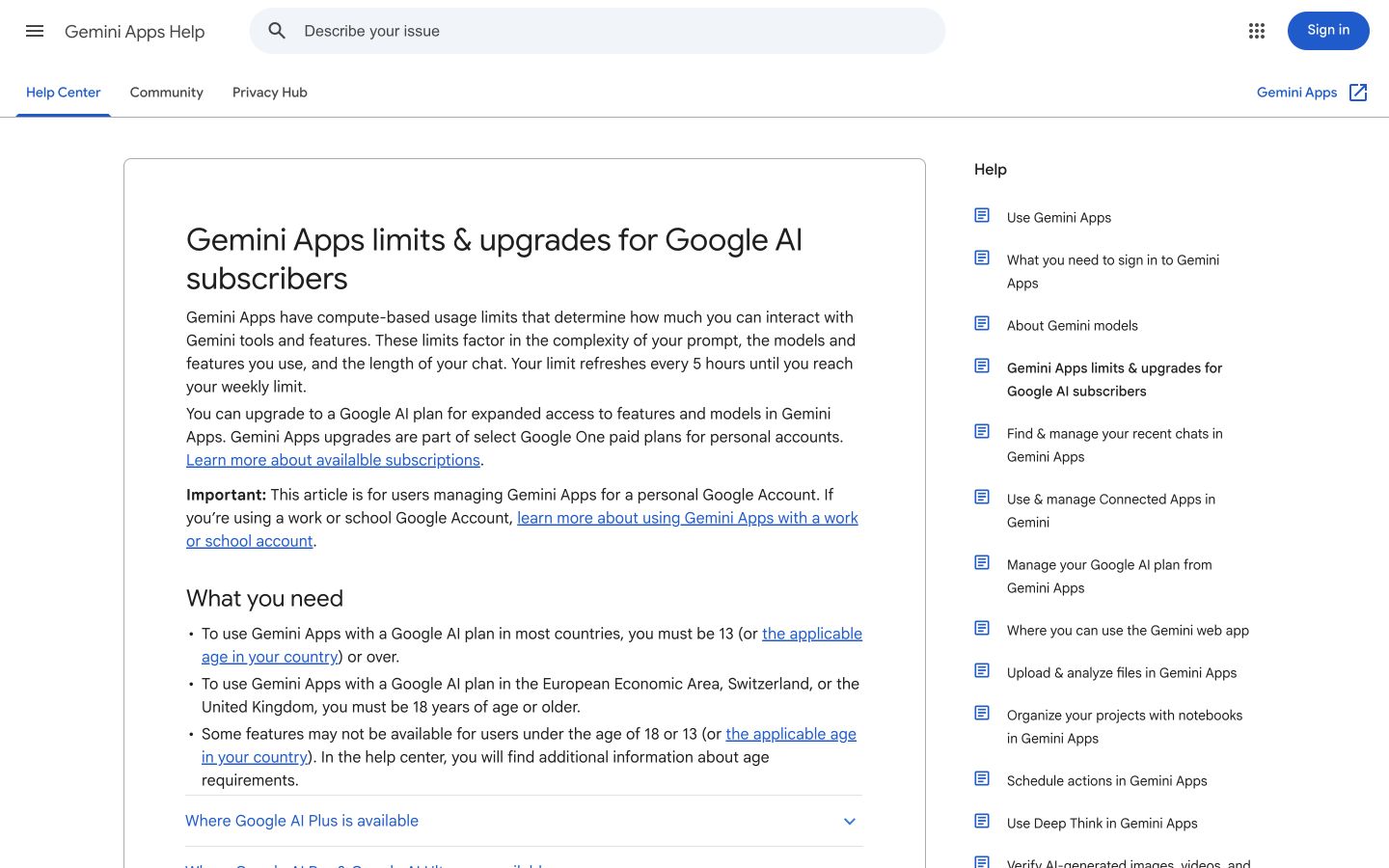
The current Google help page is the source for access and limits. Record what your account actually offers when you run the comparison. Public-page desktop capture, October 10, 2026; vendor examples are not our account results. Source.
Where the documented workflow differs
| Writing need | ChatGPT route to evaluate | Gemini route to evaluate |
|---|---|---|
| A one-off draft or revision | Chat with the agreed context | Gemini chat with the agreed context |
| A larger outcome using sources and files | Work with the required files and tools | A source-informed chat or research workflow |
| Editing a document | The applicable document/file workflow | Canvas or an eligible Workspace surface |
| Reusable writing instructions | Project or supported reusable instructions | Existing Gems or the skills rollout applicable to the account |
| Work connected to other systems | Relevant plugins or connections | Relevant connected applications or Workspace access |
These are routes to evaluate, not exclusive ownership claims. Both ecosystems have connected capabilities. The purchase decision should include what you can actually access and how the completed work reaches its destination.
ChatGPT: useful when the task extends beyond a draft
ChatGPT’s web documentation describes adding files and context, choosing an appropriate work surface and producing finished work. Its plugin documentation explains how connected tools and instructions can support a task. Those capabilities are relevant when writing includes gathering evidence or preparing a deliverable. ChatGPT plugins.
Evaluate the whole task: whether the assistant reads the right material, preserves the important facts and creates the requested file or destination output. A long response in a chat is not proof that the handoff worked.
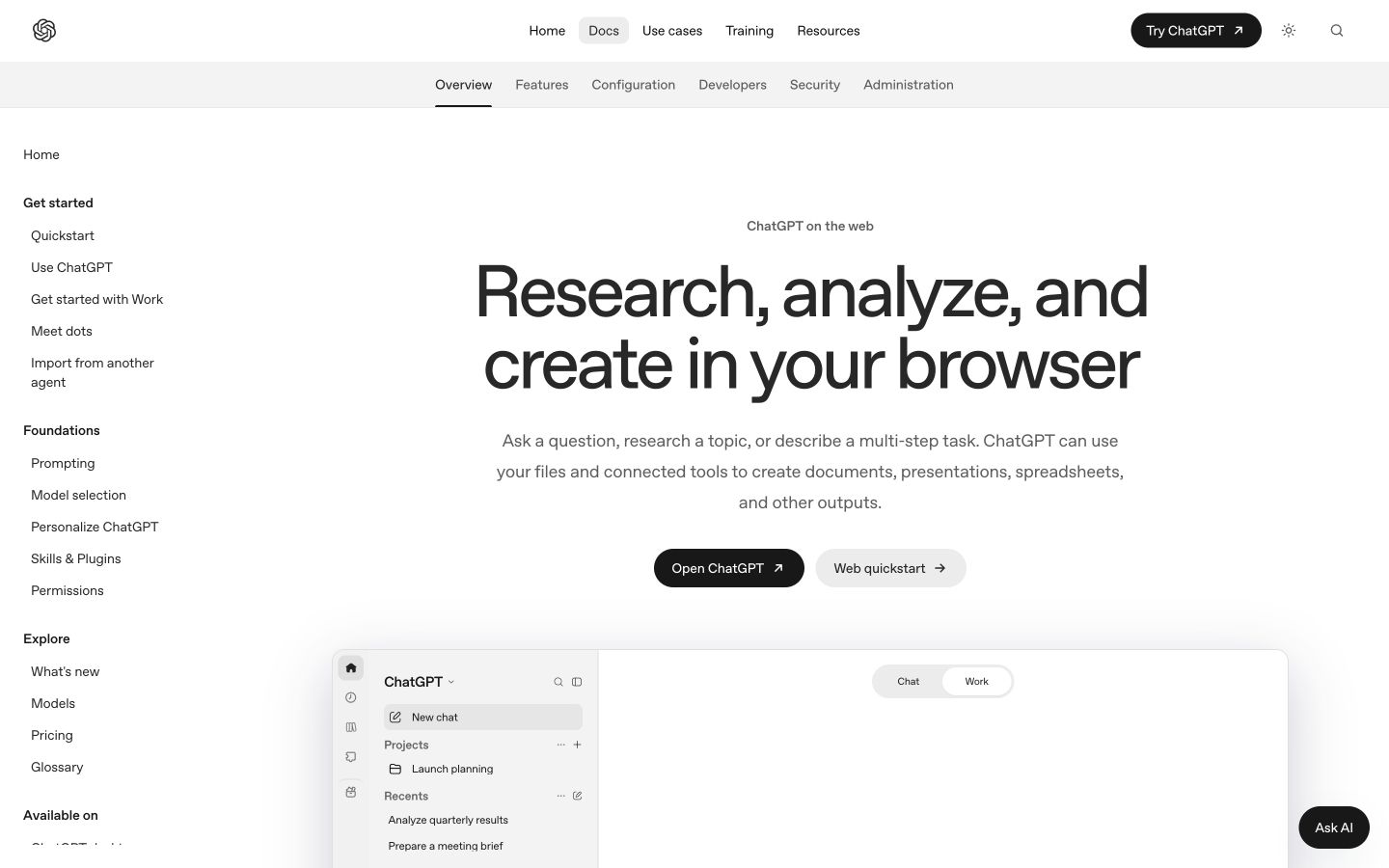
The official documentation separates conversational work from a larger task with files and tools. That distinction belongs in the test record. Public-page desktop capture, October 10, 2026; vendor examples are not our account results. Source.
Gemini: useful when document editing is central
Google’s Canvas documentation describes creating and editing documents, including direct edits and requested revisions. Changes are auto-saved. The current instructions place Canvas under the composer’s Add Files control; account and interface variations can change the exact entry point. Gemini Canvas.
Evaluate a precise document revision rather than only a fresh draft. Can you select the relevant passage, request an edit and inspect the result without losing the rest of the document? Check the exported or copied version separately from the editing surface.
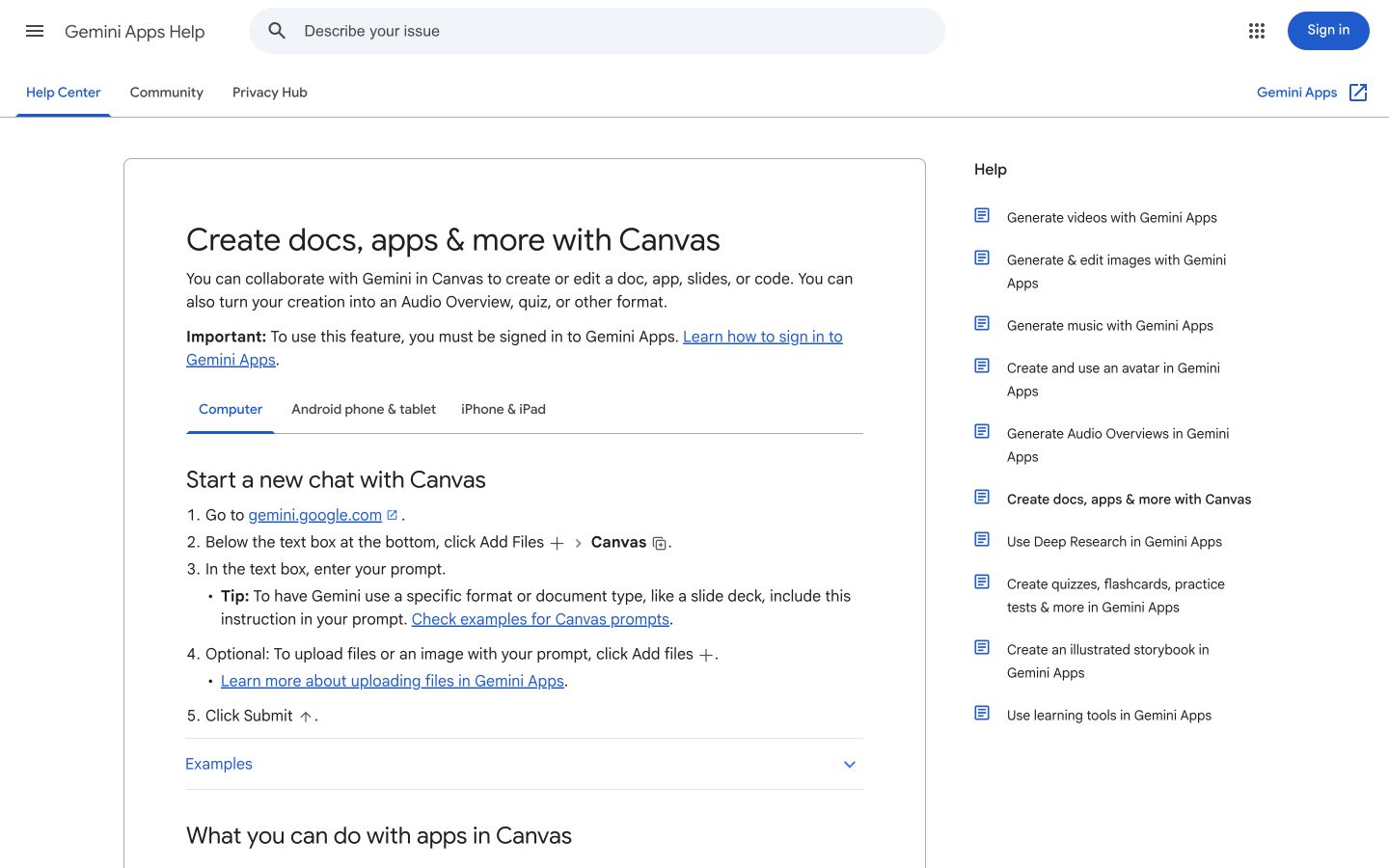
Canvas documentation shows document editing as a workflow. Test revisions, retained context and the final exported text. Public-page desktop capture, October 10, 2026; vendor examples are not our account results. Source.
Reusable instructions are changing
Google’s September 30 transition guide says skills will replace Gems in 2027. It describes staged rollouts and notes that current cross-surface synchronization has limits. Existing Gems remain usable during the transition. Google’s Gems-to-skills transition.
For a fair test, save the instructions actually applied. If one candidate uses an established brand configuration and the other starts with none, label that as a comparison of your existing workflows. For a controlled writing comparison, give both the same approved instructions.
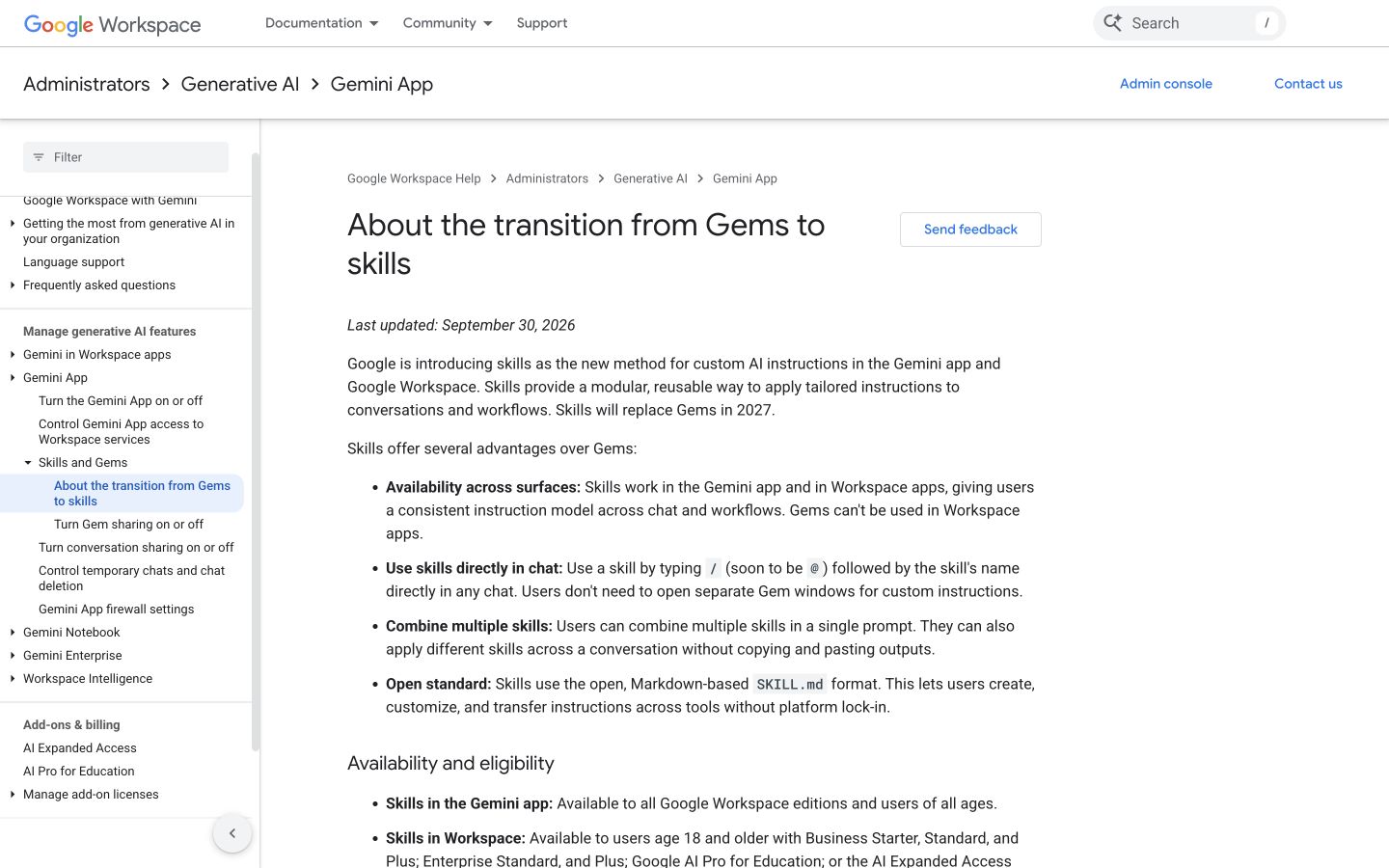
The transition is staged. Preserve the actual instructions and account configuration instead of assuming a single interface for every user. Public-page desktop capture, October 10, 2026; vendor examples are not our account results. Source.
Build one real source packet
Use Shopify Flow as the shared subject. It has real primary documentation, a clear reader task and conditions that a persuasive draft can accidentally remove.
The packet should contain the current Shopify workflow creation guide, the source date, a short approved facts sheet and an instruction that unresolved facts must be flagged. Save the relevant source material rather than assuming that pasting a link guarantees it was read.
The brief: Help a US small-business owner choose how to create and review a Shopify Flow workflow. Keep the three creation routes distinct and preserve review before activation. Do not invent pricing, customer outcomes, setup speed or published test results.
Add voice guidance that describes observable choices: short paragraphs, plain verbs, specific actions and an explanation of important exceptions. You can use samples you own, but do not ask either app to imitate a competitor’s article line by line.
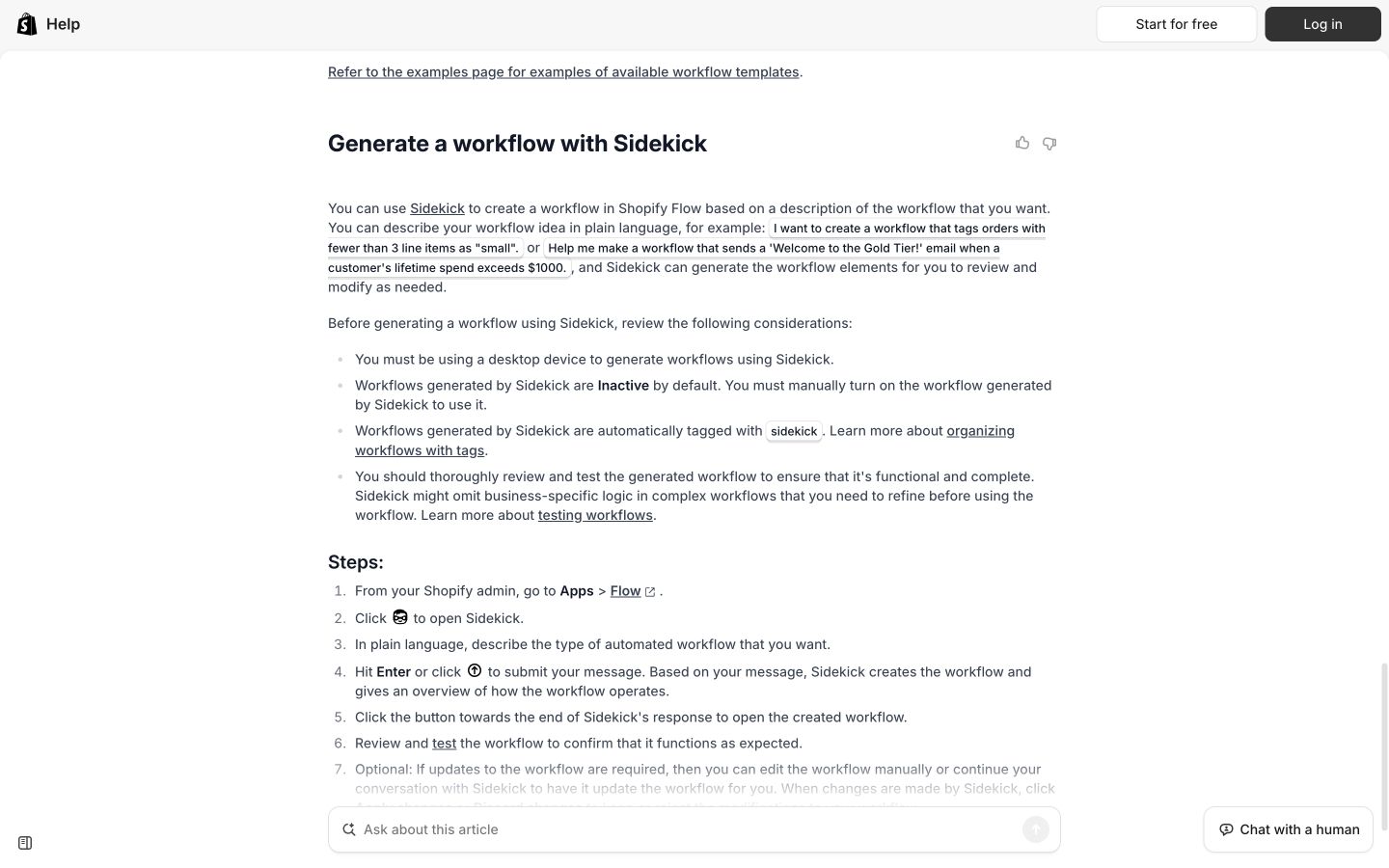
A real public procedure makes the fact-preservation test concrete. The packet should include the conditions the final copy must retain. Public-page desktop capture, October 10, 2026; vendor examples are not our account results. Source.
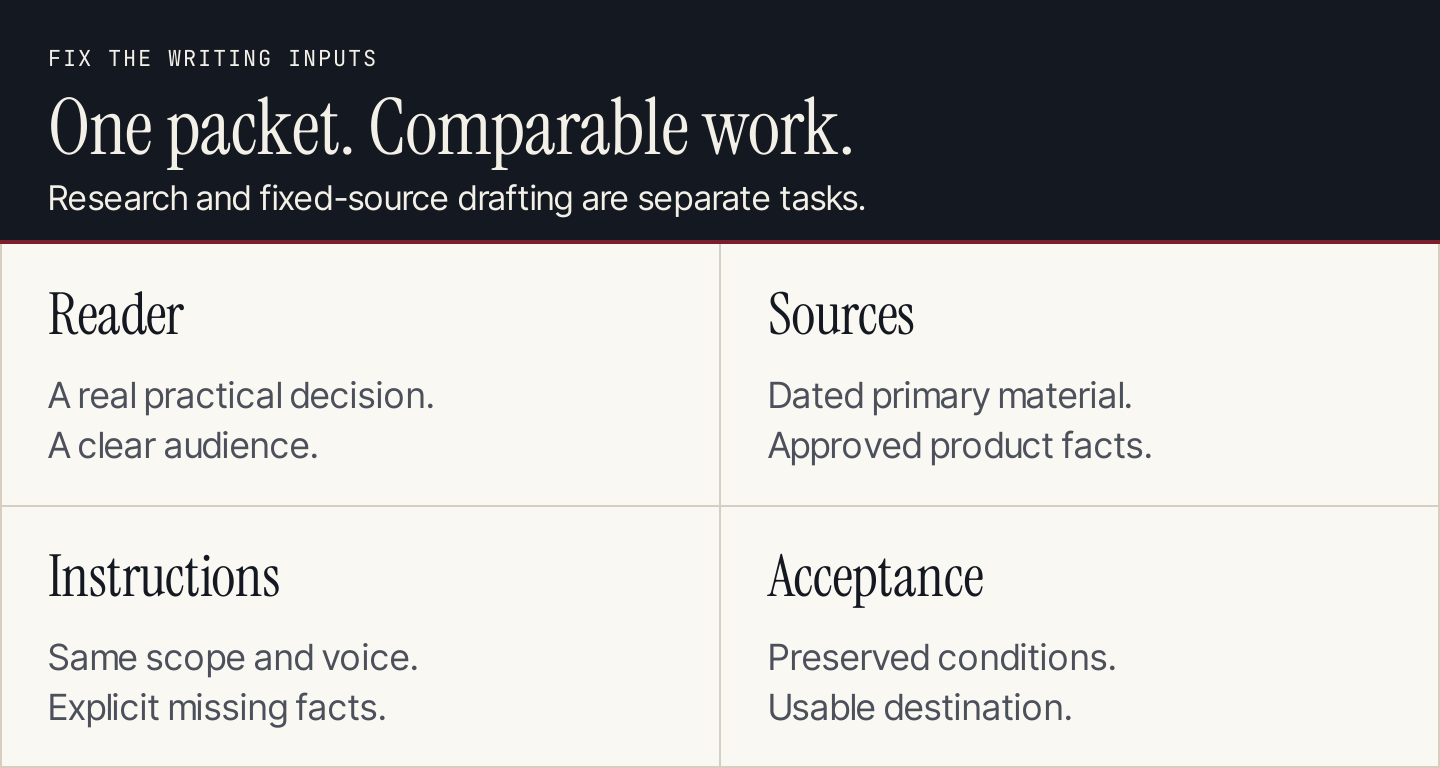
Use a fixed source packet for drafting; compare live research as a separate task.
The 10 real writing tasks
Run the tasks that represent your actual workload. Each one below has a specific output and an acceptance check. “Real” refers to the documented product and practical task, not a claim that we already ran the two assistants.
1. Turn the source packet into a usable brief
Task: Ask each assistant to identify the reader, article objective, approved facts, missing information and conditions the page must preserve.
From the attached Shopify Flow source packet, prepare a writing brief for a US small-business owner. Separate supported facts from unanswered questions. Name the conditions that must remain in the article. Do not draft the article yet.
Inspect: Does it identify an actionable reader decision, or simply repeat the subject? Does it flag absent information instead of filling gaps with plausible claims? A correct brief can prevent the same error from recurring through every later revision.
2. Build an outline around the reader’s decision
Task: Request an outline that helps the owner choose a creation route and review the workflow.
Create an outline from the approved brief. Each section must help the reader make a decision or complete a step. Explain the purpose of each section in one sentence. Keep the scope within the supplied documentation.
Inspect: Look for a coherent sequence, useful distinctions and appropriate limits. Reject padding such as a long general history of AI when the reader needs a practical procedure. An outline with more headings is not automatically more complete.
3. Draft a concise blog introduction
Task: Generate a short introduction with a clear promise.
Write an introduction under 120 words. State what the reader can do after reading the guide, mention the available creation routes and preserve the need to review a generated workflow. Avoid speed guarantees and unsupported benefits.
Inspect: Does the opening describe the actual article? Is the condition retained without making the prose awkward? Count the corrections required to make it publishable, including subtle changes to what the product does.
4. Explain a procedure in plain language
Task: Ask for a short section describing the manual creation route using the supplied source.
Explain the manual creation route in plain language. Preserve the sequence and exact product terms that matter. Do not invent menu labels. Flag any interface instruction not established by the packet.
Inspect: Check ordering and terminology against the actual documentation. A smooth explanation with a wrong menu path is a failure for a tutorial. If the source is incomplete, a clear gap is better than an invented step.
5. Preserve an exception during a style change
Task: Revise a paragraph while keeping its factual condition.
Use this deliberately flawed, original editorial input: “Ask Sidekick to generate your workflow and it will activate automatically. Everything is ready instantly.” This is a test sentence, not a quote from Shopify or an assistant result.
Rewrite the paragraph using only the approved facts. Make it concise and practical. Explain which claims you changed and why.
Inspect: The revision should remove automatic activation and unsupported timing. An acceptable editorial version is: “Ask Sidekick to generate the workflow, then review and test it before turning it on.” That example is a human-authored acceptance reference, not a scored model output.
6. Adapt the message to email
Task: Convert the approved explanation into a short email introduction and subject lines.
Create a 70-word email introduction and three subject lines from the approved explanation. Audience: small-business owners already interested in Shopify Flow. Preserve the product conditions. Do not invent a discount, deadline or customer result.
Inspect: The email should suit a reader who has less context without becoming vague or misleading. Compare variation in emphasis, not just synonyms. Keep offer truth as the first acceptance criterion.
7. Answer a focused reader question
Task: Produce a direct answer to a question where the condition matters.
Answer “Does a Sidekick-generated Shopify Flow workflow start active?” in 60 words or fewer, using the source packet. Lead with the answer, explain the next step and identify the source.
Inspect: Check the conclusion and its source. A long general explanation that avoids answering is less useful than a concise, accurate answer. The source link must support the statement beside it.
8. Audit the draft’s factual claims
Task: Request a claim inventory for a saved draft.
List the draft’s checkable claims. For each, identify the supplied source or mark it unsupported. Include implied promises in headlines and calls to action. Do not silently rewrite the draft during this audit.
Inspect: Open the sources yourself. Look for omitted implied claims, invented citations and an audit that approves everything too easily. Keep this step separate from the style review so factual problems remain visible.
9. Refresh an existing paragraph from changed evidence
Task: Give both assistants an older paragraph from content you own and a newer official source. Ask for a focused update.
Compare this existing paragraph with the dated official source. Identify what changed, revise only the affected passages and list the changes. Preserve useful examples that remain accurate. If the evidence does not establish a change, say so.
Inspect: This task reveals whether an assistant can preserve useful work rather than replacing the whole page with a generic rewrite. Use a genuine source change in your test; do not describe an invented product update as real.
10. Prepare the accepted copy for its destination
Task: Produce the agreed final format and inspect the handoff.
Prepare the approved copy for the specified destination. Preserve heading hierarchy, source links and the review status. Keep image placeholders labeled; do not fabricate screenshots. If a connection is available, describe the intended action before making a site change.
Inspect: Check the actual document or CMS preview. Compare links, headings, media and destination fields. If the configuration only exports text, score the export route you used rather than claiming successful publication.
Use a scorecard that makes errors visible
First reject or revise outputs with consequential factual errors. Then compare the acceptable versions. The following is a proposed rubric, not a set of observed scores.
| Dimension | Weight | What a strong result shows |
|---|---|---|
| Factual preservation | 40% | Supported facts, retained conditions and honest gaps |
| Reader usefulness | 25% | A clear decision, complete steps and relevant explanation |
| Instruction following | 15% | Correct format, scope and requested boundaries |
| Voice and readability | 10% | Appropriate tone, specific language and useful flow |
| Destination readiness | 10% | Working structure, links and an inspectable handoff |
Score each dimension from 0 to 5, then calculate the weighted average. Keep a separate count of serious factual corrections and editing minutes. A high average must not conceal an invented product promise.
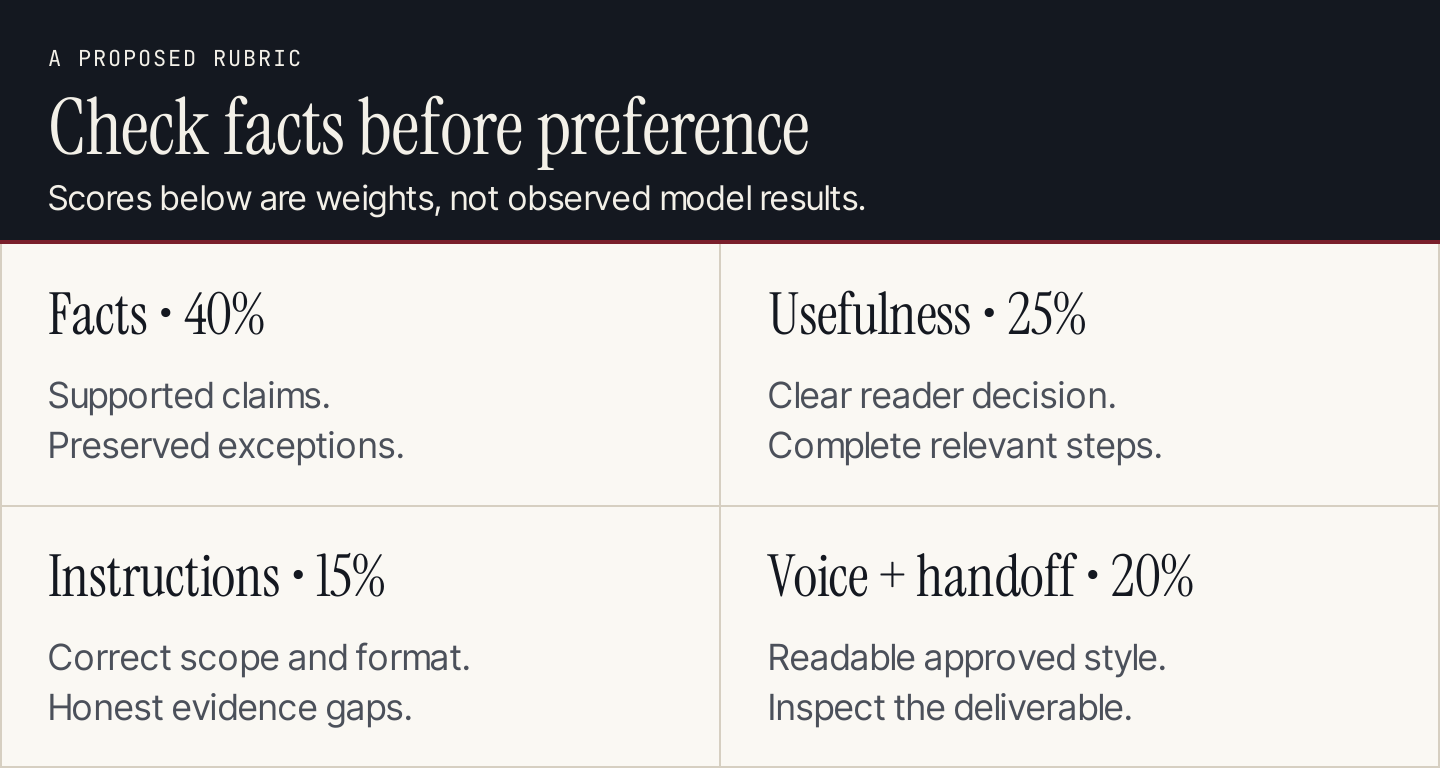
A weighted score supports a decision only when the actual outputs and consequential errors remain inspectable.
Ask a reviewer to compare anonymized outputs when practical. Save the app configuration separately and reveal it after the initial review. Repeat representative tasks in fresh, comparable contexts; one result cannot establish a universal model advantage.
Compare live research separately from fixed-packet drafting. For research, supply the same question and source preferences, then review the retrieved evidence. For fixed-packet writing, keep both focused on the approved material. Mixing these modes makes it hard to tell why a result differs.
Include the cost of finishing the work
ChatGPT Plus is listed at $20 monthly in the US. Google’s current US announcement identifies Google AI Pro at $19.99 monthly. These similar headline prices do not establish identical model access, application scope or usage capacity. OpenAI pricing, Google’s US plan announcement.
Record the editing minutes, failed attempts, configuration work and connected-service costs. A subscription that appears cheaper can cost more if it leaves the team with more corrections or a difficult handoff. Conversely, an existing Workspace route can be valuable because it fits where the team already works.
Use total workflow cost ÷ accepted assets as your own comparison. Do not substitute API token estimates for app subscription usage, and do not translate a context window into a guaranteed number of remembered pages or words.
Make the decision by your repeated job
| Your repeated job | Sensible first evaluation |
|---|---|
| Multi-step work across files and connected tools | ChatGPT Work with the actual required configuration |
| Drafting and revising a document in an editable surface | Gemini Canvas and your applicable document workflow |
| Short source-backed drafts | Both with the same packet and brief |
| Long source material | Both on the plans you can access; test retention and correction effort |
| An ongoing blog publishing operation | Evaluate the entire production and delivery process separately |
A larger context capacity can help supply material, but it does not prove that every detail is used correctly. Put important conditions in the brief and inspect them in the output. Choose the route that reliably produces your accepted work with manageable review.
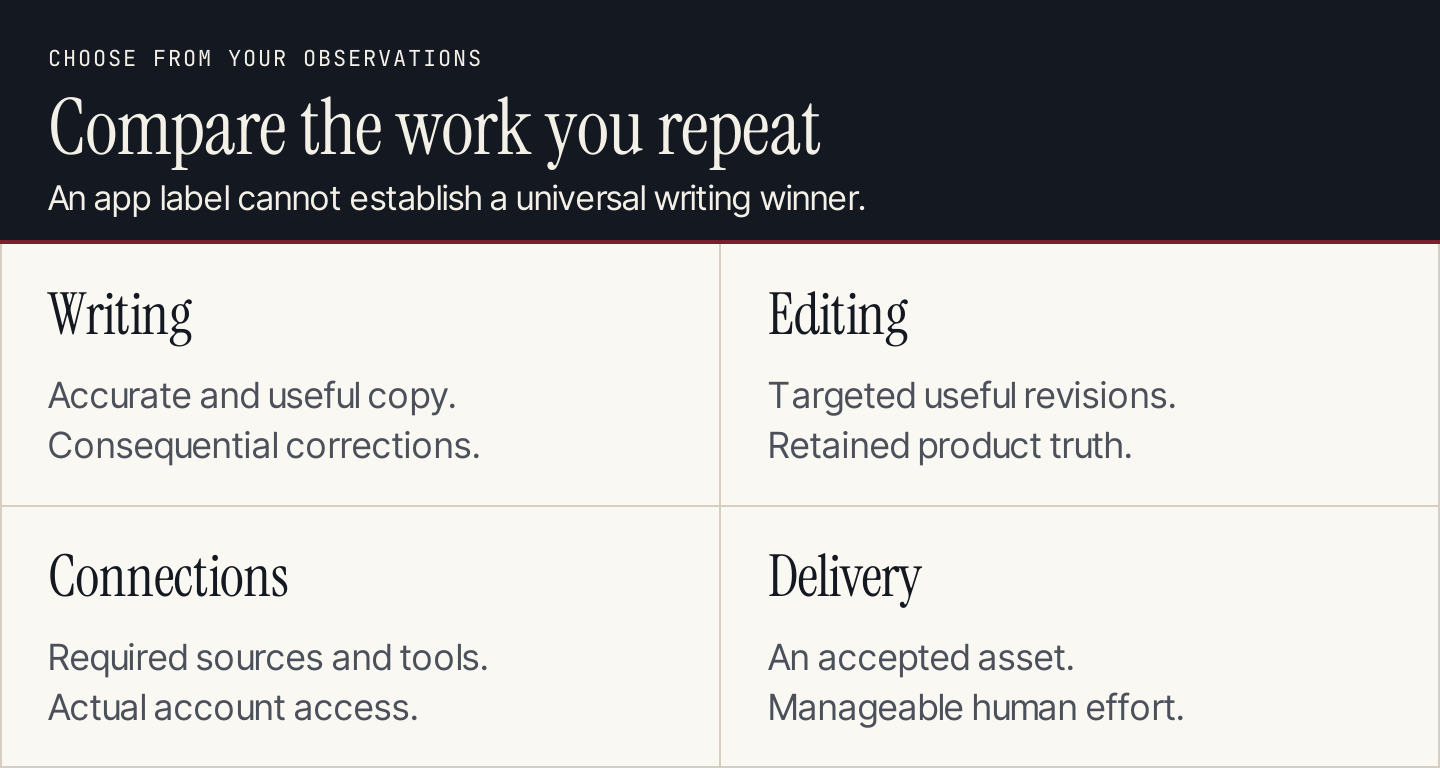
The right choice can vary by task. Keep the evidence for the work your team repeats.
Common questions
Which writes more naturally?
There is no defensible universal winner from the documentation reviewed here. Evaluate the exact configurations using your voice guidance and real formats. Record specific edits rather than relying on “sounds more human” as the whole assessment.
Should I test the free versions?
Yes, if those are the versions you intend to use. Record current model access and limits, and keep the inputs within both configurations’ capabilities. Do not infer paid-plan performance from a constrained free run.
Should search be on?
Use it when research is the job. For a controlled drafting comparison, provide the same approved source packet and separate the research test. Inspect source use in either mode.
Does a longer context window make one assistant better?
It changes how much material you can supply, not whether the final explanation is accurate or useful. Test whether crucial facts survive drafting and revision.
Which should I use for recurring SEO articles?
Compare the full process: topic choice, research, original examples, review and CMS delivery. If managing those stages is the bottleneck, evaluate Rankauto as a simpler content workflow. It is a separate production decision, not a claim that either writing assistant lost this unrun benchmark.