Claude AI for Writing: A Practical Workflow with 12 Useful Prompts
A practical Claude writing workflow with 12 reusable prompts. Set up sources and voice, review the outline and check every claim before you publish.

Use Claude for writing by giving it an approved source packet, a clear reader task and specific instructions for each stage. Review the outline before the draft, check the claims before the final edit and inspect the deliverable before publishing.
The useful goal is an accurate piece your team can accept. A polished paragraph is only one part of that job. Claude can help with research and document work, but the business still needs an owner for product truth, original evidence and publication approval.
This guide uses real Shopify Flow documentation, original editorial examples and 12 prompts covering the complete writing process. The prompts are here because they help perform the task; they are not a requirement for every article or format.
Method and disclosure: Product documentation was checked through October 10, 2026. This is a practical workflow guide, not an authenticated Claude account test. The sample revisions are human-authored editorial illustrations, not claimed Claude outputs. We have not measured time savings or SEO results. Rankauto publishes this guide and appears only as a contextual CTA for recurring content production.
Set up the writing context
For recurring work, keep the material Claude needs together: an approved facts sheet, dated source documents, a short style guide and writing samples you own. Separate current facts from old examples so a voice sample does not accidentally become evidence for an outdated product claim.
Claude’s Projects documentation describes project knowledge and instructions. Projects are available on free accounts with a limit of five; paid plans have additional knowledge handling. A new project experience is rolling out in stages, while existing chat projects continue to work. Follow the interface available to your account rather than assuming every user sees the beta. Claude Projects.
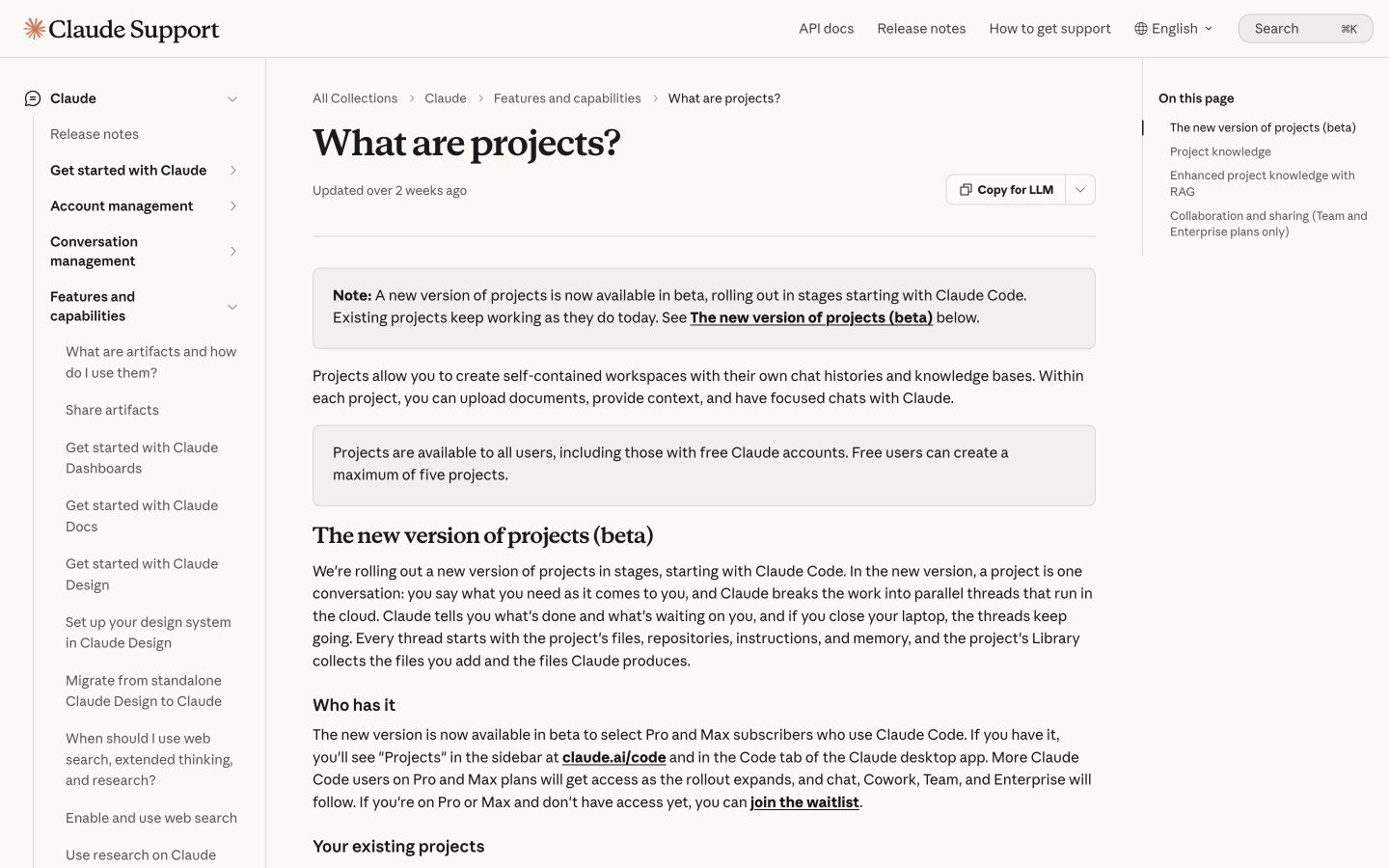
Project knowledge and instructions can reduce repeated context preparation. The documented beta rollout is separate from the existing chat experience. Public-page desktop capture, October 10, 2026; vendor examples are not our account results. Source.
Keep four inputs distinct
| Input | What to include | What it establishes |
|---|---|---|
| Facts | Current offer, product behavior and restrictions | What the writing may truthfully claim |
| Sources | Primary documents with dates and URLs | Where checkable statements can be verified |
| Voice | Observable writing choices and owned samples | How the explanation should sound |
| Task brief | Reader, decision, format and destination | What this particular piece must accomplish |
Do not upload a large undifferentiated folder and assume the most important condition will survive every revision. Name the critical facts in the brief, and keep outdated documents clearly labeled or remove them from the current packet.
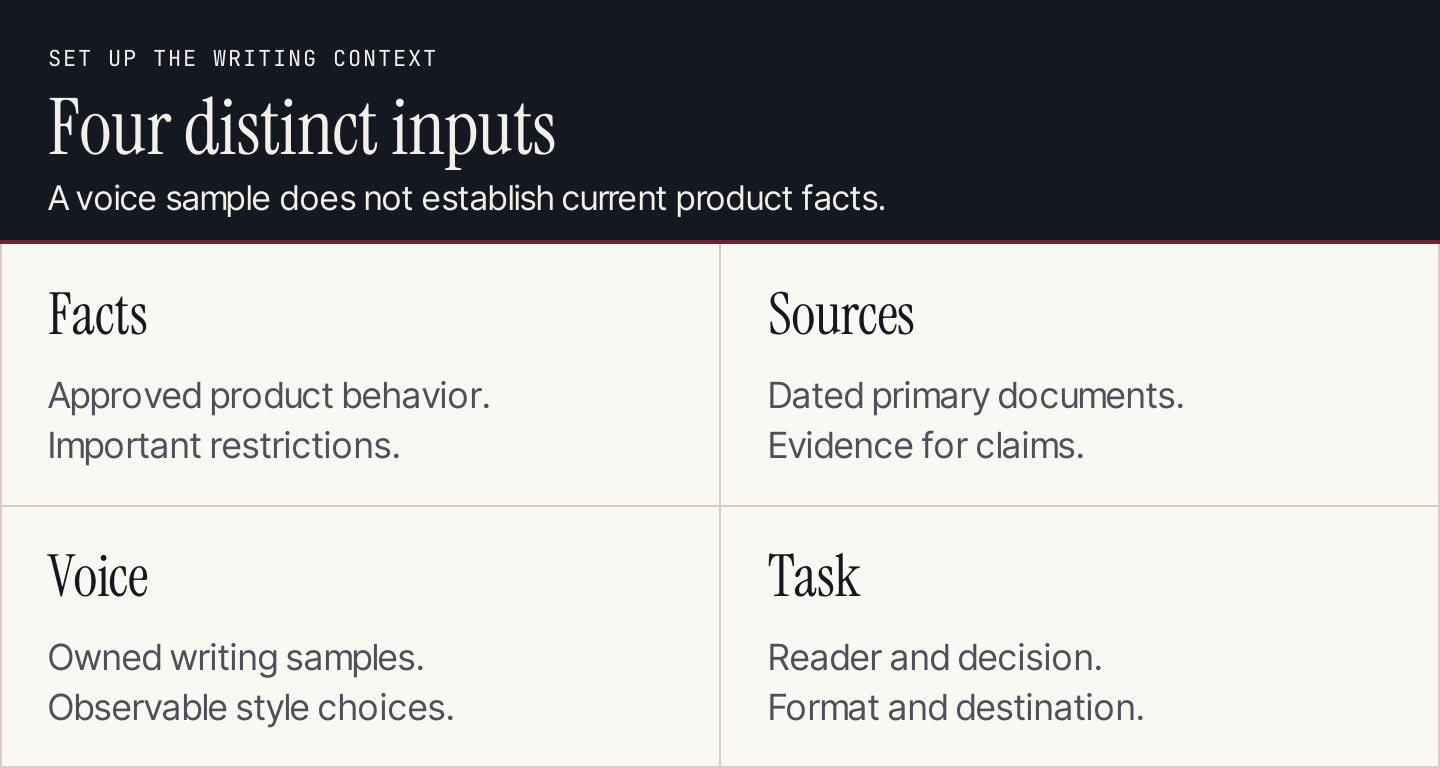
A style sample shows how to write. It should not silently override current product documentation.
A reusable instruction block
Adapt this original instruction to your business and place it in the supported instruction field, or include it at the start of the task:
Write for US small-business owners, marketing teams and agencies. Lead with the reader’s practical decision. Use plain language, specific verbs and short connected paragraphs. Preserve product conditions and approved terminology. Use the dated facts sheet as the source of product truth. Treat voice samples as style references, not current factual evidence. Flag unsupported claims rather than filling gaps. Keep examples clearly labeled. Do not invent customer results, testimonials, prices or screenshots.
The instruction is useful because an editor can inspect whether the draft follows it. “Make this sound human” does not identify the action, fact or writing choice that should change.
Choose the right Claude surface
| Work | Route to evaluate | What to inspect |
|---|---|---|
| A one-off explanation | Chat with a source packet | Context, claims and the requested format |
| Repeated work for one business | A project with approved knowledge and instructions | Source freshness and instruction reuse |
| Current factual research | Available web research capabilities | Actual retrieved sources and support for each claim |
| A document already in Google Workspace | The eligible Claude sidebar beta | In-place edits and version history |
| A recurring blog operation | A defined production workflow | Research, review, media and CMS delivery |
Claude documents web search and direct page access. In a current newer experience it may search when useful without a toggle; other experiences expose a Web search control. Ask for primary sources and inspect them yourself. Claude web search.
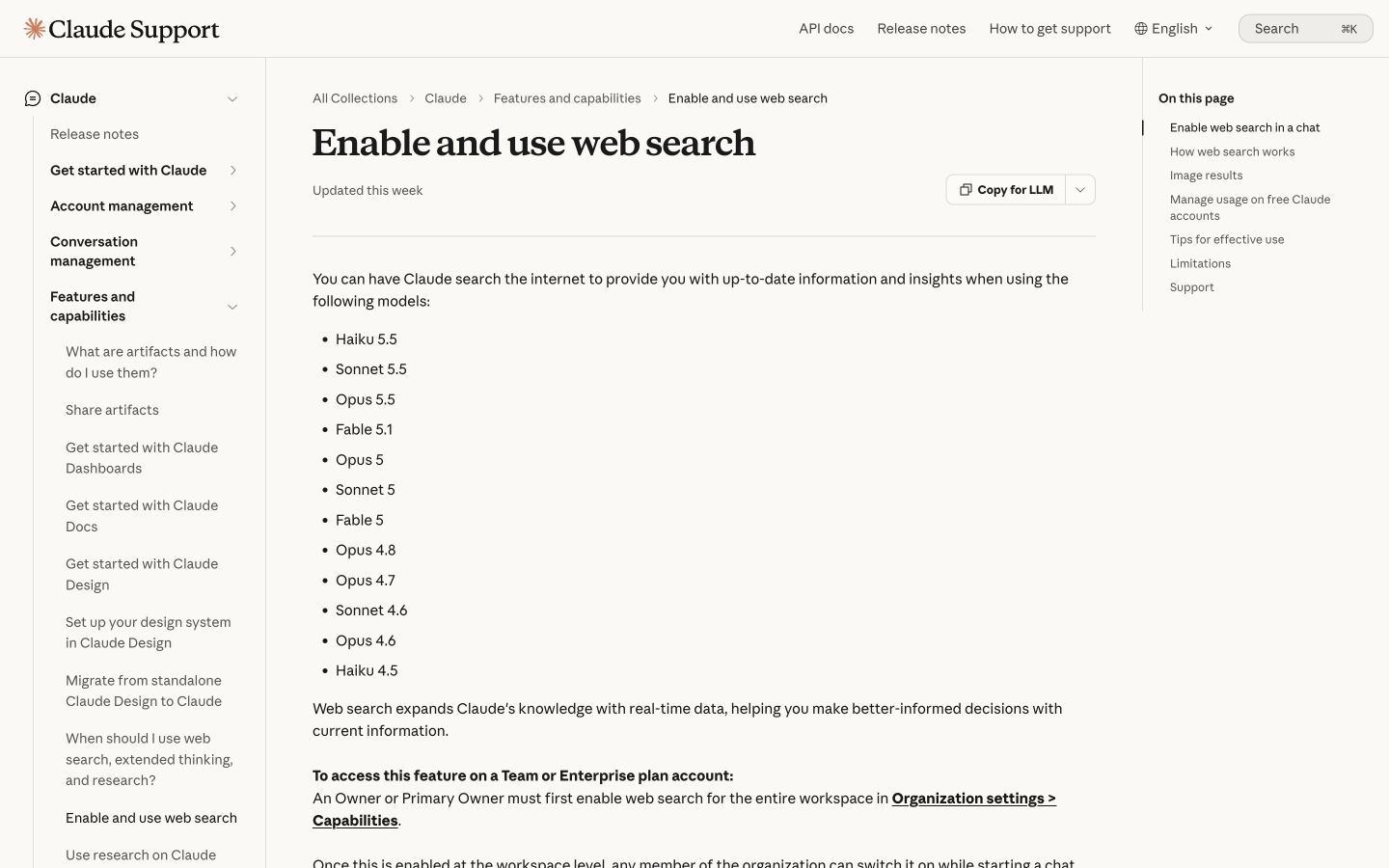
Claude can use current web information. A retrieved link still needs to support the specific sentence in the draft. Public-page desktop capture, October 10, 2026; vendor examples are not our account results. Source.
For document work, Claude’s Google Workspace beta can read and edit the open file directly. It is available on eligible Pro, Max, Team and Enterprise plans, with Marketplace access governed by the Google account or organization. The official guide explains the route through Extensions → Claude → Open Claude after installation. Claude in Google Workspace.
This is distinct from a connector that searches Drive inside Claude. Do not assume a connector and an in-document sidebar behave identically. Inspect where the changes are made and use the document’s revision history when reviewing them.
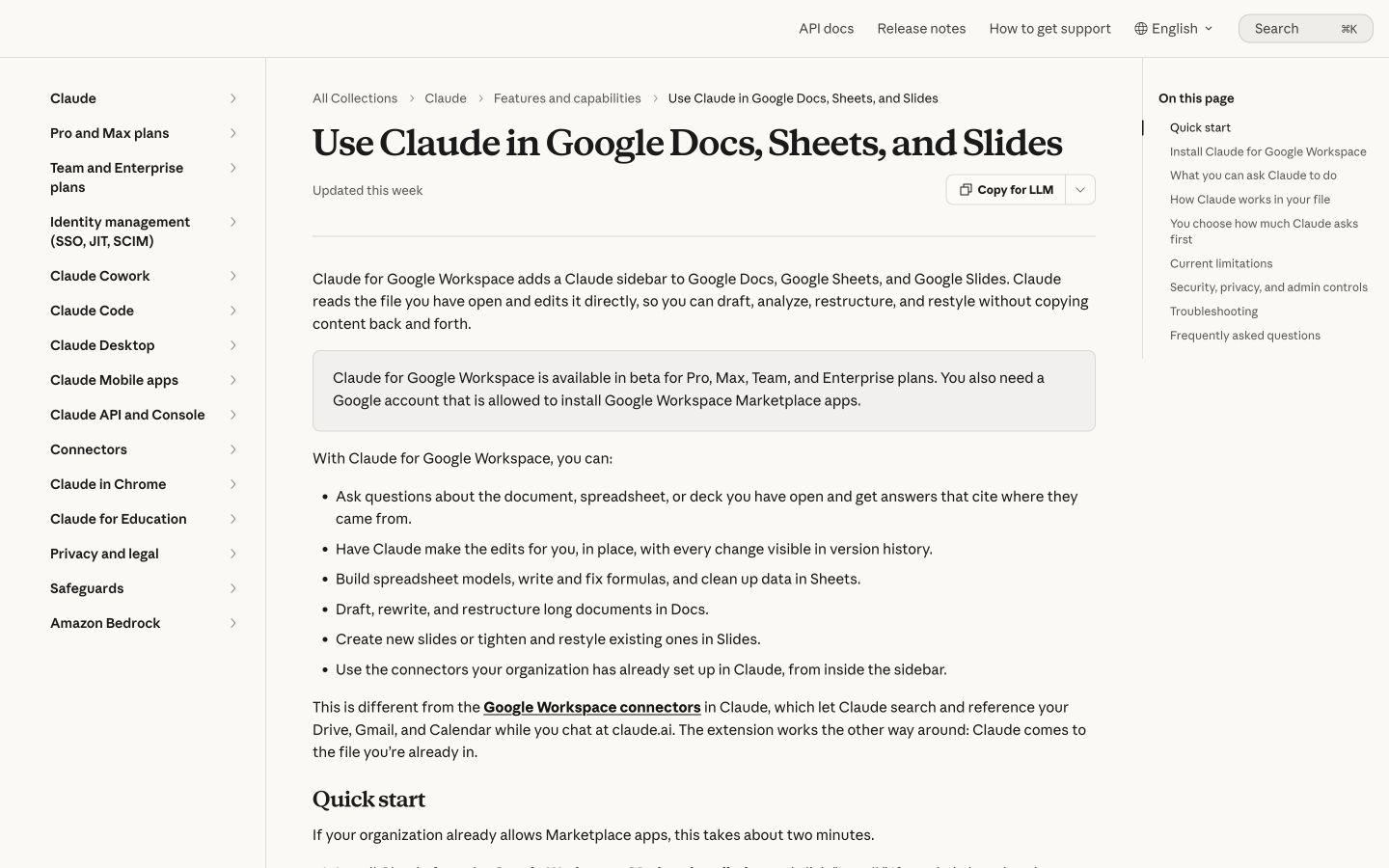
The current Google Workspace beta supports direct document edits. Access and review behavior matter as much as drafting quality. Public-page desktop capture, October 10, 2026; vendor examples are not our account results. Source.
Use a real topic and a small source packet
Our example topic is how to create and review a Shopify Flow workflow. The real platform documentation distinguishes manual creation, templates and Sidekick generation. It also describes review and activation requirements. Shopify’s workflow creation guide.
Build a brief around a real reader decision: help a store owner choose a route and inspect the workflow before turning it on. Include the dated official guide, approved terminology and the conditions you need retained.
An important acceptance check is whether the draft preserves that Sidekick-generated workflows begin inactive. Do not add a claim that AI instantly activates everything, and do not invent a customer time-saving statistic to make the example persuasive.
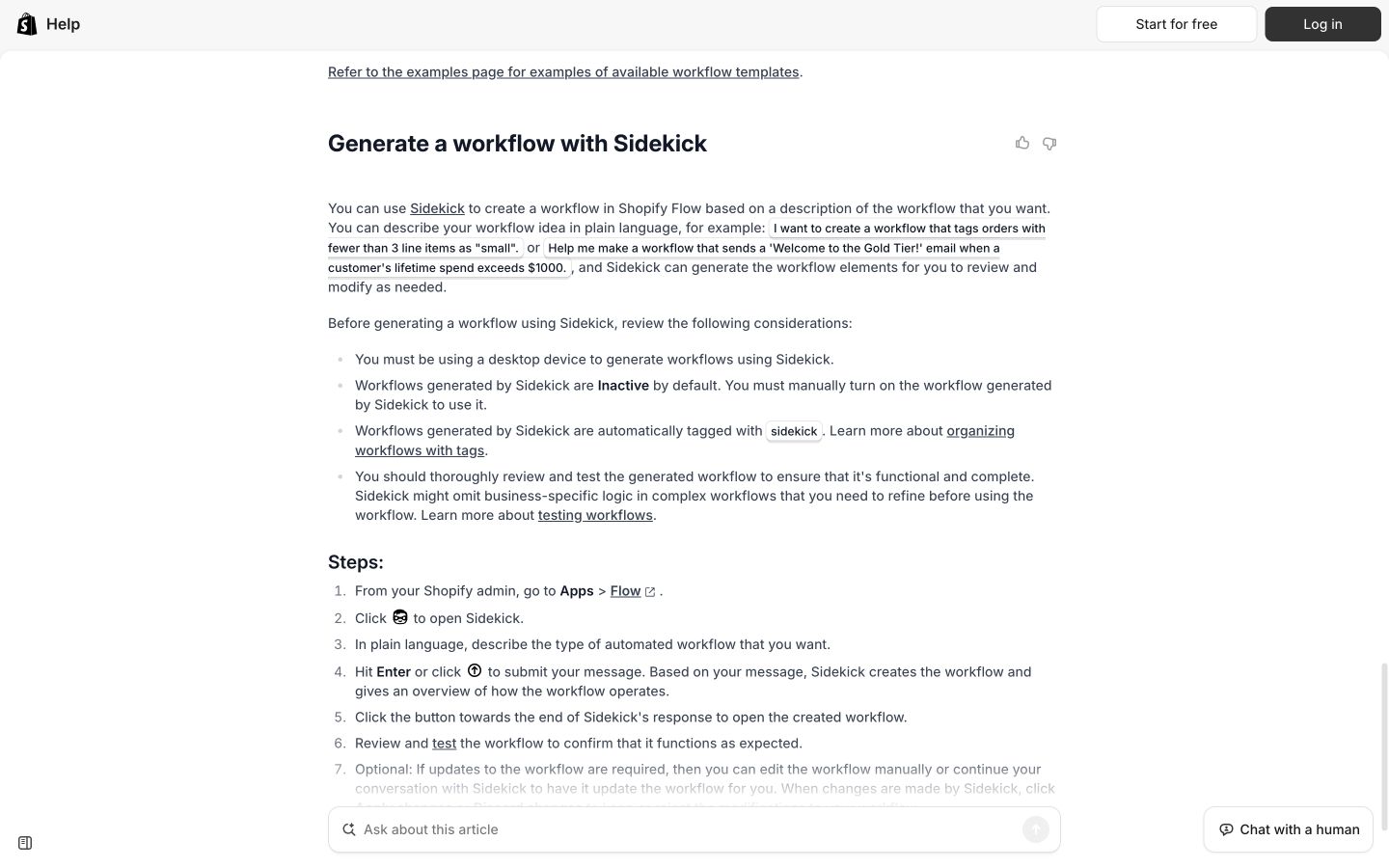
An actual procedure supplies the facts and exceptions needed for a useful writing task. Keep the source attached through review. Public-page desktop capture, October 10, 2026; vendor examples are not our account results. Source.
The 12 prompts
Run these prompts at the appropriate stage. Replace bracketed material with your own inputs. They are original templates; the expected checks describe what to review, not results we observed from Claude.
1. Build an approved facts sheet
Read the attached dated source packet for [topic]. Create a table with: supported fact, source URL or document, relevant condition and unresolved question. Separate product facts from editorial interpretation. Do not draft marketing copy. If two sources conflict, show the conflict and dates instead of choosing silently.
Use it for: Establishing what the article can claim before fluent prose hides the evidence boundaries.
Review it for: The actual support behind each fact. Open the sources and approve the table yourself. A confidently generated facts sheet is still a draft of the evidence, not an independent verification.
For the Shopify example, the table should preserve the creation-route distinction and activation condition. Pricing and measured productivity gains are not in our approved packet, so they should remain unresolved or absent.
2. Turn the facts into a focused brief
Prepare a brief for [reader] who needs to [decision or task]. Use the approved facts sheet. Include the reader’s starting situation, the outcome the piece should support, scope boundaries, required examples and information still needed. Ask only questions that could materially change the piece. Do not invent keyword volume or difficulty.
Use it for: Connecting research with a useful page rather than a general topic essay.
Review it for: Whether the proposed piece belongs in your existing library. Add real search data if you have it, with its source, market and date. A writing assistant’s suggested number is not a measured search volume.
For Shopify Flow, the brief should help an owner choose and review a creation route. It does not need to become a broad essay about the history of automation.
3. Extract usable voice guidance from owned samples
Analyze the writing samples I own. Describe observable choices in openings, verbs, paragraph length, examples, technical detail and calls to action. Separate consistent patterns from one-off choices. Recommend a concise voice guide and show one short original example. Do not copy the samples’ wording or treat their product facts as current.
Use it for: Converting “sounds like us” into choices an editor can recognize.
Review it for: Overgeneralization. One informal founder post should not force every tutorial to use jokes or first-person anecdotes. Select samples appropriate to the planned format and edit the extracted guide.
A practical rule might be “lead with the reader’s next action, then explain the condition.” That is more useful than a list of broad tone adjectives alone.
4. Propose an outline with a purpose for each section
Create an outline from the approved brief and facts. For each section, state the reader question it answers, the evidence it needs and the action or understanding it supports. Flag sections that lack evidence. Keep overlapping questions together. Do not add headings only to reach a word count.
Use it for: Catching scope and sequence problems before a full draft exists.
Review it for: Reader completion. The Shopify article might explain the available routes, the review process and activation. It should not bury those steps beneath generic benefits or repeat them in several near-identical sections.
Approve the outline or revise it before drafting. Otherwise the next stage can make an irrelevant structure look finished.
5. Draft one useful section
Draft [section] from the approved outline. Use the facts sheet, voice guide and supplied sources. Explain the procedure or decision clearly, preserve important conditions and include only examples grounded in the packet or explicitly labeled editorial illustrations. Mark missing evidence as [VERIFY]. Do not draft other sections yet.
Use it for: Reviewing a consequential explanation while it is still manageable.
Review it for: Specificity and truth. Check whether the paragraph teaches an actual step or merely promises that the product is powerful. Keep a missing-evidence marker until someone resolves it; do not remove it as a cosmetic edit.
You do not need to force every piece into small sections. A short email can be drafted in one pass. The staged approach is most useful when the article has several sources or important exceptions.
6. Write titles that match the page
Suggest eight titles for the approved article. Vary the reader benefit and angle while preserving the scope. Identify the strongest three and explain what each promises. Avoid unsupported superlatives, invented numbers and implications that the article proves a result it does not measure.
Use it for: Generating different framing options after the substance is known.
Review it for: The gap between promise and delivery. “How to Create and Review a Shopify Flow Workflow” fits the example. “Automate Your Entire Store in Seconds” introduces scope and speed claims the article cannot support.
A title with a number should match the actual list. A tutorial title should describe the procedure the reader can complete, not a result the software may or may not cause.
7. Adapt approved copy to another channel
Adapt this approved explanation into [format and length] for [audience]. Preserve the facts and conditions. Change the emphasis and structure to suit the channel, without inventing urgency, discounts, testimonials or benefits. Provide two meaningfully different versions and explain their framing choices.
Use it for: Turning an article into an email, a short social post or a help-center answer.
Review it for: Message drift. Shortening the copy should not remove the activation condition or make an optional action mandatory. Compare distinct useful angles instead of selecting between nearly identical synonyms.
For a tutorial CTA, an editorial example is: “Review and test the workflow, then turn it on.” It preserves the action without claiming an outcome we have not measured.
8. Audit checkable and implied claims
Audit the saved draft without rewriting it. List every checkable or implied factual claim, including headings and calls to action. For each, identify the supporting source, scope and condition, or mark it unsupported. Flag claims added during drafting that were absent from the approved facts sheet.
Use it for: Making the factual review explicit rather than asking for a vague “final check.”
Review it for: Missing claims and false approval. Open important sources yourself. A headline can imply speed or completeness even when the body avoids those words. Check that a cited source supports the exact scope of the sentence.
Keep the audit output with the draft. If you revise the copy afterward, check any new claim rather than assuming the earlier audit still covers it.
9. Revise for clarity without changing meaning
Revise the selected passage for clarity using the approved voice guide. Preserve the factual claims, product terms, exceptions and source links. Show the original and proposed version, then explain any change in emphasis or meaning. If a factual correction is needed, flag it separately from the style edit.
Use it for: Improving awkward copy without letting a style pass silently alter the promise.
Review it for: Removed qualifiers, broadened claims and a new tone that does not fit the reader. “Can help” becoming “guarantees” is a factual change, even if the sentence sounds stronger.
Read the passage aloud after approval. This can reveal rhythm and clarity problems, but it is not a factual test or an AI-detector test.
10. Refresh the affected passages from a newer source
Compare the existing article with this dated updated source. Identify the facts the source establishes as changed. Revise only the affected passages and list the edits with evidence. Preserve useful original examples and structure where they remain accurate. If the new source does not establish a change, say so.
Use it for: Maintaining an existing useful page after a real product or policy change.
Review it for: Unnecessary replacement. A refresh should not erase firsthand examples merely because the assistant can write a new generic section. Supply both the old page and the new evidence; do not invent an update to demonstrate the prompt.
Also inspect dates, screenshots, links and instructions outside the paragraph. A current body with an obsolete screenshot can still mislead the reader.
11. Plan visuals that explain the task
For the approved article, propose visuals only where they improve understanding. For each, state the reader question, the exact real screen or data required, a caption, alternative text and the explanation that must also appear in selectable prose. Separate actual screenshots from original diagrams. Do not fabricate product interfaces or label an illustration as a screenshot.
Use it for: Moving beyond decorative AI images toward useful article evidence.
Review it for: Feasibility and purpose. A real source screenshot can show the documented activation condition. A compact original diagram can explain the writing stages. A tall graphic that repeats the entire article creates reading work without adding evidence.
Keep important facts available in the article text. Readers should not need to interpret a small image to understand a crucial condition.
12. Prepare the reviewed delivery and change record
Prepare the approved piece for [destination]. Preserve headings, source links, media references and the intended review status. List unresolved items and changes since the last approved draft. If a connected action is available, identify the target and proposed change before acting. Do not claim publication unless the destination visibly confirms it.
Use it for: Turning accepted writing into an inspectable deliverable.
Review it for: The actual record or file. Check the author, page identity, media, links and status. A message saying “done” is insufficient if the destination still contains the previous draft.
Use the appropriate document history or CMS preview. A connected assistant can help perform the handoff, but someone should still confirm that the intended content arrived.
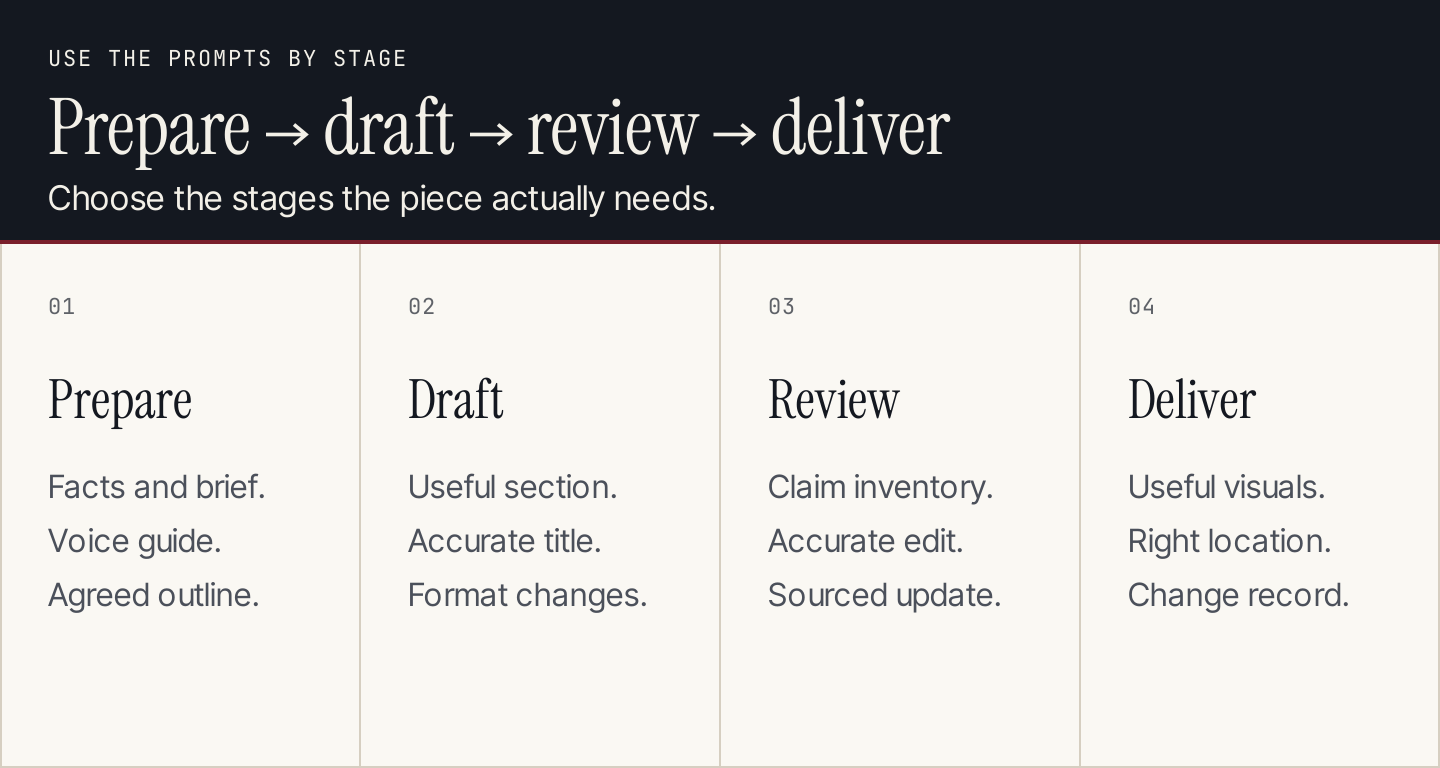
The 12 prompts serve different stages; use only those needed for the current piece.
Two original before-and-after examples
These examples demonstrate editorial decisions from the real source packet. They are not Claude-generated results, Shopify quotations or a measured benchmark.
| Deliberately flawed editorial input | Fact-preserving editorial revision | Why it changes |
|---|---|---|
| “Sidekick instantly activates every workflow.” | “Ask Sidekick to generate a workflow, then review and test it before turning it on.” | Removes unsupported timing and incorrect automatic activation |
| “Revolutionize your operations with the ultimate AI automation solution.” | “Choose a creation route and check the trigger, conditions and actions before activation.” | Replaces vague promotion with a practical reader action |
The first example needs a factual correction. The second needs useful specificity. Treating both as a style problem would hide the more consequential error.
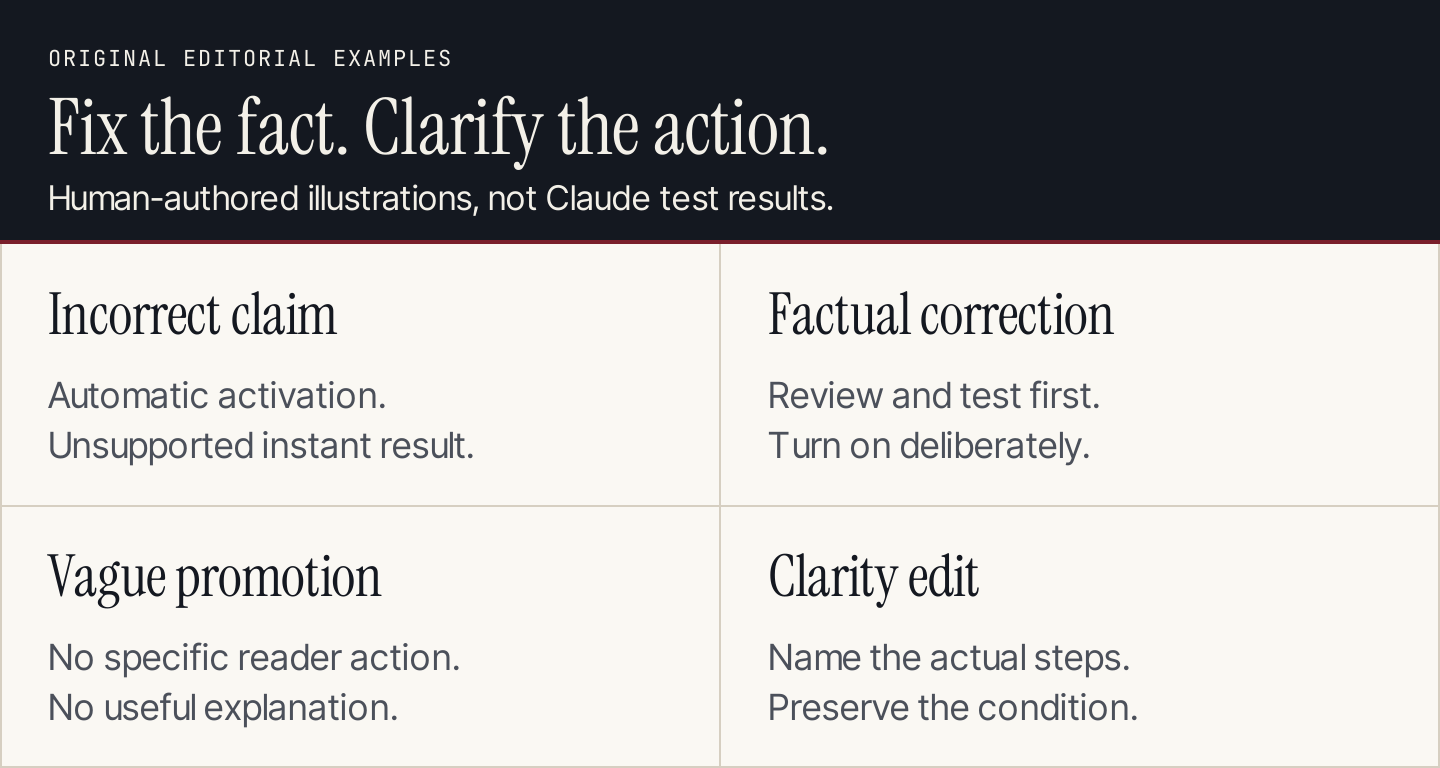
A stronger sentence must preserve the source. Improve the explanation without broadening the claim.
After adapting the paragraph to email or social copy, repeat the condition check. Short formats can drop the one sentence that made the original explanation accurate.
Make the final review concrete
Use a brief acceptance record rather than relying on a single “make it better” instruction.
| Check | What the reviewer approves |
|---|---|
| Reader task | The piece answers the intended question and supports a useful next step |
| Facts | Important claims match current sources and preserve conditions |
| Examples | Real evidence or clearly labeled editorial illustrations |
| Voice | Observable choices match the approved guide |
| Visuals | Screenshots are real, diagrams are useful and captions are accurate |
| Delivery | The intended file or page has the approved content and correct status |
Google warns that producing many AI-generated pages without adding value can violate its spam policy. A writing process should therefore accept useful pages, not merely celebrate generation volume. Google’s AI content guidance.
Budget for the workflow you use
Claude Pro is listed at $20 per month in the US. Usage depends on the model, conversation length, files and features; API access is billed separately. Current usage includes session and weekly limits, so do not translate the plan into a fixed unlimited-article promise. Claude Pro plan.
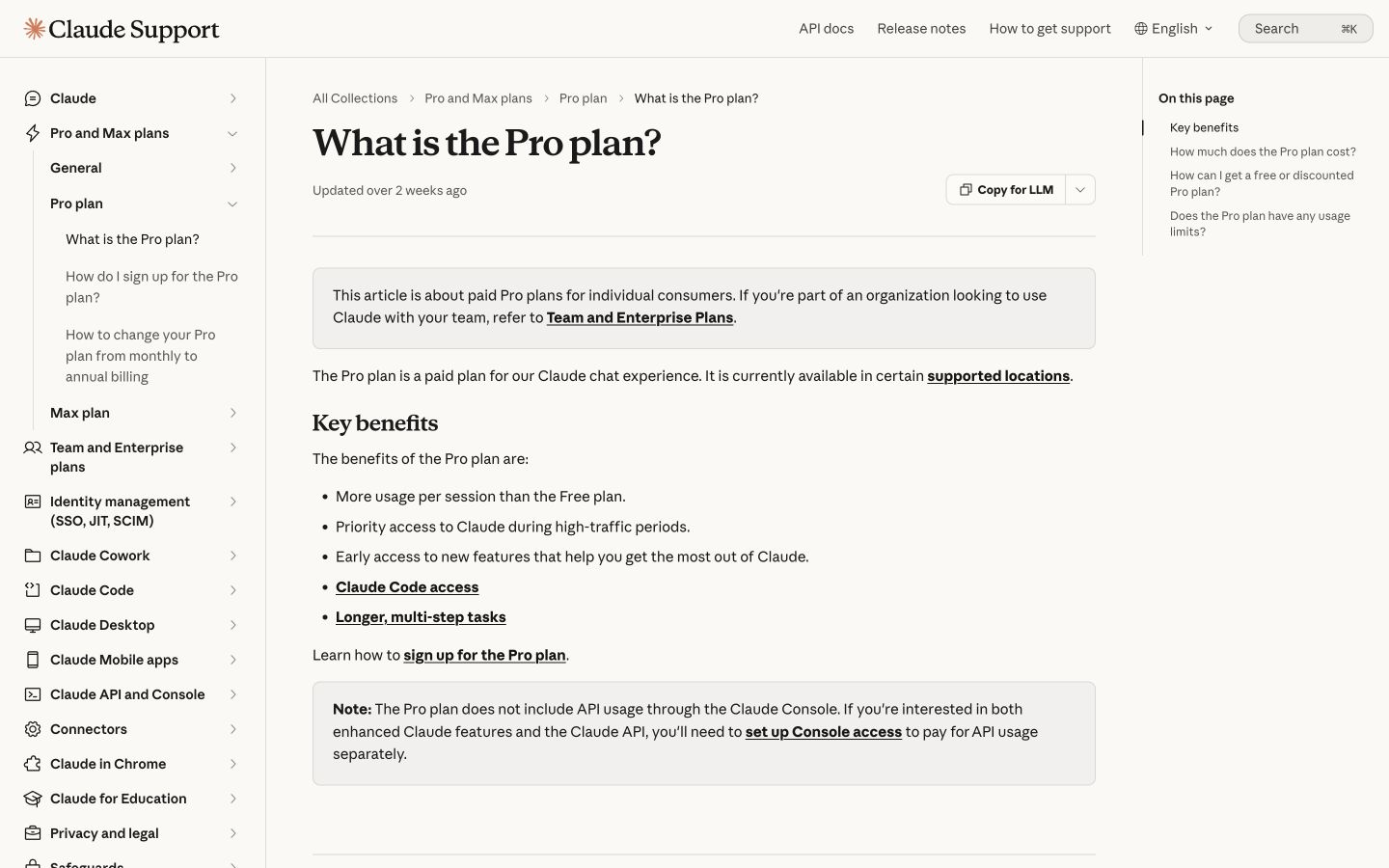
The Pro documentation separates app usage from API billing. Include the review and delivery work when budgeting a writing process. Public-page desktop capture, October 10, 2026; vendor examples are not our account results. Source.
Track input preparation, drafting, factual review, editing and destination work separately. Treat any time-saving claim as something to measure in your own process. The stage with the largest effort may be source review rather than typing the first draft.
Common questions
Can Claude research current information?
Yes, supported experiences include web research and direct page access. Inspect the sources and their dates. A citation can still be attached to a sentence that overstates what the page establishes.
Should every article use all 12 prompts?
No. They cover different jobs. A short revision may need only a facts check and a clarity pass. A sourced tutorial or content refresh needs more stages. Choose by the work and evidence required.
Which model should I select?
Use a model available in your actual plan and record its displayed name when evaluating results. Compare consequential corrections and editing effort on your tasks. A larger or more expensive option is not proof of a better final page.
Can Claude edit a Google Doc directly?
The current Google Workspace beta supports that route for eligible plans and accounts. The sidebar and a Drive research connector have different roles. Verify your access and inspect the document’s version history.
Should I use an AI detector as the quality test?
No. The acceptance criteria here are accuracy, usefulness, voice and correct delivery. An output score does not establish that the piece preserves facts or helps the reader complete a task.
When is a dedicated content workflow worth comparing?
When the repeated burden is coordinating topic research, source review, media and CMS delivery. If that is your bottleneck, evaluate Rankauto as an easier recurring article workflow. Keep an editor responsible for business relevance and approval, and compare the actual accepted page.