AI Content Refresh: A 9-Step Automation Workflow
Automate an AI content refresh workflow in nine steps with source monitoring, a claim register, an Analytics update example, and CMS revision checks.

AI content refresh combines monitoring, source comparison, and assisted editing to keep published content accurate. The most effective automation starts before the rewrite: it detects a meaningful source change, identifies the pages that depend on it, and prepares a bounded revision for review.
A fresh paragraph is not enough if the old claim remains in a table, caption, screenshot, or CTA. The workflow needs to carry the change through the whole page and confirm that the accepted version reached the destination.
This guide uses public Visualping, Google, and WordPress documentation alongside a dated industry report. The claim register and update packet are proposed methods, not a performed monitoring or publishing run. Rankauto publishes this guide and supports blog production.
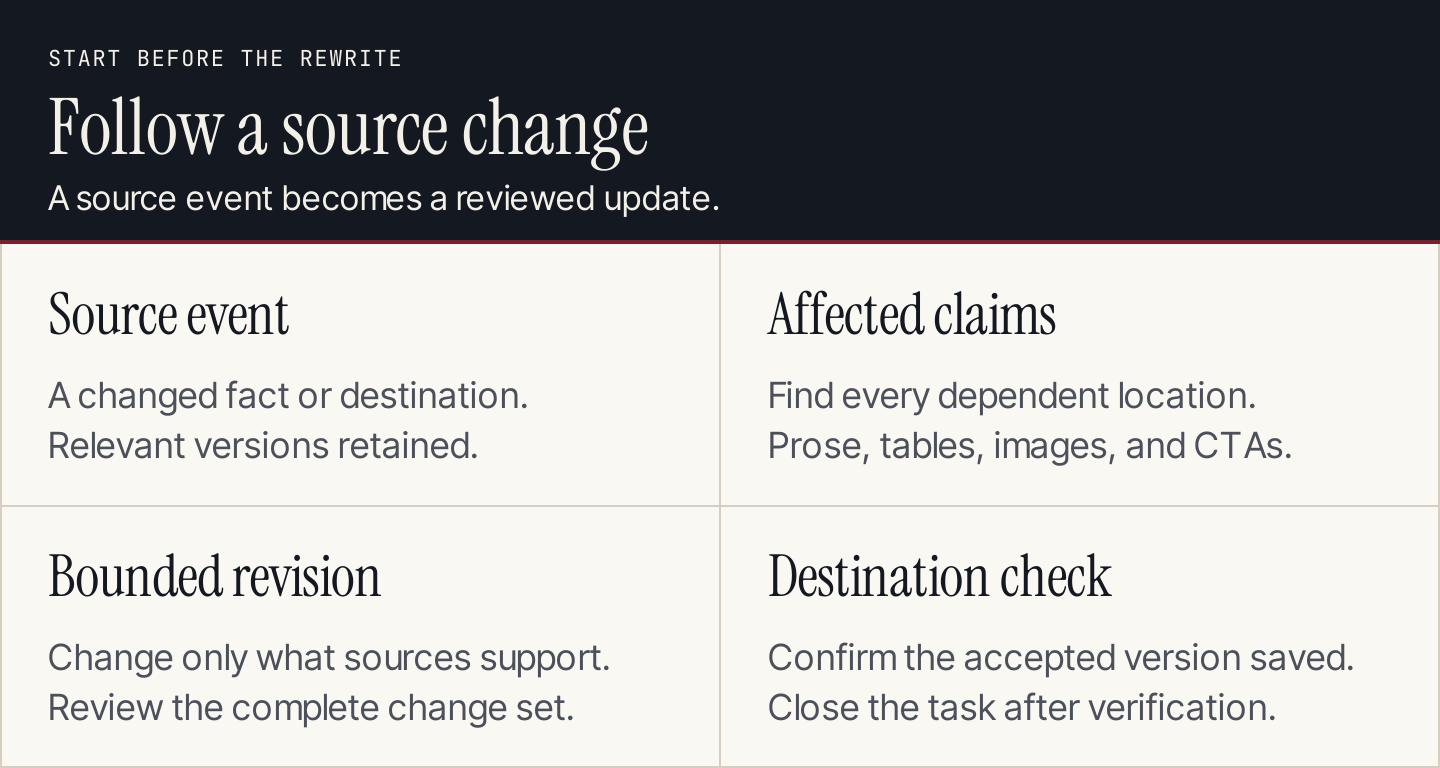
Start with what changed and which claims depend on it. Generate the revision after that connection is clear.
How is this different from updating a declining article?
A performance-led refresh begins with a page that has lost traffic or stopped serving its purpose. A source-led refresh begins with a changed fact: a renamed feature, a new requirement, an altered offer, or a replaced instruction.
Both can lead to the same editing queue, but they answer different questions. Use our content decay guide to investigate declining performance. Use the nine steps below to propagate documented changes before stale claims spread through the library.
| Trigger | What it tells you | First action |
|---|---|---|
| Source page changed | A referenced fact may need review | Compare the relevant source versions |
| Destination redirects | The next step may have moved or changed | Inspect the final page and offer |
| Product owner reports a change | Internal approved facts may be different | Retrieve the accepted product update |
| Traffic declines | The page may need diagnosis | Investigate demand, competition, and page fit |
| Scheduled review is due | A high-change claim needs checking | Reverify the source even without an alert |
1. Choose claims worth monitoring
Start with facts that can change and would affect a reader’s decision: product names, integrations, plan conditions, eligibility, interface steps, dates, and destination links.
Do not monitor every sentence equally. A stable explanation of a concept needs a different review cadence from a software setup guide. Begin with a small collection that a reviewer can inspect completely.
Choose a responsible source for each claim. Current vendor documentation normally governs current product behavior; your approved internal product record governs your own offer. A dated news report can explain history without remaining the source for today’s instructions.
2. Create a register of claims and dependencies
Give each moving claim an ID. Record its source, accepted wording or meaning, verification date, owner, and every place it appears.
For an article about a software assistant, one row might cover the current feature name, another the access condition, and another the supported language. Separating those claims lets you revise the name without assuming availability changed too.
| Field | What to record |
|---|---|
| Claim ID | Stable identifier, such as GA-NAME-01 |
| Accepted fact | The meaning the published page currently conveys |
| Governing source | Current official page or approved owner record |
| Verified on | Date and source version or saved comparison |
| Dependencies | Article sections, tables, captions, images, and CTAs |
| Owner | Person who can resolve a conflicting or missing source |
| Status | Current, review needed, revision drafted, or verified after update |
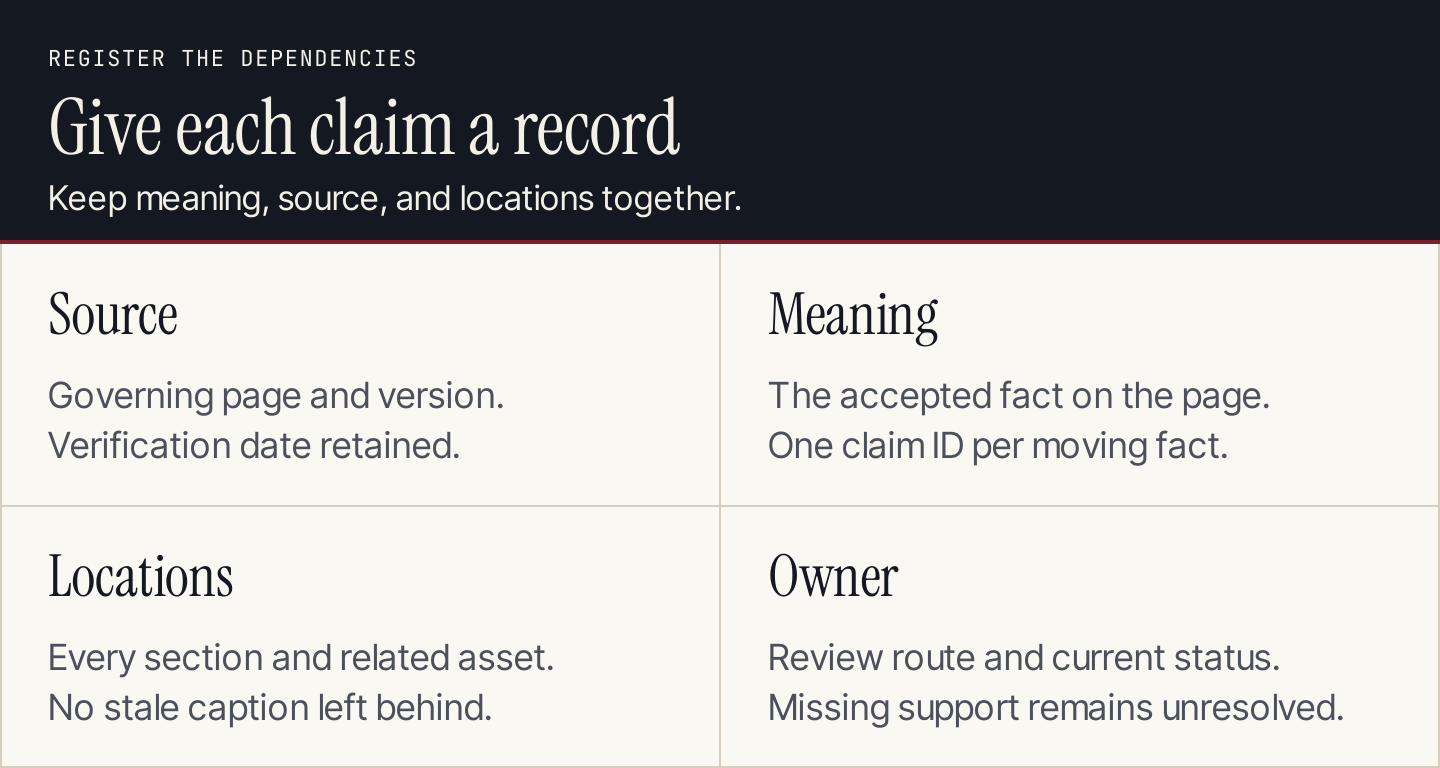
One source can support several claims, and one claim can appear in several assets. Record both relationships.
Keep this register beside your content calendar. A calendar tells you when work is due; the register explains why a source event creates work.
3. Monitor the relevant source area
Configure the monitoring system around the portion of the page that governs the claim. A rotating banner or footer change should not automatically create a rewrite task.
Visualping documents alerts containing a summary, text changes, and before-and-after comparisons. Its difference view helps inspect the change behind the notification.
Its AI monitoring explanation also describes criteria-based importance classification. Use that classification to prioritize review, while retaining access to the captured differences. Check a sample of changes marked unimportant to see whether your criteria missed something.
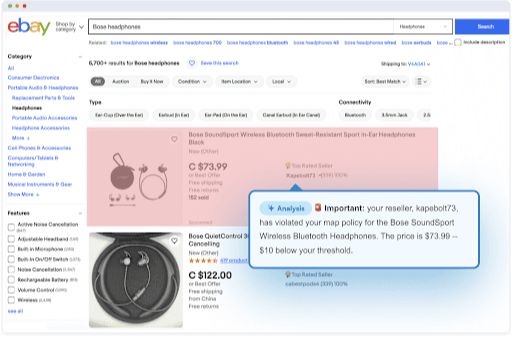
Visualping illustrates a change flagged against monitoring criteria. Source: Visualping.
A proposed instruction for a product-help monitor is: “Flag changes to the feature name, access conditions, supported languages, or setup instructions. Ignore navigation promotions and cosmetic changes. Retain the changed text for review.”
Monitoring records a difference. It does not approve the wording your article should use.
4. Classify the event before creating an edit
Route changes into distinct actions:
- Cosmetic: keep the page unchanged unless the design itself is part of the instruction.
- Factual: inspect the affected claim and dependent assets.
- Missing or conflicting source: assign a review task; do not guess a replacement.
- Destination change: inspect the final page, offer, and next action.
- Duplicate event: attach it to the existing task rather than drafting another revision.
For example, the old Adobe Express background-remover URL now leads to a Firefly page. That observation justifies inspecting the product name, destination, screenshot, and surrounding instructions together. It does not establish that all Express features moved to Firefly.
Keep the event ID and source version with the task. If the source changes again before approval, the reviewer should be able to see which version the proposed edit used.
5. Compare old and current sources without erasing history
Consider an article that inherited its product context from Search Engine Journal’s October 13, 2025 report. The report described sightings of “Analytics Advisor” and said Google had not yet published help documentation.
Google now has an official help page titled “Ask Advisor in Google Analytics (Beta)”. It describes access for eligible accounts and states that properties currently need English as the selected language.
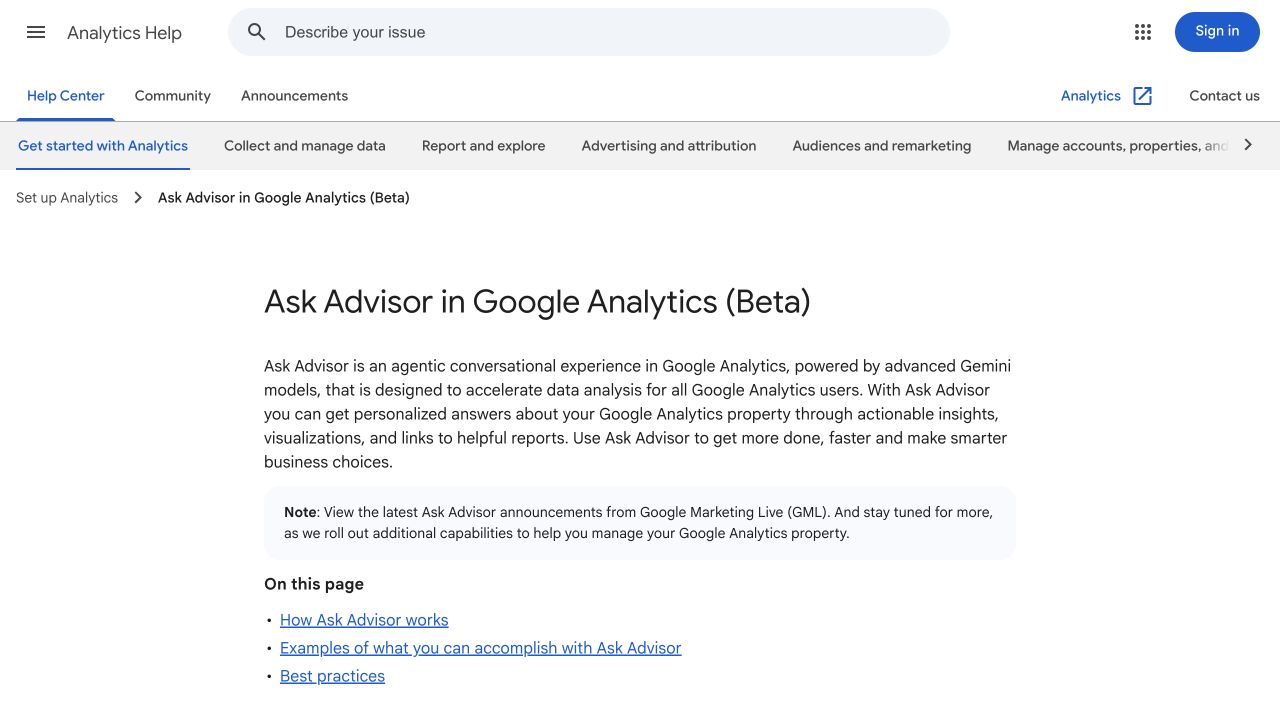
Google’s current help supplies product naming and access context for a present-day guide. Source: Google Analytics Help.
The old report is not necessarily wrong as a historical account. The problem arises when a current guide repeats its time-bound observation as today’s status.
Here is a proposed claim-register update:
| Claim ID | Legacy guide statement | Current review action |
|---|---|---|
| GA-NAME-01 | The assistant is called Analytics Advisor | Use the current Ask Advisor name in present-day instructions |
| GA-DOC-02 | Google has not published help documentation | Replace with a link to the current official help |
| GA-ACCESS-03 | Availability is not established in the early report | Describe documented eligibility without promising access to every property |
| GA-IMAGE-04 | An early screenshot represents the current route | Recheck the current interface or use the current help reference |
These rows map a revision to sources. They do not claim that the monitoring system detected the product’s original rollout or establish when every account gained access.
6. Ask AI for a bounded change plan
Supply the current article, the accepted source packet, and the affected claim IDs. First request a plan, then request the edit after the plan is reviewed.
Prepare a content refresh plan from the supplied packet.
Use current primary sources for present-day product instructions.
Preserve dated historical reporting as historical context.

Return:
claim_id | old statement | current support | affected locations |
proposed action | unresolved question

Inspect prose, tables, captions, screenshots, and CTAs.
Revise only supported changes. Do not infer global availability,
new integrations, performance outcomes, or missing dates.
Do not change the URL, publication status, or unrelated sections.
Record the article version and source version used.
For the Analytics example, a proposed replacement could read: “Google documents Ask Advisor as a beta conversational experience in Analytics. Eligible accounts can open it from the product interface; the current help specifies English-language properties.” Link that sentence to the official help.
That is a focused correction. It does not require replacing the article’s explanation of metric definitions or adding a claim that the assistant can access external accounting data.
7. Review the complete change set
Compare the proposed revision with the accepted source and the previous article. Inspect every dependent location in the register.
A feature name may remain inside an infographic after the prose changes. An availability statement may survive in an FAQ. A caption may describe an old screenshot accurately while the image no longer helps the current reader. Review those assets as part of the edit.
WordPress documents revision history for comparing saved versions and restoring a revision. Its current documentation distinguishes the newer revisions screen from the classic interface in older versions. Follow the instructions for the site’s installed version.
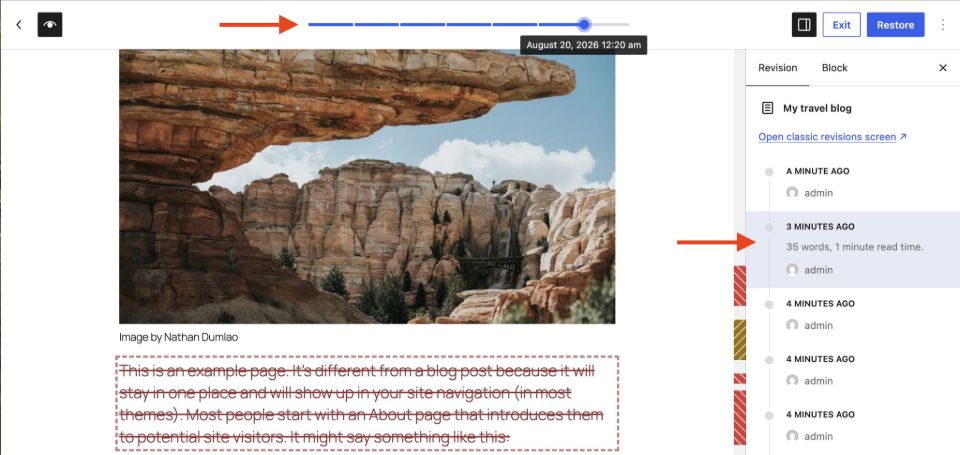
WordPress’s revisions example connects the saved version with its changes. Source: WordPress Documentation.
Review the metadata too. If the article’s scope changes, update its title and description to match. Our meta description generator can draft candidates from the accepted revision; verify that it has not added a stronger promise.
8. Check the version before applying the update
Between drafting and approval, another editor may change the article. Reopen the current destination record and compare its version with the one used for the refresh.
If they differ, stop the automated write and reconcile the changes. Applying an approved patch to the wrong version can overwrite unrelated work or restore a claim another editor already removed.
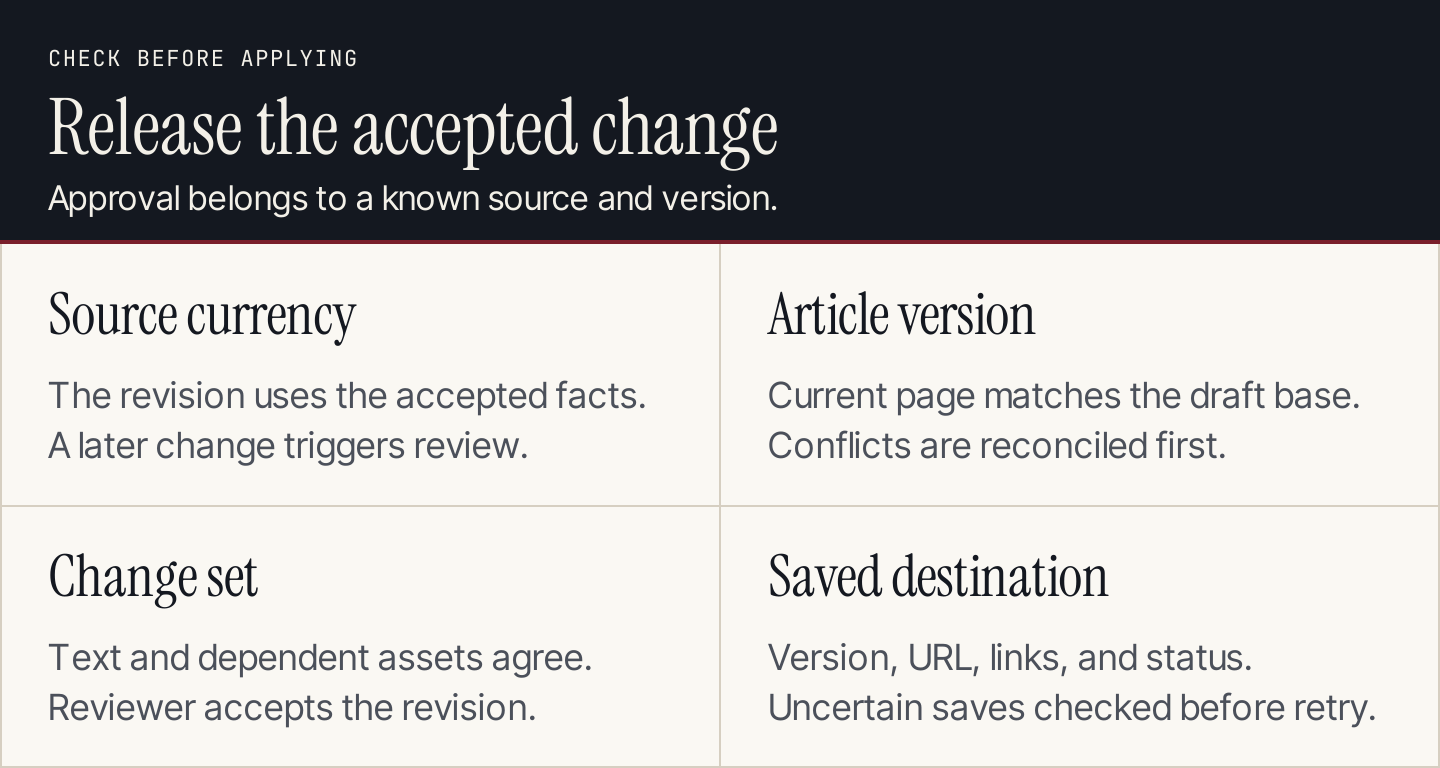
Approval applies to a known change set and article version. Confirm both before updating the destination.
An automated process should carry a stable task ID, claim IDs, source version, article version, proposed changes, and reviewer decision. A second notification for the same source event should update the existing record rather than create another publishing job.
Use your CMS’s supported review and revision process. A backup or revision history helps recovery, but it does not replace checking the current version before a write.
9. Verify the saved page and close the loop
After an authorized update, open the saved destination and inspect the affected text, tables, images, captions, and links. Confirm the article still has the intended URL and publication state.
Keep the old version, accepted change set, reviewer, update time, and destination version together. Close the task only after confirming the save. If the save reports an error or times out, inspect the destination before retrying; it may have succeeded despite the missing response.
Test the workflow with these cases before expanding it:
| Case | Expected behavior |
|---|---|
| Footer changes, claim unchanged | Log or dismiss; no article rewrite |
| Source removes a feature statement | Review claim; do not infer the feature vanished everywhere |
| Same alert arrives twice | One review task with the event attached |
| Article changes during review | Reconcile versions before applying the patch |
| Screenshot contradicts revised prose | Replace or remove the affected screenshot before release |
| Save response is uncertain | Inspect destination before retrying |
Track accepted factual corrections, missed dependencies, review time, and failed saves. Measure traffic or conversions separately over suitable periods. A correct product-name update does not automatically establish an SEO or AI citation gain.
Questions about AI content refresh
Should every old article be rewritten?
No. An accurate article serving its reader may need no substantive change. Source monitoring helps identify claims to check; performance diagnosis helps determine whether the wider page needs revision.
How often should sources be checked?
Match the cadence to how quickly the source changes and how much an error would affect the reader. Combine event alerts with scheduled reviews, since a missed alert should not leave an important claim unchecked indefinitely.
Does Rankauto automate this entire refresh loop?
Rankauto supports blog research, article production, and supported publishing destinations, with drafts by default. Use a separate monitoring and CMS review process for the source-change and in-place revision workflow described here. Our AI marketing automation guide helps place that process within a broader marketing workflow.