AI Marketing Automation: 10 Workflows With Examples
Build AI marketing automation with 10 workflow patterns and three real platform examples. Define inputs, review, destination checks, and failure rules.

AI marketing automation connects a repeatable marketing process to an AI step and an actual destination. A new record, schedule, or accepted content asset starts the work. The AI classifies, summarizes, or drafts something, and the workflow moves the checked result to the next stage.
The valuable part is the complete handoff. Generating a follow-up message doesn't mean it reached the right person. Producing a report doesn't mean its totals are correct. Define what starts the workflow and what counts as completion before choosing the model.
This guide covers ten workflow patterns, three real platform examples, and a launch checklist. The patterns are proposed designs to adapt and test, not claims of measured customer results.
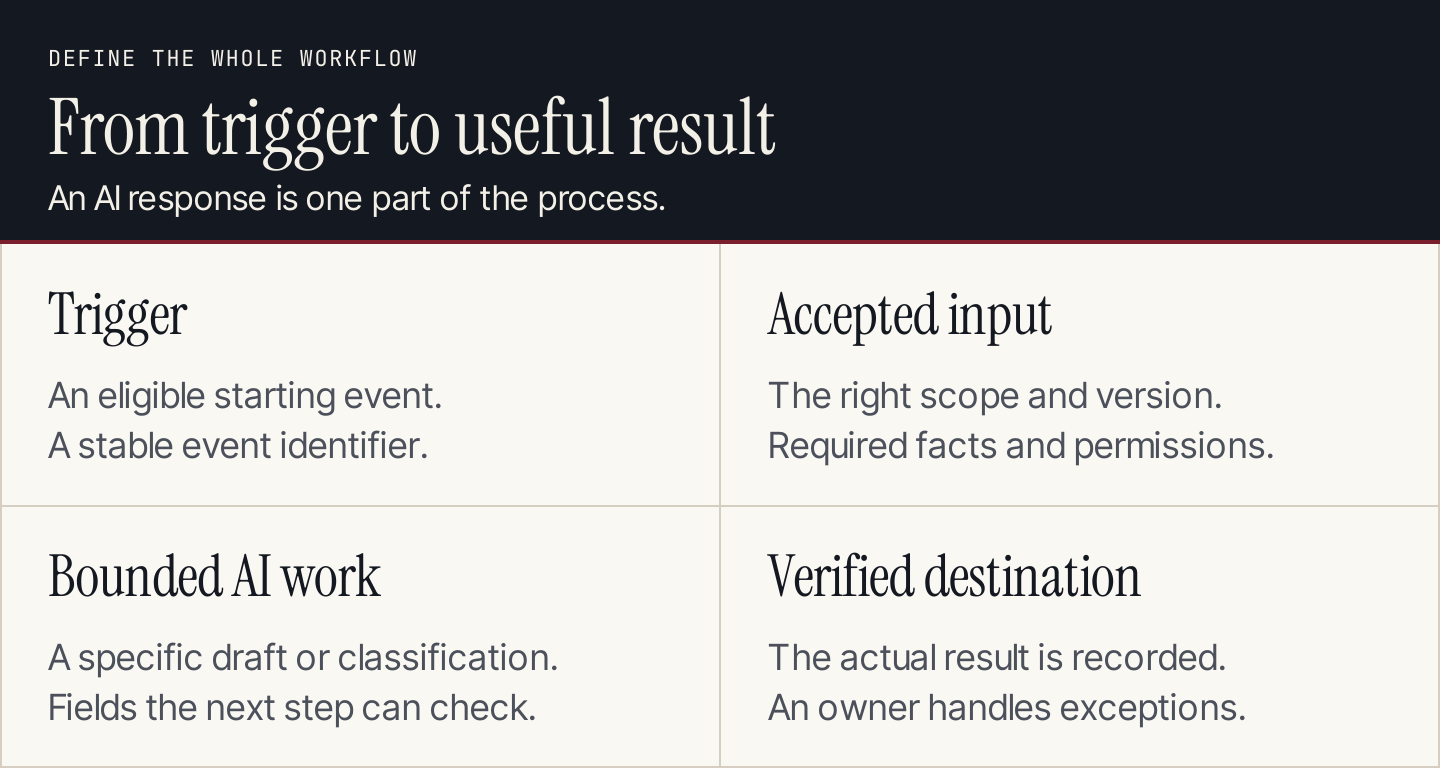
A workflow needs an agreed starting event and a checkable result.
How AI fits into marketing automation
A fixed rule can route a record, calculate a known value, or wait until an agreed time. An AI step can interpret text or develop a draft when the input is less structured. An agent can choose several steps within a delegated task.
Use the simplest approach that serves the job. A formula for a percentage doesn't need an AI model. Sorting open-ended feedback may benefit from one, provided you can inspect the classifications.
Zapier's AI automation overview distinguishes fixed workflows, workflows with an AI task, workflows with an embedded agent, and more open-ended agent work. The distinction is useful when deciding how much freedom the process needs.

Zapier separates different levels of AI involvement. Source: Zapier.
An automated draft can stay in a review queue. An accepted, predictable process can proceed under rules your team has deliberately configured. Specify those rules instead of assuming every AI output should trigger an external action.
Three real platform examples
HubSpot: enrollment is a separate decision
HubSpot's workflow setup guide separates enrollment, re-enrollment and exit settings, actions, configuration, and activation. Its trigger illustration shows manual, AI-assisted, and event-based starting choices.
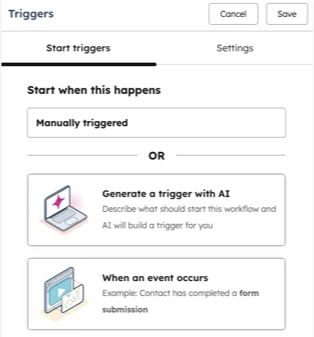
HubSpot makes the starting condition explicit in its trigger controls. Source: HubSpot.
Apply the decision: define who or what can enter, whether repeated events create another run, and which conditions stop the sequence. Review those rules before testing the content. A well-written message can still be wrong for a record that shouldn't have entered the workflow.
ActiveCampaign: inspect the proposed campaign
ActiveCampaign's AI Campaign Builder illustrates a campaign request followed by an email preview for review. It connects the request to a visible artifact.
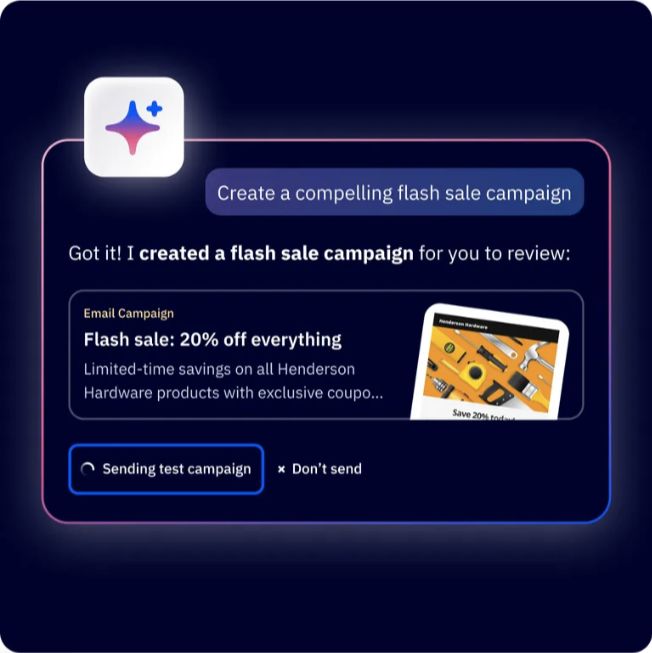
ActiveCampaign shows the campaign artifact produced from the request. Source: ActiveCampaign.
Apply the decision: inspect the complete proposed campaign, including the audience, offer, assets, links, and send conditions. Review a concrete version rather than approving an abstract instruction to create “a good campaign.”
Zapier: keep interpretation inside a defined process
The Zapier comparison above shows that a workflow can combine fixed steps with a limited AI task. That is a useful starting structure for summarizing feedback or drafting from an accepted asset.
Apply the decision: pass the exact input into the AI step, require a defined output, and validate it before the next action. If the output is missing a required field, hold the run for correction. Don't let an explanation of the failure masquerade as a successful record.
Ten workflow patterns to adapt
Each pattern needs a source you can lawfully use, the required connection, and the appropriate plan or capability. These are design examples, not promises that one platform provides all ten out of the box.
1. Accepted article to campaign drafts
Trigger: an article is marked accepted. Inputs: its final text, approved CTA, audience, and channel rules. AI work: draft distinct email and social adaptations, linking each specific claim to the source passage.
Save the drafts in a review destination. Hold if the source link is missing or the article's accepted version changes. Check that the shorter formats preserve qualifications and lead to the intended article. Publishing an article and approving a campaign are separate completion states.
2. Content request to a research brief
Trigger: a complete content request enters the queue. Inputs: audience, reader task, product facts, evidence requirements, and existing article inventory. AI work: prepare research questions and a proposed brief.
Return the brief to the requester or editor before drafting. Flag an overlapping article or unsupported product promise. Don't let a missing audience silently become “everyone.” A complete brief gives the next stage usable inputs rather than merely another topic label.
3. Customer feedback to an editorial issue list
Trigger: a permitted feedback batch is ready. Inputs: comments with source references and dates. AI work: group recurring questions and identify resources that may need clearer explanations.
Deliver a table containing the question, supporting references, affected resource, and proposed investigation. A reviewer checks whether the groupings match the comments. Don't report the sample as all customers or allow one repeated comment to inflate the theme count.
4. Inbound inquiry to a routing recommendation
Trigger: an inquiry has been accepted by the business system. Inputs: the submitted information and the agreed routing criteria. AI work: summarize the request and recommend the responsible queue.
Check the evidence for the recommendation before routing in a pilot. Treat missing information as unknown, not as low quality. Stop if the record belongs to an existing active conversation that a second workflow would interrupt. The business rule defines qualification; the model applies or flags it.
5. Webinar transcript to a content package
Trigger: a transcript and publication permissions are accepted. Inputs: transcript, timestamps, speaker names, and campaign brief. AI work: prepare article angles, short excerpts, and clip suggestions.
Store a reference beside each quote or substantive claim. Review meaning and permissions before using the package. If the transcript is uncertain about a name or number, return that uncertainty to the source review rather than polishing it into an apparently exact statement.
6. Product update to a content-change queue
Trigger: an accepted release record describes a product change. Inputs: changed behavior, current documentation, and affected article list. AI work: identify instructions or screenshots that may need review.
Deliver proposed changes to the content owner. Verify the actual product behavior before replacing instructions. A release label alone may not establish whether every customer has the capability. Hold unsupported statements about availability or dates until the product team resolves them.
7. Approved newsletter to subject-line candidates
Trigger: the newsletter's body and offer are accepted. Inputs: actual content, audience, and style rules. AI work: draft subject lines that accurately describe the email.
Review candidates for meaning and misleading urgency. Store the selected version with the campaign, then test a defined variable through the email platform. Don't invent a discount, deadline, or personalization field to make the subject more engaging.
8. Campaign data to a reporting draft
Trigger: the reporting exports are complete for the period. Inputs: definitions, source files, prior-period comparison, and known campaign changes. AI work: organize findings and suggest questions to investigate.
Calculate important totals and rates from the records, then independently check them. Keep explanations of causes separate from observed changes. If one channel's data is missing, mark the comparison incomplete instead of reporting a reassuring overall total.
9. Content inventory to a maintenance reminder
Trigger: a review date or documented change occurs. Inputs: owned assets, review rules, and responsible people. AI work: identify the scope of the check and prepare a concise task.
Send the reminder to the assigned reviewer through an authorized process. Record completion only when the substantive review is done. A date update doesn't establish that the instructions, source claims, and destinations are still accurate.
10. Campaign completion to a reusable learning record
Trigger: the campaign closes and its results are available. Inputs: accepted brief, assets, results, and team notes. AI work: draft a recap separating what shipped, what happened, and what the team proposes next.
Have the owner check the context and conclusions. Save the accepted learning record with its sources. Keep an unsuccessful test when it teaches something useful; deleting inconvenient evidence makes later automation less reliable.
Build one workflow with explicit handoffs
Start with one pattern and name its output. For an accepted-article adaptation workflow, the output could be a reviewed email draft and two social drafts, all tied to the same article version.
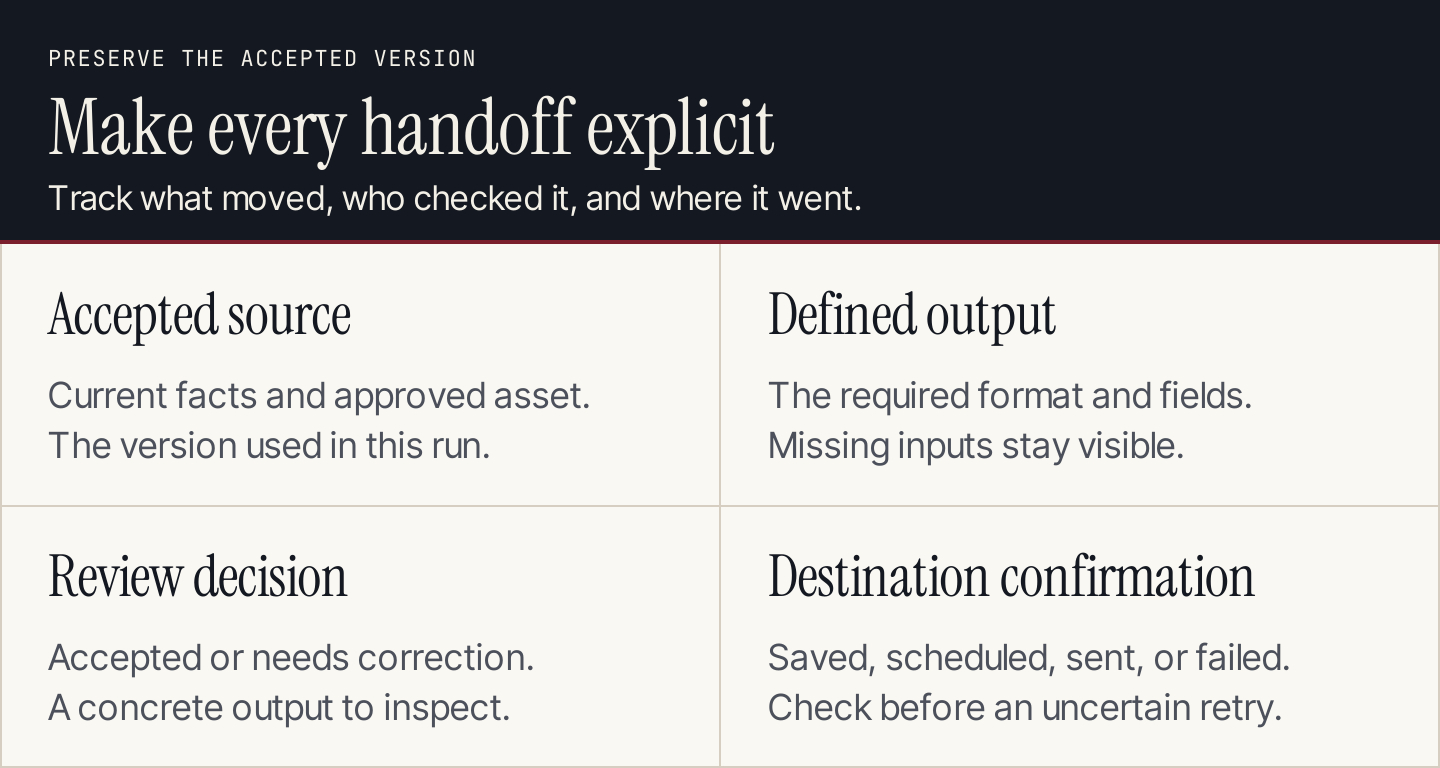
Preserve the accepted version through every stage.
Define a run record before connecting the steps:
| Field | What it establishes |
|---|---|
| Workflow and owner | Which process ran, and who handles exceptions |
| Trigger identifier | Which event started this instance |
| Source version | Which accepted material was used |
| Eligible scope | Records, audience, or assets included |
| AI instruction version | Which procedure produced the proposal |
| Output and validation | Required fields and checks passed |
| Review decision | Accepted, rejected, or needs changes |
| Destination result | Saved, scheduled, sent, or failed, as applicable |
| Retry status | Whether another attempt is safe |
Use a stable event identifier to avoid running the same work twice. Before retrying an external action, check whether the first attempt already reached the destination. A timeout can leave an uncertain result; sending again without checking can produce a duplicate.
Test the workflow before enabling recurrence
Test ordinary inputs and failure cases. Keep the run small enough that you can inspect every output.
| Test case | Expected behavior |
|---|---|
| Complete, eligible input | Produce the defined proposal and validation record |
| Missing required source | Hold for correction; don't invent the missing fact |
| Repeated event | Recognize the previous run and follow the duplicate rule |
| Changed source after review | Revalidate the affected output before release |
| Failed connection | Record failure and owner; preserve the last accepted version |
| Uncertain external result | Check the destination before retrying |
| No meaningful change | Follow the quiet-run rule instead of generating filler |
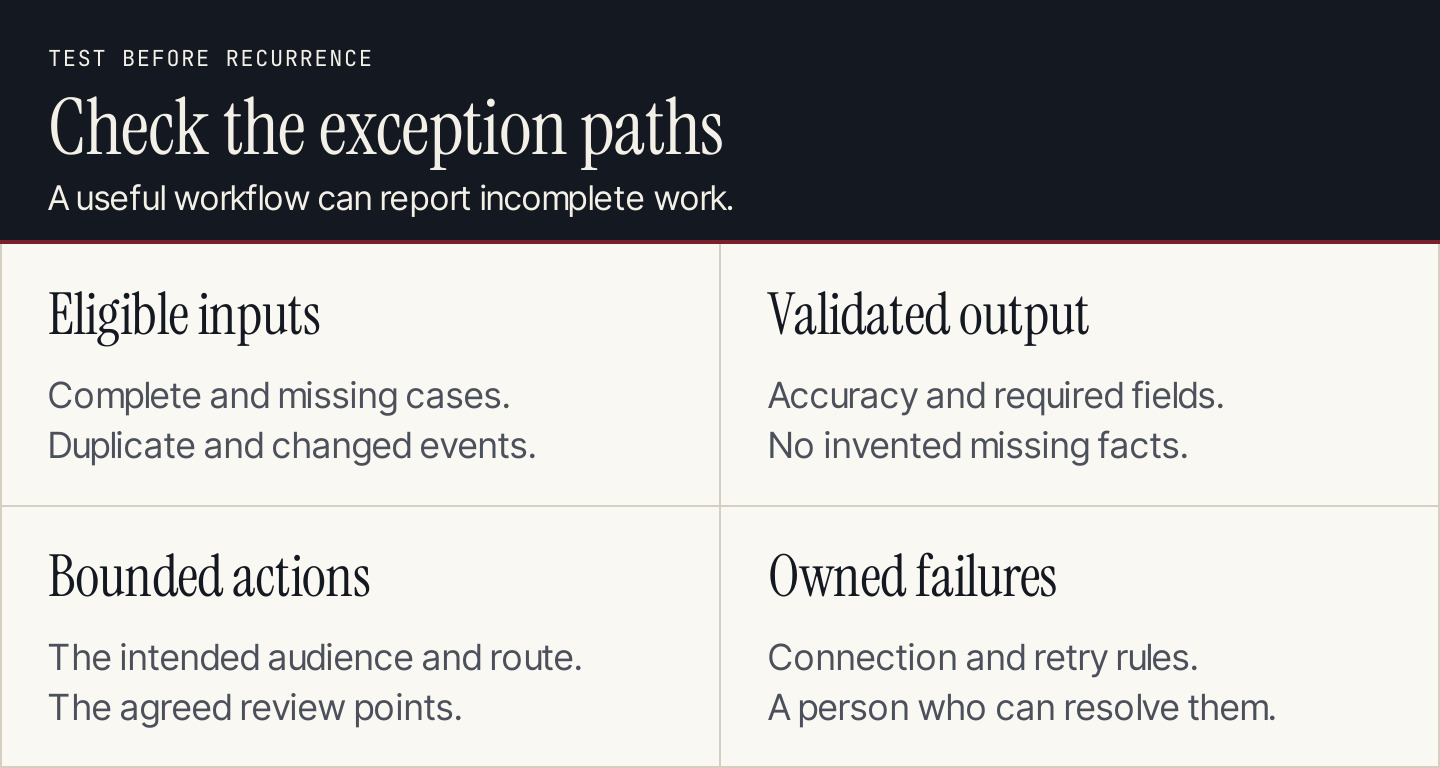
Enable recurrence after the ordinary and exception paths work.
Measure accepted outputs, correction effort, failure frequency, and useful outcomes. Compare these with your previous process using the same task scope. The number of runs doesn't establish how much useful work was completed.
Common questions
Does every workflow need an agent?
No. Use fixed steps for predictable work and a bounded AI step for interpretation or drafting. An agent is useful when the task requires choosing steps or tools. Our AI agents for marketing guide covers that choice.
Can Rankauto handle the entire campaign?
Rankauto researches and writes blog articles, adds images and SEO fields, and saves drafts by default. It publishes to supported website destinations. Email campaigns, CRM routing, and social scheduling belong to the systems handling those tasks; Rankauto writes blog articles, not emails or ads.
What should a small team automate first?
Choose a frequent task with available inputs, a useful output, and a straightforward review. Begin with an on-demand pilot, correct the procedure, and enable a schedule only when the team can diagnose an incomplete or failed run.