SEO Automation: What to Automate and What to Review

SEO automation uses software to repeat parts of research, inspection, content production, reporting, and maintenance. It works best when the task has clear inputs, an inspectable output, and a defined response when something goes wrong.
A scheduled crawl can collect evidence every week. An AI assistant can organize a keyword export or propose an article brief. Neither action establishes that the website problem was fixed or the article is ready to publish.
Here is how to automate useful work while keeping decisions, ownership, and completion visible.
Separate repeatable rules from AI judgment
Two kinds of automation often appear in the same workflow.
Rule-based tasks repeat an explicit operation: run a crawl, export a report, validate required fields, or route an approved draft to a specified destination.
AI-assisted tasks interpret material or propose an output: group queries, summarize changes, draft explanations, or suggest which content gap to investigate.
The second category needs review of meaning and evidence. A file can pass a required-field check while containing an incorrect claim.
| Task | Useful automation | Review that remains |
|---|---|---|
| Recurring site crawl | Schedule collection and dated exports | Verify configuration and diagnose findings |
| Keyword organization | Normalize rows and propose groups | Confirm intent, data provenance, and business fit |
| Content briefing | Assemble checked inputs and a proposed outline | Approve scope, evidence, examples, and overlap |
| Metadata drafting | Generate variants from the actual page | Check accuracy, uniqueness, and the page promise |
| Internal-link suggestions | Match passages to an approved URL list | Confirm destination relevance and natural placement |
| CMS preparation | Create the intended draft with mapped fields | Inspect assets, links, metadata, and publication state |
| Reporting | Calculate defined measures and assemble evidence | Explain limitations and choose an owned action |
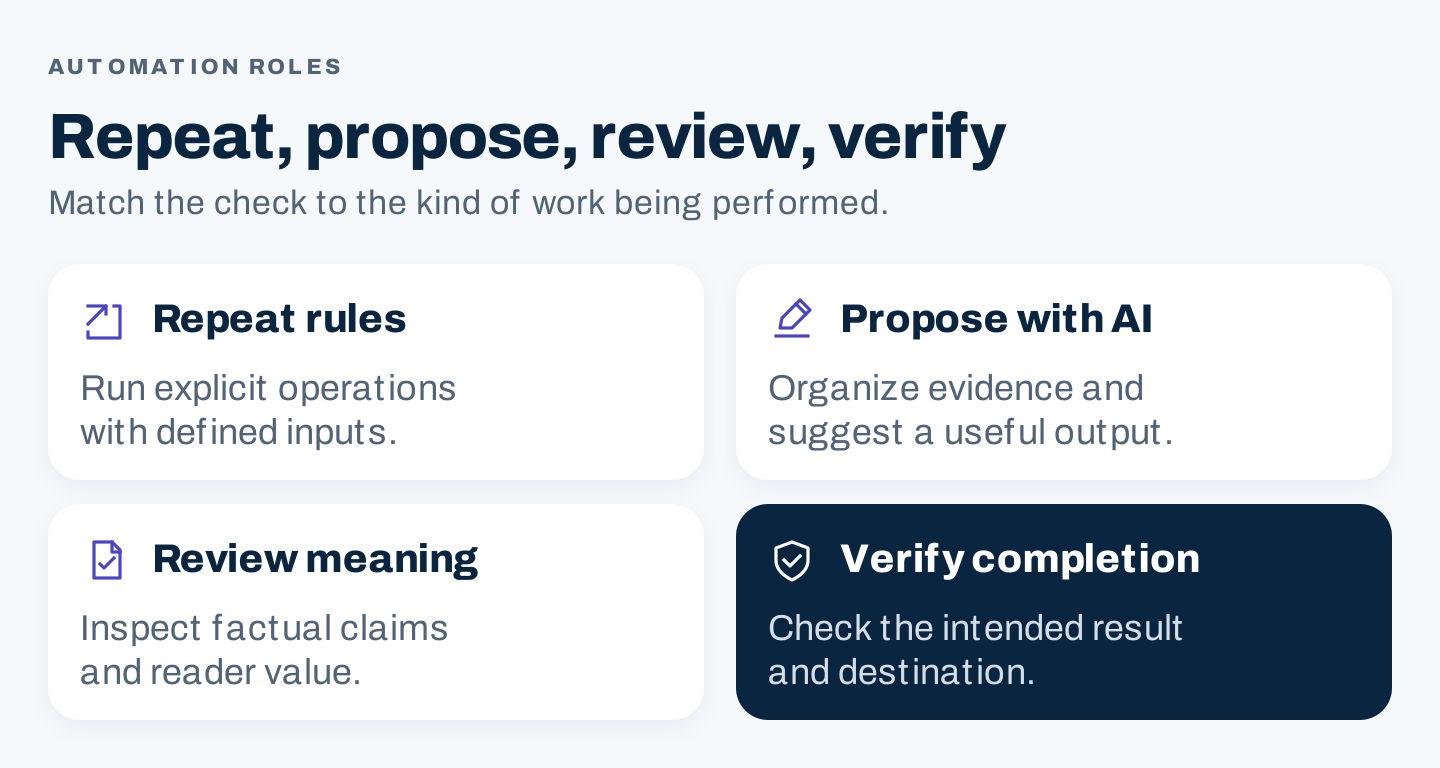
Original workflow framework. The checks differ because a successful software operation and an accepted business result are different things.
Choose one recurring task first. Automating the entire SEO process before understanding its handoffs makes it harder to locate a failure.
A real example: scheduled crawls in Screaming Frog
Screaming Frog’s scheduling documentation shows a concrete repeatable operation: create a scheduled crawl, choose the applicable configuration, and define exports. The documentation addresses timing, output locations, and ways to run scheduled work.
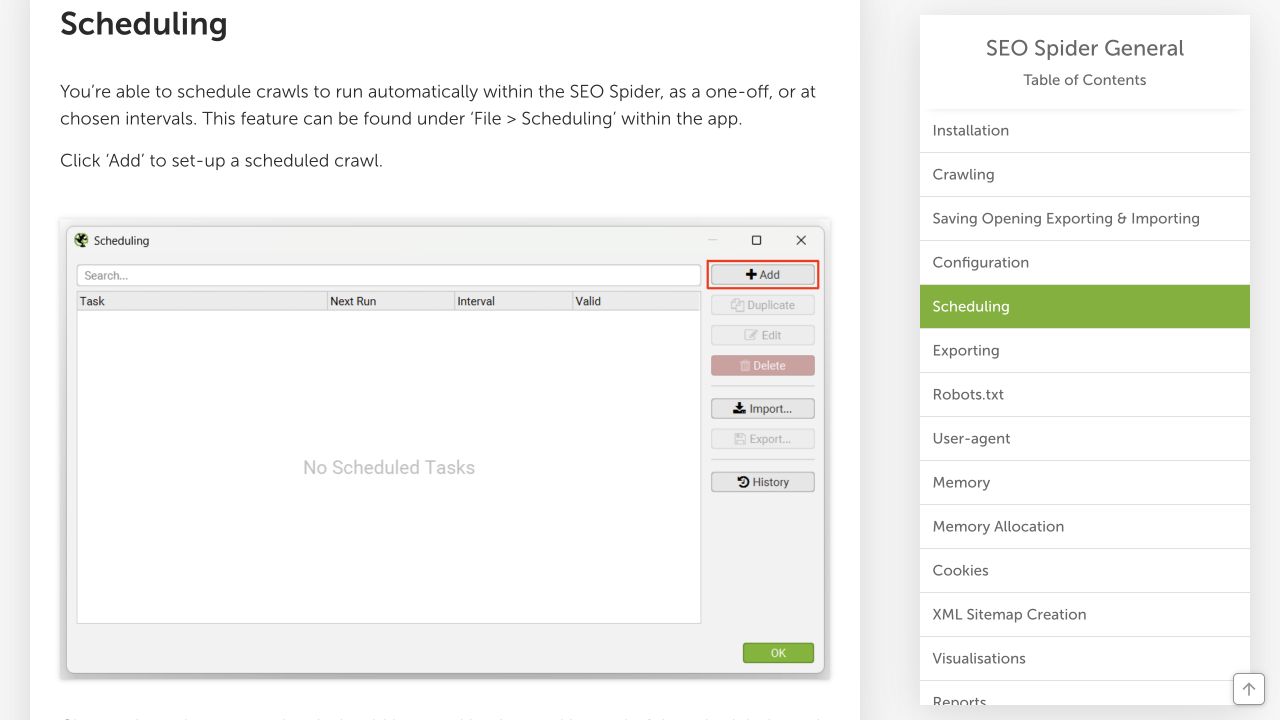
Public documentation, captured on desktop October 8, 2026. It shows how scheduling is configured; no crawl or scheduled task was executed for this article.
Before scheduling your own authorized crawl, run a representative manual crawl with the intended settings. Check that important pages appear and that the output includes the fields needed for the review.
Define the scope in plain language: which site, which paths, which rendering requirements, and which files should be collected. Confirm any authentication or access requirements with the site owner. Then choose an interval suited to how often the site changes.
Save dated exports rather than repeatedly overwriting the only evidence you have. A report labelled “latest” is convenient, but keep a dated history behind it so a reviewer can compare the correct runs.
The useful output is not simply “crawl finished.” It is a usable record that reaches the person responsible for reviewing changes.
Turn a crawl finding into a completed action
Suppose an actual crawl flags a broken internal destination. The automation can create a review item containing the referring page, destination, observed response, run ID, and evidence file.
That is a proposed workflow, not a result from a crawl performed here. The responsible person still needs to determine whether the page moved, the link is wrong, or a configuration issue affected collection.
Use this sequence:
- Confirm the finding against the intended public destination.
- Identify the useful replacement or decide to remove the link.
- Make the authorized change in the correct website.
- Inspect the rendered referring page and destination.
- Record the outcome and include it in the next applicable check.
A closed task without a checked destination is an administrative event. It does not establish that a visitor can follow the link successfully.
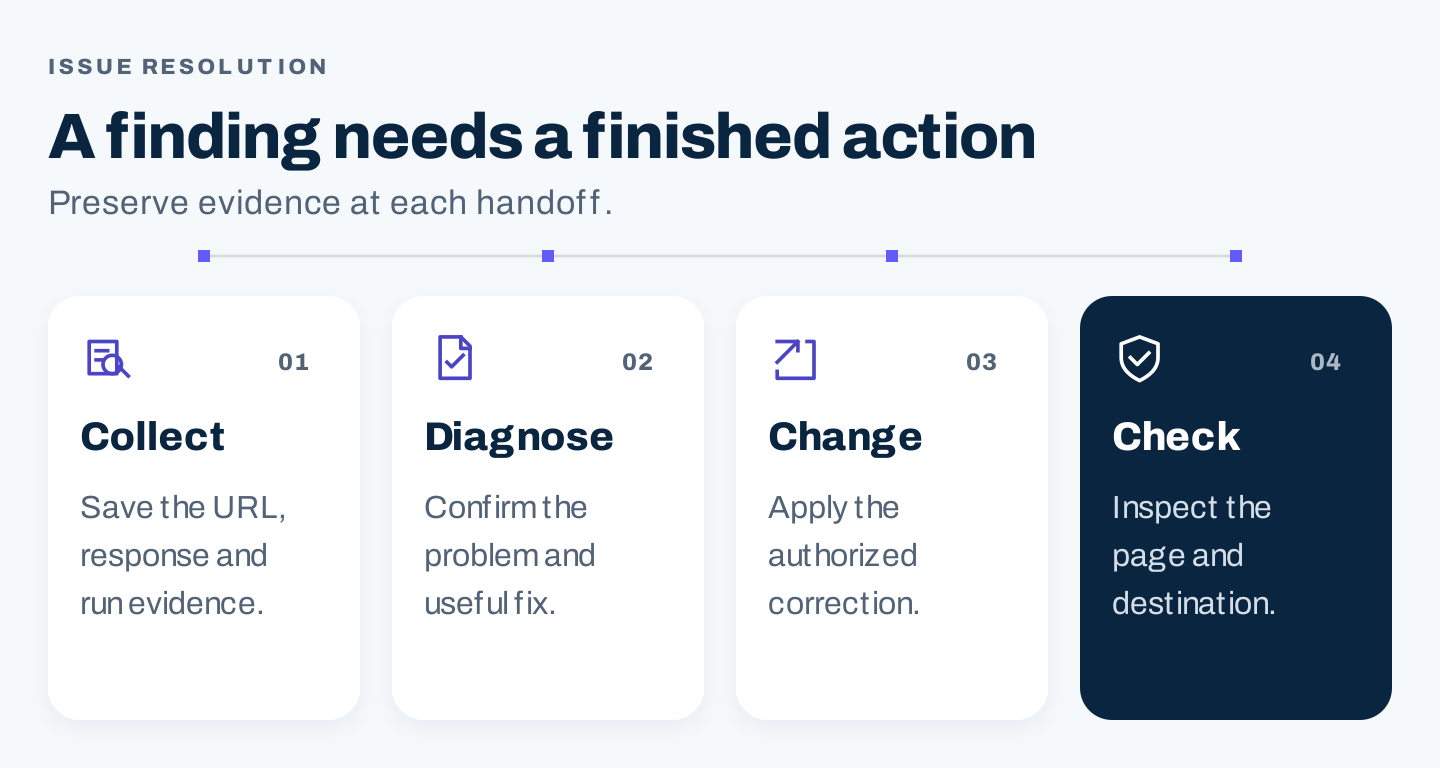
Original issue-resolution sequence. Each stage leaves evidence that the next person can inspect.
Build an AI-assisted content workflow
Content production contains more judgment than a recurring export. Keep the stages explicit:
Research: collect current sources, customer questions, and the supplied keyword evidence. Preserve source dates and missing values.
Brief: define the reader task, page scope, required examples, and what useful original contribution the article will provide.
Draft: work within the approved brief. Require source support for material claims and clear labels for proposed exercises.
Review: inspect facts, usefulness, originality, links, images, and the match between the headline promise and the delivered article.
Delivery: create the intended CMS draft and check the rendered output before following the agreed publication process.
Google’s generative AI content guidance requires attention to accuracy, quality, and relevance, including metadata and structured data. Generating many pages without adding value can breach its scaled-content-abuse policy. A production queue needs an editorial acceptance step.
Avoid making AI the final authority on its own work. Ask it to identify unsupported claims and missing evidence, then have the responsible reviewer confirm those findings against the actual sources.
A real publishing example: WordPress post states
The WordPress REST API posts reference documents post statuses including draft, pending, publish, future, and private. Those states show why creating a record is different from publishing a page.
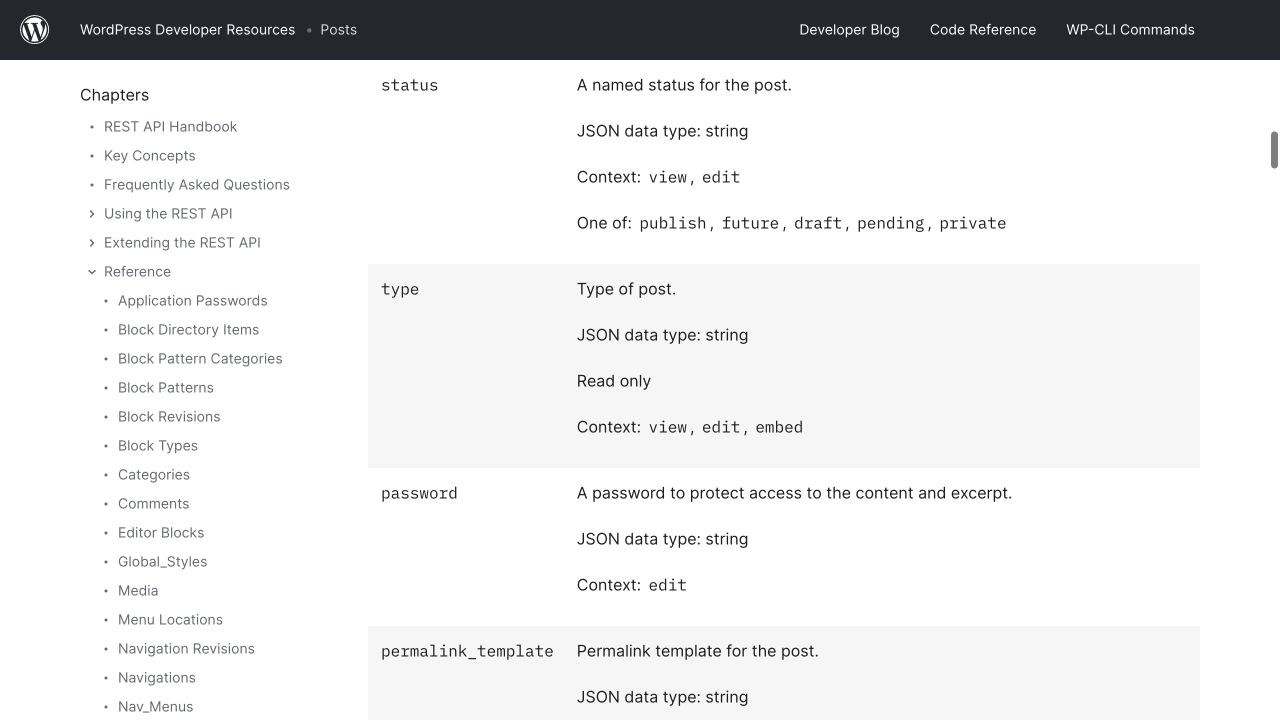
Public WordPress documentation, captured October 8, 2026. No API request, post creation, or publication was performed.
In a proposed integration, specify the intended state. If the accepted process requires review, the creation step should produce the designated draft or pending record rather than relying on a tool’s default behavior.
Record the returned post ID and destination. Use that stable identifier when updating the same item. Re-running a failed-looking creation step without checking its result can create a duplicate if the original request succeeded but the response was lost.
Map each field deliberately. A core post title is not automatically the SEO title from a plugin, and an image filename is not proof that the correct featured image was attached. Verify the actual CMS configuration and the fields your integration supports.
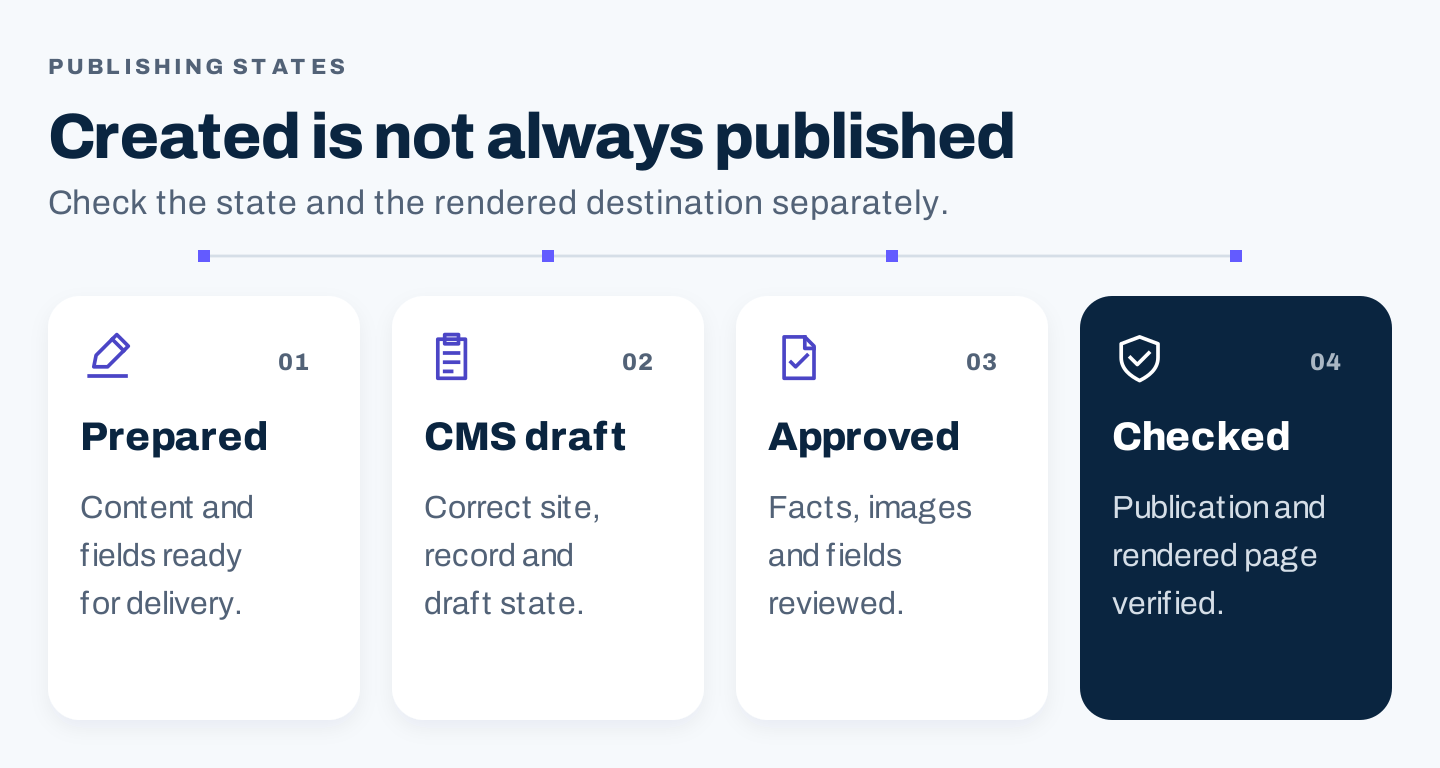
Original publishing sequence. Treat the recorded CMS state and the rendered destination as separate acceptance checks.
Use a run record your team can troubleshoot
Every recurring process needs a visible record of what happened. Use a simple table or job log before building a sophisticated dashboard.
Run ID and workflow version:
Website or client:
Task and owner:
Input location, version, and collection date:
Approved scope and intended destination:
Start and finish time:
Status: completed / needs review / failed / skipped
Output IDs and evidence locations:
Validation findings:
Next action and responsible person:
Retry history or recovery decision:
Final acceptance and checked destination:
The workflow version matters when a comparison spans changes to prompts, configurations, or field mappings. A sudden improvement may reflect a changed process rather than a changed website.
For agencies, put the client and website in the run record and the destination mapping. Review them before a write step. Similar project names should not be the only thing preventing content from entering the wrong CMS.
Decide what happens when a step fails
An automation that runs unattended still needs rules for stopping, retrying, and escalating.
| Failure | Suggested response |
|---|---|
| Required input is missing | Stop the dependent step and identify the missing input |
| Crawl or export is incomplete | Mark it incomplete; preserve evidence and investigate configuration or access |
| AI output contains unsupported claims | Route to review; request evidence or remove the claim |
| CMS creation response is uncertain | Check whether the item exists before attempting another creation |
| Rendered page differs from the approved draft | Hold the publication or completion step and inspect mapping or rendering |
| Report collection fails | Report the failure; do not convert missing observations to zero |
Use a bounded retry policy for transient failures. Define the number of attempts, the delay, and the point at which a person receives the issue. Repeatedly retrying an invalid input will not repair it.
Design write steps so the same work is not applied twice. In practice, that means retaining output identifiers and checking the current state before repeating creation, publication, or an update. Ask the implementer to demonstrate this behavior in your actual setup.
Keep a recovery route: a preserved previous draft, configuration version, or backup where appropriate. The team should know which person can restore the intended state and how to confirm the restoration.
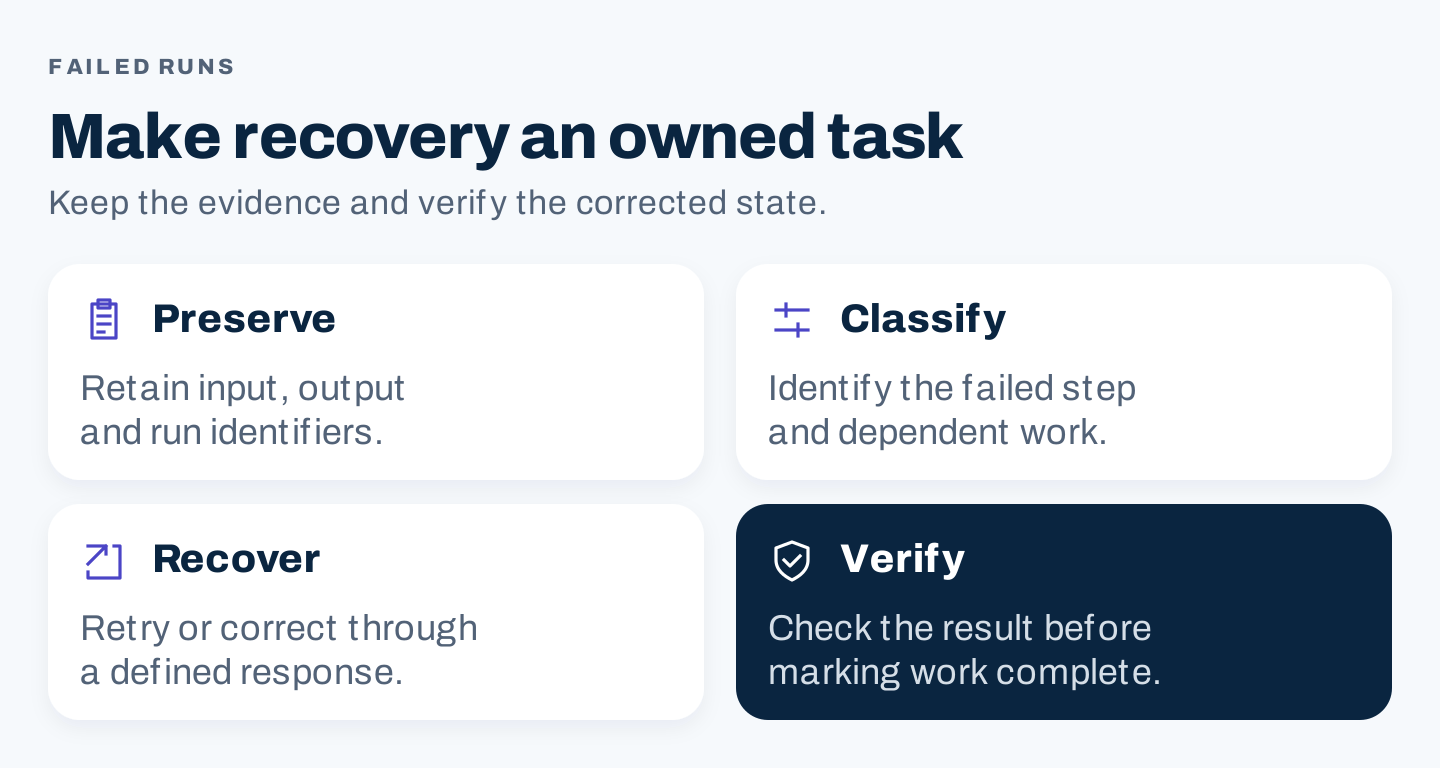
Original recovery framework. Failed steps need an owned response, not an invisible loop.
Where human review earns its place
Keep review where an error could materially change the reader’s understanding or the website’s behavior.
That includes interpreting search intent, confirming technical or commercial claims, selecting real examples, resolving overlapping pages, and approving sitewide changes. It also includes deciding whether an apparent performance change warrants action.
For a low-impact recurring export, review may focus on collection health and changed values. For a new article, review should cover the actual content and final presentation. The review effort should match the task.
Avoid a universal “human approved” checkbox with no acceptance criteria. Record what was checked and the unresolved issue, if any. Another person should be able to understand why the output was accepted.
Measure useful throughput and the complete effort
Track accepted results rather than activity alone.
| Measure | Useful definition |
|---|---|
| Accepted outputs | Deliverables meeting the agreed review criteria |
| Rework | Time spent correcting rejected or incomplete output |
| Completion time | Time from available inputs to accepted result |
| Failure rate | Failed runs divided by attempted runs, with the task defined |
| Maintenance effort | Time spent keeping the workflow and mappings reliable |
Record setup separately from recurring work. Include review and troubleshooting in the recurring total. The cost of an automation is larger than its subscription if someone spends substantial time correcting output.
For website outcomes, continue tracking the relevant visibility, traffic, and business events. A faster process can be useful, but it does not by itself prove that the content generated additional demand or sales.
A proposed 30-day pilot
Week 1: define one task. Choose a recurring crawl review, a report, or a content-brief process. Name the owner, input, accepted output, and failure response. Collect a manual baseline for effort and quality.
Week 2: run it in a limited scope. Use representative inputs and review every output. Keep records of rejected work and unexpected behavior.
Week 3: correct the process. Adjust the configuration, source pack, prompt, or mapping based on observed problems. Repeat the failed cases before expanding scope.
Week 4: compare and decide. Review accepted throughput, recurring effort, rework, and recovery. Keep the process, revise it, or stop it based on the evidence.
This is an operational schedule, not a promise of SEO gains in 30 days. Expand only when the limited process completes its job reliably and the team can support it.
An optional prompt for reviewing a run log
Review this SEO automation run log using only the supplied records.
Identify missing inputs, incomplete outputs, recurring failures,
and items marked complete without acceptance evidence.
Separate rule-based failures from issues requiring editorial judgment.
For each action, give the run ID, owner, evidence, and next check.
Do not invent crawl results, accepted outputs, traffic gains,
or explanations unsupported by the log.
A useful automation makes the next step clearer and the repeated work easier to complete. Give it a defined task, keep its evidence, and verify the result where the work reaches the reader or website.