SEO Content Brief: A Template With Real Examples
Create an SEO content brief with a copyable template, real Stripe and GitHub examples, an evidence plan, and clear checks for reviewing the draft.

An SEO content brief tells a writer who the article is for, what the reader needs to accomplish, which evidence to use, and what a finished draft must contain. It turns an approved topic into a writing assignment someone can actually complete.
A keyword list alone leaves too much undecided. A writer still needs to know whether the page should explain a concept, compare choices, or walk through a task. They also need the sources, examples, and limits that keep the article accurate.
This guide includes a copyable template, three worked examples based on real public pages, and a checklist for reviewing the handoff. The examples are our reconstructions of useful briefs, rather than the companies' internal documents.
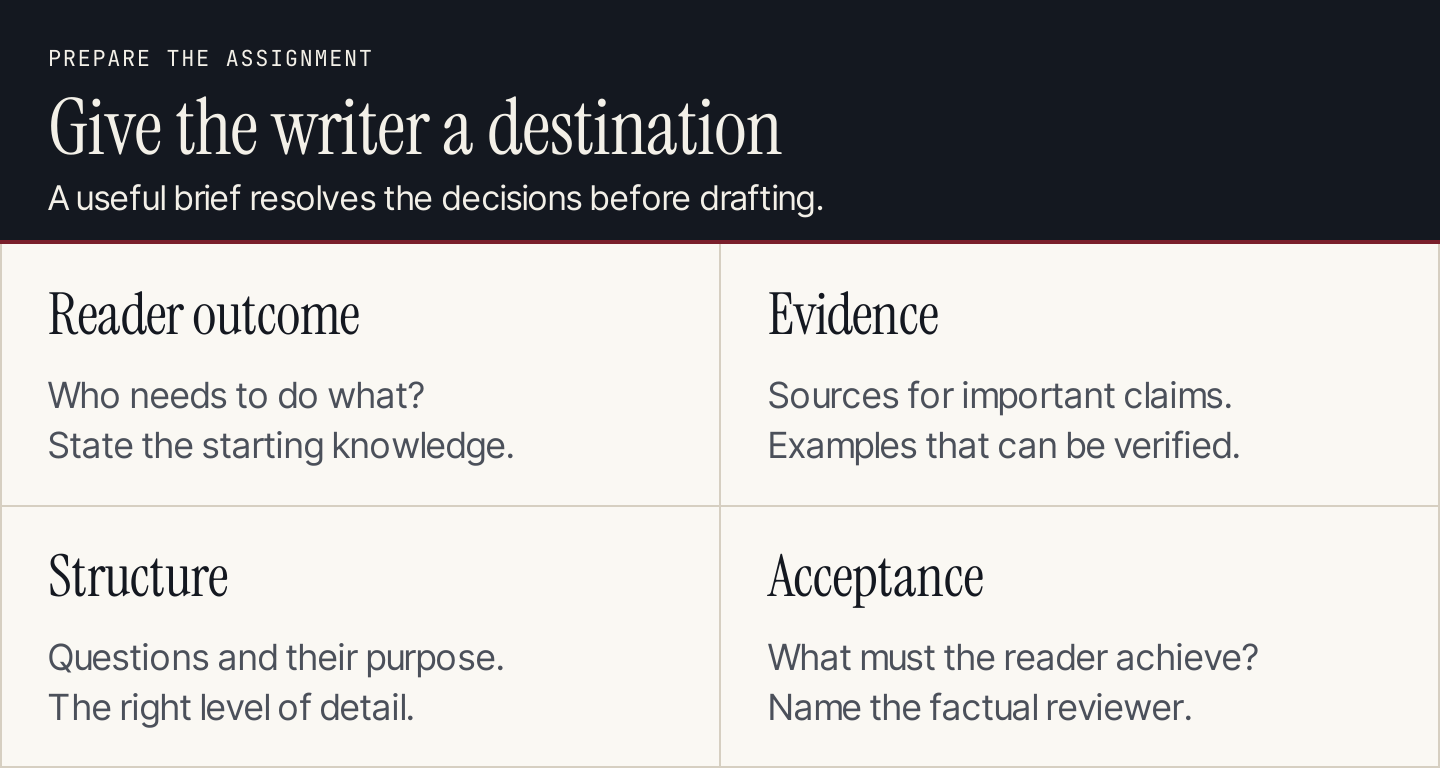
A brief gives the writer a clear destination and enough evidence to get there.
What belongs in an SEO content brief?
Put the important decisions near the top. Someone opening the document should immediately understand the assignment and its purpose.
| Field | What to write | What to avoid |
|---|---|---|
| Reader and outcome | Who needs the answer and what they can do afterward | A demographic profile with no writing implications |
| Search intent | The question and the useful page format | An intent label without an explanation |
| Destination | Existing page to update or proposed new URL | A second article that repeats an existing answer |
| Keywords | Primary query and relevant supporting questions | Mandatory repetition counts |
| Angle | The specific useful contribution | “Make it comprehensive” |
| Evidence | Source URLs, expert input, and supported claims | Unchecked statistics or AI-generated citations |
| Structure | Necessary sections and their purpose | Every sentence prescribed in advance |
| Examples and visuals | What each example or image must demonstrate | Decorative images selected after drafting |
| Links and next step | Relevant internal destinations and a reader action | A product pitch unrelated to the task |
| Review and delivery | Reviewer, deadline, format, and acceptance checks | An unspecified “SEO-approved” status |
Keep optional material below these decisions. A specialist explanation may need terminology notes or a technical reviewer. A short update may need only the changed claims, their sources, and the affected sections.
Brief, outline, and style guide serve different jobs
The brief defines the assignment. The outline arranges the answer. The style guide explains how your brand writes.
For example, a brief might require a comparison of two publishing approaches. The outline decides whether to lead with a table or develop each approach separately. The style guide determines whether the article uses contractions and how it names product features.
Link the existing style guide instead of pasting its entire contents into every brief. Include a short exception only when the assignment needs one, such as keeping command names exactly as the documentation spells them.
1. Decide the reader outcome before choosing headings
Write one sentence beginning, “After reading, the reader can…” Then name a concrete action.
“Understand email marketing” is broad. “Prepare a first email campaign and check its recipients, message, and destination before sending” gives the writer a usable finish line.
Next, record what the reader already knows. A founder choosing software needs different detail from a developer implementing an API. This changes the vocabulary, examples, prerequisites, and amount of explanation.
The assignment also needs an honest business connection. If your product helps with the task, explain where. If the topic supports a wider customer need, choose a related next step rather than forcing a product mention into every section.
Before commissioning a new article, check the site's existing coverage. Our keyword mapping guide explains how to assign searches to destinations. The brief should carry that decision forward, rather than reopening it during drafting.
2. Research the query and record the useful differences
Open the relevant search results and read the strongest pages. Record what readers receive: a template, a comparison, a procedure, examples, or a reference answer. Note the market and date of your research.
Compare their useful features, then define your contribution. A competitor's downloadable template is a strength to preserve in your response, not a reason to write a longer definition. You might add a completed version, clearer source requirements, or a review checklist the template lacks.
Use supporting queries to discover questions. Don't turn every variation into a separate heading. “Content brief template” and “content brief example” can belong together when the example shows how to fill in the template.
Record estimated volume with its provider, country, and observation date. It helps evaluate a topic; it doesn't tell the writer how often to repeat a phrase or predict how many people will visit.
Set length from the work the article must do
A word range can help budget an assignment, but describe the required coverage first. Google's SEO Starter Guide says there is no magical minimum or maximum word count for ranking.
“Explain the prerequisites, show the process, include a completed example, and help the reader check the result” is a better instruction than “Write more words than the competitor.” Let the editor remove repetition even when the draft falls below an early estimate.
3. Build an evidence and visual plan
Give each important claim a source and each procedural section a demonstration.
| Planned section | Evidence needed | Useful demonstration | Review question |
|---|---|---|---|
| Choosing an approach | Current product documentation | Comparison of actual options | Are the differences supported? |
| Completing the task | Current instructions and prerequisites | Genuine interface or documentation screenshot | Does the image match the stated step? |
| Checking the result | A defined success condition | Completed checklist or worked output | Can the reader recognize completion? |
| Handling a limitation | Official restriction or expert explanation | Short decision table | Is the workaround appropriate? |
A screenshot proves what was visible in that frame. It doesn't prove that your team tested the whole product or achieved a customer outcome. Make the caption explain the visible lesson, and place the instructions in selectable article text too.
An original diagram is useful for showing relationships or decisions. It shouldn't pretend to be a real dashboard. Plan these distinctions before the writer starts, so the final draft doesn't depend on an image that cannot honestly be produced.
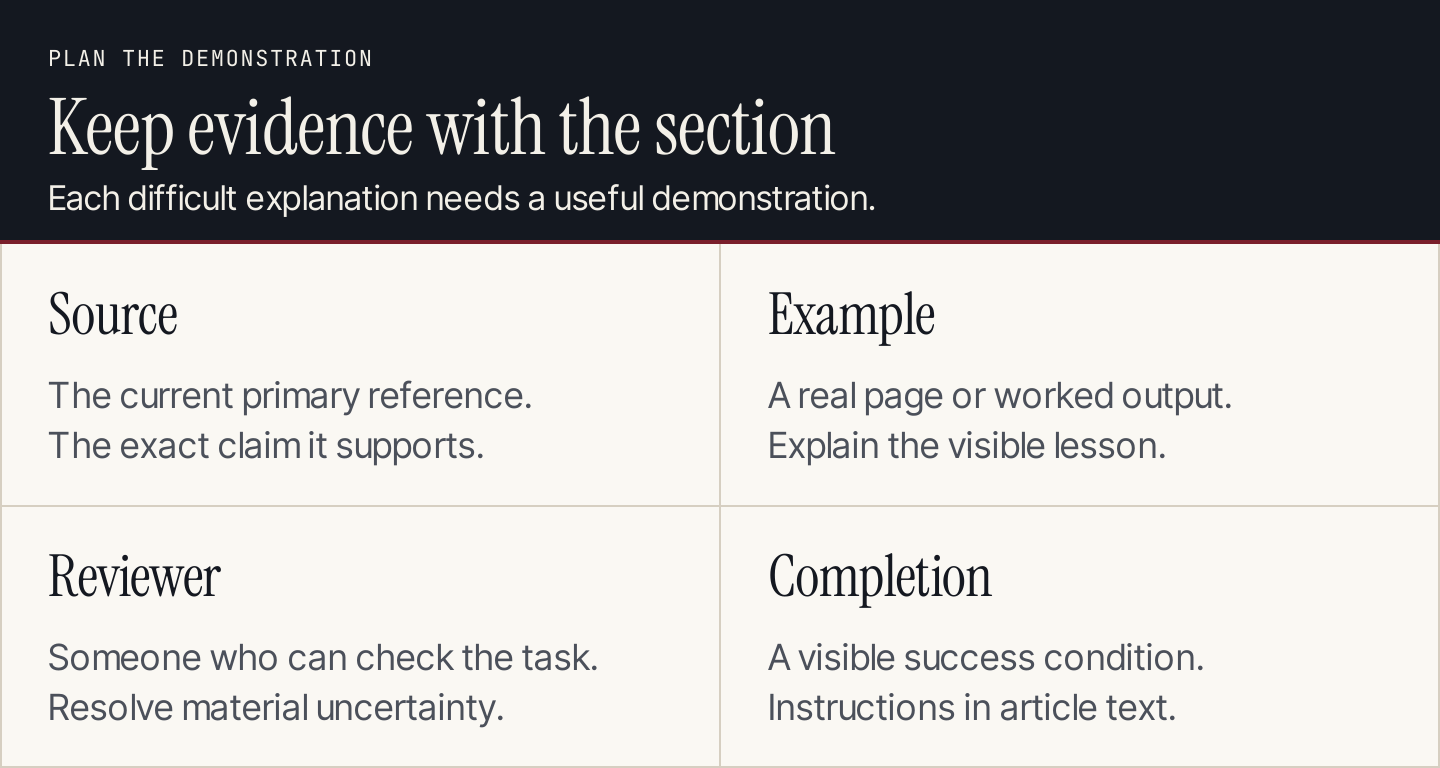
Assign the evidence and demonstration to the section that needs them.
Three worked briefs based on real pages
These examples demonstrate different assignments: a comparison, a procedure, and a broader explanation. Their proposed queries and editorial choices are examples, not claims about the brands' SEO strategies.
Example 1: Stripe, a comparison that leads to implementation
Stripe's payments-page documentation presents different checkout interfaces and routes readers toward an integration. That gives a reconstructed brief a clear decision to support.
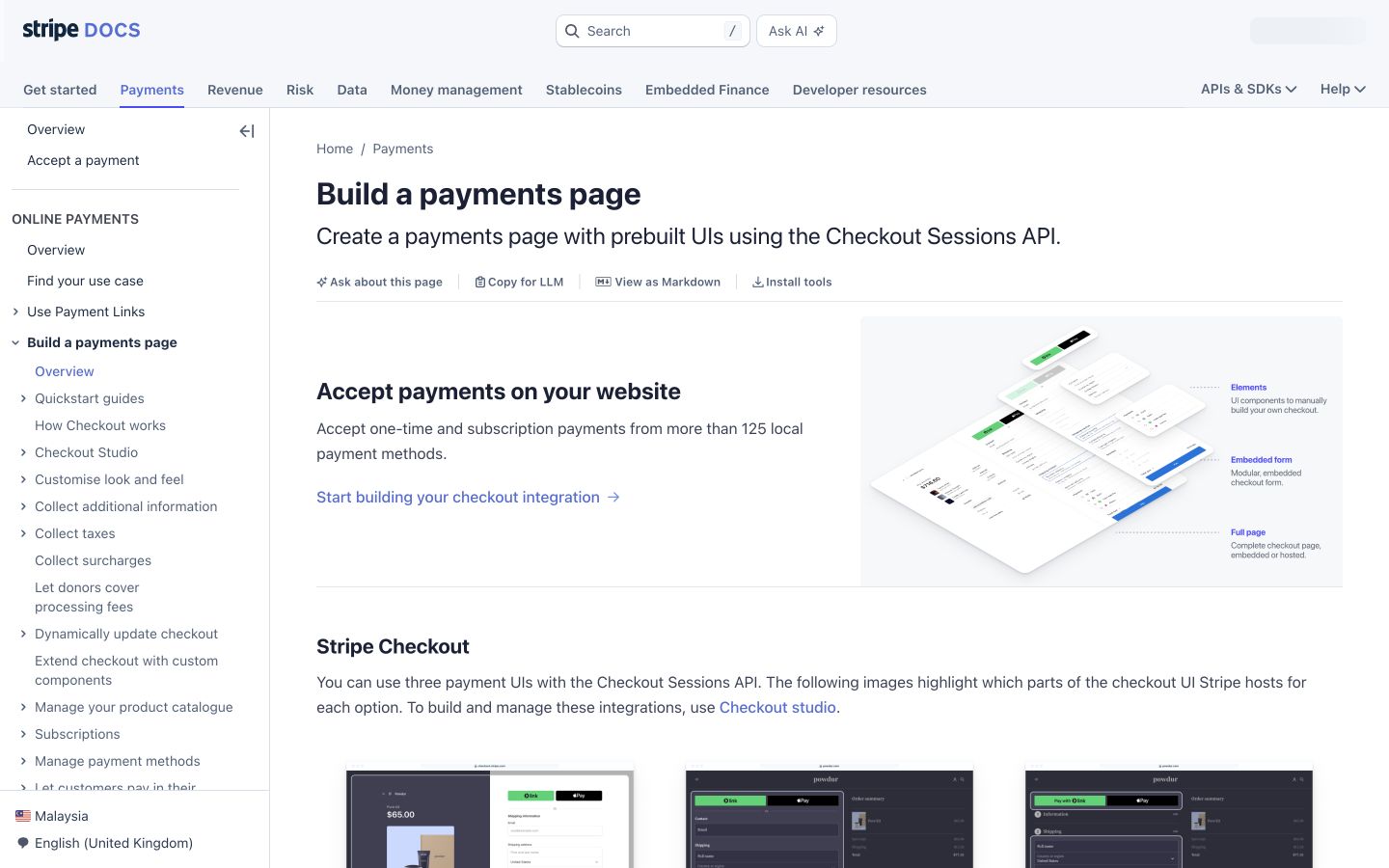
Stripe introduces the available approach before sending readers to implementation. Source: Stripe.
| Brief field | Completed example |
|---|---|
| Reader | A business team discussing checkout with a developer |
| Outcome | Choose an interface to investigate and find its implementation instructions |
| Proposed query | “Stripe checkout options” |
| Angle | Explain the practical choice before introducing technical steps |
| Essential sections | Available interfaces, meaningful differences, implementation routes |
| Evidence | The current comparison and linked documentation |
| Visual | The public overview beside a concise comparison of the decision |
| Acceptance | Each recommendation names its conditions and links to the right next task |
The useful writing instruction is “Help the reader choose.” A list of checkout-related keywords would leave that central job unresolved.
Example 2: GitHub, a procedure with prerequisites
GitHub's pull-request guide places access information and tool choices ahead of the procedure. It provides a useful model for briefing any task where the route depends on the reader's starting conditions.
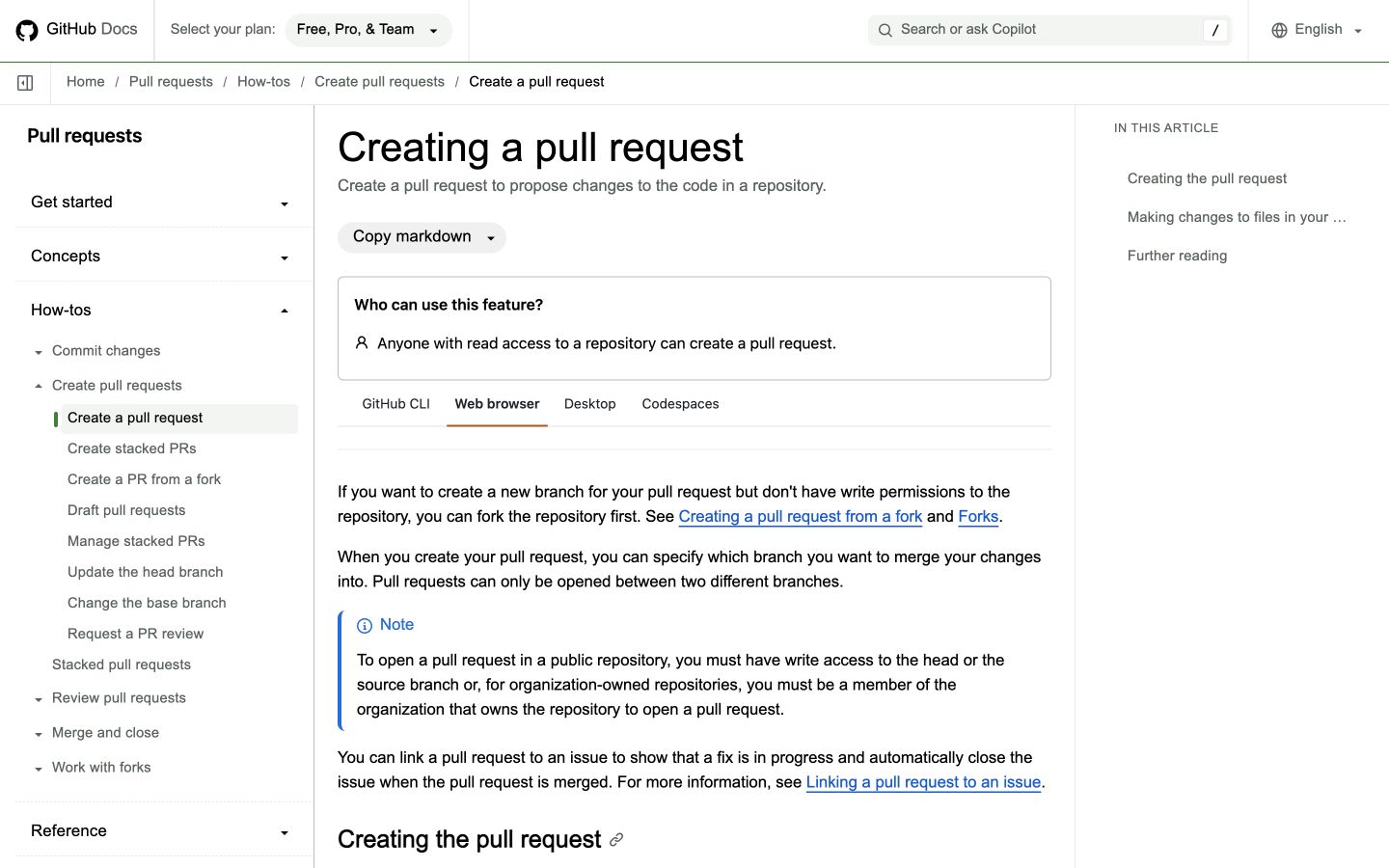
GitHub establishes prerequisites and the available tool routes before the instructions. Source: GitHub.
| Brief field | Completed example |
|---|---|
| Reader | A contributor preparing a proposed code change |
| Outcome | Identify the correct route and prepare the request for review |
| Proposed query | “How to create a pull request” |
| Scope | One selected tool route, with links to alternatives |
| Essential sections | Access, preparation, procedure, draft versus ready-for-review choice |
| Evidence | Current GitHub instructions for the selected route |
| Visual | Public prerequisite guidance and a relevant procedural illustration |
| Acceptance | The article does not mix instructions from different tools or omit access conditions |
This is particularly useful for agencies commissioning technical content. Put the route in the brief. Otherwise, a writer may combine instructions that sound plausible but don't form a usable sequence.
Example 3: Mailchimp, a concept page with useful onward routes
Mailchimp's email-marketing explanation addresses the broader concept. A brief for that kind of article should help a beginner understand the channel and choose what to learn next.
| Brief field | Completed example |
|---|---|
| Reader | A small-business owner considering email as a marketing channel |
| Outcome | Understand its role and identify the next planning task |
| Proposed query | “What is email marketing?” |
| Angle | Explain the concept through practical decisions a small team faces |
| Essential sections | Definition, appropriate uses, campaign planning, useful next resources |
| Evidence | Current first-party explanations plus sources for any numerical claims |
| Visual | A channel-to-campaign diagram rather than an invented account result |
| Acceptance | A beginner can explain the channel's purpose without being promised a specific return |
Notice the different depth. The GitHub assignment needs route-specific instructions. The Mailchimp-style assignment needs a clear explanation and onward guidance. A universal brief should accommodate both without demanding the same article structure.
Copy this content brief template
Replace each instruction with a decision or an explicit question for the reviewer. Avoid leaving a field silently blank.
Working title:
Reader and starting knowledge:
After reading, the reader can:
Business reason for the article:

Primary query and search intent:
Supporting questions:
Research market and date:
Existing destination or proposed URL:
Existing pages checked for overlap:

Strong competing pages and useful features:
Our specific contribution:
Required sections and purpose of each:
Questions outside this article's scope:

Sources and claims each supports:
Expert input needed:
Real examples to inspect:
Visuals and what each must demonstrate:
Internal links and reader's next action:

Voice/style guide:
Delivery format and deadline:
Writer and factual reviewer:
Acceptance checks:
Unresolved decisions:
For an update, replace the broad outline with a change list: affected section, outdated statement, current source, proposed correction, and any screenshot that needs replacing. Keep valuable material that still answers the reader's question.
For a comparison, add the criteria and the situations in which each choice fits. For a procedure, add access, starting conditions, error handling, and the visible completion condition. For a business explanation, specify which reader decisions need examples.
Use AI to inspect the brief, when useful
AI can identify omissions in a supplied brief. Give it the actual source notes and ask it to separate unresolved questions from supported decisions.
Review this content brief and the supplied source notes.
Identify unclear reader outcomes, unsupported claims, missing
prerequisites, overlapping existing pages, and sections without
a useful example or demonstration.
For each issue, name the affected field and the information needed.
Do not invent search volume, source URLs, product features,
customer results, or completed tests.
Suggest changes to the brief, not a finished article.

Brief:
[Paste your completed brief]
Sources and existing-page notes:
[Paste the evidence you have inspected]
Review the output against the evidence. A polished suggestion can still be unsupported. The person commissioning the article should resolve the important questions before the writer proceeds.
Check the handoff before accepting a draft
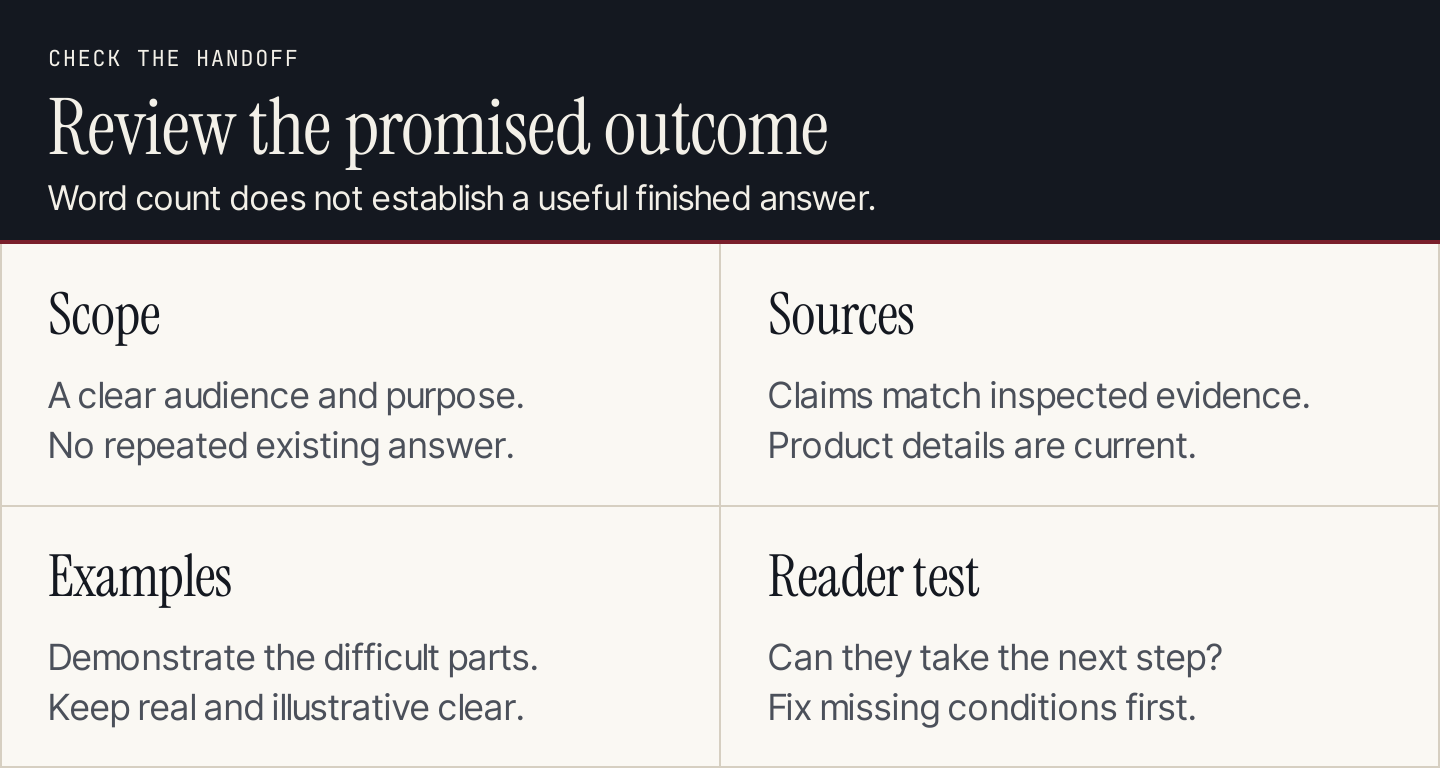
Accept the draft against the assignment's reader outcome, not just its word count.
Ask the writer to flag a proposed change when research contradicts the brief. A brief is a shared plan, and better evidence should improve it.
Before accepting the draft, check that the opening answers the actual question, the examples demonstrate the promised lesson, the sources support the claims, and the internal links open the intended destinations. Confirm that a reviewer checked the product details and any technical instructions.
If the writer met the checklist but the reader still cannot complete the task, revise the brief's acceptance condition. “Includes a section about testing” is weaker than “Explains what to check and what a passing result looks like.”
With Rankauto, you can turn relevant topics into researched blog articles in your brand voice, with fact checks, images, and SEO fields. Articles save as drafts by default, so your team can review them before publication. Use the brief to make the intended reader and outcome explicit, then review the article against that plan.
For the drafting stage, follow our SEO blog-writing workflow.
Common questions about content briefs
How long should a brief be?
Long enough to resolve the assignment's important decisions. A familiar topic can need a short brief; a technical task can require detailed prerequisites and source notes. Remove repeated instructions and link reusable guidance.
Does every brief need a fixed outline?
No. Specify the questions and demonstrations that must be covered. Give the writer room to arrange the answer, unless a particular sequence is necessary for the task.
Can one brief cover several audiences?
Yes, when the article explains how their decisions differ. If the audiences need different procedures or outcomes, consider separate assignments rather than forcing both into a vague overview.
Is an AI-generated brief ready to use?
Only after someone checks its intent, existing-page decision, sources, examples, and product facts. Generating a document does not resolve the evidence gaps inside it.