Content Gap Analysis: Find Topics Worth Writing
Find useful content gaps with a reader-task audit, real Mailchimp examples, and a worksheet for deciding whether to add a section, page, link, or tool.

A content gap analysis compares what your audience needs with what your website actually answers. Competitor keywords help you find candidates, but the final result should be a set of publishing decisions: add a missing explanation, improve an existing guide, connect related pages, or create a genuinely new resource.
The practical test is whether a suitable customer still has to search elsewhere to complete the task. A missing phrase in a keyword report isn't automatically a missing article.
Rankauto publishes this guide. We reviewed the real pages below on October 11, 2026; the worksheets and publishing decisions are our editorial method.
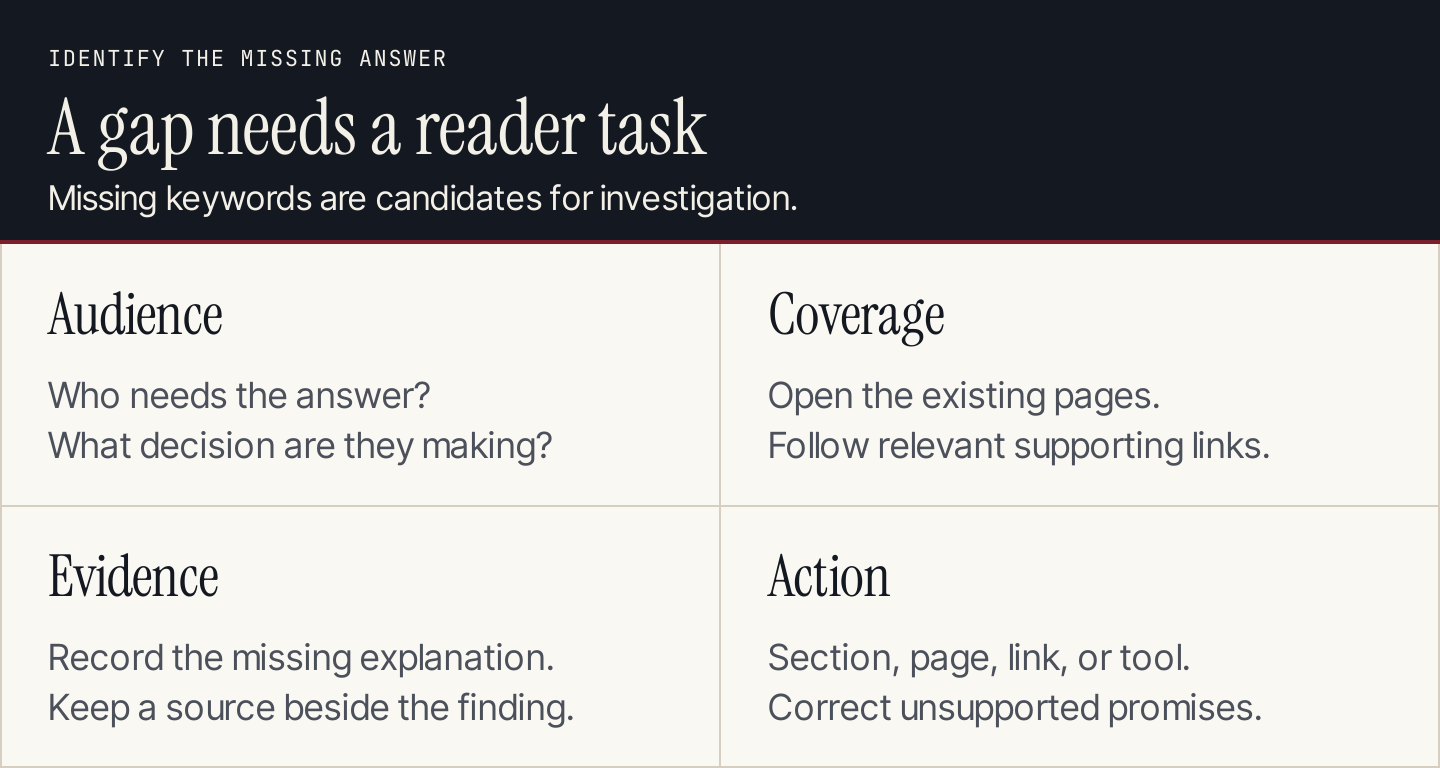
A gap becomes useful work when you can name the unanswered task and the page that should address it.
What counts as a content gap?
There are several ways an answer can be missing even when the subject appears on your site.
| Gap | What the reader experiences | Useful response |
|---|---|---|
| Missing topic | No relevant answer exists | Create a page if the task fits the business |
| Incomplete explanation | A concept is mentioned but the next action is unclear | Expand the suitable existing page |
| Wrong format | An article describes a calculation the reader needs to perform | Consider a calculator or worksheet |
| Outdated evidence | The instructions or product claim no longer apply | Verify and refresh the affected section |
| Poor connection | The answer exists, but the current page doesn't lead to it | Add a relevant contextual link |
| Unsupported promise | The page implies a capability the business doesn't provide | Correct the claim rather than expand it |
A content gap is therefore broader than a keyword gap. Keyword tools compare estimated search visibility. Your analysis needs to establish the customer task, the existing answer, and the reason for changing it.
Start with a narrow area such as newsletter signup, appointment booking, or choosing a service package. Trying to evaluate every page against every competitor in one pass produces a backlog that nobody can review.
1. Define the audience and the decision you want to support
Choose a real audience segment and a useful outcome. “Small business owners” is a good market definition, but it's too broad for an individual gap analysis.
“A business owner adding a newsletter signup to an existing website” is more useful. It identifies a task and suggests the questions that matter:
- Which kind of signup form fits the site?
- What access or setup is required?
- Where should the form appear?
- How do we know a signup succeeded?
- What changes need to be repeated when the form is edited?
Use customer questions and service knowledge to build this list. A phrase from a sales call can be important even without a large search-volume estimate. Record where the need came from so a colleague can distinguish an observed customer problem from an editor's suggestion.
For an agency, ask the client to verify the service boundaries. An article about a task the client cannot support is a product gap, not a content opportunity ready for publication.
2. Inventory the answers already on your site
Collect relevant blog posts, help articles, product pages, tools, and landing pages. Start with your own page list or content system. A search engine's site: results can help you discover pages, but they aren't a complete inventory.
Open each relevant URL. Record the task it actually answers and the next action it supports. Don't mark a task “covered” because a title contains the right word.
Use these coverage labels:
Answered: A reader can complete the promised decision or task.
Partial: The page helps, but an important prerequisite, example, or step is missing.
Linked: The page sends the reader to an appropriate explanation elsewhere on your site.
Absent: You haven't found a suitable answer after reviewing the relevant inventory.
Not applicable: The task belongs to a different audience or an unsupported offer.
Keep uncertainty visible. If you haven't checked the help center, write “help center not reviewed” rather than “no page exists.” This prevents the team from creating an article that duplicates an existing support resource.
Our content audit guide covers the wider inventory process. A gap analysis uses that inventory to make decisions within a particular customer journey.
3. Choose competitors by the task, not only by the business
Your commercial rivals and your search competitors may differ. A software company might compete with another product for customers while competing with a publisher, help center, or video tutorial for a particular question.
Use current search results to identify the pages that address the chosen task. Then add the sources a customer would reasonably consult: official instructions, specialist explanations, and relevant comparisons.
Inspect the pages and record what each contributes. Ignore unrelated search traffic and branded queries you cannot serve. A competitor's login query usually isn't a useful topic for your blog.
If you use a keyword-gap tool, preserve its country, provider, and export date. Group related phrases before assigning work. A report containing many missing phrases may describe a single missing explanation, rather than many separate pages.
Don't copy a competitor's structure by default. Their page may serve a different stage of the journey or include material that doesn't help your readers. Compare the decisions it enables, then develop your own explanation and evidence.
A real example: Mailchimp's signup-form documentation
Mailchimp's form-options guide distinguishes embedded forms from popup forms and links to the relevant implementation resources. That is useful coverage for a reader choosing a format.
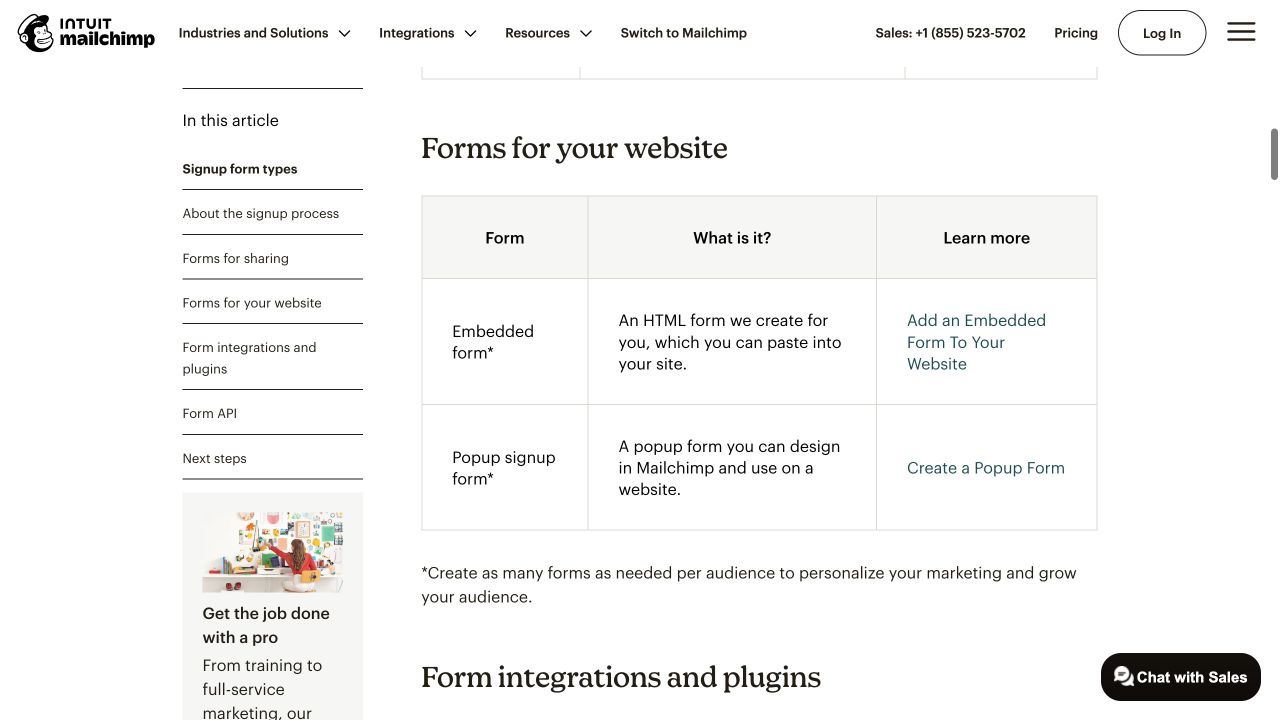
The options table answers a choice question and offers separate setup destinations. Source: Mailchimp.
Its embedded-form guide addresses a different job: creating and customizing a form. It also explains that changes to an existing form don't automatically replace code already pasted into a website.
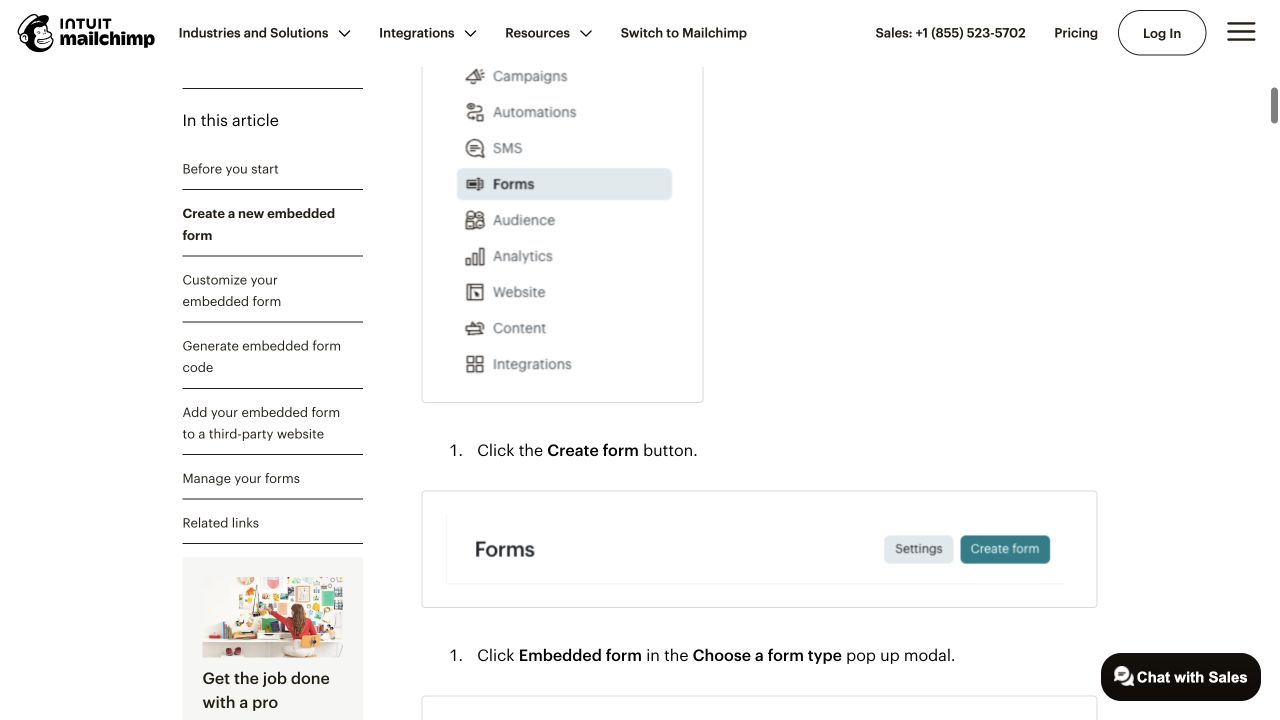
The implementation guide moves from choosing a format to creating the form. Source: Mailchimp.
This example demonstrates how to inspect coverage. It doesn't establish that Mailchimp has a site-wide gap. The answers are spread across pages with different purposes, and a useful analysis follows those links.
Suppose you are reviewing your own agency's article about adding newsletter forms. Use the real documentation to test the completeness of your explanation:
| Reader question | Evidence to inspect | Decision for your own article |
|---|---|---|
| Embedded or popup? | The options table and the client's desired experience | Add a choice explanation if absent |
| How do I start creating an embedded form? | The implementation instructions | Explain the route and link to detailed setup |
| Does an edit automatically update the website? | The guide's prerequisite notes | Add the update requirement if the article omits it |
| Why does the form look different on the site? | The guide's styling notes | Explain the website styling dependency |
| Where is the full vendor walkthrough? | The current official guide | Add a contextual handoff |
These are inspection decisions, not claims about your site's current coverage. Apply them only after opening your actual article.
The strongest opportunity might be a short missing paragraph and a better link. Publishing another general “newsletter forms” article could add duplication without solving the reader's problem.
4. Compare answers, examples, and next steps
Create a coverage matrix with reader tasks down one side and reviewed pages across the top. In each cell, record a concrete finding, not a checkmark based on a heading.
For example, “explains the difference but doesn't show the installation route” is more useful than “partial.” Include the supporting URL or section so a writer can verify it.
Review these dimensions:
- Choice: Can the reader select an appropriate approach?
- Prerequisites: Do they know what access, plan, or input is needed?
- Execution: Can they follow the required operation?
- Verification: Can they recognize success or failure?
- Recovery: Is there a relevant next step when it doesn't work?
Not every page needs all five. A comparison page may hand off execution to a tutorial. The important question is whether the journey contains a useful answer and makes it findable.
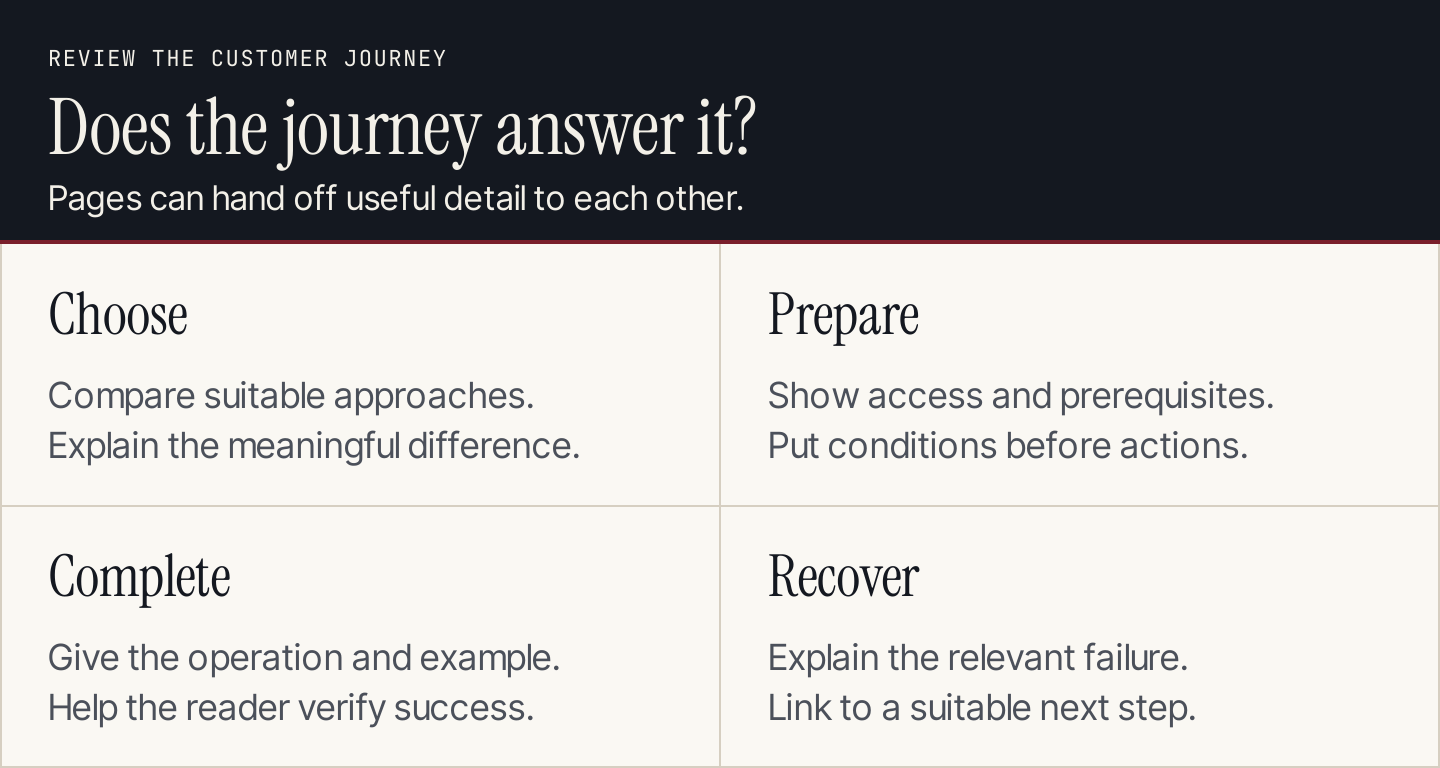
Check the journey across pages. A useful link can close a gap without making every article cover every step.
Also inspect the evidence. A paragraph promising that a setting exists is weaker than a current screenshot of the setting, with the prerequisite explained. A table of prices needs current sources and a clear scope. A customer result needs a genuine record of what happened.
5. Decide whether the answer needs a section, page, link, or tool
Use the smallest change that fully addresses the task.
Add a section when the missing answer is necessary to the existing article's purpose. In the newsletter example, the requirement to replace website code belongs with the implementation explanation.
Create a new page when the task has a distinct purpose and enough useful evidence to stand alone. A troubleshooting guide may deserve its own destination because readers arrive with a specific failure, not a general choice question.
Add a link when the answer already exists elsewhere. Describe the destination with an anchor that tells the reader what they will find.
Build a tool when the reader needs to transform inputs into an output. A calculator, diagnostic checklist, or template can be more useful than another article describing the process. Define what the tool needs as inputs and how someone can check its output before approving development.
Correct or remove a claim when your article promises an unsupported capability. Don't treat competitor coverage as permission to imply that your product does the same thing.
Defer the topic when the business fit or evidence remains weak. Record the missing input and the person who could resolve it.
Use keyword mapping to assign each approved task a destination. That makes the handoff less likely to create overlapping pages.
6. Prioritize useful gaps rather than the largest report rows
Review the candidates in this order: relevance, consequence for the reader, evidence available, and effort.
A missing prerequisite that makes an existing guide misleading should be corrected promptly. A new comparison with strong demand may still need product testing or expert review before it can be written responsibly.
Use a plain priority explanation:
| Candidate | Reason to prioritize | Reason to wait |
|---|---|---|
| Incorrect setup requirement | Current readers may follow the wrong instruction | Only wait for the fact check needed to correct it |
| Missing buyer comparison | Supports a clear choice between relevant approaches | Need current evidence for each option |
| Unanswered implementation task | Recurring customer problem with a clear solution | Need a verified walkthrough |
| High-volume unrelated topic | No strong business reason | Defer despite the large number |
| Proposed calculator | Can help complete a valuable task | Need reliable inputs and output checks |
For a founder, this keeps the work manageable. For a marketing team, it makes resource requests explainable. For an agency, it gives the client something concrete to approve.
Copy this content-gap brief
Each approved action should carry its evidence into production:
Audience and task:
Evidence of the need:
Current destination and its actual answer:
Missing or incorrect information:
Reviewed reference pages and relevant sections:
Decision: section / new page / link / tool / correction
Required original contribution:
Approved product facts and restrictions:
Writer, reviewer, and next review point:
How we will check that the task is now answered:
For the newsletter example, a useful original contribution could be a before-and-after implementation checklist. It should show what changes in the form builder, what changes on the website, and what the reviewer needs to verify. It doesn't need an invented customer story or an unsupported claim about improved conversion rates.
An AI assistant can organize this evidence into draft briefs. Keep the inspected URLs and missing information in its input. Review its suggestions before turning them into assignments. An AI-generated “gap” isn't evidence that your customers need the topic or that your site lacks the answer.
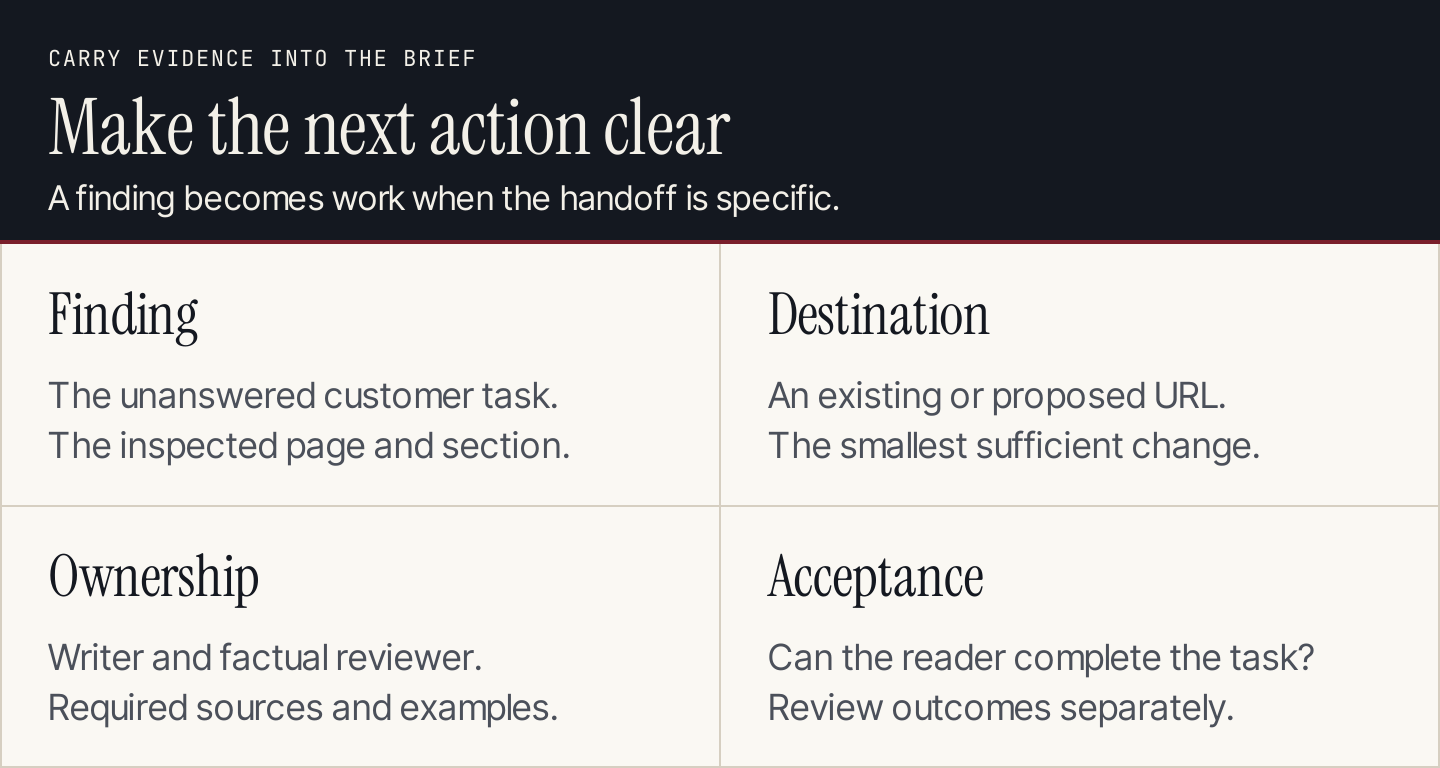
Carry the evidence and the acceptance check into the writer's brief.
Measure whether the change helped
First check the direct outcome: is the missing answer now correct, visible, and connected to the next step? Then monitor performance using a consistent page and query scope.
Search Console's Performance report can help compare clicks, impressions, and queries for the affected page. Keep the date range and other filters attached to the comparison. Those measurements can show a change; they don't establish that one added section caused it.
Also review the business signal relevant to the task: suitable inquiries, use of a tool, completion of a setup flow, or fewer repeated support questions. Choose the signal before publication and use the same definition afterward.
Keep AI-answer observations separate from website visits. A missing brand mention in one answer can suggest a research lead, but it doesn't prove an article is absent or defective. If that is your main research question, use the dedicated AI visibility guide.
Once you have approved blog topics, Rankauto can research and write articles in your brand voice, add images and SEO fields, and save them as drafts for review. The content-gap decision still needs to identify the customer task and the appropriate destination.
Common questions about content gap analysis
Can I do this without a paid SEO tool?
Yes. Start with your content inventory, customer questions, live search results, and public reference pages. Search Console adds evidence for an established site. Paid tools can help compare larger keyword sets, but they don't replace reading the pages.
Should I copy every topic a competitor covers?
No. Check the audience, business fit, existing coverage, and evidence you can contribute. A competitor's unrelated audience or branded traffic can make its topic list a poor plan for your site.
How often should we repeat the analysis?
Review it when you change the offer, publish or merge important pages, notice recurring unanswered questions, or find outdated guidance. Set a routine that matches how quickly your subject changes. The useful deliverable is acted-on decisions, not a fresh export with an old backlog.
How do I know when a gap is closed?
Return to the original task and try to complete it using the revised page and its links. Confirm the facts, prerequisites, and next action. A content score or an added keyword can support review, but neither proves that the reader now has a useful answer.