Content Audit: Decide What to Keep, Update, Merge, or Remove

A content audit turns a list of pages into a defensible action plan. Inventory the URLs, collect comparable evidence, inspect what each page helps people do, and decide whether to keep, update, merge, or remove it.
The difficult part is the decision. A low-traffic page might answer an essential support question. Two pages might mention the same topic while serving different tasks. A decline might come from a technical problem rather than weak writing.
This guide gives you an audit worksheet, action rules, and a controlled release process. The real examples use public GitHub pages. They illustrate page purposes; they do not reveal GitHub’s internal analytics or imply that any example should be deleted.
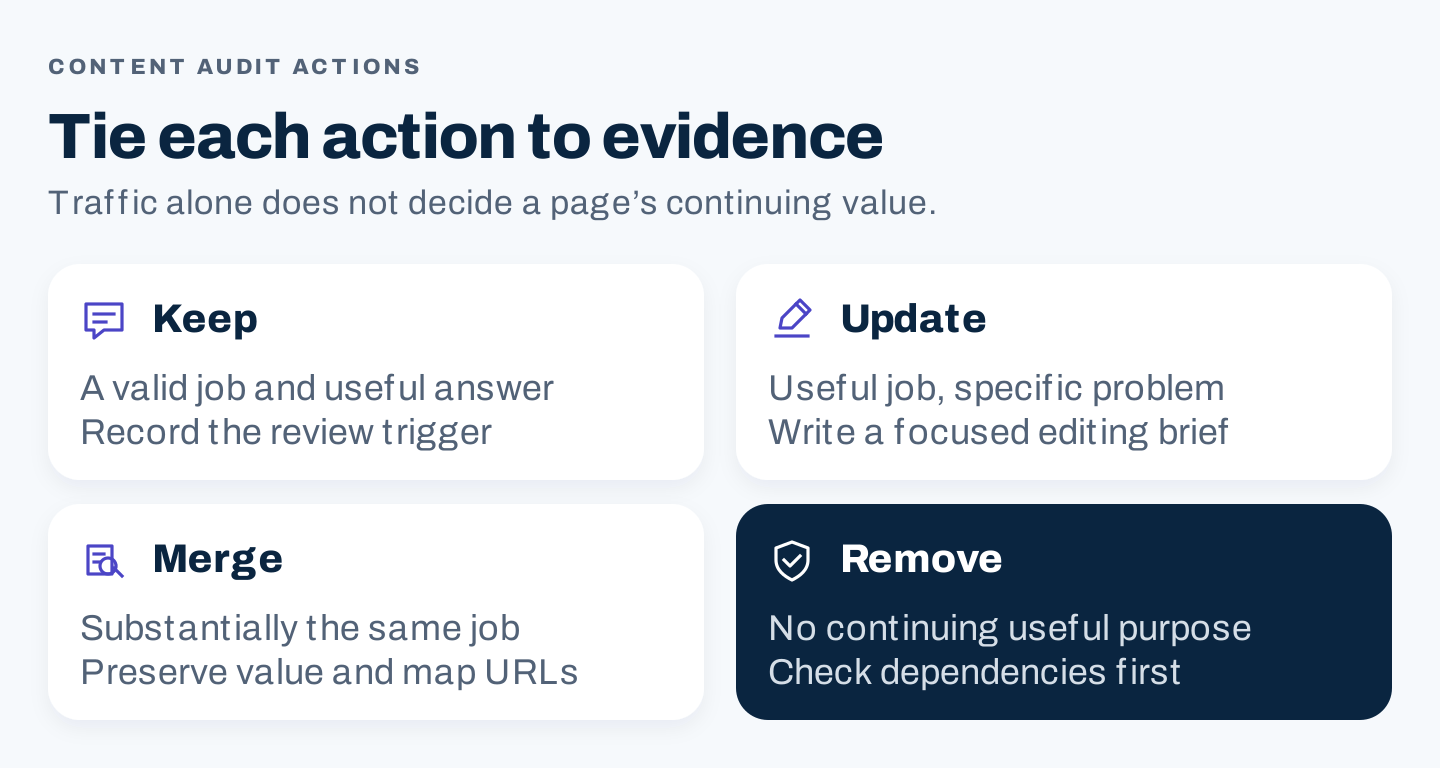
Original action framework: retain useful pages, repair specific problems, consolidate genuinely overlapping jobs, and retire pages with a documented reason.
1. Define the audit window and page family
Start with a manageable question. “Which articles in this product-help section need review?” is easier to act on than “What is wrong with the entire website?”
Choose the page family, audience, business objective, and comparison period. A blog audit may focus on relevant discovery and inquiries. A help-center audit may focus on accurate answers and task completion. An agency should agree on these definitions with the client before turning metrics into recommendations.
Write an audit charter:
Page family and URL scope:
Primary audience and task:
Business or operational objective:
Current comparison period:
Prior comparable period and seasonal context:
Data sources and access limitations:
Decision owner and subject reviewer:
Pages needing special handling:
Release scope and rollback owner:
Use enough history to understand the page’s purpose. New pages, seasonal resources, and historical announcements cannot all be judged against one universal traffic threshold.
Choose a window appropriate to the business cycle and the change being investigated. An annual event page needs a comparable seasonal period. A newly published resource needs its age recorded. If tracking changed halfway through the comparison, disclose the break rather than treating the periods as equivalent.
Build an inventory before reading performance
Combine your CMS inventory, sitemap, internal crawl, and available analytics or search exports. Each source reveals different things. A crawl can miss orphaned pages. An analytics export can omit pages with no recorded events. A sitemap is not automatically a complete record of every public URL.
Create one row per meaningful page and keep the original URL. Record redirects, canonical signals, index controls, and response status in separate fields. Do not combine two URLs simply because their text looks similar before checking their actual relationship.
2. Read three real GitHub page jobs before judging performance
Public pages are useful practice material because you can inspect their content and navigation. They do not supply the private data needed for a full business audit.
The changelog index helps people find changes
The GitHub Changelog groups dated entries and labels their type. Its job is navigation across a publication record. Auditing the index means checking whether relevant changes can be found and whether its routes work.
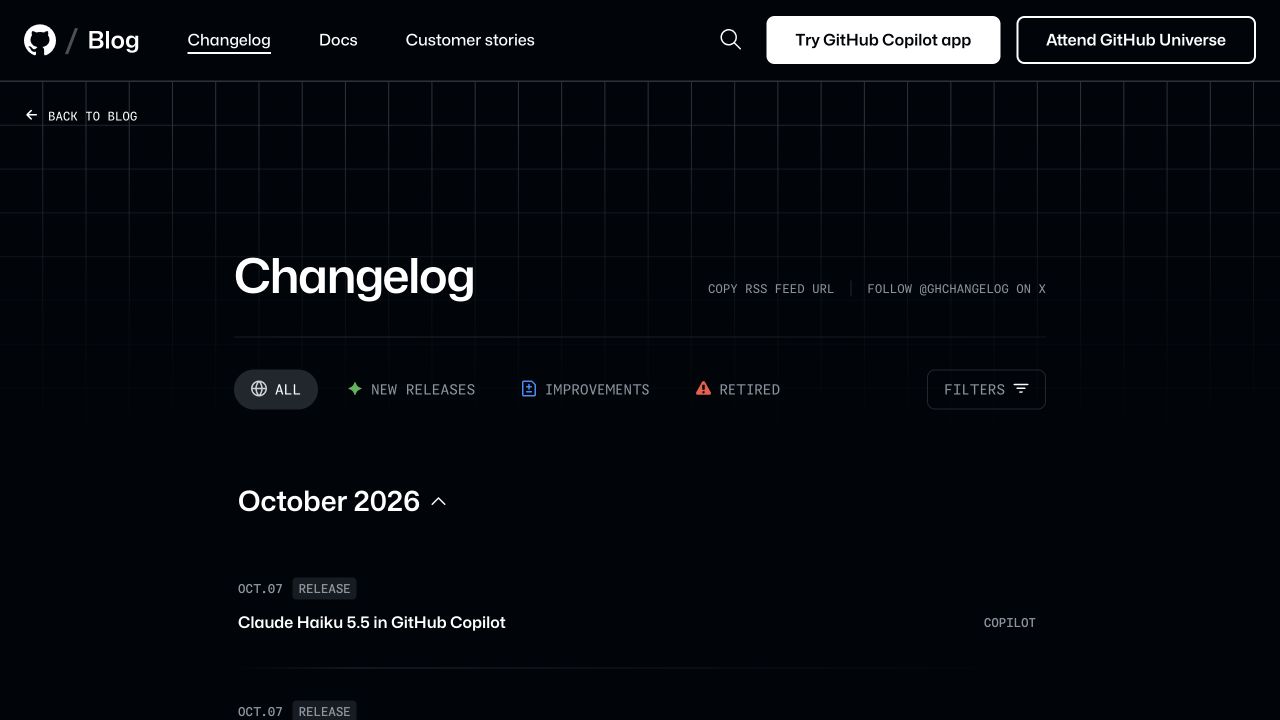
GitHub’s public changelog index, captured October 8, 2026. A navigation page should be evaluated according to the destinations it helps people find.
A release announcement records a point in time
The October 6, 2026 stacked pull requests announcement is a dated release record. Over time, an announcement can remain useful as history even when current instructions live elsewhere.
Its publication date is part of the meaning. Replacing it with a new date merely to appear current would obscure that meaning. If later developments matter, consider an accurately labeled update or a link to current guidance while preserving the original context.
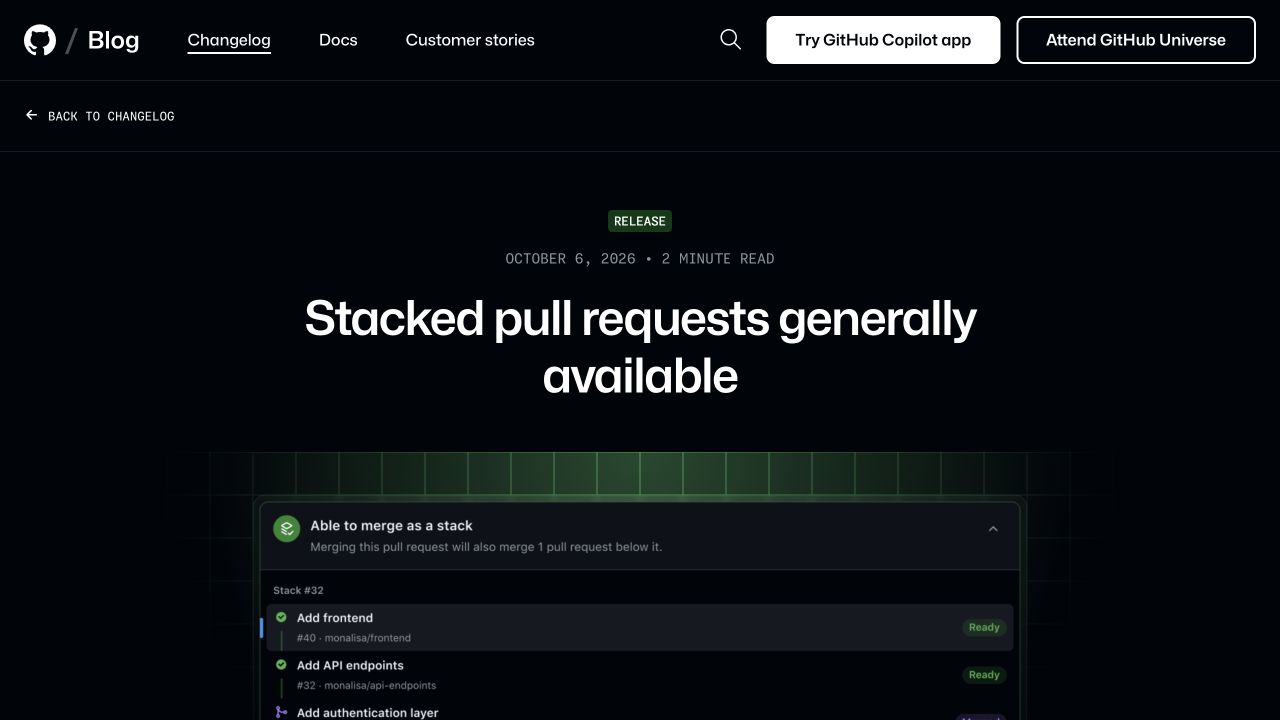
The date identifies the announcement’s context. This example does not establish its traffic, business value, or need for revision.
A task guide needs current instructions
GitHub’s creating-an-issue documentation states an access prerequisite and separates ways of creating an issue. Its reader needs a procedure that applies to the relevant setup.
For a task guide, inspect whether the prerequisite, instructions, screenshots, and related routes remain accurate. A historical announcement and a current procedure can coexist even when they discuss related product work.
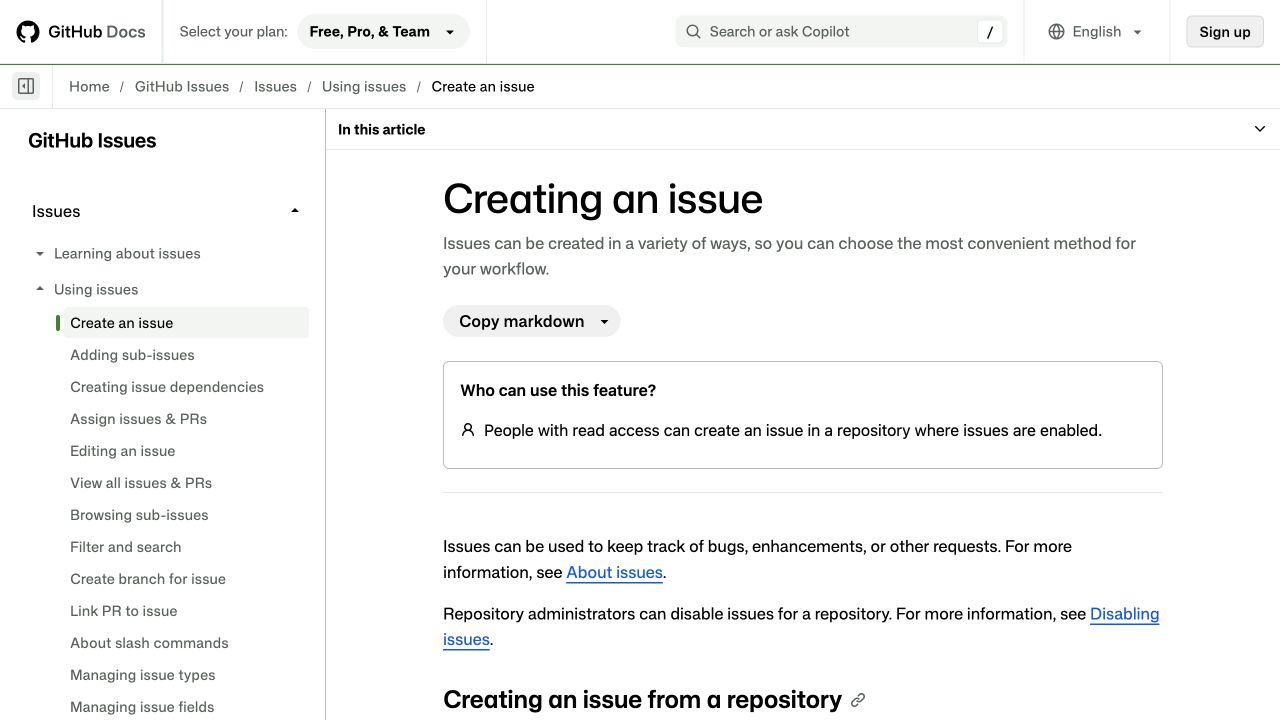
A task page has a different maintenance obligation from a dated announcement. The public documentation was inspected; no issue was created.
Here is a proposed observation record based only on those public pages:
| Page | Observable job | Evidence still needed | Provisional handling |
|---|---|---|---|
| Changelog index | Discover dated changes | Navigation use, broken routes, coverage requirements | Preserve the navigation job; investigate route problems |
| Dated release announcement | Understand a release in its original context | Historical requirements, current-source links, reader feedback | Preserve context; review whether a later note is needed |
| Creating-an-issue guide | Complete a current task | Subject review, task feedback, relevant setup changes | Check the current procedure before proposing an edit |
These are audit questions, not conclusions about GitHub’s content performance. Use the same discipline when your own data is incomplete.
3. Join comparable data without converting unknowns into zeros
Add evidence that fits the page’s job. Useful fields can include organic search clicks and impressions, landing-page sessions, relevant actions, internal navigation use, referring domains, support feedback, publication age, and accuracy observations.
Record the source and period for every metric. Search clicks and analytics sessions are different measures. A search impression is not a visit, and a visit is not a qualified inquiry.
Use a worksheet like this:
| Field | Purpose |
|---|---|
| URL and page job | Identifies the actual resource and what it should do |
| Audience and topic | Helps distinguish related pages with different purposes |
| Publication and substantive revision dates | Provides age and change context |
| Technical observations | Separates content problems from access or URL problems |
| Current and prior metrics | Enables comparable analysis |
| Data status | Shows available, unavailable, incomplete, or inapplicable evidence |
| Qualitative finding | Captures the problem a reviewer can point to |
| Recommendation and reason | Explains the proposed action |
| Owner, effort, and dependencies | Makes the recommendation implementable |
| Destination and rollback | Controls any URL change |
If an analytics export has no row for a page, investigate why. It may have no recorded traffic, a different URL format, a missing tag, or insufficient access. Enter “unknown” until the source supports a zero.
Normalize URL formats carefully before joining data. Keep a trace of trailing slashes, parameters, redirects, and domain variants. Otherwise, one page can appear to be several pages, or evidence can be attached to the wrong destination.
If you track AI answers, keep those observations in a separate evidence group with the prompt, platform, date, and actual cited URL. An AI referral visit and an observed citation are different events. A page’s absence from a small prompt sample does not establish that it has no value.
4. Diagnose what the evidence actually shows
Metrics identify places to inspect. They do not determine the action on their own.
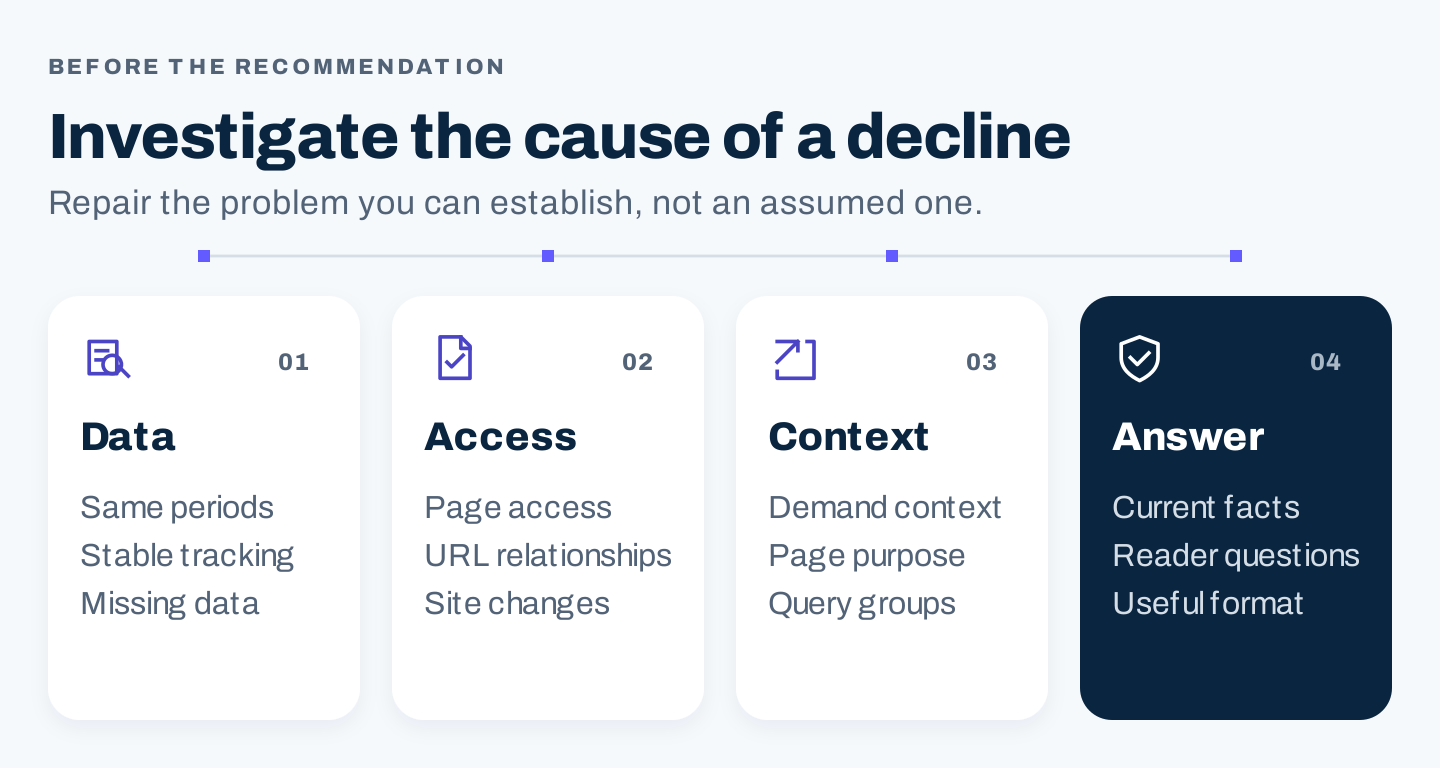
Original diagnosis order: confirm comparable measurement, inspect access, examine demand and purpose, then assess the answer.
When a page loses search traffic
First confirm the decline with comparable periods and a stable measurement setup. Then inspect the page’s status, index controls, canonical destination, and major site changes. An inaccessible page does not need a longer introduction as its first repair.
Next, inspect the affected query groups and the page’s purpose. Demand can shift. A seasonal peak can end. Competitors or result formats can change. The offer may also have changed while the article still describes the previous version.
Finally, read the answer. Look for obsolete facts, missing conditions, unresolved reader questions, broken references, or a format that no longer serves the task. Recommend the change that addresses the finding.
When two pages appear to overlap
Compare the reader tasks, content, search observations, and internal routes. A shared keyword is insufficient evidence for consolidation.
A definition, a buying comparison, and a setup tutorial can share terminology while providing different answers. Keep distinct jobs separate when the distinction is useful. Consider a merge when both pages substantially perform the same job and a combined page can preserve their useful information.
When a page receives little traffic
Ask whether traffic is the relevant objective. Contact instructions, policy resources, technical reference material, and historical records may have utility that a blog-traffic filter misses.
For a genuinely weak article, determine whether the topic still belongs in the content program and whether the team can produce a better answer. A correctable weak answer suggests an update. An obsolete topic with no continuing purpose may justify retirement after checking dependencies.
Google’s helpful-content guidance cautions against changing dates without substantial changes or removing older content merely to make a site seem fresh. Tie the action to a real problem.
5. Assign an action with a reason and an owner
Use action labels consistently. “Keep” can still include routine maintenance. “Remove” needs more than a red cell in a spreadsheet.
| Action | When it fits | Required output |
|---|---|---|
| Keep | The page has a valid job and no material problem found | Reason, owner, and review trigger |
| Update | The job remains useful but the answer needs a specific repair | Editing brief with evidence and acceptance checks |
| Merge | Multiple pages substantially serve the same job | Surviving destination, retained material, URL and link plan |
| Remove | The page has no continuing useful purpose after dependencies are checked | Retirement reason, URL response decision, and approval |
An update brief should name the exact problem. “Improve quality” leaves the writer guessing. “Replace the obsolete procedure, retain the eligibility condition, and verify the next-step link” is actionable.
Before a merge or removal, check incoming links, internal links, campaign destinations, downloads, support references, historical obligations, and any other use that might not appear in organic traffic. Involve the owner of those dependencies.
Use this decision record:
URL and page job:
Observed problem and evidence:
Evidence period and unresolved unknowns:
Recommended action:
Why the other actions are less suitable:
Useful material or history to preserve:
Proposed destination or response status:
Internal and external dependencies checked:
Owner, reviewer, effort, and release batch:
Acceptance checks and rollback route:
Prioritize by importance and readiness
Separate urgency from confidence. An inaccurate customer instruction may need immediate attention. A merge hypothesis based on incomplete data should wait for investigation.
Estimate the work and dependencies rather than using a single score as an automatic queue. A small team might address one harmful error and one well-supported update first. An agency can present proposed changes in groups: ready to edit, awaiting evidence, and requiring a URL decision.
6. Release changes in a small, reversible batch
Save the current page versions and inventory before editing. Record the URLs, planned changes, review owner, and release date. For URL changes, have the technical owner check the complete route from the old address to the useful destination.
Google’s redirect guidance distinguishes permanent moves from temporary changes. Choose a permanent redirect when a page has genuinely moved to a suitable replacement. Do not send every retired article to the homepage simply because it is an available URL.
Where no relevant replacement exists, have the technical owner determine the appropriate unavailable-page response and remove obsolete internal routes. Content retirement, index exclusion, and a temporary outage are different decisions; they should not share a blanket implementation rule.
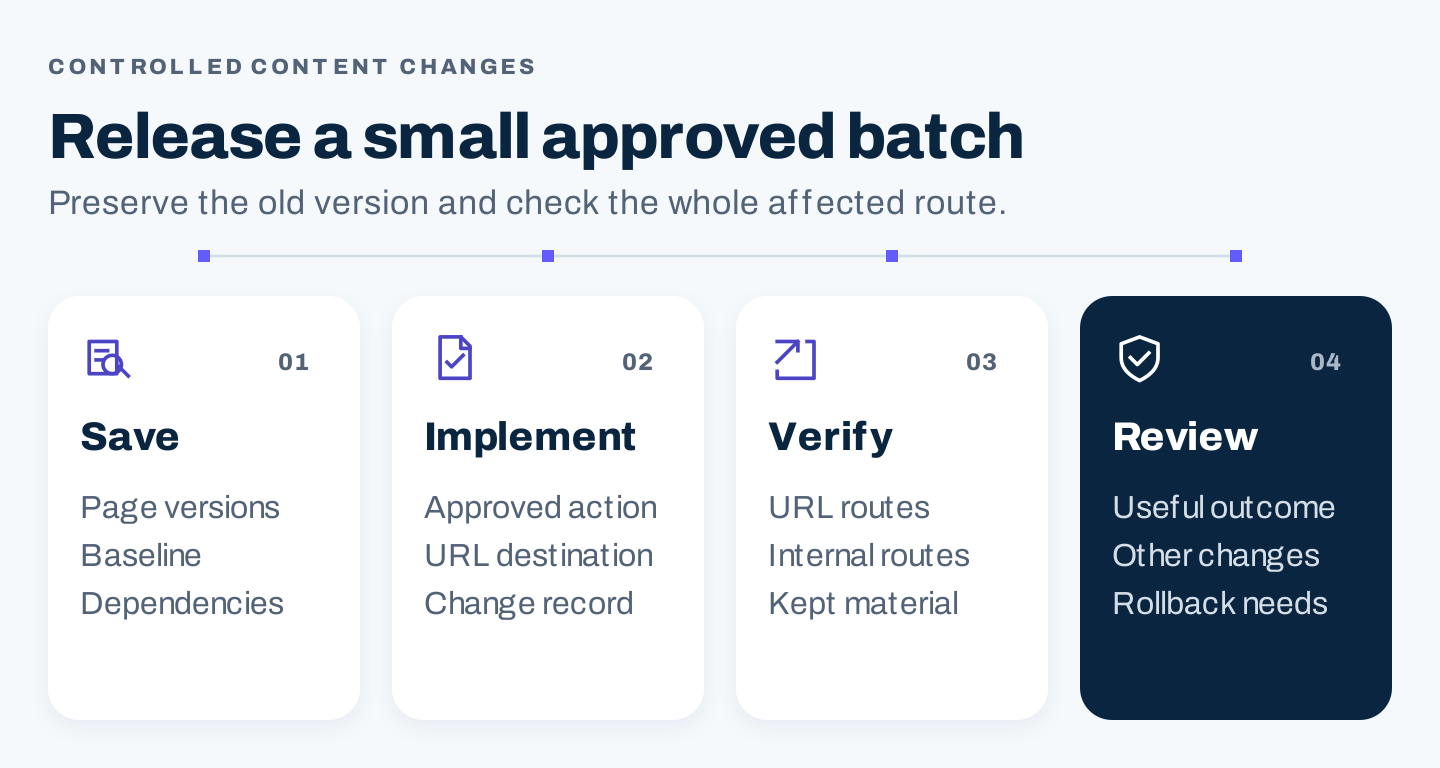
Original release sequence: save the baseline, implement the approved action, verify affected routes, and review comparable outcomes.
Before closing a batch, check the edited pages, retained material, redirects, internal links, mobile presentation, and any affected download or customer action. Confirm that the actual changes match the decision record.
Then review the outcomes that correspond to the page jobs. Did relevant discovery change? Can readers reach the required information? Did a known source of confusion disappear? Is the update maintainable?
Record concurrent changes and external context. A before-and-after traffic increase does not isolate the effect of a merge when other content, tracking, or site changes occurred at the same time.
Questions about content audits
How often should we audit content?
Use review triggers and a cadence that fits the page family. Changing product instructions need prompt checks when the product changes. Seasonal content needs preparation before its relevant period. Stable reference material may need a different schedule.
Should we delete every page with zero organic traffic?
No. Confirm the measurement and the page’s purpose first. A page can have support, navigation, historical, or other business value that organic traffic does not represent.
Do we need an AI prompt to run the audit?
The essential work is evidence collection and accountable decisions. A worksheet is sufficient for that. If you use AI to summarize findings, check that it preserves unknowns, periods, and page purposes; it should not decide which URLs to remove from traffic counts alone.