Content Decay: How to Update Declining Blog Posts
Diagnose content decay before rewriting. Use search data, a real Google FAQ change, and a checklist to update facts, screenshots, links, and page intent.

Content decay is a sustained decline in the usefulness or search performance of a page that previously served its audience well. Facts change, instructions stop matching the product, competitors answer the task more clearly, or the audience begins looking for something different.
Declining traffic is a reason to investigate. It isn't proof that an article needs a rewrite. Start by diagnosing the change, then update the information that affects the reader's decision.
Rankauto publishes this guide. We reviewed the primary sources below on October 11, 2026; the diagnostic worksheets are our editorial method.
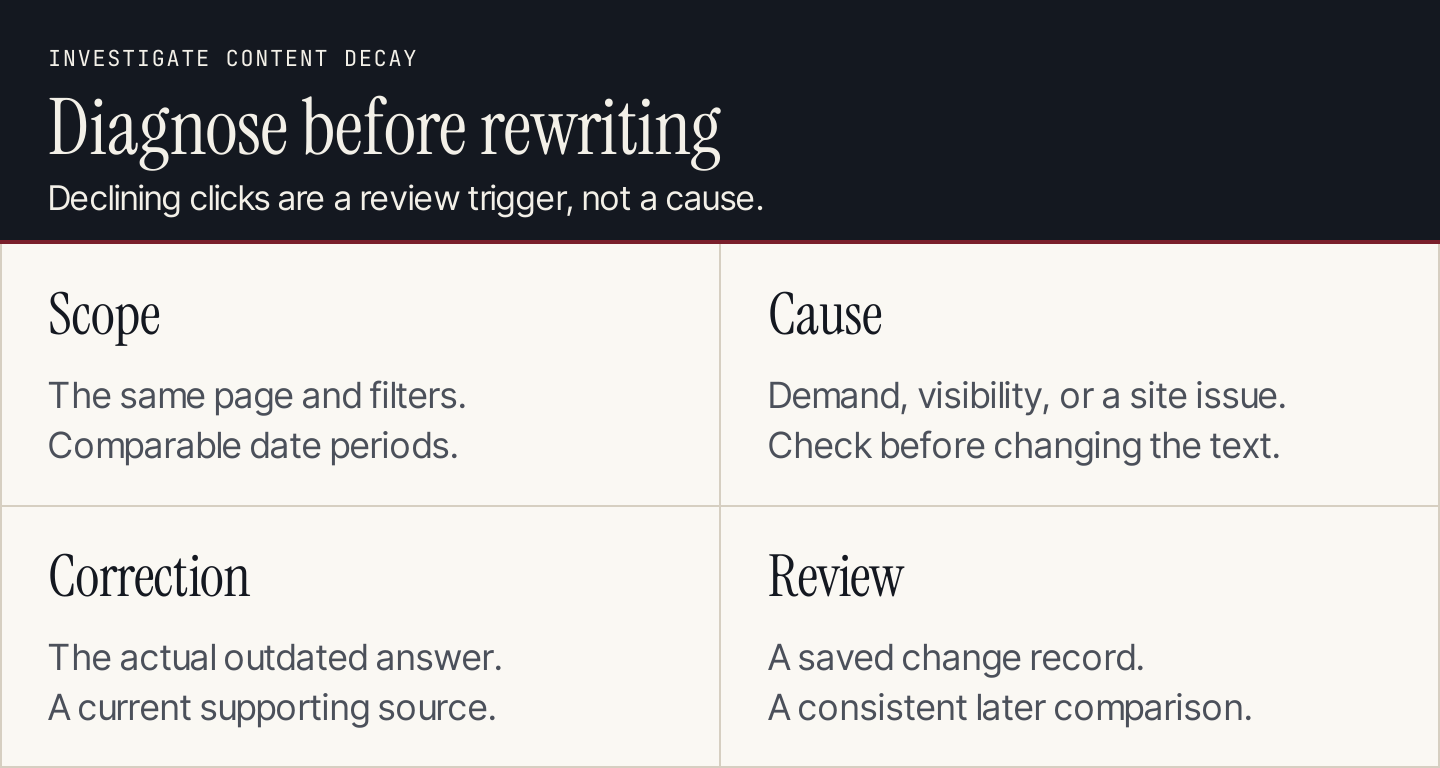
Diagnose the change before choosing the edit.
What content decay looks like
A page can lose search clicks while its facts remain correct. It can also retain traffic while giving readers outdated advice. Review both performance and usefulness.
Common signs worth investigating include:
- The article's clicks decline across comparable periods.
- Important queries no longer lead to the intended page.
- Screenshots show an interface that has changed.
- A product price, feature, or requirement is obsolete.
- The page promises an outcome no longer available.
- Readers ask a recurring question the article fails to answer.
- A newer article duplicates the same task without a clear distinction.
These are review triggers, not a diagnosis by themselves. A seasonal topic may receive fewer searches outside its peak period. A site-wide technical issue can suppress a good article. A change in search presentation can affect clicks without a large position change.
Google's traffic-drop guide recommends investigating several possible causes, including technical problems, changing demand, ranking changes, and reporting issues. It also cautions against radical edits after small position fluctuations.
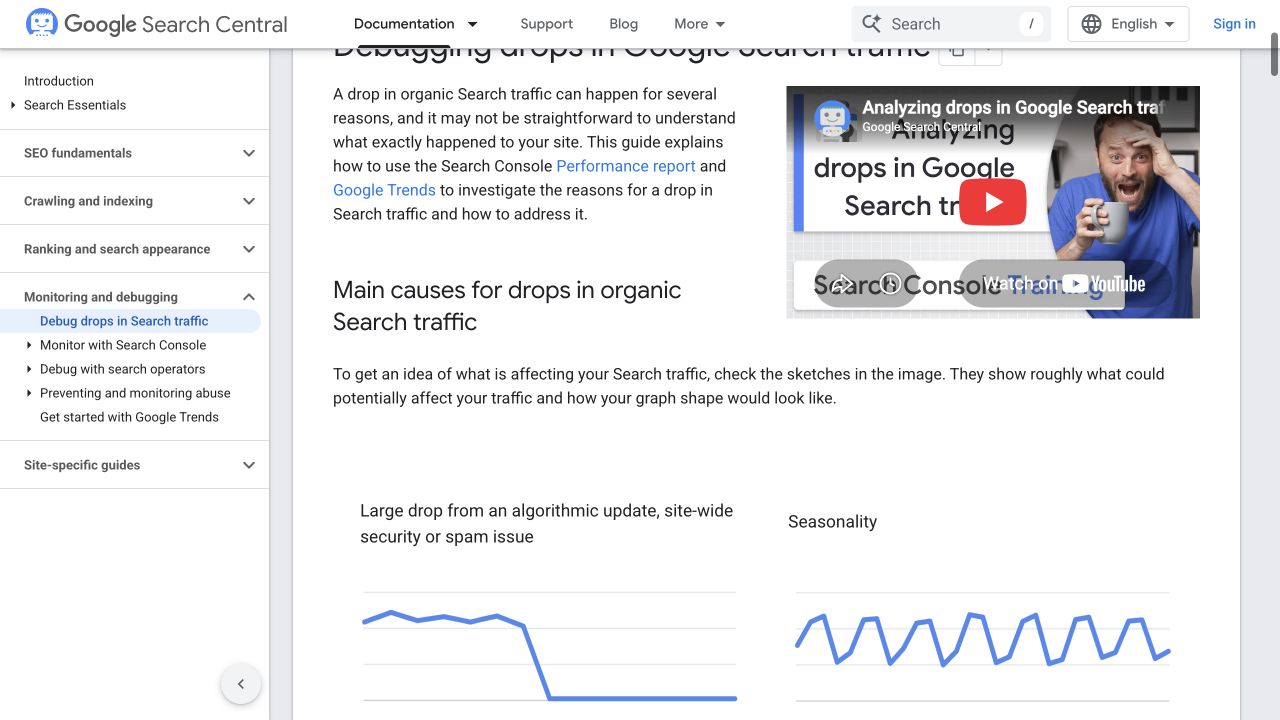
Different traffic patterns suggest different questions to investigate. Source: Google Search Central.
1. Confirm what declined using a consistent comparison
Open Search Console's Performance report and inspect the page in question. Compare periods using the same search type and relevant filters. Record the exact URL, dates, country, device scope, and any query filters.
Use a period long enough to distinguish a pattern from ordinary daily movement. For a seasonal page, compare with a relevant period from the previous year as well as the recent period. If the site is new or the data is sparse, keep that limitation in the review record.
Look at clicks, impressions, click-through rate, and the queries together. Average position is a useful context metric, but it isn't a fixed universal rank for the page.
| Observation | What to investigate next |
|---|---|
| Clicks and impressions both fall | Demand, visibility, indexing, and query changes |
| Impressions are similar but clicks fall | Search presentation, title fit, and the query mix |
| Many pages decline at the same time | Site changes, technical issues, and broader search changes |
| Only one task group declines | Page-specific coverage, competition, or changing intent |
| Data suddenly disappears | Reporting problems and website availability |
These observations suggest investigations. They don't prove a cause. For example, falling impressions could reflect either lower demand or reduced visibility. Check the individual queries and wider pattern before assigning a content rewrite.
Don't compare differently filtered exports. A US desktop report and an all-country all-device report can tell different stories even when neither contains an error.
2. Rule out problems an editorial rewrite won't solve
Before editing the article, confirm that the intended page is live and available. Check whether the URL changed, a redirect appeared, indexing settings changed, or a website release affected the content.
Review relevant Search Console indexing and issue reports with the site owner. If the whole site declined after a migration, investigate the migration before rewriting every page. If a reporting anomaly affects the period, note it in the comparison.
Next, examine demand. A holiday-specific article may decline because the event passed. A once-popular product may have been replaced. Search-interest evidence can help distinguish changes in the market from problems with your page.
Finally, open the current search results for the important task. Look for changes in the format and substance of the useful answers. If people now need an interactive utility, refreshing an explanatory article may be only part of the solution.
The content-gap guide helps compare the current answer with what readers still need. Keep the diagnosis specific: “The installation route is wrong” is more actionable than “The article is old.”
A real refresh example: Google's FAQ rich-result guidance
Google's May 2026 documentation update says the FAQ rich-result feature stopped appearing in Google Search starting May 7, 2026. Its June update records removal of the feature's documentation.
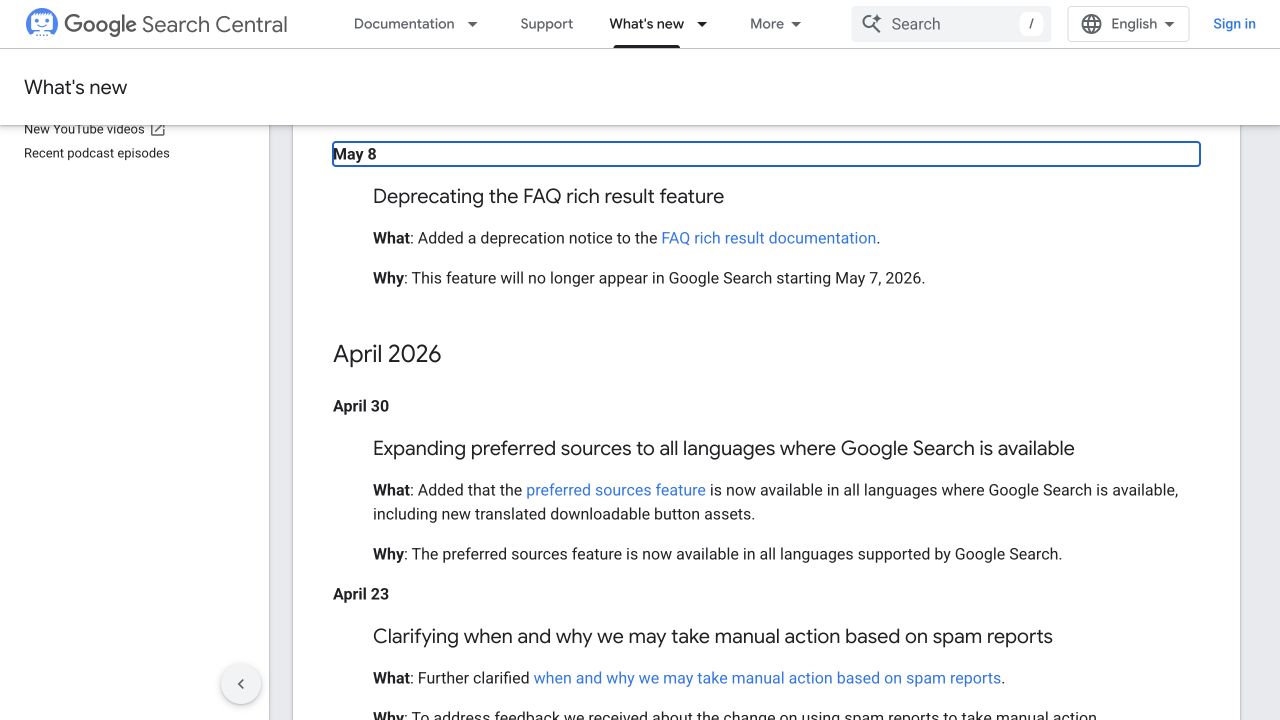
The change affects guidance that presents FAQ rich results as a current opportunity. Source: Google Search Central.
This gives us a concrete refresh task. If your article still encourages readers to add FAQ markup to obtain that Google feature, the recommendation needs to change. Merely replacing the year in the title leaves the incorrect promise intact.
Use this review sequence:
| Item to inspect | Useful correction |
|---|---|
| Promise of FAQ rich results | Remove the current-feature promise and explain the change |
| Older eligibility restrictions | Don't present them as the current feature's availability |
| Screenshot of the former result | Replace it, or clearly identify its historical role if essential |
| Link to removed feature documentation | Link to the relevant current announcement |
| Useful FAQ answers on the website | Preserve and improve them when they still help customers |
| “Add markup to get more clicks” next step | Replace it with a reader-focused task supported by current evidence |
This example demonstrates a factual correction. It doesn't establish that the feature change caused a particular website's traffic decline, or that correcting the article will recover a measured number of clicks.
The distinction matters: facts should be corrected when they become wrong, even before a performance report shows damage.
3. Choose the right action for the page
Not every candidate needs the same treatment.
Update a section when the purpose remains useful and the error is local: a changed price, prerequisite, instruction, screenshot, or link.
Rework the explanation when the page addresses the right task but leaves important questions unanswered. Add useful evidence and reorganize the sequence around the reader's decision.
Clarify separate purposes when two related pages deserve to exist but their titles and introductions make them seem interchangeable.
Consider consolidation when several pages genuinely repeat the same task. Preserve useful material and review the relevant destination and redirect plan with the site owner.
Maintain the page when it remains correct and useful, and the evidence doesn't justify a change.
Review retirement when the topic or offer is obsolete. Check remaining customer needs and incoming links before proposing removal. Low traffic alone isn't sufficient reason to discard a support resource.
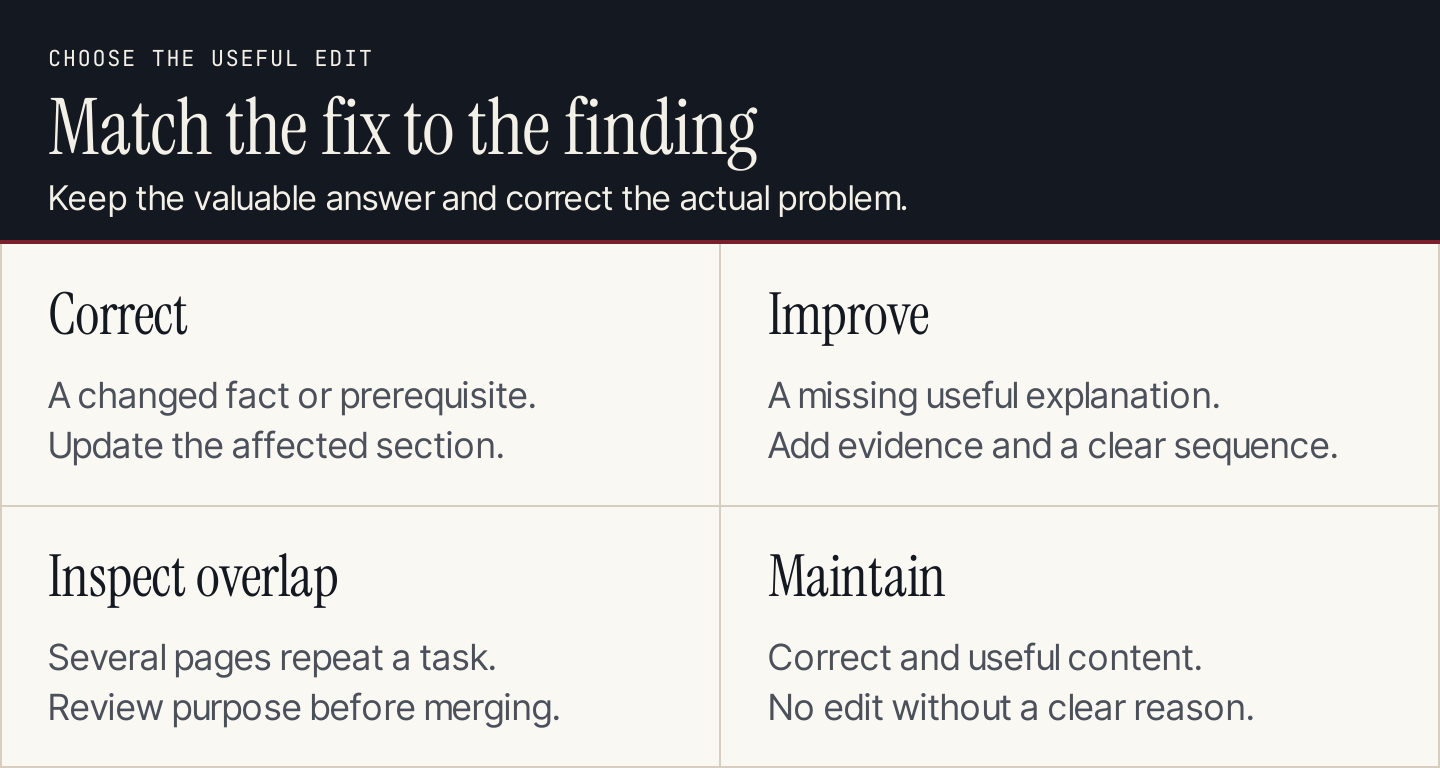
Choose the action that addresses the diagnosed problem.
Use the keyword map to record the decision. A new article shouldn't quietly replace an existing destination without a plan for its links and audience.
4. Build a refresh brief before rewriting
Write a short brief that separates evidence from the proposed edit:
Page and original task:
Observed change, with dates and filters:
Confirmed factual or usability problems:
Other possible causes still being investigated:
Primary sources for the correction:
Sections and visuals to change:
Useful material to preserve:
Proposed action and reviewer:
Checks before release:
Performance scope to review afterward:
For the FAQ example, the confirmed problem is a current feature claim that no longer applies. The proposed edit corrects that claim and its supporting link. The traffic effect remains a separate question unless you have site-specific evidence.
For an agency, get the client's current product and service facts before changing commercial claims. For a marketing team, involve the product owner when the setup flow changed. For a founder, save the brief with the page so the next review doesn't have to reconstruct why it was edited.
5. Update facts, instructions, examples, and visuals together
Open each source supporting a claim you intend to keep. Check the market, product version, plan, and relevant conditions. Replacing a source link without checking its substance doesn't refresh the claim.
Walk through the article in the reader's order. Put prerequisites before actions. Explain how to recognize success. Add a recovery destination when a common failure belongs elsewhere.
Then inspect every visual:
- Does the screenshot show the current interface and the relevant step?
- Does the caption explain what the reader should notice?
- Does the diagram still match the revised decision?
- Does the alt text describe the visible content?
- Can the important information also be understood from the nearby text?
Replace obsolete screenshots when they affect the instructions. Don't generate a mock interface and present it as a live product capture. For an original explanatory diagram, keep the labels aligned with the updated prose.
Review the title and introduction last. They should promise what the revised page now delivers. Changing a title before understanding the correction can push the article toward a different task by accident.
Google's people-first content guidance specifically questions changing dates to make pages appear fresh without a substantial content change. Use an updated date to reflect meaningful work, and preserve the original publication date where your website supports both.
6. Verify links and preserve the useful destination
Open the internal and external links in the revised page. Check that they lead to current answers and that their anchors remain accurate.
If the page's URL remains suitable, keep it. Don't change a URL simply to insert the current year. When the destination genuinely needs to change, include redirects and incoming-link updates in the implementation plan.
Review contextual incoming links as well. An older article might still describe the refreshed page using an obsolete promise. The internal-linking guide shows how to record the source paragraph, anchor, and destination together.
Before release, read the rendered page on desktop and mobile. Tables, captions, and screenshots can fail even when the source text is correct. Confirm that every important task can be followed in the final page.
7. Monitor the same scope after the refresh
Save a baseline and a change record. Record the actual edit date, material changes, revised sources, and any website changes that occurred at the same time.
After enough observations accumulate, compare the same page and query scope using the original filters. Allow for seasonality and ordinary variation. Avoid judging an edit from a single day's movement.
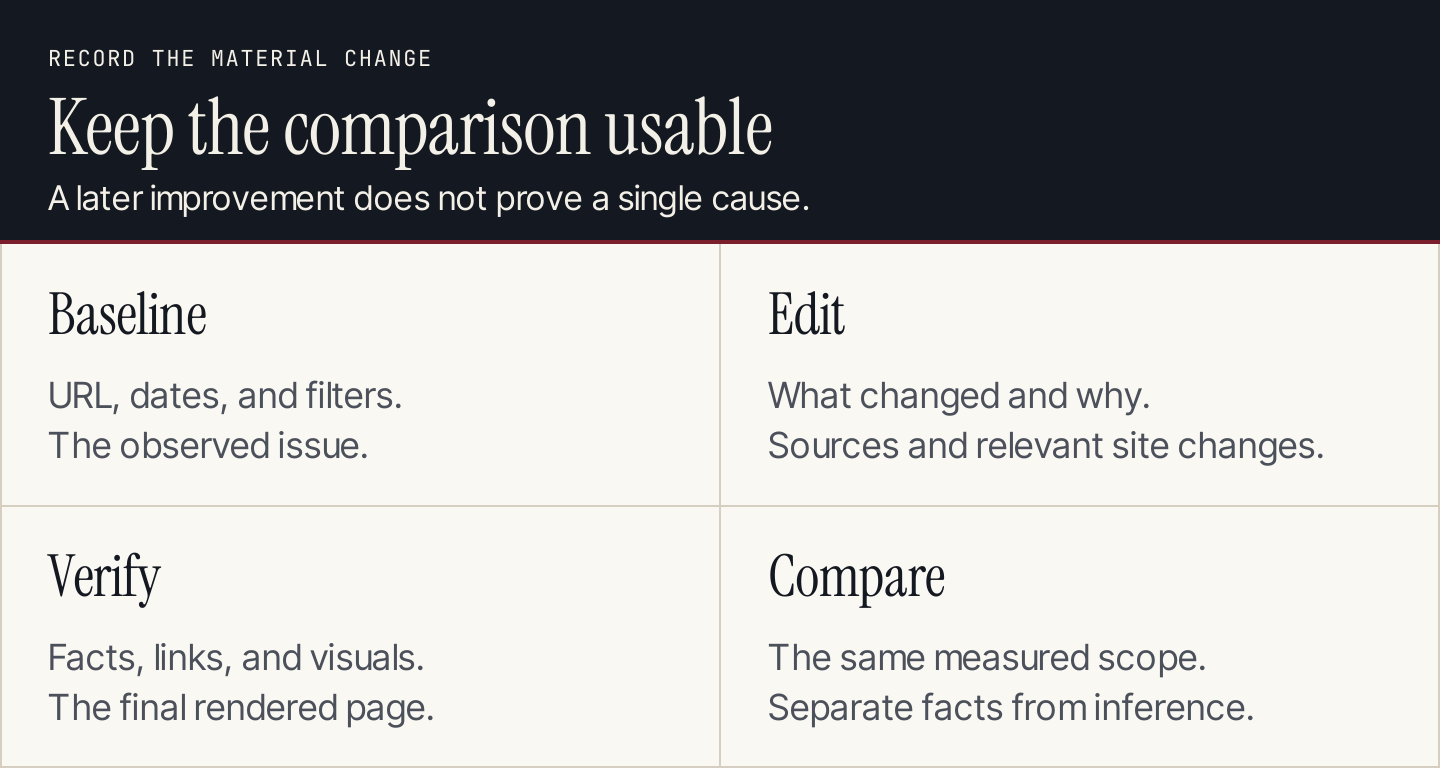
Keep the comparison reconstructable, including the changes that happened outside the article.
Check the direct editorial outcome first: did the page become correct and easier to use? Then examine clicks, relevant queries, and the business signal appropriate to the task.
If performance improves, describe the observation accurately. “Clicks increased after the refresh” is different from “This paragraph caused the increase.” Search systems, demand, and competitor pages may also have changed.
If performance doesn't improve, revisit the diagnosis. The problem may involve the offer, page type, website implementation, or competition. Repeatedly adding more text to an article isn't a reliable response to every decline.
Make content maintenance part of production
Give important pages an owner and a review trigger. Pricing pages and product walkthroughs may need checks when the product changes. Evergreen explanations may need attention when readers repeatedly ask a missing question.
Use a manageable review list with the URL, reader task, last meaningful update, important source, current issue, and owner. Prioritize harmful factual errors and broken instructions before cosmetic improvements.
For new blog production, Rankauto researches, writes, and fact-checks articles in your brand voice, with images and SEO fields. Articles save as drafts by default. Use that review step and a maintained page inventory to keep new work from creating outdated claims or overlapping destinations.
Common questions about content decay
Is every traffic drop content decay?
No. Technical changes, seasonal demand, reporting problems, and search-result changes can affect a useful page. Diagnose the pattern and inspect the article before assigning a rewrite.
Should I update all old articles?
Prioritize pages with useful tasks, material errors, recurring unanswered questions, or a confirmed decline worth investigating. Age alone doesn't tell you whether an article needs an edit.
Will updating the publication date restore rankings?
A date change doesn't correct an inaccurate claim or incomplete answer. Make useful changes, record them honestly, and compare performance afterward without promising recovery.
Can AI refresh the article for me?
AI can help inventory claims, compare supplied evidence, and draft revisions. A reviewer still needs to open the sources, verify the changed facts, inspect the screenshots, and preserve useful material. Missing evidence should stay unresolved rather than becoming a plausible new claim.