Keyword Mapping: Match Searches to the Right Page
Build a keyword map that assigns searches to useful pages. Use real Stripe examples, a copyable template, and checks for overlapping destinations.

Keyword mapping assigns a group of related searches to the page best suited to answer them. It turns keyword research into an actionable plan: this URL owns this task, this person will improve it, and these related pages will help the reader continue.
A useful map includes blog posts, product pages, service pages, help articles, and tools. If you map everything to the blog, you may write an explanation where the reader needs a product, a calculator, or a specific setup instruction.
Rankauto publishes this guide. The real examples below were reviewed on October 11, 2026; the proposed query assignments are our editorial analysis.
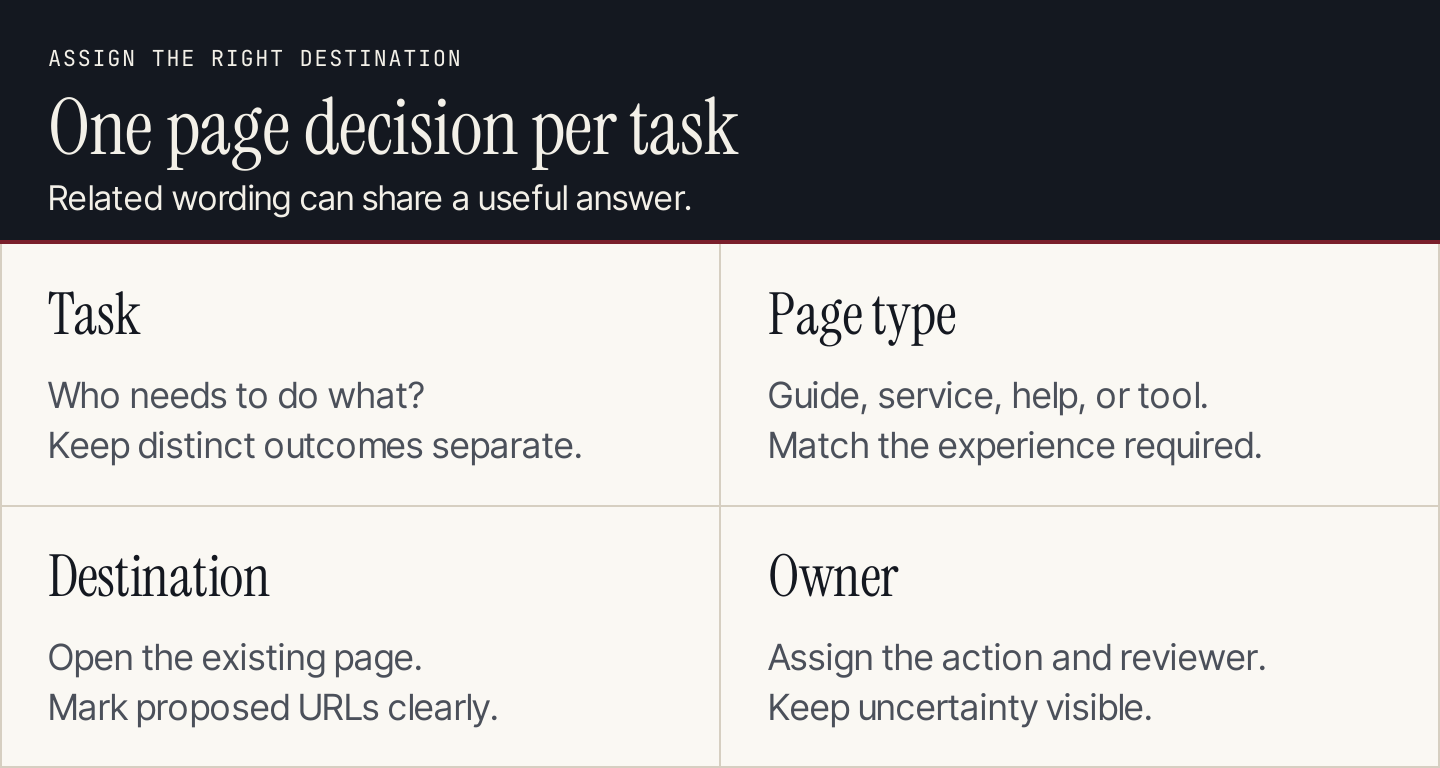
Map a task to its most useful destination, then give the work an owner.
What a keyword map should contain
Use one row per page decision, rather than one row per wording variation. The representative keyword describes the group's main task. Supporting phrases help you understand the details that answer needs.
| Column | Purpose |
|---|---|
| Audience and task | Explains who the page serves and what they need |
| Representative keyword | Gives the group a clear label |
| Related phrases | Captures variations and useful subquestions |
| Evidence | Records country, provider, date, and inspected result patterns |
| Page type | Distinguishes a guide, product, service, help article, or tool |
| Destination URL | Identifies the existing or proposed page |
| Page action | Maintain, update, create, investigate overlap, or defer |
| Owner and review status | Makes the assignment actionable |
| Related destinations | Suggests useful internal links |
Keep demand estimates in their original scope. A volume belongs to a phrase under particular research settings. Adding every estimate in a group doesn't produce a reliable forecast of that page's future traffic.
Use the keyword-choice guide first if you haven't decided which searches fit the business. A map organizes approved opportunities; it shouldn't turn every phrase in an export into a publishing commitment.
1. Inventory the pages before assigning new ones
Collect your current URLs from the website's content system, sitemap, and available crawl. Include pages outside the blog. A help article or product feature page may already answer the task.
For every likely destination, record:
- The page's actual purpose, after reading it.
- Whether it is live, a draft, redirected, or unavailable.
- The audience and offer it supports.
- The useful answer and evidence it contains.
- Its current owner, if someone already maintains it.
Don't treat a URL's wording as proof of its coverage. A page called “invoicing” could be a product overview, an API tutorial, or a customer payment screen. Each serves a different purpose.
Search-engine site: results can help find candidates, but don't use them as your only inventory. Keep archived and redirected URLs visible in the working record so someone doesn't accidentally recreate a retired page.
For agencies, use the client's approved production URLs. Staging pages and old campaign destinations can look suitable in an export while being inappropriate publishing targets.
2. Group searches by the job they ask a page to do
Start with related wording, then inspect the actual task. “Keyword research guide” and “how to research keywords” are plausible candidates for one explanatory page. “Keyword research tool” might require a different destination.
For each group, write one sentence: “After reading or using this page, the visitor should be able to do this.” If the sentence needs several unrelated outcomes, split the group for review.
Then inspect current search results in your target market. Look for recurring page types and open the relevant results. Similar results can support a shared destination, but a numerical overlap score shouldn't override a meaningful difference in the customer's task.
Conversely, a modifier doesn't automatically require a new page. “For beginners” may call for clearer prerequisites on an existing guide. A different platform may justify its own implementation instructions if the operations and screenshots differ substantially.
Record uncertainty explicitly. “Same vocabulary, distinct task; inspect both result sets” is a useful working decision. “AI clustered these together” isn't sufficient evidence to approve a combined page.
A real example: Stripe's invoicing pages
Stripe's invoicing overview introduces creating and managing invoices and directs readers to more specific resources. It serves someone deciding how to approach invoicing with Stripe.
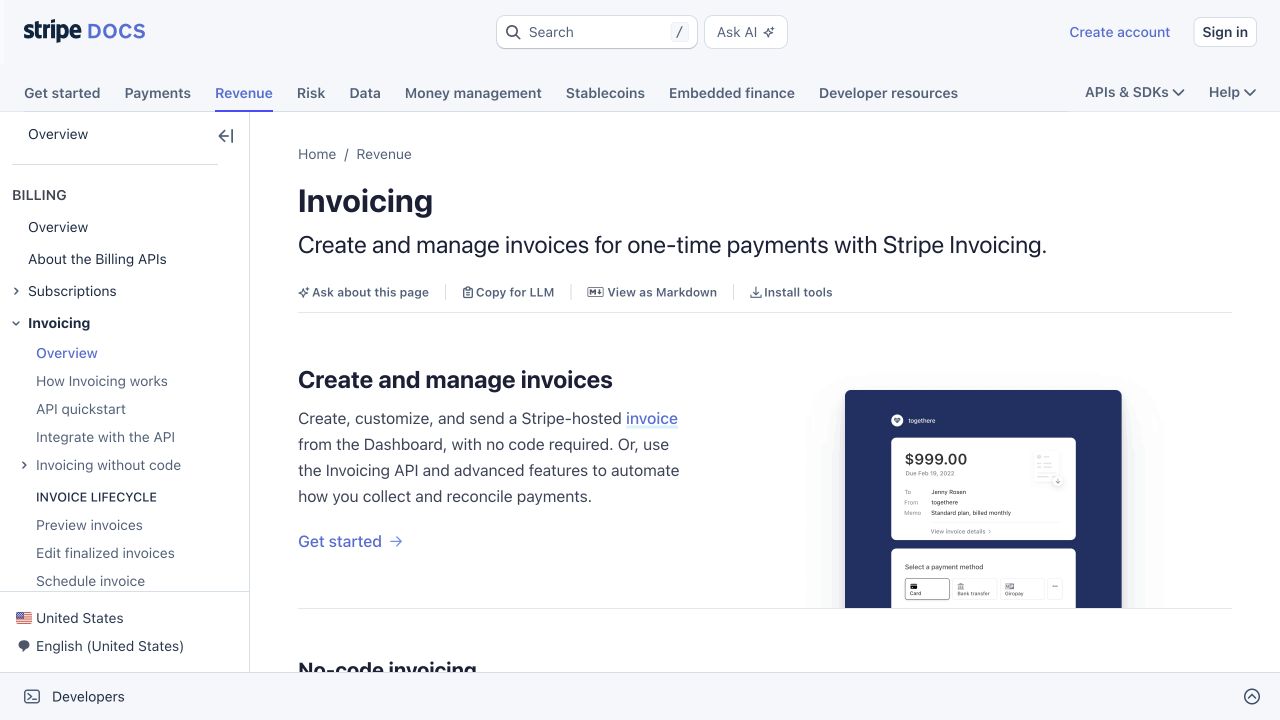
The overview introduces the broader job and provides routes into implementation. Source: Stripe.
The hosted invoice page documentation explains a narrower subject: the customer-facing invoice URL, payment, and related configuration. Its specific purpose makes it a different destination from the overview.
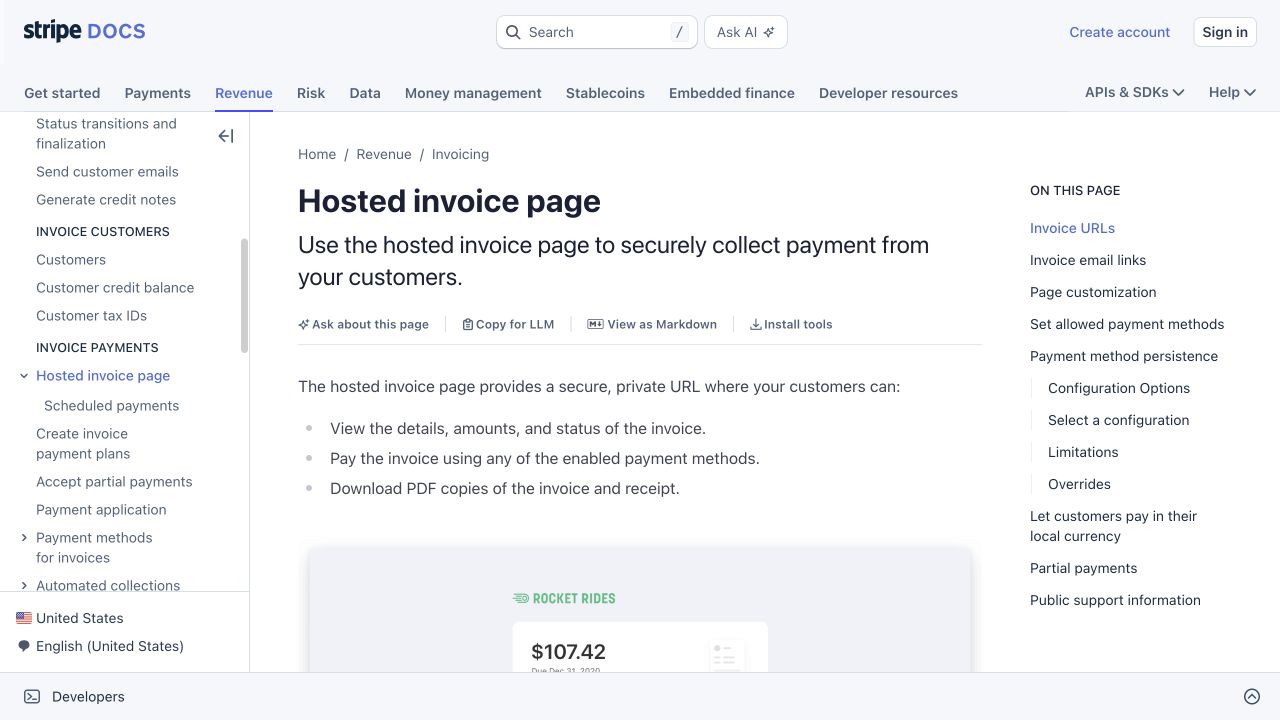
The specific guide answers questions about the hosted invoice experience. Source: Stripe.
Here is a proposed query-to-page exercise using those actual destinations:
| Candidate query | Reader task | Plausible destination |
|---|---|---|
| Stripe invoicing | Understand the overall invoicing workflow | Invoicing overview |
| Stripe invoice payment page | Understand the customer-facing page | Hosted invoice page guide |
| Stripe hosted invoice URL expires | Resolve a URL-lifetime question | Invoice URLs section of the hosted guide |
| customize Stripe hosted invoice branding | Find the relevant branding configuration | Page customization section of the hosted guide |
These aren't Stripe's actual keyword assignments or measured rankings. They show how page purpose guides a mapping decision.
The important detail is that the last two queries may fit sections of one existing page. Four related phrases don't automatically justify four articles. The overview and the detailed guide can also link to each other where the reader needs a broader or narrower explanation.
Apply the same reasoning to your own site. A service overview can own the offer, while an implementation guide answers a practical question that leads into that service. The two pages can share vocabulary without being duplicates.
3. Choose the page type before choosing the URL
Map to the experience the reader needs:
| Reader need | Likely page type | What the page should provide |
|---|---|---|
| Understand a method | Blog guide | Explanation, examples, and a practical sequence |
| Compare suitable options | Comparison page | Decision criteria, current evidence, and differences |
| Buy or request a service | Product or service page | Offer, scope, requirements, and next action |
| Complete a calculation | Tool | Inputs, output, assumptions, and explanation |
| Fix a product-specific problem | Help article | Prerequisites, instructions, and verification |
Don't force a blog post to perform every job. An article can explain a calculation and link to a tool, but it shouldn't pretend to supply the same experience when the visitor must calculate the answer manually.
Likewise, a product page can include educational detail without becoming an encyclopedic guide. Use a contextual link when the supporting explanation already has a suitable home.
Use descriptive proposed URLs for new pages. Don't rename a functioning existing URL solely to insert a keyword. A URL change creates additional work around redirects, links, and measurement that may have no clear benefit for the task.
4. Assign a destination and an explicit action
Open the chosen page before filling the destination cell. Then assign one action:
Maintain: The page answers the task and its claims remain current. Keep it in the map so future briefs don't duplicate it.
Update: The destination is appropriate but needs a clearer answer, example, prerequisite, or next step.
Create: The task is distinct, useful, and not adequately covered by a reviewed existing destination.
Investigate overlap: More than one page appears to answer the same task, and you need evidence before choosing a primary destination.
Defer: Business fit, demand, or evidence remains uncertain.
A completed map doesn't require every row to be marked “create.” Maintaining a strong existing page is a legitimate result. So is rejecting an idea that would attract the wrong audience.
For planned pages, use a clearly marked proposed URL. Don't include it as a working navigation link until the destination exists. Assign a writer and reviewer so it can move from proposal to draft to live page without losing its original purpose.
5. Investigate overlap without assuming every shared keyword is harmful
Several pages appearing for a related query isn't automatically a problem. A product page and a how-to guide may both be useful. You need to establish whether their purposes are genuinely interchangeable.
Review the pages side by side. Ask what each lets the customer do. Then use Search Console's query and page dimensions to inspect which URLs appear for the relevant searches. Keep the same country, search type, and time scope when comparing them.
Possible actions include:
- Clarify distinct purposes when both pages deserve to exist.
- Improve the intended destination when another page receives the relevant searches.
- Combine overlapping explanations when one page can serve the full task better.
- Keep a page unchanged when the evidence doesn't justify an edit.
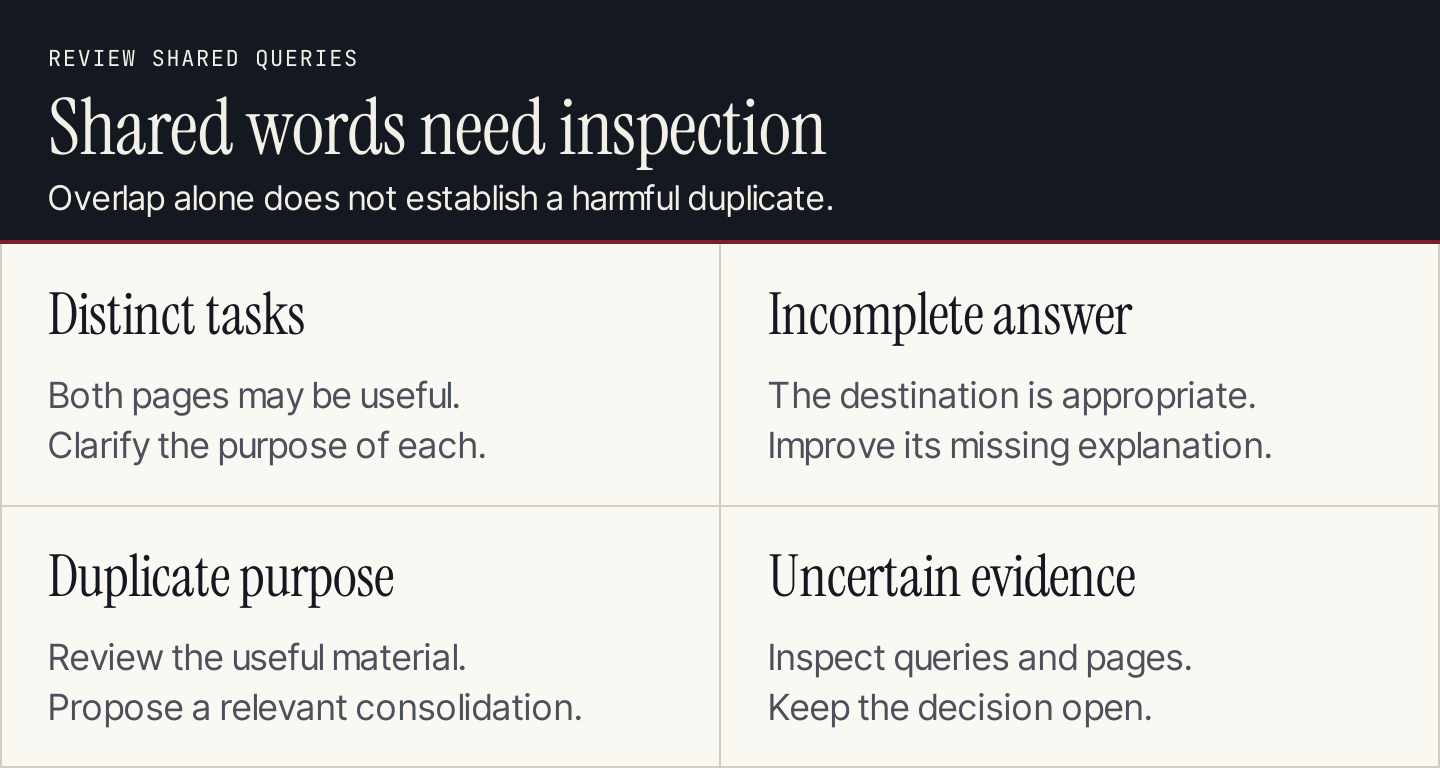
Shared wording is a reason to inspect page purpose, not an automatic reason to merge pages.
Merging pages requires a separate implementation decision. Preserve valuable material, select a genuinely relevant destination, and review links and redirects with the website owner. A keyword map should identify the issue and proposed action; it shouldn't authorize bulk deletion by itself.
6. Connect the destinations with useful internal links
Once the page assignments are clear, record how readers will move between them.
A broad guide can link to a specific implementation. A detailed help article can link back to the overview when a reader needs context. A calculator can link to an explanation of its assumptions. A comparison can link to the offer it discusses.
Write the relationship beside the destination: “Reader needs the setup prerequisites here” is better than “Add link for SEO.” This helps the writer choose an anchor and place it where it makes sense.
For example, an article explaining content selection can link to this keyword-mapping guide once the reader needs to assign destinations. The internal-linking guide explains how to review the source page, anchor, and target together.
Don't insist that every page links to every page in a topic group. The relationship needs to help a real reader. A diagram of a neat cluster is useful only when the underlying navigation works.
A copyable keyword-map row
Use this structure when handing an assignment to a writer:
Task: Give the customer a clear answer to [specific need].
Representative keyword: [phrase]
Supporting phrases: [same-task variations]
Evidence: [provider, country, date, inspected pages]
Destination: [existing URL or clearly marked proposed URL]
Page type: [guide / product / service / help / tool]
Action: [maintain / update / create / investigate / defer]
Required content: [answers and evidence needed]
Related link: [destination and why the reader needs it]
Owner and reviewer: [names or roles]
Status and next review: [current state and trigger]
Leave missing evidence visible. If the page choice is based on a customer need without a measured keyword estimate, say that. Don't add a number to make the assignment look more complete.
For an agency, include the client's approved product facts. For an internal team, attach the page's current brief or change request. For a founder, a small table with this information is sufficient; the map doesn't need to become an elaborate reporting system.
Use AI for suggested groups and matches
An AI assistant can propose groups from a keyword list or suggest existing destinations from verified summaries. Its useful role is to reduce clerical work, while leaving the ambiguous cases open for review.
Match the supplied query groups to the supplied page inventory.
Use each page's verified purpose, not just words in its URL.
Suggest one primary destination per task.
Keep tasks separate when their required outcomes differ.
Use only the URLs and facts provided.
Leave uncertain matches unassigned and explain what to inspect.
Don't invent search metrics, rankings, or new product capabilities.

Query groups: [paste sanitized groups]
Page inventory: [paste URLs and verified purpose summaries]
Business constraints: [paste approved scope]
Open every suggested destination and inspect the uncertain groupings. Don't import the output directly into a publishing queue. Similar language can conceal a different customer, platform, or action.
Keep the map current as the site changes
Update the record when a page is published, redirected, merged, materially revised, or given a different purpose. Review important assignments when customer needs or search-result patterns change.
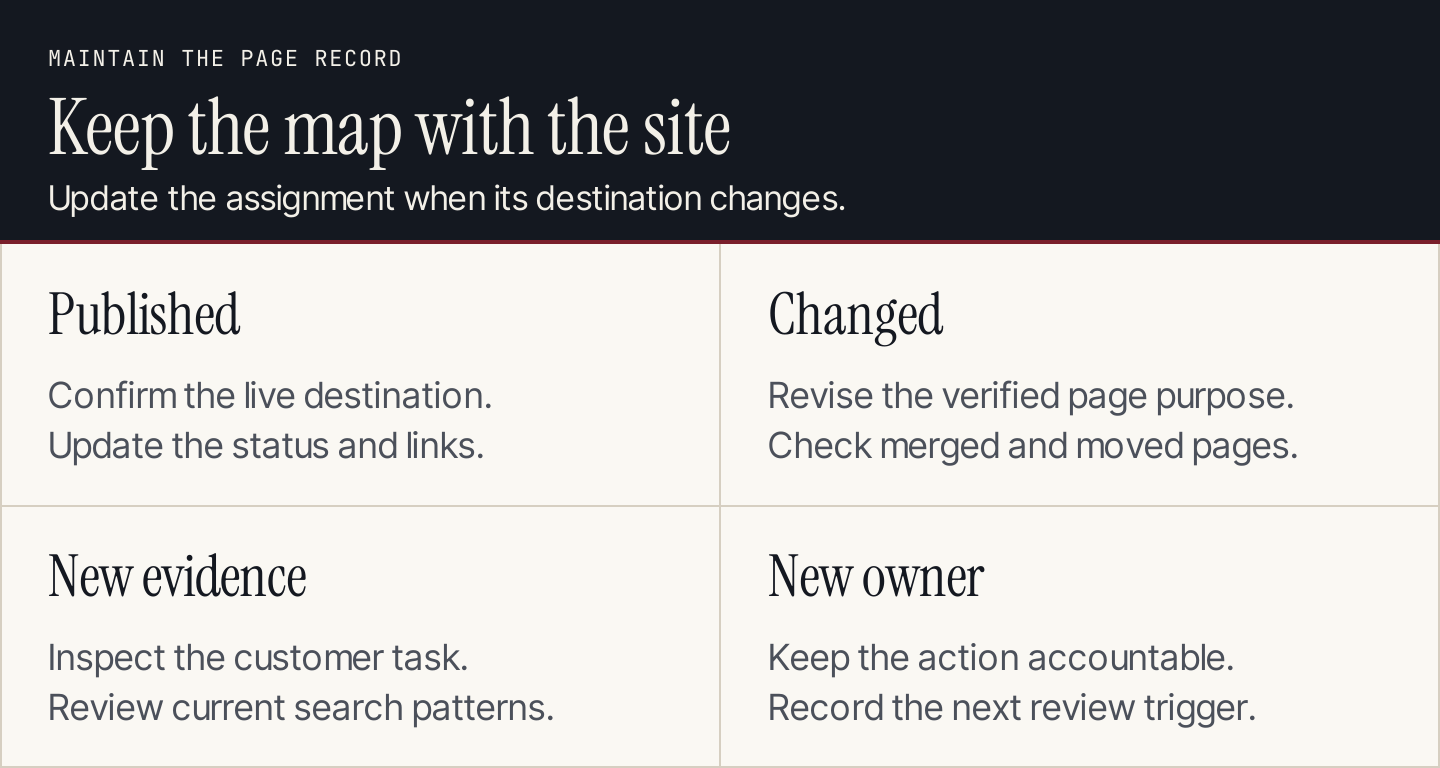
Maintain the map alongside the website, so the next brief starts from current destinations.
After publication, compare the intended task with the actual page and its reported queries. A mismatch can reveal an incomplete answer or an unsuitable destination. It can also reveal a useful query you hadn't anticipated. Revise the map after inspecting the evidence.
If the approved assignments are blog topics, Rankauto includes keyword research and writes articles with images and SEO fields. Drafts are the default, which gives your team a chance to review whether the article serves its assigned task before publishing it.
Common questions about keyword mapping
Does each keyword need its own page?
No. Related phrases that ask for the same useful answer can share a destination. Distinct tasks may need distinct pages even when the terms overlap. Review the purpose, evidence, and current search results before deciding.
Is a keyword map the same as a content calendar?
No. A map defines what each page should answer and where it belongs. A calendar schedules production. Use the map to prevent the calendar from approving a second article for a task already covered.
Can I map keywords to product pages and tools?
Yes. Include every relevant page type. The destination should give the reader the experience the query requires, whether that is buying, learning, calculating, or troubleshooting.
How do I know the map is ready?
Each approved task has a suitable destination or a clear creation decision, evidence, an action, and an owner. Unresolved overlaps remain visible. The map is ready when it guides work, not when every spreadsheet cell contains text.