Topic Clusters: How to Organize Your Business Blog
Build topic clusters around customer tasks. Use real Google, Shopify, and Stripe examples, a page map, and a practical publishing and maintenance plan.

A topic cluster is a group of connected pages that help readers explore a subject and complete related tasks. An overview introduces the topic, focused pages explain specific questions, and internal links connect the useful next steps.
The important work is deciding what each page does. A circle of article titles doesn't tell you whether your site answers the customer's questions, repeats the same advice, or sends people to an unsuitable destination.
This guide shows three real ways to organize related information, then provides a page map and publishing workflow you can adapt to your business blog.
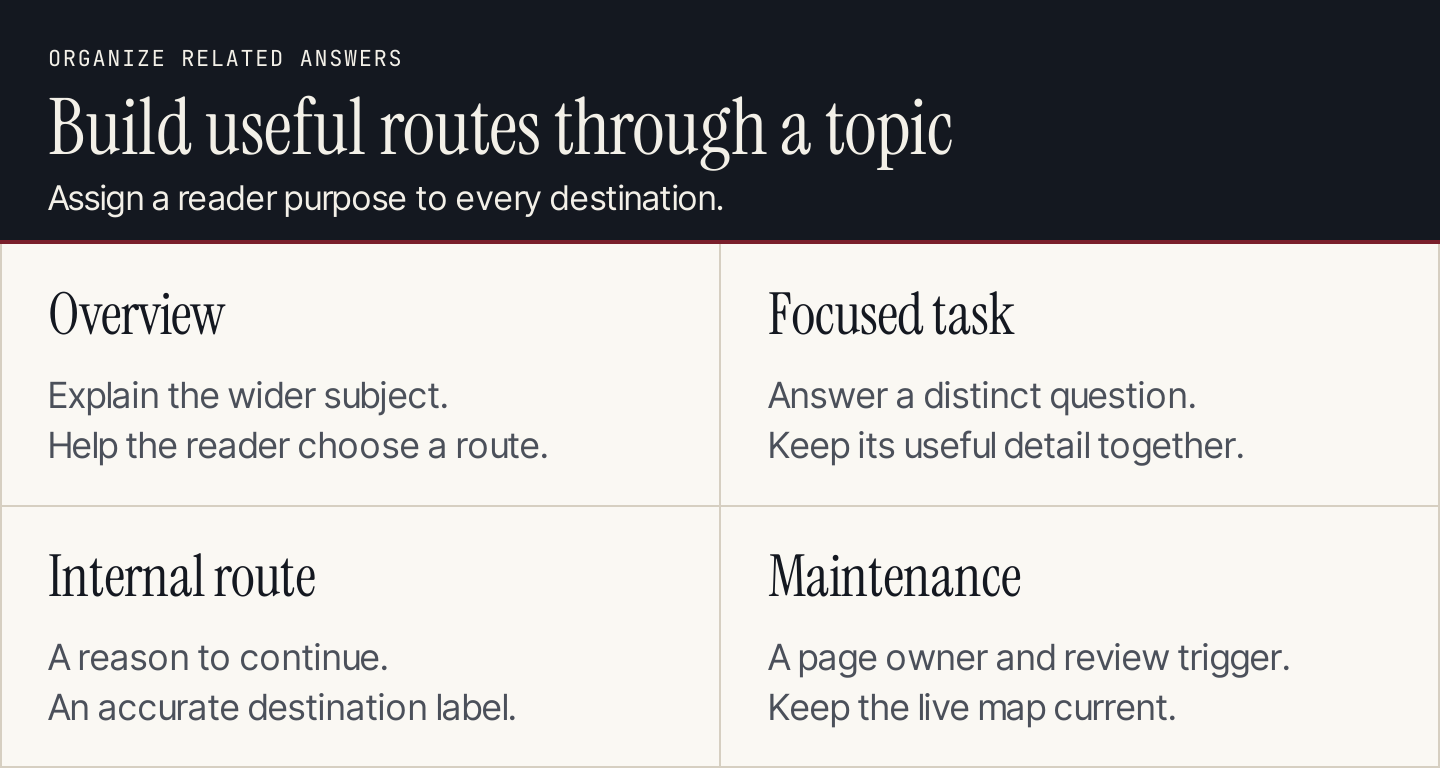
Start with the reader's questions, then assign the pages and routes that answer them.
What makes a useful topic cluster?
A useful cluster has a coherent subject, distinct page purposes, and meaningful connections between those pages.
The main page is often called a pillar page. It can be a guide that explains the subject, a directory that helps readers choose a resource, or a product-oriented overview that routes people to implementation help. Supporting pages handle questions that need their own explanation.
| Component | Reader job | Example of a useful decision |
|---|---|---|
| Overview | Understand the subject and choose a direction | Start with an explanation or a resource directory? |
| Supporting guide | Complete a specific task | Does the task need its own procedure? |
| Product or service page | Evaluate the offer | Which details belong in the buying decision? |
| Tool or template | Produce a usable output | Can the reader calculate, organize, or check something? |
| Internal link | Continue at the right level of detail | What will the destination help the reader do? |
A cluster doesn't have to consist entirely of blog posts. However, each destination must fit its own intent. A service page should not be replaced by a long educational article merely to make the map look symmetrical.
Topic clusters and keyword clusters differ
Keyword clustering groups searches that may share a page. Topic clustering organizes multiple pages around a broader subject.
For example, different ways of asking how to submit a sitemap may belong on one procedure page. Sitemap creation, indexing diagnosis, and redirect decisions can need separate pages within a wider search-discovery cluster.
Use keyword mapping to connect queries to destinations. Use the topic cluster to explain how those destinations work together.
Three real structures to learn from
These are observations of public information architecture. They don't establish the brands' private keyword plans or the traffic attributable to their structures.
1. Google Search Central: an overview with deeper explanations
Google's SEO Starter Guide introduces several search topics and links to more specific documentation. A reader can start with the overview and follow the subject that needs attention.
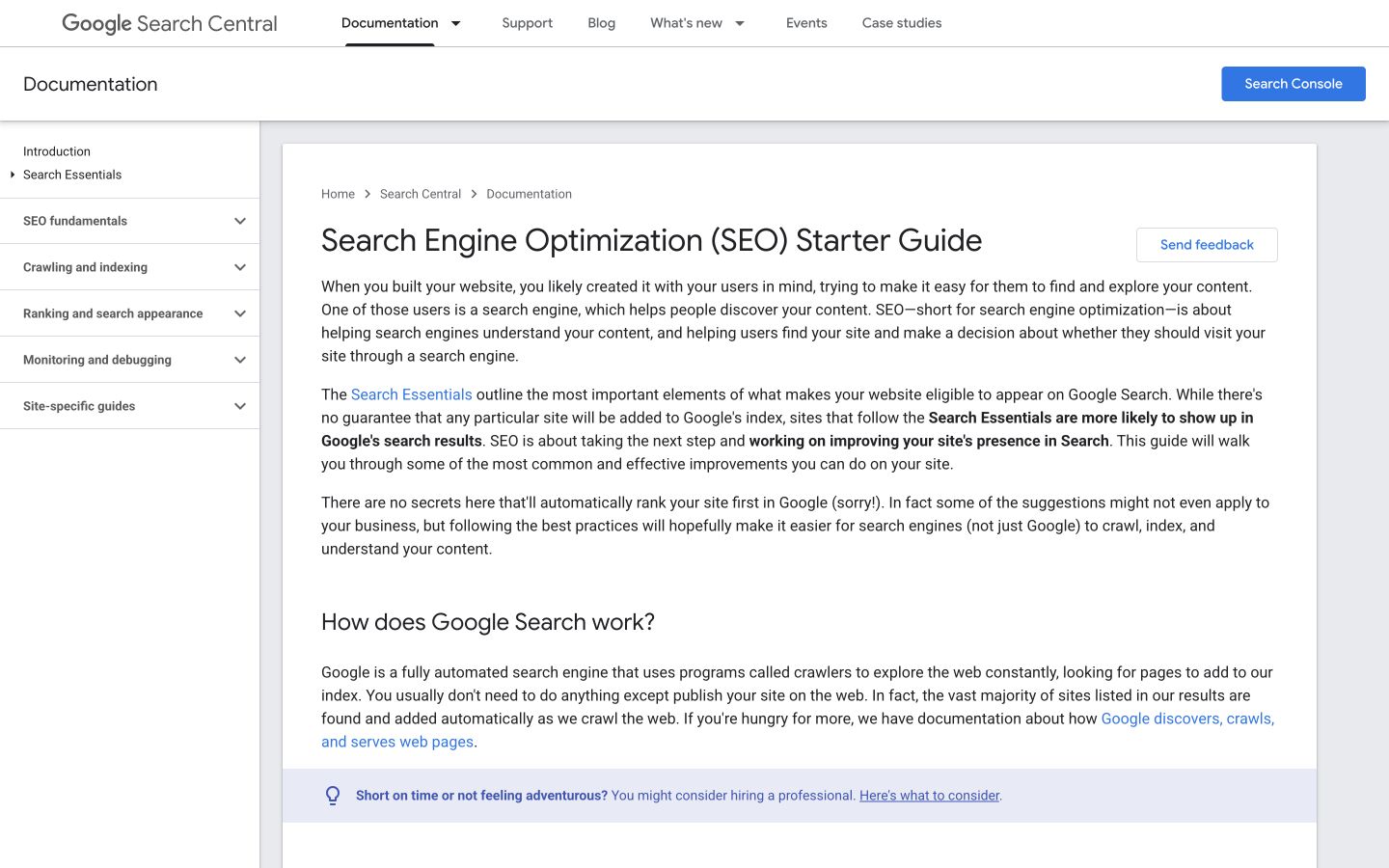
The starter guide acts as an entry point into a larger set of focused explanations. Source: Google Search Central.
The editorial lesson is to keep the main guide useful on its own. Explain enough for someone to understand the issue before linking to a detailed procedure. A page that only lists links may suit a directory, but it doesn't fulfill the same promise as a beginner's guide.
For a business blog, this could mean explaining a process in an overview while giving difficult steps their own articles. Write a short, useful introduction to the step, then link where the reader needs more help.
2. Shopify: a task directory for one platform
Shopify's SEO help section groups resources such as keyword additions, site structure, crawling, sitemap submission, and hiding pages from search.
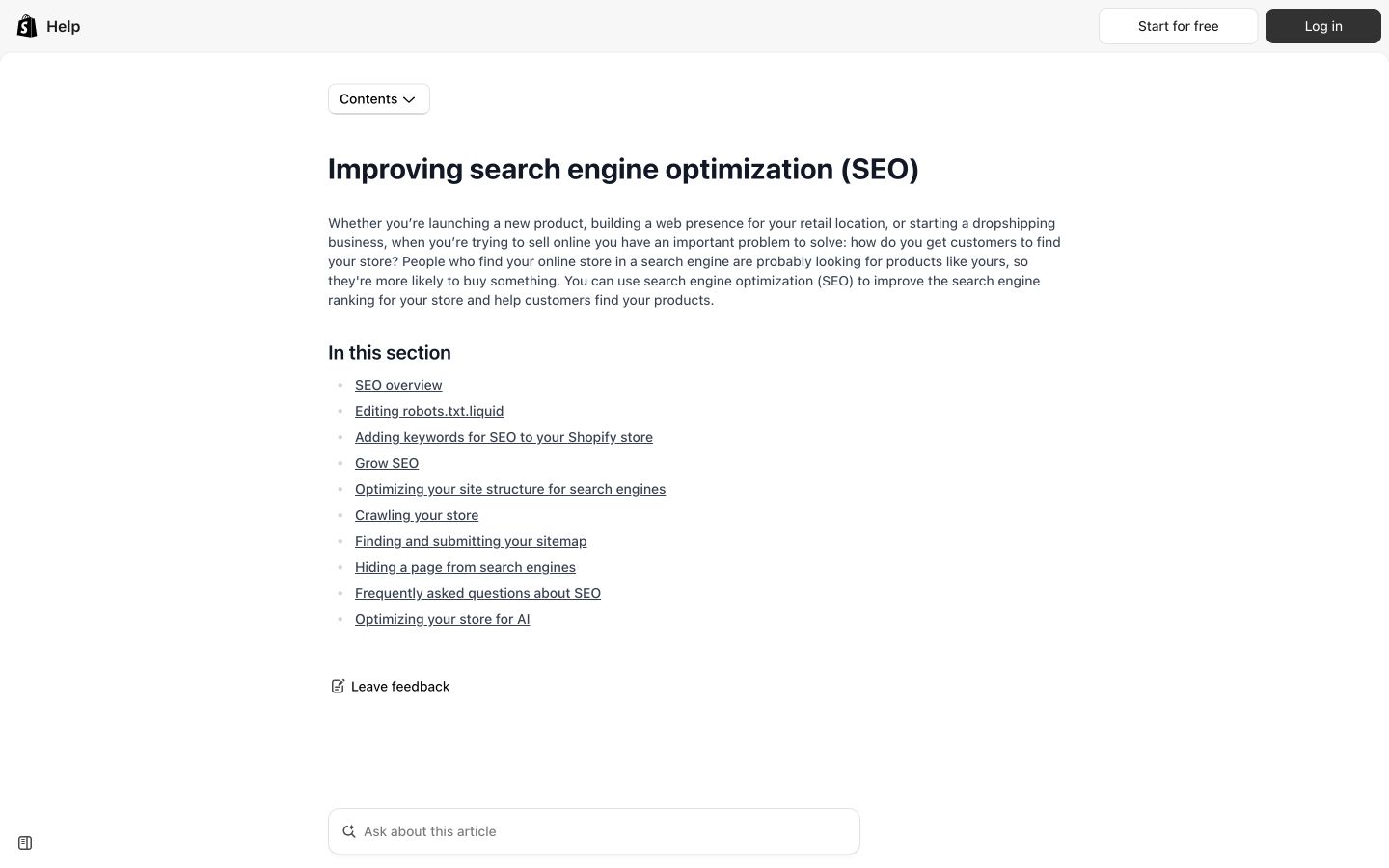
Shopify uses a directory to help merchants select a specific SEO task. Source: Shopify.
This structure suits readers who already know the platform and want to fix something. The labels are actionable, and the directory can introduce a new task without rewriting a huge all-purpose tutorial.
A business can use a similar pattern when customers repeatedly ask operational questions. Group the answers by the task, and keep each procedure tied to the relevant product or service conditions.
3. Stripe: a product area that routes to different use cases
Stripe's payments documentation presents a payments overview and routes toward more specific options. This illustrates how related content can branch according to what the customer is trying to build.
The lesson for a business blog is to organize around a decision, not just a shared word. A customer choosing an approach and a customer implementing that approach are at different points in the journey. Connect their resources without making both pages repeat the same introduction.
| Structure | Best suited to | What the entry page must do |
|---|---|---|
| Explanatory overview | Readers learning the subject | Explain the main concepts and routes |
| Task directory | Readers seeking a known operation | Provide clear labels and destinations |
| Use-case overview | Readers choosing among approaches | Clarify which route fits which need |
Choose the structure that fits your reader. You do not need to imitate every element of a large company's documentation library.
1. Choose a subject your business can support
Start with a customer problem that relates to an actual offer and your team's knowledge. Ask what people need to understand before buying, what they need to prepare, and what questions arise during use.
Choose a subject broad enough to contain distinct questions, but narrow enough to maintain. “Marketing” includes too many unrelated jobs for a first cluster. A particular campaign, service, or product workflow is easier to organize.
Record the business fit beside the subject. If your team cannot provide reliable answers or your offer doesn't solve the relevant problem, don't fill the map with generic articles just because the searches exist.
Then inventory the pages you already have. Include blog posts, product pages, documentation, tools, and useful resources. An existing answer may need better placement or a link rather than a replacement article.
2. Separate questions by the outcome they require
Collect candidate questions from customer conversations, search data, support requests, and relevant competing pages. Write the answer each person needs before choosing the format.
Ask whether someone completing one question would still need a separate resource for the next. If yes, a supporting page may be justified. If the questions are simple variations of the same task, one well-structured answer may be enough.
| Question type | Possible destination | Check before creating it |
|---|---|---|
| What is the process? | Overview guide | Does the existing guide already explain it? |
| Which approach fits? | Comparison or decision guide | Are the differences meaningful and verifiable? |
| How do I complete a step? | Focused procedure | Does it need prerequisites and its own demonstration? |
| What does my result mean? | Diagnostic explanation | Can you define the conditions and next actions? |
| Can I calculate or organize this? | Tool or template | Is a usable output more helpful than another article? |
Search-result inspection helps you check these proposed formats. It doesn't replace knowledge of the customer or prove that every query needs a new page.
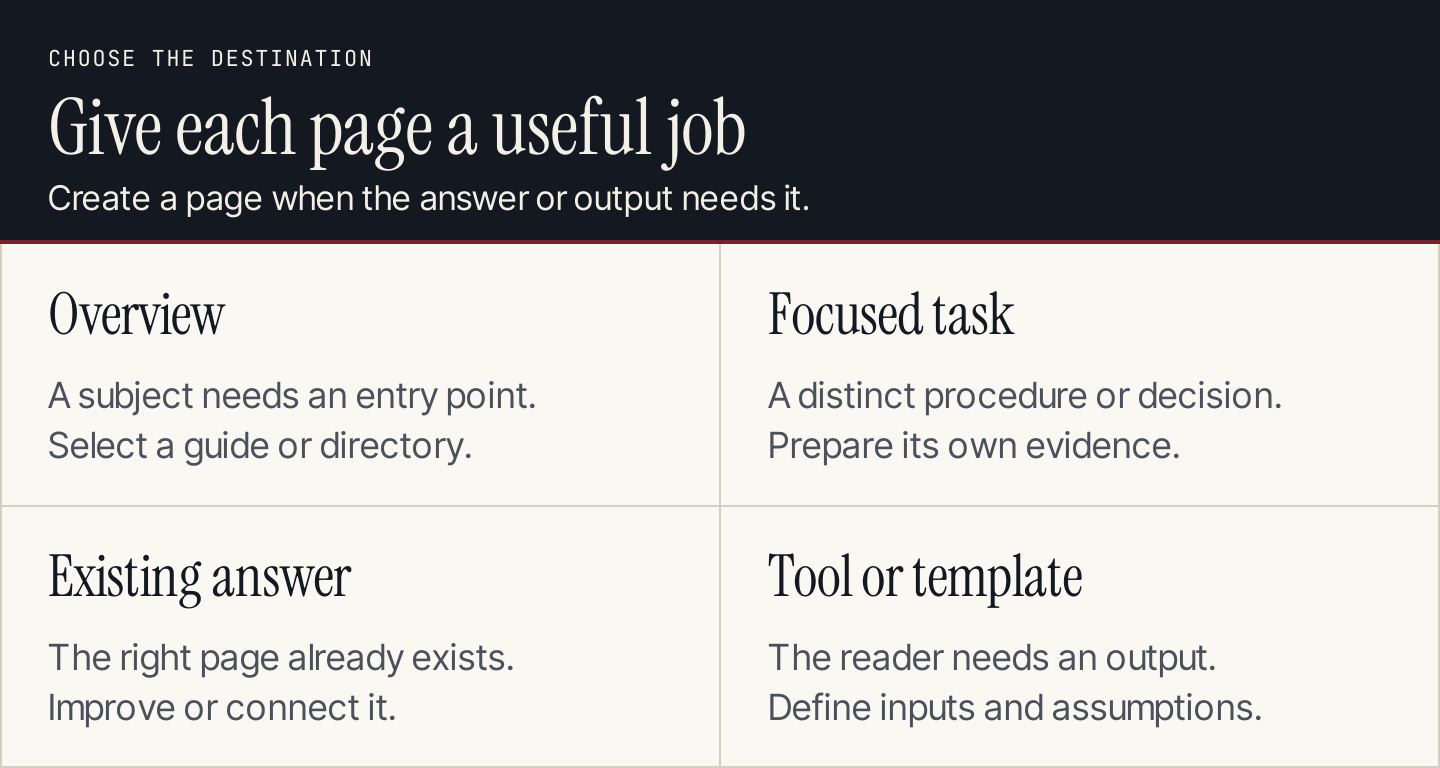
Create a destination because the reader needs a different answer or output.
3. Build a page map before a publishing calendar
Use one row per destination. Keep proposed URLs clearly marked until they exist.
The following map is an editorial exercise using the real Shopify SEO directory. It shows how to describe page purposes; it is not a recommendation that Shopify change its site or a claim about its search performance.
| Page role | Reader outcome | Connection to the overview | Scope boundary |
|---|---|---|---|
| SEO directory | Find the relevant resource | Main entry point | Routes to tasks rather than repeating every procedure |
| Keyword guidance | Understand where keywords belong | Linked as a specific task | Doesn't need to repeat the entire site-structure guide |
| Site-structure guidance | Organize store navigation and relationships | Linked as a specific task | Keeps technical indexing diagnosis separate |
| Sitemap guidance | Find and submit the sitemap | Linked as a specific task | Doesn't promise that submission guarantees indexing |
| Crawling guidance | Understand how pages are discovered | Linked as a specific task | Provides context before deeper diagnosis |
For your own site, add a live or proposed URL, query group, evidence needed, owner, and publishing status. If two rows describe the same reader outcome, inspect them together before scheduling two articles.
Avoid treating summed keyword volume as the cluster's forecast audience. Related phrases can describe overlapping demand, and search estimates don't directly translate into visitors.
4. Design links around a useful continuation
Link the overview to the detailed page when the reader needs its answer. Link a supporting page back to the overview when it helps someone understand the wider process. Add links between supporting pages when one task naturally follows another.
You don't need every page to link to every other page. A mandatory web of links can obscure the most useful route.
Write the anchor as an accurate description of the destination. “Submit your sitemap” is helpful when the destination gives submission instructions. It is misleading when the link opens a general product pitch.
Test both ends of a link: the source paragraph must establish a reason to continue, and the destination must fulfill the promise. Our internal linking guide includes a worksheet for that review.
5. Publish the most useful connected group first
Prioritize pages that answer an immediate customer need and can be supported with good evidence. The broadest keyword doesn't automatically deserve the first assignment.
If you already have useful supporting articles, improve the overview and connect them. If the overview promises a procedure that doesn't exist, write that essential procedure before adding more peripheral topics.
Use this release checklist:
- Confirm that every scheduled page has a distinct reader outcome.
- Prepare sources and examples for the difficult sections.
- Check the proposed destination against existing coverage.
- Publish the necessary supporting answers.
- Add the relevant incoming and outgoing links.
- Open the actual pages and test the route on desktop and mobile.
- Update the map with live URLs and the next review triggers.
Replace links to unfinished pages with useful available destinations or omit them until the page is ready. A calendar commitment doesn't make a broken destination useful.
6. Maintain the cluster as the subject changes
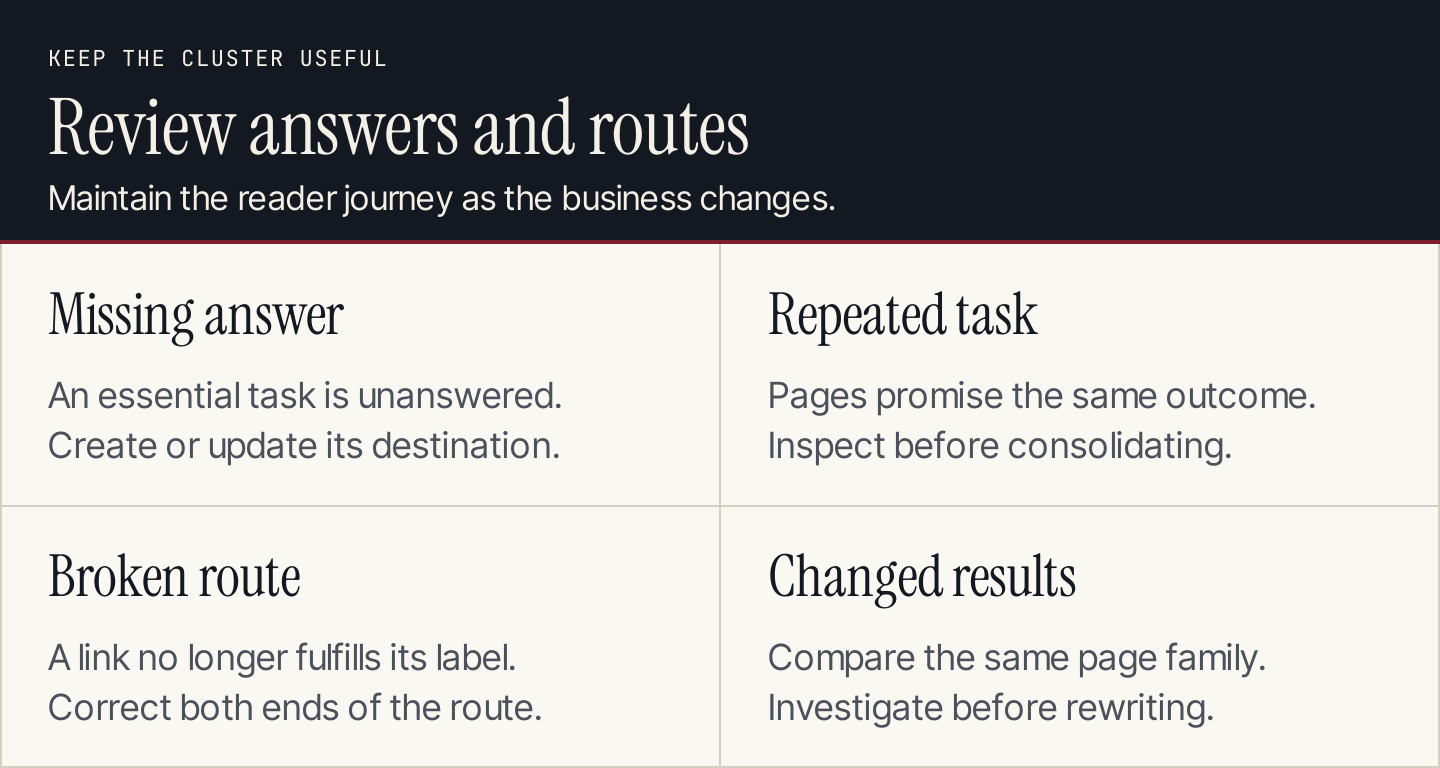
Keep the map attached to the live pages, their evidence, and their next review triggers.
Review the cluster when an offer changes, a procedure becomes outdated, a page moves, or performance suggests a problem. A recurring review can help coordinate this work, but the useful question is what changed and what the reader now needs.
Track the page family consistently. A report should preserve the same URL scope and dates, rather than quietly adding new articles to make the comparison look better. Separate the behavior of older pages from newly published ones when interpreting growth.
When pages overlap, inspect their purposes and query evidence before consolidating them. When readers cannot find an existing answer, improve the route. When the answer itself is missing, create or update the appropriate destination.
A topic-cluster worksheet you can copy
Cluster subject and customer need:
Relevant product or service:
Main entry page and its reader outcome:

For each destination:
- Live or proposed URL:
- Reader question and outcome:
- Query group and research source:
- Existing coverage checked:
- Required sources and demonstration:
- Incoming route and accurate anchor:
- Useful outgoing route:
- Owner and publishing status:
- Maintenance trigger:

Review:
- Missing essential answers:
- Possible duplicate tasks:
- Broken or misleading routes:
- Next approved publishing actions:
- Performance comparison scope:
If AI helps organize your question list, review its groups against the actual pages. It may group similar words while missing different reader needs. Your final map should explain why a destination exists.
With Rankauto, you can research relevant keywords and create blog drafts in your brand voice, with images and SEO fields. Articles save as drafts by default. Use your cluster map to guide topic selection and review how each article fits the wider customer journey.
Common questions about topic clusters
How many pages should a cluster have?
Enough to answer its distinct, relevant questions. There is no useful universal quota. Begin with the essential tasks you can support and maintain.
Does every cluster need a new pillar article?
No. An existing overview, resource directory, or suitable product-area page may already be the right entry point. Improve that destination before commissioning another broad guide.
Do clusters guarantee rankings or AI citations?
No. They organize information and routes. Accuracy, relevance, accessibility, competition, and the search system still affect discovery. Treat citation monitoring as a separate measurement task, described in our AI visibility tracking guide.
Can a tool belong in a cluster?
Yes, when it produces an output the reader needs. Define its inputs, assumptions, result, and links to explanations so it serves a real task rather than acting as a decorative destination.