Keyword Cannibalization: How to Find and Fix It
Find keyword cannibalization with page and query evidence. Choose when to keep, differentiate, merge, or canonicalize pages, then verify the change.

Two pages appearing for the same search can be useful. Two pages repeatedly answering the same reader task can also create an expensive maintenance problem. The difference matters before you start deleting articles or setting up redirects.
Keyword cannibalization is harmful overlap between pages intended to serve substantially the same search need. Investigate whether the overlap is affecting the destination readers find, the usefulness of the answer, or your ability to maintain it. Shared keywords alone do not establish that harm.
For a founder, the immediate question is whether the right page attracts the right customer. For a marketing team or agency, the job is to document the evidence, choose a suitable correction, and verify the change without losing valuable material.
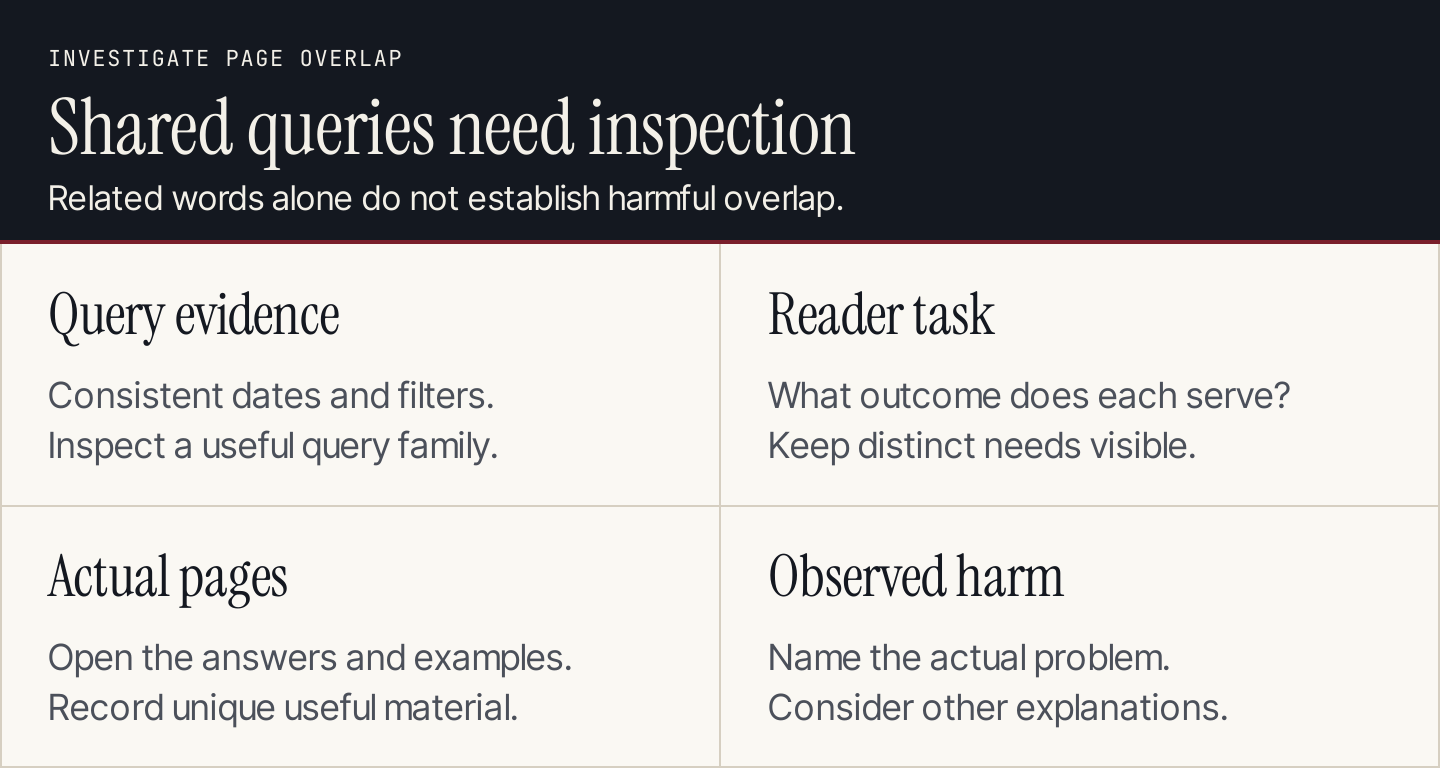
Review the reader's task and the actual pages before deciding that shared queries need a fix.
What keyword cannibalization looks like
Start with symptoms, then test the explanation. A symptoms list is a shortlist for investigation, not a list of pages to remove.
| Observation | What to investigate | What it does not prove |
|---|---|---|
| Two articles answer almost the same question | Whether either contains a distinct useful answer | That the lower-traffic article has no value |
| Different URLs appear for a query over time | Changes in query mix, audience, pages, and search results | That Google is confused |
| A general guide appears for a purchase-related query | Whether the guide and product page serve different needs | That every guide should become a sales page |
| Titles are almost identical | Whether the content and intended tasks also overlap | That title similarity alone causes a ranking loss |
| A new article repeats an existing guide | Whether the brief checked current coverage | That a redirect will automatically increase traffic |
The useful diagnosis is specific: “These two pages offer nearly the same answer, and the page receiving search visits no longer describes the service we sell.” That statement gives the team something to investigate and correct.
“We mention email marketing on six pages” does not.
A real example of related pages that deserve separate URLs
Stripe's documentation provides a clear way to inspect this distinction. Its payments overview helps a developer choose a payment approach. Its Checkout documentation focuses on a particular payments interface and its implementation options.
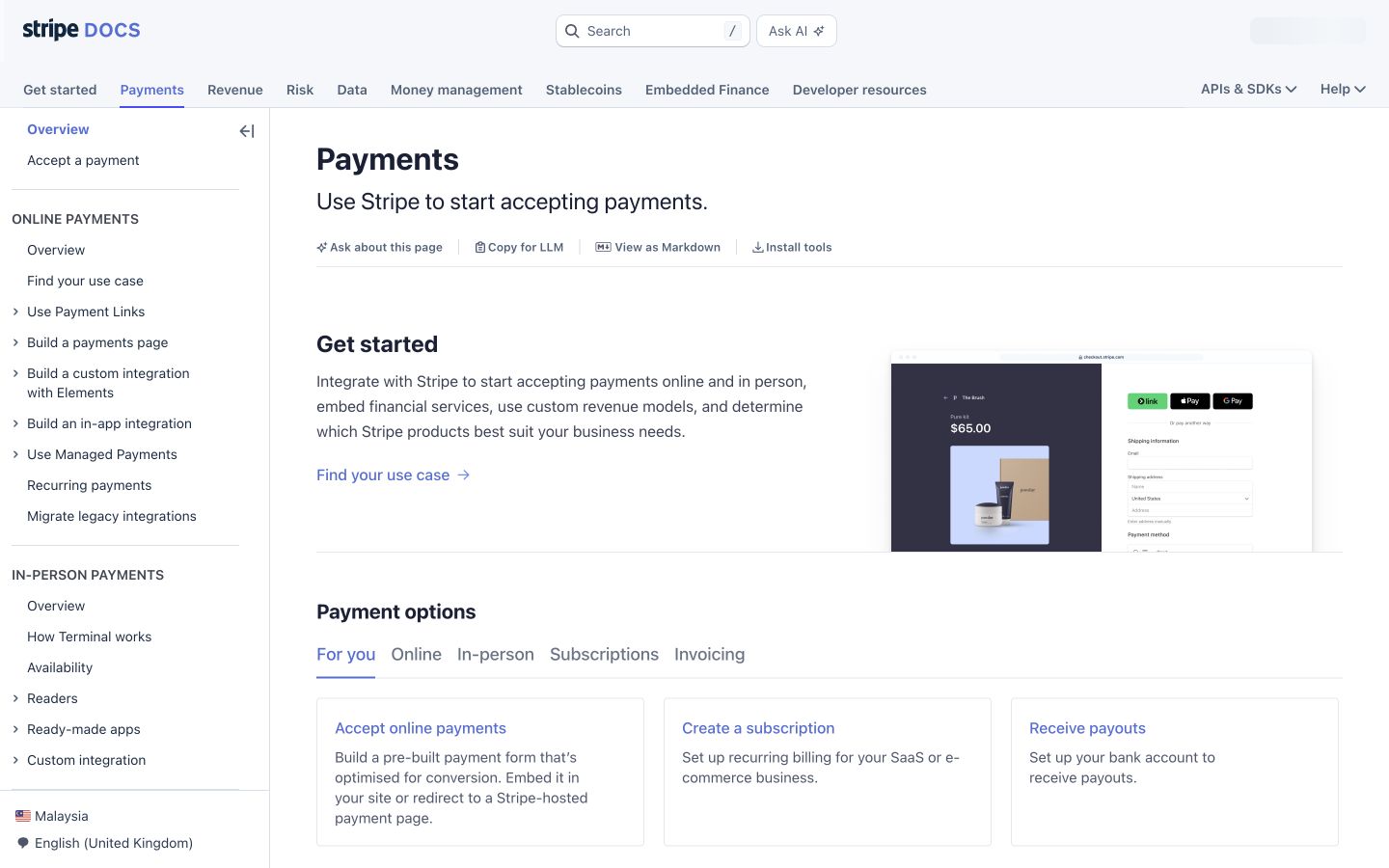
The payments overview helps readers choose where to begin. Source: Stripe payments documentation.
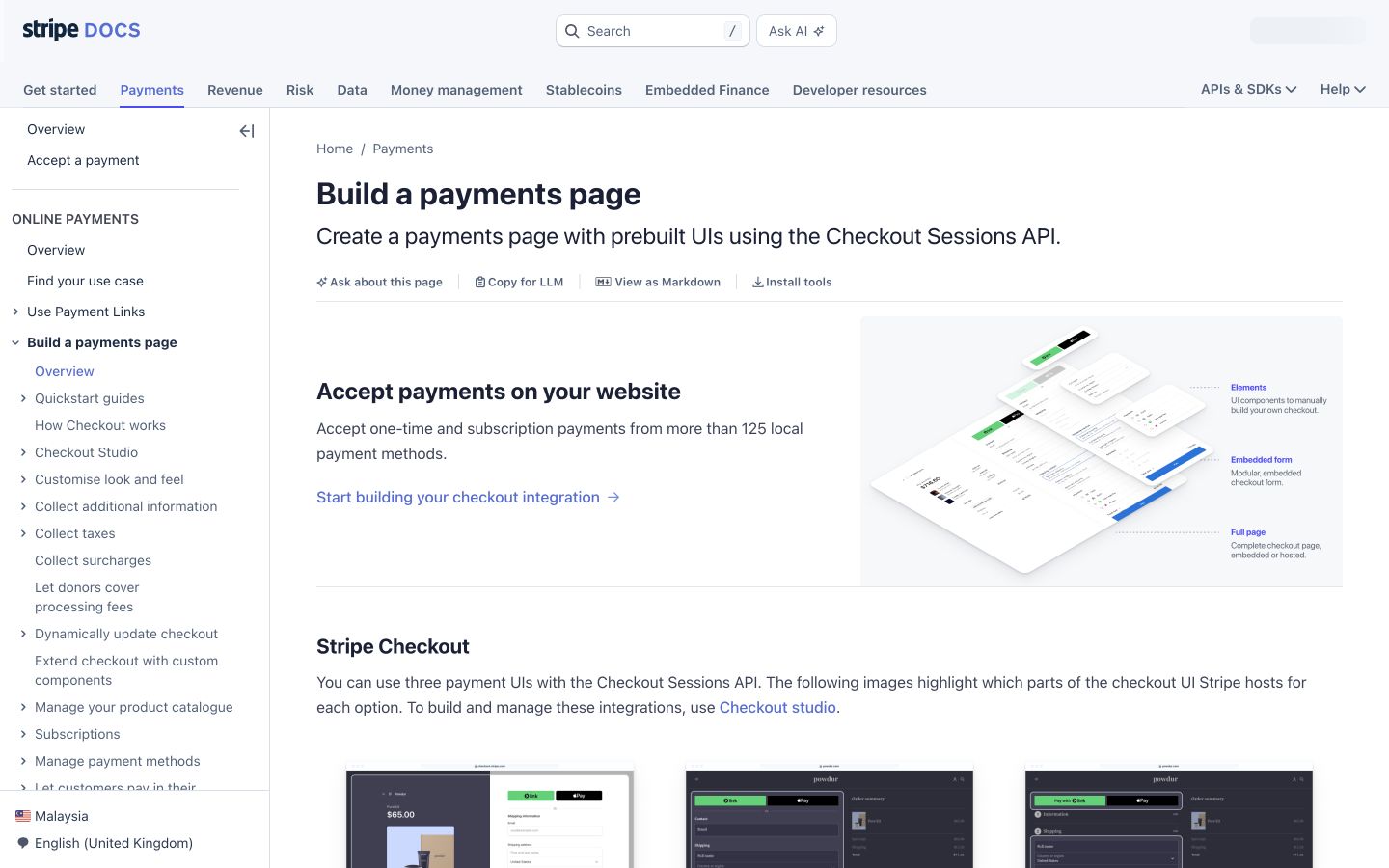
The Checkout page narrows the task to one implementation route. Source: Stripe Checkout documentation.
These are related pages with different jobs. This is an analysis of their public structure, not a claim about Stripe's search performance or internal SEO decisions.
| Page | Reader decision | Editorial implication |
|---|---|---|
| Payments overview | Which payment approach should I explore? | Keep a useful overview and routes to detail |
| Checkout documentation | How should I use Checkout? | Keep the specific implementation explanation |
Apply the same test to your own site. A service page, a comparison article, and a setup guide can all discuss the same product while serving different stages of the customer's work.
Merging them solely because they contain the same keyword could make each task harder.
How to find potential cannibalization
1. Make a page inventory
Collect the live URLs that seem to overlap. Record the title, page type, intended audience, reader task, and current owner. Open each page rather than relying on a spreadsheet title.
Include service pages and help content where relevant. Blog-only inventories can miss the more consequential conflict between an outdated article and a current offer.
If you already have a keyword map, use it as the starting record. Add the actual page purpose beside the planned purpose. A page may have drifted since its original brief.
2. Inspect search evidence with a consistent scope
In Google Search Console, open the Search results performance report. Select the query you want to investigate, then inspect the Pages table. Compare the candidate URLs over meaningful date periods with the same search type, country, and device settings. Google's performance report documentation explains the report's metrics and filters.
Record the query and filters with the export. Without them, someone reviewing the sheet cannot tell whether the apparent change came from the pages or from a different comparison.
Inspect a small family of related queries as well as the headline term. A page that looks redundant for one query may serve a valuable group of more specific searches.
Search Console does not expose every query. Its totals and query tables can also differ because of reporting rules. Use Google's performance data explanations when reconciling them, and avoid treating an export as a complete list of customer needs.
3. Compare the actual answers
Write a one-sentence reader task for each URL. Then ask:
- Can the reader complete different tasks on these pages?
- Does either page contain unique instructions, examples, or evidence?
- Are the differences useful, or are they mostly alternate wording?
- Does a page promise an offer or procedure that has changed?
- Could one section and a contextual link solve the missing need?
A comparison guide and a troubleshooting guide usually need different structures. Two introductory guides with the same explanation may be stronger candidates for consolidation.
4. Review business value and dependencies
Before proposing a merge, check whether either page receives qualified inquiries, helps customers, or has useful incoming links. Where you have access, review analytics, customer support feedback, and backlink data from a suitable tool.
Do not choose a destination only because it has more visits. The destination should fit the reader's task and your current business. Sometimes the most useful action is to improve an existing page that has weaker visibility.
List internal links and any known campaigns that depend on the old URL. A technically working redirect can still create a poor journey if the new destination does not fulfill the original link's promise.
5. State the diagnosis before the fix
Use this short decision record:
Query or query family:
Comparison dates and report filters:
Candidate URLs:
Reader task for each URL:
Useful material unique to each page:
Observed problem and supporting evidence:
Other plausible explanations:
Proposed destination or differentiation:
Owner and reviewer:
If the evidence only shows shared queries, leave the diagnosis open. You can clarify titles and links when they are misleading without claiming to have found a ranking problem.
Choose the fix that fits the pages
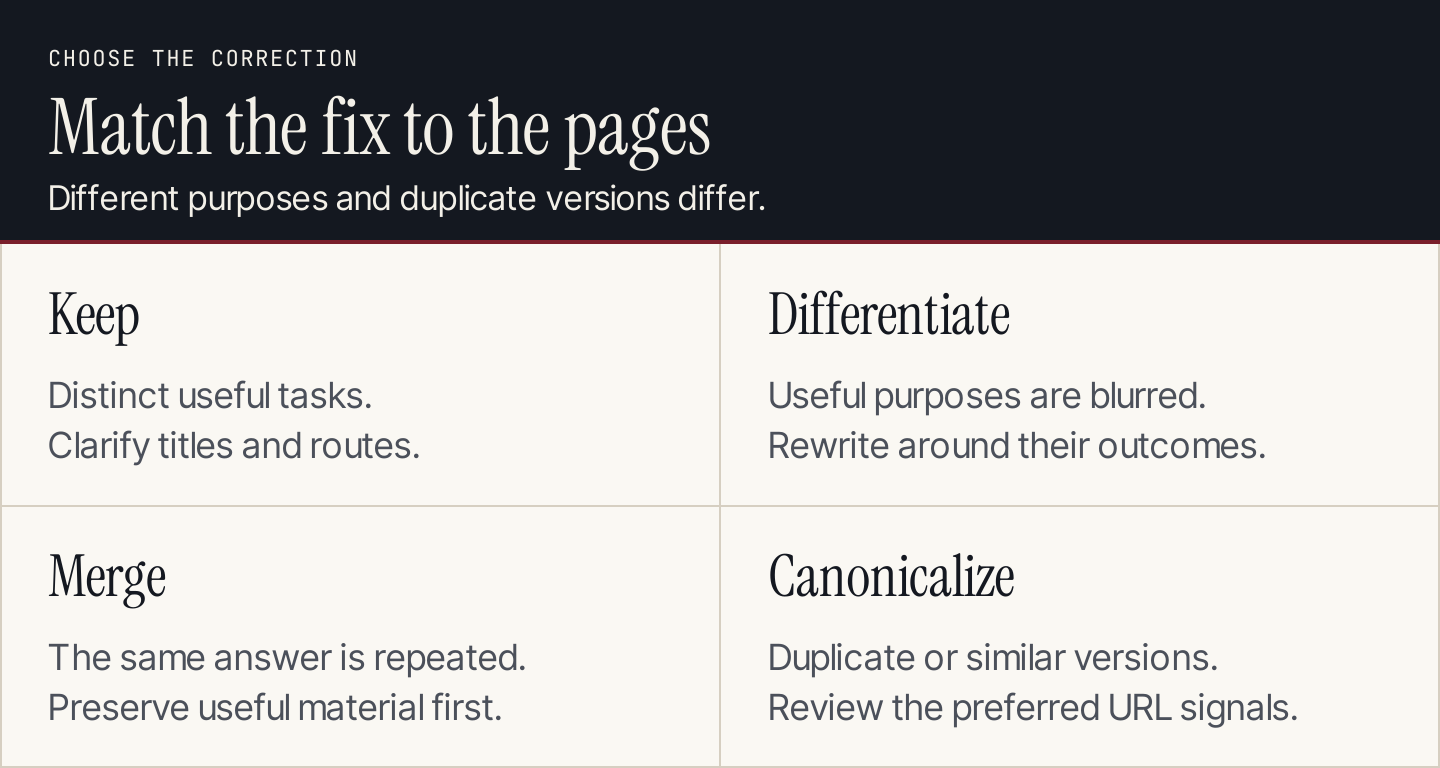
Different tasks, repeated answers, and duplicate URLs call for different responses.
Keep pages that have distinct useful purposes
Preserve the separation when the reader tasks differ. Clarify the introduction, headings, and internal routes if readers cannot tell which page they need.
For example, an overview should help someone select a path. Its supporting guide should deliver the relevant detail. Repeating a short definition in both does not mean the entire pages are duplicates.
Differentiate pages with unclear purposes
Choose this when each URL can provide a valuable answer but the current content blurs the distinction.
Write the intended task at the top of each working brief. Move tangential material to the appropriate page, replace generic introductions with specific ones, and add a useful link between them. Keep enough context for each page to work independently.
Do not merely swap the primary keyword while leaving both articles unchanged. The difference should be visible in the answer.
Merge pages that repeat the same answer
Choose a suitable destination and preserve the useful material from both. Remove contradictions and outdated sections before making the combined page live.
Backlinko's cannibalization guide includes a reported consolidation example involving overlapping SEO tools content. The practical lesson is to pair consolidation with a suitable destination and a recorded follow-up. A publisher's result from one case is not a forecast for another website.
For a permanently moved page, Google's redirect guidance distinguishes permanent redirects, such as 301 and 308, from temporary ones. Have the person responsible for your website implement the appropriate redirect and verify where it leads.
Avoid sending every removed article to the homepage. The reader needs a destination relevant to the old page's purpose.
Use canonicalization for duplicate or very similar versions
A canonical link indicates the preferred version of duplicate or substantially similar content. It is not a general instruction to transfer rankings between two different articles.
Google's canonicalization documentation explains that redirects, canonical links, and sitemap inclusion are signals, and Google can select a different canonical. Use the mechanism for the duplication it is intended to address.
Do not canonicalize a useful troubleshooting page to a general guide because they both mention the same product. That would erase the distinction you should be preserving.
A worksheet for choosing the action
Copy this table for each pair or group of candidate pages. The example situations are decision rules, not reported incidents at a named business.
| Evidence | Initial action | Check before approving |
|---|---|---|
| Different reader tasks and useful unique detail | Keep and clarify | Titles, introductions, and links communicate the difference |
| Different potential tasks but repeated current copy | Differentiate | Each revised page delivers its assigned answer |
| Same task and mostly repeated explanation | Consider merging | Unique value, incoming links, and business relevance are preserved |
| Duplicate versions of the same content | Review canonicalization or redirects | The implementation suits the URL relationship |
| Shared queries with unclear impact | Continue investigating | Comparable reports and the actual pages support a diagnosis |
| Obsolete answer with no suitable replacement | Review removal separately | Dependencies and the reader's remaining need are understood |
Keep the decision proportionate. A confusing heading may need a copy edit. A permanent URL change needs a release plan.
Verify the release and the later outcome separately
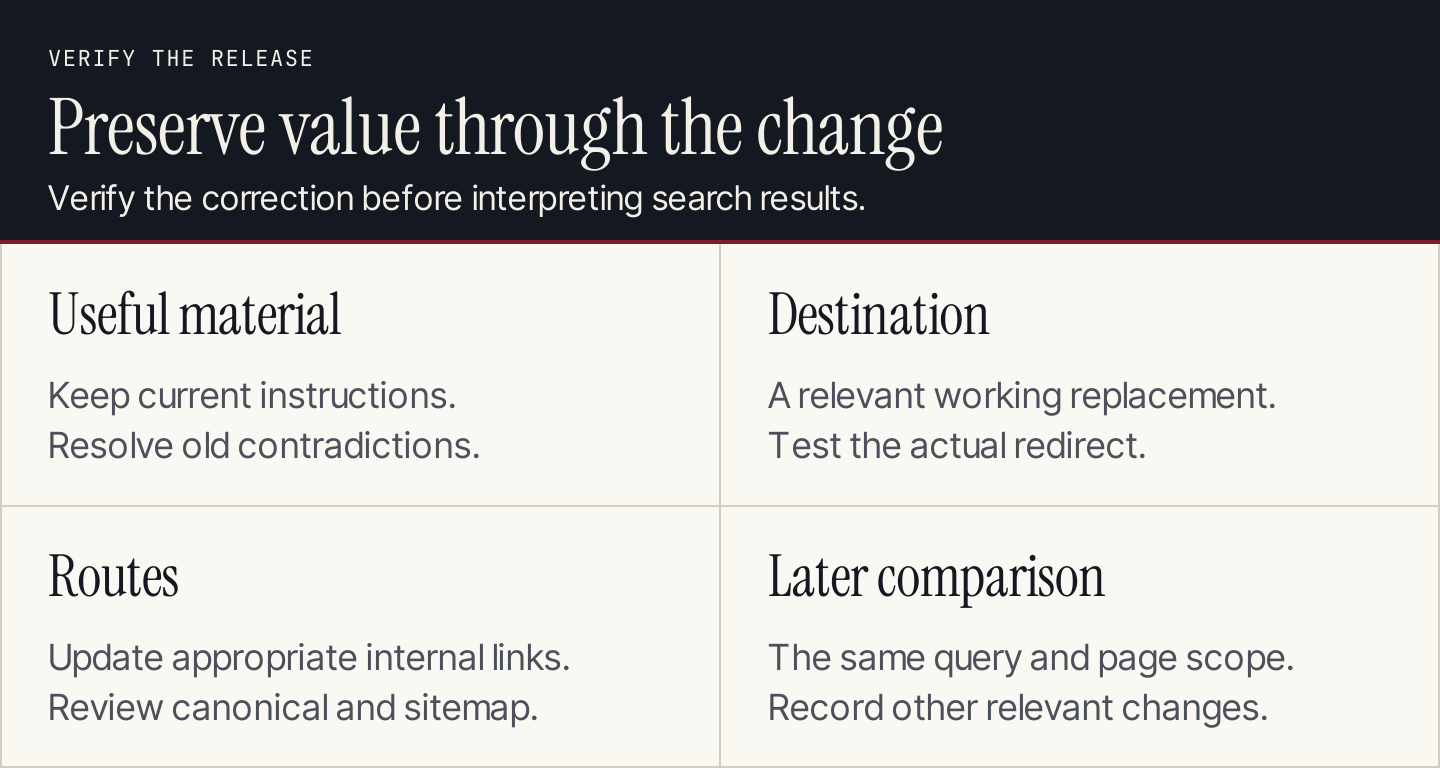
A correct release can be verified immediately. Search outcomes require a later comparison.
Before releasing a consolidation, save the original pages and the baseline reports. Record what will move, which URL will remain, and who can reverse the implementation if it behaves incorrectly.
After release, verify:
- The surviving page includes the useful, current answer.
- The old URL reaches the intended destination without a broken route.
- Important internal links point to the appropriate live page.
- Canonical links and sitemap entries match the intended structure.
- The page works on desktop and mobile, including images and tables.
- The measurement record includes the release date and other relevant site changes.
Use URL Inspection to examine Google's indexed information and test the live URL where appropriate. The live test cannot establish which canonical Google will ultimately choose or guarantee a search appearance.
Later, compare the same query family and page group using the same filters. Review qualified outcomes as well as search visits. Annotate demand changes, other edits, campaigns, and technical incidents that could affect the comparison.
A gain after the release is an observation. It does not, by itself, prove that consolidation caused the gain.
Prevent unnecessary overlap in the publishing workflow
Add an existing-coverage check to every content brief. Assign a reader task and destination before commissioning another article. If a useful page already owns the answer, update it or add a section.
Review the map when pages change, rather than only when traffic drops. New services, renamed products, and separate writers can all create overlap that a quick keyword check misses.
With Rankauto, you can research keywords and prepare blog drafts for review. Keep the approved page map beside that workflow and check each draft against it before publishing. Assign page-consolidation decisions to the person responsible for your content map.
Common questions
Is ranking two pages for one keyword always bad?
No. Check whether the pages serve different useful needs and whether there is evidence of a problem. Shared visibility can be appropriate.
Can changing the title fix cannibalization?
A more accurate title can clarify the page's purpose. If both pages still repeat the same answer, the underlying editorial overlap remains.
Should I delete the page with fewer visits?
Not on that evidence alone. Review its unique material, customer value, incoming links, and suitability for the intended task before choosing an action.
How quickly should I expect a ranking improvement?
There is no guaranteed timetable. Verify the implementation first, then review comparable search and business data over a period suitable for the site's traffic and demand.