How to Write an SEO Blog Post: Brief, Outline, Draft, and Publication

An SEO blog post starts with a question your audience needs answered. Research that question, decide what your page will contribute, and give the writer enough evidence to produce a useful answer. Then check the complete published page, including its images, links, and next step.
This guide follows that process from a brief to a publication checklist. The worked example uses Shopify’s public theme documentation. The brief, outline, and sample opening are original teaching material; they are not Shopify’s content plan or a tested ranking case.
The output is a post someone can use to make a decision. A search term gives the page a focus. It does not replace the research that makes the answer worth reading.
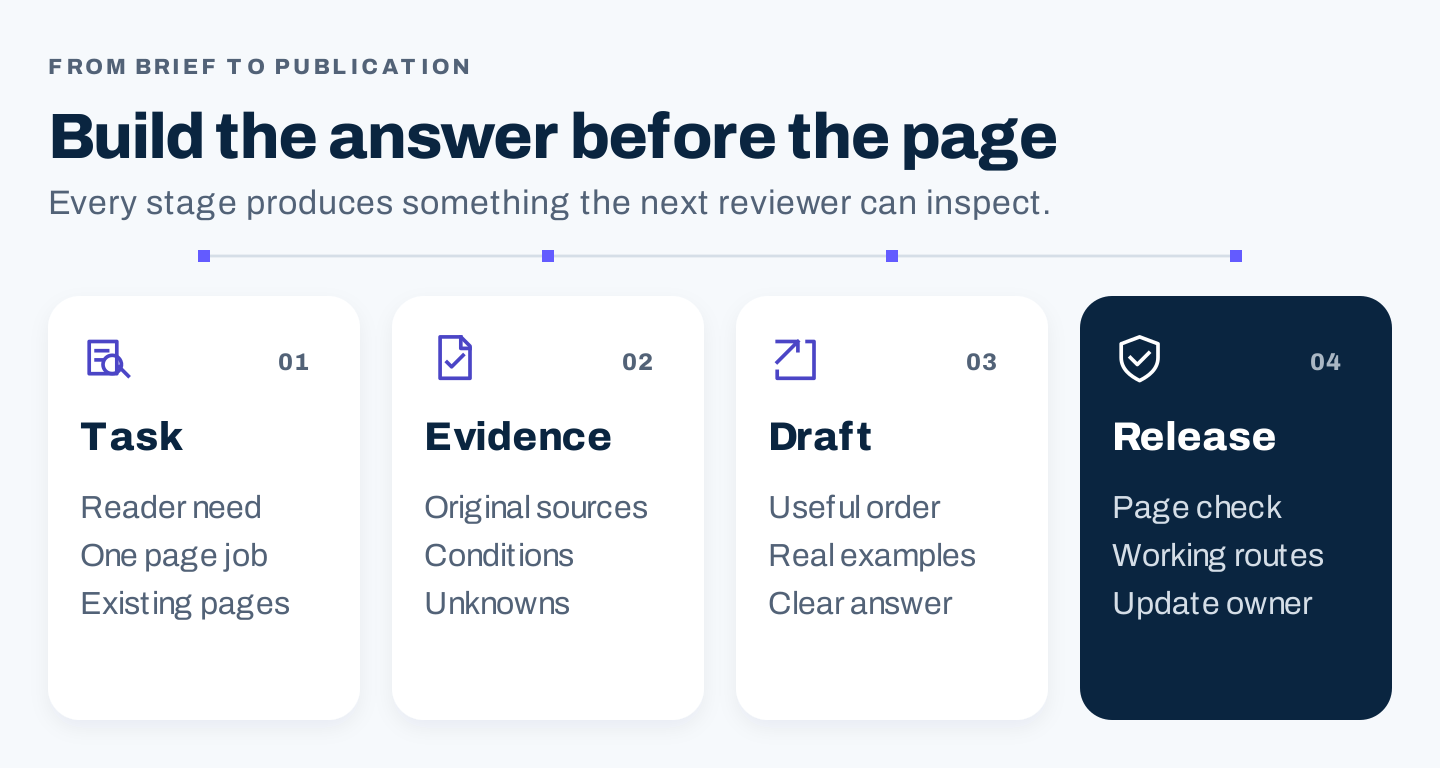
Original workflow: settle the reader task, gather evidence, draft the answer, and check the complete page before release.
1. Choose one reader task and check the existing pages
Write down what a reader should be able to do after reading. “Learn about Shopify themes” is broad. “Shortlist a Shopify theme using store requirements and a preview checklist” gives the article a concrete job.
For a business blog, also establish why your organization can help. An agency that implements stores may have relevant experience. A retailer may have a documented selection process. If your team has neither, plan a researched explanation and be honest about its limits. Do not turn vendor documentation into a claim of firsthand testing.
Before creating a new URL, search your own inventory. You might already have a theme-selection guide, an implementation service page, and a preview tutorial. Identify which page owns the decision and which pages support it. Updating a suitable existing guide can be a better editorial choice than adding another version of the same answer.
Check the search results without treating them as a template
Search the proposed query in the intended market. Record the date, language, and relevant settings, then inspect the pages that actually address the task. Look for their formats, assumptions, useful examples, and unanswered decision questions.
For an article about choosing a theme, distinguish a selection guide from a theme marketplace, a ranked list, and installation instructions. A guide should help readers choose. A ranked list would require credible comparison evidence. Installation instructions solve a later task.
Keep a simple comparison record:
| Observation | What to record | What it changes |
|---|---|---|
| Reader and task | Who the page helps and the decision it supports | Scope and level of explanation |
| Evidence | Actual demonstrations, sources, or comparisons | Research you need before writing |
| Useful strength | A checklist, visual, or explanation worth preserving as a reader need | Acceptance requirement for your own original response |
| Unresolved question | A decision the reader still cannot make | Opportunity for useful additional work |
| Existing destination | A page on your own site with the same job | Whether to create, revise, or consolidate |
A tool’s search volume is an estimate for a particular query, market, and period. Save that context. Volume for a broad phrase does not establish demand for every proposed article angle, and a related query’s volume is not the target query’s volume.
2. Build a source record with Shopify’s public guidance
Research the facts before you request polished prose. For a product workflow, start with current official documentation, then gather your own observations where actual testing is needed.
Shopify’s theme-selection guide explains feature search and collection or industry browsing. It also notes that an industry category does not restrict a theme to that industry. That provides a useful distinction between finding candidates and deciding whether they fit.
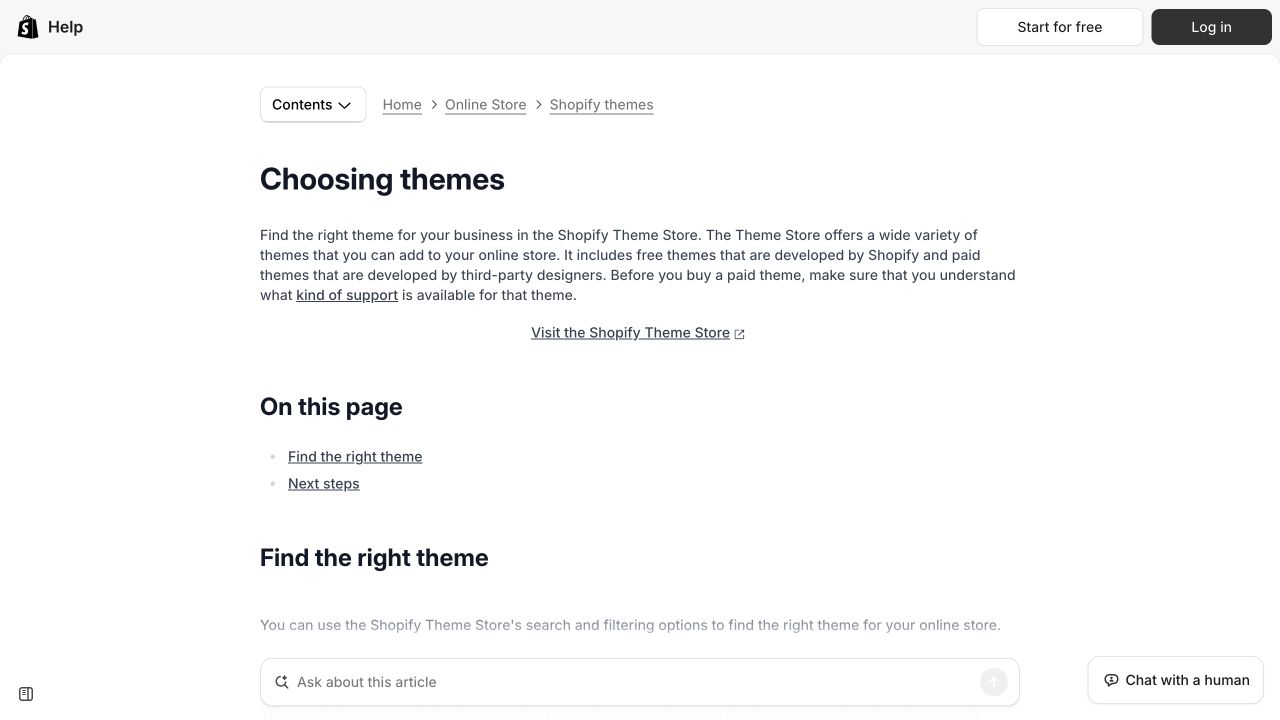
Shopify’s public selection guidance, captured October 8, 2026. It supplies a factual starting point for a researched brief, rather than evidence that any theme performs best.
The preview documentation adds an important boundary: a paid theme can be previewed before purchase, but purchase is required before publication. Trial customization has restrictions. Preserve that distinction when explaining the decision process.
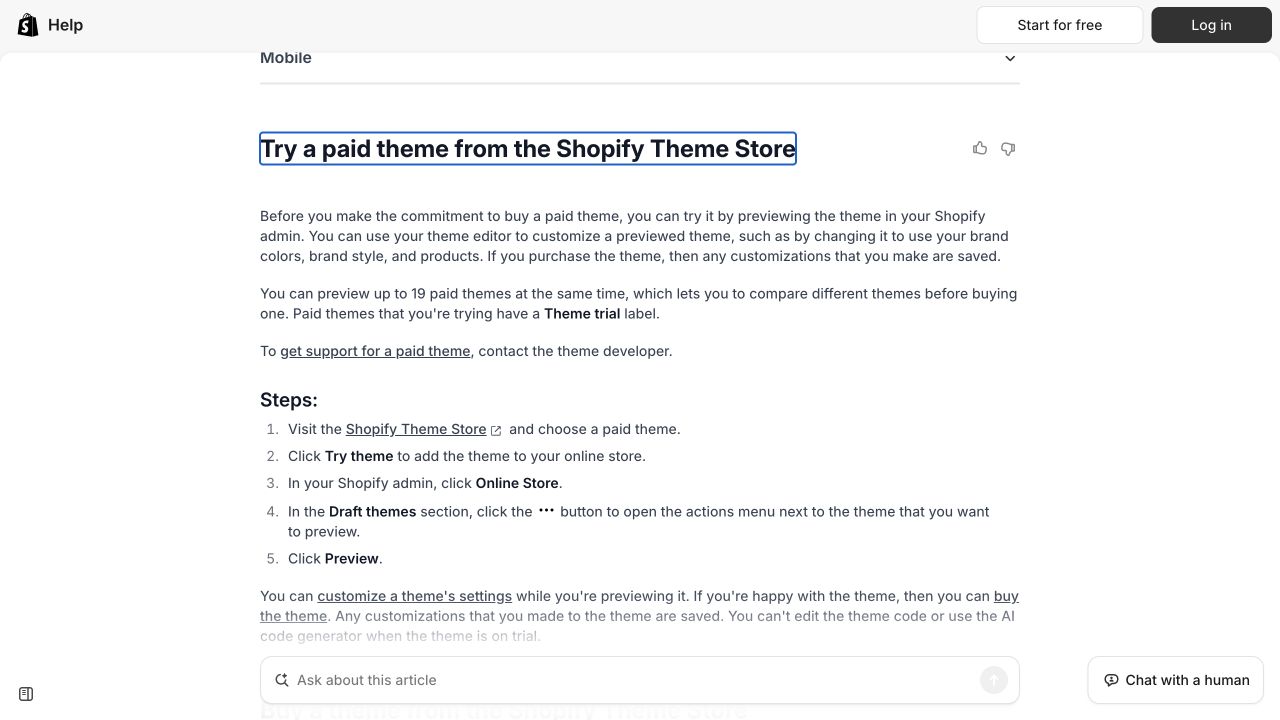
The preview step has conditions. An article should retain them instead of implying that trial access equals unrestricted use.
The support guide separates support according to who made the theme and the work requested. A selection article should therefore include a support check instead of assuming customization help is universally included.
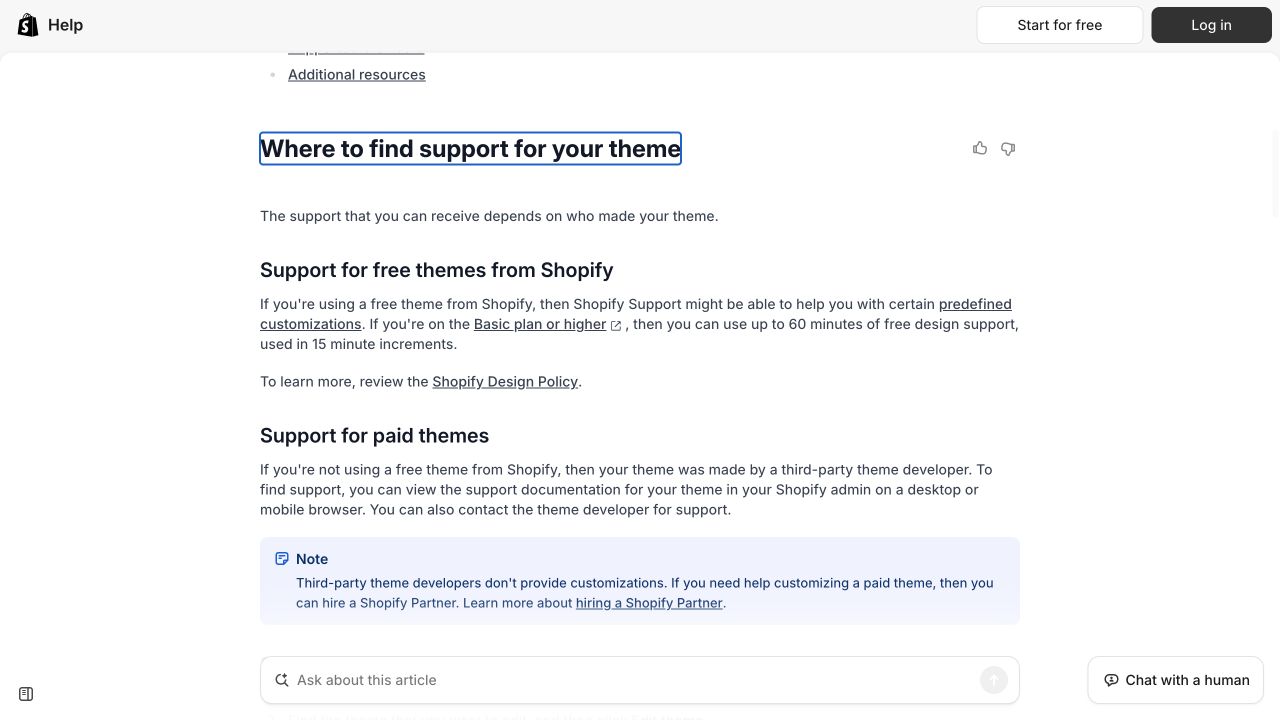
Support ownership is part of the selection decision. The screenshot is documentation evidence; no store, purchase, or support request was made.
For each source, record the supported statement, its limitations, and the date checked. If you need a performance comparison, screenshots from documentation will not supply it. You need a defined test, comparable inputs, and actual results.
Use this source record:
Statement the article needs to establish:
Original source and exact relevant section:
Date checked:
Scope: product version, plan, market, device, or conditions:
Evidence available: documentation / observation / executed test:
What this evidence cannot establish:
Reviewer responsible for checking the statement:
This separates a supported fact from an inference. “The documentation explains a preview route” is supportable. “This theme will increase sales” requires different evidence.
3. Complete a brief before requesting a draft
A brief gives the writer a clear task and the material needed to complete it. An outline determines the order of the answer. Keep them separate enough that you can change the structure without losing the agreed purpose.
Here is an original worked brief for the Shopify example:
| Brief field | Proposed instruction |
|---|---|
| Working title | How to Choose a Shopify Theme for Your Store |
| Reader | A store owner preparing a shortlist, with limited design or development experience |
| Task | Translate store requirements into a shortlist and a practical review plan |
| Query hypothesis | “How to choose a Shopify theme”; validate market intent and demand before assigning the target |
| Scope | Requirements, candidate discovery, evaluation questions, and a next-step checklist |
| Evidence | The three official resources above; additional firsthand checks if comparing named themes |
| Original contribution | A requirements worksheet and a record that shows why a candidate remains on the shortlist |
| Exclusions | Unperformed speed tests, unsupported sales forecasts, and a universal “best theme” ranking |
| Next step | Complete the shortlist record and use the current official instructions for the chosen route |
| Review | A subject reviewer checks product facts; an editor checks whether the decision is understandable |
The query is a hypothesis, not a measured-demand claim. The proposed next step is a useful action, not a forced sales pitch.
For your own article, add brand voice, relevant internal destinations, essential visuals, and the person responsible for maintaining changing facts. Keep instructions that affect the answer. A long list of suggested keyword variants can distract a writer from the actual task.
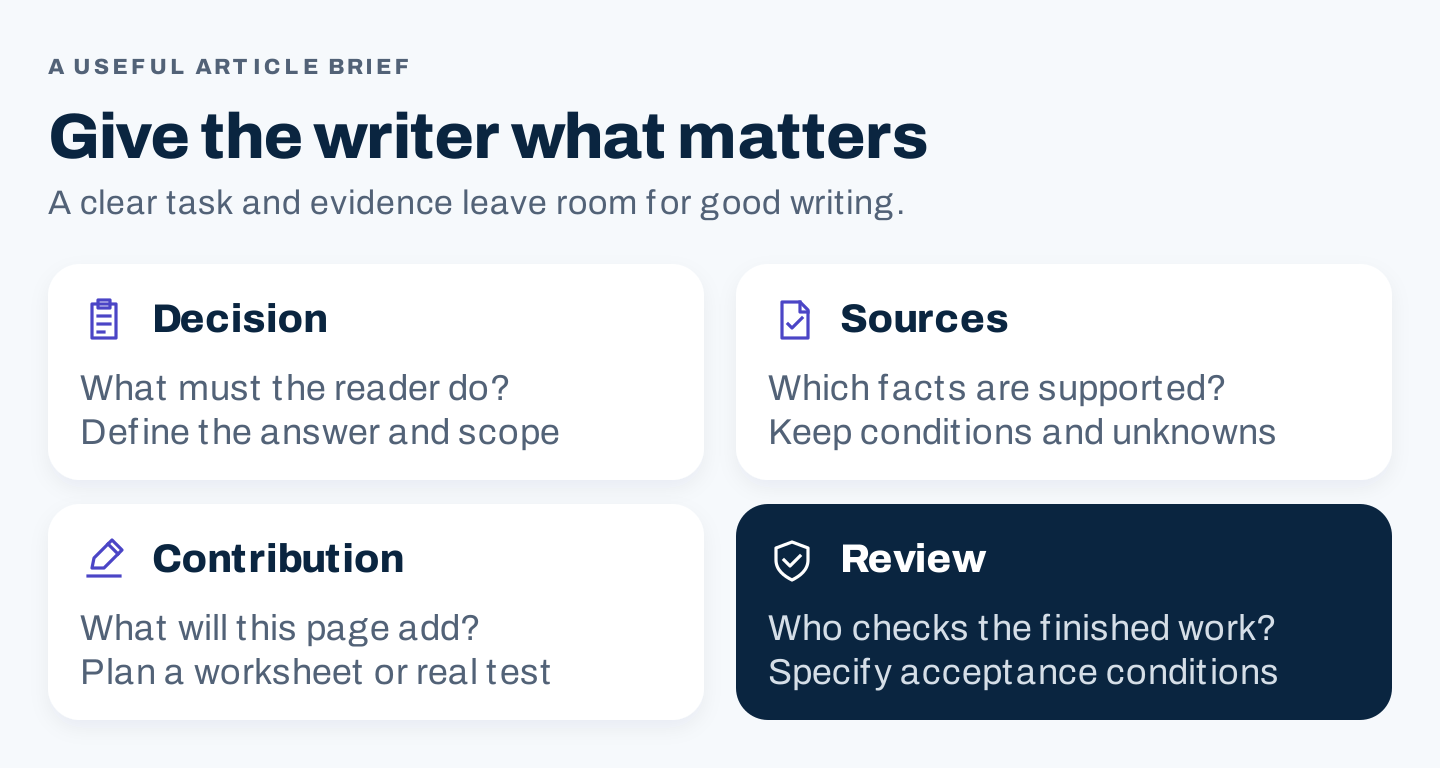
Original brief framework: define the decision, supply source material, identify the contribution, and specify the review.
Use AI to challenge the brief when it saves useful work
AI can help identify missing questions or organize supplied material. Use it after you have a task and evidence. A generated source list still needs inspection, and an unsourced model answer is not a factual record.
Review this article brief for a US English business audience.

Inputs:
- Reader task and current brief
- Verified source notes, each with an ID and limitations
- Existing pages and their distinct purposes

Return:
1. Questions essential to completing the reader task
2. Where the brief already supplies an answer
3. Missing evidence, marked UNKNOWN
4. Sections that repeat another page's job
5. One proposed original worksheet or demonstration

Use only the supplied evidence for factual statements.
Attach source IDs to factual suggestions.
Do not invent tests, search volume, customer stories, or results.
Approve or reject the suggestions yourself. If the suggested demonstration requires a product trial your team has not run, schedule that work or revise the promise.
4. Turn the brief into a decision-led outline
Order the sections around the choices a reader must make. Definitions belong where they remove confusion. They do not need to become a long opening lesson before the practical answer.
For the worked example, the proposed outline is:
- Write down the store requirements that a theme must support.
- Find candidates and record why each deserves inspection.
- Evaluate the shortlist using the same questions.
- Check the current preview, purchase, and support conditions.
- Record the decision and the checks needed before switching.
Give each section an output. The first produces requirements. The second produces candidates. The third produces a comparison record. This makes it easier to notice sections that merely repeat general advice.
An original requirements worksheet could ask:
Customer task the storefront must support:
Essential page or interaction:
Content or product information it must display:
Requirement: essential / useful / optional
Evidence needed to verify it:
Candidate observation and unresolved question:
Who can confirm the requirement:
These are proposed evaluation fields, not claims about a particular theme’s capabilities.
Plan visuals while outlining
Use an authentic screenshot to show a source, interface state, or actual result. Use a diagram to explain relationships or a decision. Use text for material readers need to copy or edit.
A source screenshot can show where a condition comes from. It cannot prove that your team completed the procedure. If the article promises a walkthrough, capture the actual relevant steps and preserve the setup information.
Keep figures close to the passage they support. Introduce what the reader should notice, provide descriptive alt text, and include a source caption. If labels become unreadable on a phone, simplify the diagram or put the detailed worksheet in the article.
5. Draft the answer, then review the evidence
Write a direct opening that establishes the task and the method. Avoid a generic history of the topic or a claim that your guide will deliver guaranteed rankings.
For example, this is an original proposed opening for the worked article:
Start with the customer tasks your store must support, then evaluate theme candidates against those requirements. Record what you have checked, what remains uncertain, and what needs review before making a final choice.
It gives the reader a method without presenting an unperformed comparison as a conclusion.
During drafting, keep one main point per paragraph. Replace vague advice such as “choose a professional design” with questions the reader can investigate: Can the layout display the information required for this purchase decision? Who will maintain the content? What still needs verification?
Then run two separate reviews. The subject reviewer checks facts, conditions, examples, and omissions. The editor checks structure, clarity, repetition, and whether the promised output is usable.
Google’s helpful-content guidance emphasizes original value and says there is no preferred word count. Choose the length needed to finish the task. Extra sections should earn their space by answering a relevant question.
6. Publish a complete page, then check the live version
Treat publication as a review of the whole page. A good draft can still fail when images are missing, links lead to the wrong destination, or a table cannot be read on a phone.
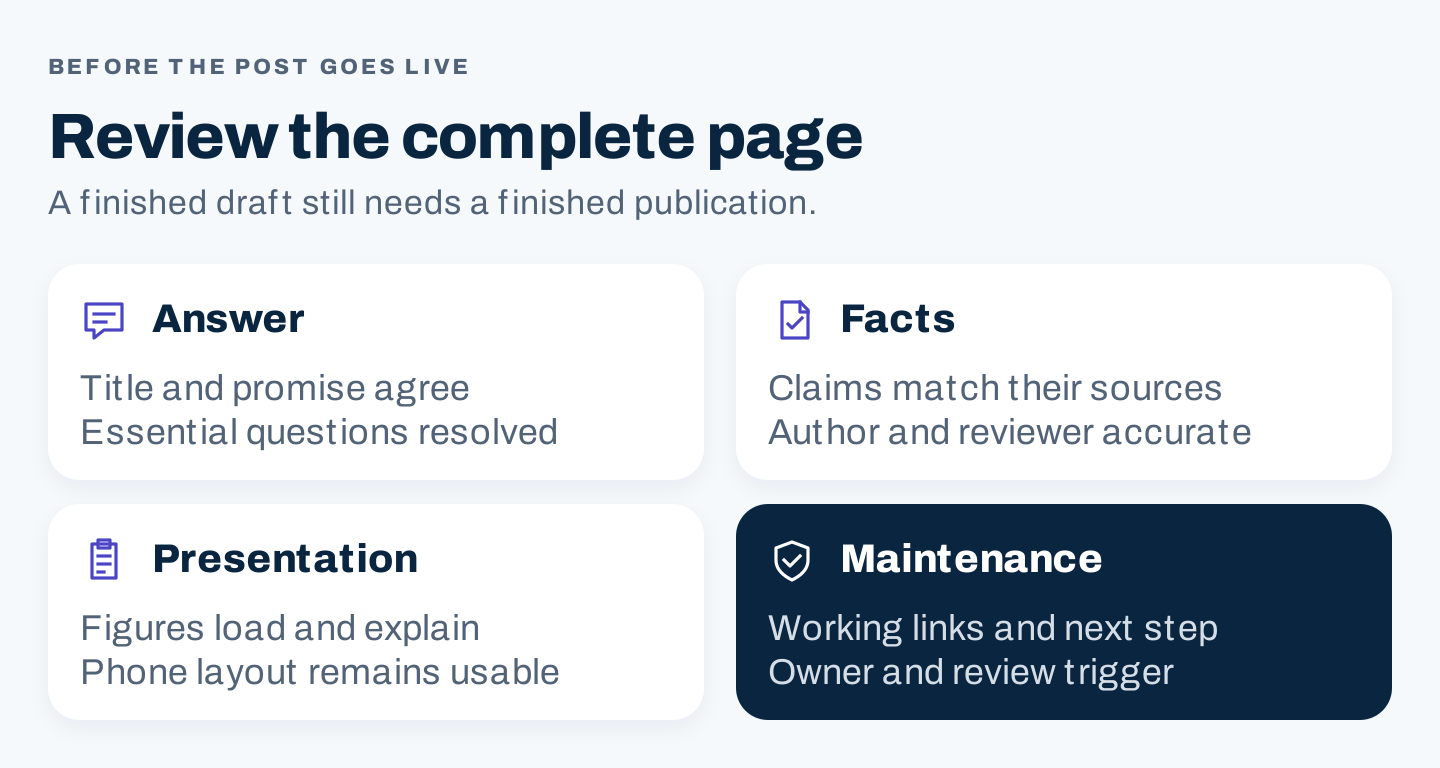
Original release checklist: verify the answer, facts, presentation, and maintenance plan.
| Check | What to verify |
|---|---|
| Title and opening | The promise matches the actual task and content |
| Metadata | The title and description distinguish this page accurately |
| Links | Relevant internal routes and source destinations work |
| Images | Each asset loads, has suitable alt text, and supports the nearby explanation |
| Phone layout | Text, tables, images, and copyable material remain usable |
| Attribution | The actual author and reviewer are identified appropriately |
| Technical access | The intended page is public and its search controls are deliberate |
| Maintenance | A named owner knows which changes trigger a review |
Google’s title-link guidance recommends descriptive, distinct titles; the displayed title may differ. Snippets mainly come from page content and can vary by query. Write useful metadata without promising an exact display or treating a character count as a universal rule.
The Search Essentials also make clear that meeting requirements does not guarantee crawling, indexing, or serving. Check technical eligibility separately from editorial usefulness.
After publication, record the URL, release date, major changes, and baseline. Review search discovery, relevant reader actions, and new questions. Use those observations to identify the next useful change rather than rewriting the article whenever a single position fluctuates.
For AI search, the practical foundation remains a reliable answer with clear sources and useful original material. Google’s generative AI guidance connects its AI features with foundational SEO. A prompt-shaped heading or a longer FAQ list does not establish that an AI system will cite your page.
Questions about writing an SEO blog post
How long should the post be?
Long enough to complete its reader task with adequate explanation and evidence. Remove sections that repeat the answer or solve a different problem. A compact decision guide and a detailed executed walkthrough need different amounts of space.
Should every article include an AI prompt?
Include one when it helps the reader do useful work, such as checking a sourced brief. Leave it out when a simple worksheet or human judgment is more effective. The prompt should fit the task rather than become a standard decorative section.
Can a post be SEO-friendly without mentioning a product?
Yes. A post can answer a relevant question and connect to a useful next resource without forcing a product reference. Any commercial handoff should follow from the reader’s task and the facts the article can support.