SEO Tools for Small Teams: Compare Tasks, Data, and Workload

The best SEO tools are the ones your team can use to make better decisions and complete the work behind those decisions. A tool with more reports can still be a poor purchase if nobody has time to interpret or act on them.
Start with the tasks: understand your own search performance, investigate technical problems, research demand, compare competing pages, and report useful progress. Add paid software when it solves a recurring gap that the free tools and your existing systems cannot cover adequately.
This guide compares public capabilities, data types, and live pricing pages checked on October 8, 2026. It includes one actual Google Trends comparison. Ahrefs, Semrush, and Screaming Frog were not installed or tested through paid accounts; their screenshots document public vendor information.
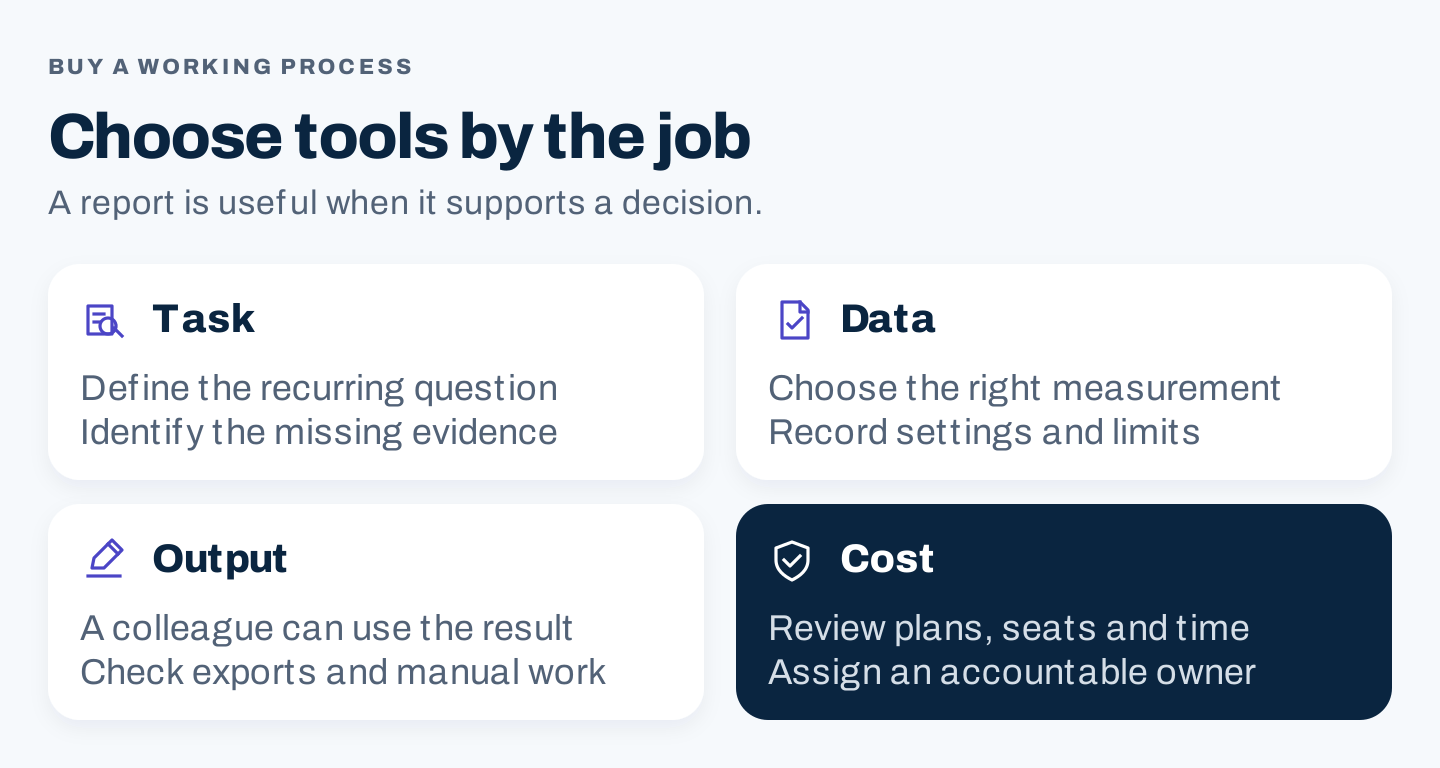
Original procurement framework. Define the job and acceptable output before comparing subscriptions.
1. Start with the decisions your team makes
Write three recurring questions before opening a pricing page. For example:
- Which existing page needs attention, and why?
- Which customer question deserves a new page?
- Is a technical problem preventing readers or search engines from accessing important content?
Each question needs a different kind of evidence. Own-site performance data, modeled competitor estimates, and a crawl of page elements are not interchangeable.
| Task | Tool or category to shortlist | Data or output to inspect | Main limitation to remember |
|---|---|---|---|
| Review your Google search performance | Google Search Console | Queries, pages, impressions, clicks, countries, and devices | Covers the property you can access; it is not a complete competitor database |
| Investigate a page’s indexing status | Search Console URL Inspection | Indexed information and a separate live test | A live test is not proof the page will be indexed or selected as canonical |
| Compare relative search interest | Google Trends | A chart with recorded term, geography, period, and search type | Normalized interest is not monthly search volume |
| Examine historical keyword demand | Google Keyword Planner or a research suite | Location, date basis, related queries, and metric definitions | Advertiser competition and organic ranking difficulty are different metrics |
| Inspect page elements across URLs | Screaming Frog SEO Spider | Crawl results that help investigate page-level issues | Access, crawl settings, version, and license affect what is inspected |
| Research competing domains and keywords | Ahrefs or Semrush | Relevant reports and exports with market settings | Competitor traffic and keyword metrics are estimates |
| Investigate loading and interaction performance | PageSpeed Insights | Lab diagnostics and available field data | A performance score is not a complete SEO assessment |
Google documents Search Console’s performance dimensions and URL Inspection’s distinction between indexed information and a live test. The latter cannot predict Google’s chosen canonical. Performance report, URL Inspection.
PageSpeed Insights combines lab diagnostics with field data where sufficient real-user data exists. Check whether the field result applies to the exact URL or the whole origin. An absent field result is not a zero score. About PageSpeed Insights.
Pick a minimum viable stack
For an owner managing one small website, start with access to Search Console, a public interest tool such as Trends, and a way to investigate technical problems. Keep an ordinary task sheet alongside them. It should record the page, problem, evidence, owner, and next action.
For a marketing team, add a paid research suite when recurring keyword and competitor work justifies it. For an agency, also assess client-property limits, seats, access controls, exports, and reporting effort.
These are proposed stack patterns. They do not mean every business needs the same subscriptions.
2. Decide what “an Ahrefs alternative” needs to replace
An alternative can replace one job without replacing the entire product.
If you mainly need to understand your own Google search performance, Search Console answers a different and more direct question than a third-party traffic estimate. If you need a site crawl, evaluate a crawler. If you repeatedly investigate competing domains, free own-site access may be insufficient.
Ahrefs’ public FAQ distinguishes its ownership-verified free access from paid competitor research. It separately lists Starter at $29 per month. The Lite and Standard cards shown below are selected comparison plans, not a claim that Lite is its cheapest offer. Ahrefs FAQ.
Before comparing vendors, complete this sentence:
We need to replace ______ because our current workflow fails when ______. An acceptable alternative must produce ______ within ______.
For example, an agency might need an export that a colleague can review without manually opening every report. That is a concrete procurement requirement. “More features” is not.
Treat free access, trials, and refunds separately
A free plan may have ongoing usage limits. A trial may require a card and renew automatically. A refund policy applies after a purchase and has its own conditions. Do not assume that an old comparison article’s trial length, introductory price, or cancellation instructions still apply.
Before signing up, record the current billing period, renewal terms, cancellation route, access limits, and what happens to stored projects. Check these on the vendor’s current pages and checkout; the screenshots in this guide do not constitute a checkout quote.
Check crawler limits in context
Screaming Frog’s public overview states that the free SEO Spider version can crawl up to 500 URLs. The free and paid versions differ in features as well as crawl limits. Screaming Frog SEO Spider.
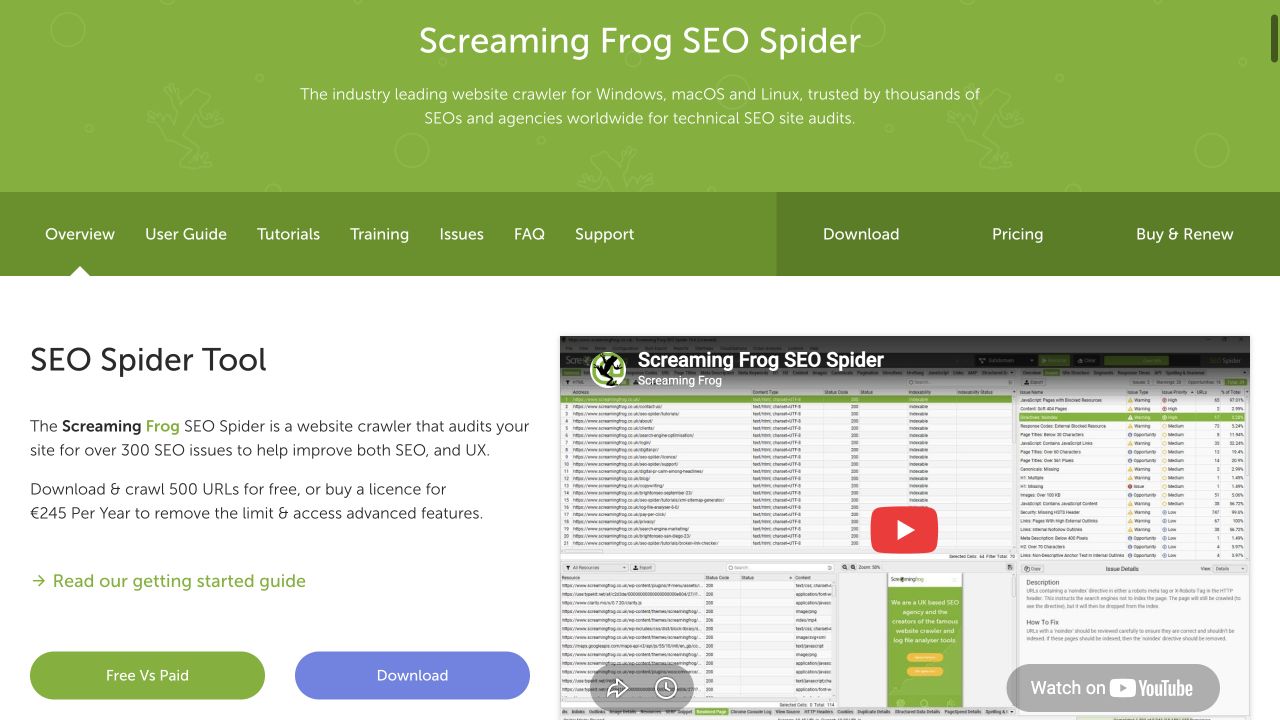
Authentic desktop capture. The displayed paid price is regional and annual; it should not be compared directly with a monthly dollar subscription. No crawl was run.
A site with fewer than 500 intended content pages can still expose more crawlable URLs through filters, archives, parameters, or other routes. Define the crawl scope and check the required features. Do not choose a license solely from the number of blog posts.
3. Compare Ahrefs and Semrush on the same billing basis
The public pages displayed the following monthly-billing rates on October 8, 2026. These are selected visible plans and allowances, not a complete feature comparison. Confirm currency, taxes, users, add-ons, and checkout terms for your account before buying.
| Vendor and visible plan | Displayed monthly rate | Selected visible allowance | Question to resolve before choosing |
|---|---|---|---|
| Ahrefs Lite | $129 | Entry card for a smaller research workload | Will your required reports and usage fit its limits? |
| Ahrefs Standard | $249 | A higher-capacity plan with different access | Which actual recurring task requires the upgrade? |
| Semrush SEO | $139.95 | 5 websites and 500 tracked keywords | Is the SEO-only scope sufficient? |
| Semrush Starter: SEO + AI Search | $199 | 5 websites, 500 tracked keywords, 50 daily tracked prompts | Do you have a defined AI monitoring question? |
| Semrush Pro+: SEO + AI Search | $299 | 15 websites, 1,500 tracked keywords, 100 daily tracked prompts | Do client or team needs justify the larger allowance? |
| Semrush Advanced: SEO + AI Search | $549 | 40 websites, 5,000 tracked keywords, 200 daily tracked prompts | Will the team use and maintain this capacity? |
The Semrush page had a selected toolkit and billing radio controls. Switching those controls changes the comparison. Comparing one vendor’s annual effective rate with another’s monthly rate would obscure the commitment. Ahrefs pricing, Semrush SEO and AI Search pricing.
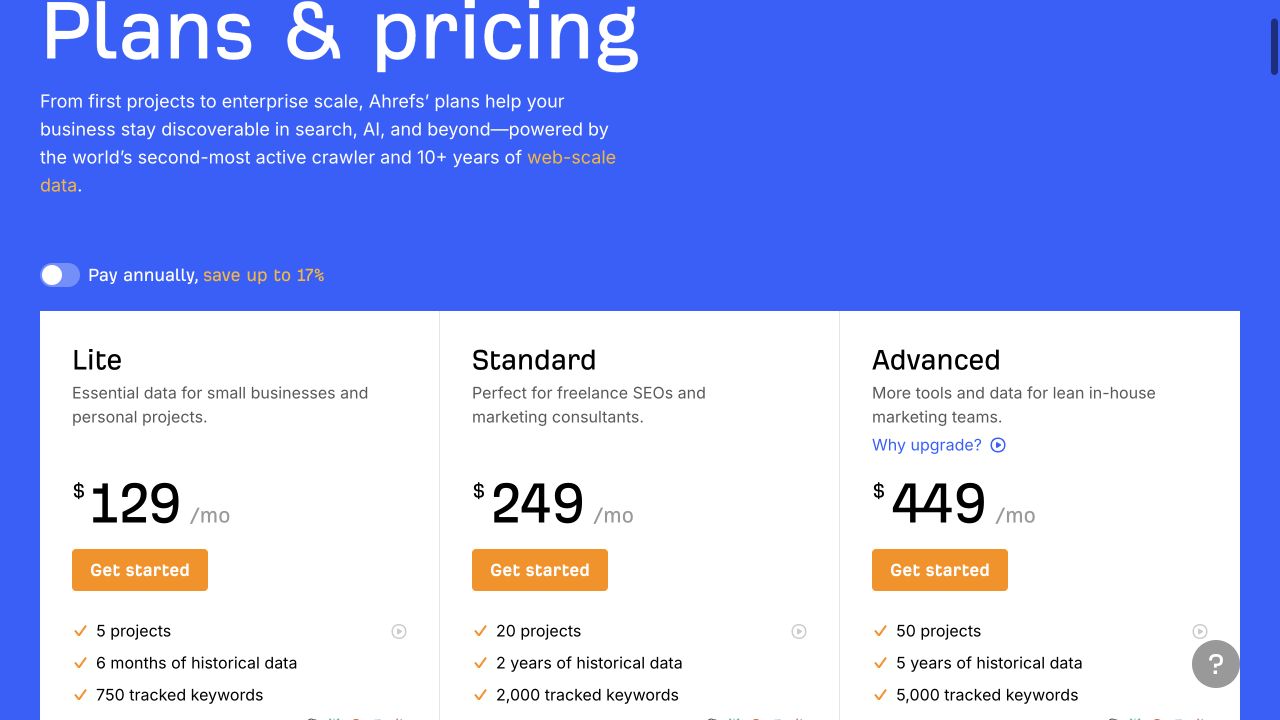
Authentic desktop capture with monthly billing selected. These cards show public allowances; they are not results from testing the software.
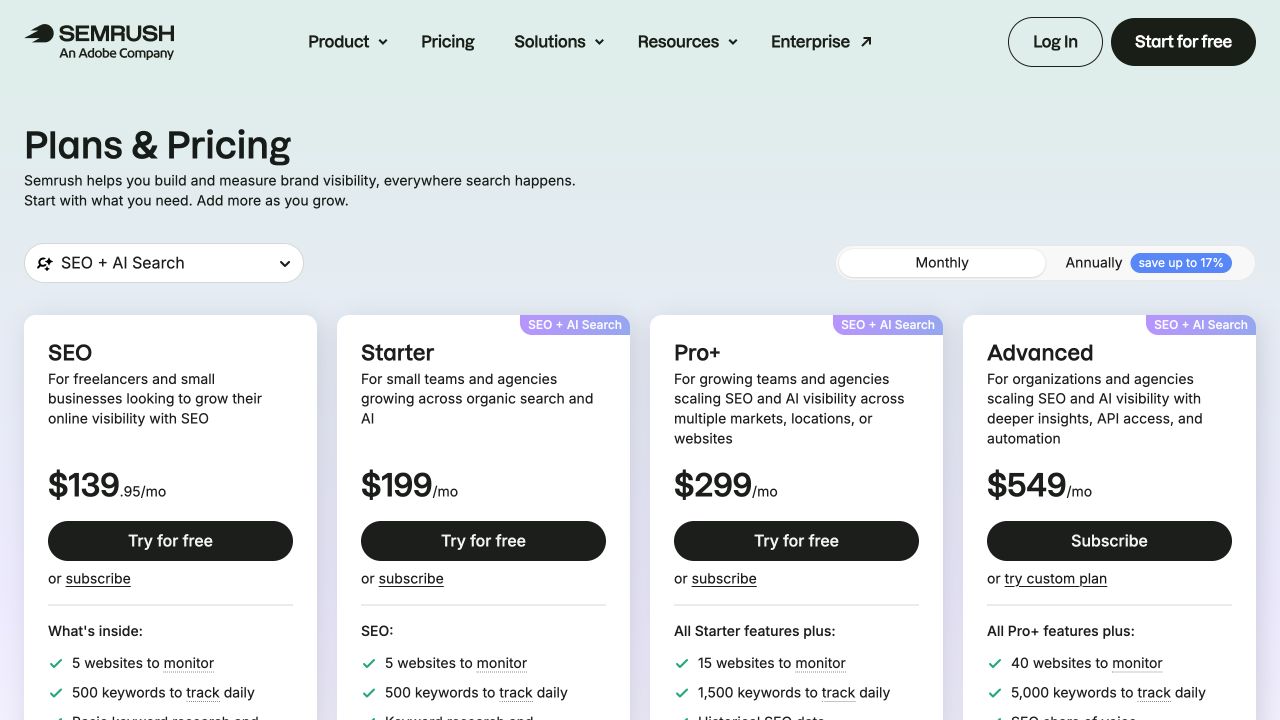
Authentic desktop capture with Monthly selected in the SEO + AI Search pricing view. The left card is labeled SEO; the other cards bundle SEO and AI Search.
This evidence does not establish that one suite is universally better. Differences in included reports, geography, historical access, users, and export limits can matter more than a small difference between base prices.
Compare the meaning of keyword metrics
Use the same market, period, and query when comparing keyword data. Save the definitions beside the export.
Semrush describes search volume as an estimate generated from data and models, not an official exact Google count. Ahrefs likewise describes its data as estimates. Use the figures to prioritize investigation, then inspect the actual reader task and competing pages. Semrush volume methodology, Ahrefs FAQ.
Google Keyword Planner’s historical metrics include close variants and depend on location and network settings. Its competition metric concerns advertisers. It is not a direct measurement of organic ranking difficulty. Keyword Planner metric definitions.
A tool’s keyword-difficulty score also remains that vendor’s model. Do not treat a score from one provider as directly equivalent to the same number from another.
4. Run one real Google Trends comparison
Here is the public comparison actually run for this guide:
| Setting | Recorded input |
|---|---|
| Terms | commuter bike and hybrid bike |
| Input type | Search terms |
| Geography | United States |
| Period | Past 12 months |
| Category | All categories |
| Search type | Web Search |
| Observed on | October 8, 2026 |
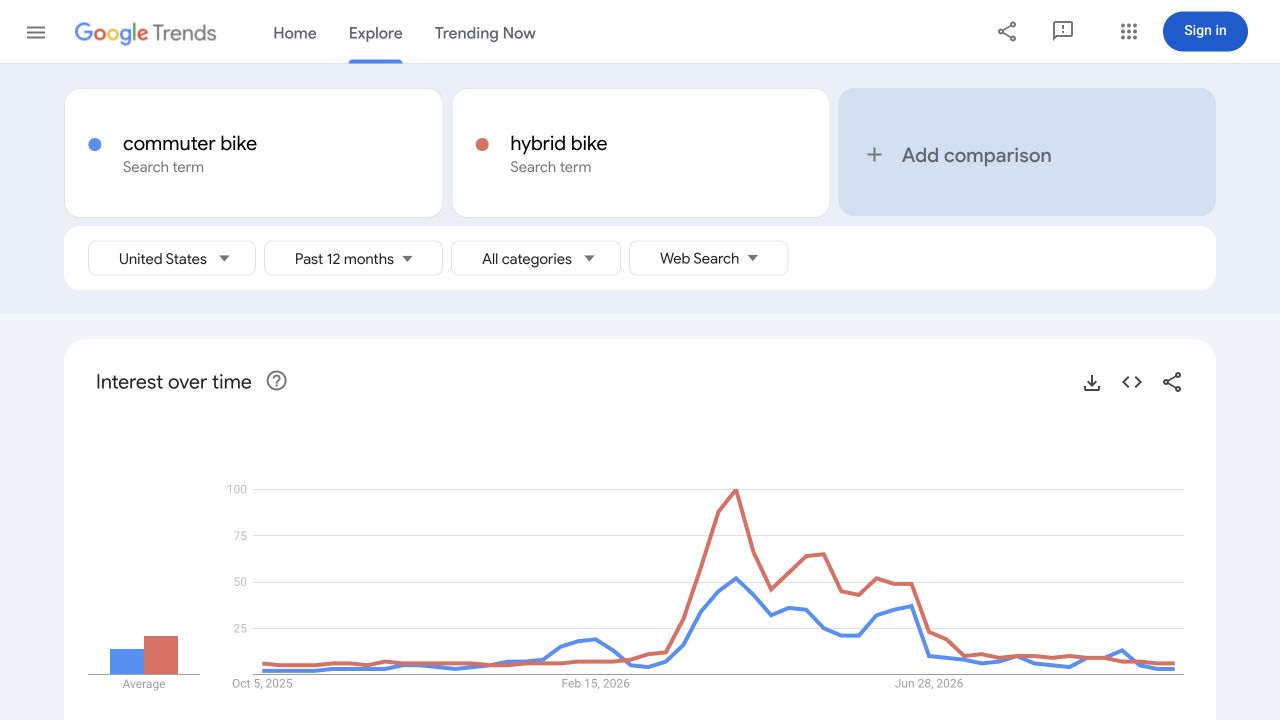
Authentic desktop capture of the executed public comparison. The visible chart covers roughly October 2025 to October 2026 and shows relative interest, including peaks around April. No monthly search volume or sales result is inferred.
The two terms have visibly different relative-interest patterns. That is a reason to investigate timing and terminology further. It does not establish which product a business should stock, why a peak occurred, or how many readers a new article will receive. Open this Google Trends comparison.
Google explains that Trends normalizes interest by time and geography, then scales it from 0 to 100. The chart is a sampled relative-interest view, not a monthly volume report. Google Trends data FAQ.
A sensible next task would be to check the customer question, inspect suitable search results, and compare available keyword estimates with the same US settings. Those next tasks are proposed; they were not executed as part of this demonstration.
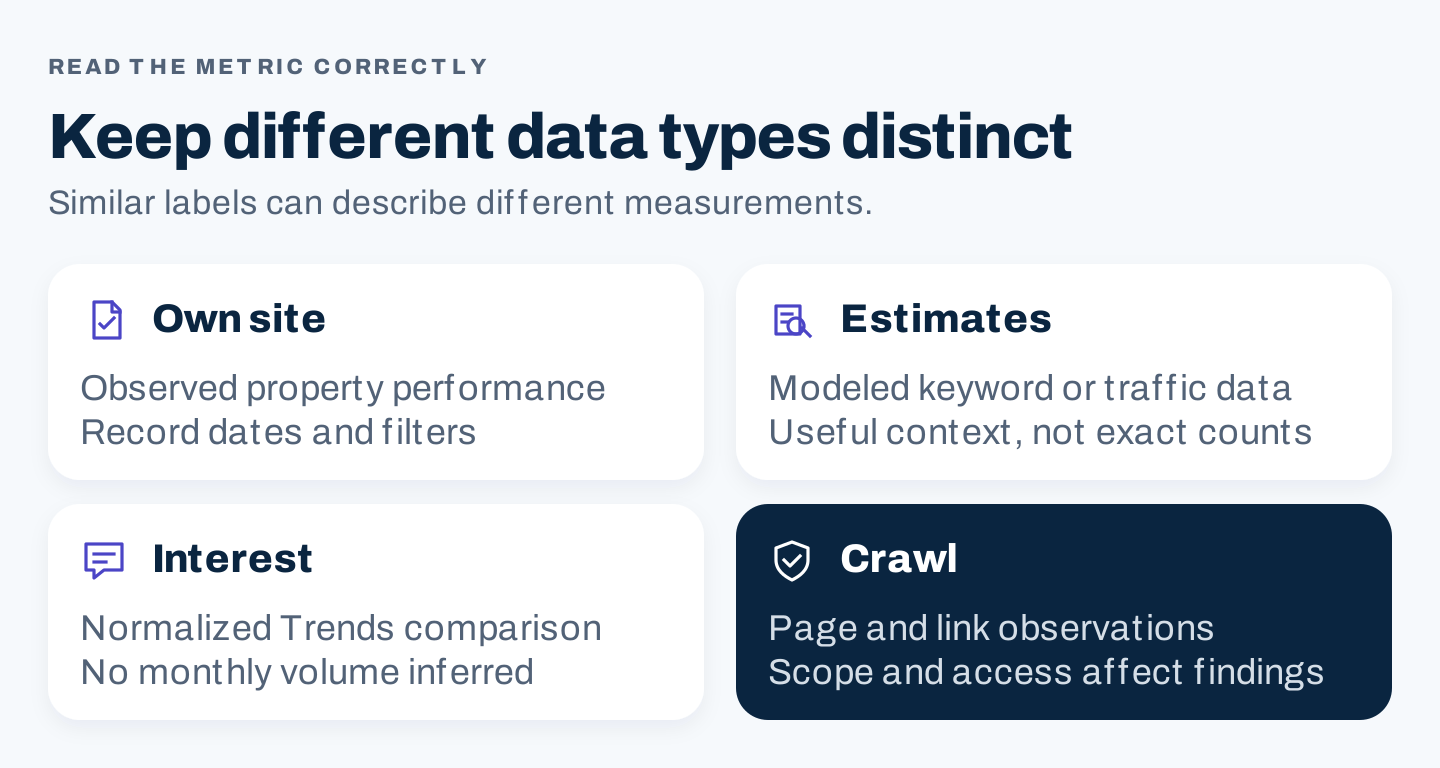
Original data interpretation guide. Different reports answer different questions; matching their labels does not make their measurements equivalent.
5. Evaluate a paid tool with a fixed task sheet
Choose a small set of permitted inputs: your own site, a few public competing pages, and several relevant queries. Keep the inputs and intended output consistent across candidates.
The following is a proposed pilot. It is not a set of completed product tests.
| Test task | Acceptance evidence | What to record |
|---|---|---|
| Investigate one page problem | A colleague can reproduce the finding and identify a next action | Settings, report date, affected URL, limitations |
| Research one customer question | Relevant query ideas with recorded US settings and an interpretable export | Metric definitions, unsupported assumptions, manual cleanup |
| Compare a public competitor page | Evidence that helps improve the answer or choose the right page type | Estimate versus observation, report scope, date |
| Prepare a team or client update | A useful summary without rebuilding every chart manually | Preparation time, export restrictions, recipient access |
| Repeat the workflow | The second run remains within the plan’s limits | Credits or allowances consumed, seat requirements |
Record a result as passed, failed, or not evaluated. Missing access is not a passed test. A sales demo is useful evidence of a shown workflow, but it is not evidence that your own inputs work under the selected plan.
Tool, plan, billing basis, and evaluation date:
Recurring task and permitted inputs:
Required output and acceptance condition:
Settings and data definitions:
Observed result or not evaluated:
Manual work needed:
Usage limits and users required:
Questions still unresolved:
Monthly cost plus separate add-ons:
Decision, owner, and next review date:
Use the sheet to compare fit, not to create a precise-looking score from untested claims. A must-have requirement can decide the purchase even when another tool has more optional features.
6. Make a purchase decision your team can sustain
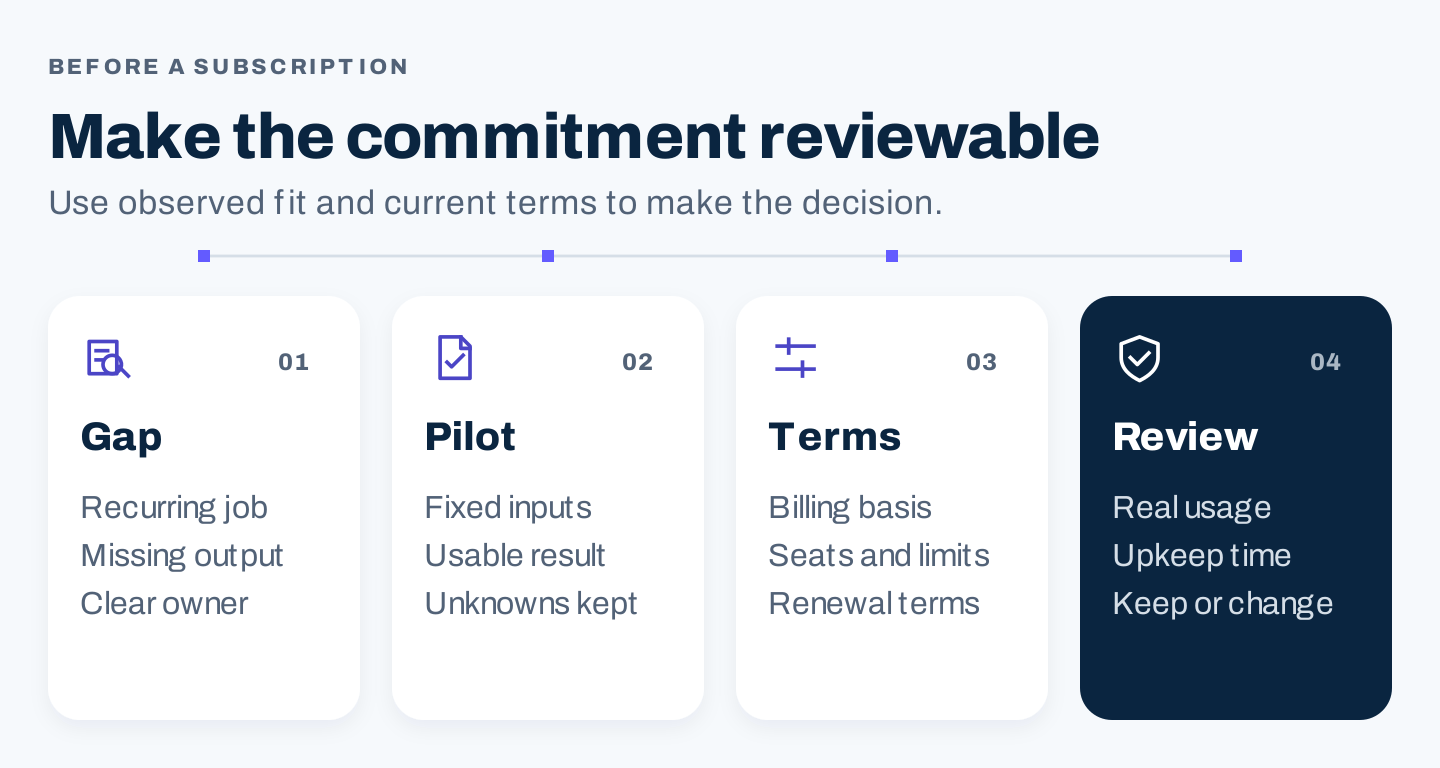
Original buying checklist. Purchase follows a defined need and observed fit; it does not follow a feature-count contest.
Include the time cost. Someone needs to configure projects, check data, maintain reports, and act on findings. A cheaper subscription can require more manual preparation; an expensive subscription can be idle.
For agencies, ask whether each client needs a separate project or tracked location, who requires a paid seat, how access will be removed at handoff, and whether exports remain usable after cancellation. Record client permissions before connecting properties.
Add AI visibility tracking when the team has defined the prompts, platforms, locations, and decisions it will support. A bundled prompt allowance does not by itself make monitoring useful. An AI writing assistant also does not replace a crawler or your own search-performance data.
Review the purchase after a suitable period of real use. Keep the tool when it supports recurring decisions at a manageable cost. Downgrade or cancel when its unique contribution no longer justifies the commitment, after exporting what the team needs and checking the current cancellation terms.
The shortlist is complete when your team can explain which job each tool owns, which data it supplies, and who will turn the result into action.