Content Repurposing: Turn One Useful Asset into Email, Social, and Video

A good blog post can answer several useful questions. That does not mean every paragraph belongs in a newsletter, every section needs a video, or every statistic should become a social graphic.
Content repurposing means adapting existing material for a different format, audience situation, or use. You keep the useful substance and rebuild the presentation around the new reader's task.
The strongest starting point is an asset with reliable evidence and a clear purpose. Review it, select the part that helps in the new setting, and create an adaptation that works on its own.
This guide shows how to repurpose blog content for email and other formats. It uses three real publishing examples, provides a worked email structure, and includes two optional AI prompts for source review and adaptation. The example structures are original suggestions, not claims about the brands' private campaigns.
Repurposing, updating, and redistribution solve different problems
| Activity | What changes | Example | Main question |
|---|---|---|---|
| Repurposing | Format, emphasis, or use | Turn a webinar explanation into a written checklist | What does this audience need in this setting? |
| Updating | Accuracy and currency | Replace obsolete product screenshots in a guide | Is the original still reliable? |
| Redistribution | Where people encounter the asset | Share the same guide in a partner newsletter | Which relevant audience should see it? |
| Republishing | Where the full material appears | Publish an authorized version on another site | Are rights, attribution, and destination clear? |
These activities can overlap. An old webinar may need a factual update before you turn it into an article. A new email adaptation still needs a distribution route. Use content distribution planning to choose that route.
Repurposing also differs from extracting a quote without context. A short post should preserve qualifications that change the meaning. A survey result needs its population and time period. An expert's recommendation may depend on the situation they were discussing.
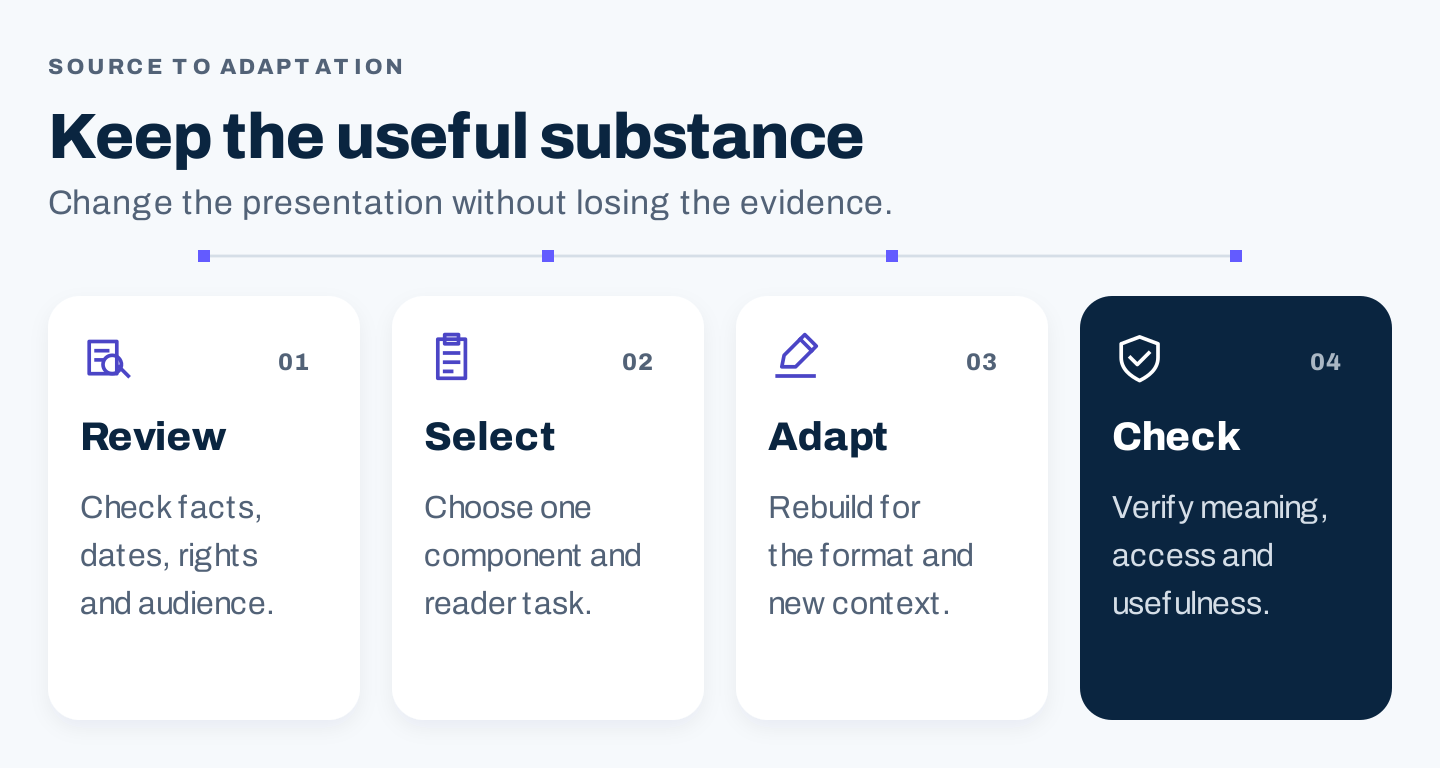
Original workflow. Verification comes before adaptation; a shorter format still needs enough context to remain accurate.
Three real examples of reusable content
HubSpot: connect a substantial report with an accessible article
HubSpot's State of Marketing report page presents a substantial research resource. Its marketing trends article discusses selected findings and points readers toward the report.
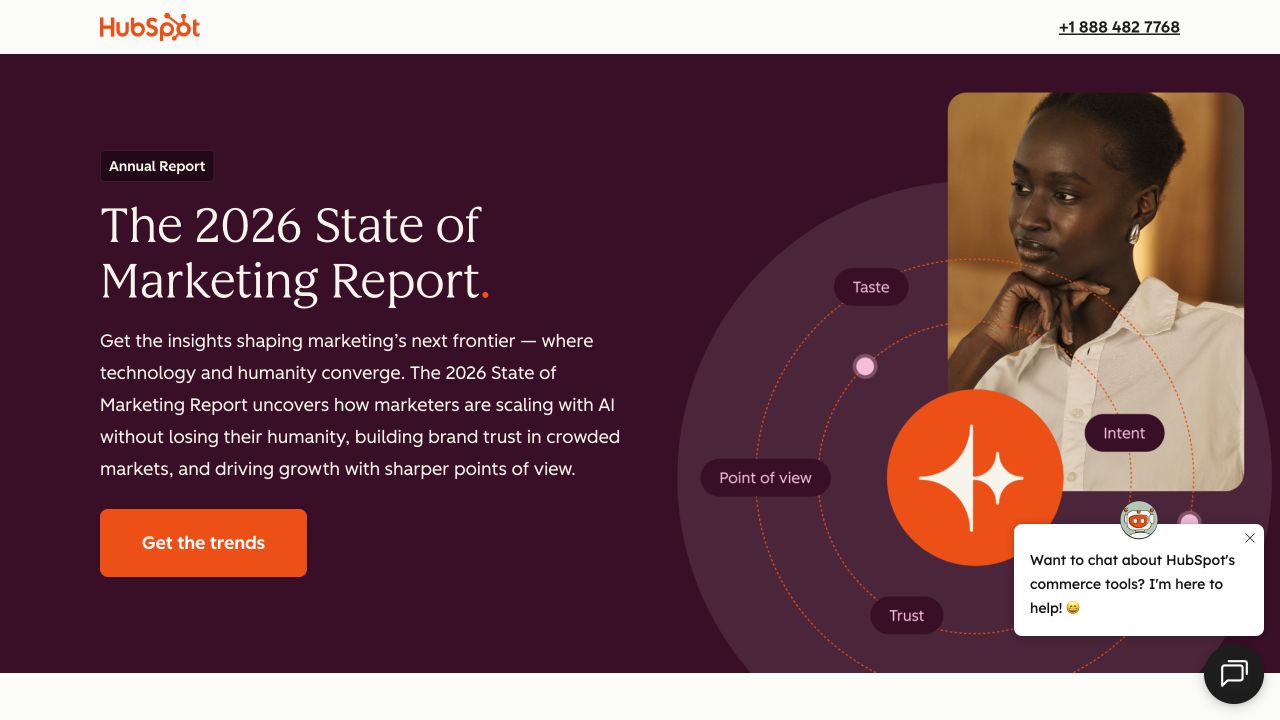
Source: HubSpot report page, desktop capture, October 7, 2026. The report has a dedicated destination and explanation.
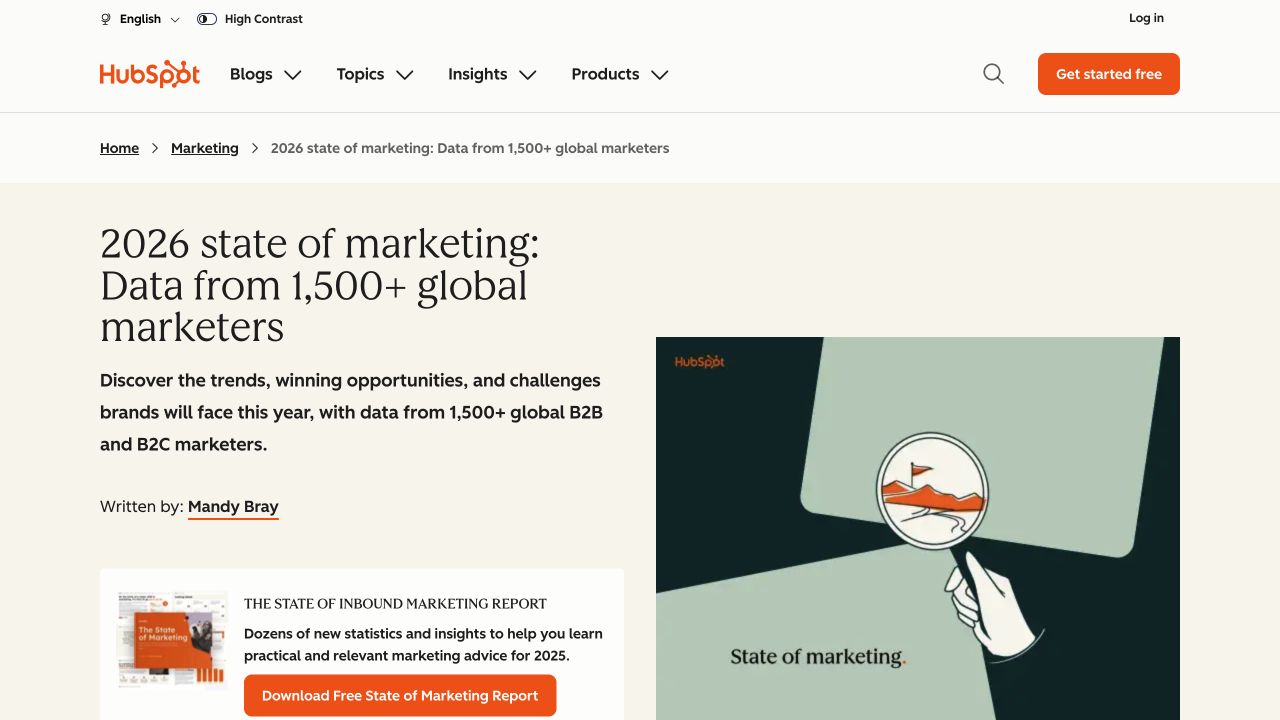
Source: HubSpot marketing trends article, desktop capture, October 7, 2026. The visible headline refers to 2026 while the displayed offer artwork refers to 2025, a useful reminder to review dates across the whole page.
The two formats have different jobs. A report offers depth and supporting research. An article can help a reader understand a selected implication before deciding whether to explore the report.
Apply that distinction to your own research. Do not compress every finding into a short article. Choose one audience question, include the evidence needed to answer it, and offer the full source for people who want more detail.
The year mismatch also matters. Updating a headline leaves old promotional blocks, graphics, and linked files untouched unless someone checks them. Keep a list of derivatives whenever a source changes.
Buffer: turn a spoken explanation into a written guide
Buffer's historical article The Science of Writing Great Tweets introduces material from a webinar and references its slides and recording. It shows a real relationship between an event and a written resource.
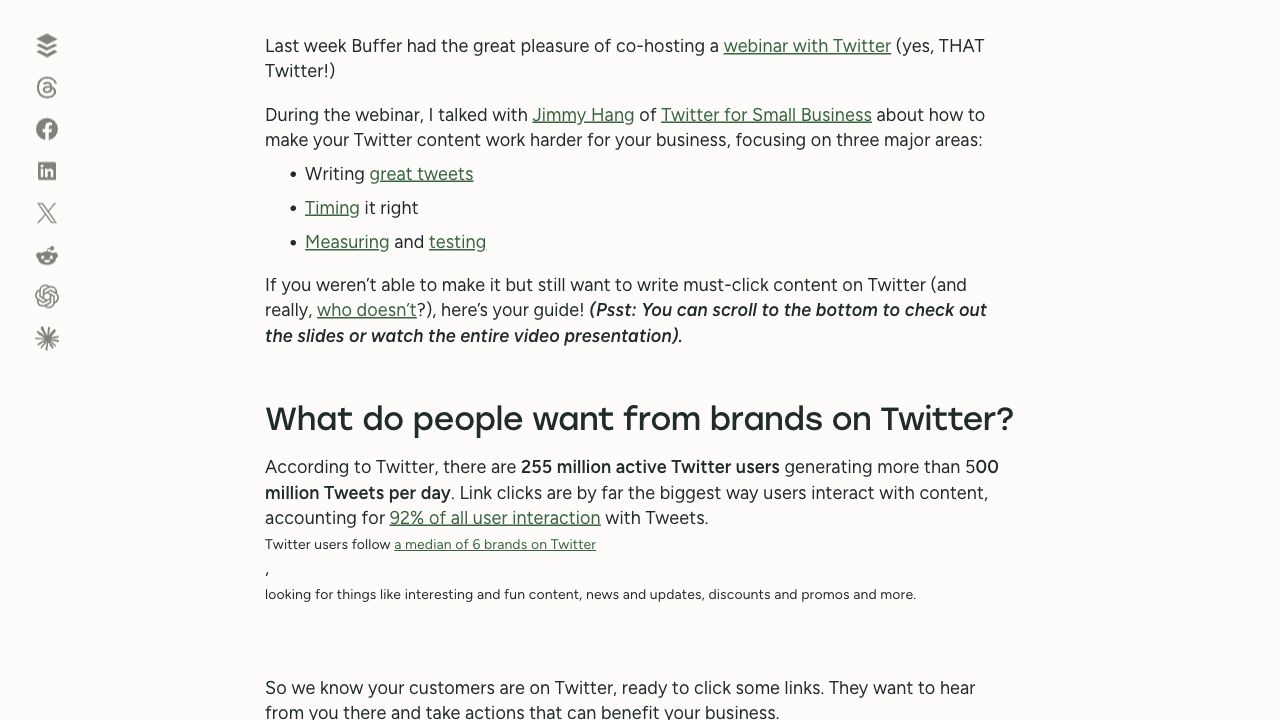
Source: Buffer, desktop capture, October 7, 2026, reused from the webinar article research. The article was published May 6, 2014; this is a historical format example, not current Twitter/X advice.
A transcript preserves what someone said. A useful article reorganizes that material around a reader's questions. Remove housekeeping, explain references that relied on a slide, and separate recommendations from anecdotes.
For a current webinar adaptation, identify one task the session teaches. Build a written explanation with steps and examples. Check technical details against today's product behavior instead of carrying old screenshots or platform statistics forward.
SCORE: keep the recording and supporting resource together
SCORE's digital marketing success plan event page identifies the original event and provides a recording action and a presentation-deck link.
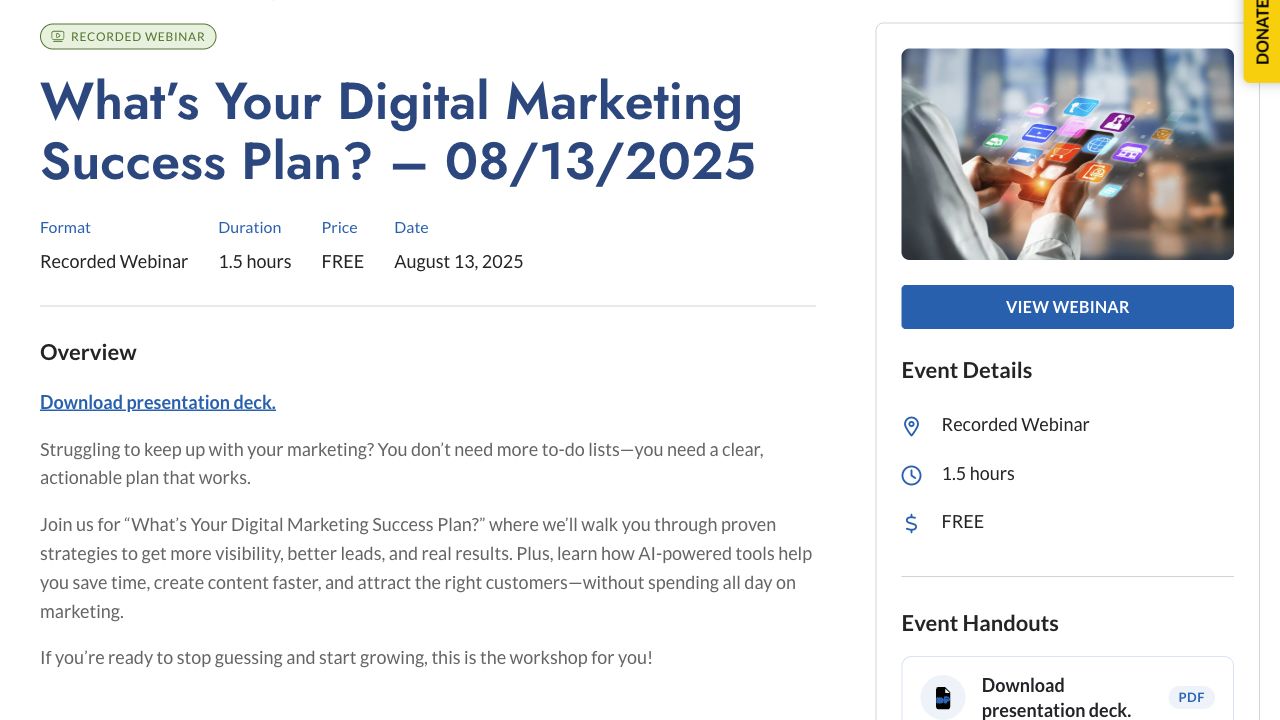
Source: SCORE, desktop capture, October 7, 2026, reused from the webinar article research. The original event date is August 13, 2025; the visible page links to a recording and deck. Playback and download delivery were not tested.
This is a useful access pattern: the event context and related materials remain connected. Someone arriving later can understand what the resources belong to.
If you create a worksheet from a session, link it beside the recording and explain when to use it. A slide deck designed for live narration may need instructions before it works as a standalone resource. Do not assume every existing file is already a useful derivative.
Choose the source before choosing the formats
Start with an asset that answers a recurring question, contains material worth preserving, and still fits your audience. Existing traffic can help identify candidates, but popularity does not resolve factual quality or business fit.
Use this source audit:
| Check | What to inspect | Decision |
|---|---|---|
| Audience fit | Who needs the answer now? | Keep, narrow, or choose another source |
| Evidence | Can you trace factual claims to usable sources? | Verify, qualify, or remove |
| Currency | Dates, product interfaces, links, event status | Update before adapting |
| Reusable substance | Demonstration, finding, process, example | Select a specific component |
| Rights | Quotes, guest contributions, third-party media | Confirm permitted use |
| Destination | Does the deeper resource still match the excerpt? | Repair the access path |
| Ownership | Who reviews and maintains the derivatives? | Assign responsibility |
Save the source version and review date. A derivative can remain online after its parent article changes. The team needs to know which version supported its claims.
For a small business, one trustworthy guide may be enough to begin. For an agency, run this audit per client; evidence, permissions, and audience assumptions should stay with the correct account.
Eight useful ways to repurpose content
Choose the format because it helps someone use the material, rather than because the channel needs another post.
| New format | Best source component | Adaptation needed | What to avoid |
|---|---|---|---|
| Newsletter email | One useful finding or step | Lead with the reader's situation; give a practical takeaway | Pasting the full introduction |
| Social post | A distinct insight, observation, or question | Provide enough context inside the post | An isolated statistic with no scope |
| Carousel | A short sequence or comparison | One clear idea per panel; readable labels | Splitting long paragraphs across slides |
| Short video | A demonstration or focused answer | Show the action and explain its significance | A clip that begins halfway through an argument |
| Long video | A process that benefits from narration | Add visual steps and a coherent structure | Reading an article aloud over decorative images |
| Checklist | A repeatable process | Convert explanations into observable checks | Vague items such as “optimize everything” |
| FAQ | Genuine unresolved questions | Answer each independently, with limits | Generating questions unrelated to readers |
| Sales or onboarding aid | A recurring decision or setup obstacle | Tailor context to the actual stage | Turning educational findings into unsupported sales promises |
A research article might become an email and a comparison graphic. A product tutorial might become a demonstration and setup checklist. Both can be complete repurposing plans without producing all eight formats.
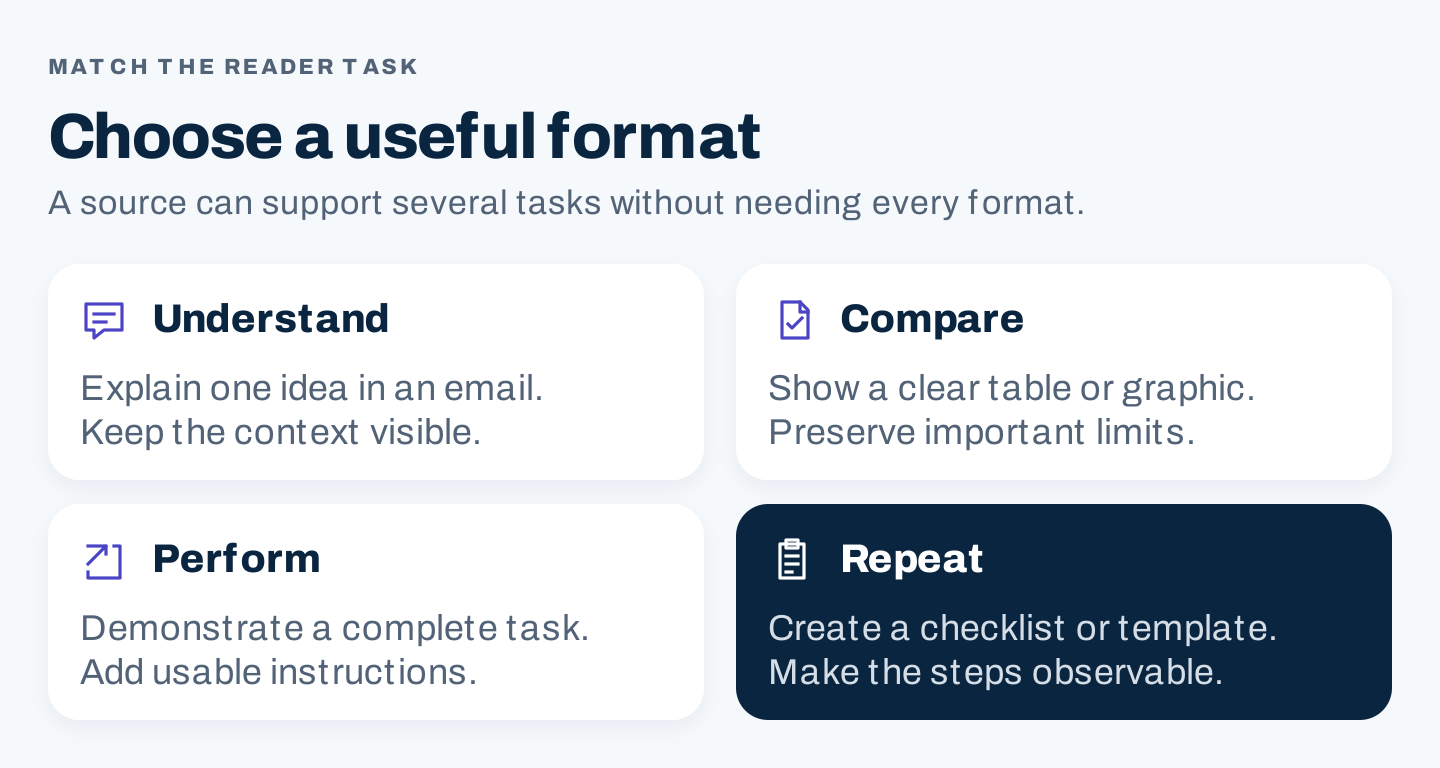
Original format guide. Select the component and reader task before deciding how many derivatives to make.
How to repurpose a blog post for email
An email has less room to establish context, and the subscriber may not remember why they joined. Give them one reason to read and one clear action.
1. Select one useful point
Review the article's sections and choose the point most relevant to that subscriber segment. A customer who already uses your service may need an implementation step. A new reader may need a simple explanation of the problem.
Do not treat the entire mailing list as one audience simply because everyone appears in the same database.
2. Rewrite the opening around the reader's situation
The blog introduction may explain a broad topic. The email can start with the specific decision the reader faces. Explain why the selected point matters before linking elsewhere.
Keep the subject line accurate. A compelling subject cannot promise results the article does not support. Preview text should add useful information rather than repeat the subject.
3. Include something useful inside the email
Give a short explanation, a compact comparison, or one practical step. The email should still help a reader who does not click.
When a qualification changes the advice, preserve it. You can link to the complete method, but the email should not turn a conditional result into a universal claim.
4. Match the link to the promised action
If the email offers a worksheet, link to that worksheet or a page that clearly explains access. If it offers the full article, use a descriptive action such as “Read the full comparison.”
Test the destination and any download path. Check that mobile readers can use the resource and that old campaign parameters do not point to a retired page.
5. Review the message as a complete unit
Read the subject, preview, opening, takeaway, and action together. They should describe the same useful material. Then verify the source date, claim wording, recipient segment, and link.
Worked adaptation: a report article into a useful email
HubSpot's public report/article pair illustrates the available source structure. The following is an original planning template, not an actual HubSpot email or a claim that this copy was tested.
| Component | Weak adaptation | Useful adaptation structure |
|---|---|---|
| Subject | “Our latest marketing article” | “[Specific decision] before your next campaign” |
| Opening | Repeat the report introduction | Name the reader's planning problem |
| Evidence | Paste a headline number | State one verified finding with population, date, and limits |
| Application | “Read more to learn” | Explain one decision the finding can inform |
| Action | “Click here” | Link to the named article or relevant report section |
Subject: [Decision] before your next [activity]
Preview: One useful check from [verified source].

When you are deciding [reader situation], check [specific factor].

[Source] reports [verified finding], based on [population and period].
That finding does not establish [important limitation].

For your plan, use it to ask: [one practical question].
Compare the answer with [your relevant evidence] before choosing [action].

Read [descriptive resource title]: [tested destination]
Replace the brackets using your verified source. If the evidence cannot support a useful implication, choose another section rather than inventing one.
Build a manageable production workflow
Keep a derivative register so the team can see what exists and what needs maintenance.
| Field | Your entry |
|---|---|
| Source asset and version | |
| Source owner and review date | |
| Audience situation | |
| Selected component | |
| New format and channel | |
| Evidence and qualifications to retain | |
| Destination and next action | |
| Draft owner and reviewer | |
| Publication date | |
| Meaningful outcome to observe | |
| Update or retirement trigger |
For the first cycle, approve one adaptation before expanding. This reveals missing evidence, awkward source structure, or an unsuitable format while the work is still small.
Review each output in the actual format. A graphic can pass a desktop check while its text is unreadable on a phone. A video clip can sound complete to its editor while relying on an explanation removed from the beginning.
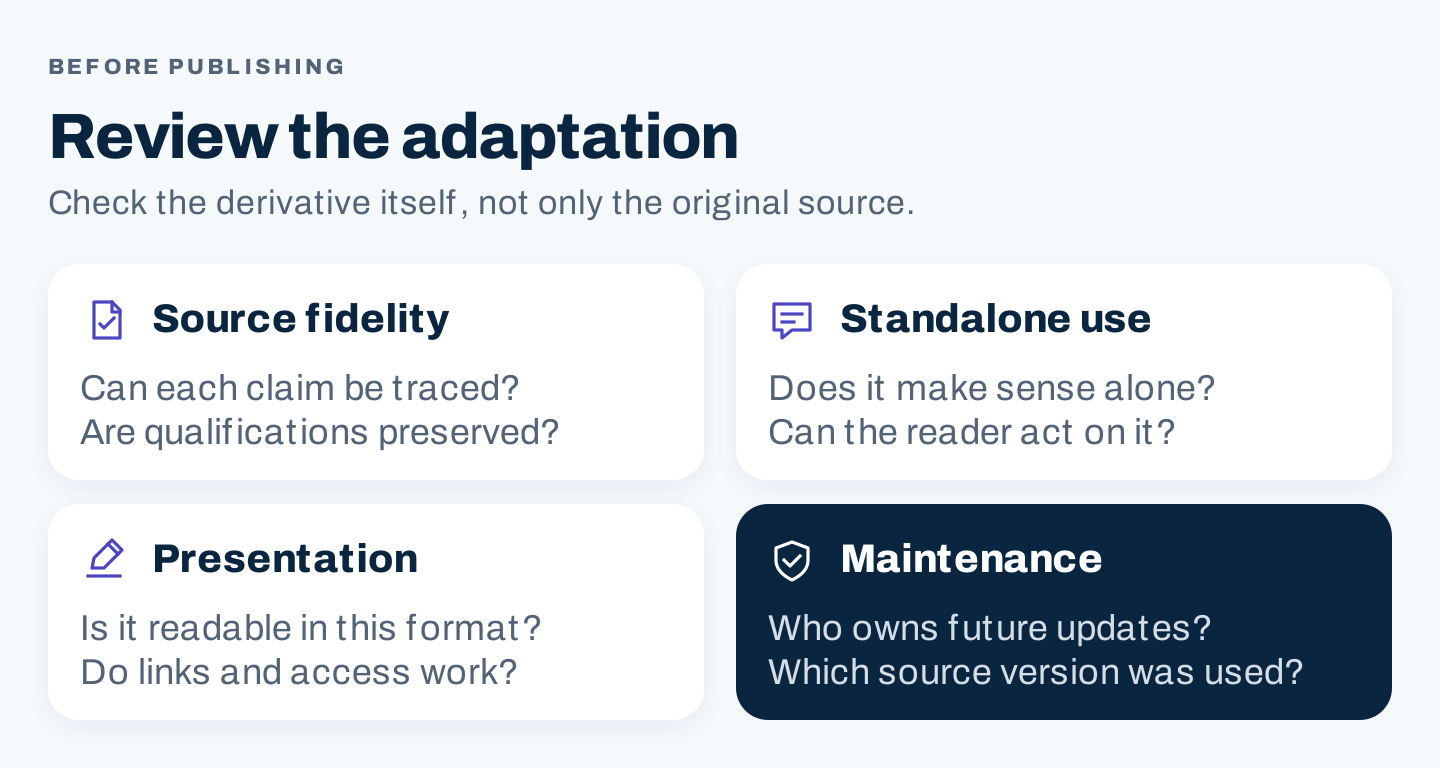
Original review checklist. Source fidelity, standalone usefulness, usable presentation, and maintenance are separate checks.
Measure the adaptation's job
An email, video, and checklist should not all be judged by raw views. Choose a metric that matches what each output is supposed to help someone do.
| Purpose | Useful observation | Interpretation limit |
|---|---|---|
| Explain an idea | Relevant replies, comprehension feedback, deeper reading | A view does not establish understanding |
| Demonstrate a task | Meaningful viewing, setup questions, completed task where observable | Watch time is not proof of successful implementation |
| Bring readers to a resource | Tagged visits and resource actions | Click totals can include repeat visits |
| Support a commercial decision | Relevant conversations and qualified next steps | The derivative may be one influence among several |
| Reduce production work | Logged hours and completed usable outputs | More outputs do not automatically mean more value |
Compare similar audiences and time windows. Record production and review time. A derivative that saves drafting time but requires extensive factual repair may not be efficient.
Ask what changed: did the new format reach a different audience, resolve a question, or improve access? Use the answer to choose the next adaptation.
Two optional AI prompts
AI can help inspect supplied material and draft a format change. It cannot verify a fact merely by repeating it confidently. Give it the source text and require traceable references; check the output yourself.
Prompt 1: identify material worth adapting
Review only the source material below for content repurposing.
Audience: [specific audience and situation].

Return a table with: reusable component, exact source passage or section,
reader task, suitable format, evidence needed, and currency concerns.
Separate supported observations from proposed applications.
Flag dated claims, missing context, and third-party media permissions.
Do not invent facts, statistics, customer examples, or source links.

Source material and publication date: [paste material]
Prompt 2: draft a source-bound email
Using only the approved source below, draft an email for [audience].
It should help the reader [one useful task].
Include subject, preview, a useful takeaway, necessary qualifications,
and one descriptive link to [verified destination].
Preserve the scope and date of factual claims.
Label unsupported applications as suggestions; omit invented results.
After the draft, list every factual statement with its source passage
and any point a human reviewer still needs to check.

Approved source and evidence: [paste]
These are working aids, not required ingredients in every content plan. Use them if they reduce useful work without weakening the review.
Frequently asked questions
How many pieces should come from one article?
As many as serve distinct useful purposes and can be maintained. Start with one or two adaptations. Stop when another format would repeat the same point without improving access or usefulness.
Can I repurpose an old article?
Yes, after reviewing its evidence, dates, links, permissions, and audience fit. Buffer's historical example demonstrates the format relationship; it does not make its old platform advice current.
Is a summary enough?
A summary can be useful when it helps the audience decide what to read. A task-focused derivative often needs more adaptation: a checklist needs observable checks, and a video needs a complete demonstration.
Should all derivatives link to the original?
Link when it helps someone inspect evidence or continue the task. Some native formats should still be useful without leaving the platform. Keep attribution and relevant source context even when there is no immediate click goal.