AI Email Marketing: Workflows, Examples, and Prompts
Build AI email marketing campaigns with ten bounded jobs, three platform examples, a newsletter draft, prompts, sequence controls, and launch checks.

AI email marketing uses AI to help plan, draft, adapt, and assess email campaigns. Some tools generate copy or layouts. Others help select audiences, personalize text, or coordinate automation. Those are different jobs, and completing one does not mean the campaign is ready to send.
Start with a campaign you already need: a newsletter, onboarding message, product update, or follow-up. Define who should receive it and what they should be able to do afterward. Then assign AI the parts a reviewer can check.
Rankauto publishes this guide. We reviewed the linked public documentation on October 15, 2026. The campaign drafts below are original illustrations based on a published resource, not messages sent by the featured brands.
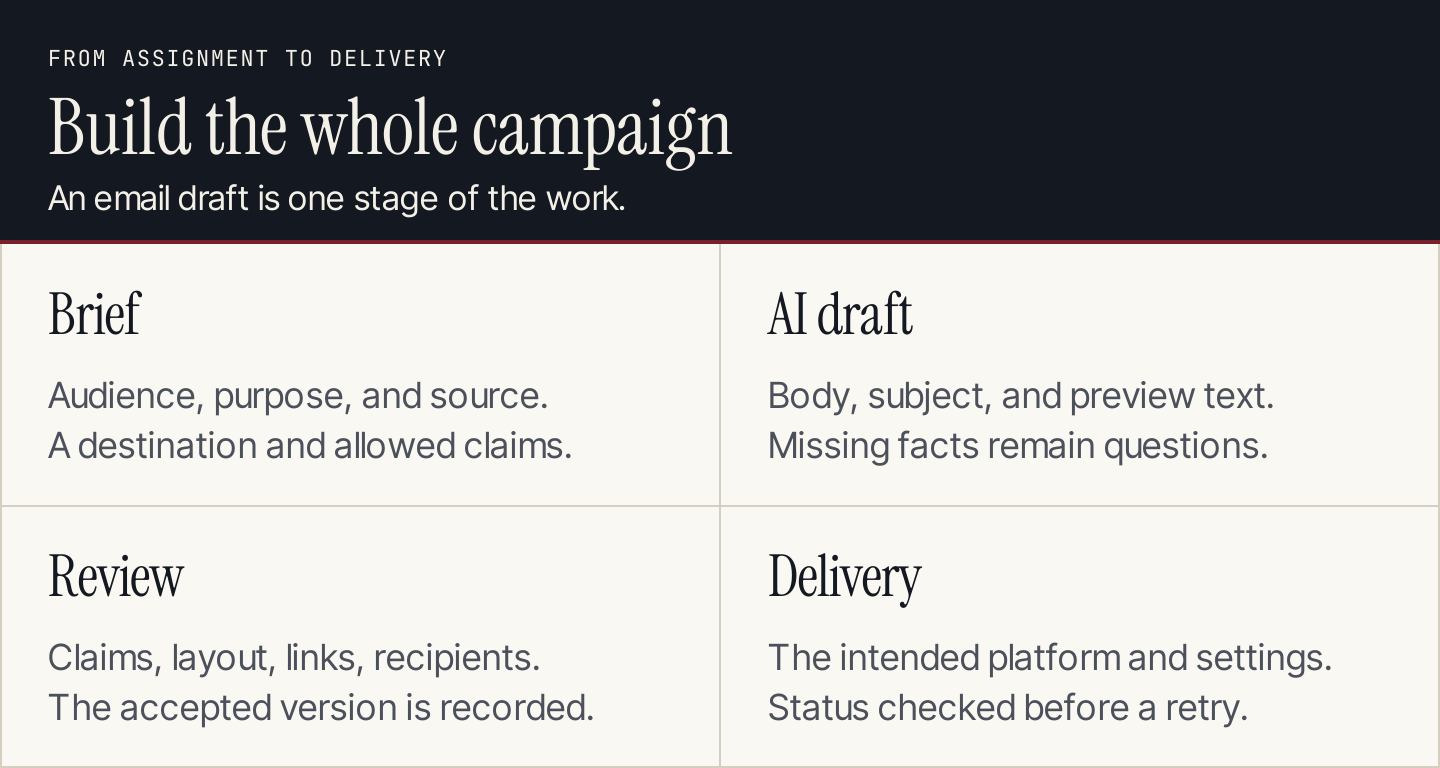
The draft is one stage between the campaign brief and delivery.
Ten jobs AI can help with
Use a bounded assignment with a checkable output. Avoid delegating “run our email marketing” before the audience, offer, and release process are defined.
| Job | Give AI | Ask it to return | Review before use |
|---|---|---|---|
| 1. Campaign brief | Goal, audience, source material | Message, next action, exclusions | Whether the campaign has a reason to exist |
| 2. Segment proposal | Allowed field definitions | Conditions and missing-data behavior | Whether the fields support the distinction |
| 3. Body draft | Approved facts and source | Email in the requested format | Meaning, offer, and destination |
| 4. Subject options | Finished body and audience | Distinct descriptive options | Accuracy and likely truncation |
| 5. Preview text | Subject and body | Complementary inbox text | Whether it adds context |
| 6. CTA wording | Destination and reader task | Button or text-link options | Whether the destination fulfills the promise |
| 7. Content variation | Approved version and test question | One controlled alternative | What changed and why |
| 8. Sequence outline | Trigger, stages, exit event | Message order and conditions | Frequency, exclusions, completion behavior |
| 9. Preflight review | Final copy and requirements | Errors and unresolved questions | Findings against the rendered message |
| 10. Result summary | Defined campaign report | Observations and next questions | Denominators, dates, and unsupported conclusions |
AI can suggest segment logic without having the right to select recipients. It can write a sequence without configuring it. Keep the proposed output and the action that applies it as separate review points.
For a broader system, our AI marketing automation guide explains triggers, handoffs, and failure handling.
Three examples from email platforms
ActiveCampaign: a campaign from a brief
ActiveCampaign's AI Campaign Builder documents generation of subject lines, preheaders, layouts, images, content, and calls to action. It also provides an editing route for adjusting the generated campaign.
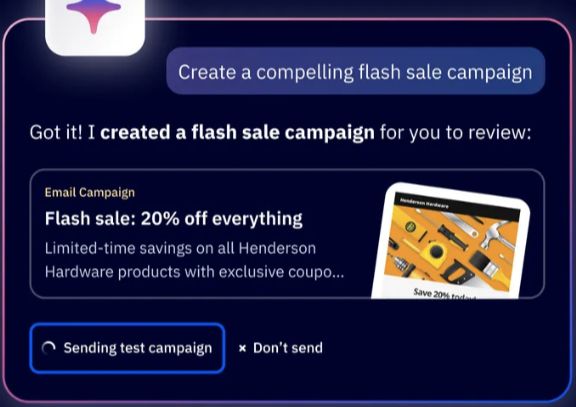
The builder connects a campaign request with an editable email. Source: ActiveCampaign.
This is a starting point for a campaign, not proof of better results. Supply the accepted offer and exclusions, then inspect the email, links, audience, and final settings before release. A polished layout can still contain the wrong promise.
Mailchimp: content from a link or text
Mailchimp's AI content documentation describes creating email content from a URL or supplied text in its new email builder. The documented feature requires a paid plan.

Choose the material that should ground the email draft. Source: Mailchimp.
A link-based workflow is suitable for a published guide or announcement. Check that the tool used the intended page and preserved qualifications. Navigation copy, outdated sections, or unrelated offers should not become the email's central message.
HubSpot: subject lines and preview text
HubSpot's email guidance places generation within the draft. Subject suggestions use the body; preview-text suggestions use the body and subject line. Editors can request alternatives and insert a selected result.
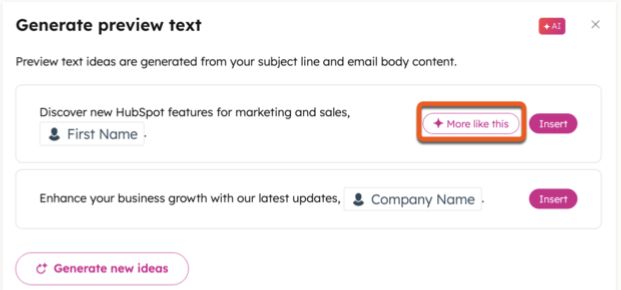
Review the suggestions against the message they describe. Source: HubSpot.
That ordering is sensible even outside HubSpot. Finish the message before selecting its inbox description. A subject written first can encourage the team to stretch the content to match an attention-grabbing promise.
Build a campaign around a published resource
Use Mailchimp's newsletter writing guide as a worked source. It covers the message's components, hierarchy, audience, and testing. Suppose an editorial team wants to recommend that guide to subscribers who have chosen email-writing resources.
The following is an original resource-recommendation draft. It is not a Mailchimp campaign or a claimed AI generation test.
Campaign goal: help a subscriber review their next newsletter.
Audience: subscribers eligible for this newsletter who selected email-writing resources.
Primary destination: Mailchimp's published guide.
Excluded claims: performance gains, a new product launch, a discount, or any assertion about the recipient's current campaigns.
Draft the message
Before your next newsletter goes out, review what readers see in the inbox and what they can do after opening it.
Mailchimp's newsletter guide walks through the subject line, preview text, body, and call to action, then covers layout and testing considerations.
Use it as a checklist while reviewing a draft. Start with the email's purpose, check that the links match that purpose, and preview the message on a phone.
Read the newsletter guide
The body describes the source and gives the reader a clear next step. It does not claim that reading the guide will increase revenue.
Choose subject and preview text together
These are illustrative alternatives to review, not tested winners:
| Angle | Subject | Preview text |
|---|---|---|
| Preflight | Review your next newsletter before sending | A guide to the inbox text, message, links, and final checks. |
| Structure | What belongs in a newsletter? | Review the parts that help readers understand the next step. |
| Editing | A checklist for your newsletter draft | Use Mailchimp's guide while reviewing your next email. |
A maintained AI brand voice reference helps reviewers keep these alternatives consistent. Use the UTM builder when preparing campaign links, then check the final destination.
Keep each option aligned with the same body. The subject does not need to summarize every point; the preview can add the context the subject leaves out.
Use this drafting prompt
Draft a resource-recommendation email.
Audience: [eligible subscribers and declared interest].
Purpose: [reader task].
Source: [approved page text and URL].
Voice: [maintained writing rules].
Primary CTA: [destination and action].

Return a body, three subject/preview pairs, and unresolved questions.
Keep each factual claim within the supplied source.
Do not invent a launch, discount, testimonial, deadline, or result.
Do not imply we know the recipient's activity unless it is supplied.
Preserve required sender and footer elements for the email platform.
Do not select recipients, schedule, or send anything.
Have the reviewer compare claims with the source, then edit for readability. Do not accept the model's assurance that everything is accurate as the verification step.
Turn one email into a sequence
A sequence should add a reason for each message. Repeating the same link with a more urgent subject is not a strategy.
For the newsletter-guide example, a proposed sequence could be:
| Stage | Entry and purpose | Message | Exit or hold condition |
|---|---|---|---|
| Resource introduction | Eligible subscriber enters the sequence | Introduce the guide and its purpose | Hold if eligibility or preferences are unclear |
| Application follow-up | Still eligible after the agreed interval | Suggest reviewing one draft using the guide | Skip if the reader opted out or the next step is already complete |
| Feedback request | Eligible reader reaches the final stage | Ask which newsletter-review task needs more help | End the sequence; do not restart automatically |
Decide the interval from the audience's expectations and your wider sending calendar. There is no universal delay that makes every sequence appropriate.
An educational follow-up might ask the reader to check whether their preview text adds information to the subject. That develops the first message without inventing a second offer.
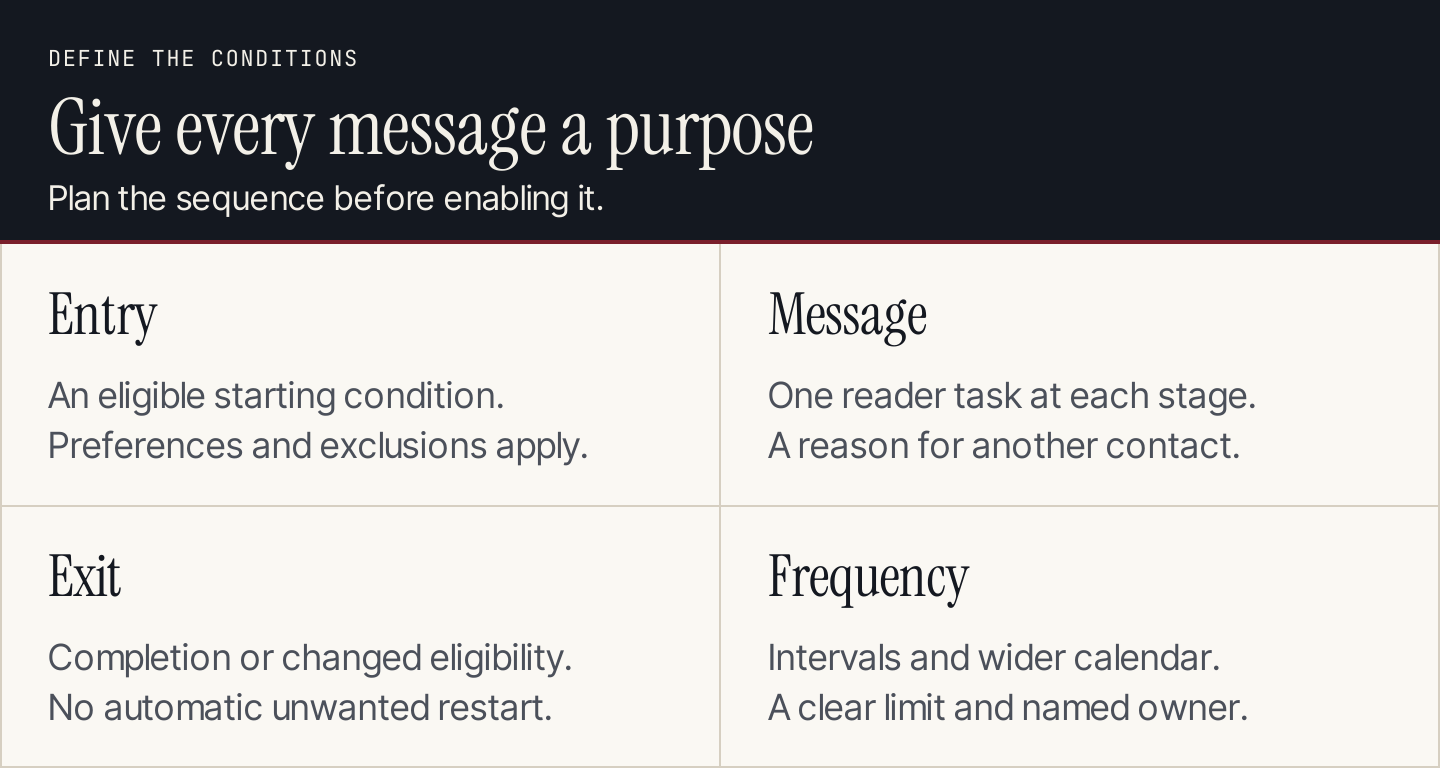
Define the conditions around the messages before enabling the sequence.
Check the campaign at its destination
A document review cannot catch every email problem. Inspect the rendered campaign, configured audience, and workflow conditions in the sending platform.
| Check | Acceptance condition |
|---|---|
| Source and offer | Claims, dates, eligibility, and terms match the accepted material |
| Sender and reply route | Recognizable sender; replies reach the intended team |
| Subject and preview | Describe the body without false urgency or promises |
| Links and CTA | Reach the intended destination with the expected parameters |
| Layout and accessibility | Reading order, alt text, and key information work without images |
| Personalization | Missing and overlapping data show an appropriate version |
| Audience and exclusions | Intended recipients qualify; exclusions and preferences apply |
| Sequence behavior | Entry, frequency, exit, and re-entry follow the agreed rules |
| Release record | Accepted version, audience, schedule, owner, and result are recorded |
Test with the platform's supported preview and testing methods. Features such as conditional content may need a recipient-aware preview rather than an ordinary test email. Our content personalization guide explains that distinction.
A workflow also needs failure handling. If a request times out, check the campaign status before retrying. An uncertain response can mean the operation completed without returning a confirmation; blindly repeating it can duplicate work.
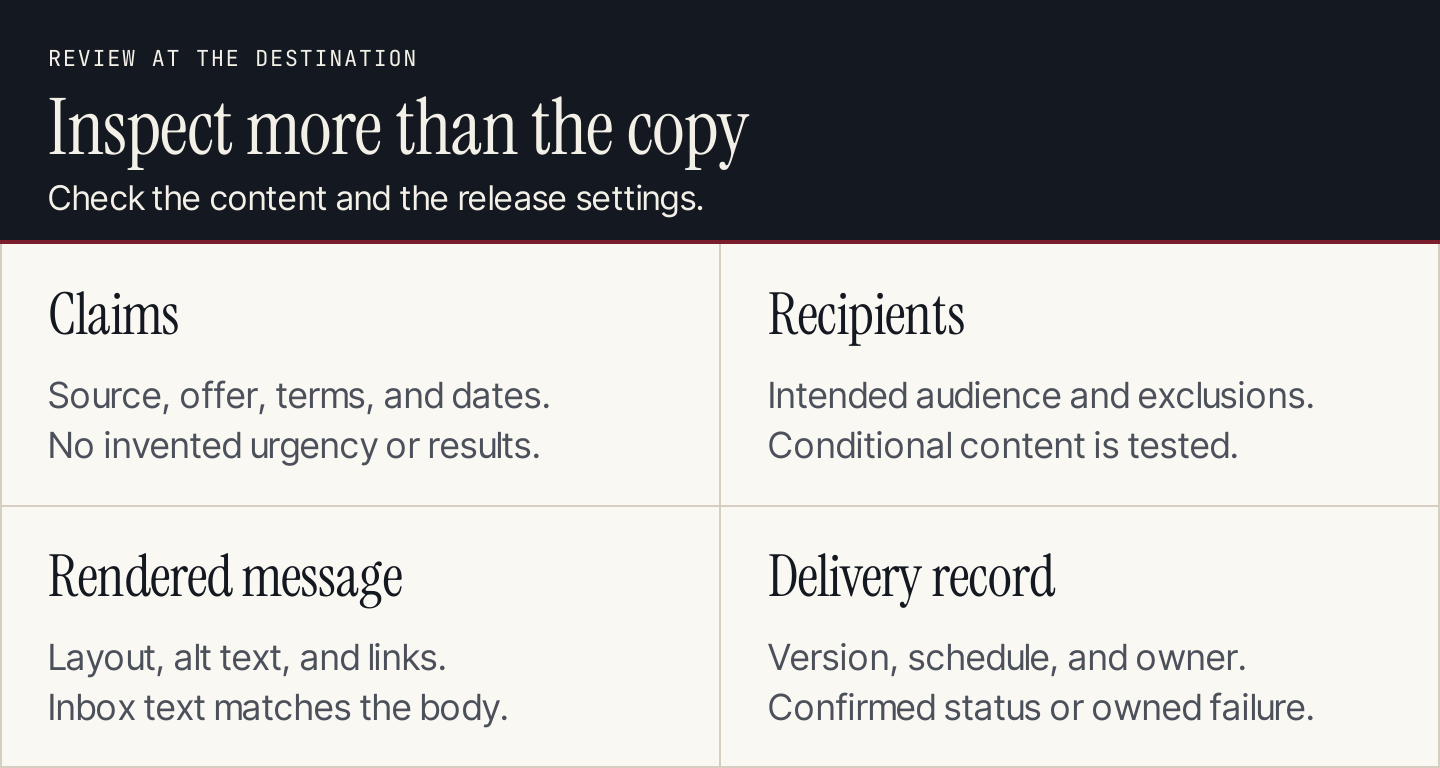
Review the accepted content and the settings that control its release.
Measure what the campaign was meant to do
Use the chosen completed action as the primary outcome: a resource visit, registration, qualified reply, or another defined event. Keep the reporting period and denominator visible.
AI can summarize the report, but ask it to separate observation from explanation. A change between campaigns can reflect audience, timing, offer, or tracking differences. It does not establish that AI-written copy caused the change.
For a comparison, decide what changes between versions and how recipients are assigned before launching. Report delivery problems, complaints, and opt-outs alongside the intended action. If the sample cannot support a reliable conclusion, record that rather than naming a winner.
Use Rankauto for the resources behind your emails
A campaign often needs a detailed article to link to. Rankauto researches and writes blog articles in your brand voice, checks figures against sources, and adds images and SEO fields. Articles save as drafts by default, with optional Auto Publishing.
Rankauto is $49 a month per website, including 30 monthly articles pooled across sites. It writes blog articles, not email campaigns. Use your email platform for audience selection, sending, and sequence management.