AI Content Personalization: 6 Workflows and 4 Examples
Plan AI content personalization with six workflows and four documented examples. Check audience rules, fallback content, previews, and experiment design.

AI content personalization changes a message for a reader using information about their needs, preferences, or relationship with a business. It can help draft a different introduction, select an explanation, or tailor an email. The result depends on both the content and the system deciding who receives it.
Start with a reader benefit: showing the right implementation instructions, reflecting a chosen interest, or explaining a product in terms the reader understands. A name inserted into a generic paragraph does little to solve those problems.
Rankauto publishes this guide. We reviewed the linked product documentation on October 15, 2026. The workflows below are designs to adapt and test, not claimed customer results.
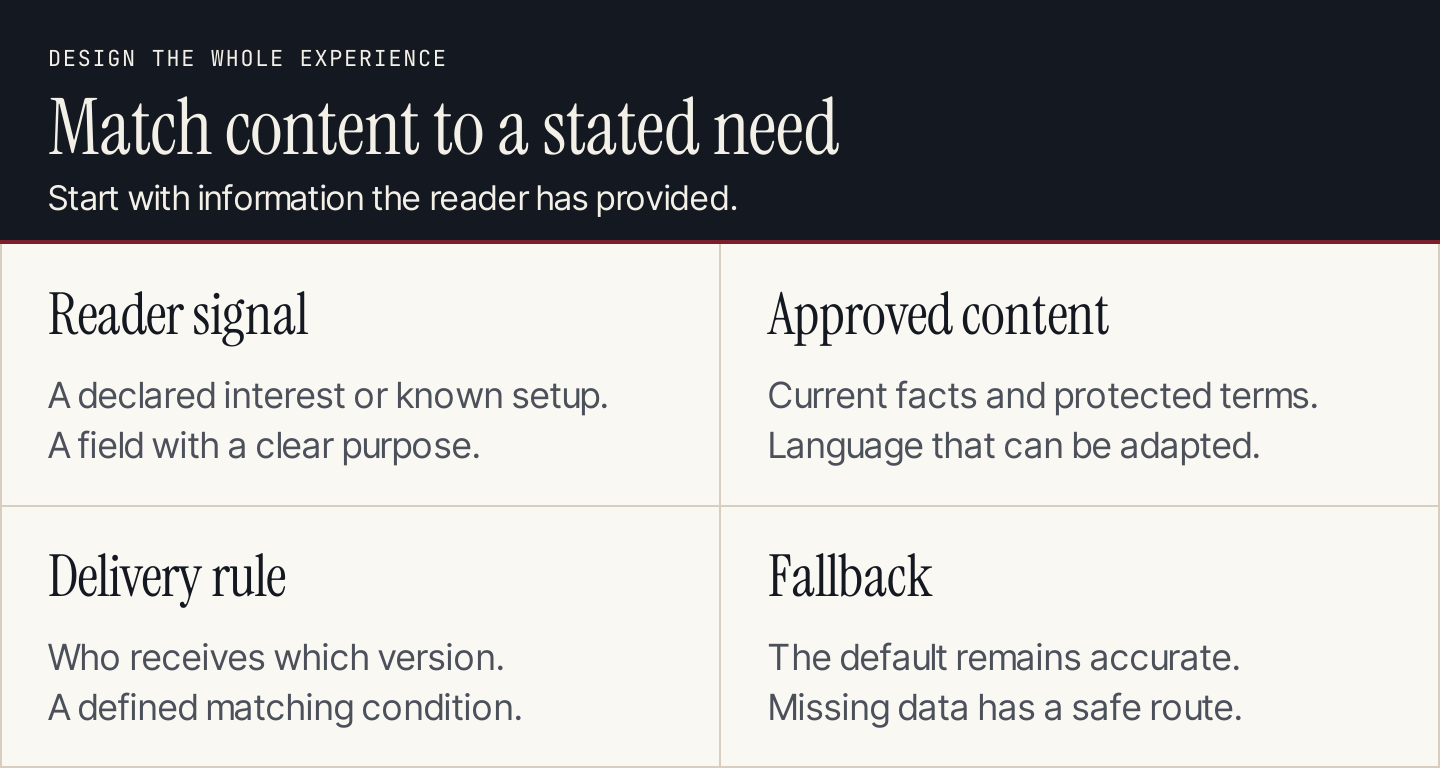
Personalization needs an input, content, a delivery decision, and a default.
Separate generation, delivery, and selection
Three different capabilities often appear under the same label:
| Capability | What happens | What it does not establish |
|---|---|---|
| AI generation | A model writes or rewrites content from inputs | Who should receive it |
| Rule-based delivery | Defined conditions select a content version | That the words were generated by AI |
| Automated selection | A system chooses among versions using its configured method | That every selected version improves outcomes |
You can use these together. A team might generate two introductions, approve both, and deliver one according to a reader's selected role. The model drafts; the delivery system applies the rule.
Optimizely's personalization strategy guide treats data, content, delivery, and measurement as parts of one program. That distinction matters for small teams: buying a writing feature does not automatically connect audience data, page rendering, or reporting.
For an initial pilot, use a declared preference that your business already collects appropriately. Missing or conflicting information should lead to the default version.
Four documented examples
1. Optimizely: generate a text variation
Optimizely's AI variation generator works on a selected text element in its Visual Editor. The documented process generates copy, lets the editor preview alternatives, and uses the chosen text in a variation.
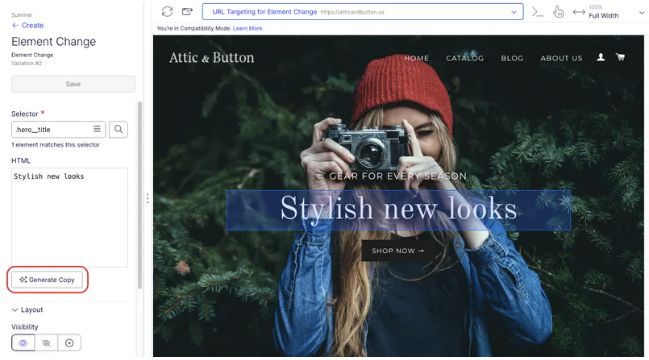
The selected text element is the starting point for generating alternatives. Source: Optimizely.
This is an example of content generation inside an editing workflow. It does not prove that the generated alternative has a better conversion rate. Audience configuration and the test still need attention.
A bounded assignment is to produce two ways of explaining the same benefit while preserving the offer, price, and qualification. Review the proposed text before placing it in an experiment.
2. HubSpot: deliver content through smart rules
HubSpot smart content changes supported content using configured rules. Email rules can use contact-list membership or lifecycle stage. Other supported page rules depend on the content type and subscription.
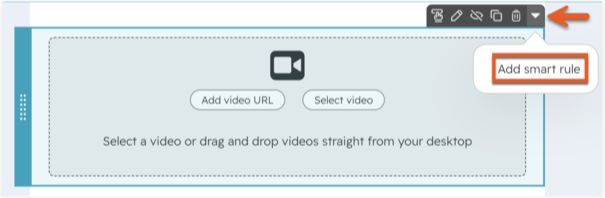
Smart rules control which supported content variation appears. Source: HubSpot.
Rule order matters: when a contact matches more than one rule, the first matching rule takes priority. Preview the default, each intended audience, and an overlapping match. Do not assume the system combines every matching variation.
The feature illustrates delivery, whether the copy was written by a person or drafted with AI. Email smart content requires Marketing Hub Professional or Enterprise; page capabilities depend on the relevant Content Hub subscription.
3. Mailchimp: control email block visibility
Mailchimp dynamic content uses audience information to show content to selected recipients. Its documentation places the controls in the Visibility tab and identifies Standard or higher as the requirement.
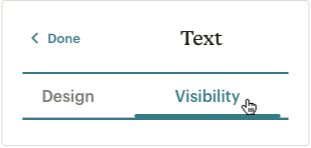
Design edits the content; Visibility determines its intended recipients. Source: Mailchimp.
This supports a focused newsletter variation, such as a different resource block for a declared interest. It does not require rewriting the entire email for every person.
Use the documented recipient preview with live merge information. Mailchimp notes that ordinary test emails do not activate dynamic-content conditions. A visually correct test message therefore does not establish that the audience rule works.
4. HubSpot nurture agent: rewrite for recipients
HubSpot's nurture agent documentation describes AI rewriting of subject lines, preview text, body copy, and calls to action using selected CRM information and web research. The page labels the feature beta and requires Marketing Hub Professional or Enterprise with HubSpot Credits.
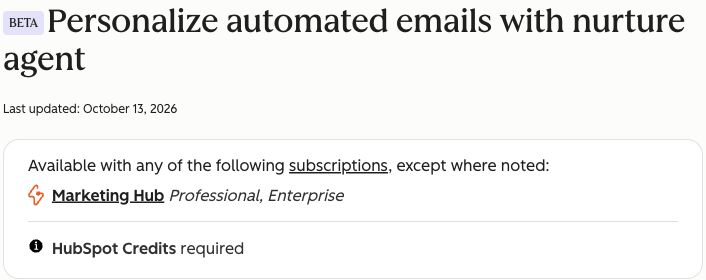
Nurture agent has its own subscription and usage requirements. Source: HubSpot.
This example combines recipient information and generation. It applies to published automated emails that are not transactional. Editors choose inputs, compare original and personalized previews, and can lock text against rewriting.
The recipient percentage and credit limit affect rollout. When the credit limit is reached, the documentation says the original email is sent instead. Include that original version in the review rather than treating it as an unused draft.
Six workflows to start with
These are proposed implementations. Use the capabilities available in your own content and delivery systems rather than assuming every example above supports every workflow.
1. An introduction based on a declared role
Use a role selected in a form, such as founder, in-house marketer, or agency. Ask AI for an introduction explaining the same resource from each role's perspective.
Keep the main facts and offer identical. Deliver only from the recorded role field, with a general introduction for missing values. Review whether the copy assumes responsibilities that the reader never stated.
2. A resource block based on a chosen interest
If subscribers select email, social, or content planning as an interest, create an approved recommendation for each category. The output is a short resource description and one destination link.
Use the preference to select the block. Do not interpret a single page visit as a permanent preference. The default should still contain a resource that makes sense without personalization.
3. An onboarding explanation based on setup
Use a verified product or integration selection to show the appropriate setup resource. AI can simplify the introduction to that resource without rewriting the technical instructions from memory.
For example, the brief can require the current named integration, its published prerequisites, and the approved help URL. If the integration is missing or unsupported, show the general setup path and flag the record for follow-up.
4. A lifecycle email with a fixed offer
Use a defined lifecycle stage to explain the next step differently. A new subscriber may need context; an existing customer may need implementation detail.
Keep price, eligibility, dates, and offer terms in protected fields. The generated language must not create a discount or deadline. Exit the workflow when the reader completes the intended action or no longer belongs in the audience.
5. A landing-page explanation by campaign
A visitor arriving from a named campaign can receive an introduction aligned with that campaign's promise. AI helps draft the version; the campaign mapping determines its delivery.
Check that the headline and page still support the advertisement or email that brought the visitor there. A tracking parameter is not permission to infer personal characteristics. Unknown campaigns should receive the standard page.
6. A sales follow-up based on an approved summary
Give the assistant an authorized meeting summary and the resource the person requested. Ask for a follow-up that references only that request and the documented next action.
A person should review it before sending. The model must not infer budget, urgency, or purchase intent from a job title. Keep the follow-up within the relationship and communication preferences already established.
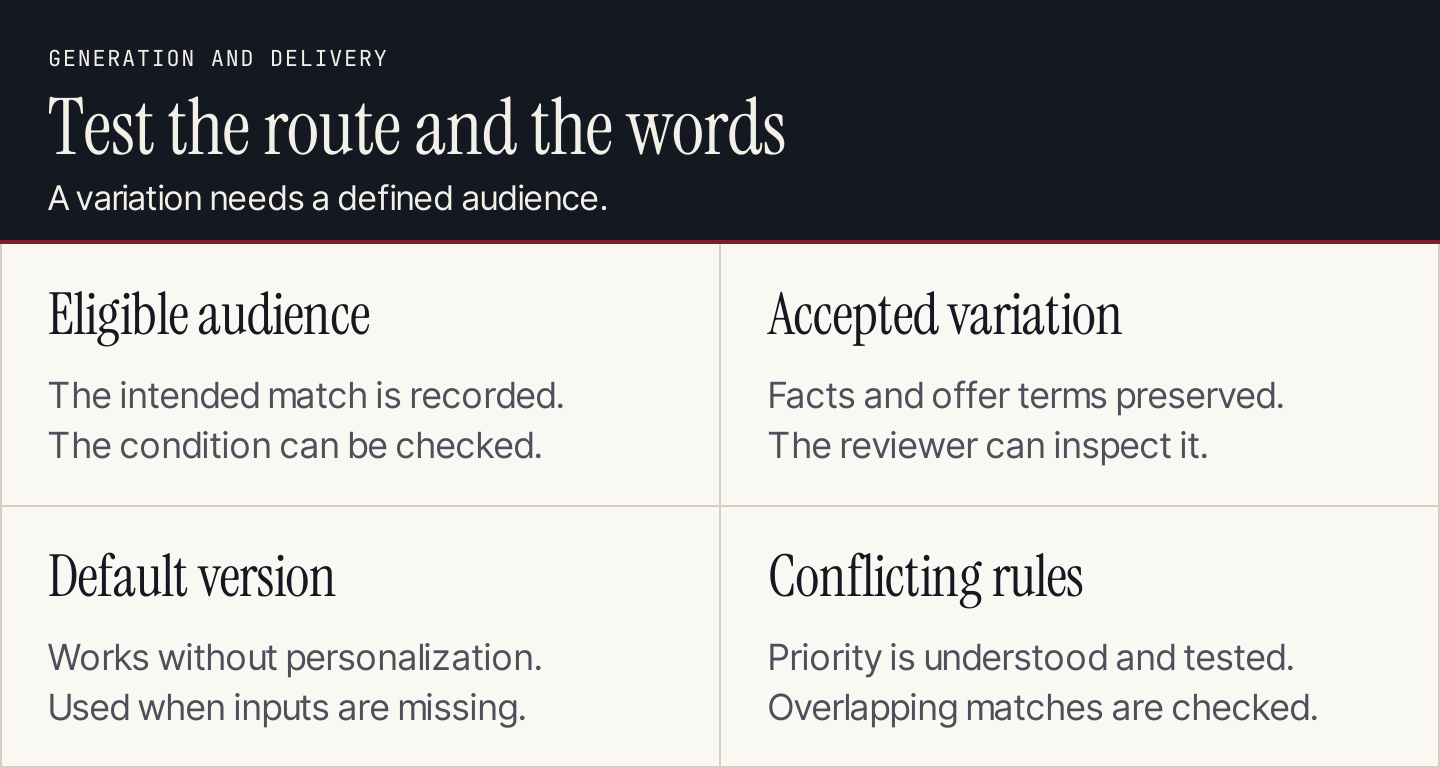
Test the conditions selecting the words as carefully as the words themselves.
Write a constrained generation brief
Use a brief that distinguishes editable language from protected information:
Create a content variation for [reader-declared need].
Destination and format: [page block or email section].
Approved source: [current copy and linked facts].
Permitted audience inputs: [named fields only].
Protected text: [offer, price, eligibility, dates, instructions].

Rewrite only [specified section]. Explain the reader benefit
without claiming private knowledge about the recipient.
Return the draft, facts preserved, and missing information.
If the audience input is absent, return the general version.
Do not invent a testimonial, result, offer, or urgency.
For consistency, use a maintained AI brand voice reference. Tone can change with context while facts and offer terms remain stable.
Use a content brief to preserve the source and acceptance rules. A readability check can flag writing complexity, while the reviewer checks meaning and audience fit.
Do not put every available CRM field into the brief. Each field should have a clear reason to affect the message. A smaller input set is easier to explain, maintain, and test.
Build an experiment before expanding
The test needs to answer whether the variation helps the intended audience. More generated versions make that harder if the team cannot track who received each one.
| Experiment field | What to decide |
|---|---|
| Reader problem | What is confusing or irrelevant in the current version? |
| Eligible audience | Which declared field or configured condition qualifies a reader? |
| Control and variation | Which accepted versions are being compared? |
| Delivery record | How will exposure to each version be recorded? |
| Primary outcome | Which completed action would justify the change? |
| Guardrail | Which error, complaint, or misleading message requires a pause? |
| Review point | When and by whom will the results be assessed? |
| Fallback | What appears when data, generation, or credits are unavailable? |
Set the review method before seeing results. Keep the offer, audience definition, and measurement consistent enough to interpret the comparison. A small audience may not support a reliable winner; qualitative feedback can still identify confusing copy.
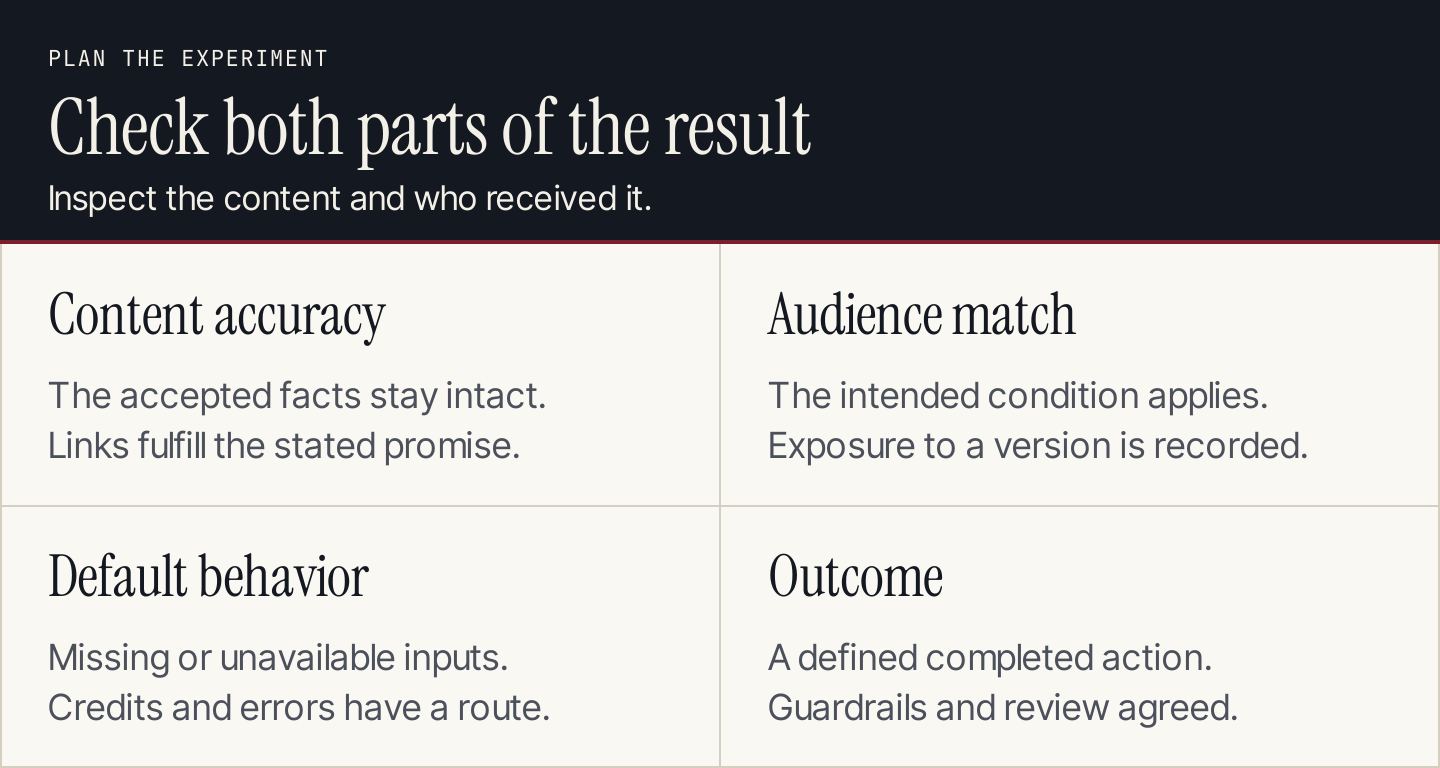
Check both the message and the route that delivered it.
Review the exceptions before launch
Test a matching reader, a nonmatching reader, missing data, conflicting rules, and an outdated value. Inspect the default and every version that can be delivered.
Also check generated links, names, offer terms, and the final mobile layout. If the system can change text after approval, establish which parts are locked and how a reviewer can inspect what was sent.
Keep the definitions in your content performance plan. Measure the chosen completed action alongside complaints and delivery failures. A change in opens or clicks alone does not establish better customer outcomes. Keep the exposure record so the team knows which content each group saw.
Where Rankauto fits
Personalized campaigns need accurate material to link to. Rankauto researches and writes blog articles in your brand voice, checks figures against sources, and adds images and SEO fields. Drafts are the default, so the team can review articles before publication.
Rankauto is $49 a month per website with 30 monthly articles pooled across sites. It writes the blog resources supporting your campaigns; it does not write email campaigns or operate your audience rules.