Content Calendar: 9 Steps and a Copyable Template
Build a content calendar in 9 steps with a copyable template, a four-week example, real tool previews, and practical rules for approvals and delays.

A content calendar is a shared production schedule. It records what you will publish, who owns the work, what must happen first, and when the finished piece can go live.
A date beside a topic isn't enough. If the interview is missing, the reviewer is unavailable, or the images aren't approved, that date is a wish. A useful calendar makes those dependencies visible while there is still time to change the plan.
Below is a nine-step setup, a copyable template, a four-week example, and a practical rule for handling delays. You can use it for a founder's blog, a marketing team's campaigns, or several agency clients.
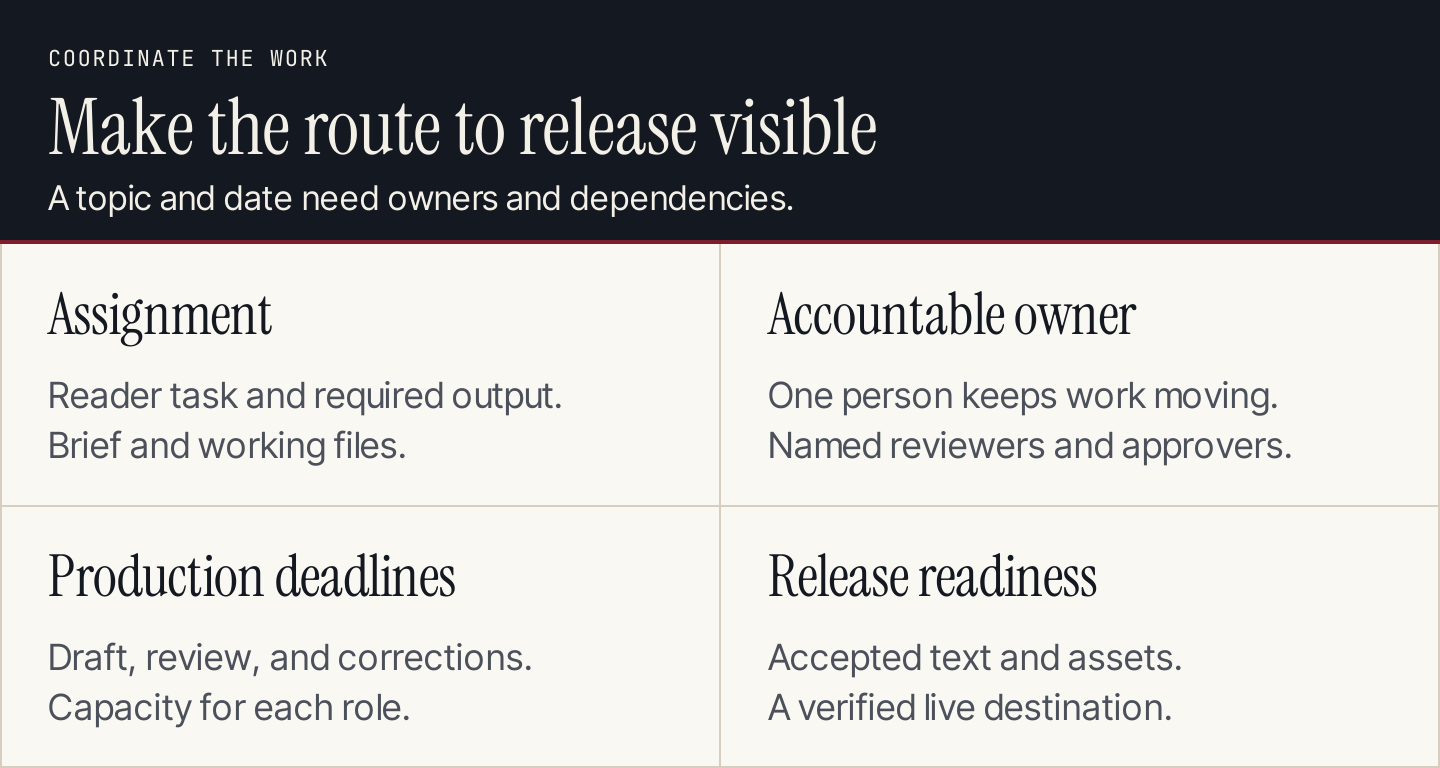
A useful calendar connects the assignment to an owner, a production route, and a release decision.
Content calendar, editorial calendar, and social calendar
Teams use these labels differently. Agree on what your own view contains rather than spending time defending a definition.
An editorial overview can show themes and campaign priorities. The production calendar should show individual assets and their dependencies. A social calendar can show the exact adaptations, accounts, captions, and posting times for social channels.
Connect these views with a stable asset identifier. A guide, the email introducing it, and a social demonstration are related assignments with different owners and release checks. They don't have to share a publish date.
If you haven't decided which customer questions deserve attention, start with your content marketing strategy. The calendar organizes the work you choose; it doesn't choose the right work for you.
Build a content calendar in 9 steps
1. Choose the planning horizon and owner
Start with a horizon you can schedule responsibly. A four-week production view is a useful starting point when upcoming interviews, review availability, and priorities are reasonably clear. Keep longer-term ideas in a separate backlog until their dependencies are known.
Name one person to maintain the calendar. Contributors update their assignments, but the calendar owner resolves conflicting dates and makes sure the view reflects the current plan.
For an agency, give each client a clear approver and response deadline. “Waiting for client” should identify the specific decision, person, and next follow-up date.
2. Inventory available capacity
List the work each role can actually complete: research, interviews, drafting, design, fact review, approvals, publication, and distribution.
Use hours or assignment slots, whichever your team can estimate consistently. Include planned absences and other campaign commitments. Keep some capacity for revisions and urgent corrections.
The following numbers are an illustrative planning exercise, not productivity benchmarks:
| Weekly allowance | Hours | What it covers |
|---|---|---|
| Research and writing | 6 | One researched guide or an equivalent assignment |
| Editing and factual review | 2 | Checking the draft and resolving questions |
| Images and publication | 1 | Preparing approved assets and checking the page |
| Distribution | 1 | A focused email or social adaptation |
| Coordination and buffer | 2 | Updates, approvals, corrections, unexpected work |
| Total available | 12 | All content work for that week |
If the next guide needs more than six research and writing hours, carry the work across weeks or reduce the scope. Don't silently borrow the review or distribution allowance to make the output count look larger.
3. Create one record for each asset
Give every assignment an identifier, a clear reader task, a format, and an owner. Link to the approved brief and working files.
Use separate records when formats require different work. A video extracted from an interview still needs editing, captions, approval, and a suitable destination. Calling it “repurposed” doesn't make those tasks disappear.
Include an existing URL when the assignment updates a published piece. That prevents a refresh from being mistaken for a new page and keeps the history attached to the same asset.
4. Add a defined workflow
Choose statuses with observable entry and exit conditions. “Almost done” tells the next person very little.
| Status | What must be true | Who moves it forward |
|---|---|---|
| Backlog | A possible task is recorded | Calendar owner chooses whether to schedule |
| Brief ready | Purpose, evidence, scope, and acceptance checks are agreed | Writer accepts the assignment |
| In production | Research, writing, or design is underway | Asset owner produces the agreed draft |
| In review | Draft and supporting assets are ready for the named review | Reviewer resolves the checklist |
| Blocked | A named dependency prevents the next step | Dependency owner supplies the missing input |
| Approved | Required reviewers accepted the release version | Publisher checks the destination |
| Scheduled | Approved version has a confirmed release slot | Publisher releases and verifies it |
| Published | Live destination and planned initial distribution were checked | Owner records the next review trigger |
You may combine statuses for a small team. Keep the difference between an unfinished draft, an approved asset, and a verified live page.
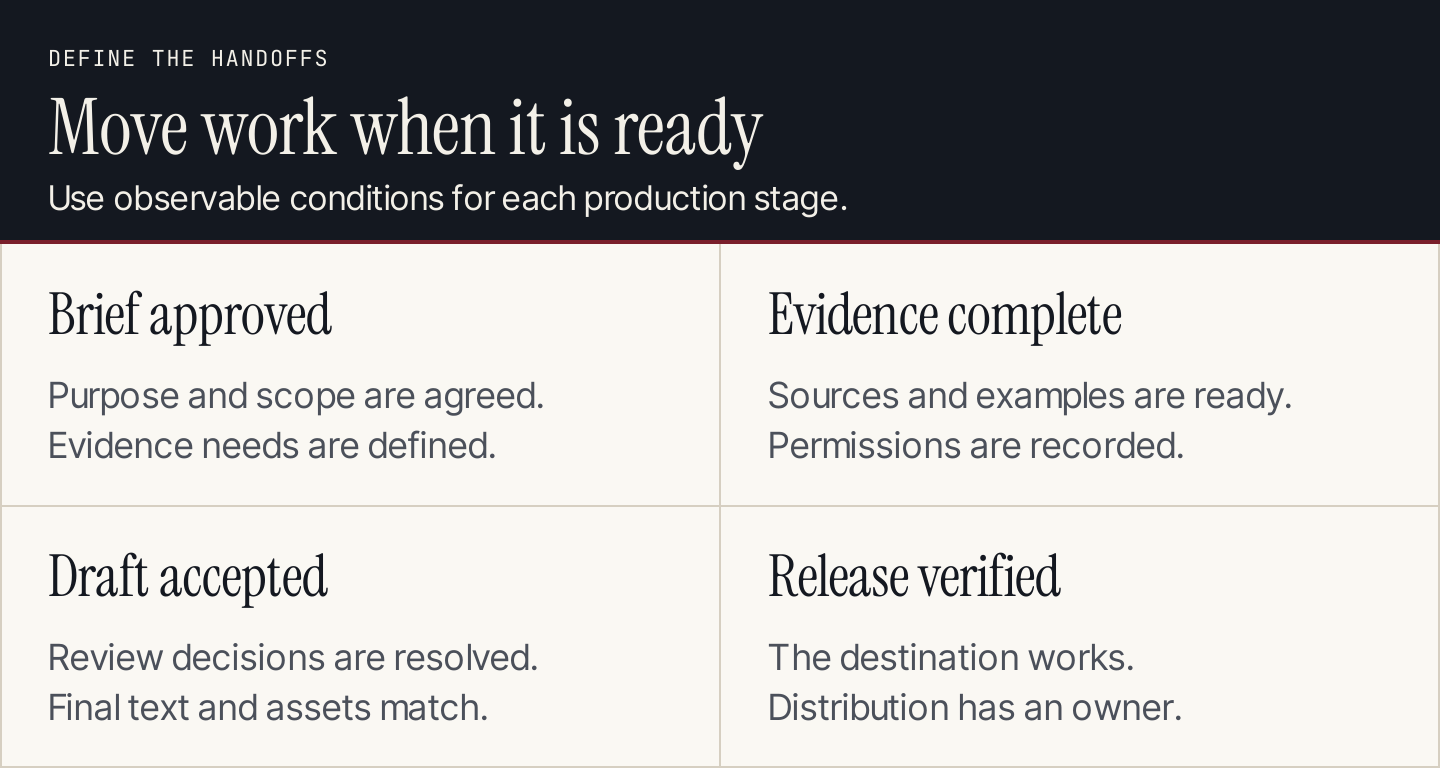
Move work forward when its requirements are complete, rather than when the calendar date arrives.
5. Work backward from the release date
Identify the tasks that must finish before publication. Set review deadlines before the release date and reserve time for corrections.
For a customer story, the order may be interview permission, interview, evidence check, draft, customer approval, and publication. A product guide may need an expert demonstration and product review instead. Build the schedule around the actual assignment.
For example, if a release is planned for Friday, a review on Friday morning leaves little room for material changes. Agree on an earlier review deadline or choose a later publication slot. Calendar dates should reflect available people, rather than assume everyone is always ready.
6. Connect distribution to the approved asset
Assign the initial email, social post, sales enablement note, or partner contribution. Record its owner, destination, and dependency on the final URL.
Use a parent identifier to connect adaptations. If the main guide changes, the linked assignments show which captions, examples, or claims need another check. Different channels can use different formats without losing the relationship to the original evidence.
Our content repurposing guide covers how to adapt the material. The calendar should make the remaining production work and ownership explicit.
7. Set a rule for late work
When a dependency misses its deadline, mark the asset blocked and name the next action. Then choose between narrowing the approved scope, moving the release, or using a finished reserve piece.
Don't publish an unsupported claim because the original date is approaching. Don't move every related assignment automatically if some can proceed independently. Record what changed and inform the owners of affected work.
A practical team rule is: a release slot stays provisional until the required reviewer accepts the final version. Adapt that rule for urgent announcements, but keep someone responsible for the factual decision.
8. Hold a short production review
Review work approaching its next deadline, blocked assignments, available capacity, and releases needing approval. Ask what changed since the last update.
Resolve the next concrete action for each problem. “We need to speed up” is less useful than “The expert will review the calculation by Wednesday; otherwise the release moves.” Keep the meeting focused on work decisions, with detailed edits handled in the draft.
For agencies, review the shared team's load across clients. Five individually reasonable calendars can overload the same editor when all five clients approve on Thursday.
9. Keep maintenance and learning in the calendar
After publication, record the live URL, the observed release date, and the next review trigger. Add corrections and substantive refreshes as real assignments.
Use the original estimate and actual effort to improve future planning. If every interview-led piece takes longer than expected, change the estimate rather than repeatedly labeling the team late.
Keep performance reviews separate from routine production status. A published article can be complete as an assignment and still need a later assessment of whether it served the intended customer task.
Copy this content calendar template
Start with these fields. Add more only when they help someone make a decision or complete the assignment.
| Field | What to record |
|---|---|
| Asset ID | Stable identifier used in files, costs, and adaptations |
| Reader task | What this piece will help someone do |
| Working title and format | Specific assignment; guide, video, email, case study, or tool |
| Audience and theme | Which approved audience situation and strategy theme it serves |
| Owner | One person responsible for progress |
| Reviewer and approver | Named people and the checks each owns |
| Evidence dependency | Interview, source, demonstration, data, or permission required |
| Brief and draft links | Current working versions |
| Production deadline | When the complete draft and assets enter review |
| Review deadline | When the reviewer must return a decision |
| Publish date and timezone | Intended release; mark provisional dates |
| Status and blocker | Current stage; missing input and next action |
| Destination | Website URL, email list, social account, or other channel |
| Distribution task | Adaptation, owner, deadline, and parent asset |
| Actual effort and review trigger | Time used; what will require another check |
A spreadsheet works well when the team can maintain these fields. A board can make blocked work and handoffs easier to see. A calendar view is useful for dates, but it shouldn't hide the approval status.
A four-week example with dependencies
This is an illustrative queue, not the unpublished plan or results of a real business. Dates and effort should be replaced with your team's actual availability.
| Week | Main assignment | Required input | Production and review plan | Release decision |
|---|---|---|---|---|
| 1 | C01: decision guide | Expert confirms comparison criteria | Draft by Tuesday; factual review Wednesday; corrections Thursday | Friday if approved |
| 2 | C02: interview-led customer story | Written participation agreement and supporting evidence | Interview and evidence review; drafting begins | No promised release yet |
| 3 | C02: customer story; C03: guide adaptation | Customer accepts final claims; C01 approved URL | Customer review early week; prepare one email adaptation within remaining capacity | Story releases only after approval |
| 4 | C04: update to an existing answer | Owner verifies changed instructions | Revise, check images and links, inspect the live page | Release the correction; record review trigger |
The second week has no new article release because the customer story needs more than one week. That is a visible production choice. If consistent release dates matter, prepare an approved reserve piece before committing to the schedule.
Now imagine the customer cannot approve C02 in week three. Move the story and its dependent promotions. C03 can proceed because it relies on C01, not the customer story. The calendar should show this difference without a long email chain.
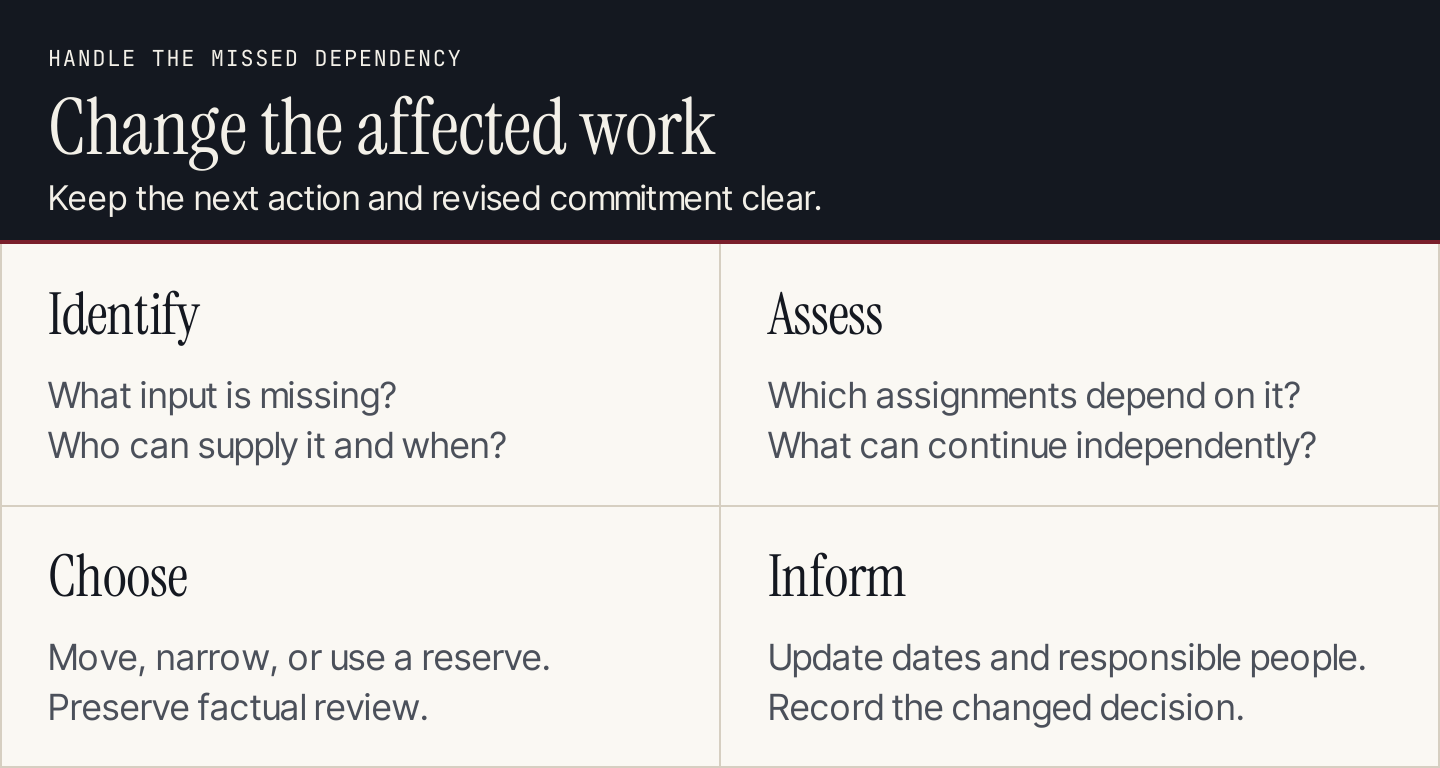
Change the affected assignments and their owners' deadlines when a dependency slips.
Two public templates worth inspecting
Trello: make production stages visible
Trello's Editorial Calendar template uses lists for researching, writing, editing, graphics, readiness, and published work. Its public preview shows cards moving through a production-oriented structure.
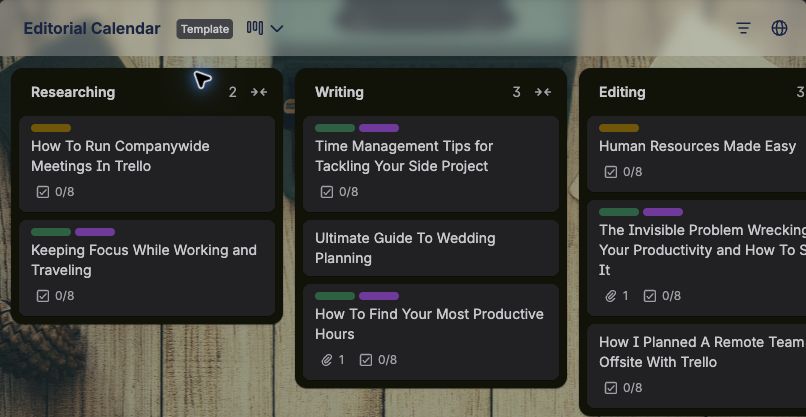
Trello's template makes the stage of each assignment visible in separate lists. Source: Trello.
Adapt the principle by choosing stages that match your work and defining their completion conditions. Add a clear blocked state or field. A card's position should tell the next person what action is expected, rather than only what someone last did.
Asana: connect owners and deadlines
Asana's editorial calendar template describes tracking content, task owners, deadlines, and approval status. The public page introduces the template before signup.
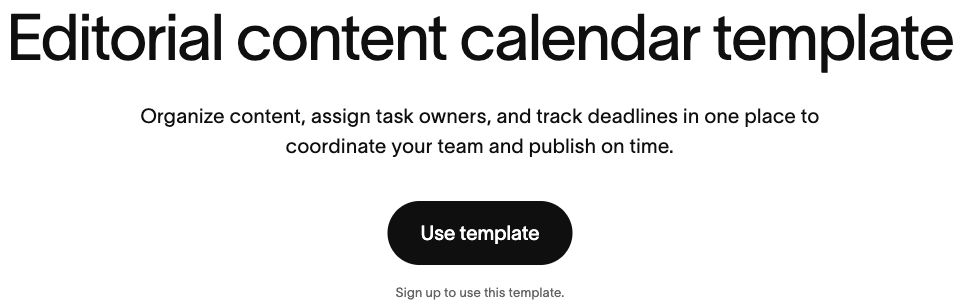
Asana presents the calendar as a way to coordinate content, owners, and deadlines. Source: Asana.
Use a sample assignment to evaluate a tool: can the writer find the brief, can the reviewer see what requires approval, and can the publisher identify the accepted version? Check the features and access required for your workflow before choosing a plan.
How to adapt the calendar for your team
Founder or small business: combine roles where necessary, but reserve separate review time. Keep one production view and a small backlog. A short schedule that reflects your available hours is easier to maintain than a complicated system no one updates.
Marketing team: connect each asset to a campaign or strategy theme. Make specialist review and shared design capacity visible. Keep the final release version linked to its record.
Agency: add client, client approver, approval deadline, and access permissions. Maintain an internal view of shared resource capacity and a client view of the agreed assignments. Don't expose another client's draft or private evidence through a shared calendar.
Put the calendar to work
Populate the next few assignments, name their reviewers, and check the dependencies before filling every available date. Review the schedule with the people responsible for the work.
If researched blog drafts are slowing production, Rankauto finds customer searches, writes and fact-checks articles in your brand voice, and prepares images and SEO fields. Drafts are the default, so keep your review and release tasks in the calendar. Rankauto writes blog articles; the wider email, social, and video schedule remains your team's responsibility.
Content calendar FAQs
How far ahead should we plan?
Keep enough detail for the work you can responsibly schedule. Near-term assignments need owners, dependencies, and dates. Longer-term themes can stay provisional until research and capacity are clearer. The right horizon depends on production lead time and how often priorities change.
Do we need a separate calendar for every channel?
You need clear assignments and permissions. A single system with filtered views can work, as can connected calendars. Preserve the link between the main asset and its adaptations so a factual correction reaches every version.
Should AI create the calendar?
AI can organize supplied ideas or suggest missing fields. People still need to verify availability, permissions, dates, and dependencies. Use the agreed workload and reviewer commitments as the source of the schedule.