llms.txt: What It Does, Its Limits, and How to Create One

An llms.txt file is a small Markdown guide to a website’s useful content. It can help a compatible AI tool find documentation, references, or other selected pages without starting from a complex navigation menu.
For a business owner, the important decision is whether that guide solves an actual discovery problem. A well-maintained documentation library may benefit from an experiment. A five-page service website with broken links has more pressing work.
Here is how to make that decision, create a useful file, and check it without confusing successful implementation with better search performance.
What is llms.txt?
The llms.txt proposal describes a Markdown index for AI tools to use when working with a website. It is an emerging convention, rather than a universal search requirement. The current proposal inspected for this guide is version 2, modified August 10, 2026.
Its structure starts with a site or project heading. An optional short summary explains the scope. Sections then point to useful resources, with brief descriptions that help a reader choose the right destination.
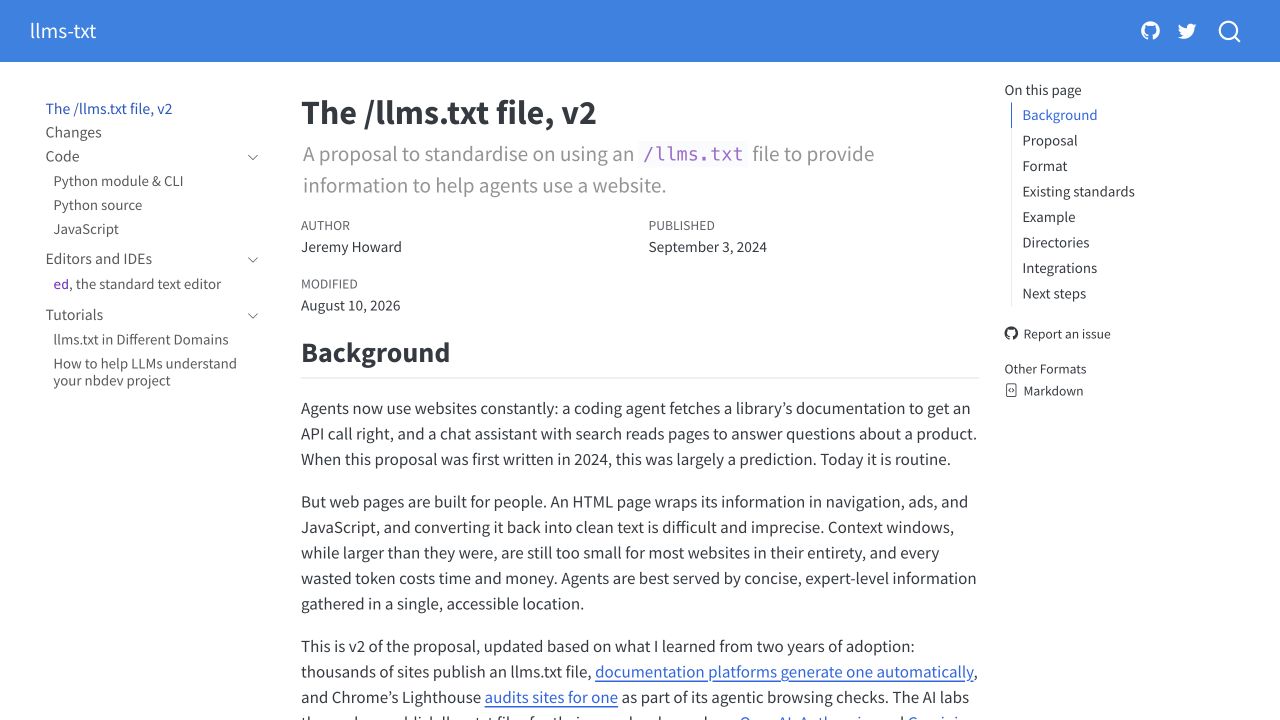
The public proposal, captured on desktop October 8, 2026. A documented format establishes how to write the file; it does not establish adoption by every AI platform.
Think of it as an introduction to a library. The introduction should tell someone which shelf to visit and why. It does not replace the books, make inaccurate books reliable, or decide who may enter the building.
That distinction changes what belongs in the file. Select material an assistant can use to complete a real task: an implementation guide, a maintained API reference, a product compatibility page, or a detailed explanation of your service. A list of every URL on the site usually provides less help than a shorter list organized around those tasks.
What llms.txt does not control
There are several different technical questions behind the phrase “make our website AI-ready.” Use the mechanism that answers the question you actually have.
| Question | Appropriate place to investigate | Role of llms.txt |
|---|---|---|
| Which documentation should a compatible assistant read? | A maintained documentation index | Can provide a curated starting point |
| May a particular crawler request these pages? | That crawler’s documented access rules and your server configuration | Does not replace access rules |
| May content be used for model training? | Provider-specific policies and controls | Does not grant or withdraw consent |
| Can customers access a private document? | Authentication and authorization | Does not protect the document |
| Will a page rank or appear in an AI answer? | Platform guidance, page quality, access, and measured results | Does not guarantee either outcome |
Google’s current AI optimization guide says Google Search ignores llms.txt. Creating one is therefore not a documented route to better Google rankings or AI Search inclusion.
For OpenAI, the crawler documentation distinguishes search crawling through OAI-SearchBot, training crawling through GPTBot, and user-triggered visits through ChatGPT-User. Search and training controls are independent. ChatGPT-User operates in a different context, and robots rules may not apply to those user-triggered requests.
A sentence inside llms.txt saying “do not train on this content” does not substitute for those controls. Keep any access or training decision separate from the documentation-index experiment.
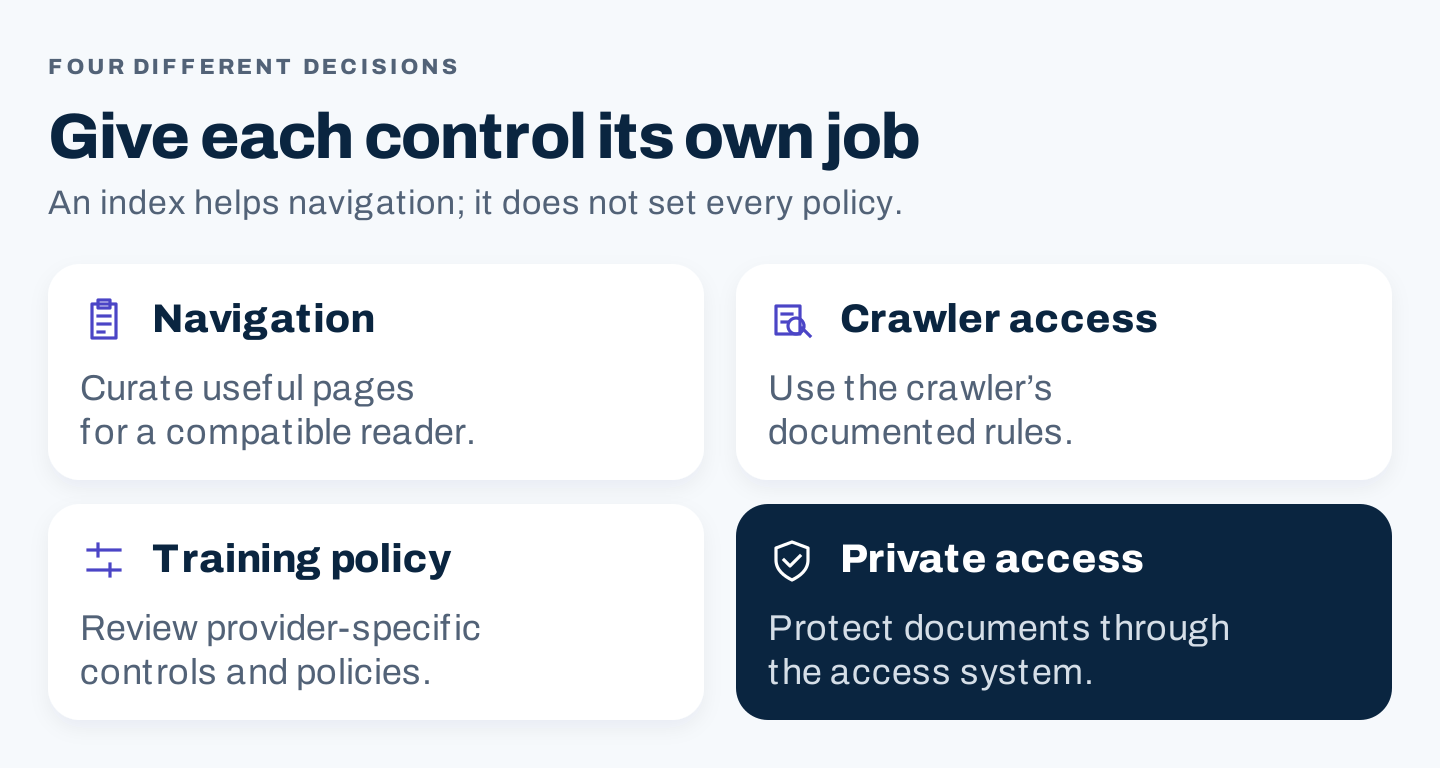
Original decision framework. Choose a control by its documented purpose; a navigation file cannot do every job.
A real example: FastHTML documentation
The proposal includes a FastHTML example, and FastHTML’s public llms.txt file organizes documentation into useful destinations.
The interesting part is the editorial choice. Someone exploring FastHTML needs to distinguish a tutorial from an API reference. Those destinations serve different tasks, so their labels and descriptions should make that difference clear.
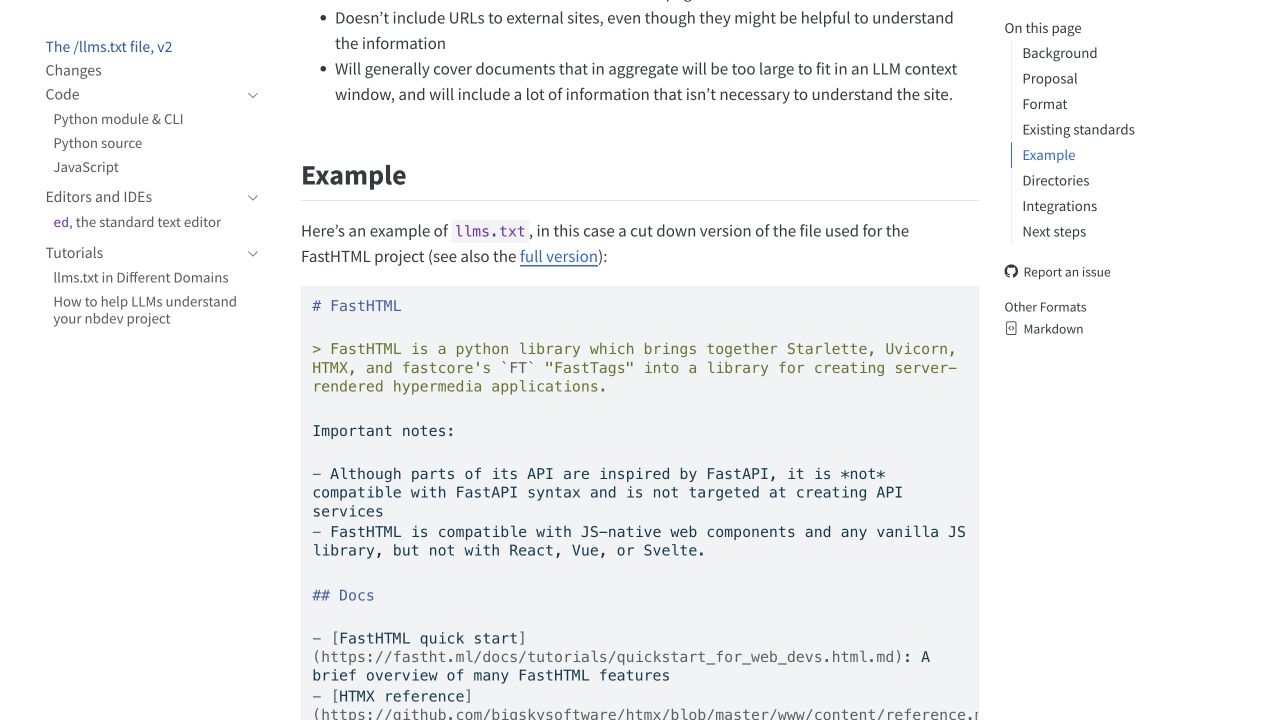
The proposal’s documented FastHTML example, captured October 8, 2026. This screenshot shows the example in the proposal, rather than a screenshot of FastHTML’s live raw file.
You can inspect the by-example tutorial and the public API inventory to see the different resource types.
This is a useful model for a business documentation hub: identify the job, choose the best destination, and describe its scope. It is not evidence that the file increased FastHTML’s traffic, citations, or adoption. No performance test is claimed here.
Should your business create one?
Start with three questions.
Does your site contain material worth indexing separately? A documentation center, developer portal, product knowledge base, or complex service library is a stronger candidate than a small site whose main navigation already reaches everything important.
Who would use it? Name the intended assistant, integration, or internal workflow. “AI in general” is too broad to establish whether the file is useful. If the intended system has no documented support, describe the work as an experiment.
Who will maintain it? Someone must remove retired links and review changed pages. An index that points to outdated instructions can make discovery worse.
| Situation | Suggested decision |
|---|---|
| Maintained documentation with clear user tasks | Create a small index and test it in the intended workflow |
| A large library with inconsistent or stale pages | Fix the selected pages first; index only reliable material |
| Broken navigation or important pages that fail to load | Resolve access and navigation before adding another index |
| No identifiable user or integration | Defer, or keep the experiment deliberately small |
| Private customer documents | Use the appropriate access system; do not expose them through a public index |
There is no need to turn every optional file into a major project. A practical pilot might cover five or ten important resources, provided each earns its place. That is a suggested workload, not a requirement in the specification.
How to create an llms.txt file
1. Choose a narrow purpose
Write one sentence describing the intended task. For example: “Help an assistant locate introductory and reference material for this documentation set.”
That sentence is your selection rule. A press release or unrelated recruitment page probably does not belong in a documentation-focused file, even if it matters elsewhere on the website.
2. Build a checked URL list
For each candidate destination, record its title, useful task, scope, current URL, and owner. Open the page. Confirm that the intended content appears and that the link does not lead to a login screen, an obsolete version, or an unrelated redirect.
Do not rely on a page title alone. “Getting started” can mean installation, account creation, or an overview. Your description should settle that ambiguity.
3. Write the Markdown
The proposal requires an H1 heading and permits additional summary text and organized resource sections. Keep descriptions factual and brief. Where a maintained Markdown equivalent exists, it can provide a cleaner reading destination; do not invent one by adding .md to an unchecked URL.
Here is an original, simplified teaching example using two verified FastHTML destinations. It is not the project’s official file or an endorsed replacement.
# FastHTML documentation

> Introductory and reference material for readers exploring FastHTML.

## Learning

- [Tutorial by example](https://www.fastht.ml/docs/tutorials/by_example.html): A worked introduction to building with FastHTML.

## Reference

- [API inventory](https://www.fastht.ml/docs/apilist.txt): A text listing of documented modules, classes, and functions.
Notice what the example avoids: promotional claims, a copied description of every page, and promises about search visibility. Its purpose is navigation.
4. Put it at the intended location
A conventional starting location is /llms.txt. The proposal also describes scoped indexes under subpaths. Choose a location that matches the library you are describing and the intended consumer’s behavior.
Ask your website maintainer how to serve the file as public text from that location. Uploading it into a CMS media library may produce a different URL; verify the actual destination instead of assuming the file name determines its public address.
5. Verify the delivered response
Open the public address in a browser and check the actual content. A successful upload is not enough if the server returns an error, a generic HTML page, or the wrong file.
Then open every listed resource. Review redirects, version-specific instructions, and any external destinations. If a link has moved, decide whether its replacement serves the same task before changing the index.
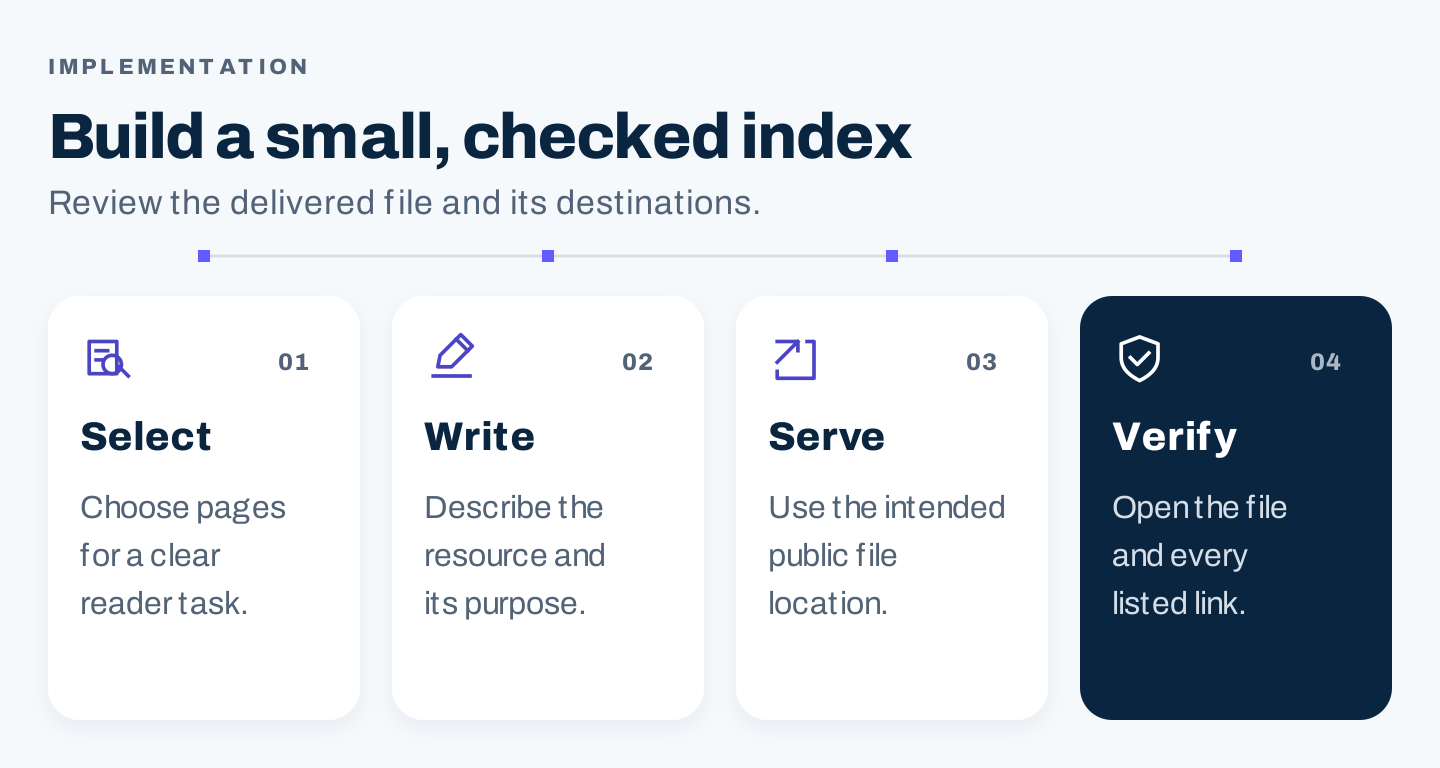
Original implementation sequence. The final check covers the delivered file and its destinations, rather than the upload action alone.
What does Lighthouse tell you?
Chrome’s Lighthouse llms.txt audit treats the file as an optional, emerging convention for agentic browsing. Its guidance distinguishes an absent file from a file that produces server errors: a 404 is treated as not applicable for this audit.
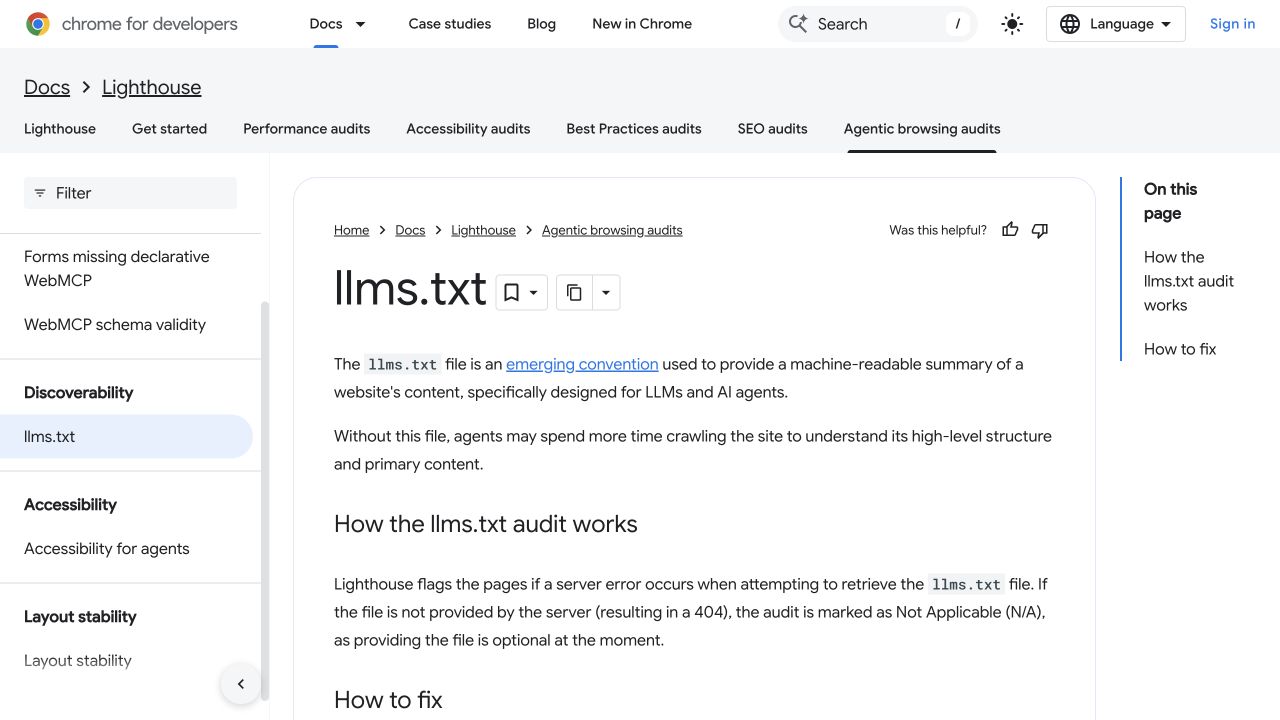
Public Lighthouse guidance, captured October 8, 2026. This is documentation of an agentic-browsing audit, not an SEO score or a test result for your website.
The distinction matters because different Google products can address different use cases. An agentic-browsing audit can discuss a navigation convention while Google Search does not use that convention for ranking.
Treat an audit result as evidence about the check it actually performs. It cannot establish that an assistant used the file, that the listed pages are accurate, or that a business gained customers.
How to test whether it helps
Separate implementation checks from usefulness checks.
Implementation is straightforward: the intended URL works, the file contains the expected Markdown, and its resource links reach suitable pages.
Usefulness requires a representative task. Choose several questions someone genuinely asks about the library. Ask the intended compatible system to complete the task using the available documentation. Record which resources it used, whether its answer was accurate, and whether a reviewer could verify the result.
If your testing environment lets you explicitly provide the index, compare that task with a task where you provide the ordinary documentation starting page. Keep the task and review criteria consistent. This tests the navigation help in that environment; it does not prove automatic discovery by every public assistant.
Use this record:
| Field | What to save |
|---|---|
| Task | The exact question or instruction |
| System and mode | The actual product, mode, and date |
| Starting material | Index URL, normal documentation page, or supplied text |
| Resources used | Verified URLs named or opened during the task |
| Answer check | Correct, incomplete, unsupported, or unable to complete |
| Follow-up | Broken destination, missing resource, unclear description, or no change needed |
Avoid interpreting a single better answer as a ranking lift. Repeated navigation improvements may justify maintaining the file. Search traffic and AI citations require their own measurements.
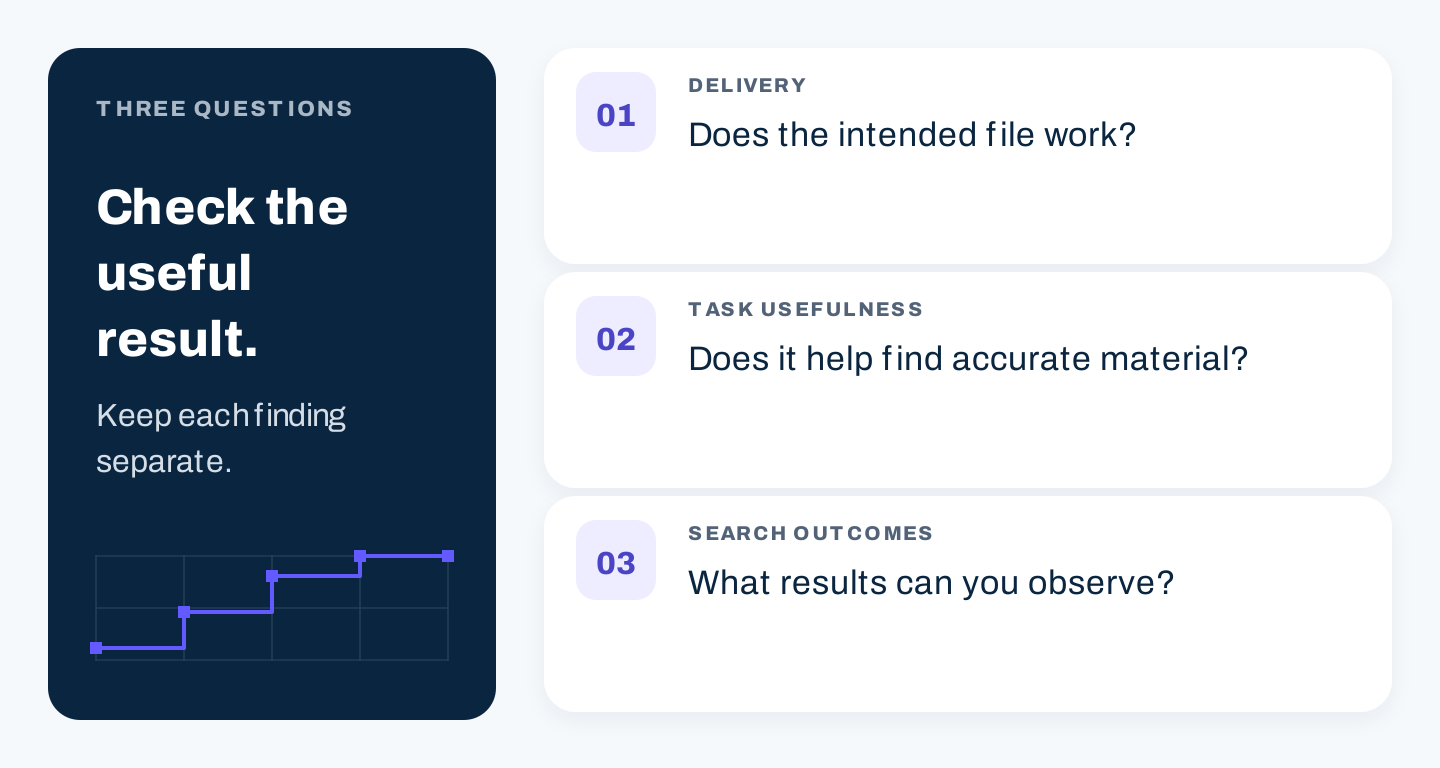
Original review framework. A working file, a useful navigation aid, and improved search outcomes are different findings.
Common problems and fixes
The file contains every page on the website. Reduce it to the intended library and organize resources around tasks. Keep a sitemap for its separate purpose.
The descriptions sound like advertisements. Replace broad praise with the resource’s topic, version, audience, or useful action.
The listed Markdown URL fails. Use a verified destination. A working HTML page is more useful than a nonexistent Markdown alternative.
The file is treated as a training opt-out. Move that decision into the relevant provider’s documented controls and your access policy.
A generator produces a file nobody reviews. Compare its selected URLs and descriptions against the source pages before accepting it. Generating the index is the easy part; selecting accurate material is the valuable part.
No improvement can be identified. Keep the result honest. You may have implemented an optional convention correctly without finding a practical benefit.
A maintenance checklist
Assign an owner and review the index whenever important documentation moves or changes. Keep the file’s scope stable, remove retired destinations, and update descriptions when a page’s purpose changes.
A monthly review may suit a frequently changing library; a release-based review may suit versioned documentation. Choose a schedule your team can actually follow.
The useful outcome is a small, reliable guide to material that deserves to be read. Create it when that helps a real workflow, verify what it delivers, and judge its value from the evidence you can observe.