AI Search Optimization: A Practical Website Action Plan

AI search optimization starts with a useful website page: one that answers a real buyer question, supports its claims, stays accurate, and can be accessed by the systems you want to reach.
That gives a small business a more manageable starting point than rewriting an entire site for every new acronym. Choose a connected set of important pages, identify what prevents a reader from making a decision, and fix those gaps. Then observe the result without assuming that every mention will become a customer.
This guide covers page selection, access, answer quality, supporting evidence, business information, and a practical improvement pilot. It applies to founders, marketing teams, and agencies working on an existing website.
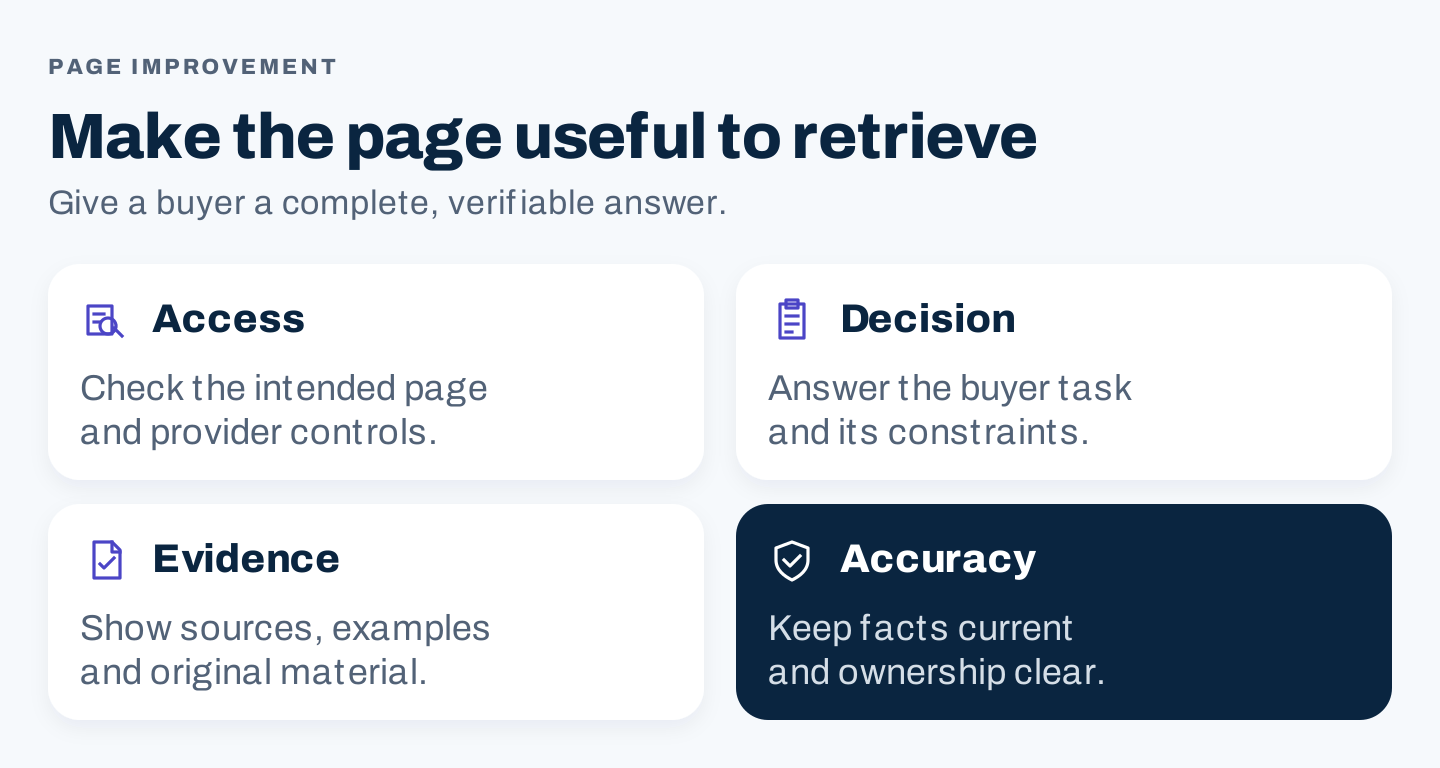
Original framework: inspect access, the buyer decision, supporting evidence, and accuracy before expanding the content plan.
What is AI search optimization?
AI search optimization is the work of improving your website and public business information for discovery and accurate representation in search experiences that generate answers. Depending on the platform and question, those answers may include sources, product suggestions, or business recommendations.
You will also encounter AEO, GEO, and LLM SEO. The labels can describe overlapping work, but they do not establish a single technical standard across providers. Specify the actual destination and job: improving a product comparison for Google Search, checking ChatGPT search access, or correcting public service information.
For Google, the current guidance keeps core SEO relevant and rejects mandatory special AI files, special schema, and fixed content chunk lengths. It also warns against manufacturing pages for every related query. Treat formatting as a way to help readers understand the material. Google’s AI optimization guide
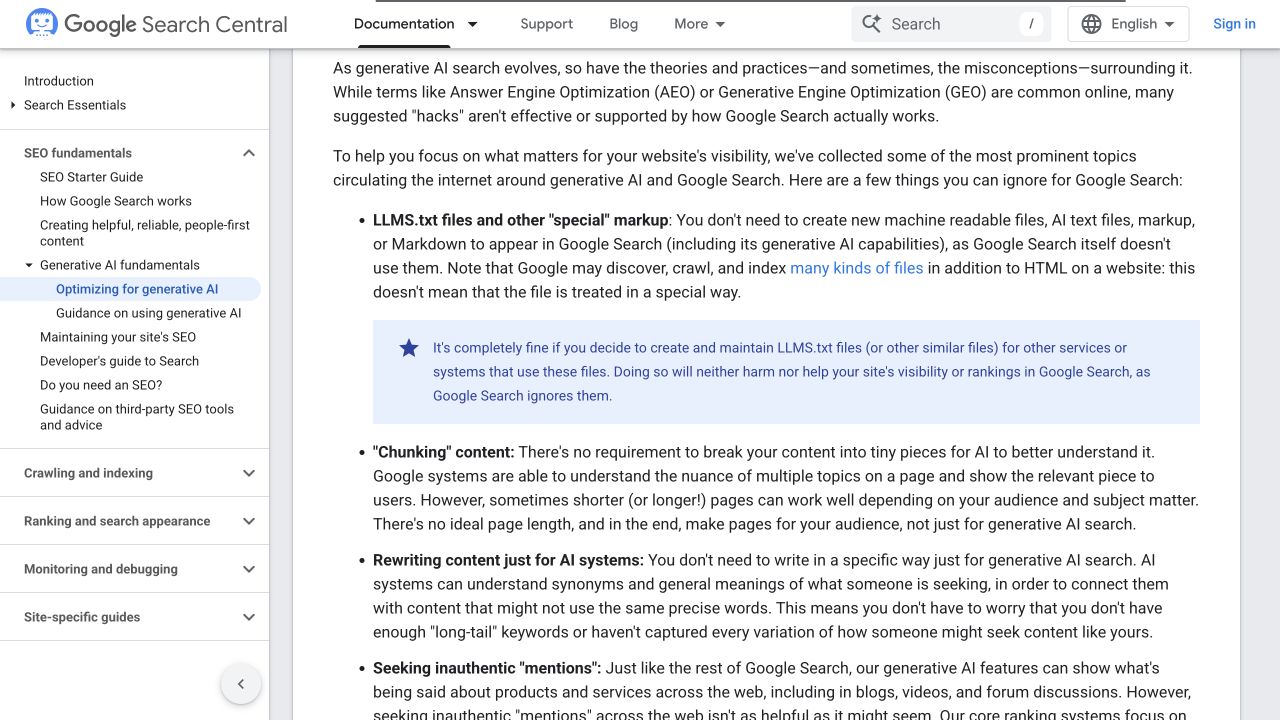
Google’s public guidance addresses several common AI optimization myths. Source. Desktop capture, October 8, 2026.
1. Choose pages with an actual business purpose
Start with pages that already help customers evaluate, use, or buy what you offer. A page with high historical traffic is worth inspecting, but traffic alone does not make it the best improvement candidate.
For a founder, the first group might be the main service page, its pricing or process explanation, and a useful buying guide. A marketing team can choose one product category and its supporting comparisons. An agency should define the client’s approved offering and geographic scope before proposing topics.
Create a short selection register:
| Field | What to record |
|---|---|
| Page URL | The actual published destination |
| Reader job | The decision or task this page helps complete |
| Business relevance | The service, product, or outcome it supports |
| Current evidence | Search data, customer questions, observed page problems |
| Main gap | Missing facts, weak explanation, access issue, or poor next step |
| Owner | The person who can confirm facts and authorize changes |
Avoid a topic selected only because an AI assistant suggested it. Ask whether you have something useful to contribute and whether the reader belongs to your market.
Do not create several articles for minor wording variations when one page can answer the same question well. Check existing content first. A refresh that resolves a real gap can be more useful than another competing destination on your own site.
2. Check access and provider controls
A beautifully written page cannot compensate for an unintended block. Have the responsible technical owner inspect the exact URLs selected for the pilot.
Check whether the page loads publicly, shows its main information in the rendered page, links to working destinations, and uses the intended index and crawl settings. Compare the live page with the version your team reviewed. A CMS draft, redirect, login screen, or error page is a different result.
For Google’s generative AI features, review the Search Console control as well as ordinary eligibility. The current Help documentation describes inclusion and exclusion settings for AI Overviews, AI Mode, and generative AI features in Discover. Confirm both the property’s setting and any inherited parent setting. Google’s Search generative AI control
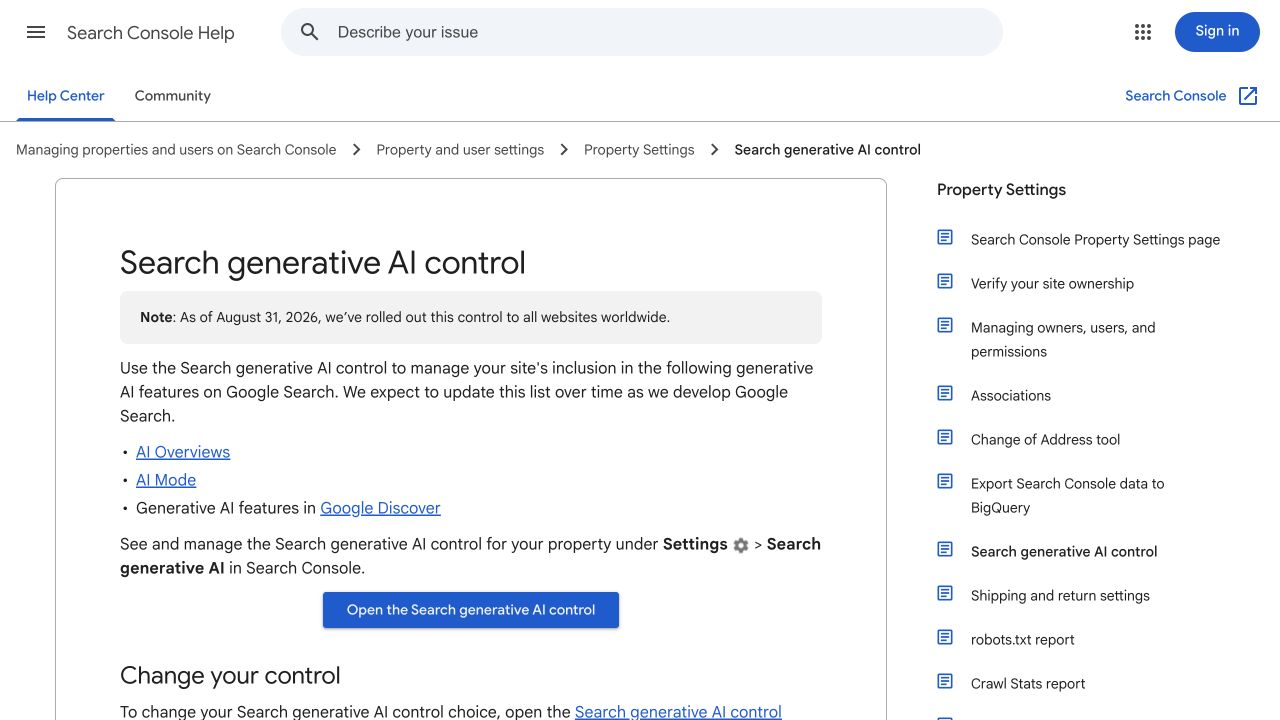
This is Google’s public Help documentation, not a screenshot of an inspected customer account. Source. Desktop capture, October 8, 2026.
For ChatGPT search, OpenAI documents OAI-SearchBot separately from GPTBot, its training crawler. These settings are independent. User-triggered ChatGPT-User requests have another role and may not follow robots.txt rules. Review the documented crawler and firewall requirements for the intended use. OpenAI’s crawler documentation
Do not solve an access issue by opening private documents or turning off broad security protections. The practical question is whether an intended public page is available through the appropriate documented controls.
Keep a technical finding specific: URL, observed response, affected content, configuration evidence, proposed correction, and verification owner. “The site is AI ready” is too broad to close an issue.
3. Answer the complete buyer question
Write down the question in the language a customer would use. Then identify the constraints that change the answer.
For a service, those constraints might include location, job size, availability, scope, exclusions, and the information needed for an estimate. For software, they might include supported workflows, integrations, access requirements, limits, and the next step to evaluate fit.
Give a clear answer early, followed by the detail needed to use it responsibly. A comparison benefits from a table when the options share meaningful dimensions. A setup task benefits from ordered steps. A decision with exceptions needs those exceptions beside the recommendation.
A short paragraph that sounds decisive but omits the conditions is not a complete answer. Nor is a long introduction that postpones the useful information.
Use this page review:
- Can a reader identify who the answer applies to?
- Are the material conditions and limitations explicit?
- Does the page show how to evaluate or complete the task?
- Are supporting examples relevant to the stated question?
- Is there a useful next step beyond reading another generic article?
A real example: REI’s hiking boot guide
REI’s public hiking boot guide organizes the decision around boot types, components, and fit. Those are different questions: what kind to consider, what its construction means, and whether it suits the wearer. The page connects the explanation with relevant resources. REI’s hiking boot guide
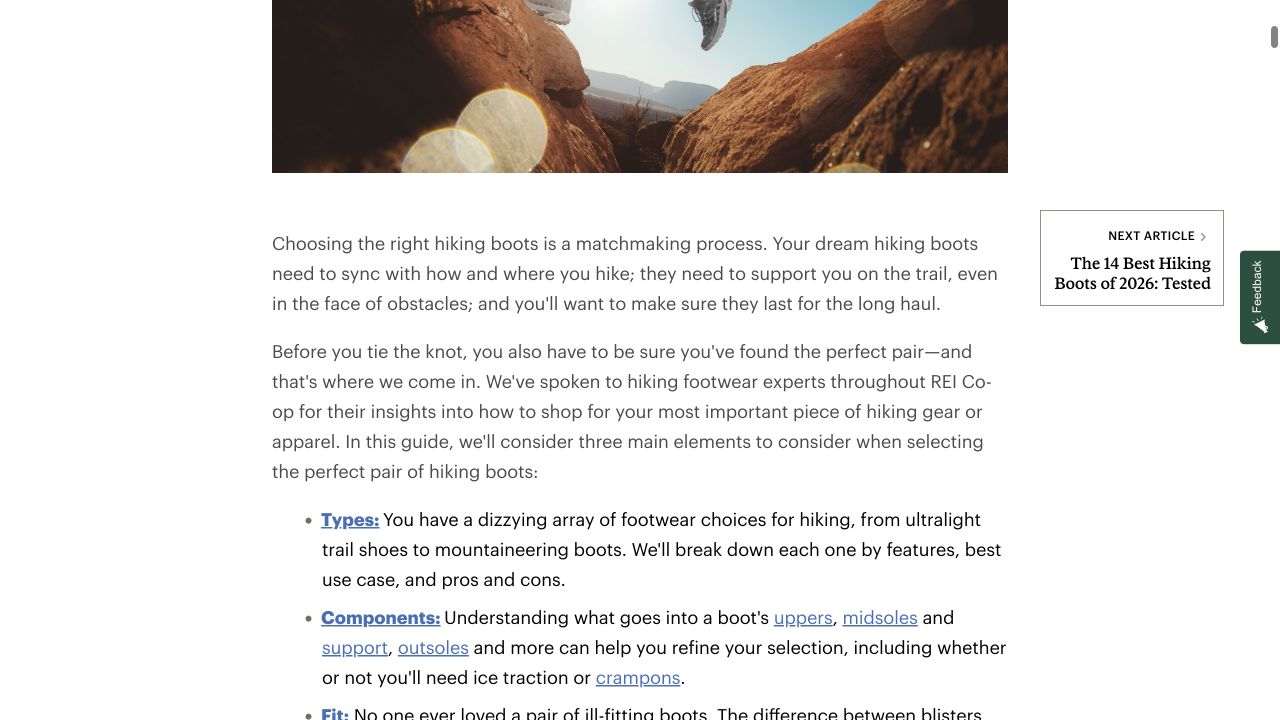
The visible REI sections show a decision organized around types and components. This example demonstrates page structure; no AI citation or ranking result was tested. Source. Desktop capture, October 8, 2026.
Apply the principle to your subject. A buyer should be able to compare the factors that affect the decision, understand their implications, and reach the relevant next action. Copying REI’s headings into an unrelated industry would lose the reason the structure works.
4. Add evidence that changes the answer
Supporting evidence should resolve uncertainty. It might be an original measurement, a photographed process, an annotated public example, a documented product limitation, or an expert explanation grounded in actual work.
Match the evidence to the claim:
| Claim type | Useful support | Review question |
|---|---|---|
| Product capability | Current documentation or an actual test | Was this capability checked for the relevant version or plan? |
| Process explanation | Observed steps and supporting screenshots | Does the capture show the step being described? |
| Comparison | Shared dimensions and source-backed facts | Are the options compared on equivalent terms? |
| Performance result | Dated data and an explicit method | What was measured, and what remains uncertain? |
| Business availability | Owner-confirmed operating information | Is the service still available in the stated market? |
A decorative illustration can improve presentation, but it cannot substantiate a product result. A screenshot of a public homepage cannot prove that a workflow ran successfully. Make the evidence boundary visible in the caption or explanation.
When you lack firsthand testing, say that an example comes from a public page or documented capability. Do not turn a hypothetical scenario into an unnamed customer success story.
For a small team, one well-explained original worksheet can be more useful than a collection of unrelated stock graphics. The reader should be able to do something with it.
5. Keep business information and ownership clear
Maintain a checked record of your business name, website, service scope, contact routes, product facts, and applicable location information. Use it to review your site and the public profiles your team controls.
Distinguish genuine changes from stylistic differences. An obsolete phone number or discontinued service is a concrete problem. Small wording differences do not automatically establish an AI visibility failure.
For each important page, name someone who can confirm factual changes. Include an accurate author or reviewer description when it helps the reader assess expertise. Do not invent credentials or imply that a subject specialist reviewed material they have not seen.
Add an update date when the information was substantively checked or changed. Changing the date alone does not repair an outdated comparison.
6. Use AI to organize a bounded review
AI can help compare a supplied page against a supplied evidence pack. Give it a narrow task and require the output to preserve uncertainty.
Review the supplied page for this reader task: [task].
Use only the supplied page text and evidence pack.

List:
1. Questions the page answers completely.
2. Material conditions or facts it does not address.
3. Claims that lack support, with the exact passage.
4. Suggested edits, each linked to a supplied source.
5. Questions that require the business owner's confirmation.

Do not invent search volume, customer results, product features,
or firsthand experience. If evidence is missing, label the gap.
Do not rewrite the page until the review is accepted.
This is an original, unexecuted prompt template. Before using an external AI service, remove customer details and other information the task does not need. Review the proposed changes against the sources rather than accepting the model’s confidence as verification.
The best output is an inspectable change list. You should be able to see what changes, why it matters, and who can confirm it.
7. Run a focused improvement pilot
Use a 30-day operating plan to complete and inspect the work. This is a proposed review schedule, not a promise of search impact within 30 days.
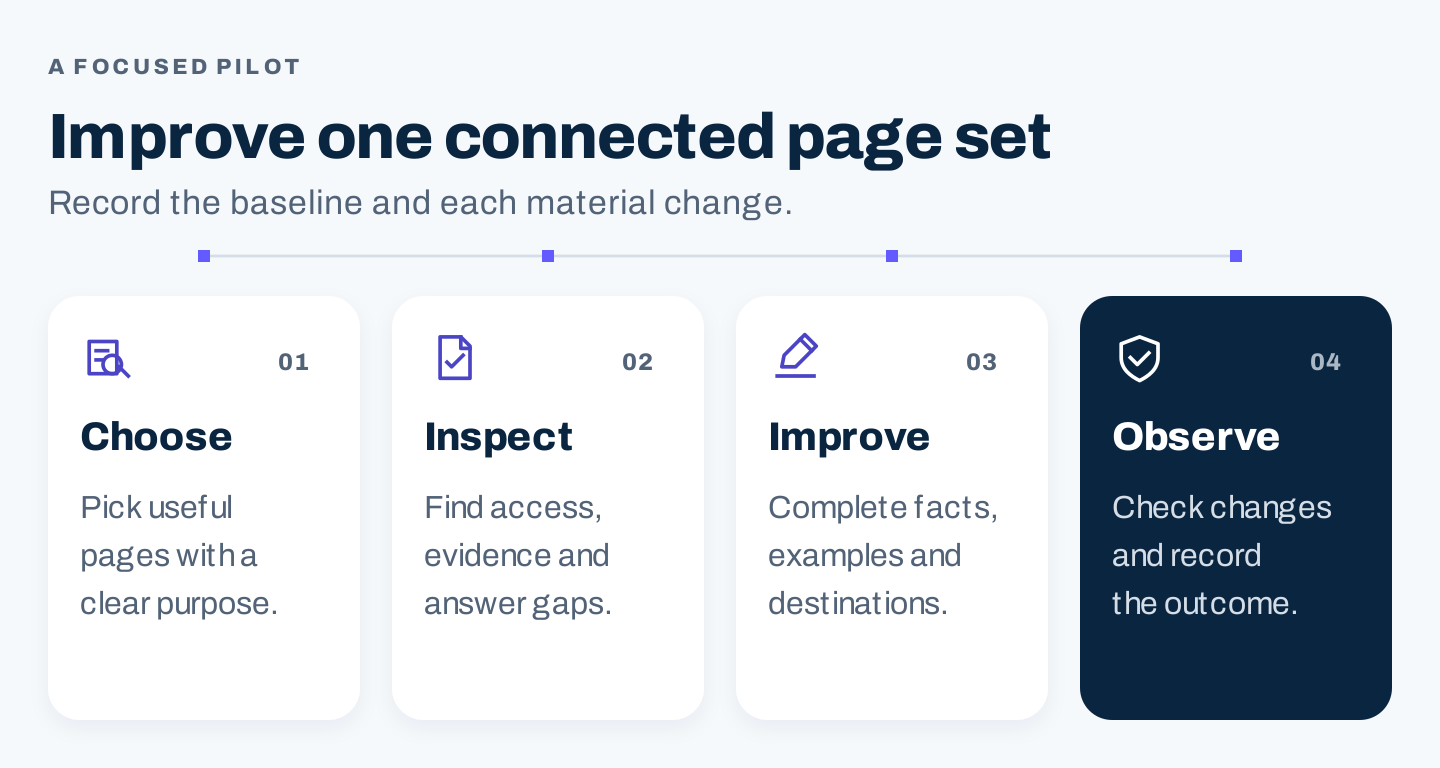
Original pilot workflow: select a connected page set, inspect its gaps, complete improvements, and preserve the observation record.
| Period | Work | Finished artifact |
|---|---|---|
| Week 1 | Select pages and save baseline evidence | Page register, source pack, access findings |
| Week 2 | Confirm facts and plan useful additions | Approved edits and visual requirements |
| Week 3 | Implement and inspect the live destinations | Change log and completed page checks |
| Week 4 | Review available observations and unresolved issues | Findings, limitations, and next actions |
For each page, record the question served, changes made, publication date, evidence owner, and follow-up date. Preserve a baseline copy so later reviewers can distinguish an actual improvement from a vague recollection.
If several major changes happen at once, avoid attributing a later outcome to a single edit. Seasonality, competitors, platform changes, and other marketing work may also affect the result.
8. Measure different outcomes separately
Check completion first: were the changes published correctly, and do the contact or conversion routes work?
Then review observable search presence. Google’s generative AI performance report provides AI Overviews and AI Mode impressions, with page, country, device, and date breakdowns. It is not an all-platform brand mention report; availability and aggregation limits matter. Google’s report documentation
For manual AI observations, save the question, platform, date, response, and cited URLs. A missing citation in one response does not prove an access problem. A citation does not prove a qualified visit or sale.
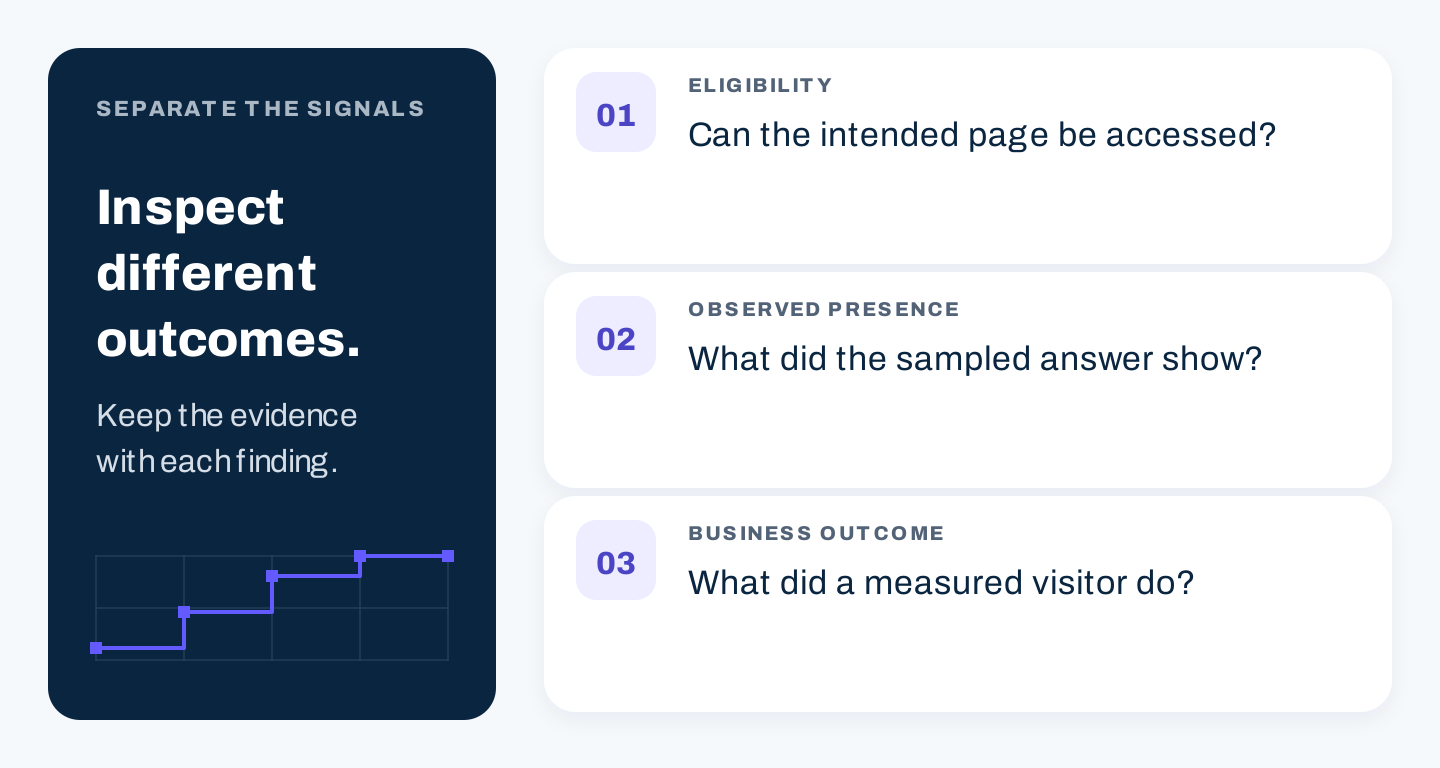
Original measurement distinction: access, observed answers, and customer outcomes require different evidence.
Review website visits and business events through your own agreed measurement process. Keep mentions, source links, visits, qualified inquiries, and completed sales distinct. If attribution is incomplete, report that limitation.
For a fuller observation method, use the companion AI visibility tracking guide.
A page acceptance checklist
Before closing an improvement task, confirm:
- The page serves a defined buyer question within your actual offering.
- Its main information and linked destinations work publicly as intended.
- Relevant provider controls have been checked by the responsible owner.
- Material claims have traceable support and meaningful limitations.
- Examples show real public evidence or clearly labeled original exercises.
- Business details and the next action are accurate.
- The rendered page, visuals, captions, and mobile layout have been inspected.
- The baseline, change record, and follow-up owner are saved.
Start with a page where you can make a concrete difference. Complete the useful answer, verify the destination, and use the observed evidence to choose the next improvement.