SaaS Content Marketing: 11 Steps and Real Examples
Build SaaS content marketing in 11 steps. Learn from Slack, Webflow, and Notion, map product tasks, and plan useful content from discovery to adoption.

SaaS content marketing helps people understand a software problem, evaluate a product, learn to use it, and decide whether to keep using it. A blog may introduce the problem. A comparison can explain fit. A walkthrough helps a new user complete the work they signed up to do.
Those resources belong to the same customer relationship, but they need different briefs and success measures. A trial signup doesn't prove activation, and reading a help article doesn't prove successful adoption.
This guide gives you an 11-step plan, three real public examples, and a copyable task map. Use it for a software startup, an established marketing team, or an agency working with SaaS clients.
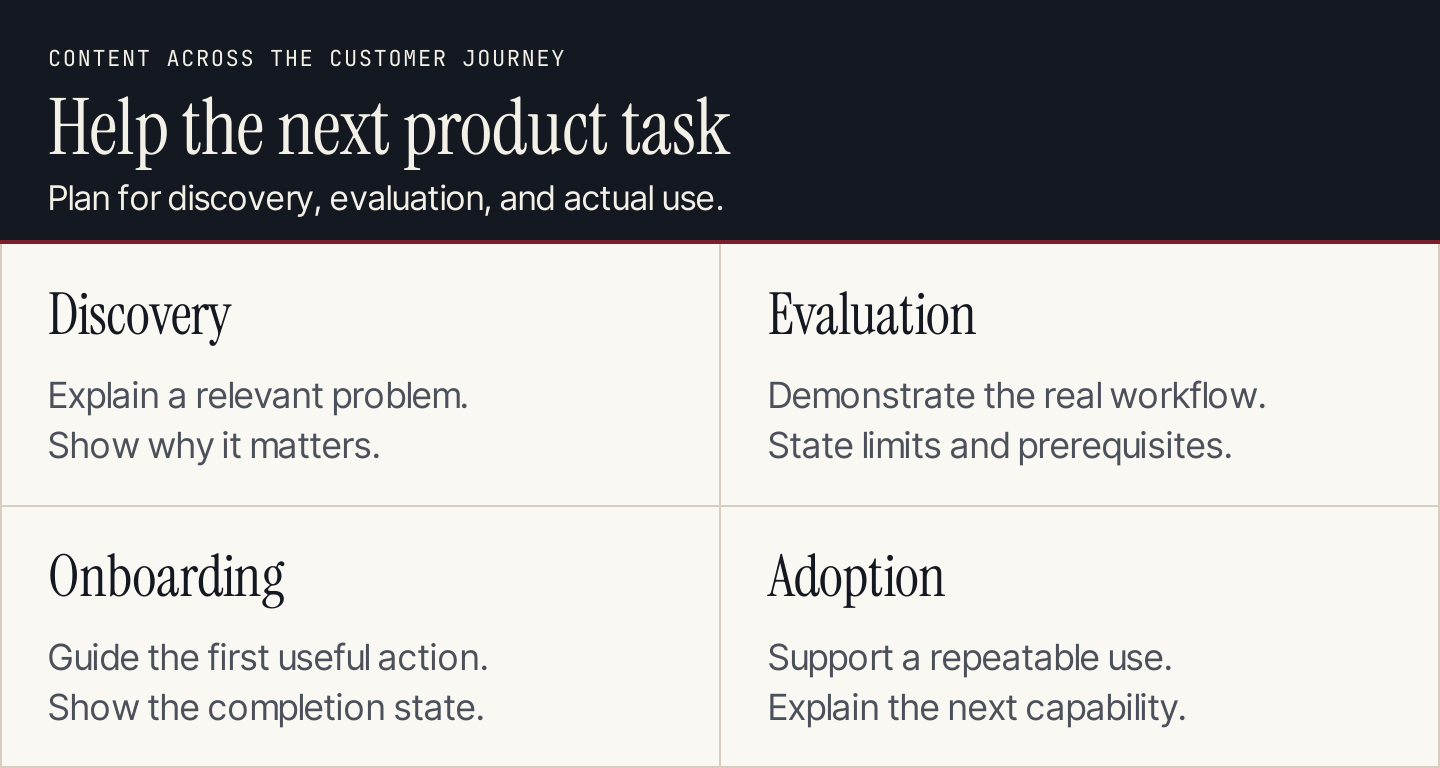
Choose the customer task before choosing the format or the metric.
How SaaS content differs from a general blog program
Software content often needs to explain a moving product. The same instructions may depend on plan, permissions, account configuration, or whether someone is a new user or an administrator.
Keep a clear connection between the promise and the actual workflow. If an article invites someone to try a feature, the feature should be available under the conditions the article describes. If setup requires an administrator, say so before the reader reaches a blocked step.
This is broader than SaaS SEO. Search is one discovery route. Here, the focus is the content a person needs from initial interest through actual product use.
| Customer job | Useful content | A measure to define |
|---|---|---|
| Understand the problem | Explanation, diagnostic checklist, expert discussion | Relevant readers reach an appropriate next step |
| Judge whether the product fits | Comparison, use case, limitations, demonstration | Qualified evaluation or a resolved buying question |
| Complete an initial task | Setup guide, tutorial, sample project | Verified completion of the chosen task |
| Expand or sustain use | Advanced workflow, troubleshooting, role-specific learning | Successful use of the relevant workflow |
These are planning options. Decide which actions your own product records can reliably measure. Don't describe a page view as a completed setup.
Build the program in 11 steps
1. Define the user and the person choosing the product
The person who discovers a tool may not administer or purchase it. Describe the actual roles and their different questions.
For a small-business app, one founder may hold several roles. For a team platform, the daily user may need to persuade an operations manager or satisfy a technical reviewer. Keep both the user's task and the buying conditions visible in the plan.
2. Pick the first successful task
Name an observable action that represents useful initial progress. It might be creating an approved project, completing a setup, or using a feature for a real assignment.
Ask the product team what prerequisites make that action possible. Record the starting state and the successful ending state. This gives a tutorial a testable purpose and prevents the content team from inventing an activation definition.
3. Collect questions from actual customer interactions
Review permitted sales questions, support requests, usability findings, and onboarding feedback. Group them by the task and the point where progress stopped.
Keep the original wording where it helps reveal confusion. Separate a feature request from a misunderstanding of an existing feature. Don't assume an AI-generated persona explains why a real user abandoned a task.
4. Inventory the answers you already provide
Inspect the product pages, blog, documentation, help center, training, and sales resources. Identify whether a missing answer requires a new resource or an update to an existing one.
A tutorial that already answers the question may only need clearer prerequisites or a better route from onboarding. Conversely, a broad blog explanation should not replace exact setup instructions. Give each resource a primary job.
5. Write a task brief with product conditions
Include the user role, problem, starting state, intended output, and relevant product conditions. Name the expert who will check the workflow.
The brief should state what the content will demonstrate and what remains outside scope. Use a content brief for the shared assignment details, then add the product access and version requirements specific to software.
6. Gather the demonstration and evidence
Use a permitted demo environment when showing authenticated work. Record the relevant product version or review date, access level, and exact steps performed.
Public documentation can support an explanation of the published workflow. It isn't evidence that your team tested a private account feature. Don't manufacture a screenshot of a successful result when the task wasn't completed.
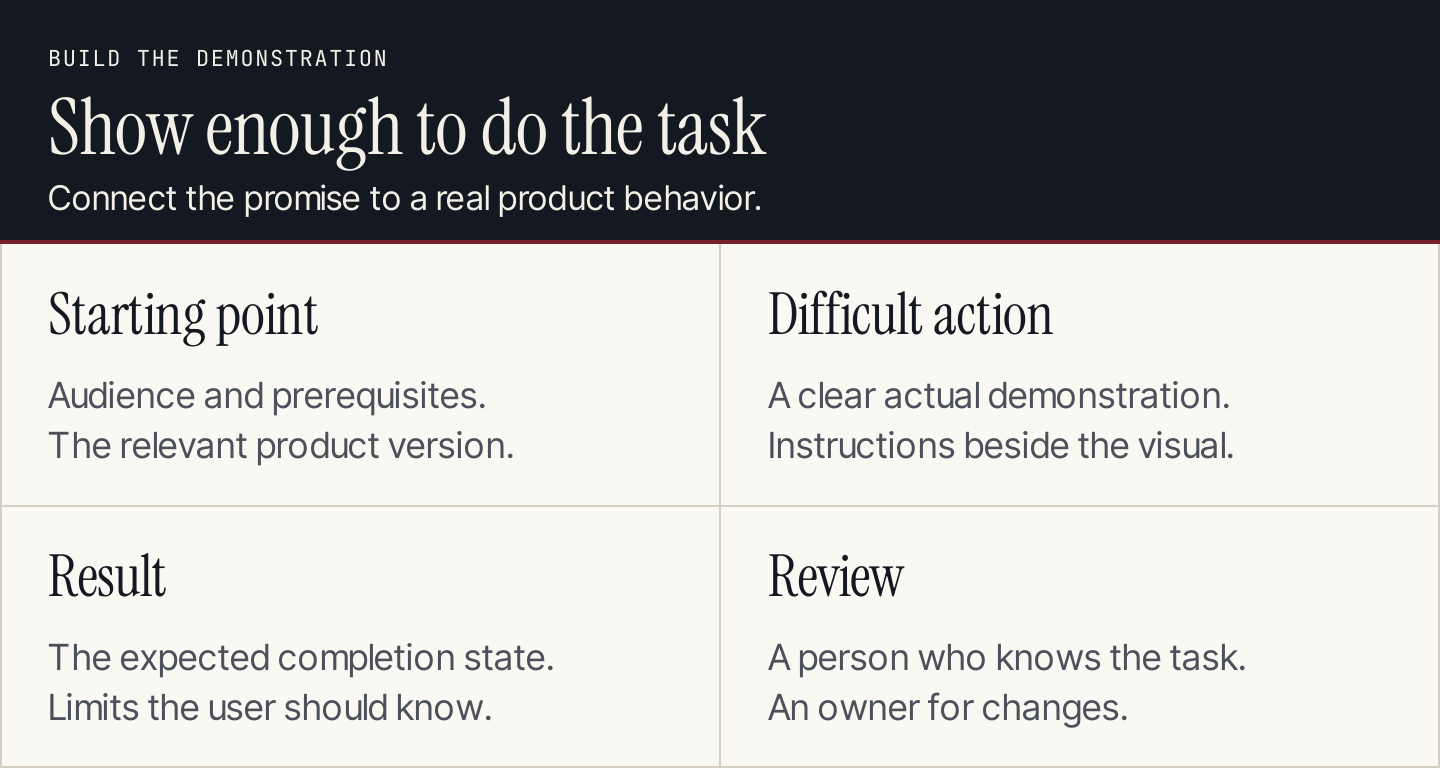
A walkthrough should connect the starting conditions to an observable result.
7. Explain the workflow and its common stopping points
Write the necessary sequence and show the difficult action. Tell the reader how to recognize completion and what to check if the expected result doesn't appear.
Keep the main route readable. Put genuinely different starting conditions in separate branches or linked resources. A long list of every possible setting can obscure the task the tutorial promised to solve.
8. Connect discovery content to product education
Link a useful problem explanation to the appropriate demonstration or evaluation resource. Link an onboarding message to the exact task guide.
The next step should reflect readiness. Someone researching a category may need comparison criteria. Someone who has joined a workspace may need permission or notification instructions. Avoid sending both to the same generic demo request.
9. Adapt the resource for the people who will use it
Give support, customer success, sales, and marketing the approved resource and a concise explanation of when to use it. Keep the source URL and owner visible.
A video can demonstrate movement. A checklist can support a live onboarding session. An email can route an existing user to the right lesson. Plan these as real assignments with review needs, rather than assuming an article automatically produces every format.
10. Measure progress using the defined task
Connect the intended action to the data you can observe. For a signup article, qualification and trial starts may matter. For a tutorial, successful task completion may be more useful than visit volume.
Check the event definition and the product population. Users who cannot access the feature should not silently become failed completions. Keep acquisition, activation, and retention measures separate so the content's contribution is interpretable.
11. Review the content when the product changes
Set a trigger for changed menus, permissions, pricing, integrations, or recommended workflows. Name the person who can confirm the new instructions.
Review the connected resources, not just the original article. A screenshot may be stale even when the text remains correct. An onboarding message may still point to an old URL after a guide is replaced.
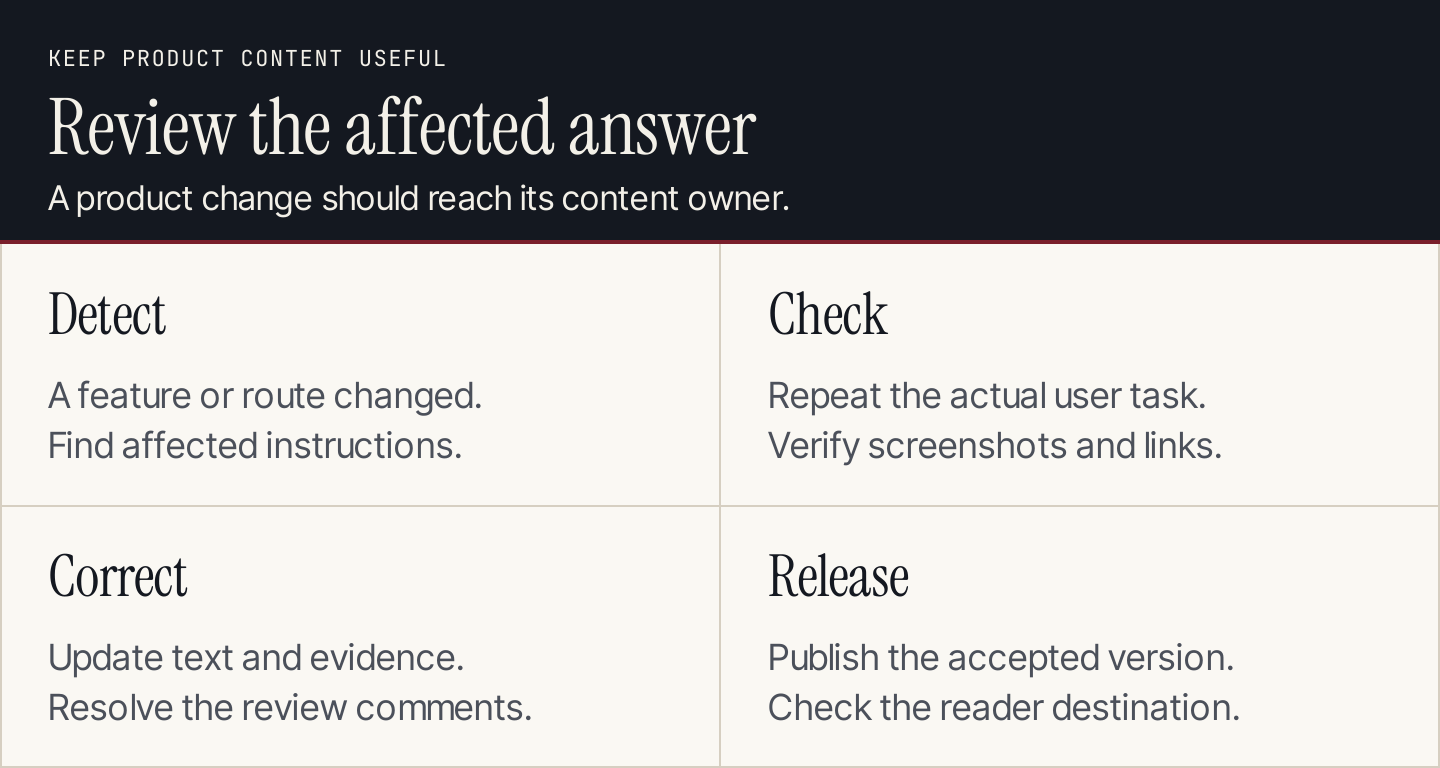
Maintenance is part of the content program when the product keeps changing.
Three real examples and what to adapt
Slack: give a new user a short starting sequence
Slack's new-user guide organizes the introduction around profile setup, notifications, messaging, and further features. The page includes a visible contents menu.
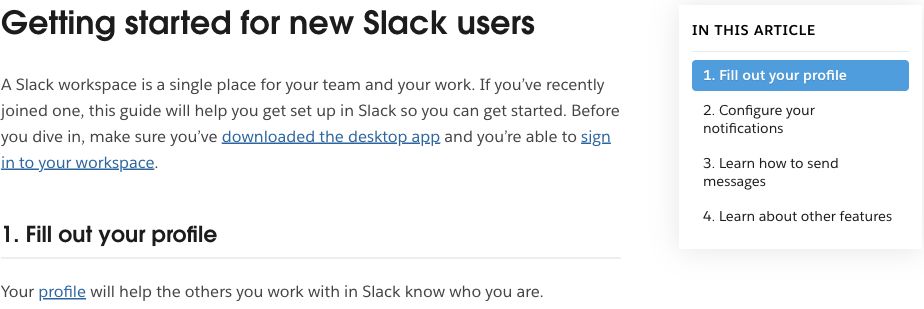
Slack turns “getting started” into named actions a new user can recognize. Source: Slack.
Adapt the bounded sequence. Choose the first actions a person needs, explain their purpose, and link to deeper guidance afterward. Test whether the starting instructions match the user's account state. An invitation to a workspace and creation of a new workspace are different starting conditions.
The page's existence doesn't establish Slack's completion rate. For your own version, define the task and measure it in the product if the available data supports that.
Webflow University: match the lesson to readiness
Webflow University presents an introductory course beside resources for more specific work, including site migration. It distinguishes learning formats rather than treating every topic as another blog post.
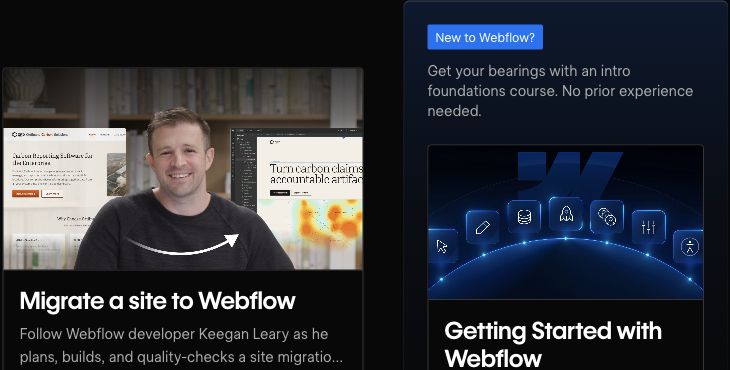
Webflow offers different starting points for introductory learning and a specific project. Source: Webflow University.
Your first version can be smaller. If customers repeatedly struggle with a complex task, create a focused demonstration and a written checklist. State prerequisite knowledge and the expected output before the lesson begins.
For a migration lesson, an ending state might be a checked migration plan or a successfully transferred test project. Choose the one your own lesson actually supports; don't promise a complete production migration when the material only covers planning.
Notion: offer recognizable routes into help
Notion's help center combines a search field with topic routes. Its visible cards include Getting started, Notion AI, and Custom Agents. Other navigation separates workspace, collaboration, and administration subjects.
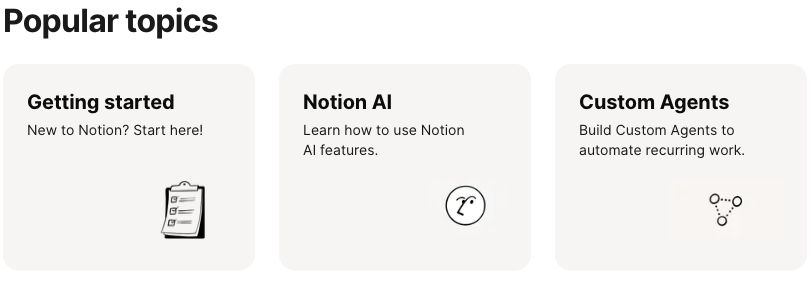
Notion gives users several recognizable routes to the relevant help. Source: Notion.
Adapt the task-based navigation. Use the words customers recognize and distinguish introductory material from specialist work. A resource library should help someone find an answer, rather than require them to understand your internal content categories.
Use support feedback or a small usability exercise to check the labels. Watch where a person looks for the answer and whether the chosen resource resolves their question. A visually tidy help center alone doesn't prove findability.
Copy this SaaS content task map
| Field | What to record |
|---|---|
| User and buying role | Daily user, administrator, evaluator, or purchaser |
| Customer task | Specific decision or action |
| Starting conditions | Account state, access, prerequisite knowledge, and inputs |
| Ending state | Observable output or completed action |
| Current answer | Existing page, lesson, or documentation route |
| Missing help | Explanation, demonstration, comparison, or troubleshooting |
| Product reviewer | Person who can verify the workflow and conditions |
| Main resource | Format, owner, working brief, and release destination |
| Connected resources | Onboarding message, support reply, or channel adaptation |
| Measure | Defined action, population, denominator, and window |
| Review trigger | Product change or evidence that the task remains difficult |
For a practical exercise, map Slack's visible starting actions to those fields. Record the guide's actual starting condition, then propose your own completion check. That exercise analyzes public content; it doesn't disclose Slack's internal onboarding strategy.
An optional AI review prompt
AI can help identify a missing condition in a supplied walkthrough. Give it only approved material and inspect its suggestions before applying them.
Review this SaaS task brief and draft using only the supplied evidence.

Identify:
1. Unstated prerequisites or user permissions.
2. Steps that do not lead to the promised ending state.
3. Claims without a supporting source or demonstration.
4. Instructions that conflict with the supplied product notes.
5. Questions a first-time user may still need answered.

Return each issue with the relevant draft passage and a question for
the product reviewer. Do not invent features, screenshots, plan access,
customer quotations, completion rates, or product test results.

Brief: [paste approved task brief]
Evidence: [paste approved product notes and source excerpts]
Draft: [paste draft]
Use the prompt as a review aid. The product expert still confirms access, steps, and the ending state.
Start with one difficult customer task
Choose a task with a clear owner and enough product evidence to demonstrate it. Make the answer useful, connect it to the appropriate entry point, and review what still prevents completion.
Rankauto can support the researched blog articles in that program, with writing in your brand voice, fact checks, images, and SEO fields. Drafts are the default. Your team owns authenticated product demonstrations, private customer evidence, and the help, email, and video work around the blog.
SaaS content marketing FAQs
Should every article include the product?
Include it when it helps explain or complete the customer's task. A category explanation may need a neutral account of the choices. A product tutorial needs exact conditions and instructions. Don't force a feature into an unrelated question.
Does a SaaS business need an academy?
A few accurate resources can be a better starting commitment than an extensive academy. Expand when customers need a learning progression and your team can maintain it.
How is this different from SaaS SEO?
SEO addresses search discovery. SaaS content marketing also covers evaluation, onboarding, product learning, and ongoing use across several channels.