AI Ad Creative: A 9-Step Production Workflow
Build AI ad creative in nine steps with an Adobe offer example, a four-concept matrix, a copy prompt, asset review, and a campaign learning plan.

AI ad creative combines generated copy, images, or editable layouts with the assets a campaign needs. It can help a small team explore messages and produce variations, but the deliverable is more than a folder of images. Each ad needs an identifiable idea, a supported offer, a checked destination, and a plan for learning from delivery.
Begin with a small creative packet: one brief, a controlled variation matrix, accepted source assets, and an export checklist. Expand production when the packet works across the intended placements.
This guide uses current Adobe documentation and Adobe’s public Firefly background-removal offer. The sample ads are our proposed concepts, not Adobe campaign results or approved Adobe copy. Rankauto publishes this guide and produces blog content.
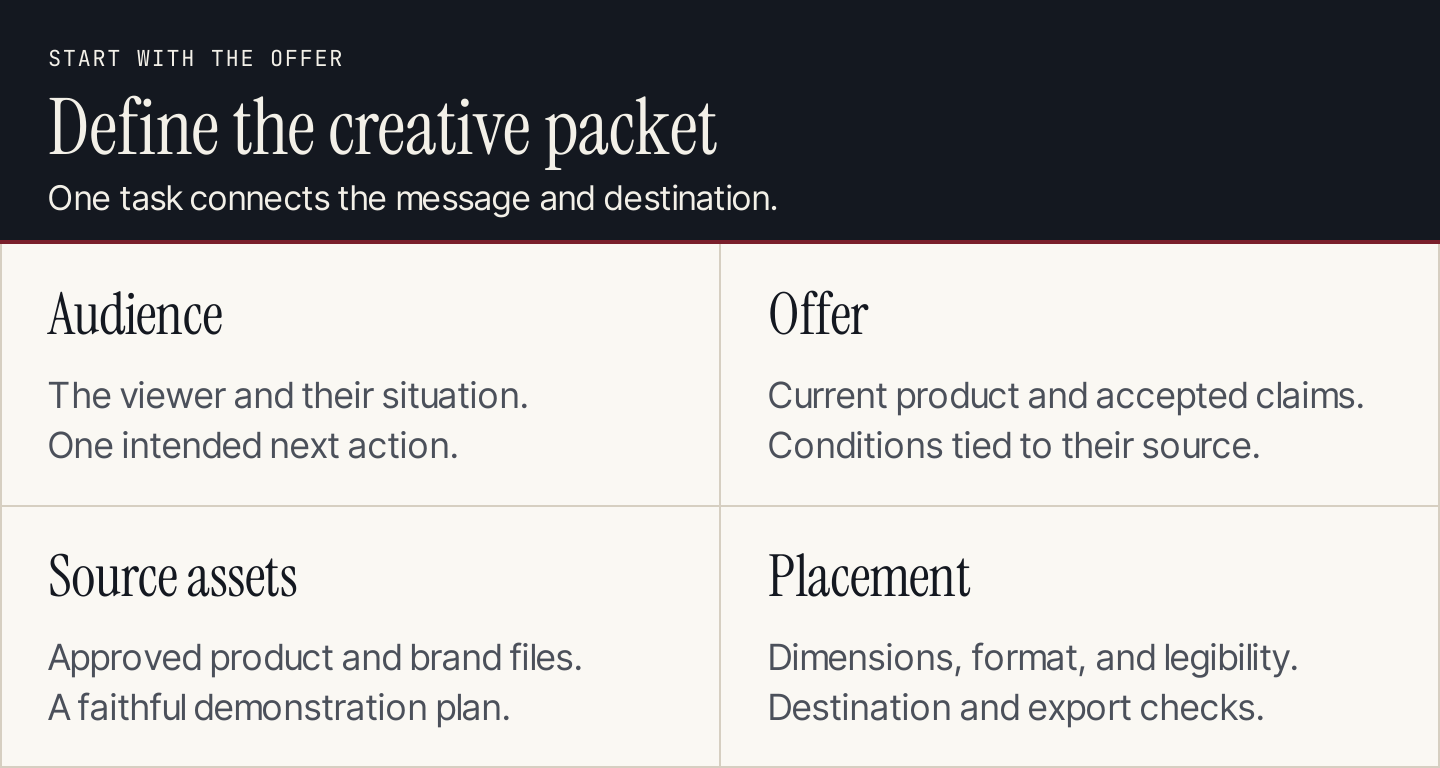
The brief establishes what the creative can say and what the finished asset must do.
What belongs in an AI ad creative workflow?
Three kinds of work often get grouped under one label:
| Work | AI contribution | What still needs a decision |
|---|---|---|
| Concept development | Alternative angles, hooks, and storyboards | Which customer problem deserves attention |
| Asset production | Draft copy, backgrounds, layouts, and variations | Product fidelity and suitability for placement |
| Experiment planning | Hypotheses, naming, and test documentation | Allocation, budget, measurement, and interpretation |
A design can pass production review and still underperform. Likewise, an attractive ad can send people to an offer that does not match its promise. Connect production to your marketing plan, then use the following nine steps for each creative batch.
1. Specify one audience and one action
Describe a situation the audience recognizes. For the worked example, use small business marketers preparing product images for different marketing materials. The proposed action is to visit Adobe Firefly’s background-removal page.
That is narrower than “anyone who wants better designs.” It lets you assess whether an image, headline, and CTA describe the same job.
Write the intended action before asking for hooks. If the destination is a tool, the ad should help the viewer understand the tool’s task. If the destination requires a form, avoid making it sound like an immediate download.
2. Verify the offer at its current destination
Adobe’s former Express background-remover URL now redirects to a Firefly background-removal page. The current page advertises free background removal and displays an image-upload entry point. A creative brief based on the old product name would already need attention.
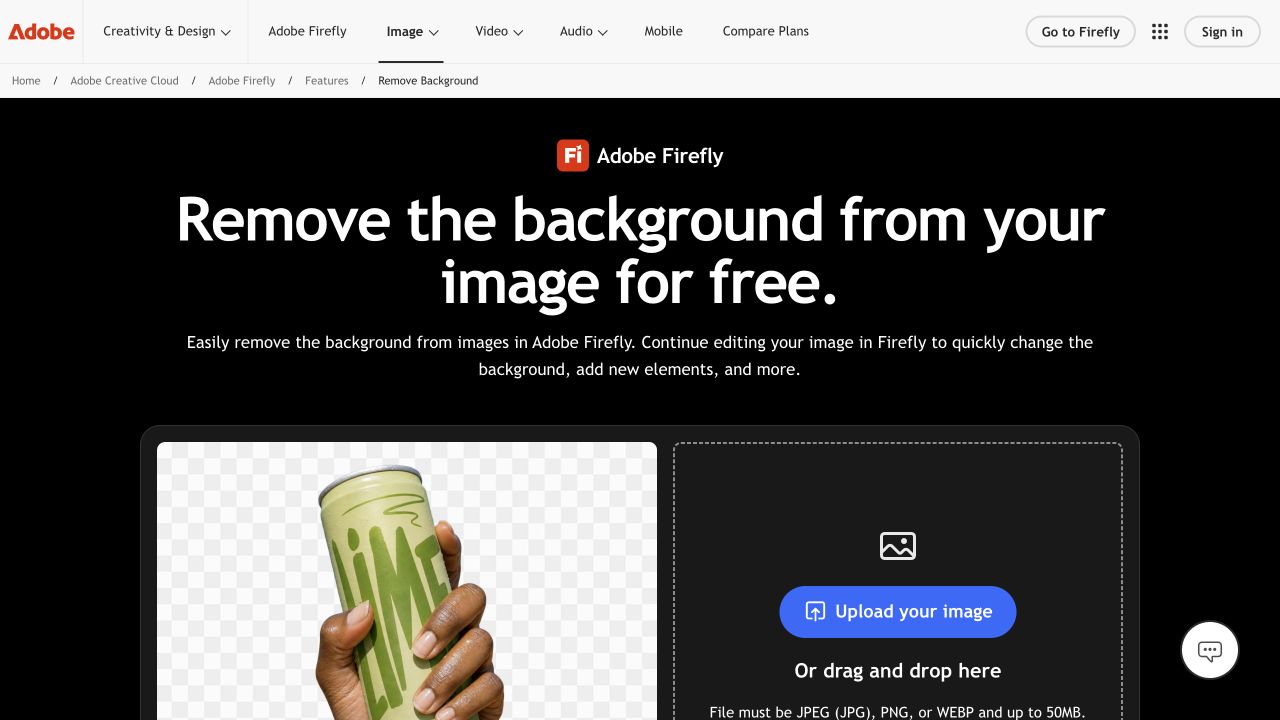
The current destination identifies Firefly and presents the background-removal action. Source: Adobe.
Record the destination URL, product name, supported claim, conditions, and verification date. Do not extend “free background removal” to every later editing feature or promise that every image will produce a perfect cutout.
Our concept packet will use only the documented task: remove an image background and continue working with the resulting image. No time-saving percentage, conversion claim, or customer endorsement is needed.
3. Choose a production method that fits the asset
Use an editable template when layout consistency and repeated sizes matter. Use image generation when the concept needs an illustrative scene. Use recorded interface footage when the viewer needs to see a product action.
Adobe Express documents generating editable templates from a text description, choosing a result, and editing it before download. That is one route for a draft social design; it is not an ad-testing system.
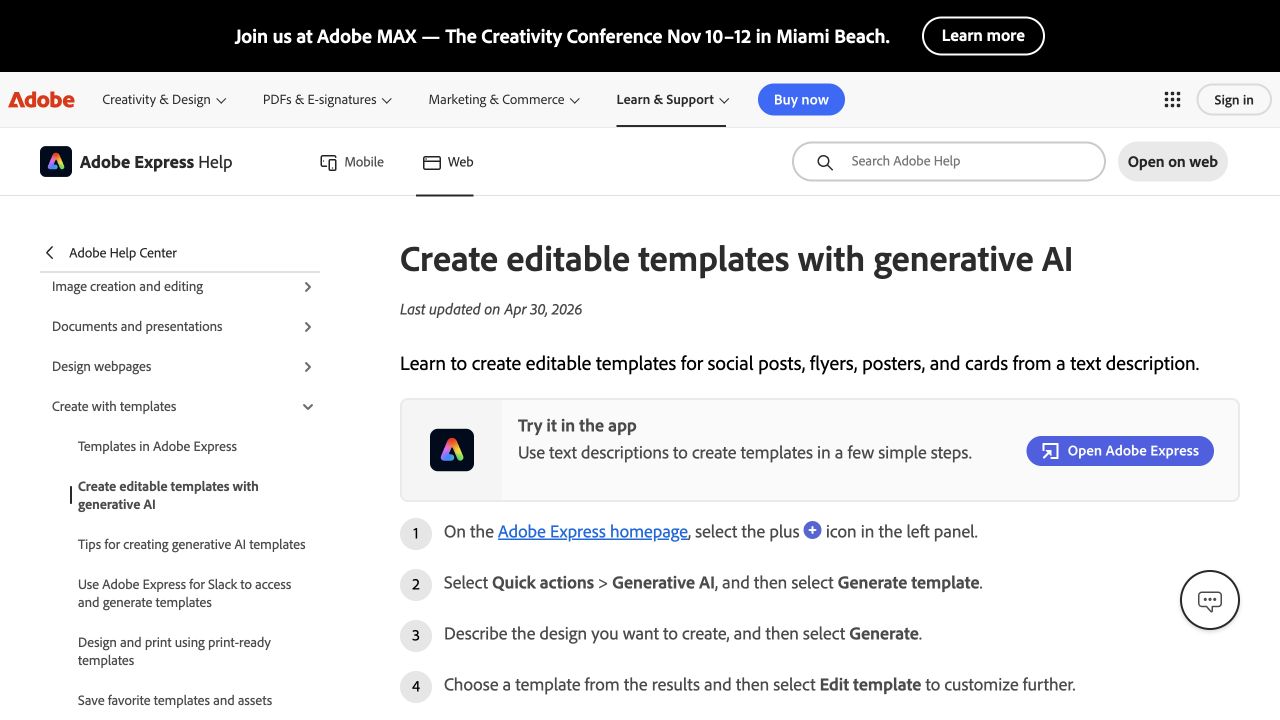
Adobe’s instructions place template editing between generation and download. Source: Adobe Express Help.
For a product image, preserve the approved product asset. Generating a different label, package shape, interface, or color can change what the business appears to sell. A new setting around a product still needs a check that the product itself stayed intact.
4. Create a small variation matrix
Change a defined dimension rather than every element at once. For this example, combine two angles with two CTAs while holding the offer and proposed product demonstration constant.
| ID | Angle | Proposed headline | CTA |
|---|---|---|---|
| BG-A1 | Isolate the subject | Give your product photo a clear background | Remove a background |
| BG-A2 | Isolate the subject | Give your product photo a clear background | Explore the tool |
| BG-B1 | Reuse the image | Prepare one product photo for your next design | Remove a background |
| BG-B2 | Reuse the image | Prepare one product photo for your next design | Explore the tool |
These are original copy concepts for review. The headlines emphasize different jobs without adding an unsupported result. The CTA variation changes the invitation; it does not change where the ad sends people.
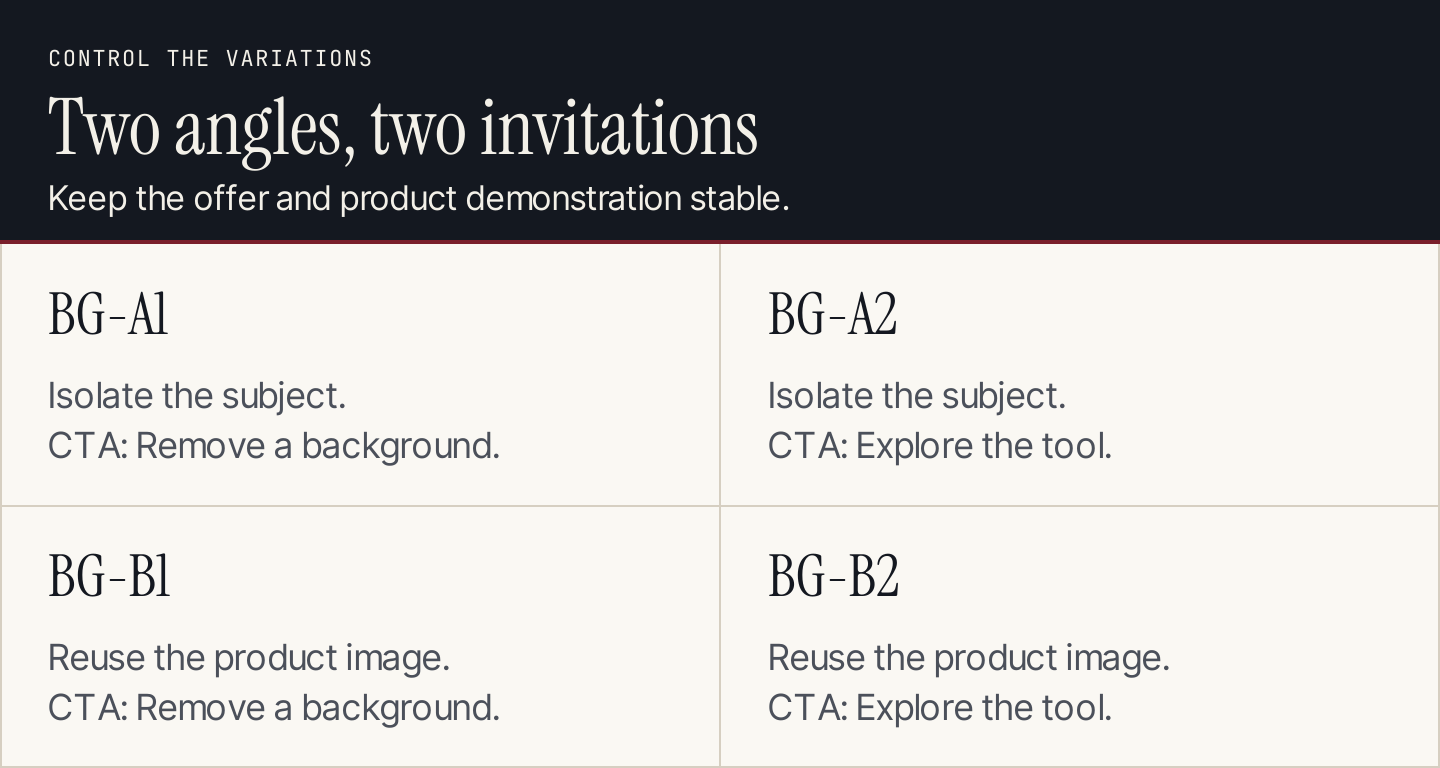
Two angles and two CTAs create four identifiable concepts. Keep the remaining elements stable when comparing them.
Four concepts are manageable for editorial review. They are not automatically a sensible four-arm experiment. Available traffic, budget, and the decision you need to make should determine how many variants run together.
5. Generate drafts from the approved packet
Supply the approved offer text, audience, destination, asset references, voice rules, and placement requirements. Ask for the variation ID beside every output so the team can track what changed.
Draft ad copy for the attached creative matrix.
Audience: small business marketers preparing product images.
Offer: Adobe Firefly's documented background-removal task.
Use only the supplied current source page for product claims.

For each ID return headline, supporting line, CTA,
visual direction, source-supported claims, and open questions.
Preserve the assigned angle and CTA.
Do not add performance figures, invented customer quotes,
urgency, paid-plan promises, or unverified conditions.
Respect the supplied placement limits; report the character counts.
Review the copy before producing every size. A faulty offer repeated across twenty exports creates twenty assets to repair.
Use our UTM builder to prepare consistently named campaign links. Keep concept IDs in the delivery sheet so the reporting team can trace each link back to its accepted creative. Placement limits and platform policies need their own review.
6. Keep content changes separate from layout changes
An instruction such as “make this clearer” may alter the headline, product, background, layout, and CTA together. Specify the allowed change: “Keep the approved image and offer. Replace only the headline with BG-B1.”
Adobe Advertising’s Creative Studio documentation makes a related distinction. Its standard-ad AI workflow supports display templates and can refine content or create size variants. Structural properties such as layout, spacing, and typography require the template editor. Video templates are not a supported starting point in that standard-ad workflow.
This matters when choosing a tool. “Generate another size” and “redesign the layout” are different requests. Check what the selected product can change, then review the result at the destination size instead of trusting the prompt acknowledgment.
Save each accepted version with its source asset and copy ID. If a later edit damages the product image or crops the CTA, you can return to the accepted version.
7. Review meaning, fidelity, and placement
Inspect the ad at the size a viewer will see. A full-screen design canvas can conceal tiny copy, weak contrast, or a CTA near an overlay area.
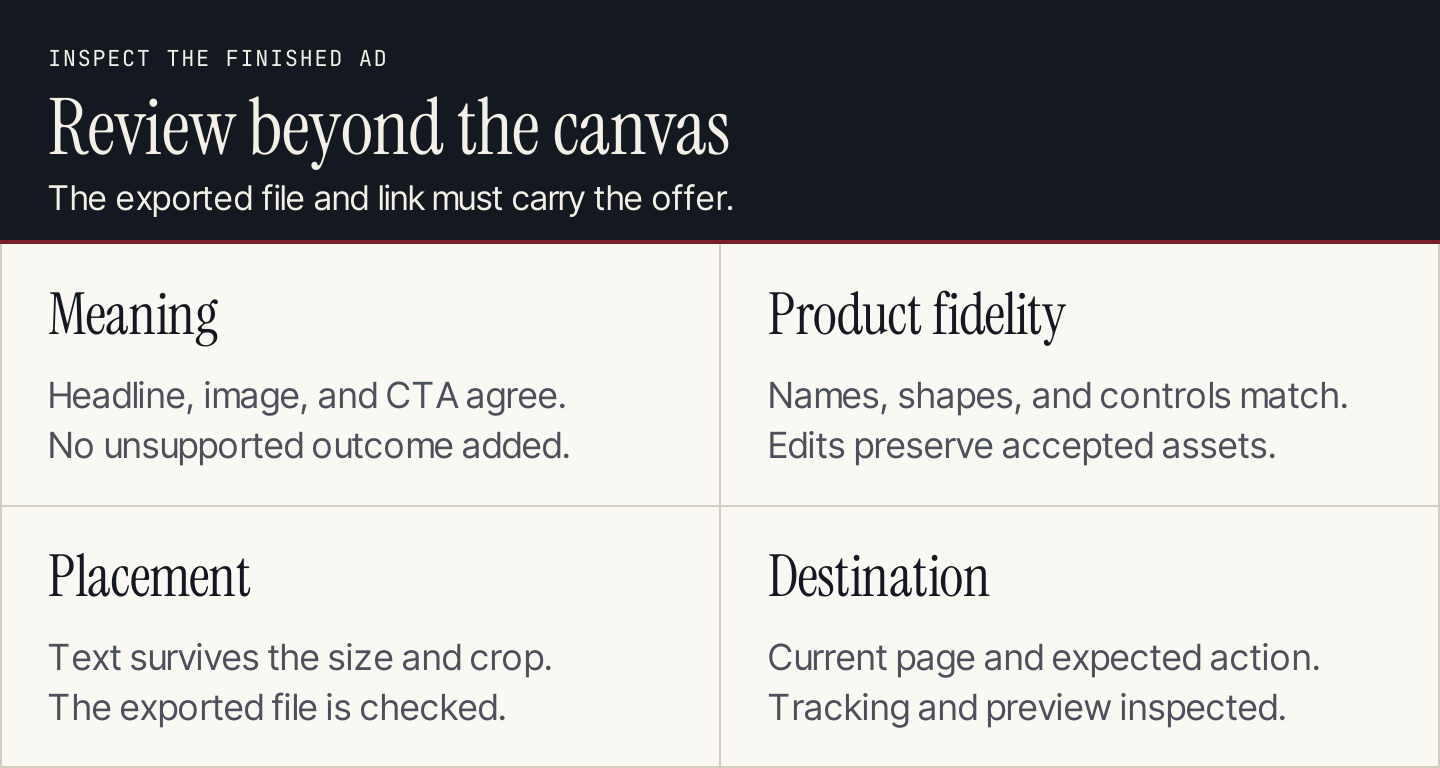
A production pass checks the offer and the delivered asset together.
Use these checks on each accepted concept:
- Meaning: the headline, image, and CTA describe the same supported offer.
- Fidelity: names, packaging, interface controls, and product proportions remain correct.
- Legibility: important text survives the crop and can be read at placement size.
- Continuity: a resized or edited version preserves the accepted message.
- Destination: the link reaches the intended current page and its next action matches the ad.
For the Firefly concepts, a before-and-after demonstration would need a genuine accepted input and output. A generated “after” image should not be presented as a captured result of the tool.
8. Export and prepare a learning plan
Keep a delivery sheet containing concept ID, file name, dimensions, copy version, destination, tracking parameters, reviewer, and status. The final file should be identifiable without opening the design project.
Inspect the exported file itself. Fonts can substitute, animations can end too soon, and crops can change. Then inspect the platform preview and link destination before enabling delivery.
Decide whether you are running exploratory delivery or a controlled experiment. Advertising systems may distribute impressions unevenly across ads. A higher conversion count from one ad does not by itself establish that its message caused the difference.
For a controlled comparison, define the variable, audience allocation, primary metric, and analysis method in advance. Our AI A/B testing guide covers the experiment specification; our landing page guide helps check the experience after the click.
9. Record the result before producing the next batch
Review delivery, clicks, landing-page behavior, and the intended business outcome together. A stronger click-through rate can coexist with weaker downstream conversion if the ad creates the wrong expectation.
Write a short decision record: what changed, where it ran, who saw it, the reporting window, the observed metrics, and the next action. Separate an observed association from a supported experimental conclusion.
If an ad is weak, inspect the diagnosis before generating ten replacements. The offer may be unclear, the destination may not match, or the campaign may be reaching a different audience than intended. Creative volume cannot resolve those problems by itself.
Questions about AI ad creative
How many variations should a small team make?
Begin with enough to compare meaningful ideas and review every output. The four-cell matrix above is a production example, not a required testing budget. Reduce concurrent variants when traffic cannot support the intended comparison.
Can AI choose the winning ad before launch?
It can critique clarity, suggest alternatives, and flag possible problems. A predicted score is not a measured response from your audience. Validate the decision through delivery data or a suitable experiment.
How can Rankauto support the campaign?
Use Rankauto for the supporting blog program: explain the customer problem, answer related questions, and prepare articles for supported publishing destinations, with drafts by default. Ad assets and campaign testing belong in the production and advertising tools chosen for those jobs.