AI Campaign Planning: An 8-Step Launch Workflow
Plan an AI-assisted campaign in eight steps, with an Analytics Academy example, channel roles, dependencies, launch checks, and a change-impact prompt.

AI campaign planning uses an assistant to turn an accepted objective, audience, offer, and set of constraints into a coordinated plan. It can draft the brief, suggest channel roles, identify missing inputs, and revise the asset schedule when a dependency changes.
The output should be a campaign your team can execute: named owners, a working destination, draft assets, tracking definitions, and clear launch conditions. A long list of channel ideas does not establish any of those things.
This guide uses Google’s public Analytics Academy offer and current HubSpot documentation. The worked campaign is our proposed agency learning initiative, not a campaign run or endorsed by Google. Rankauto publishes this guide and supports blog production.
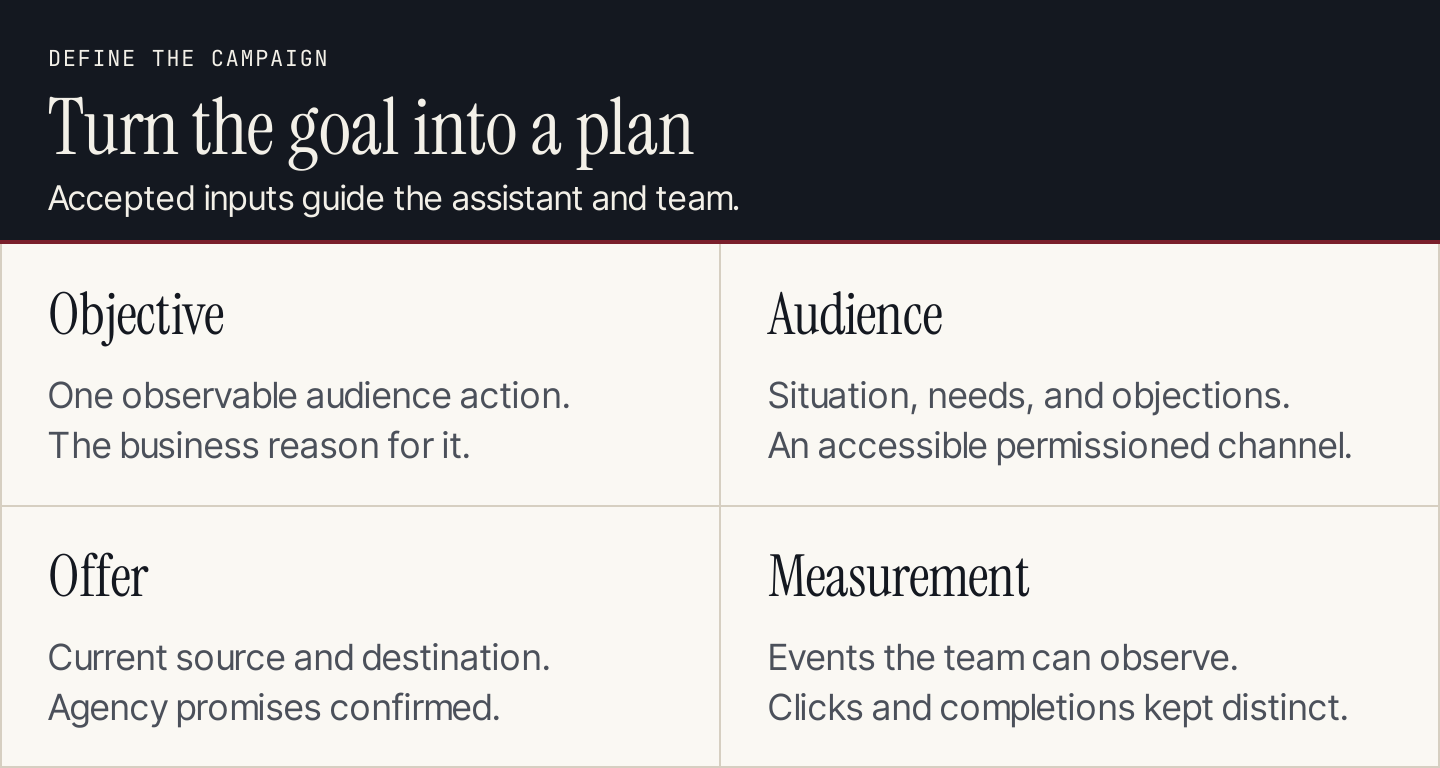
Put the decision and its constraints in the brief before generating channel assets.
What can AI plan, and what must the team supply?
AI can turn supplied context into a structured draft. It cannot know your available budget, accepted offer, delivery capacity, or tracking access unless you provide them.
| Planning input | Team supplies | AI can draft |
|---|---|---|
| Goal | Desired behavior and business reason | A clear objective and measurement questions |
| Audience | Segment, situation, and known objections | Message hypotheses and channel roles |
| Offer | Current destination and approved claims | Brief, asset ideas, and consistency checks |
| Capacity | People, time, budget, and tools | A feasible draft schedule and dependencies |
| Measurement | Accessible events and definitions | Reporting structure and a decision memo |
Use a marketing plan for the broader business direction. The eight steps below turn one campaign within that plan into a launch packet.
1. Define the action and the measurement boundary
For the worked example, an agency wants to encourage its permissioned newsletter audience to learn more about Google Analytics. The proposed campaign shares an educational resource and invites subscribers to an agency-hosted discussion about applying the lessons.
The primary measurable action is a unique outbound click from the agency’s resource page to Analytics Academy. Discussion registrations are a separate action on an agency-controlled page.
Course enrollment, completion, and certification occur elsewhere. Unless the agency has authorized access to those events, it cannot report them as campaign conversions. An outbound click means the reader continued to the resource; it does not mean the reader completed a course.
Write that boundary in the brief. It prevents a later reporting assistant from renaming clicks as learners or qualified leads.
2. Build the offer packet from the current page
Google describes Analytics Academy as free e-learning on Skillshop, covering Analytics setup, data collection, reporting, measurement, and related product connections. Its help page links readers onward to the courses.
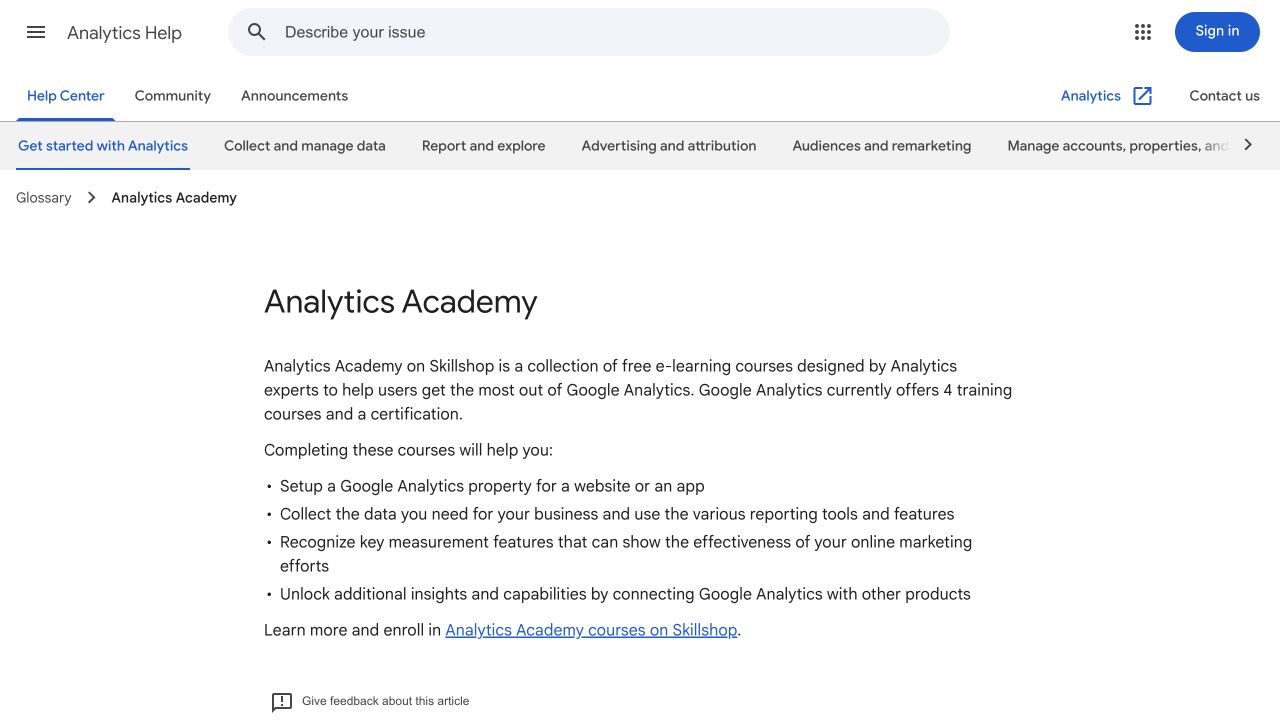
Google’s help page establishes the learning offer and the route to Skillshop. Source: Google Analytics Help.
Use that page as the offer source. Keep agency-created activities separate: the discussion format, host, registration page, and any promised materials require the agency’s own confirmation.
Do not add an invented partnership, a guaranteed certification outcome, or a completion time the source does not support. “Explore Google Analytics training” is a stronger foundation than “Become certified this afternoon” when that promise has not been established.
The packet should contain the current source URL, destination, accepted factual claims, reader prerequisites, agency discussion details, and open questions.
3. Generate a brief that preserves unknowns
Ask AI to produce the campaign brief from the packet. Fields without an accepted answer should remain open, with an owner assigned to resolve them.
Here is the proposed brief for the learning initiative:
| Field | Proposed campaign decision |
|---|---|
| Audience | Permissioned agency subscribers responsible for marketing measurement |
| Reader problem | They need a clearer starting point for learning Analytics |
| Offer | A resource page linking to Analytics Academy; optional agency discussion |
| Main action | Continue from the resource page to the training destination |
| Supporting action | Register for the agency discussion, once its details are confirmed |
| Channels | Newsletter, one organic social post, supporting blog article |
| Capacity | One campaign owner, one writer, one reviewer; no paid budget in this pilot |
| Open decisions | Host availability, discussion date, registration process, reporting access |
This is enough to plan the work without pretending the unresolved event is ready to promote.
HubSpot documents Marketing Studio as a shared campaign workspace with a brief and asset cards. Its current help marks the feature as beta, requires opt-in, and lists Marketing Hub Professional or Enterprise. AI-generated suggested assets and automations begin unpublished.
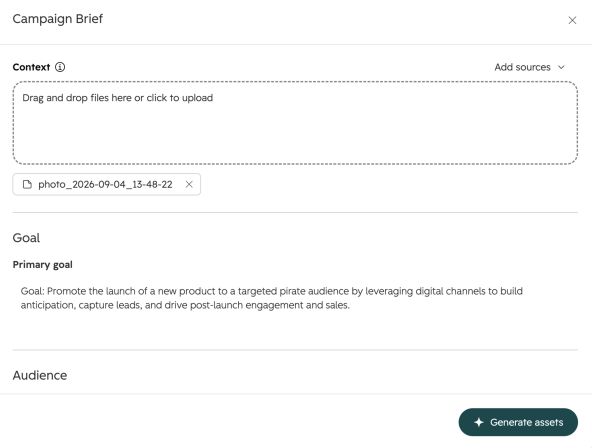
HubSpot’s campaign brief gathers context before generating assets. Source: HubSpot Knowledge Base.
You can apply the same planning discipline in a document and project board. The important connection is between the accepted brief and the assets that depend on it.
4. Give every channel a role
Ask why each channel belongs in this campaign. A small team does not need a separate asset for every platform an assistant can name.
| Channel or destination | Role | Draft asset | Acceptance condition |
|---|---|---|---|
| Agency resource page | Explain the offer and next steps | Short overview with source and outbound link | Offer matches Google’s current page |
| Newsletter | Introduce the learning task to existing subscribers | One message with a clear resource-page CTA | Permissioned audience and checked destination |
| Organic social | Reach relevant followers | One task-led post linking to the resource page | No implied Google partnership |
| Supporting blog | Explain a measurement problem in depth | Article connecting the problem to further learning | Adds instruction beyond the campaign announcement |
| Discussion registration | Collect interest in the agency session | Confirmed event details and form | Host, date, destination, and confirmation work |
The blog should answer a question that remains valuable after the campaign ends. Use the content marketing strategy guide to choose that question, rather than turning every campaign announcement into an evergreen article.
5. Schedule dependencies before dates
Some assets can be drafted in parallel. Others should wait for a decision or destination. Make those relationships explicit.
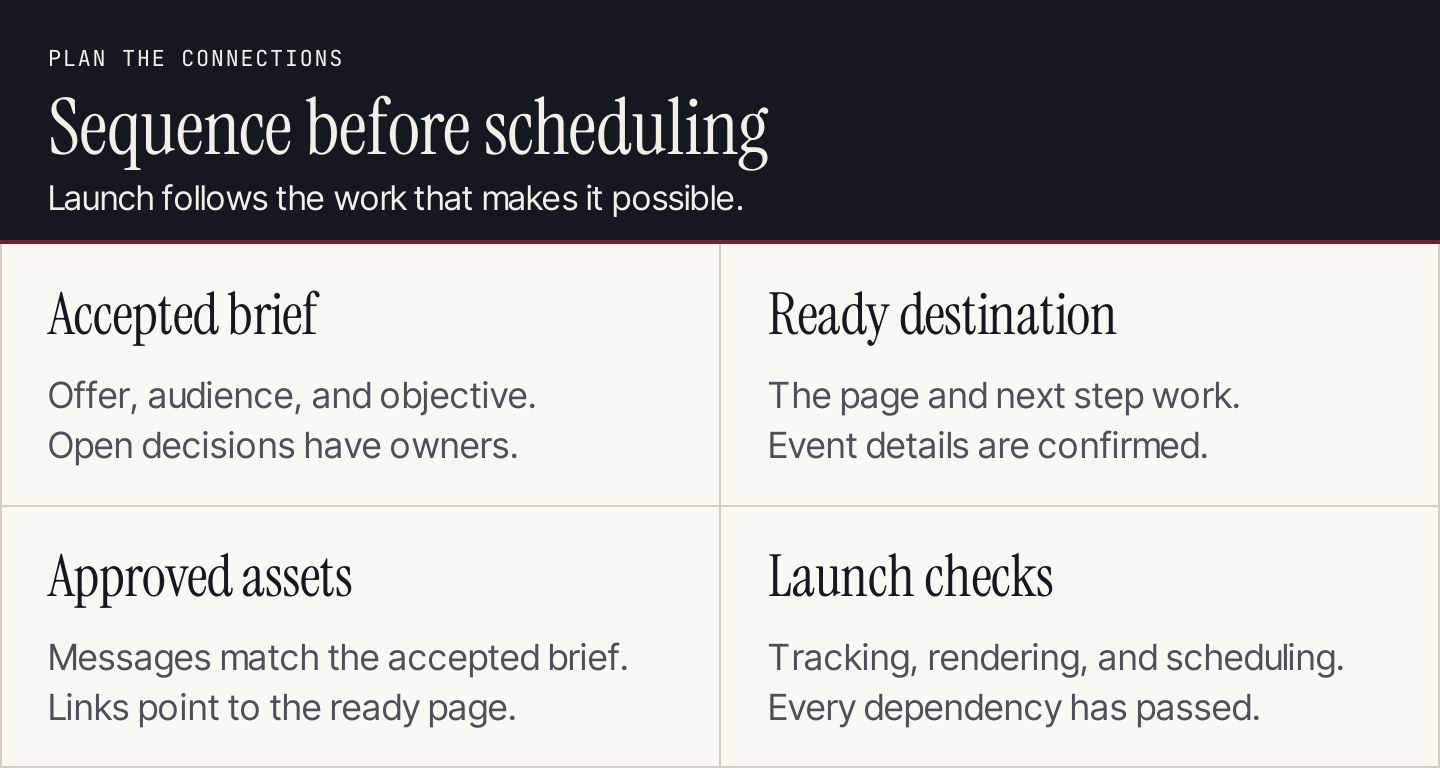
Drafts can progress together; launch waits for the destination and its dependent promises to be ready.
For the proposed campaign, use relative workdays rather than invented launch dates:
| Work item | Owner role | Earliest position | Depends on |
|---|---|---|---|
| Confirm offer and objective | Campaign owner | Day 1 | Source packet |
| Confirm discussion details | Host and owner | Day 1 | Availability and registration process |
| Build resource page | Writer and site owner | Days 2–3 | Accepted brief |
| Draft newsletter and social post | Writer | Days 2–3 | Accepted message and destination plan |
| Review claims and links | Reviewer | Day 4 | Finished destination and draft assets |
| Schedule launch | Campaign owner | Day 5 or later | All acceptance conditions passed |
These days are a planning example, not a delivery guarantee. If the discussion details remain unresolved, launch a resource-only version or delay the event invitation. Remove the event promise from every dependent asset, including the confirmation message.
6. Generate assets and check the connections
Give the assistant the approved brief version and request a compact asset packet. For the newsletter, one possible subject is “A starting point for learning Google Analytics.” Its body can explain the learning task and link to the agency resource page without claiming a commercial relationship with Google.
For social, adapt the opening to the audience’s context instead of shortening the email mechanically. For the blog, supply a separate instructional outline and supporting sources.
Before drafting many variants, review one complete route: social or email, resource page, training link, and optional registration. Check whether the message stays consistent at every step.
Use our UTM builder to prepare consistently named links from the newsletter and social post to the resource page. Keep those campaign links distinct from the page’s ordinary internal navigation. Tracking parameters identify a route; they do not establish a course completion.
Keep assets in a content calendar with their brief version and destination. A status such as “drafted” means the content exists; “ready” means its acceptance conditions have passed.
7. Run a launch check and a change-impact check
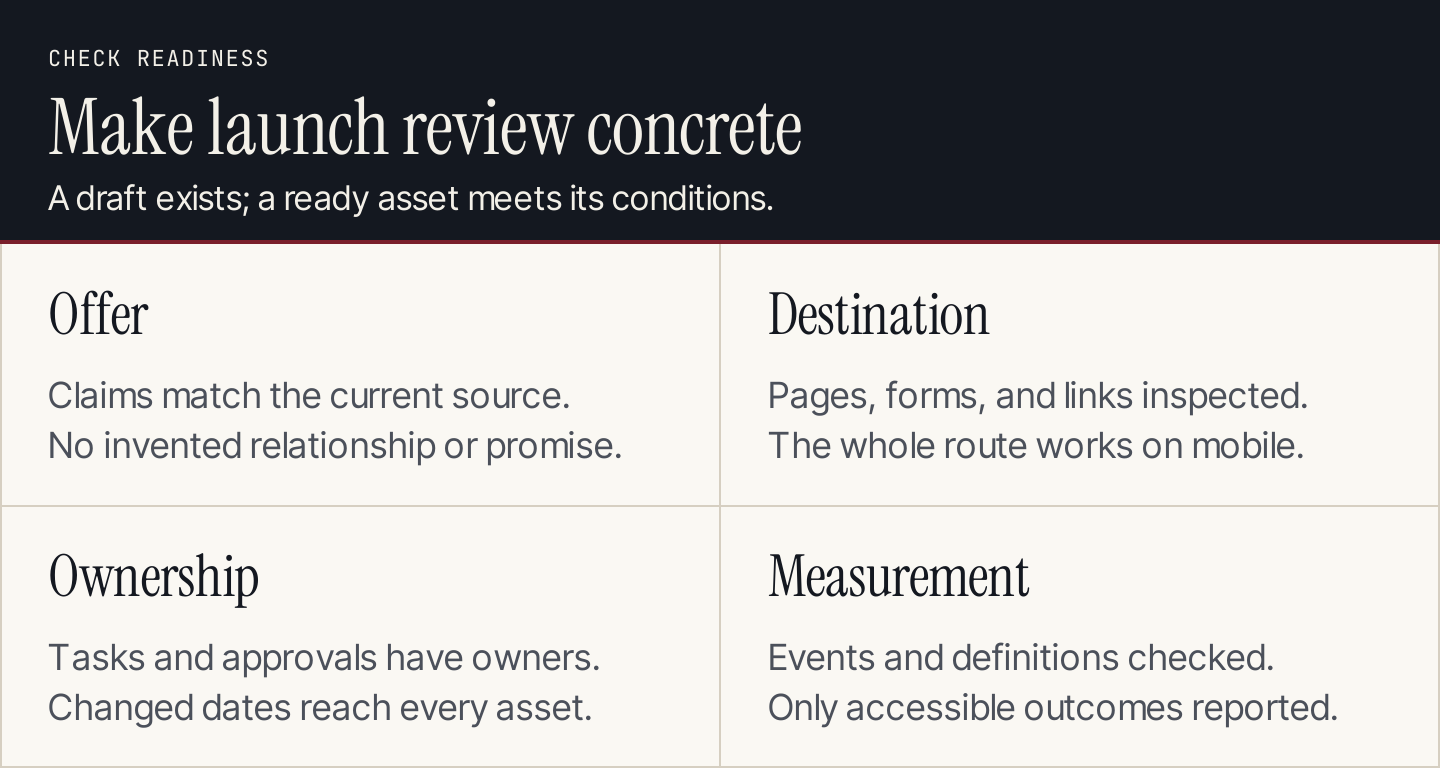
The launch packet should explain what is ready, who owns it, and what the team can measure.
Inspect the resource page on desktop and a phone. Open every campaign link, test the agency’s registration and confirmation route if used, and verify the events the reporting plan depends on.
Then challenge the plan with a change: the discussion date moves, or the team removes the event from the pilot. Use this prompt to find affected assets:
Compare accepted brief v1 with proposed brief v2.
List each changed fact and every dependent asset or task.
For each dependency return:
asset_id | current promise | required edit | owner |
launch blocked? | verification needed

Do not rewrite unrelated sections or invent missing decisions.
Keep publication and scheduling status unchanged.
Return a proposed change list for the campaign owner to approve.
Review the output against the asset register. An assistant may find text dependencies while missing a date embedded in an image, a calendar invitation, or a scheduled platform post. Those require inspection too.
8. Report the result and decide the next action
Use the same metric definitions established in step one. Report audience delivery where available, resource-page visits, unique outbound training clicks, and confirmed agency registrations separately.
Check whether the reporting period is complete and whether the same person can appear in more than one channel. Do not add channel-level unique counts and label the sum unique people across the campaign without a supported way to deduplicate them.
Ask AI to draft a decision memo from the checked report: what happened, what remains unknown, and what to change. A high outbound click count with few discussion registrations could mean the audience valued self-directed learning. It could also reflect the discussion topic, timing, or registration experience. Treat those as questions to investigate, not established causes.
Our AI marketing analytics guide explains how to check a reporting assistant’s comparison and calculations before acting on its narrative.
Questions about AI campaign planning
Which AI tool should we use?
Choose around the workflow you need: a drafting assistant for the brief, a shared planning system for ownership and dependencies, and channel tools for delivery. An integrated workspace can connect those jobs, but confirm its current availability, access requirements, and publishing behavior.
Can a small business do this without a campaign platform?
Yes. A brief, asset register, shared schedule, and acceptance checklist can support a focused campaign. The example above is deliberately small enough for a team to review every destination and asset.
Where does Rankauto help?
Use Rankauto to produce the campaign’s supporting blog articles and prepare them for supported publishing destinations, with drafts by default. Keep channel scheduling, event registration, advertising, and campaign measurement in the tools responsible for those actions.