Content Optimization: A Practical Editing and Review Checklist

Content optimization improves an existing page so it answers its reader’s question more accurately and usefully. Start with a specific problem, make the smallest coherent set of changes that solves it, and check the complete page after publication.
That can mean correcting an instruction, adding a missing condition, improving a comparison, replacing an outdated screenshot, or making the next step easier to find. It does not require rewriting every paragraph or extending the page to match a competitor’s length.
This guide focuses on a page you have already decided to retain. It includes a change brief, an original editing exercise based on Slack’s public documentation, and a review checklist for a small team or agency.
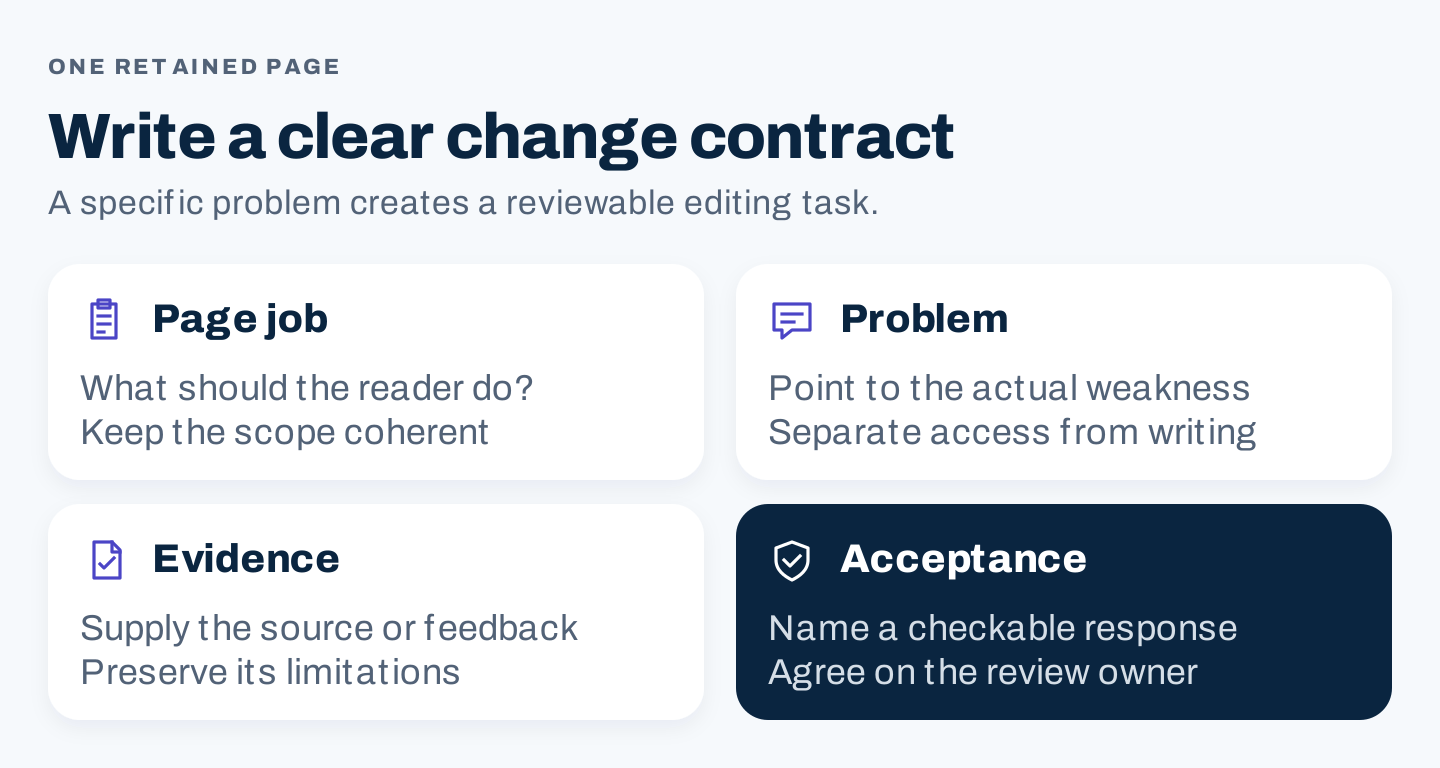
Original change contract: identify the page’s job, the observed problem, the evidence for the change, and a concrete acceptance check.
1. Write a change contract for one retained page
Before editing, explain what is wrong and how you will know it is fixed. A vague instruction such as “optimize this article” invites unrelated additions and cosmetic rewrites.
Use four fields:
| Field | Useful question |
|---|---|
| Page job | What should the reader be able to understand, choose, or do? |
| Observed problem | Where does the current page fail that job? |
| Change evidence | What source, observation, or feedback supports the repair? |
| Acceptance check | What can a reviewer verify in the revised page? |
For a task guide, a good change contract might say: “The page presents two procedures without explaining which setting each assumes. Separate the routes, preserve the prerequisite, and make the related setting instructions easy to find.”
That is an editorial problem with an observable response. “Add ten related keywords” does not establish that the guide will become more useful.
Confirm that content is the right place to intervene
If the trigger is a search decline, first check measurement, technical access, query context, and major site changes. An indexing or availability problem belongs with the technical owner. A page that no longer deserves its own destination may need an audit decision instead of another editing pass.
If the trigger is customer confusion, preserve the actual feedback and the circumstances. One report can justify investigating a problem, but it does not prove how common it is.
Record a baseline before changing the page. Save its version, key statements, screenshots, source dates, links, and the measurements relevant to its job. For an agency, agree on the intended scope so that a factual correction does not become an unplanned site migration.
2. Study how Slack keeps instructions conditional
A useful instruction tells readers what to do and when the instruction applies. Slack’s public help pages provide a concrete example of why that matters.
The toolbar is one route
Slack’s formatting guide describes selecting text and using the formatting toolbar. It explains that formatting can be seen before sending and links the alternative markup preference.
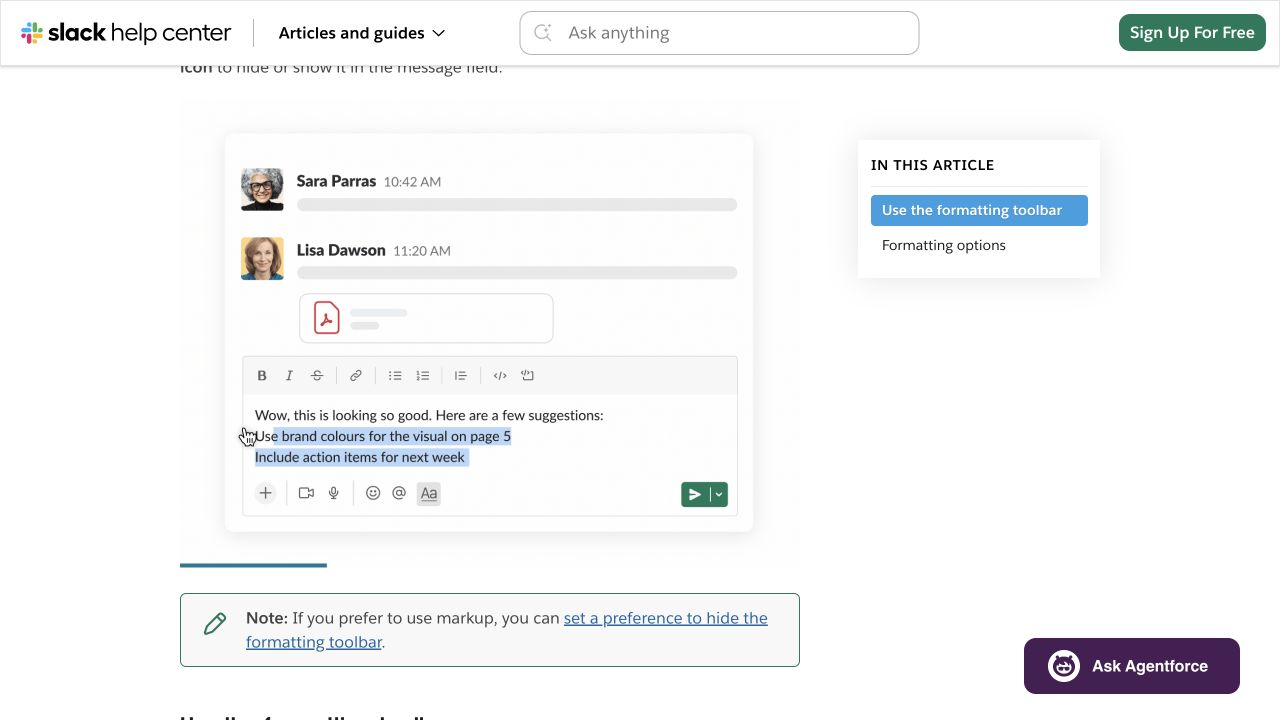
Slack’s public help page, captured October 8, 2026. The visual and text relate to a specific formatting route.
Notice the editorial pattern: the explanation appears with relevant interface evidence, and the alternative has its own destination. A guide can provide a direct answer while giving readers a route to the exception that matters to them.
Markup changes the assumptions
The markup guide explains a desktop preference and different behavior: formatting applies after sending, pasted messages appear as plain text, and automatic list formatting is not applied.
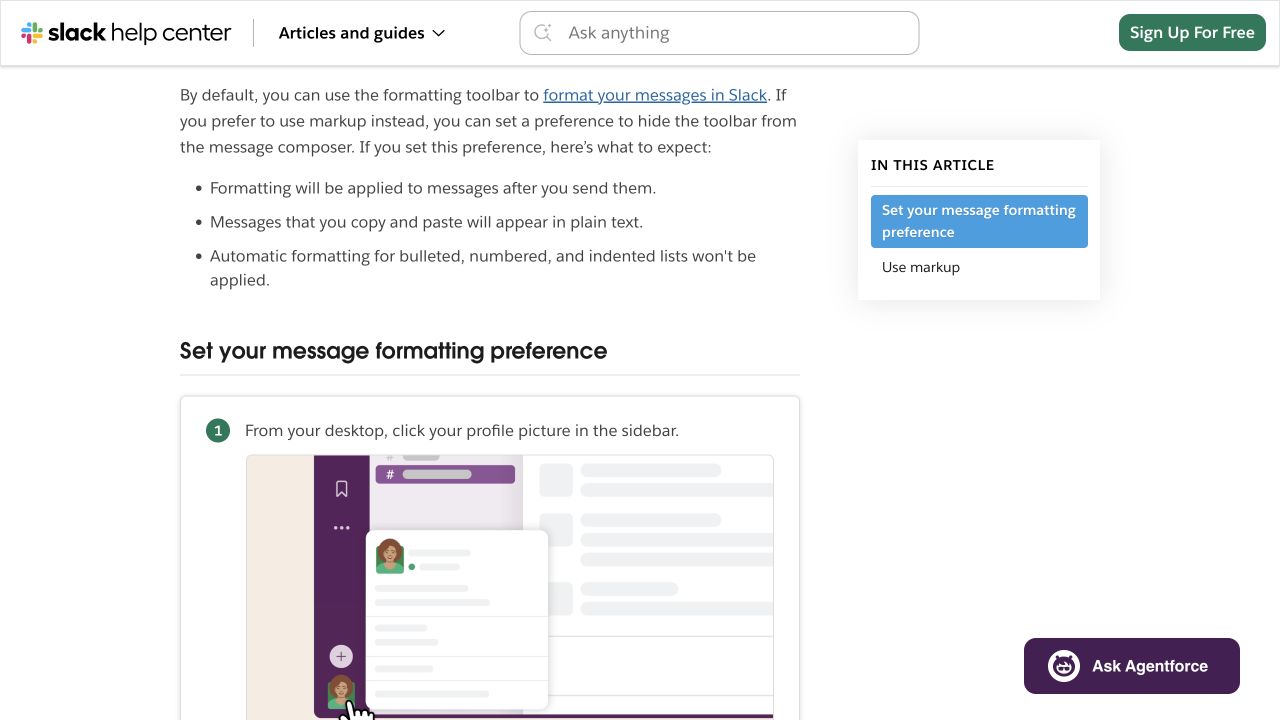
The markup preference changes the procedure. An editor should preserve the setting and its consequences rather than combine both routes into one unconditional instruction.
This suggests a general editing rule: when two source passages describe different modes, preserve the mode labels through drafting. Removing that distinction for brevity can make an instruction incorrect.
A shortcut can depend on a preference
Slack’s Enter-key guide says the desktop preference determines whether Enter sends a message or starts a new line. Its shortcut guidance follows that condition.
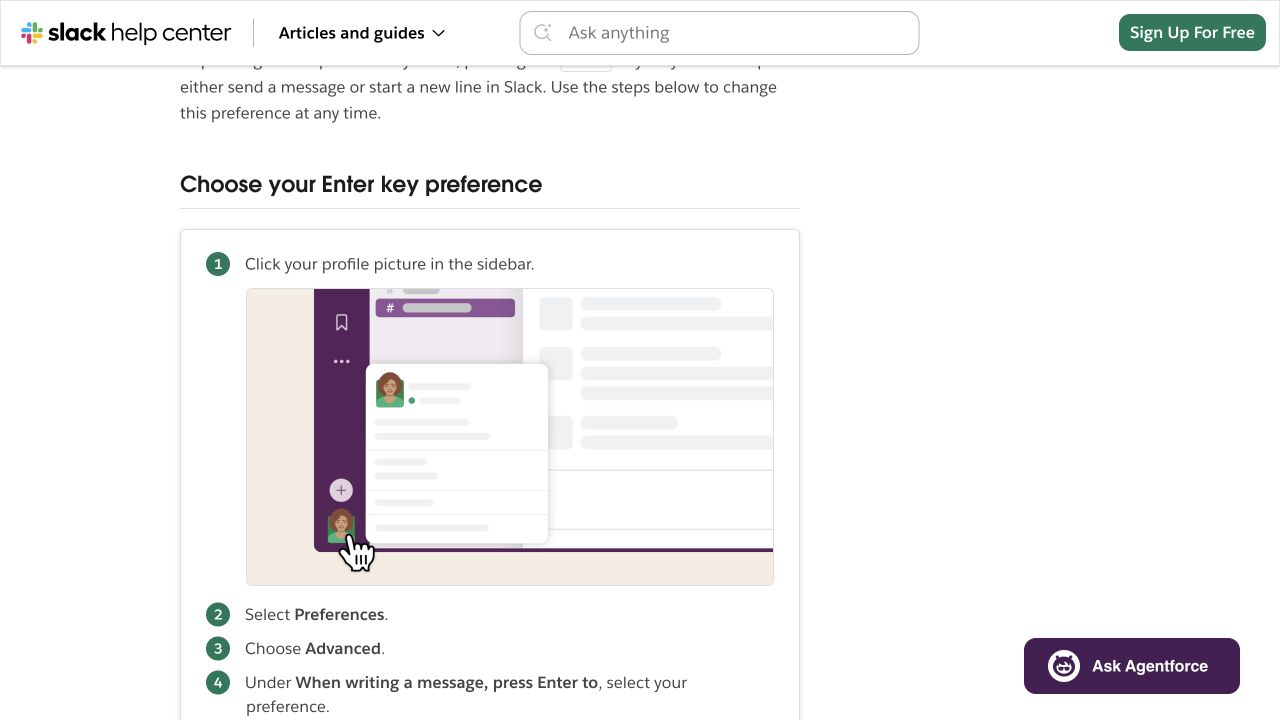
A small setting changes the meaning of a simple instruction. These are public documentation observations; no Slack setting was changed or message sent.
The broader lesson is about preserving applicability. A product version, account role, plan, device, or setting can change the answer. Put the condition close to the instruction it qualifies.
3. Work through an original before-and-after edit
The following weak draft was written for this exercise. It is not text from Slack’s website and does not describe a defect found in Slack’s guide.
Slack message formatting helps you format Slack messages for better Slack communication. Add formatting with the toolbar or markup. The formatted message appears before sending. Press Enter to start a new line, and use any formatting method you prefer.
It has several problems beyond repetition. It merges two modes, overstates the preview behavior, and gives an unconditional Enter instruction. More keywords would not repair those errors.
Convert the problems into editing decisions
| Problem in the teaching draft | Evidence or review need | Proposed change |
|---|---|---|
| Repeated category phrases | The opening does not add useful meaning | State the task directly |
| Toolbar and markup merged | Official sources describe different modes | Separate the default route from the alternative |
| Preview behavior generalized | The mode affects when formatting appears | Attach the condition to the statement |
| Enter behavior generalized | A desktop preference changes the action | Link the relevant setting and keep the explanation conditional |
| No useful next step | Reader cannot identify the route to follow | Provide a clear source destination |
Write a bounded answer
Here is an original proposed revision for a researched third-party guide:
To format a Slack message with the toolbar, select the text and choose the relevant option. If you prefer markup, check Slack’s separate preference instructions because that mode changes how formatting is applied. For desktop newline behavior, check your Enter-key preference before following shortcut advice.
The revision preserves source conditions and removes the unsupported generalizations. It is an editing demonstration, not a tested improvement in completion rate, rankings, or engagement.
Now evaluate the output against the change contract. Does it distinguish the routes? Are the conditions near the relevant advice? Can the reader reach current instructions? If those checks pass, the edit has solved the identified content problem.
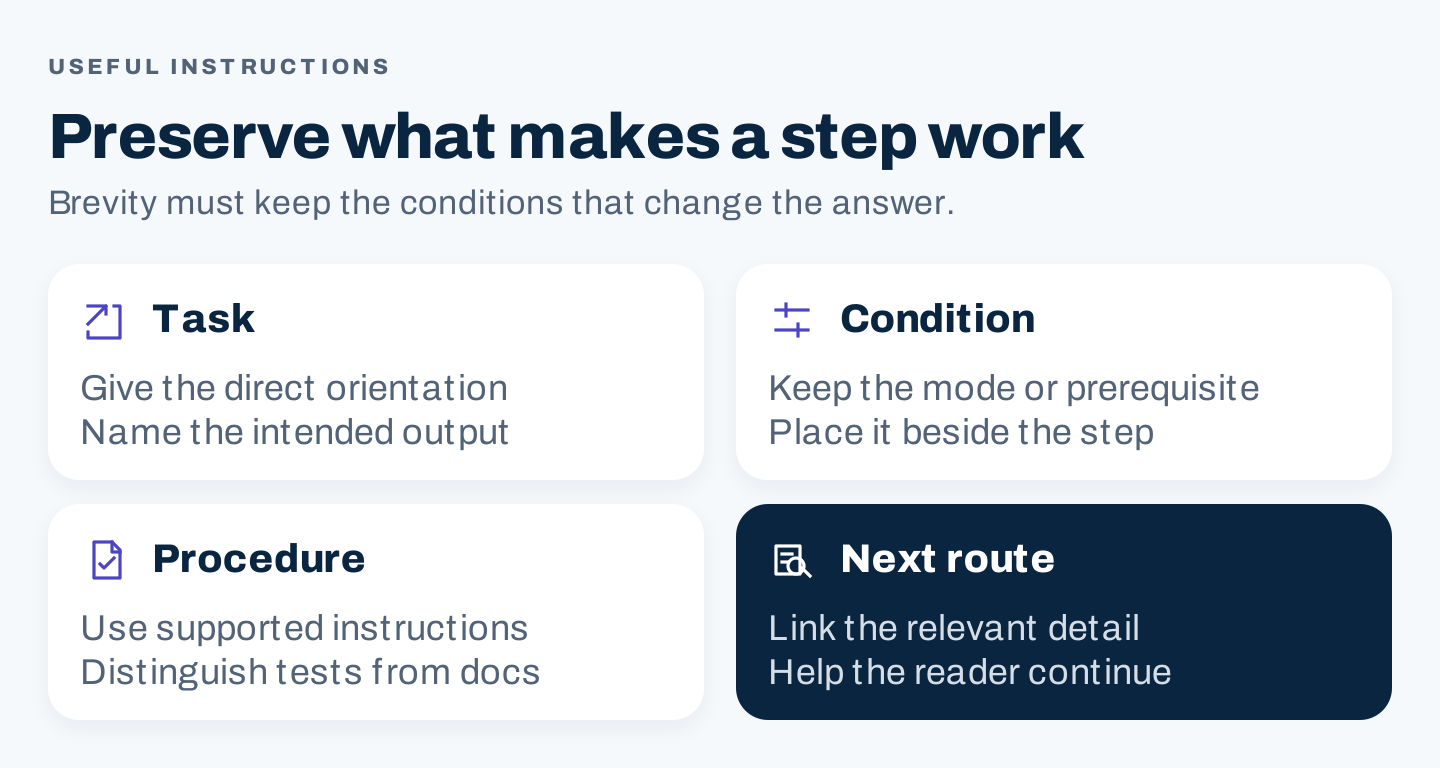
Original instruction checks: make the task clear, retain the applicable condition, support the procedure, and offer the next useful route.
Do the same with your actual page. Preserve an accurate sentence that already does its job. Rewrite the passage that creates confusion. Add an example only when it demonstrates something the reader needs to understand.
4. Review the retained page in five passes
Separate these passes so that polishing the language does not conceal a factual gap.
Pass 1: Task and coverage
Read the title, opening, headings, and conclusion without the body. They should form a coherent answer to one job.
Then read the body. Identify essential questions that remain unresolved. Add the missing explanation, evidence, or route. Remove sections that solve a neighboring task at disproportionate length.
When reviewing competitors, preserve their useful strengths as reader requirements rather than copying their section order. A competitor might explain a prerequisite well or provide a helpful worksheet. Your page needs its own supported response to that need.
Pass 2: Facts and evidence
Check material claims against their original sources. Verify the period, population, setup, and measurement behind numerical statements. Keep documentation claims distinct from actual testing.
For a product guide, review version, permissions, settings, and plan conditions. For a comparison, confirm that the compared alternatives are evaluated on meaningful, consistent dimensions. For a study, explain the method and limitations.
Use this claim record:
Statement being reviewed:
Source and relevant passage:
Date and applicability:
Evidence type: documentation / observation / executed test:
Condition the article must preserve:
Revised wording:
Reviewer and unresolved issue:
Google’s helpful-content guidance emphasizes useful original information. It also rejects a preferred word-count rule. Adding more text will not supply missing evidence.
Pass 3: Structure and language
Put the direct answer before background that is only useful later. Group related conditions with their steps. Use headings that explain what a section helps the reader do.
Replace abstract advice with concrete questions, inputs, and outputs. “Improve collaboration” might need an example of responsibility or a communication route. “Optimize your content” needs a named editing task.
Read repetitive passages aloud. Keep exact product labels where they help readers follow an interface. Remove phrases that repeat without adding meaning. A density score can flag a passage for inspection, but it does not decide what terminology belongs there.
Pass 4: Visuals, links, and presentation
Check whether every visual still matches the current explanation. An obsolete screenshot can undermine a correct text update. If a figure shows an actual result, preserve the relevant setup and collection context.
Write descriptive alt text that communicates the image’s purpose. Put important conditions in readable article text as well as in the image. Tables and worksheets should remain usable at phone widths.
Follow the links. A link label should describe what the destination provides, and the route should help the reader complete the task. More links are not automatically better links.
Pass 5: Search presentation and page access
Write a distinct, descriptive page title and an accurate description. Google’s title-link guidance explains that displayed titles can draw on multiple sources. Its snippet guidance explains that the displayed description may come from page content and vary by query.
Check the relevant technical settings with the owner of the website. Avoid changing the URL, canonical destination, or index controls as incidental consequences of a writing edit. Those changes need a specific reason and verification plan.
For AI search, clear organization and original useful material also matter. Google’s AI optimization guide connects its generative features with foundational SEO. Treat a content score or a proposed AI-citation tactic as a suggestion to evaluate, not a release requirement or guaranteed result.
5. Use AI as a constrained reviewer when useful
AI can help locate inconsistencies across a long draft or propose a clearer structure. It is less useful when you need a simple factual correction that the source already resolves.
If you use it, provide the page task and verified evidence. Ask for proposed edits with reasons instead of a complete unsourced rewrite.
Review this retained page against its change contract.

Inputs:
- Reader task and intended scope
- Current draft
- Verified source notes with IDs and conditions
- Specific problem and acceptance check

Return an editing table:
Passage | problem | proposed edit | source ID | condition retained

Keep correct instructions and necessary product labels.
Mark missing evidence UNKNOWN.
Do not invent measurements, product tests, or business outcomes.
Do not add sections solely to reach a word count or content score.
Check every accepted factual edit against the original source. If the model removes a qualification or changes the meaning of a procedure, reject or repair it. Save the approved edits and the unresolved questions so that the reviewer can see the reasoning.
6. Publish the change and evaluate the right outcome
Complete the acceptance checks before publication. Then inspect the live page, including its images, links, headings, metadata, and mobile layout. The rendered page can differ from the reviewed draft.
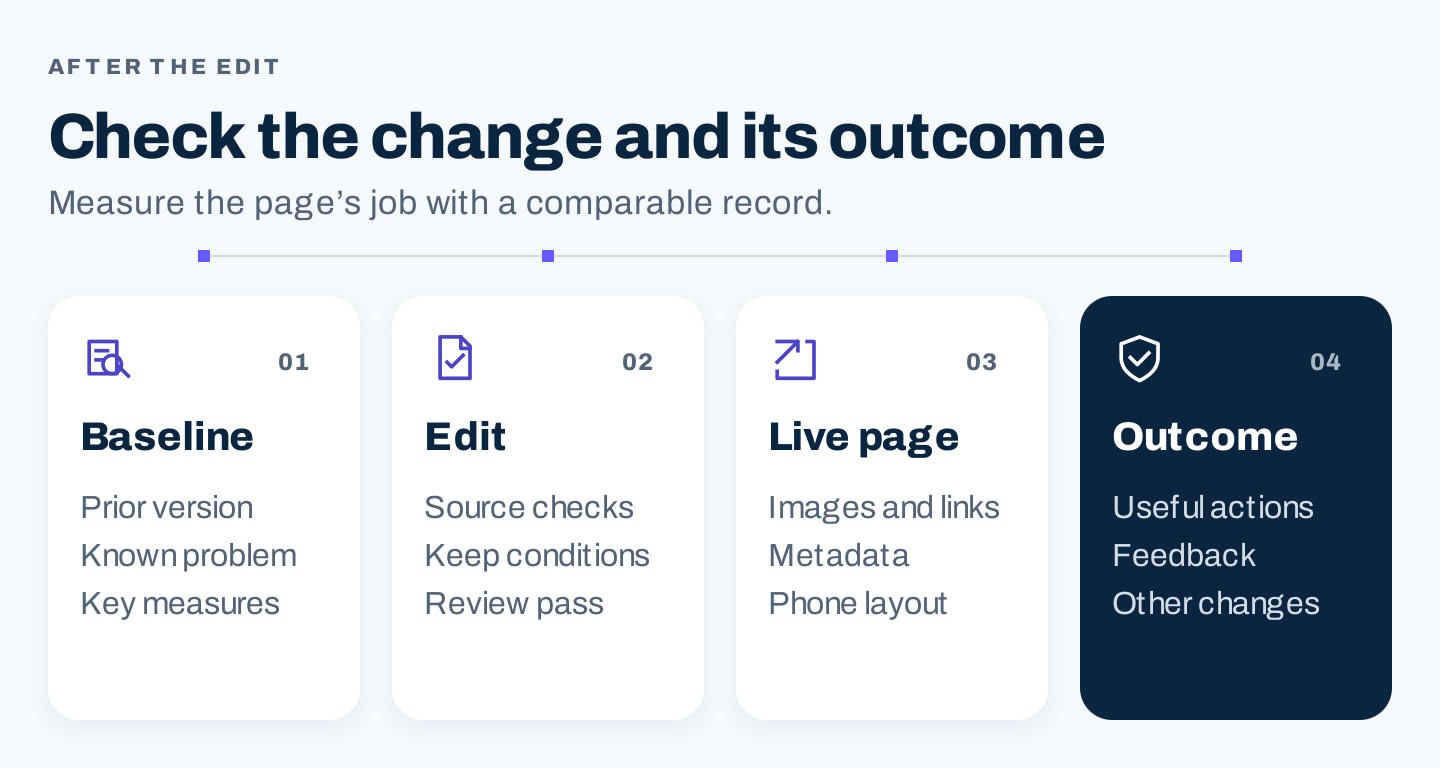
Original release process: save the baseline, verify the edit, check the live page, and assess outcomes with context.
Keep a release record:
URL and prior version:
Observed problem:
Approved changes and evidence:
Subject reviewer and editorial reviewer:
Publication date:
Live checks completed:
Baseline and outcome measure:
Concurrent changes or measurement limitations:
Review trigger and maintenance owner:
Choose the outcome according to the page’s job. A help guide may need an assessment of whether the instructions are accurate and whether relevant feedback indicates continuing confusion. A commercial guide may track suitable inquiries. Search clicks can be part of either review, but they do not replace the task outcome.
Use a comparison period appropriate to the volume and business cycle. If the page receives few relevant actions, say that the evidence is limited. Document concurrent changes rather than attributing every movement to the edit.
Update the page again when there is a new supported problem or a change in the underlying facts. A stable, accurate answer does not need cosmetic rewrites to keep its date looking recent.
Questions about content optimization
Is optimization the same as a content audit?
An audit decides what should happen to pages across an inventory. Optimization improves a page that has a continuing job. The audit may produce the editing brief that begins this process.
Does a short page need more content?
Only if it leaves an essential reader question unanswered. A short page can complete a narrow task. A long page can still fail because it omits a prerequisite or obscures the answer.
Should we accept every tool recommendation?
Review each suggestion against the task and evidence. Reject changes that reduce accuracy, add irrelevant material, or create unnatural language. Release a page because it meets its acceptance checks, not because every dashboard indicator is green.