Multi-Site SEO: Agency Workflows, Access, and Quality Controls

Managing several websites turns a routine SEO change into a scope problem. A shared template can affect more pages than intended. A report can mix incompatible goals. A writer can reuse a fact that belongs to a different client.
Multi-site SEO needs a clear record of each website, bounded changes, and evidence that the right work reached the right destination. Standardize the process while preserving each site's offer, audience, facts, and approvals.
This guide focuses on the operating workflow for agencies and marketing teams. It uses public Search Console, WordPress, and Screaming Frog documentation as real examples. It does not claim access to client accounts or an executed portfolio rollout.
1. Define what kind of portfolio you manage
There are at least two different situations:
| Situation | What may be shared | What must remain explicit |
|---|---|---|
| Several independent clients | Agency methods, checklists, reporting formats | Client facts, access, approvals, contracts, and outcomes |
| Several sites for one organization | Platform, brand rules, some product information | Site purpose, local conditions, owners, and deployment scope |
A group of websites is not automatically a WordPress Multisite network. It is also not automatically a reason to combine domains, duplicate content, or use the same keyword plan everywhere.
For independent clients, the first job is separation of context. For a shared organizational platform, the first job is understanding dependencies. Both need reliable ownership and change records.
Shared infrastructure does not automatically transfer search performance between sites. Evaluate each site's audience, content, discovery, and business task on its own evidence.
2. Build a site register before automating work
Assign every site a stable internal ID. Use that ID in briefs, crawl exports, task boards, change records, and reports. Keep the exact domain beside it so a human can verify the destination.
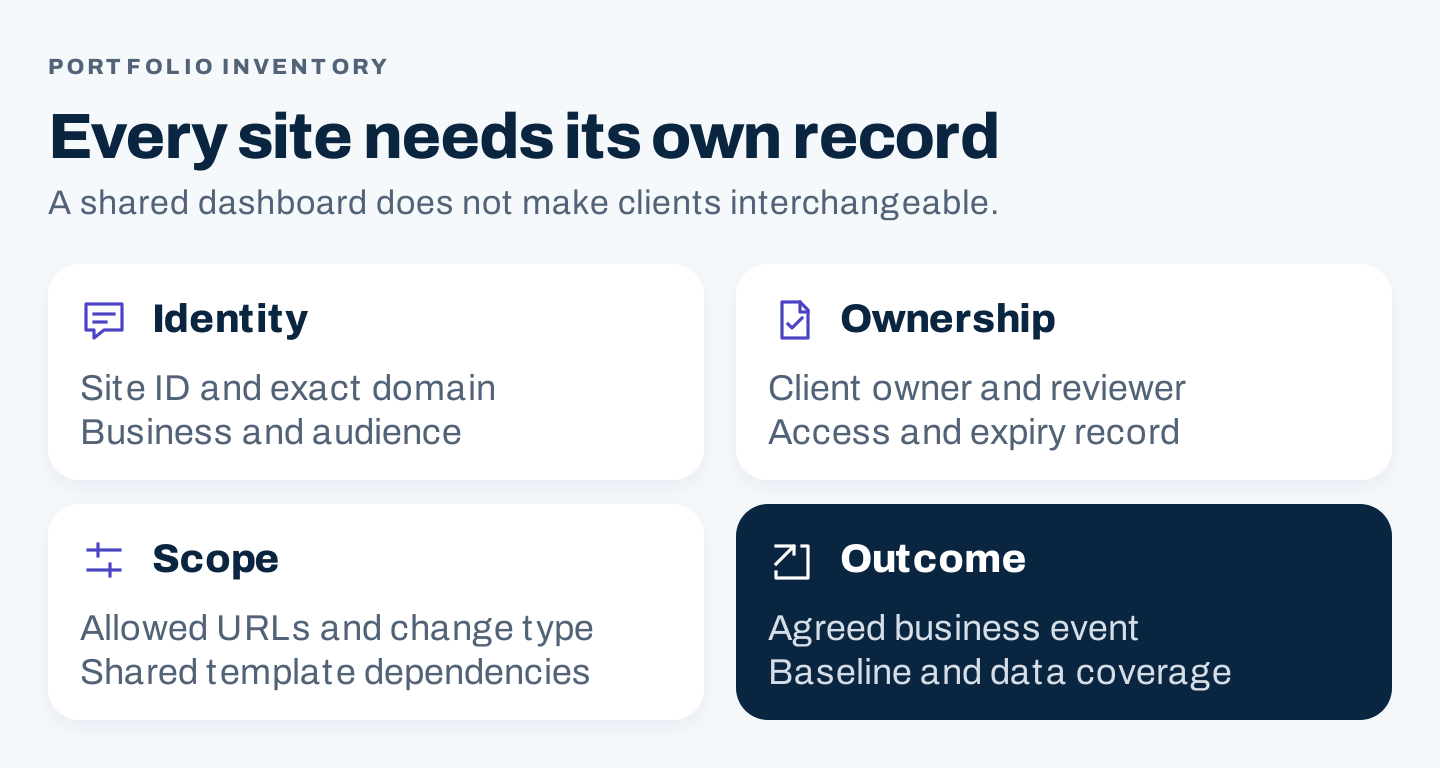
Original site-register framework: each destination has its own owner, scope, and business outcome.
A useful site register includes:
Site ID and exact production domain:
Client or business unit:
Audience, market, and site purpose:
CMS and shared template dependencies:
Search Console property and analytics property:
Client owner and agency lead:
Content expert and approval contact:
Allowed work and excluded work:
Access roles, review date, and offboarding owner:
Primary business event and definition:
Baseline, data gaps, and maintenance notes:
Do not store passwords in this register. Record the approved access arrangement and who maintains it. Keep confidential client information in the systems authorized for that client.
Add an explicit dependency note when a change can spread. A global header, shared product feed, or common publishing template may affect several sites. The person approving one article may not have authority to approve a platform-wide change.
Review the register when onboarding, changing platforms, renewing scope, and offboarding. A carefully designed worksheet becomes unreliable if nobody updates the owner after a staff change.
3. Give people the access their task requires
Google's Search Console permissions guidance distinguishes owners, full users, and restricted users. Owners can manage access; user roles have different capabilities.
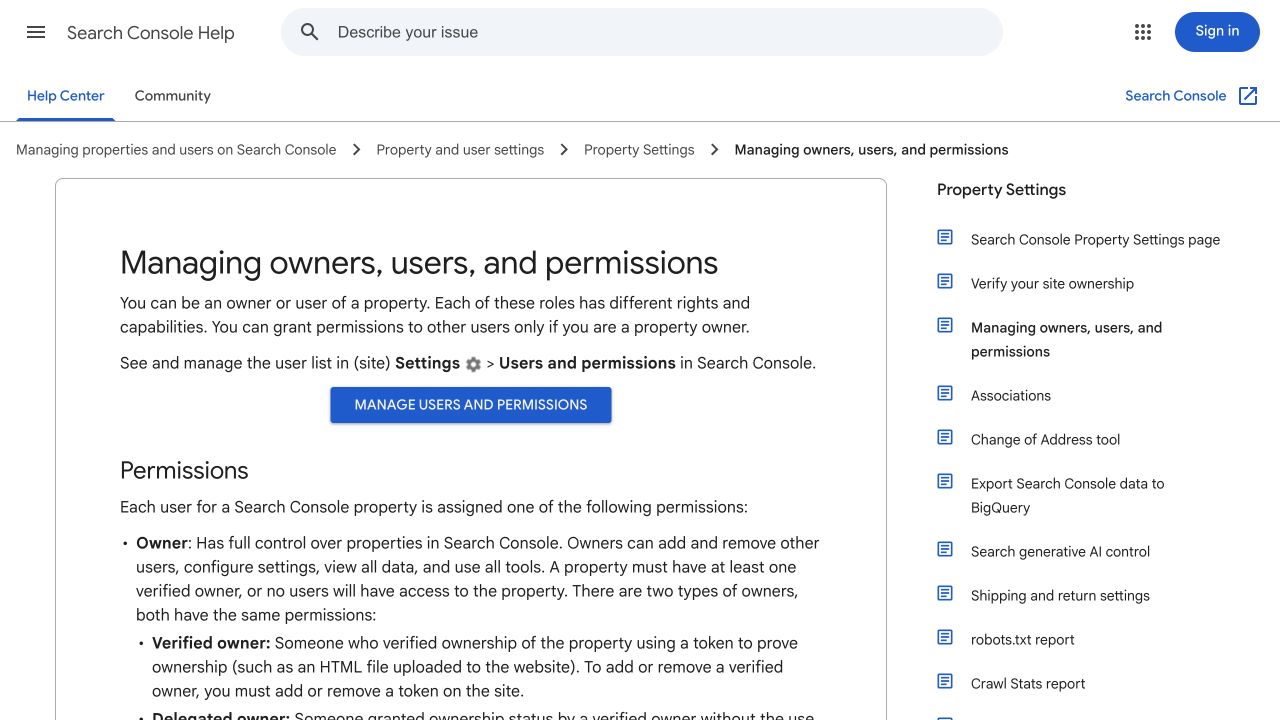
Public Search Console documentation, captured October 8, 2026. It illustrates role distinctions, not a view of any client's access settings.
Choose access from the actual task. Someone preparing a report may not need the same role as the person managing property ownership. Have the client or authorized administrator approve the arrangement and retain appropriate ownership.
For agency operations, use an access record with the person, property, role, task, approver, and review date. Check the exact property rather than relying only on a recognizable website name.
Offboarding needs a specific owner. Google's documentation notes that removing an owner does not itself remove their verification tokens; a remaining token can allow ownership to be reverified. Ask the authorized property administrator to review the relevant tokens and other connected access when an engagement ends.
This is a process recommendation, not an instruction to alter a client's permissions without their authorization. Document the approved task and have the responsible administrator perform consequential changes.
4. Understand shared-platform dependencies: WordPress Multisite
WordPress's network creation documentation explains that a Multisite network shares core installation files and can share plugins and themes. Individual sites have separate media-upload directories and database tables. Network installation and administration also differ from an ordinary single site.
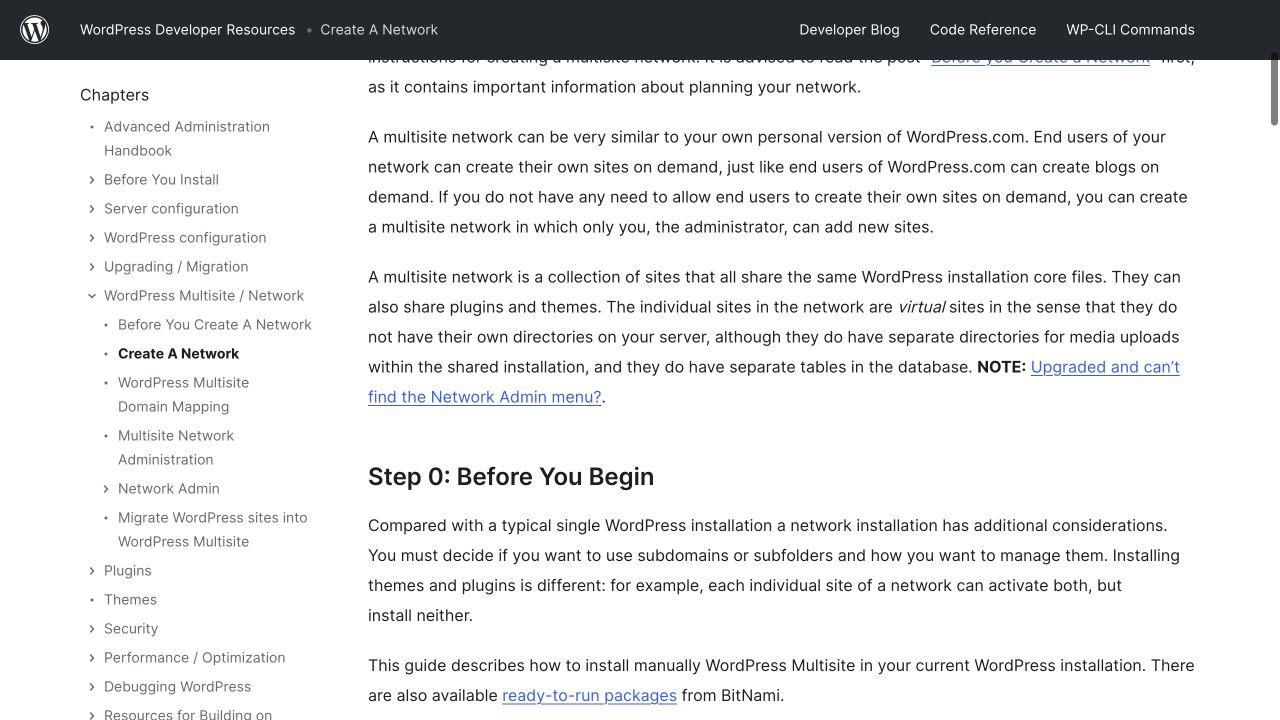
The public WordPress guide illustrates shared infrastructure and site-specific data. This article does not demonstrate enabling a network or changing a production installation.
For an SEO team, the operating implication is to map where a proposed change lives. Is the title generated by a shared template? Is a policy block controlled by a local editor? Could a plugin update change rendered content on several sites?
Keep a dependency map that answers those questions. Shared components can improve consistency, but they also increase the number of destinations affected by a mistake.
Do not recommend a network solely because an agency has many clients. Hosting, ownership, maintenance, and isolation requirements need their own technical evaluation. The SEO workflow should work whether the websites share a platform or use entirely different systems.
5. Standardize methods while keeping client facts separate
Reuse the shape of a brief, not its unsupported factual content.
A shared brief can ask for the reader task, sources, claim owner, visual evidence, next destination, and refresh trigger. The answers belong to the specific site. A warranty, service area, qualification, price, or product capability cannot be carried across clients because the articles have similar topics.
Use a site-specific fact pack. Include approved company details, actual offer boundaries, current sources, preferred terminology, and claims that need review. Version it when a material fact changes.
For a shared organizational portfolio, distinguish truly global facts from local conditions. The product name may be global while availability or support differs by market. Give each local page an owner who can verify the difference.
If an AI assistant supports drafting, supply only the approved material for the intended site. Do not combine confidential client documents into a single external prompt unless the data handling and destination are authorized. A reusable template does not require cross-client data sharing.
Add a review question that catches context leakage: “Could every named fact in this page be traced to this site?” A correct statement about the wrong client is still a serious editorial error.
6. Make scheduled checks observable
Screaming Frog's SEO Spider documentation describes scheduling crawls, selecting configurations and exports, and reviewing scheduling history and errors.
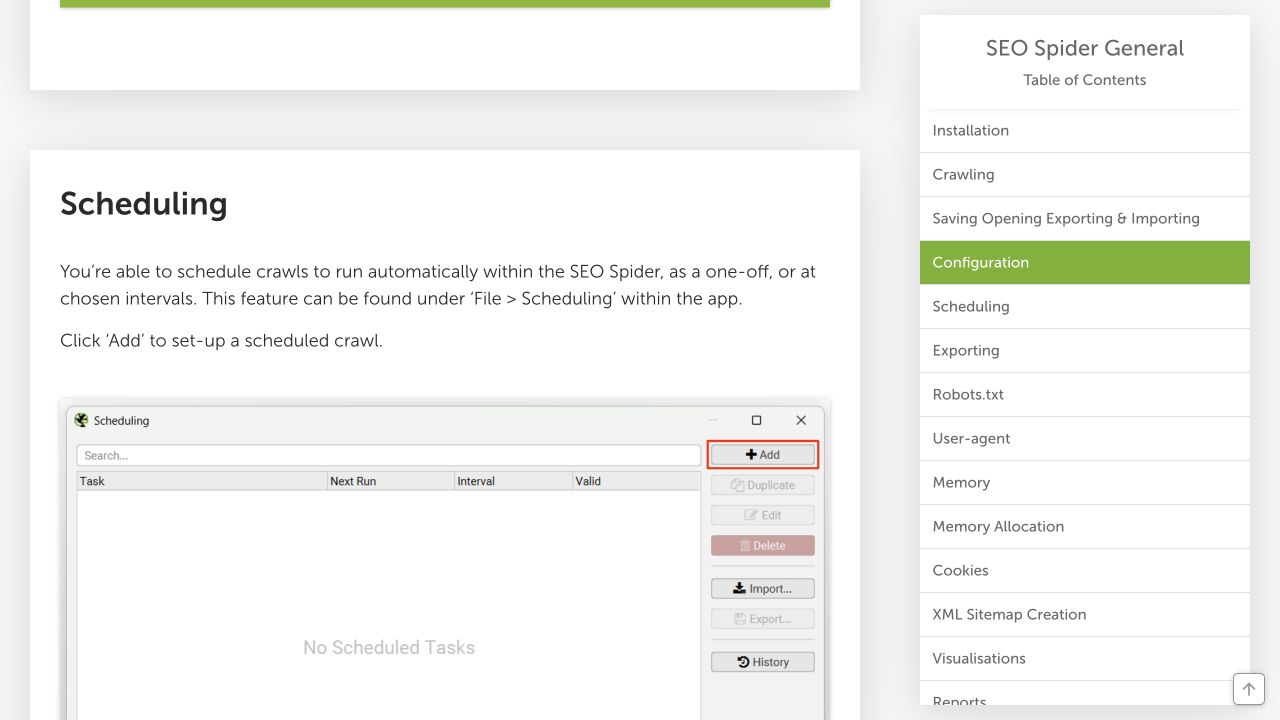
Public scheduling guidance and its embedded interface example. No portfolio crawl was executed for this article.
The useful agency lesson is that a schedule needs more than a start time. Record the target, configuration, expected output, destination, and person who checks completion.
Use one run record per site and job:
Site ID and approved target:
Job purpose and configuration version:
Scheduled time and expected completion:
Expected export and authorized destination:
Actual start, end, and completion status:
Coverage or exclusions:
Failure message and responsible owner:
Difference from the last comparable run:
Follow-up action and review date:
Treat a missing export as a collection problem, not proof that the site has no issues. Treat an incomplete crawl as incomplete coverage. Do not silently combine it with successful runs in a portfolio score.
Review the first run manually before expanding the schedule. Check that the scope is correct and the export contains the information needed for the intended decision. A technically successful run can still be useless if it measures the wrong property or excludes the pages you meant to inspect.
7. Bound each change with a release contract
A release contract is a short record of what may change, where, who approved it, and how to recover. It makes a proposed rollout concrete enough to inspect.
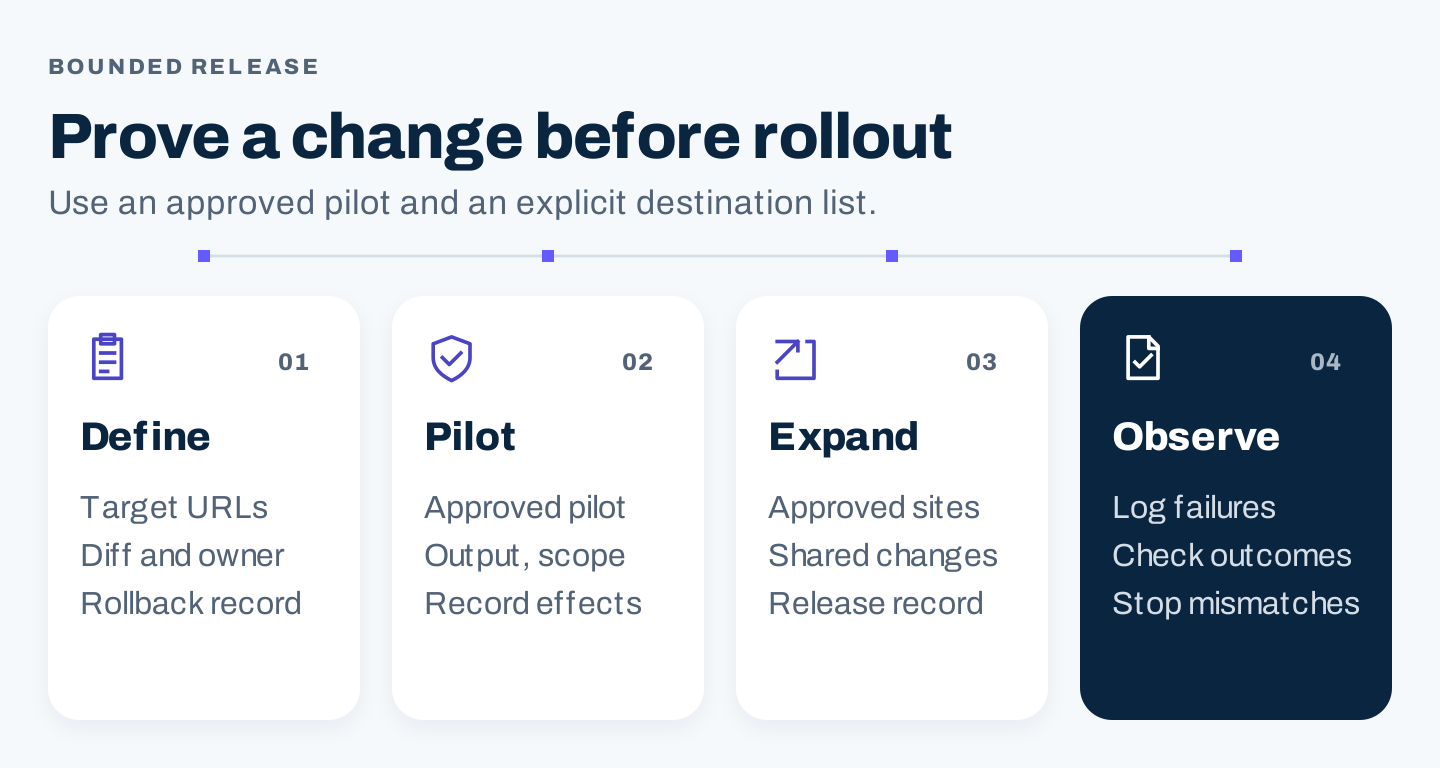
Original rollout method: use an approved pilot and explicit destination list before expanding a change.
Copy this template:
Change ID and purpose:
Site IDs and exact allowed URLs:
Excluded destinations:
Current version and proposed diff:
Source facts and approving owner:
Shared component dependencies:
Pilot destination and acceptance checks:
Required approvals for expansion:
Backup or rollback reference and recovery owner:
Release record and post-release checks:
Stop conditions and escalation route:
For a content change, the acceptance checks might include the intended title, approved facts, working links, image loading, and phone layout. For a template change, include a representative sample of affected page types and a developer-reviewed recovery plan.
Choose a pilot that is authorized and representative. Do not select a client's live site as an experiment simply because it has low traffic. The client scope and potential impact still apply.
Stop expansion when a check fails or the change reaches an unintended destination. Investigate the cause, correct the scope, and repeat the relevant check. Do not push the rest of the portfolio through because the rollout window is ending.
8. Report each site with clear definitions and denominators
A portfolio dashboard is useful for finding issues and allocating attention. It becomes misleading when it adds incompatible outcomes or hides missing coverage.
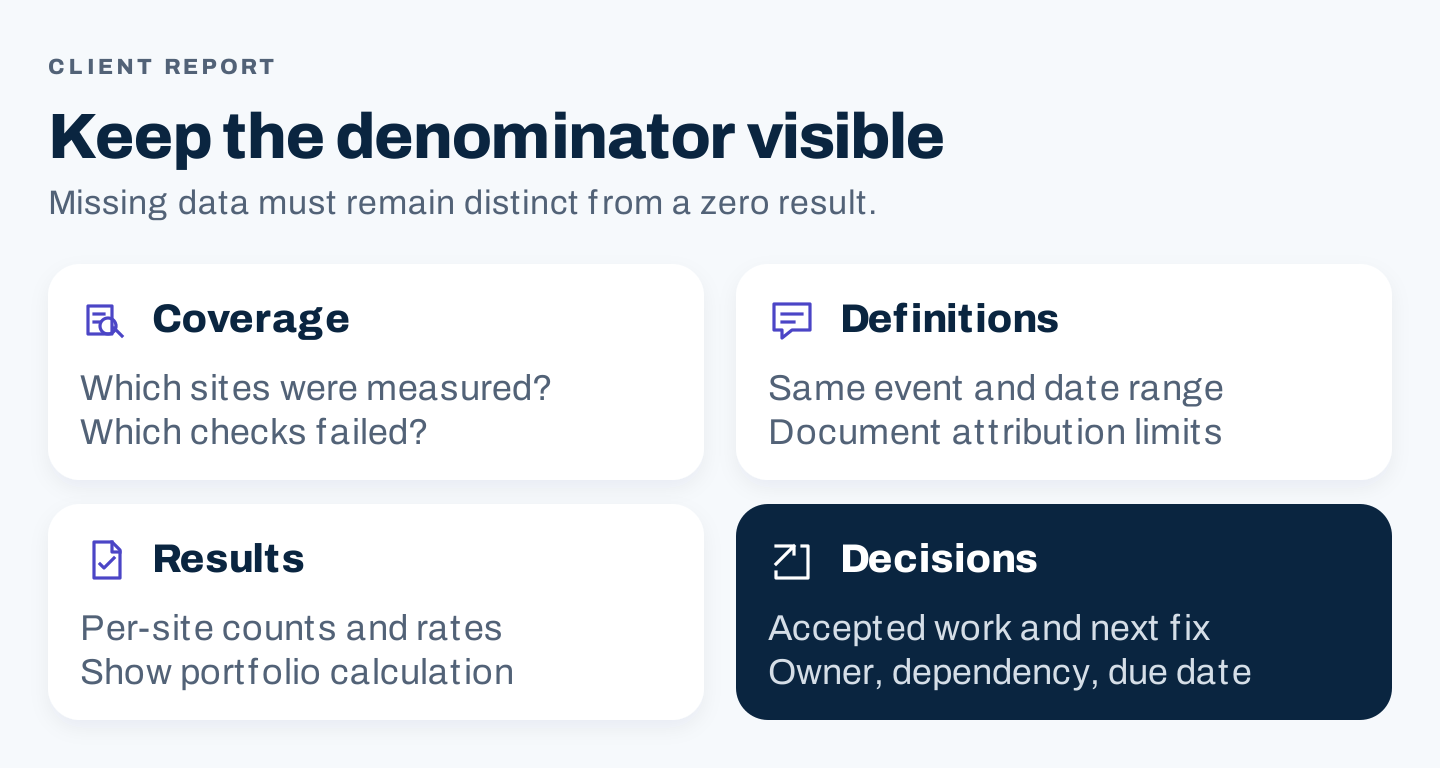
Original reporting framework: preserve per-site definitions and disclose which destinations were actually measured.
Keep counts and rates distinct. For an explicitly illustrative calculation, suppose one comparable site records 10 qualified inquiries from 100 eligible visits and another records 10 from 1,000. Their rates are 10% and 1%. The combined rate is 20 / 1,100, or approximately 1.82%, rather than the simple average of 5.5%.
Those are invented arithmetic inputs, not client results. The calculation is only meaningful when the events, visit eligibility, time window, and measurement method are compatible. If the sites have different goals, report the outcomes separately instead of forcing a combined rate.
Distinguish three states in the dashboard:
- Measured result: the event was tracked with adequate coverage.
- Measured zero: tracking worked, but no qualifying event was recorded.
- Missing or incomplete: the result cannot be established from the available collection.
Pair the dashboard with a short client decision note:
Site and reporting period:
Agreed outcome and definition:
Coverage and known data gaps:
Accepted work and exact destinations:
Observed search and business changes:
Promotions, outages, or other relevant conditions:
Attribution limitations:
Next decision, dependency, owner, and due date:
Report accepted work separately from observed outcomes. Publishing an article is a delivery fact. A later traffic change is an observation. Claiming that the article caused the change needs more evidence than timing alone.
9. Run a wrong-site incident drill before scaling
Use a proposed drill on an approved test environment or paper scenario. This article does not claim that a drill was executed.
Ask the team what it would do if a shared block published the wrong client's phone number or policy. Who can stop further releases? Who identifies the affected destinations? Which previous version is available? Who communicates with the client under the agreed incident process?
Write the recovery sequence and review it with the people who have the necessary authority. Include restoring the approved content, inspecting the affected destinations, verifying links and forms, and recording the cause and prevention step.
Keep the drill focused on the actual operating risk. It does not require a long security exercise to establish that an approved client page must not receive another client's facts.
Use what you learn to improve the fact pack, destination list, and release checks. A useful drill produces a concrete change to the workflow.
A manageable rollout for a small agency
First: complete the register for the active sites and resolve unclear ownership or scope. Avoid expanding automation while the destination inventory is unreliable.
Next: apply the shared brief and site-specific fact pack to one approved content assignment. Check whether the writer and reviewer can identify every factual source.
Then: run a bounded release and record the accepted output. Inspect the page on desktop and phone, including its links and next action.
Finally: review the reporting definitions and missing-data states. Expand the process when the team can demonstrate consistent scope, approved facts, and observable completion.
Multi-site SEO questions
Can we reuse articles across client websites?
Reuse a research method or brief format. Each article needs a justified purpose, site-specific facts, and its own approval. Duplicating a generic article is not a portfolio strategy.
Do all clients need the same tool stack?
No. Standardize the information needed for decisions and the reporting contract. Choose tools according to site requirements, authorized access, and practical maintenance.
What should be automated first?
Start with a repeated, bounded task whose inputs, outputs, and failure states are understood. Prove one approved run before expanding it across sites.
What is the most useful portfolio metric?
There is no universal one. Combine operational coverage with the agreed business outcomes, while preserving per-site definitions. A single score should not hide failed collection or incompatible goals.