WordPress, Shopify, or Webflow: Which CMS Publishes SEO Content Best


The finished article can look almost identical on WordPress, Shopify, and Webflow.
The work required to get it there is not identical.
WordPress treats publishing as an open system that can be reshaped with themes, plugins, custom fields, and code. Shopify treats the article as part of a commerce platform. Webflow treats it as a structured CMS item rendered through a visual Collection template.
Search engines do not award a ranking bonus for choosing one of those names. They see the result: accessible HTML, useful content, sensible URLs, accurate metadata, internal links, structured data, and a page that performs well for the reader.
The best CMS is the one that lets your team produce and maintain that result without fighting its operating model.
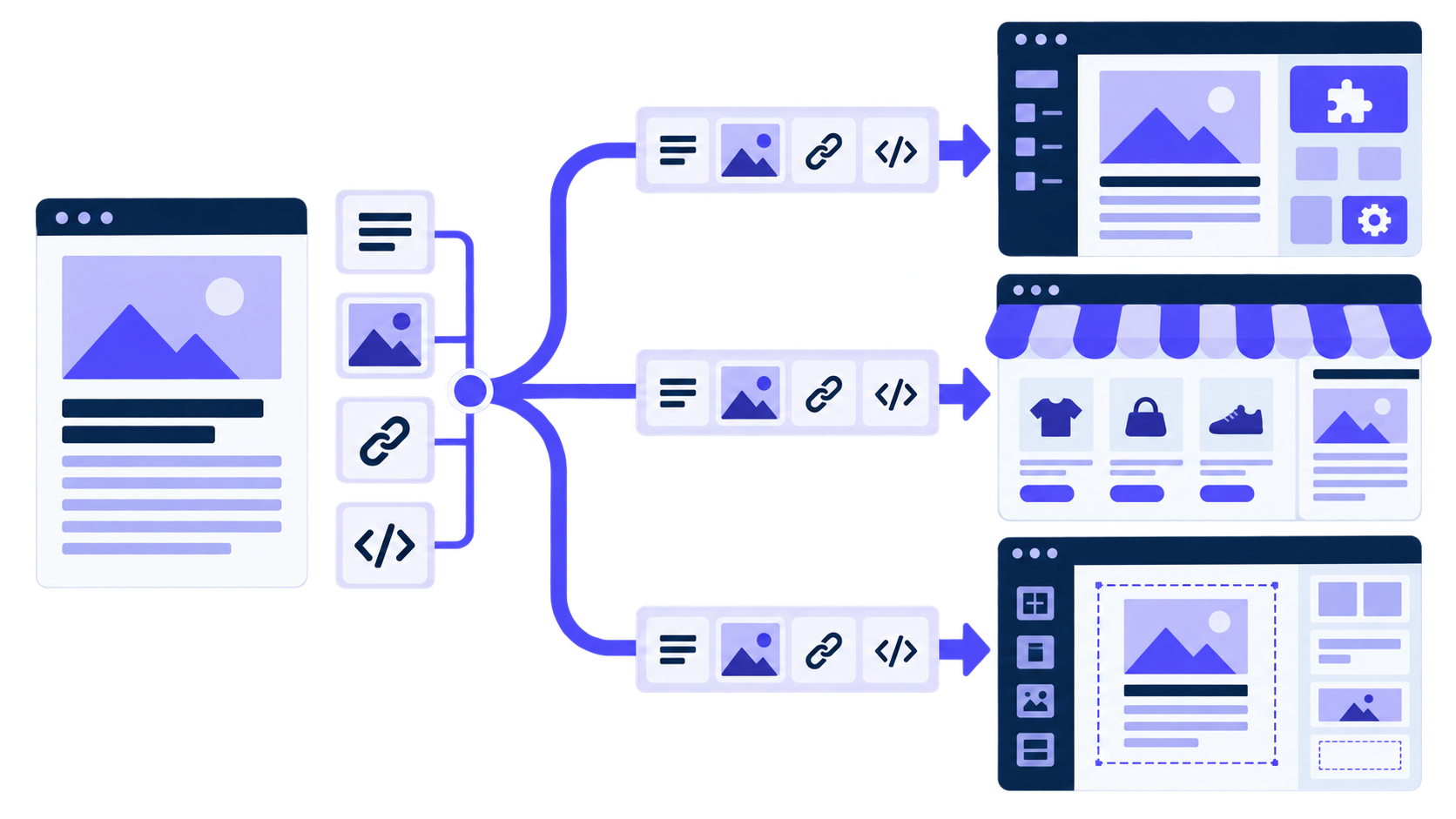
The source article stays consistent. Each platform maps it into a different content and publishing model.
The answer in one minute
Choose WordPress when publishing flexibility matters most and the team can own hosting, plugins, updates, and technical decisions.
Choose Shopify when the store is the centre of the business and articles exist to educate buyers, support collections, and lead into products.
Choose Webflow when a marketing team values tight visual control and can define a stable Collection structure for its content.
That summary hides the part that causes implementation problems: the CMS must receive more than a title and a block of HTML.
An article is a bundle of fields
A complete publishing record can contain a title, slug, summary, body, author, category, tags, feature image, alt text, publication date, meta title, meta description, canonical URL, structured data inputs, and publication status.
Those fields do not land in the same place on every platform.
| Field | WordPress | Shopify | Webflow |
|---|---|---|---|
| Main content | Post title and content | Blog article title and body | Collection fields defined by the site |
| URL | Post slug and permalink rules | Blog path and article handle | Collection page path and slug |
| Author | User or custom author model | Article author | Text or reference field |
| Classification | Categories and tags | Blog plus tags | Option or reference fields |
| Feature image | Featured media | Article image | Image field |
| SEO metadata | Core behaviour or SEO-plugin fields | Search listing fields | Native page SEO fields and Collection template |
| Structured data | Theme, plugin, or custom code | Theme, app, or custom code | Template custom code or embedded fields |
| State | Draft, pending, private, scheduled, published | Draft and publication controls | Staged and live item states |
If an integration ignores the field model, the article may publish while its SEO title, author, image alt text, or category disappears.
WordPress gives you the most room to change the system
WordPress remains the natural fit for a publication with complex editorial needs. Custom post types, taxonomies, plugins, themes, and custom fields can support almost any content model.
That freedom helps when a site needs expert authors, review dates, comparison data, product references, or several article templates. It also helps with migration because content can be accessed directly and exported in several ways.
The official WordPress posts REST API exposes familiar fields such as title, content, excerpt, slug, status, author, feature media, categories, and tags. A publishing integration can create a draft, schedule it, update it, or publish it.
The complication is that a real WordPress site rarely stops at core fields. SEO plugins add their own metadata. A page builder may store layout data separately. Security tools can block authenticated API requests. Two sites running WordPress can require different mappings.
Permalinks need deliberate setup too. WordPress documents several structures in its permalink guidance. Choose one that produces stable, readable article URLs. Changing the structure later creates redirect work across the site.
WordPress is not “best for SEO” by default. It is best at giving a competent team room to build what it needs.
The cost of WordPress flexibility is ownership
Someone has to own updates, backups, hosting, security, caching, and plugin compatibility. A plugin that solves metadata today can change its API tomorrow. An abandoned theme can become a performance or security problem.
This does not make WordPress fragile. It means the platform lets the owner make more decisions, including bad ones.
For automated publishing, test the actual production stack. Confirm which endpoint accepts each SEO field, how media uploads behave, which user role the integration needs, and what happens when a request is retried. A safe retry must not create two copies of the same article.
Shopify is strongest when content serves the store
Shopify keeps products, collections, checkout, customers, and blog content in one managed platform. That is a practical advantage for an ecommerce team.
A buying guide can link directly to collections. A product comparison can sit beside the catalogue it discusses. The team manages fewer systems, and the hosting layer is not its responsibility.
Shopify's blog model is simpler than WordPress. That simplicity is often enough for product education, category guides, gift guides, comparisons, founder stories, and announcements. It becomes restrictive when the publication needs complex relationships, several content types, or heavily customized editorial workflows.
The official GraphQL Admin API includes an articleCreate mutation for creating blog articles. An integration still has to select the correct blog, map the author and tags, upload the image, preserve the intended handle, and manage publication state.
The important SEO question is not “Can Shopify rank?” It can. The question is whether the store's theme and content model support the pages the strategy needs.
Shopify apps can quietly change the page
Managed infrastructure does not mean the storefront stays fast automatically. Themes and apps can add scripts, layout shifts, duplicate structured data, and competing metadata.
Inspect the rendered article, not only the admin preview. Check the canonical, title, description, headings, image dimensions, internal links, product widgets, and schema output. If two apps produce the same schema type, clean up the conflict.
The content team also needs a maintenance rule for products that disappear. A buying guide full of discontinued items becomes less useful even when the article text remains accurate.
Webflow gives the template to the designer
Webflow's advantage is the connection between structured content and visual design. A designer creates the Collection template once, then every item uses the same layout logic.
For a marketing site with a stable article model, that is attractive. Writers and automation do not have to rebuild each page. The design system stays under control.
Webflow documents native controls for SEO titles and meta descriptions, including dynamic fields on Collection pages. Its guidance on Collection page structure shows how one template renders data from each item.
The challenge is that every site can define its Collection differently. One project uses Post Body; another uses Content. An author may be plain text on one site and a reference to an Authors Collection on another. An integration cannot assume the schema.
Webflow publishing therefore needs a mapping step. The site owner chooses which source field feeds which Collection field, and the integration validates the types before it sends the first article.
Webflow's API model needs careful state handling
Webflow's CMS API supports creating and managing Collection items. Its CMS item documentation distinguishes between staged and live content states.
That distinction matters. Creating an item is not always the same as publishing the item to the live site. An integration has to know if the workflow should create a draft for review, stage an approved item, or publish it immediately.
Rankauto has implemented Webflow support, but customer availability depends on Webflow's app-review process. That is a product-distribution status, not a limitation of the CMS API itself.
Metadata is only one part of the output
SEO plugins and admin fields draw attention because they are visible. Several other details deserve the same care:
- one clear H1
- headings in a sensible hierarchy
- useful internal links
- crawlable pagination and category pages
- accurate canonicals
- image alt text that describes the image
- structured data that matches visible content
- redirects when slugs change
- a sitemap that includes the canonical article
- templates that perform well with realistic content
The final check should happen on the live URL. A field can be correct in the CMS and missing from the rendered page because the theme or template never outputs it.
Performance depends on the implementation
No platform owns a permanent speed advantage.
WordPress can be extremely fast with a lean theme, capable hosting, caching, and disciplined plugins. It can also become slow under a stack of overlapping extensions.
Shopify manages the infrastructure, but storefront apps and theme code can add significant client-side work.
Webflow manages hosting and gives designers detailed layout control. Large media, complicated interactions, and unnecessary scripts still affect performance.
Test a real article template. Include images, embeds, related posts, analytics, consent tools, and the scripts the production site uses. A vendor homepage is not a benchmark for your implementation.
Automation needs a content contract
Before connecting any publishing system, define the canonical article package.
Which field owns the slug? Can it change after publication? Which image becomes the social preview? Are categories created automatically or selected from an approved list? Does the platform create a draft or publish immediately? What happens when a tag does not exist?
The contract should also define failure behaviour.
If the image upload succeeds and the article request fails, a retry should not create duplicate media. If the article publishes but the analytics tag is missing, the system should record a partial success rather than reporting that everything worked.
Reliable automation is mostly careful handling of unglamorous states.
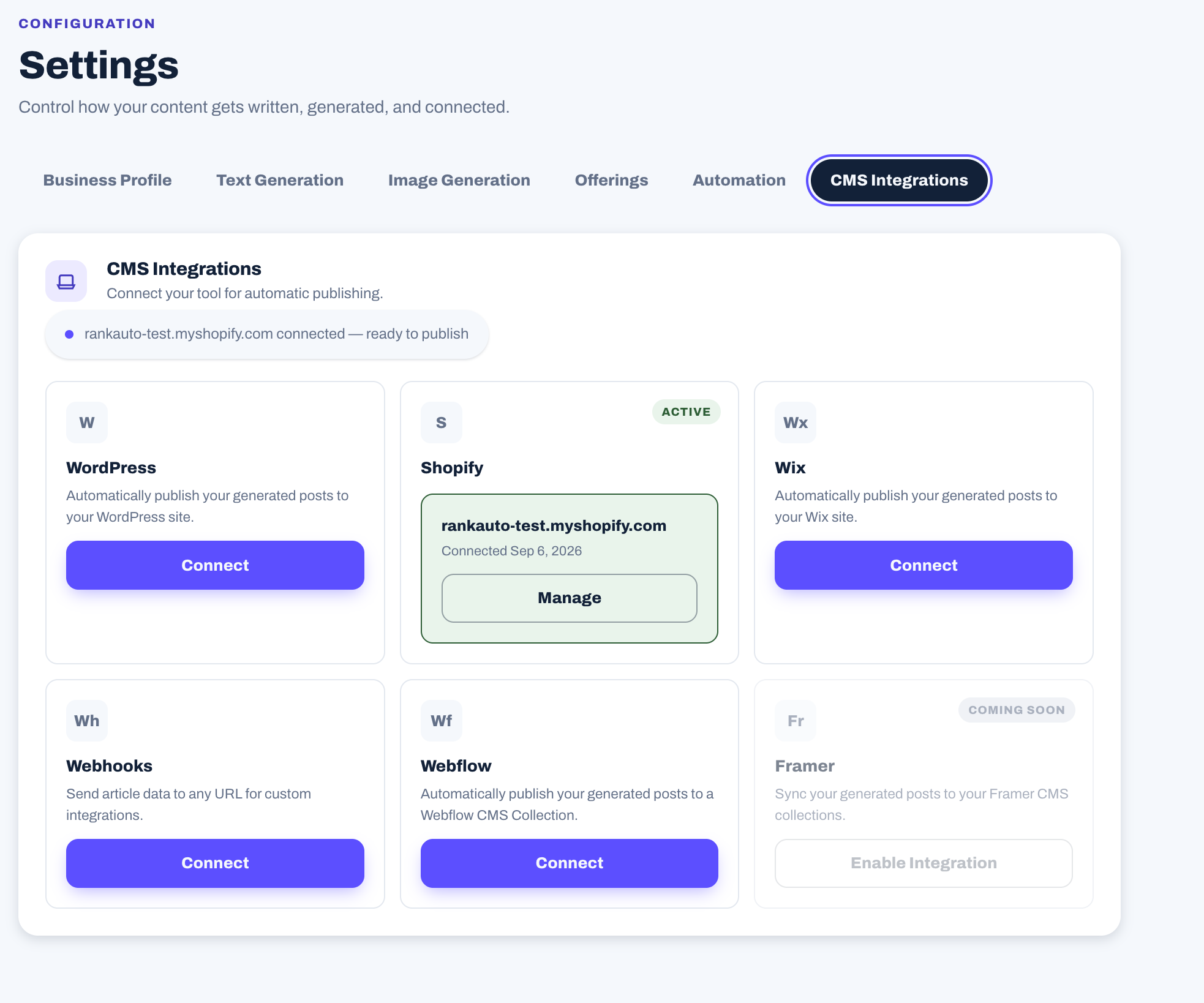
The connection button is the visible part. Reliable publishing depends on the field mapping, permissions, retries, and status handling behind it.
Plan the exit before choosing the entrance
A CMS migration becomes easier when content remains structured.
Keep portable records of titles, slugs, summaries, body content, authors, publication dates, categories, images, alt text, metadata, redirects, and schema inputs. Avoid storing essential article copy inside design components that cannot be exported cleanly.
Before a migration, crawl the existing site and save the URL inventory. After launch, compare status codes, canonicals, metadata, internal links, structured data, and indexed pages.
A page can look perfect after migration while its old URL returns 404. Search traffic notices the redirect before it notices the typography.
Which platform fits which team?
Choose WordPress for a content-led business that needs deep customization and has technical ownership.
Choose Shopify for a store that wants content close to products, collections, and checkout.
Choose Webflow for a design-led marketing site with a stable content model and a team comfortable defining Collection fields.
Do not migrate solely because someone calls another CMS “better for SEO.” First identify the specific limitation. The problem may be the template, workflow, content, internal links, or implementation rather than the platform.
Questions teams ask before connecting a CMS
Can all three publish SEO content successfully?
Yes. All three can produce crawlable pages with useful content, metadata, links, images, and structured data. The work and controls differ.
Which platform needs the least maintenance?
Shopify and Webflow manage more of the infrastructure. WordPress gives the owner more control and more maintenance responsibility.
Can Webflow articles be published automatically?
Yes. The CMS APIs support creating and managing Collection items. The integration must map the site's custom fields and handle staged and live states correctly.
Should automatic publishing skip human review?
That depends on the topic and the business. Routine, low-risk content can publish after defined checks. Product claims, regulated topics, original data, and sensitive advice may need approval.
What should be tested before launch?
Test field mapping, slugs, metadata, images, alt text, links, drafts, scheduling, publishing, updates, retries, unpublishing, and the rendered page. Include the failure cases, not only the happy path.
Choose the operating model, not the logo
WordPress offers control. Shopify offers commercial focus. Webflow offers visual structure.
The right choice is the one your team can operate accurately every week. Define the content object, test the published output, plan for updates, and make sure the workflow still works when something fails.