24 Best Content Creation Tools for Small Teams
Compare 24 content creation tools by task, free-entry limits, and cost units. Choose a small stack and trial it with a practical evaluation worksheet.

The best content creation tool is the one that removes a real bottleneck in your workflow. Research, drafting, design, recording, editing, and publishing are different jobs. Buying a tool for each job before you know the problem can make production harder to manage.
This list covers 24 distinct products and the tasks they suit. Rankauto is first for researched blog automation. Other tools handle planning, visuals, audio, video, or distribution that a blog-writing tool doesn't replace.
Rankauto publishes this guide. We reviewed public product and plan pages on October 14, 2026; this is a task-based comparison, not a hands-on performance test of every product. Free access, trials, and paid plans have different limits, so check the linked page before committing.
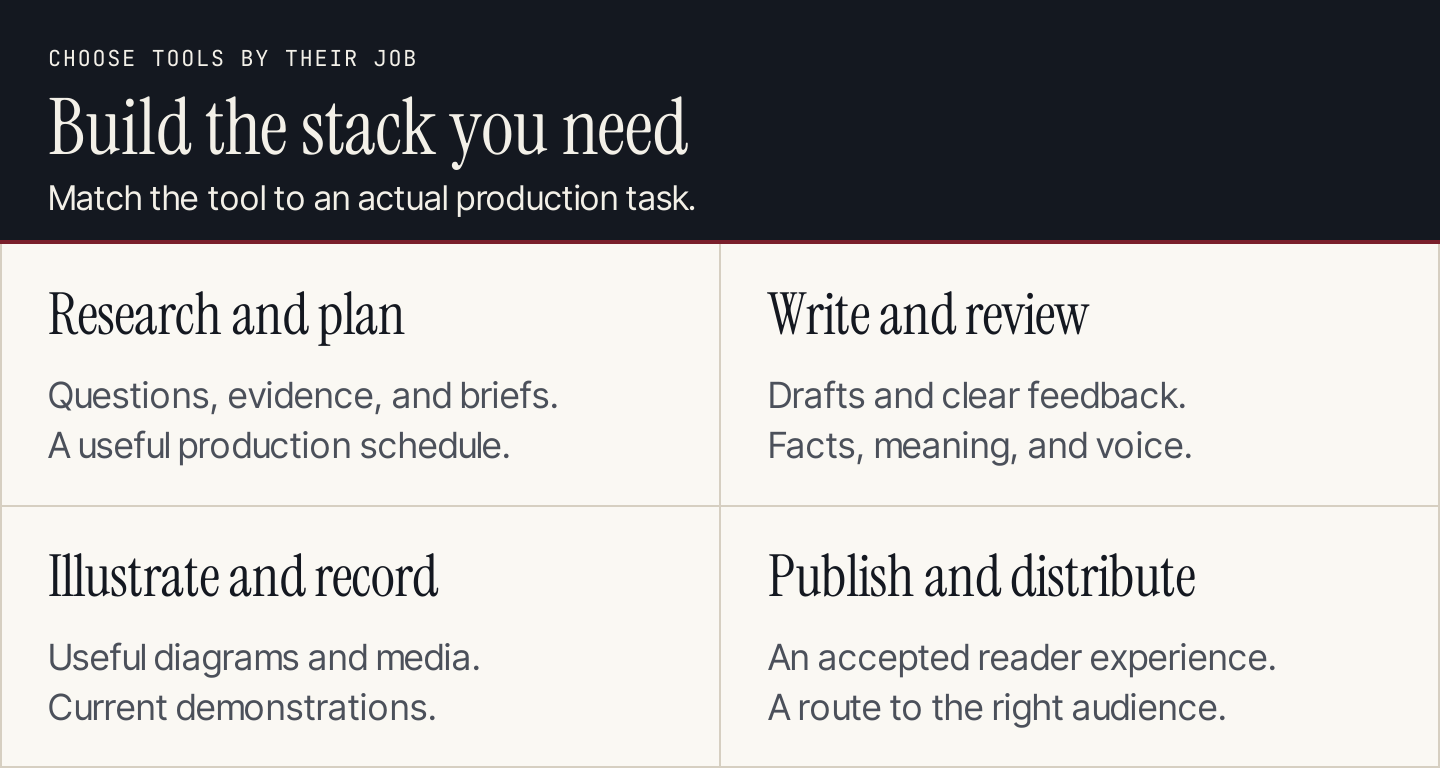
Choose tools for the jobs your content actually requires.
Compare the tools by job
“Free” below means an available entry route, not that every capability is included. Hosting, seats, channel counts, premium assets, and usage allowances can change the total cost.
| # | Tool | Best starting job | Entry route or cost unit | Main consideration |
|---|---|---|---|---|
| 1 | Rankauto | Researched blog production | $49/month per website | Blog articles, not email or ad copy |
| 2 | Google Trends | Compare relative search interest | Free public tool | Relative interest isn't search volume |
| 3 | AnswerThePublic | Find question wording | Starter access and paid options | Check search allowances |
| 4 | AlsoAsked | Explore related search questions | Search-credit allowances | Results reflect search questions, not customer interviews |
| 5 | Semrush | Research topics and search demand | Paid toolkits | Toolkit scope and limits vary |
| 6 | Notion | Keep briefs and evidence together | Free and paid seat plans | Needs a consistent workspace structure |
| 7 | Trello | Track production stages | Free and paid user plans | Cards need clear owners and acceptance rules |
| 8 | Asana | Coordinate dependencies and deadlines | Free Personal; paid user plans | Timeline features depend on plan |
| 9 | Google Docs | Collaborative drafting and comments | Google Account; optional Workspace | Document access needs attention |
| 10 | Grammarly | Review language and tone | Free, Pro, Enterprise | Doesn't verify the underlying claim |
| 11 | Hemingway Editor | Spot difficult prose | Classic editor; Plus trial | Suggestions need editorial judgment |
| 12 | Canva | Produce reusable visual layouts | Free and paid plans | Assets and brand features vary by plan |
| 13 | Adobe Express | Make graphics and short visual assets | Free and Premium options | Premium assets and features aren't all free |
| 14 | Figma | Design precise reusable diagrams | Starter and paid seat types | Requires design skill and export discipline |
| 15 | Unsplash | Find supporting photography | Free collection; separate Plus offering | Check the relevant license and permissions |
| 16 | Photopea | Edit layered images in a browser | Free browser editor | Detailed editing remains manual work |
| 17 | Loom | Record and share a demonstration | Free Starter and paid plans | Free recording length is limited |
| 18 | Descript | Edit spoken audio and video | Free and paid plans | Export and usage allowances differ |
| 19 | CapCut | Edit short-form video | Free entry and paid capabilities | Confirm effect and asset availability |
| 20 | OBS Studio | Capture screens and live streams | Free open-source software | Recording setup takes practice |
| 21 | Audacity | Edit recorded audio | Free open-source software | Audio editing needs a listening review |
| 22 | Buffer | Queue social distribution | Free; paid per channel | Channel count changes cost |
| 23 | WordPress.org | Publish an owned blog | Free software; separate hosting | Maintenance and hosting are your responsibility |
| 24 | Webflow | Design and publish a content site | Free Starter; paid Site/Workspace plans | Site and Workspace costs are different |
Research and planning tools
1. Rankauto: best for researched blog automation
Rankauto finds the searches your customers make, researches and writes blog articles in your brand voice, checks figures against sources, and adds images and SEO fields. Articles save as drafts by default; Auto Publishing is optional.
The plan is $49 a month per website, including 30 articles a month. Articles are pooled across websites on the account. The trial lasts three days or the first three articles, whichever comes first, and requires a payment card.
Publishing options are WordPress through a plugin, Shopify, Wix, Webflow, Framer, and a signed webhook for other sites. Rankauto writes blog articles, not ad, email, or product-catalog copy. It doesn't track AI citations, supply a backlink index or PPC data, or offer a white-label client portal.
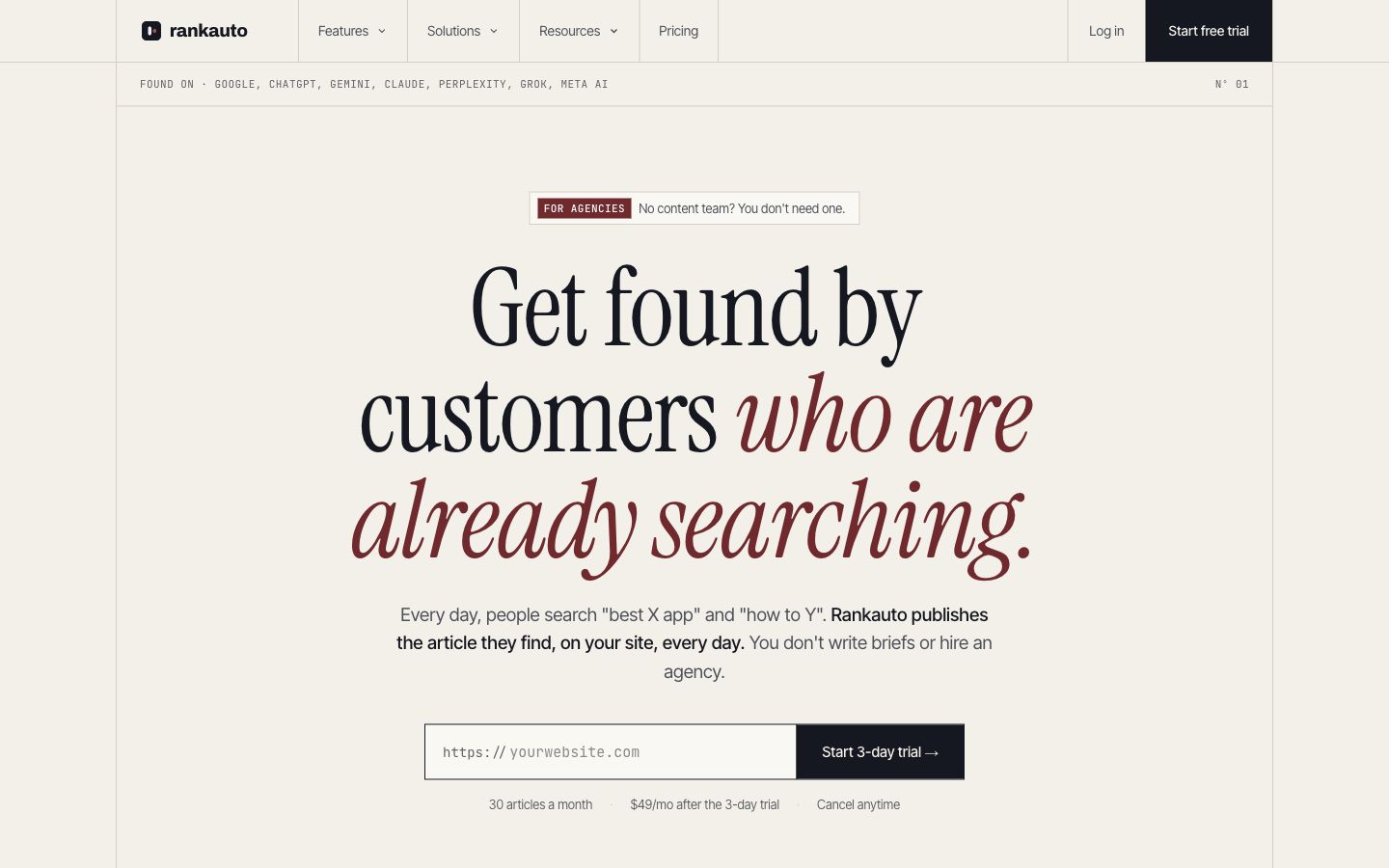
Rankauto focuses on researching, writing, and publishing blog articles. Source: Rankauto.
For your trial, review a draft against a real brief: audience, evidence, brand voice, imagery, and the reader's next action. Confirm the publishing destination and draft setting before enabling automatic publication. The useful question is whether the resulting article fits your business, not how many words appear on screen.
2. Google Trends: best for checking relative interest
Google Trends helps compare the interest in topics across places and time periods. It's useful when deciding whether a theme is seasonal or when two terms mean different things to your audience.
Its data is normalized, so a trend score isn't a monthly search count. Compare candidate topics with the same geography and period, then check whether they match real customer questions. Don't assign a volume estimate from the chart's height.
3. AnswerThePublic: best for exploring question wording
AnswerThePublic organizes search-related questions and phrases around a topic. It can help a writer notice questions a broad title would otherwise miss.
Start with one specific subject and inspect the results for distinct reader tasks. Merge near-duplicates instead of creating an article for every wording variation. Check the search allowance and paid options for your intended research frequency; starter access shouldn't be treated as unlimited research capacity.
4. AlsoAsked: best for related-question mapping
AlsoAsked explores relationships between questions surfaced in search. It's useful for understanding where a reader may need another explanation after the initial answer.
Use one question map to draft an outline, then remove branches that belong to a different audience or task. Search-credit allowances and cached results affect access. The map provides research leads; verify the answers from reliable sources rather than treating search question boxes as evidence.
5. Semrush: best for broader search research
Semrush's SEO and AI Search toolkits include search research capabilities with plan-specific limits. A team with an established research process can use them to assess topics and examine competing pages.
Choose the toolkit you actually need before comparing costs. A toolkit price isn't the price of every Semrush product. For a trial, investigate one cluster and explain which pages deserve separate answers. A large export is useful only after someone turns it into a content decision.
6. Notion: best for briefs and evidence records
Notion offers a free plan and paid seat plans for organizing documents and collaborative work. It can hold a brief, source record, review comments, and publication status in one place.
Test a template with one article before creating a complicated database. Include an owner and the final accepted version. Team limits and AI features depend on plan, so price the intended collaboration rather than assuming all workspace capabilities come with a free account.
7. Trello: best for a simple production board
Trello uses boards, lists, and cards to make work status visible. A small team can track research, drafting, review, and release without building a detailed project system.
Its free workspace supports up to 10 collaborators, according to the current plan page. Give each card one owner and a clear completion rule. Moving a card into “review” isn't evidence that someone has checked the article; attach the accepted draft and record the decision.
8. Asana: best for coordinated production
Asana is useful when content work depends on several contributors, deadlines, and related deliverables. The current free Personal plan is for two users; features such as advanced timeline planning depend on the paid plan.
Trial a real assignment with research, editing, design, and release dependencies. Check whether the team can identify what's waiting on whom. A clearer schedule is a useful result; duplicating your existing board in another tool adds little.
Writing and review tools
9. Google Docs: best for collaborative editing
Google Docs lets people with a Google Account create documents, with additional business capabilities available through Workspace. Comments and shared editing make it a practical place to review a draft.
Test access with the actual writer and reviewer. Keep the brief and evidence close to the draft, and resolve comments before declaring it ready. A shared document isn't automatically a public document; check the intended access when sharing or handing work to another team.
10. Grammarly: best for language feedback
Grammarly has Free, Pro, and Enterprise plans, with different writing and collaboration features. Use it for spelling, grammar, and tone feedback during revision.
Try it on a paragraph containing specialist terms and deliberate brand phrasing. Accept changes that improve understanding and reject those that change the meaning. Language feedback doesn't establish that a statistic, product statement, or quotation is accurate. Keep source checking as a separate editorial step.
11. Hemingway Editor: best for spotting difficult sentences
Hemingway Editor offers a Classic editor alongside its Plus product, which currently has a two-week trial without a card. Its readability feedback can highlight sentences worth revisiting.
Use it after the argument is sound. Rewrite a passage, then check that the revision preserves the important detail. A shorter sentence isn't always clearer, and a readability score isn't a quality verdict. Compare before and after with the intended reader's knowledge in mind.
Visual content tools
12. Canva: best for repeatable marketing layouts
Canva offers Free, Pro, Business, and Enterprise plans. Templates and design controls can help teams produce consistent graphics without starting each layout from scratch.
Build one reusable diagram in your actual brand style and export it at the size it will appear. Check text legibility on a phone and confirm which assets and brand features your plan includes. A template should support the explanation; it shouldn't force a simple idea into a tall, crowded poster.
13. Adobe Express: best for quick visual variations
Adobe Express has Free and Premium options for creating and editing visual assets. It's a useful candidate for teams producing graphics and short video alongside written content.
Trial one approved design across the formats you use. Check export quality, brand consistency, and whether the selected assets or editing features need Premium. Count the time spent correcting text and resizing manually, rather than judging the tool only by its first attractive template.
14. Figma: best for precise, reusable diagrams
Figma provides Starter access and paid seat types for collaborative design. It suits teams that need controlled typography, spacing, components, and diagrams reused across many articles.
Test a compact framework with a designer and an editor. Make sure someone can update its labels without rebuilding the layout. Design skill and export discipline remain necessary. Figma gives you a design workspace; it doesn't decide whether the explanation is accurate or complete.
15. Unsplash: best for relevant supporting photography
Unsplash provides a free photo collection under its license, alongside a separate Plus offering. Photography can establish a setting or illustrate a real-world object when that context helps the reader.
Check the license applicable to the selected asset and any other permissions the use requires. Save the source with the article record. A stock photo can't demonstrate a product interface, show your customer's results, or substitute for evidence of a claim.
16. Photopea: best for browser-based image editing
Photopea is a free browser editor with layered editing and common image-format support. It can help with cropping, resizing, and preparing visual assets when a team doesn't need another installed application.
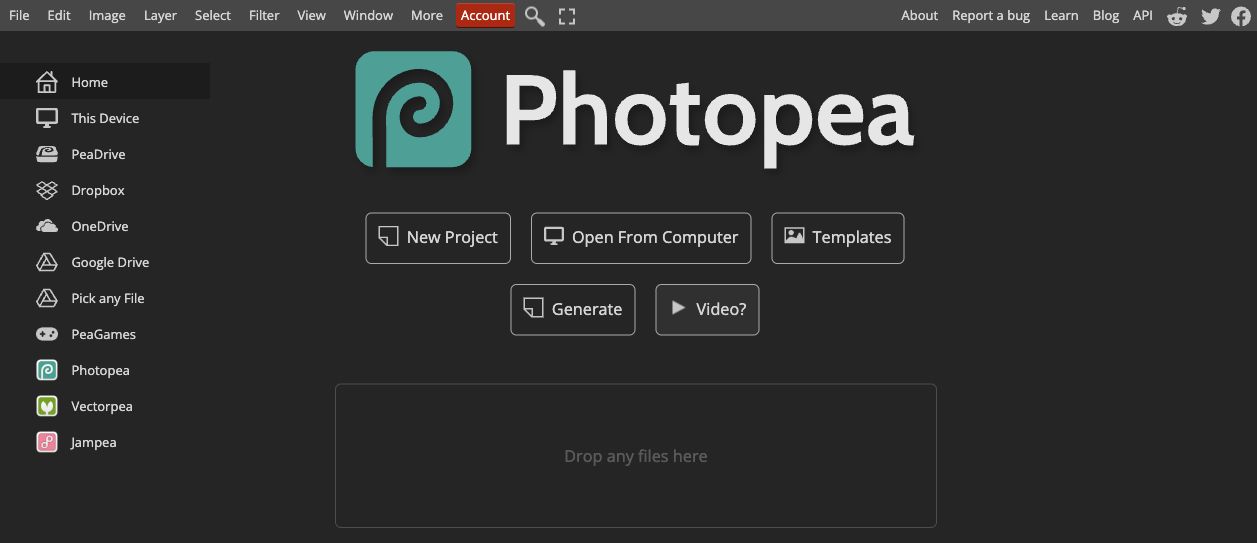
Photopea exposes editing controls and project-opening options in the browser. Source: Photopea.
Trial a typical asset and confirm the export dimensions and sharpness. Preserve an original copy before making changes. For screenshots used as evidence, keep the interface authentic and separate any explanatory annotation from the underlying source capture.
Video and audio tools
17. Loom: best for a shareable recorded explanation
Loom combines screen recording with hosted sharing. Its current Starter plan has a five-minute recording limit, with different capabilities on paid plans.
Record one short demonstration with a clear starting point and completion state. Review sound, cursor movement, and the link's access before sharing. A recording that captures everything on a desktop can expose irrelevant information and make the actual instruction harder to follow.
18. Descript: best for editing spoken content
Descript offers a free plan and paid plans for audio and video creation, including text-based editing. It can help a team turn a recorded explanation into a tighter piece.
Test an edit containing product names and specialist terms. Listen to the exported result rather than checking the transcript alone. Usage allowances, export resolution, and watermark rules vary by plan. Choose the plan from the final deliverable you need, not just the recording length.
19. CapCut: best for short-form video edits
CapCut provides video editing with free entry options and paid capabilities. It can suit teams producing short clips, captions, and variations for social channels.
Use a real recording to test caption corrections, pacing, and export settings. Confirm that the effects and assets you choose are available for the intended use. The editing interface can make a clip polished, but a useful demonstration still needs accurate instructions and an intelligible sequence.
20. OBS Studio: best for controlled screen capture
OBS Studio is free, open-source software for recording and live streaming. Its scene, source, and audio controls suit demonstrations that need more control over what appears on screen.
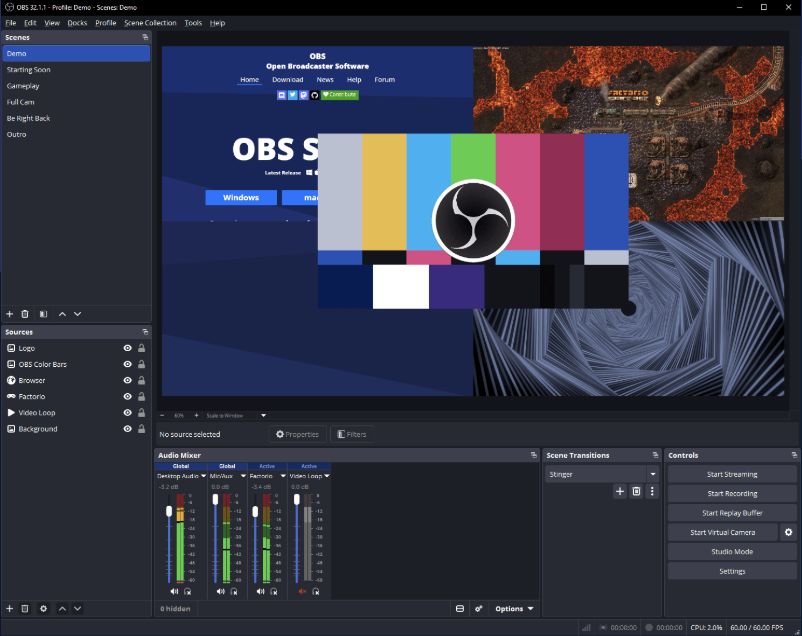
OBS illustrates the controls used to compose a recording. Source: OBS Studio.
Test a short capture before recording the full tutorial. Check the selected window, microphone level, and text size in the output. Setup takes practice, so include that effort when comparing it with a simpler recorder.
21. Audacity: best for focused audio editing
Audacity is free, open-source audio recording and editing software. It's a useful option for teams working on voice recordings, interviews, or podcast material. Optional cloud services are a separate consideration.
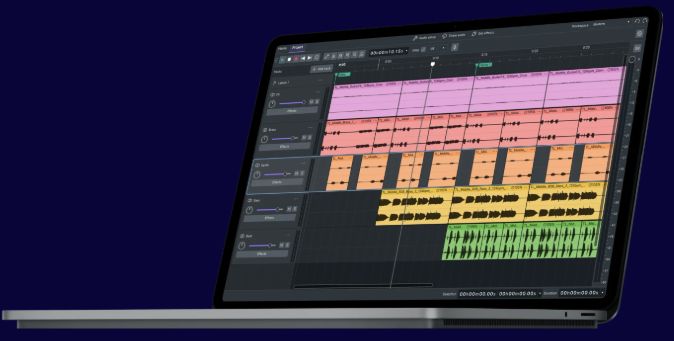
Audacity's illustration shows a multi-track editing workspace. Source: Audacity.
Trial a recording with pauses and uneven levels. Listen through the final export for abrupt cuts and intelligibility. Audio quality should be assessed with ears as well as waveforms; an attractive track display isn't the finished experience.
Publishing and distribution tools
22. Buffer: best for scheduling social distribution
Buffer has a free plan for three channels, with a queue of 10 scheduled posts per channel, and paid plans priced per channel. It's useful for coordinating social posts that support your content.
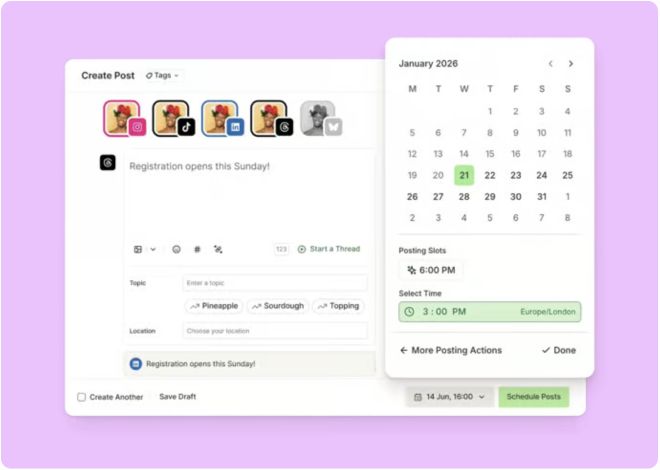
Buffer pairs a publishing calendar with a post composer. Source: Buffer.
Test a week of posts with the actual channels and approval needs. Check destination links and preview each format. Scheduling solves a distribution task; it doesn't make a weak article more useful or choose the right message automatically.
23. WordPress.org: best for an owned publishing system
WordPress.org provides open-source publishing software with a block editor and an extensive extension ecosystem. The software is free; hosting, domain registration, maintenance, and some extensions have separate costs.
Build a test article with your real images, headings, and table. Check mobile display, draft review, and contributor access. Compare the complete operating cost and maintenance responsibility, rather than treating free software as a free managed website.
24. Webflow: best for a designed content site
Webflow offers a free Starter route and paid Site and Workspace plans. It suits teams that want control over site design and structured content publishing.
Test the article template with a long heading, a wide table, and several images. Confirm the Site plan needed for the intended publishing setup, alongside any Workspace collaboration cost. The two plan types serve different purposes; don't assume one subscription covers every design and hosting requirement.
Build a small stack before buying more tools
Choose one content type and map its handoffs. A founder producing educational articles may need blog production, a review document, and a publishing destination. A team creating recorded tutorials adds recording and editing. An agency coordinating several people may need a project board.
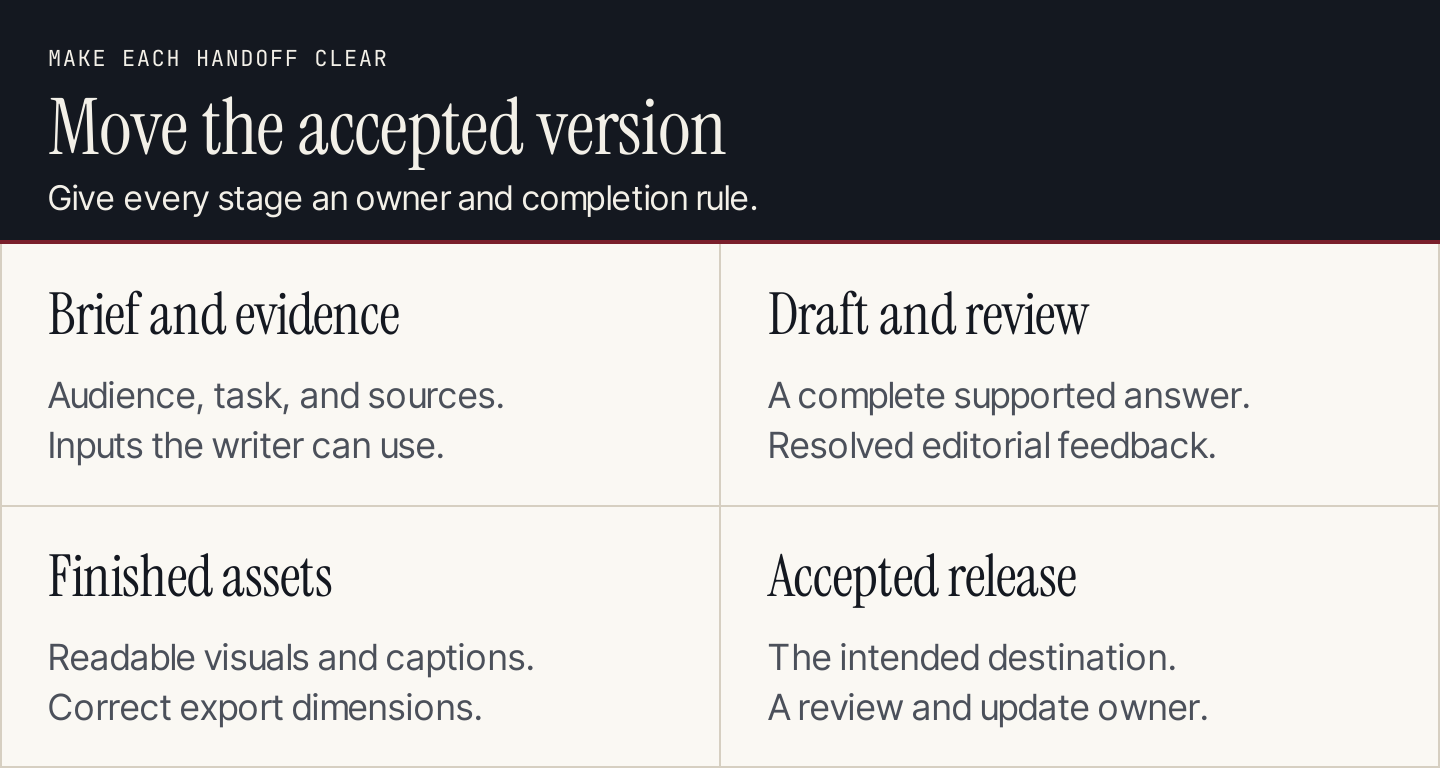
Make the accepted version and its owner clear at every handoff.
Avoid overlapping tools unless you can explain the separate job. Notion, Trello, and Asana can all help coordinate work; that doesn't mean one article needs all three. Canva and Figma can both produce visuals, with different skill and precision requirements.
Use this trial record for each candidate:
| Field | What to record |
|---|---|
| Bottleneck | The task currently causing delay or rework |
| Test deliverable | One actual article, graphic, recording, or release |
| Acceptance rule | What makes the output usable for the intended audience |
| Access | People, permissions, and reviewer involvement |
| Cost unit | Website, seat, channel, usage, hosting, or asset |
| Total cost | Expected recurring bill plus setup and maintenance effort |
| Handoff | How the accepted output reaches the next person or system |
| Result | Keep, replace, or defer, with a reason tied to the task |
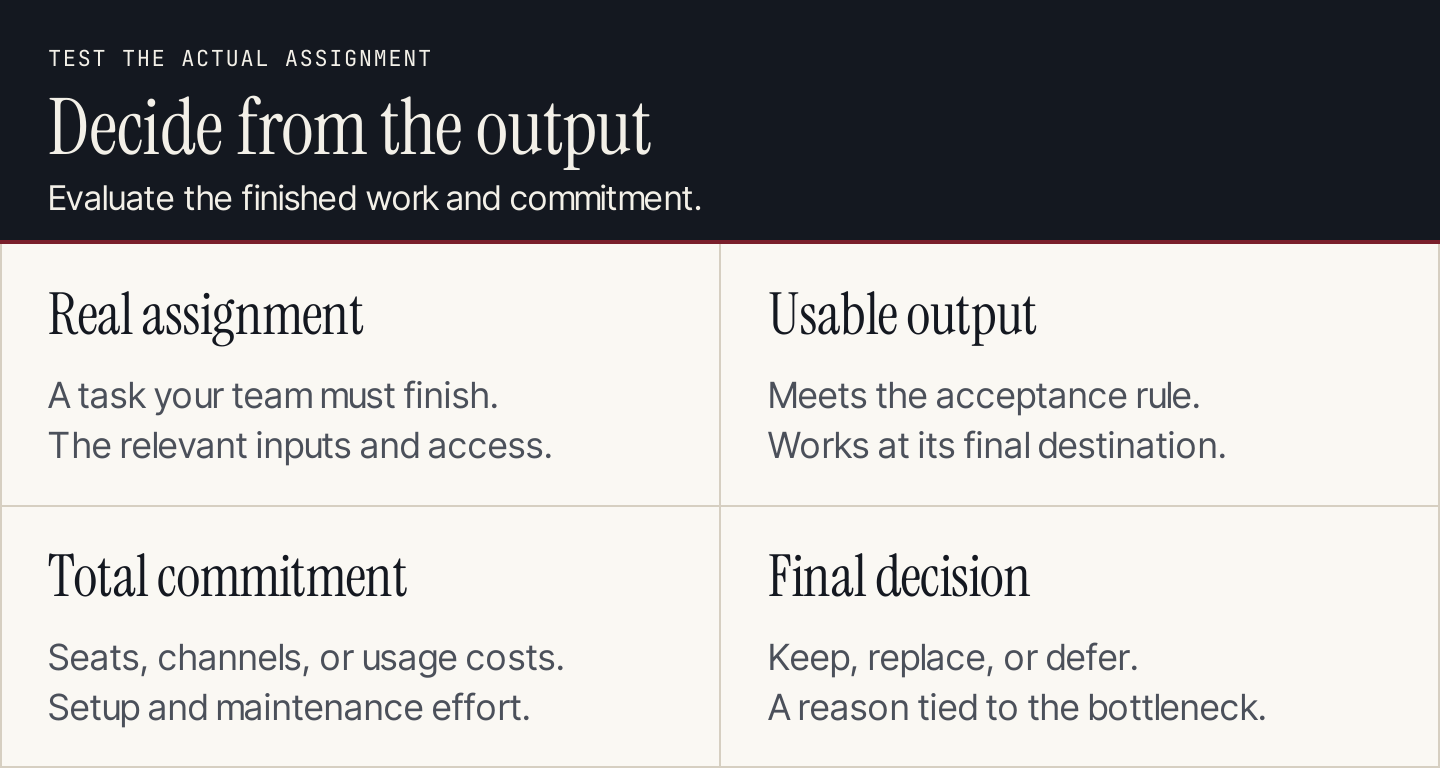
Evaluate the finished assignment and the full commitment.
Common questions
Which tools should a small business start with?
Start with the tools needed for the content you can maintain. For a blog, prioritize evidence, drafting, review, and a reliable publishing destination. Add video, audio, or social tools when those formats have a defined role in your content strategy.
Do we need AI in every part of creation?
No. Use it where it helps a defined task and where the output can be checked. A project board, audio editor, or reference table can be useful without a prompt. Keep responsibility for facts, examples, and the accepted release with your team.
How should agencies compare costs?
Calculate the actual unit: websites for Rankauto, seats for many collaboration tools, channels for Buffer, and hosting or Site plans for publishing systems. Include client-review access and the effort needed to maintain templates. A low entry price can still lead to an expensive workflow.