Evergreen Content: 7 Steps and 7 Real Examples
Build evergreen content with seven steps and seven real examples. Choose lasting reader tasks, useful formats, and a clear maintenance plan.

Evergreen content answers a question people keep asking after the publication date has passed. A buying guide, explanation, reference table, or useful tool can qualify. A launch announcement usually won't.
The topic lasts; the page still needs care. Prices change, interfaces move, and instructions become inaccurate. The goal is to build an answer worth maintaining, with a stable reader need at its center.
This guide covers seven real examples, a seven-step creation process, and a brief you can use to plan your own asset. Start with the recurring task, then choose the format that makes completing it easiest.
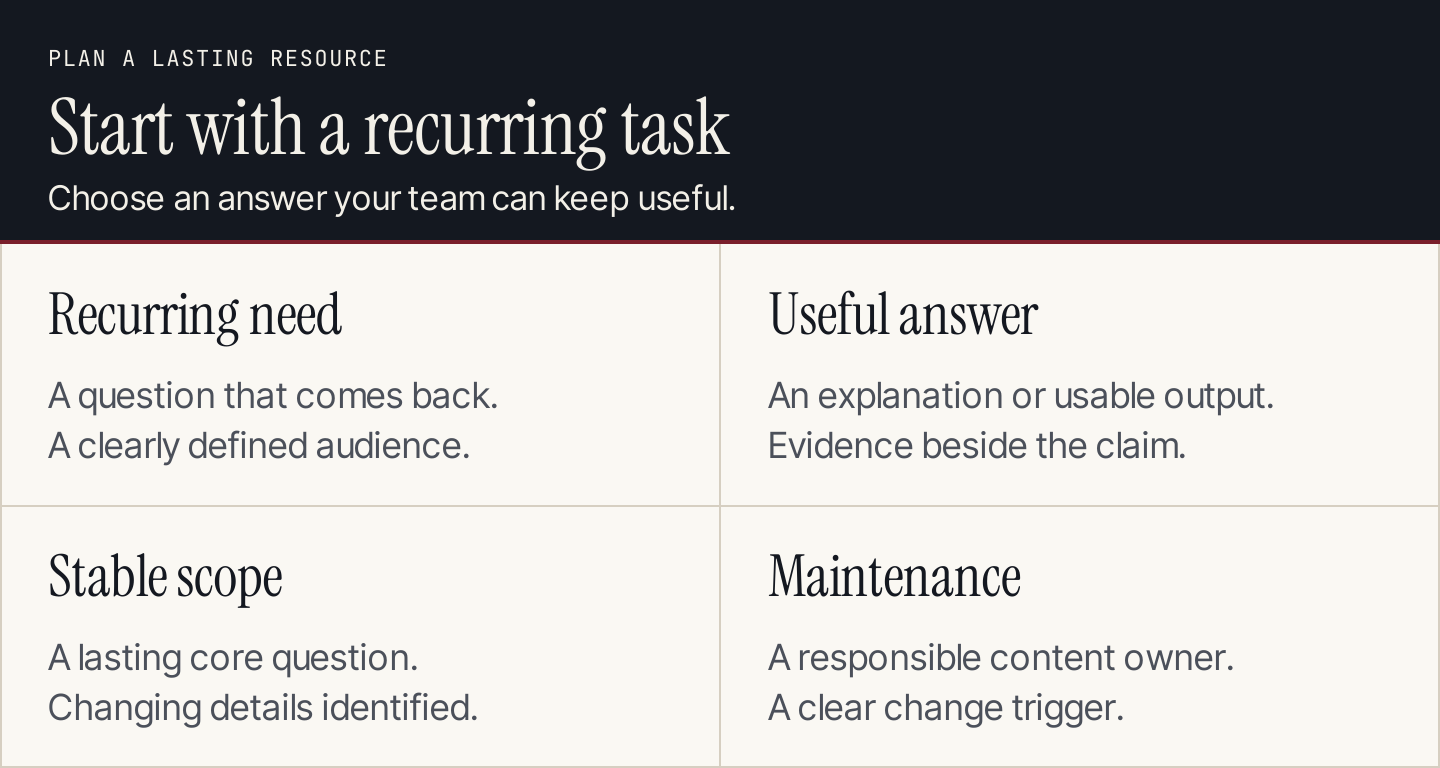
Choose a lasting reader task and an answer your team can keep accurate.
What makes content evergreen?
An evergreen topic has continuing usefulness for a defined audience. It doesn't have to appeal to everyone or remain unchanged forever.
“How do I choose hiking boots?” is a recurring buying question. “Our October sale ends Friday” depends on a particular promotion. Both can serve a business, but their useful lives and maintenance needs differ.
The distinction is between the underlying need and its changing details. A guide to setting up an email program can remain useful while its platform screenshots need replacement. A calculator can answer a durable question while its assumptions require regular review.
Semrush's evergreen content guide distinguishes lasting resources from seasonal and trending material. Use that distinction when allocating work: durable explanations, seasonal planning, and timely news can coexist in a content program.
| Content type | Why someone needs it | What usually changes |
|---|---|---|
| Evergreen explanation | Understand a recurring concept | Examples, terminology, source accuracy |
| Evergreen tutorial | Complete a repeated task | Interface, prerequisites, steps |
| Evergreen reference | Find a value or rule quickly | Entries, units, exceptions |
| Seasonal guide | Prepare for a recurring occasion | Dates, availability, current offers |
| Timely report | Understand a recent event | Follow-up developments and historical context |
Evergreen doesn't mean guaranteed traffic. A durable answer still needs distribution, a useful place in the customer journey, and evidence that readers want it.
Seven real examples and what to borrow
These examples show different ways to package lasting usefulness. Borrow the design decision, then create your own evidence and instructions. Their public pages don't establish private traffic or conversion results.
1. REI: a guide organized around a buying decision
REI's hiking boots guide breaks the decision into boot types, components, and fit. The fit section pairs explanation with a relevant photo, keeping attention on what a buyer needs to assess.

REI illustrates the fit question within its buying guide. Source: REI.
Apply it: organize a buying guide around the criteria that change the choice. An agency comparing reporting software could explain data connections, client access, and ownership before showing product options. A list of brands alone leaves the harder decision unanswered.
2. Mailchimp: a concept explained before the details
Mailchimp's email marketing explanation starts with a definition and offers navigation to deeper sections. A reader can get oriented before choosing how much detail to explore.

Mailchimp gives readers a definition and a route into the guide. Source: Mailchimp.
Apply it: answer the basic question near the top. Then separate explanation, decisions, and implementation. Someone researching a concept shouldn't have to read your company history before understanding it.
3. King Arthur Baking: a searchable reference
King Arthur Baking's ingredient weight chart presents a filterable table with volume, ounce, and gram columns. Its reference format supports a specific lookup instead of requiring readers to extract values from paragraphs.
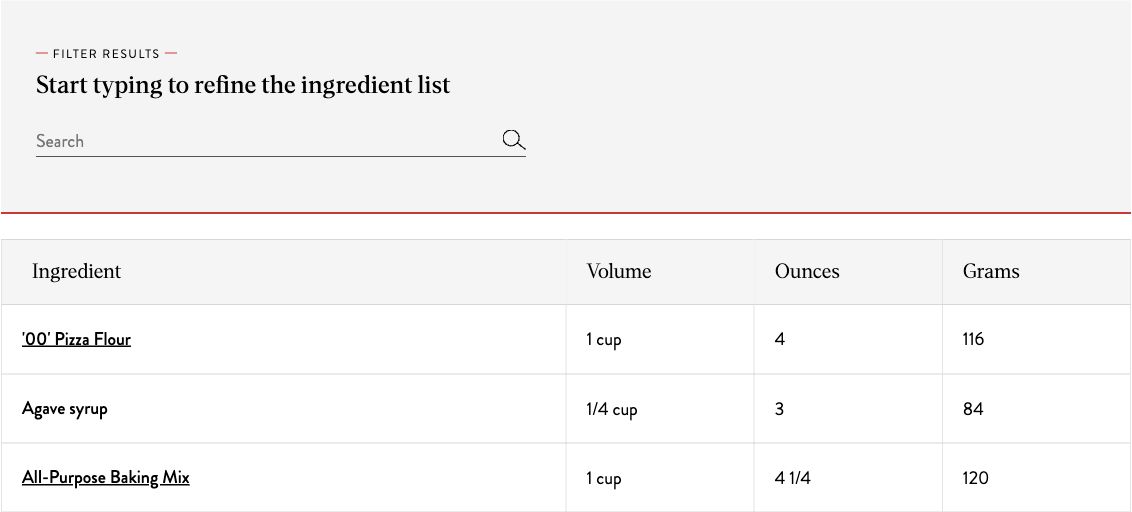
The chart makes a recurring lookup easy to scan and filter. Source: King Arthur Baking.
Apply it: when readers repeatedly need an exact answer, consider a reference table. Define the units, exceptions, and source for each entry. A concise table can be more useful than another long introduction.
4. Canva: a tool attached to an explanation
Canva's color wheel combines a color input, palette choices, and visible color outputs. It turns a recurring design question into an interaction the reader can inspect.
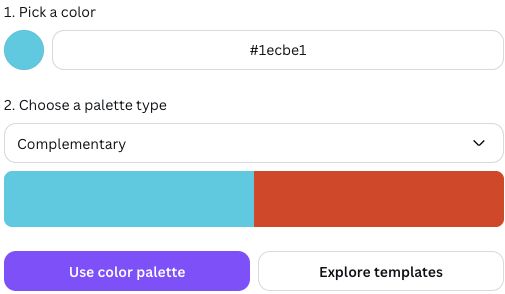
Canva connects color choices to visible palette outputs. Source: Canva.
Apply it: build a tool when inputs and outputs can be defined clearly. Explain what the result means, where it stops being reliable, and what someone should do next. A tool without interpretation can create more questions than it answers.
5. Shopify: a recurring creative task
Shopify's business name generator asks for a description of the business. The task remains relevant even as the generation interface changes.
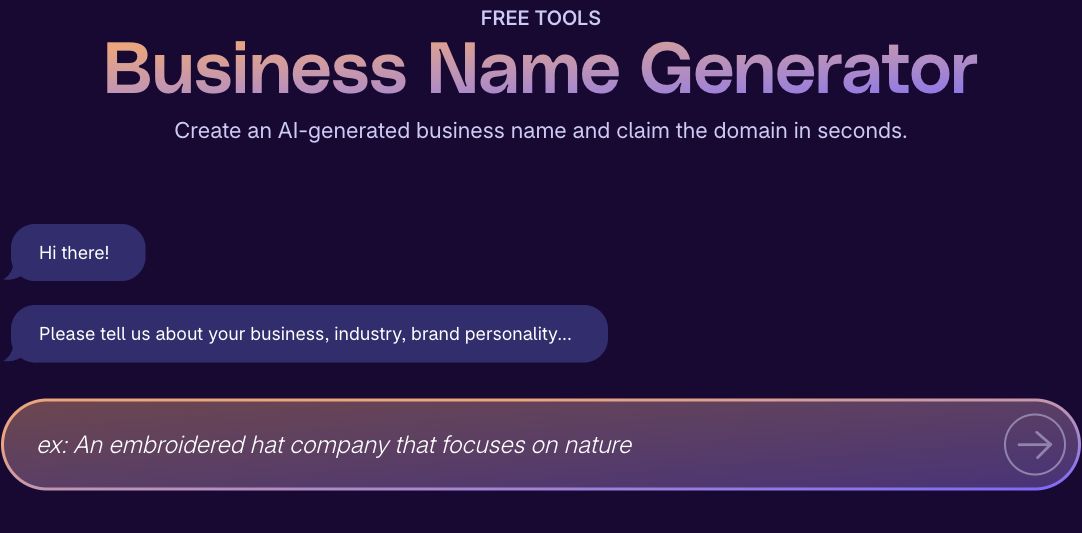
Shopify starts the naming task with business context. Source: Shopify.
Apply it: use structured inputs when generic suggestions would be weak. A creative tool should help people develop candidates, with a separate review step for practical suitability. Generating a name isn't the same as confirming that it's available or appropriate.
6. HubSpot: a guided planning resource
HubSpot's Make My Persona asks users to describe their ideal customer. Its public entry screen shows how a broad planning task can begin with a focused input.

HubSpot gives the planning exercise a clear starting question. Source: HubSpot.
Apply it: structure a worksheet around information a team needs to supply. Keep observed customer evidence separate from assumptions. A polished persona shouldn't turn an untested belief into a customer fact.
7. Cloudflare: learning outcomes for a stable concept
Cloudflare's DNS explanation lists learning objectives alongside the opening explanation. Readers can see which questions the resource will help them answer.
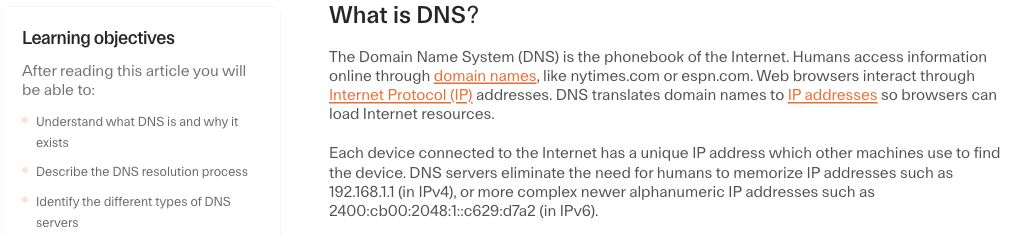
Cloudflare states the concepts readers will learn. Source: Cloudflare.
Apply it: define the outcome of an educational page. “Understand the topic” is broad. “Explain the concept, identify the relevant choices, and know where to investigate a problem” creates a more useful editing test.
How to create evergreen content in seven steps
1. Find a question that comes back
Review customer conversations, support requests, sales objections, community discussions, and the searches relevant to your business. Look for questions that recur for different people, rather than a phrase appearing once in a research export.
Write down the audience and the situation. “Small business marketing” is a category. “A founder choosing where to publish a first educational guide” gives you a task you can answer.
Keep the original customer language in the brief. It helps prevent the draft from drifting into terminology your team uses but customers don't.
2. Check whether the answer can stay useful
Ask what would make the page inaccurate. Product-dependent instructions are maintainable if someone can detect changes and update them. An article built around this month's promotion needs a different lifecycle.
Separate a stable explanation from changing specifics. A durable guide can explain evaluation criteria, with a clearly maintained section for current products or prices. Don't hide volatile facts inside an introduction nobody reviews.
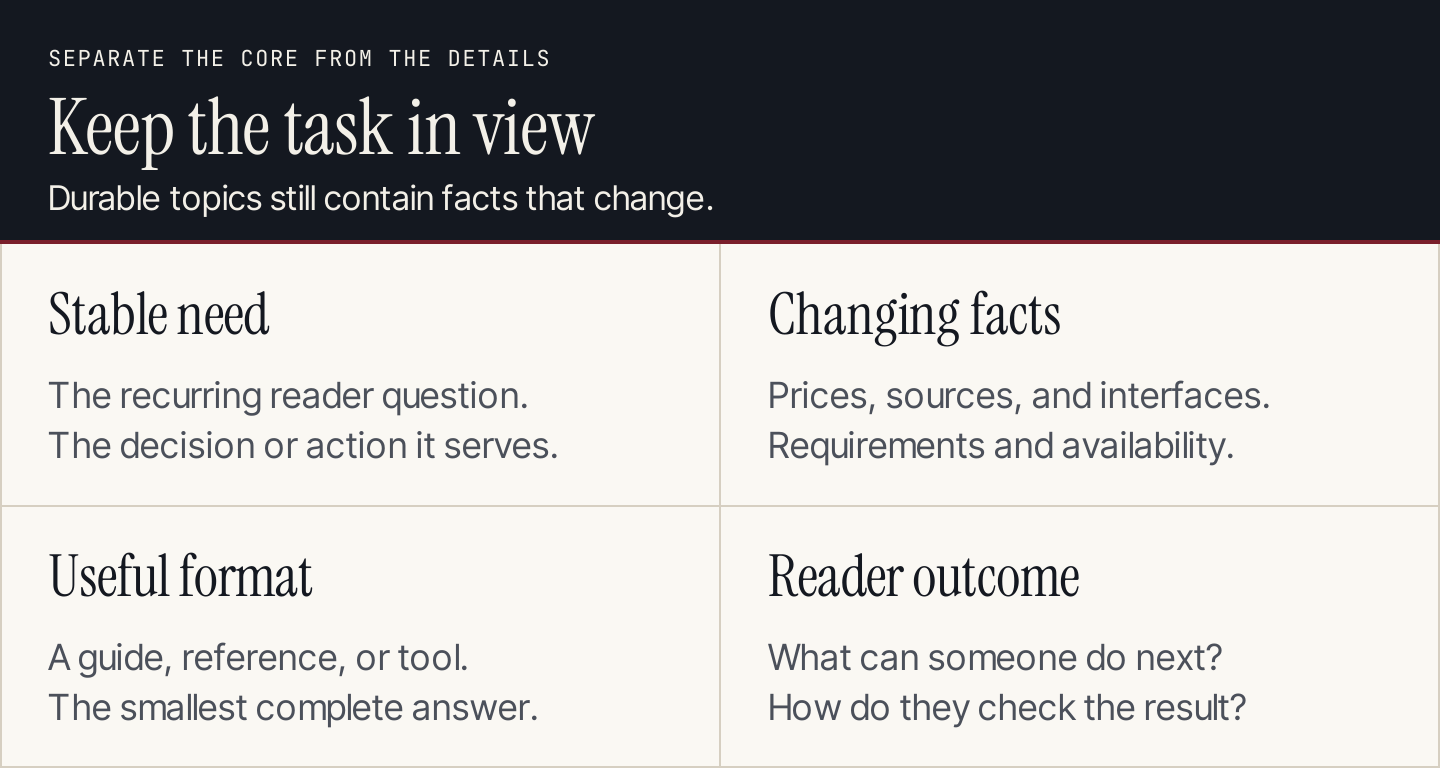
Separate the lasting question from details that require updates.
3. Choose the smallest format that solves the task
A concept may need an explainer. A repeated lookup may need a table. A multi-step action may need a tutorial with screenshots. A decision involving several inputs may justify a tool.
Start with the output someone needs. Then decide how much explanation is required to use it correctly. Length is a consequence of that decision, not a goal of its own.
| Reader task | Useful starting format | What must be included |
|---|---|---|
| Understand a term | Explainer | Direct definition, example, limits |
| Compare approaches | Decision guide | Criteria, tradeoffs, relevant evidence |
| Complete an action | Tutorial | Prerequisites, steps, completion state |
| Find a specific answer | Reference | Clear units, searchable entries, exceptions |
| Calculate or generate | Tool | Inputs, output meaning, validation needs |
4. Gather evidence before drafting
Collect the sources, real demonstrations, and expert input needed for the promise. Mark what is established, what is a recommendation, and what still needs verification.
A screenshot should show the part of the task that is hard to explain in words. Capture the relevant control or result and put its explanation nearby. Decorative images don't resolve a missing instruction.
For original examples, explain the setup and label hypothetical figures. For customer examples, preserve the permission, period, and measurement context. Don't turn a visible public page into a claim about the company's private results.
5. Write for quick answers and deeper use
Give the core answer early. Make headings describe decisions or actions, and keep necessary prerequisites before the step that needs them.
Use a reference table for comparisons and a checklist for completion. Define specialist terms when readers need them. Link supporting evidence to the claim it supports, so readers can inspect it without searching through a source list.
Read the page as a newcomer. Can someone tell whether it fits their situation? Can they complete the promised task? Can they identify the point at which they should seek more detailed guidance?
6. Give the asset a distribution role
Choose where the intended audience will encounter it: a relevant site page, a customer email, a sales conversation, a support response, or a community where the answer is welcome.
Match the next action to the task. An explainer might link to a practical guide. A buying guide might lead to a comparison or a relevant product page. A worksheet might ask readers to complete one decision before exploring a service.
Track the outcome that matters for that role. A resource reused by support can be valuable even if it isn't your largest acquisition page. See our content distribution guide for planning the route to readers.
7. Assign maintenance before release
Name the person responsible for keeping the answer usable. Record which sources, product screens, links, or assumptions would trigger a review.
Use triggers alongside a review date. A product change may require immediate action; a stable concept may only need a periodic accuracy check. When updating, check the whole task, including the destination after a CTA.
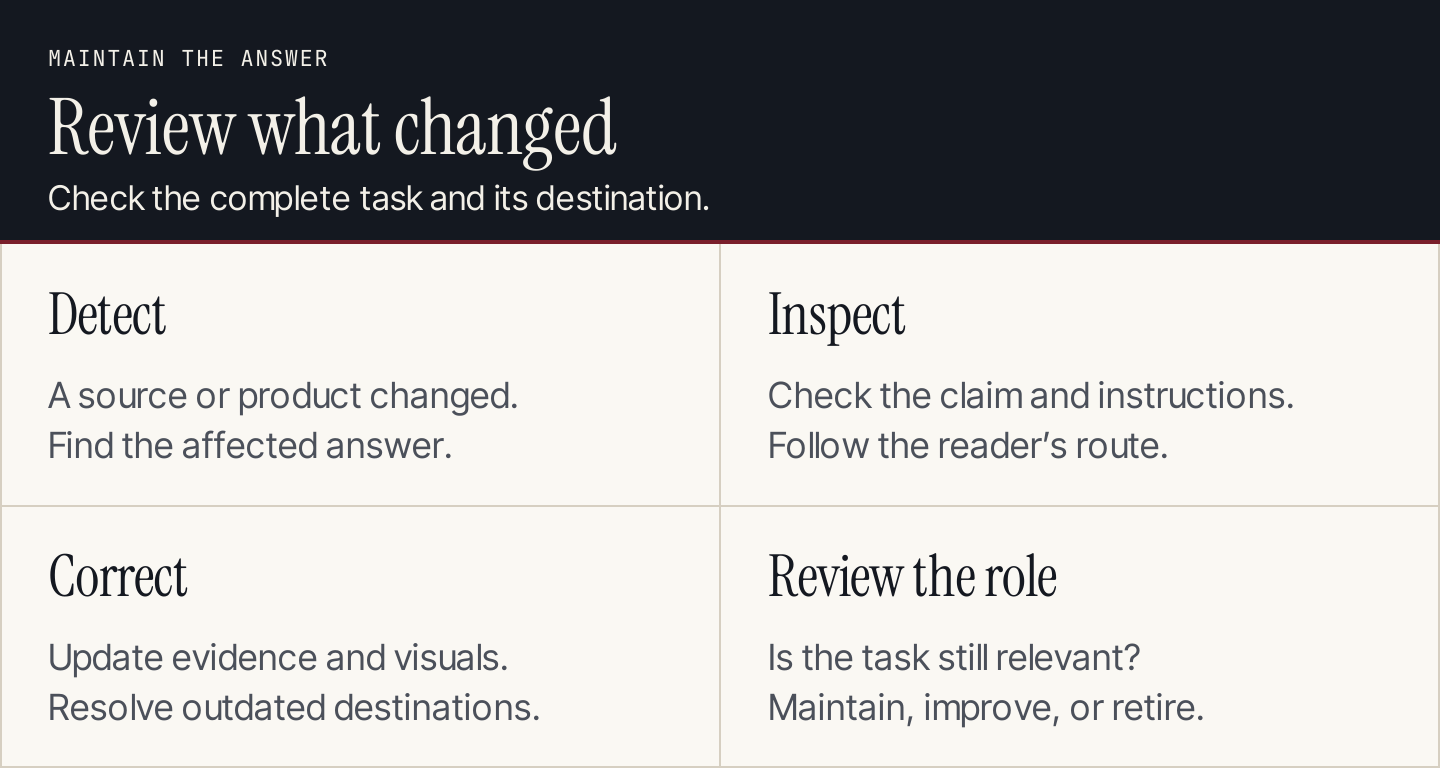
Maintain the answer when evidence or the reader's task changes.
A brief for your first evergreen asset
Copy this into your planning document. Fill the fields before assigning the draft.
| Field | What to record |
|---|---|
| Audience and situation | Who needs the answer, and what prompted the question? |
| Recurring question | The specific task in the reader's language |
| Useful output | What someone can understand, decide, or do afterward |
| Stable core | The explanation likely to remain useful |
| Changing details | Screens, prices, assumptions, or sources to maintain |
| Format | Explainer, tutorial, reference, comparison, worksheet, or tool |
| Evidence | Sources, demonstrations, and expert reviewer |
| Distribution | Where the intended reader will encounter it |
| Next action | A relevant destination or completion step |
| Owner and trigger | Who updates it, and what starts a review? |
| Success measure | The observable outcome tied to its role |
If you use AI to help draft, give it this completed brief and the accepted evidence. Ask it to flag missing inputs rather than invent examples or fill unsupported figures. The person responsible for the asset still needs to check the answer.
Common questions
Can an AI-related article be evergreen?
Yes, if the underlying task lasts. A guide to checking a draft's sources can remain useful. A comparison of specific model features changes much faster. Identify which part of the answer depends on current products and give it an update owner.
Do evergreen articles need dates?
Keep an accurate publication date and show meaningful updates when appropriate. A dated source, current interface, or time-sensitive assumption needs its context. Removing the date doesn't make an outdated answer reliable.
Should we update an old article or create a new one?
Update when the audience and core question are still the same. Create a separate resource when the reader task has changed enough to need a different answer. Our content refresh guide covers reviewing an existing page.
How do we scale production without losing usefulness?
Standardize the brief, evidence review, and maintenance record. Rankauto researches and writes blog articles in your brand voice, adds images and SEO fields, and saves articles as drafts by default. Use review to confirm that each answer supports the promised task before it reaches readers.