Product-Led Content: 8 Steps and 5 Real Examples
Create product-led content in eight steps with five real examples. Test product fit, plan a useful demonstration, and use a writer’s brief.

Product-led content helps readers solve a problem while showing where your product is useful in the solution. The product appears because it helps complete the task, rather than because every paragraph needs a sales pitch.
A useful tutorial can explain the problem, show the relevant workflow, and help readers judge fit. A weak version adds a product mention to advice that doesn't need it, or withholds the answer until someone buys.
This guide explains the difference, shows five real published examples, and provides an eight-step creation process with a fit test and brief.
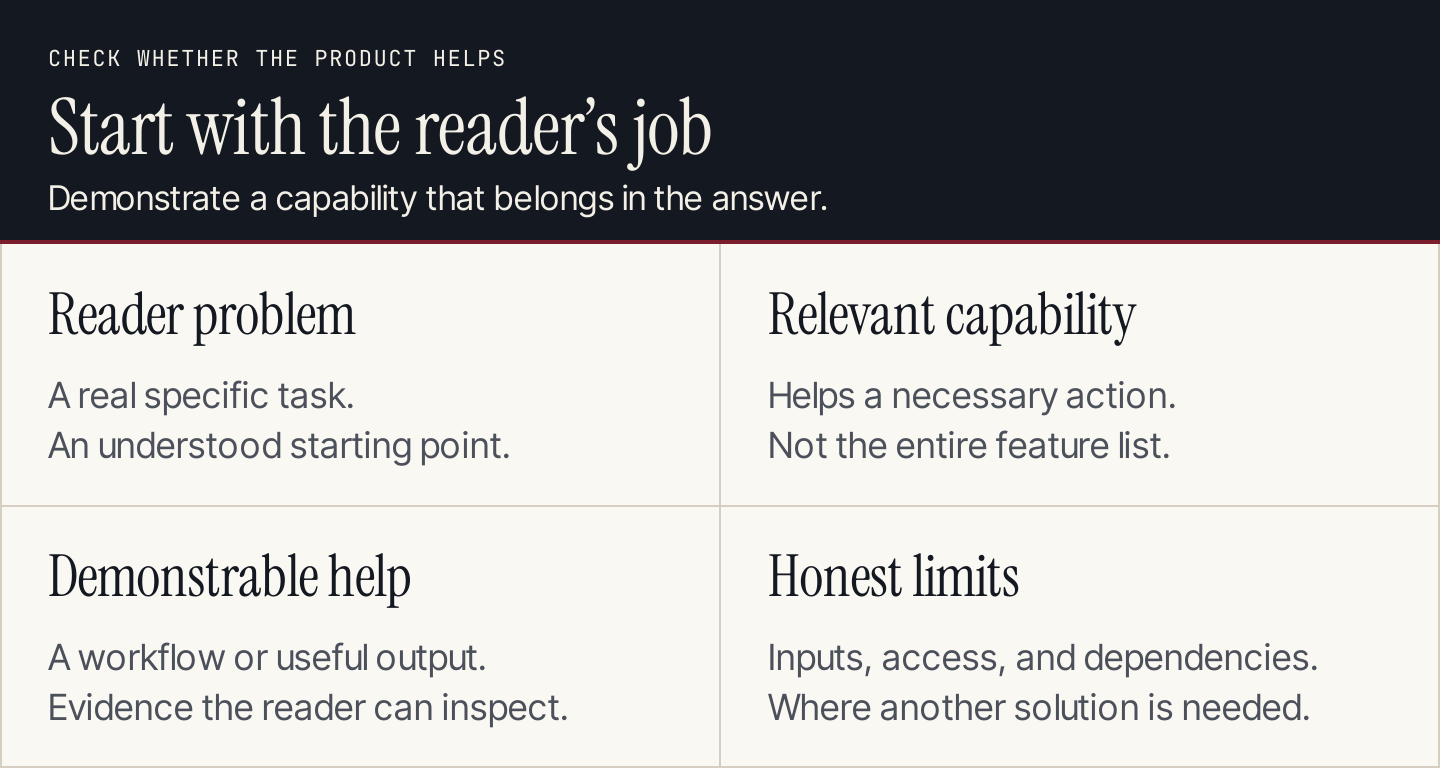
Include the product when it helps the reader complete the task.
What is product-led content?
Product-led content connects a reader's problem to a relevant product capability within a useful answer. It might demonstrate a workflow, provide an embedded utility, or show a concrete output.
Ahrefs' explanation of product-led content centers the product within a helpful solution. Keep the reader's job as the organizing principle: the explanation should still make sense before the reader decides whether to use the product.
The formats can overlap, but their purposes differ:
| Content type | Main question it answers | Product's role |
|---|---|---|
| General educational article | What should I understand or do? | Optional when it helps the explanation |
| Product-led article | How can I solve this problem with relevant product help? | Demonstrates a useful part of the solution |
| Help documentation | How do I perform this action in the product? | Assumed environment for the instructions |
| Product landing page | Does this product fit my needs? | Central offer and evaluation information |
| Release announcement | What changed in the product? | Explains the new capability and availability |
A product-led guide doesn't need to replace documentation or a landing page. It can help someone understand the task, demonstrate one relevant capability, and link to the appropriate next destination.
Five real examples of product help within content
These public resources demonstrate content choices. They don't establish private traffic, revenue, or customer behavior. For historical tutorials, use the example to study the explanation rather than assume every interface detail remains current.
1. Ahrefs: a relevant utility inside a research workflow
Ahrefs' backlink guide includes its Backlink Checker within the explanation. A domain input and check control make the relevant research action visible instead of leaving the product mention abstract.
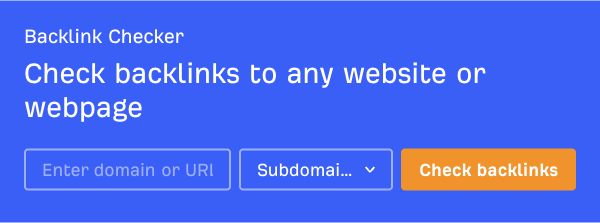
Ahrefs places a related checking utility within the guide. Source: Ahrefs.
Apply the pattern: place a limited, relevant utility where it resolves a question in the workflow. Explain the input and what the result can help someone assess. Don't make the reader explore your whole product merely to understand why it's being mentioned.
2. Zapier: recipes that identify inputs and outcomes
Zapier's email automation guide includes connected-app recipe cards. They name the apps and the action, turning a broad automation concept into a specific use someone can evaluate.
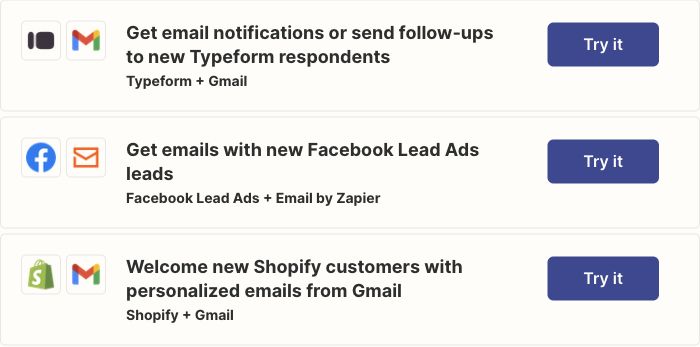
Zapier's recipe cards make connected apps and intended actions visible. Source: Zapier.
Apply the pattern: show what starts the workflow, what the product does, and what should happen afterward. Record prerequisites and permissions. A specific recipe can be more useful than a broad promise to “automate everything,” especially when users need to judge whether it fits their setup.
3. Shopify: a product within a broader setup sequence
Shopify's online store guide covers planning and launch decisions alongside platform use. Its theme-editor illustration shows a product-specific part of the work within the larger task.
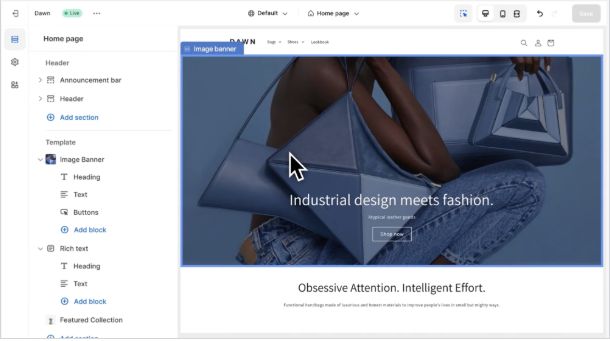
Shopify illustrates a product step inside the store-building sequence. Source: Shopify.
Apply the pattern: preserve the prerequisites that exist outside your software. If an audience needs a decision, input, or asset before using the product, say so. The product demonstration becomes more helpful when readers know what to prepare rather than discovering the dependency mid-task.
4. Asana: showing the output of a planning task
Asana's project management plan guide pairs planning advice with a campaign timeline illustration. The example makes dependencies and scheduling visible, connecting the explanation to an output a reader can recognize.
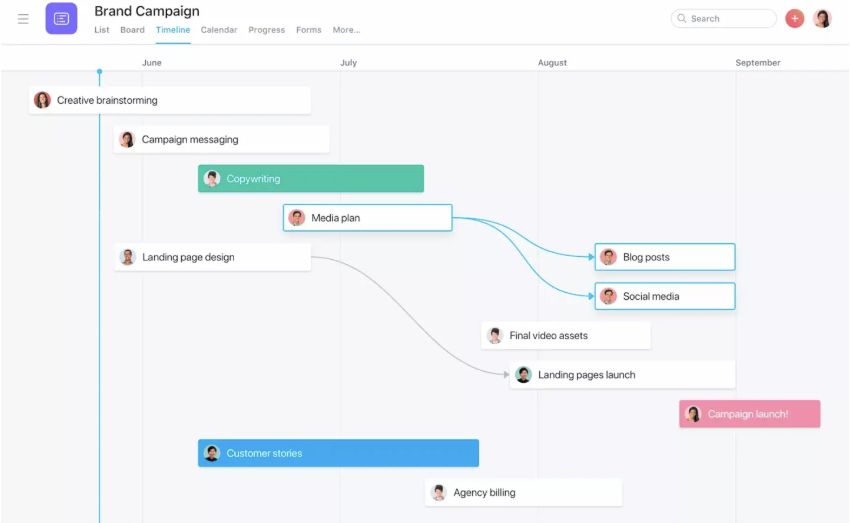
Asana's campaign illustration connects planning to a recognizable output. Source: Asana.
Apply the pattern: show a representative completion state. A schedule, finished comparison, or accepted draft helps readers understand what they are trying to produce. Explain which parts of an illustration are examples and which inputs the reader needs to supply for their own situation.
5. Loom: choices beside a recorder illustration
Loom's screen-recording tutorial, published in August 2024, explains recording choices with a recorder illustration. It is a historical example of how to connect procedural explanation to a visible control.
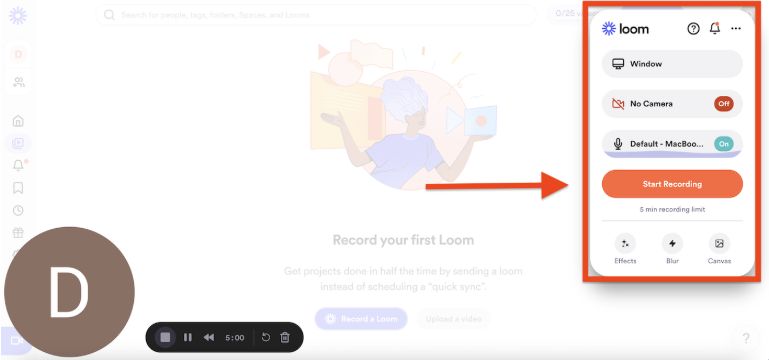
The tutorial pairs capture choices with a recorder illustration. Source: Loom.
Apply the pattern: show the difficult choice near its explanation. For your own tutorial, capture the current interface and maintain it when controls change. A reader needs to know what to select, what the selection changes, and how to recognize a usable result.
A fit test before you choose the topic
Use these questions to decide whether the product belongs in the answer.
| Question | A useful sign | A reason to rethink |
|---|---|---|
| Is the reader's problem real? | Repeated customer question or a clearly supported task | Topic exists only to mention the product |
| Does the product help materially? | A relevant capability completes or simplifies a necessary action | Mention doesn't change what the reader can do |
| Can we demonstrate the help? | Actual workflow, utility, or representative output | Only broad benefit language is available |
| Is the fit understandable? | Inputs, prerequisites, and limits are clear | Important requirements are hidden |
| Is the next action relevant? | Destination continues the task | CTA sends the reader to an unrelated offer |
If the product is optional, present it as an option. If it doesn't help, create an educational article with a relevant CTA elsewhere. A useful answer can build trust without forcing a product into every step.
Create product-led content in eight steps
1. Start with a reader problem
Collect the questions that arise in sales conversations, support, onboarding, customer research, and relevant search research. Choose one audience and starting situation.
Write the question as a task. “AI content” is a subject; “review a generated article before it reaches customers” is a job. The latter gives you a sequence to explain and a completion state to demonstrate.
Separate what customers have said from assumptions about their needs. A public keyword or competitor article can suggest a research direction, but it doesn't establish that every customer has the same problem.
2. Map the product to a necessary action
Identify the capability that helps and where it belongs in the task. Describe the help in plain words rather than copying your feature list.
Write down the limitation as well. A tool might generate an output but still require review, data access, or another system to complete the process. This makes the demonstration easier to follow and helps readers judge fit.
Don't turn a neighboring capability into a claim about your own product. An article can discuss analytics, distribution, or design without implying that a blog-writing tool provides every part of that workflow.
3. Verify the capability and prerequisites
Check the relevant product behavior, current documentation, access requirements, and publishing or sharing destination. If plan or configuration changes the instructions, put that information before the affected step.
Choose a demonstration you can support. Use an actual interface for your current instructions; use an original diagram for a conceptual relationship. A vendor's public illustration can support analysis of its published guide, but it shouldn't stand in for your own product test.
4. Build the answer around the whole task
Explain the problem and relevant choices before introducing the product-specific action. Include preparation outside the product when the reader needs it.
Keep the guide's scope manageable. Link to detailed documentation for a specialist branch instead of reproducing every setting. The main route should remain usable for the intended audience.
Make sure headings describe reader questions or actions. A sequence of feature names can become a sales page; a sequence of useful tasks helps someone follow the solution.
5. Demonstrate the difficult step and completion state
Show enough context for the reader to understand the starting point, the important action, and the result. Place the explanation beside the screenshot or example.
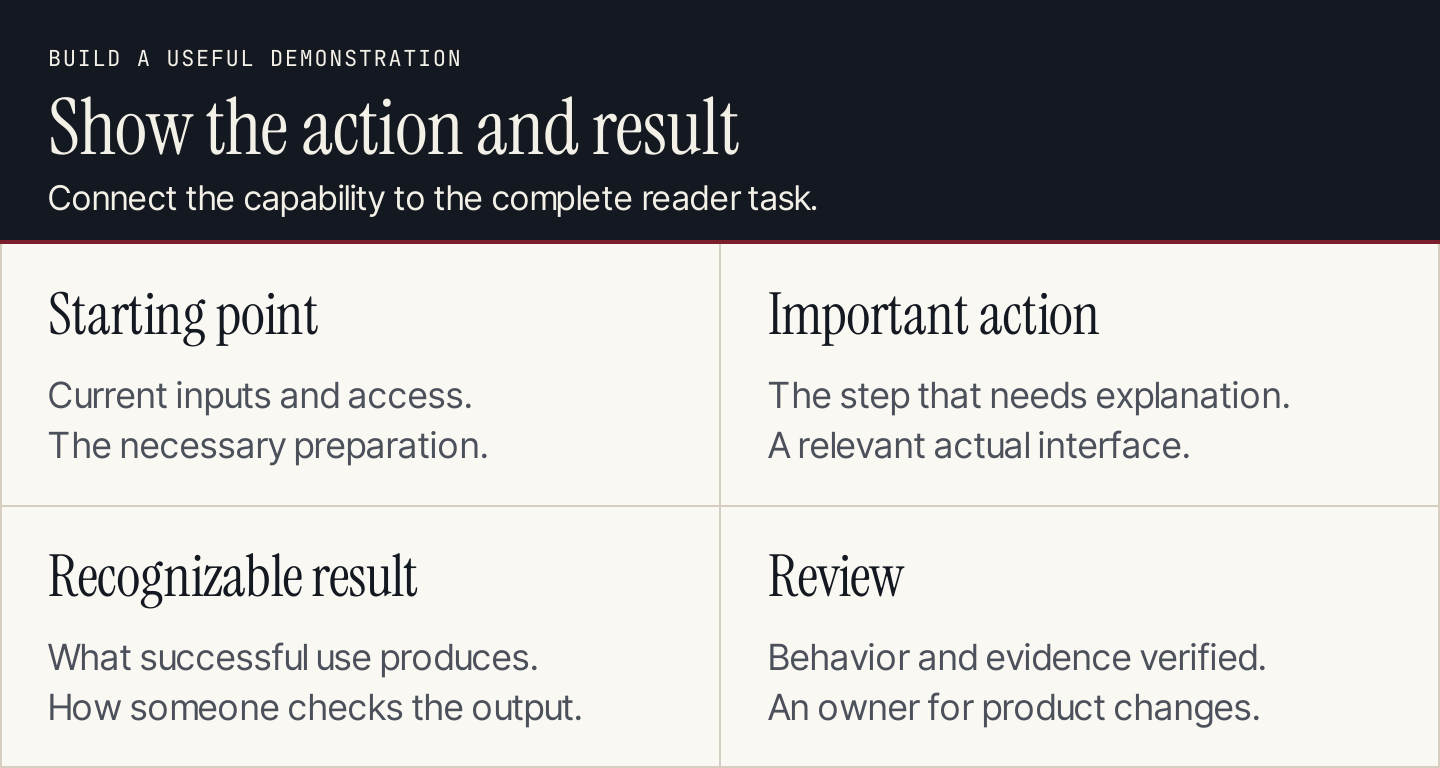
Show how the capability connects to a result readers can recognize.
Use realistic inputs you have permission to share. Keep private customer information out of a public tutorial. If the output is illustrative, label it as an example and don't attach invented customer results.
Describe how someone checks the result. An accepted draft, successful connection, or completed worksheet is different from an attempted action or an attractive preview.
6. Add an honest next action
Connect the CTA to the reader's progress. Someone who understands a workflow might need a trial, setup guide, template, or product comparison. Send them to the destination that continues the task.
State an important cost or access requirement when it affects that choice. A trial with a card requirement shouldn't sound like unrestricted free access. A paid capability shouldn't be demonstrated as universally available.
Give the product one useful explanation. Repeating a pitch after every paragraph makes the resource harder to read and can interrupt the task you're trying to support.
7. Review with product and editorial expertise
Have someone who knows the product check the behavior and requirements. Have an editor check whether the answer is clear, complete, and supported by the evidence.
Follow the instructions from the stated starting point. Review captions, screenshots, and destinations alongside the text. A correct paragraph beside an outdated screen can still mislead a reader.
Remove unsupported outcome claims. Showing a useful capability doesn't establish that it increases sales, saves a particular amount of time, or guarantees a ranking. Those claims need their own evidence.
8. Measure the role and maintain the demonstration
Choose an outcome related to the guide's purpose: a relevant trial, a completed setup, a useful inquiry, or successful use of a resource. Define how you'll observe it and what the data cannot establish.
Keep discovery, clicks, and completion separate. A CTA click isn't proof that the reader succeeded in the product. Use a business or application record when it is needed to verify the outcome.
Assign update triggers for interfaces, capability changes, access rules, and linked destinations. Our content performance guide provides a measurement plan and reporting template for these decisions.
A brief you can give to a writer
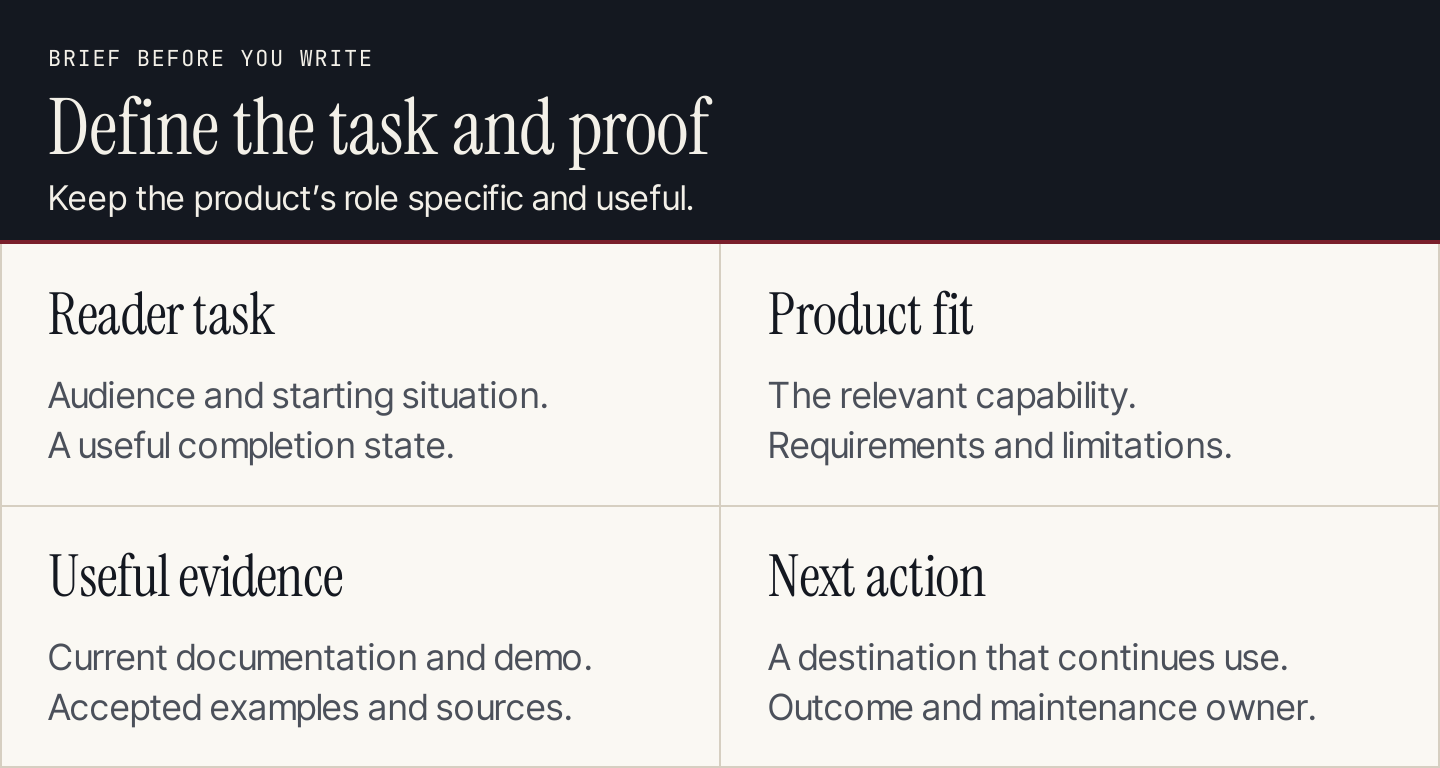
Define the task and evidence before commissioning the draft.
| Brief field | What to record |
|---|---|
| Reader and starting situation | Audience, need, and existing knowledge |
| Problem | Specific task in the reader's language |
| Useful completion state | What someone can understand, decide, or do |
| Product capability | The relevant action, not the whole feature list |
| Fit and limitations | When the capability helps and where it stops |
| Prerequisites | Inputs, access, setup, and external dependencies |
| Demonstration | Starting screen, difficult action, and usable result |
| Evidence | Current documentation and accepted examples |
| Next action | Destination that continues the reader's task |
| Measurement | Outcome, collection method, and owner |
| Review and maintenance | Product reviewer, editor, and change triggers |
You can use AI to inspect a completed brief for gaps. Give it only the accepted evidence and ask which reader questions remain unanswered. Treat the suggestions as review leads, then verify them. Don't let a model invent capabilities or customer results to fill the structure.
Common questions
Is product-led content only for software businesses?
No. The principle can apply wherever a product helps complete the task. A physical product may need a demonstration of use or selection criteria. A service may need a clear process and representative deliverable. Claims should match the evidence available for that product or service.
Should every article be product-led?
No. Use educational content for problems your product doesn't directly solve. Product-led resources deserve a place in a broader content strategy, alongside explanations, comparisons, and customer guidance.
How does Rankauto fit this process?
Rankauto researches and writes blog articles in your brand voice, adds images and SEO fields, and saves articles as drafts by default. Supply a clear brief and review the result against the actual product behavior. Use the product demonstration to help readers complete their task, with one relevant next action.