Long-Form Content: 8 Steps and Real Examples
Create useful long-form content in eight steps. Learn from five real guides, plan navigable sections, and use a brief and review template.

Long-form content gives a reader enough explanation, evidence, and instruction to handle a substantial question. It can be an in-depth article, a chaptered guide, or another extended resource.
Length alone doesn't make it useful. A page can contain thousands of words and still omit the decision the reader came to make. A shorter answer can be complete when the task is simple.
Use long-form content when the question needs connected decisions, examples, or a sequence someone can follow. This guide shows five real resources and an eight-step method for building that depth without producing a wall of text.
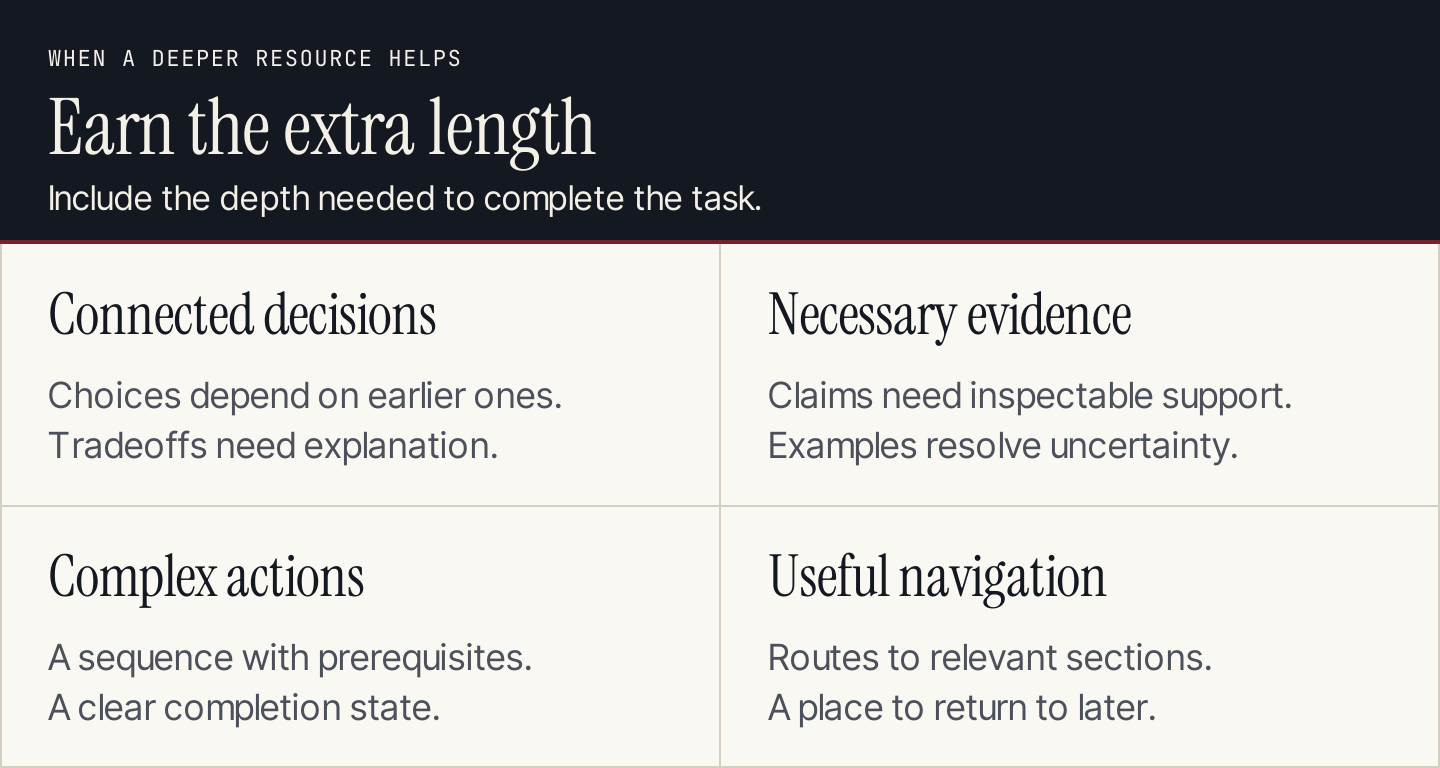
Earn the extra length through decisions, evidence, and actions readers need.
What counts as long-form content?
There's no word count that makes every topic long-form. Publishers and platforms use different conventions. For planning, define it by the work it needs to do: explain a substantial subject, support a complex choice, or guide a multi-stage task.
Semrush's short-form versus long-form comparison considers goals, audience, platform, intent, complexity, and reuse. Those are better planning inputs than copying a competitor's word count.
The format has advantages when it connects information someone would otherwise have to assemble from several places. It also costs more to research, review, illustrate, and maintain. Readers need routes to the sections relevant to them, especially on a phone.
| Situation | A focused short answer may suit | A deeper resource may suit |
|---|---|---|
| Simple definition | Reader needs the meaning of a term | Reader must understand implications and examples |
| Product question | One clear capability or requirement | Several criteria determine the choice |
| Instruction | One action with few prerequisites | A sequence has dependencies and exceptions |
| Explanation | A single point resolves the question | Several concepts must connect to be useful |
| Distribution | A brief message links to the answer | The destination needs to support the full task |
The two can work together. A concise email can introduce an in-depth guide. A short video can demonstrate one step within it. Don't make every distribution asset repeat the whole resource.
Five real long-form examples
The following pages demonstrate useful structural choices. They are examples of published content, not evidence that their length caused rankings or sales.
Shopify: a sequence with decisions before the build
Shopify's online store guide moves from planning into platform choice, building, and launch. Within that sequence, it includes a theme-editor illustration rather than relying only on written directions.
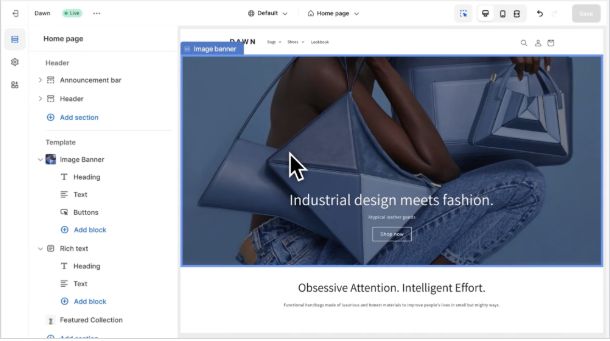
Shopify illustrates the platform-building stage with a theme editor. Source: Shopify.
Use the pattern: put choices that determine later work before implementation. If you're teaching a team to create a reporting process, define the questions and data before showing a dashboard. A detailed build tutorial can't fix an unclear goal.
Mailchimp: a definition with paths to deeper answers
Mailchimp's email marketing resource gives readers an opening definition and section navigation. That lets a newcomer start with the concept while another reader moves to a more specific question.

Mailchimp makes the opening answer and deeper sections easy to find. Source: Mailchimp.
Use the pattern: include the direct answer before expanding. Write headings that describe what each section resolves. “Benefits,” “limitations,” and “how to begin” can serve different readers when their contents are specific enough to be useful.
Asana: an explanation connected to a concrete output
Asana's project management plan guide includes a campaign timeline illustration. It makes a planning concept visible through tasks and dependencies, giving readers an example of the output being discussed.
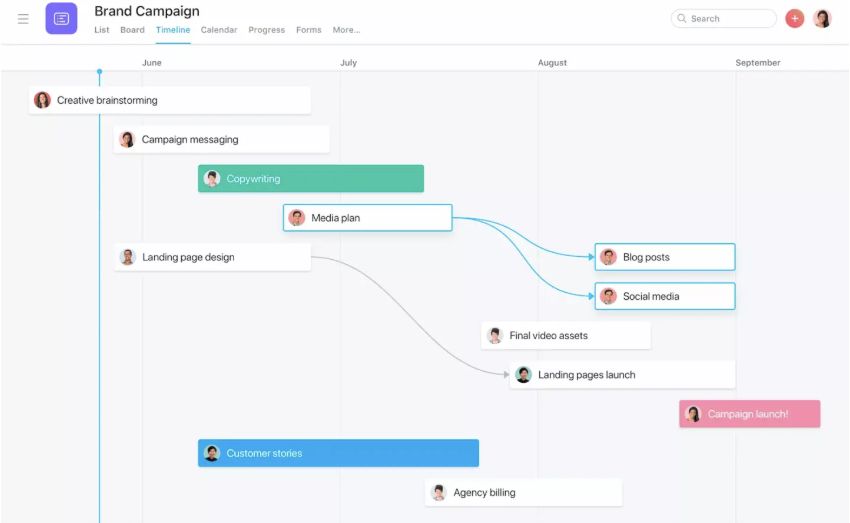
Asana's campaign example makes task dependencies visible. Source: Asana.
Use the pattern: show the thing readers are trying to produce. A brief, schedule, or completed comparison can resolve uncertainty that another paragraph of general advice won't. Label illustrative outputs clearly and keep their assumptions understandable.
REI: criteria paired with a relevant visual
REI's hiking boots guide separates boot types, components, and fit. Its fit section uses a photo beside the explanation, connecting the visual to a specific buying criterion.

REI places a relevant photograph inside the fit explanation. Source: REI.
Use the pattern: create a decision guide around meaningful criteria, with evidence beside each difficult judgment. Readers should understand why a criterion matters before you ask them to choose. Decorative photography at the top doesn't provide that connection.
King Arthur Baking: depth organized into chapters
King Arthur Baking's sourdough guide uses four chapter routes: understand, create, bake, and maintain. It also links to supporting reference resources. The overall learning sequence doesn't require placing every answer on one page.
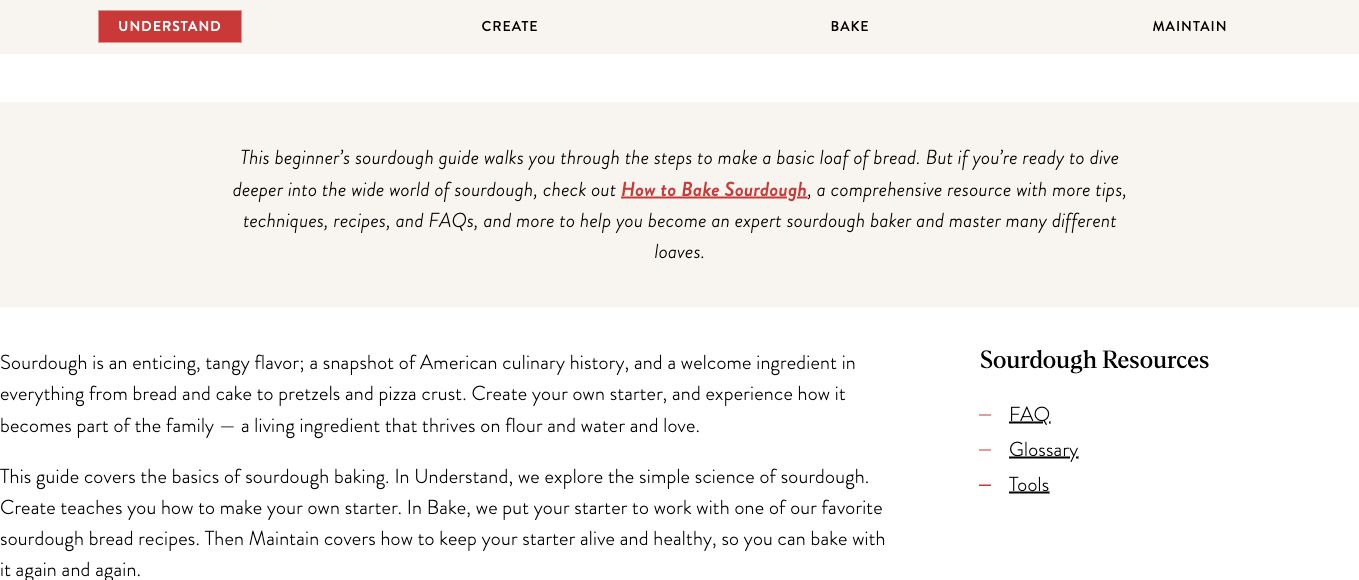
King Arthur Baking divides the learning journey into distinct stages. Source: King Arthur Baking.
Use the pattern: split a large resource when stages have different starting points or maintenance needs. Keep the route between them clear. A chaptered guide can preserve depth while letting readers return directly to the stage they need.
Build long-form content in eight steps
1. Define the job the resource must finish
Describe the audience, starting situation, and useful outcome. “A guide to content” is too broad. “Help a small team choose a repeatable production workflow” gives the writer a decision to support.
Write an acceptance sentence: after using this resource, the reader can complete a named task with the stated inputs. Use it to decide whether each section belongs.
List exclusions too. A workflow guide can link to a separate tool comparison without becoming a second tool roundup. Clear scope makes depth possible because the article can spend its effort on the actual task.
2. Confirm that depth is necessary
List the decisions and dependencies involved. Are there prerequisites readers must understand? Do different situations lead to different recommendations? Does an example or demonstration materially reduce uncertainty?
If the answer is simple, publish a focused answer. If the task has substantial branches, decide whether one guide or several connected chapters would be easier to use.
Don't treat longer as a ranking mechanism. A resource earns its size when the additional material helps someone understand, decide, or act. See our blog post length guide for the separate question of choosing an appropriate length.
3. Assemble the evidence and demonstrations
Gather primary documentation, expert input, real examples, and the materials needed for a demonstration. Record which claim each item supports.
Check that the evidence matches the promise. A vendor's public illustration can show how its guide explains a task; it doesn't establish an independent performance result. A customer case needs the relevant period, baseline, method, and permission.
Identify the hard-to-explain moments before drafting. Capture an actual interface for a procedural step, use an original diagram for a relationship, and use a table when someone needs a comparison. That gives the designer an instructional job rather than a request to “add images.”
4. Build the route through the answer
Put the direct answer and scope near the opening. Then organize sections in the order a reader needs the information, with prerequisites before actions and exceptions beside the rule they qualify.
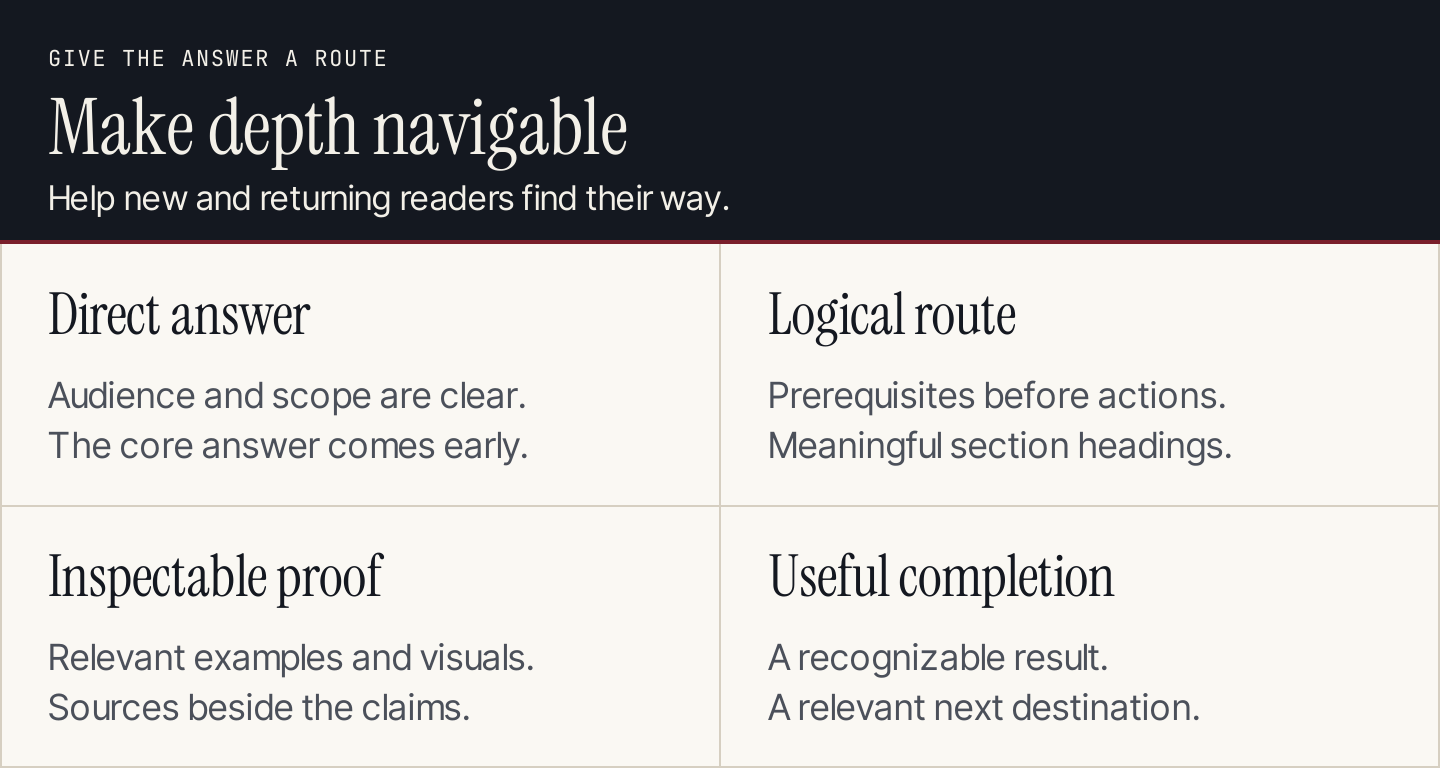
Give the resource a clear entrance, sequence, evidence, and completion point.
Use descriptive headings and navigation for longer resources. A returning reader should be able to find a specific step without rereading the introduction.
For a chaptered guide, define what belongs in each chapter and how readers move between them. Avoid repeating the same introduction across every chapter. A summary can orient people without duplicating the full argument.
5. Draft the difficult sections first
Begin with the decisions, instructions, or comparisons that carry the promise. Writing a polished introduction before resolving them can hide an incomplete answer.
Explain what the reader needs to know, what they should do, and how they recognize a usable result. Include a limitation or branch when it changes the action, rather than collecting qualifications into an unrelated paragraph at the end.
Examples should resolve a specific uncertainty. A real example can show a content choice; an original hypothetical scenario can help explain a calculation or decision. Keep those roles distinct so a made-up result doesn't sound like a customer case.
6. Add visuals where they remove uncertainty
Place the visual beside the relevant explanation. Show the control, relationship, comparison, or output the section discusses.
For screenshots, use the actual product state and enough context to make the screen understandable. For diagrams, shorten the labels and keep the detailed instructions in selectable text. Captions should explain what the reader is seeing.
Check the mobile display. If a dense table needs horizontal scrolling, ensure its container handles it without widening the whole page. If a diagram's labels become small, make sure the essential instructions are also available in the article.
7. Review the resource as a reader
Ask a reviewer familiar with the task to inspect accuracy and a reader closer to the intended audience to assess clarity. These reviews answer different questions.
Have someone follow the route with the stated inputs. Note where they need an unstated assumption, a missing example, or a different destination. Fix those gaps before adding more background.
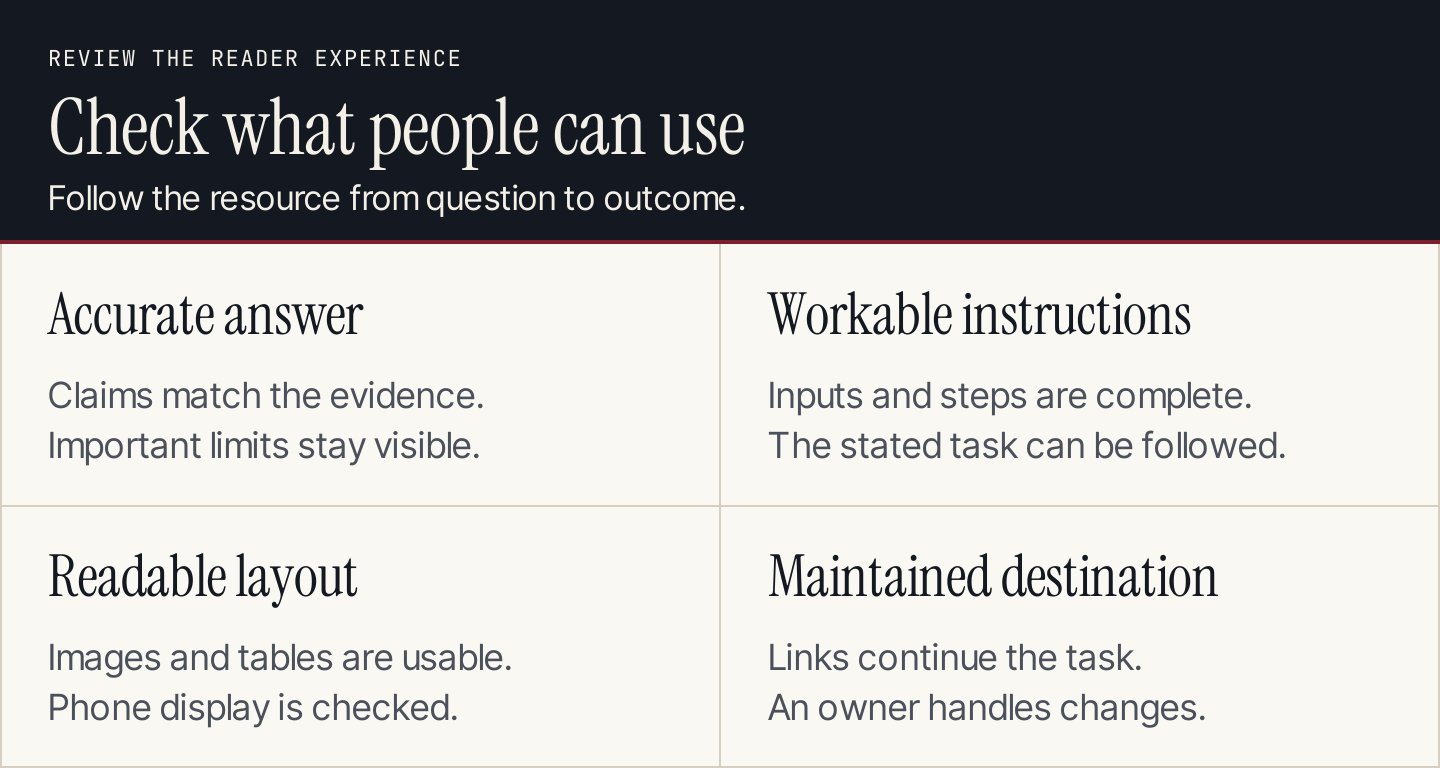
Review what readers can use, including the instructions and destination.
Remove repeated explanations and generic sections that don't advance the task. A short passage with an example often provides more value than several paragraphs restating the same principle.
8. Plan distribution and maintenance
Choose how the resource reaches the right readers. It may become a reference in customer conversations, a linked destination from short posts, or a guide introduced through a relevant email.
Reuse distinct sections for distinct purposes, keeping a route back to the fuller answer. A clip can demonstrate one step; a short post can explain one decision. Neither needs to pretend it contains the complete guide.
Assign an owner and update triggers for sources, interfaces, and examples. Measure an outcome tied to the resource's role: task completion, useful inquiries, or a meaningful next action. Visits alone don't show whether the resource did its job.
A structure brief and section review template
Use the brief before writing and the section review during editing.
| Brief field | Decision to record |
|---|---|
| Audience and starting point | Who needs the resource, and what do they already know? |
| Completion outcome | What can they do after using it? |
| Required depth | Which dependencies, choices, or exceptions need explanation? |
| Scope exclusions | Which neighboring tasks belong in another resource? |
| Structure | One page or connected chapters, with the route between sections |
| Evidence | Sources, demonstrations, and the reviewer for each claim |
| Useful visuals | The uncertainty each screenshot, diagram, or table resolves |
| Next action | A relevant destination after the task |
| Maintenance | Owner, review date, and change triggers |
| Section | Reader question | Required evidence or output | Acceptance check |
|---|---|---|---|
| Opening | Is this the answer I need? | Direct answer, audience, scope | Fit is clear without reading the whole page |
| Decision | Which approach suits my situation? | Criteria, tradeoffs, supporting example | Reader can explain the choice |
| Action | What do I do next? | Inputs, sequence, demonstration | Step works with the stated prerequisites |
| Verification | How do I know it worked? | Completion state and relevant limits | Reader can distinguish success from an attempt |
| Destination | Where do I go afterward? | Working, relevant link or next task | The destination fits the completed task |
If you use AI during drafting, supply the brief and evidence first. Ask it to identify unresolved reader questions, then review those questions yourself. Don't ask it to invent a case study merely to make the resource look substantial.
Common questions
Should every blog article be long-form?
No. Match depth to the task. A narrow question can deserve a concise answer, while a connected workflow needs more explanation. Plan both through a content strategy that gives each resource a role.
How many images should a long-form guide have?
Use enough to explain the decisions and actions that words alone don't make clear. Every visual should resolve a named uncertainty. Don't add a screenshot to every paragraph or count decorative images as instructional depth.
Can we automate production of a deep article?
Rankauto researches and writes blog articles in your brand voice, adds images and SEO fields, and saves drafts by default. Review the finished resource against the brief, evidence, and section checks before publishing. Automation can support production; the article still needs to complete the reader's task.