Local SEO: A Practical Plan, Checklist, and Audit

Local SEO helps customers discover and evaluate a business that serves a particular area. The work connects accurate business information, useful location or service pages, credible public evidence, and a contact route that actually works.
Start with the real operation: where customers are served, which services are available, and who can confirm those facts. Then inspect the profile, website, and listings together. A local ranking report is useful context, but it cannot replace a working booking route or accurate hours.
This guide covers a practical plan for US businesses, an audit checklist, and a correction register that founders, marketing teams, and agencies can use.
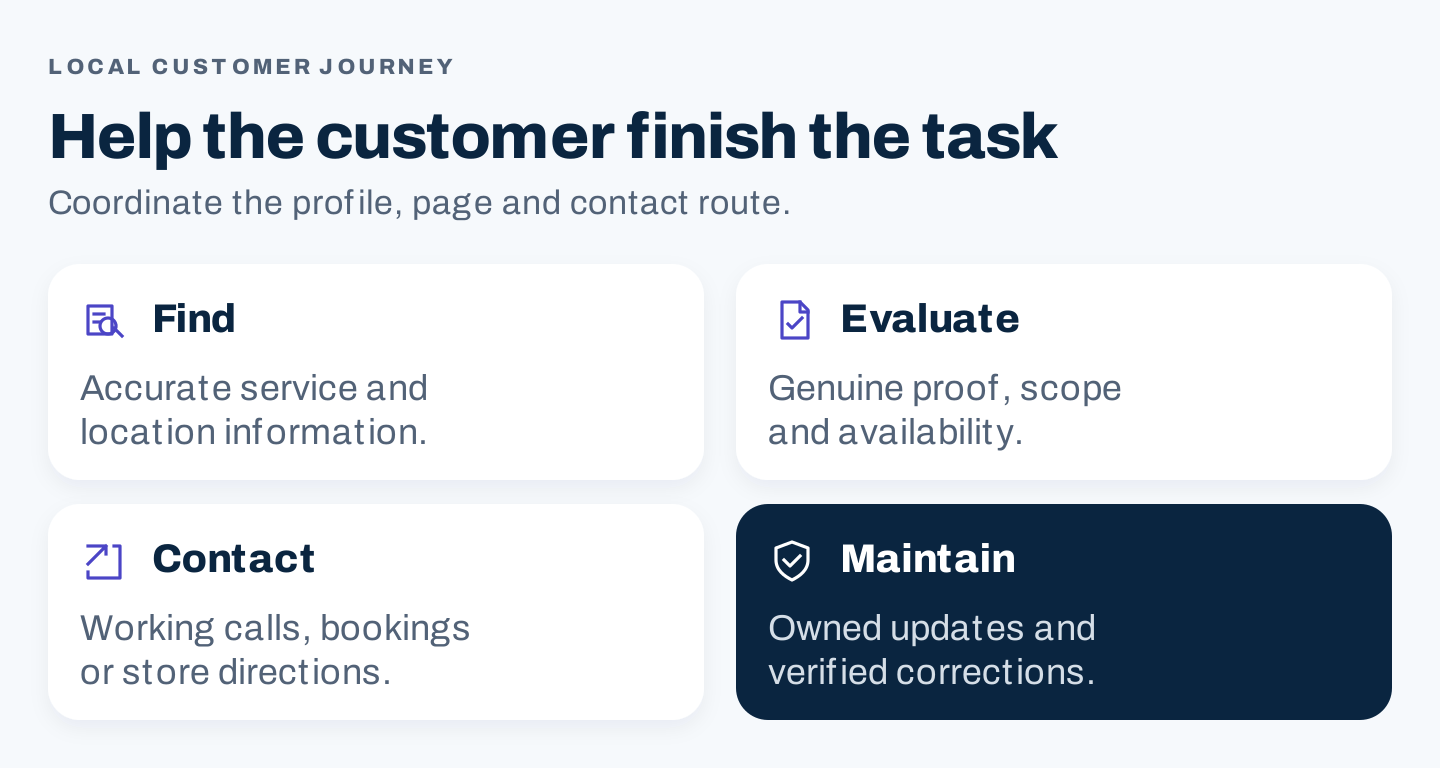
Original local SEO framework: help customers discover the right business, assess fit, and complete the next action.
What is local SEO?
Local SEO is the work of improving a business’s discovery and website usefulness for customers seeking products or services in a specific area. It can involve local map results, Business Profiles, relevant website results, and other public discovery surfaces.
These surfaces are related but different. A website can explain a genuine service area without establishing eligibility for a separate Business Profile in every city. A visible profile can generate actions without a visit to the website.
Google describes local results through relevance, distance, and prominence. Complete, accurate information helps it understand the business; distance is not a setting you can eliminate by repeating city names. You cannot pay Google for a better local ranking. Google’s local ranking guidance
The useful operating goal is to represent the business correctly and make its customer journey easier to complete.
1. Confirm the business model and profile eligibility
Establish where and how customers are served before creating profiles or changing address visibility.
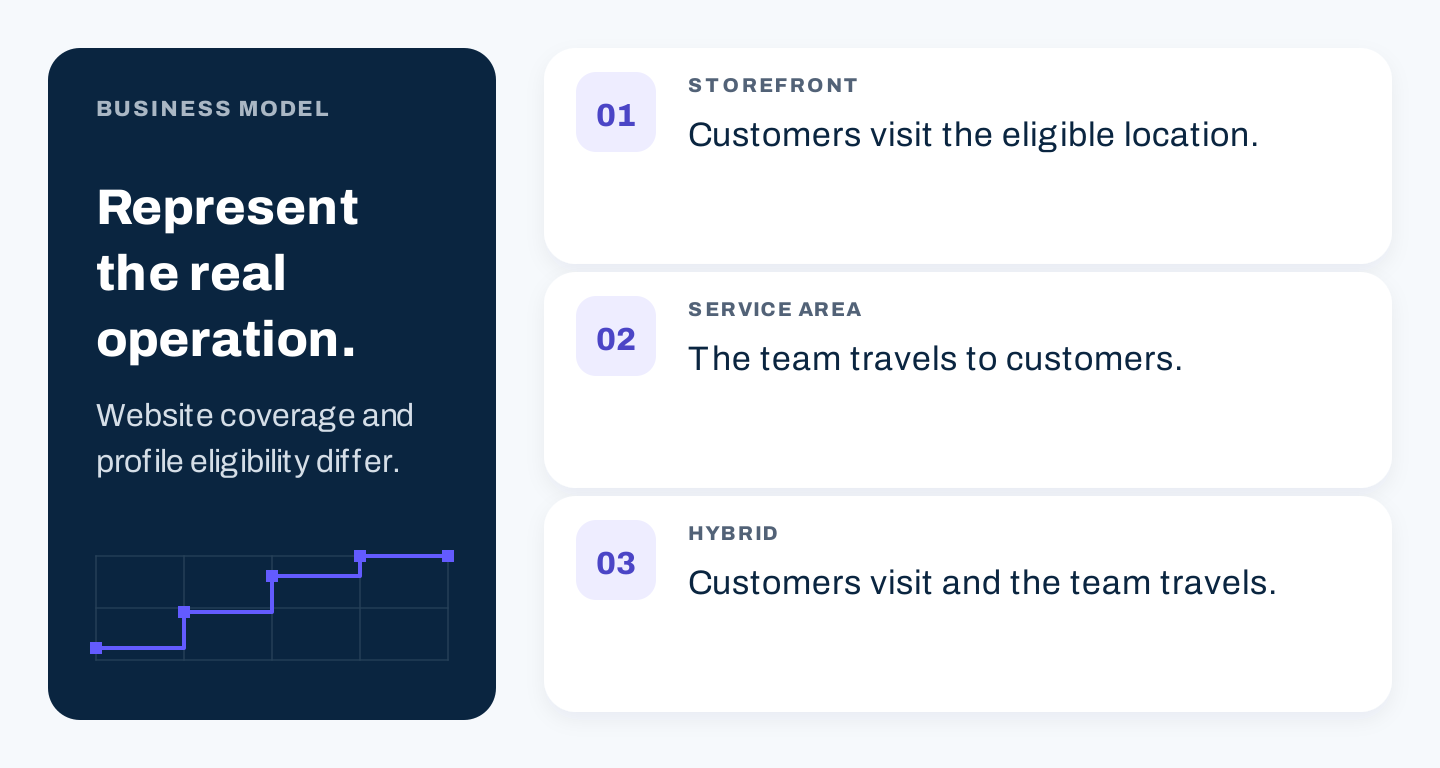
Original distinction: a storefront receives customers, a service-area business travels to them, and a hybrid does both. Check the actual operation and current platform rules.
Google’s rules distinguish storefront, service-area, and hybrid businesses. A business that travels to customers and does not serve them at its address should hide that address. Virtual mailing offices are ineligible, and a coworking location has specific staffing, signage, and customer-reception conditions. Additional service-business locations require their own qualifying operation and staff. Google’s business representation guidelines
Do not use a residential address as a public customer destination if the business does not receive customers there. Do not create a profile for a city merely because the team is willing to travel to it.
Keep the representation decision in the audit record: business model, customer access, approved address visibility, actual service area, and evidence owner. For agencies, have the client confirm operational facts rather than infer them from an old directory listing.
2. Establish a checked business record
Maintain one working record that the owner can confirm. Use it to inspect the website and the public platforms the business controls.
| Field | What to confirm |
|---|---|
| Business name | The name actually used by the business |
| Customer location | Eligible storefront details or the correct service-area representation |
| Phone | A working number that reaches the appropriate team |
| Website | The intended published destination |
| Hours | Current customer-facing hours and relevant exceptions |
| Categories and services | Accurate descriptions of the real offering |
| Availability | Relevant limits, booking conditions, and exclusions |
| Owner | Person responsible for future changes |
Avoid treating every punctuation difference as equally serious. A disconnected phone number, a closed location, or a misleading service claim creates a material customer problem. Address abbreviations that describe the same place need context before being labeled a ranking failure.
Save a checked date for the record and specify what triggers updates. A relocation, changed booking route, discontinued service, or holiday schedule should start a coordinated correction process.
3. Complete the Google Business Profile accurately
Use the current management interface and verification process available to the business. Check eligibility and authorization before creating a new record; an existing profile may already represent the location.
Review the name, applicable address or service area, phone, website link, hours, categories, services, and available attributes. Choose categories that describe the actual core offering. Use photos that represent the operation and help customers recognize or evaluate it.
Open the public profile after edits. Confirm the visible details and follow the website or contact routes yourself. A submitted correction is not the same as a verified public result.
Track pending changes separately from accepted ones. If an important field remains wrong, preserve the evidence and use the platform’s appropriate support route rather than creating another duplicate profile.
4. Make location and service pages useful
The page should answer what the business does, where the customer can receive it, relevant availability or limitations, and how to proceed.
For a storefront, prioritize visit details and the services actually available there. For a service business, explain genuine geographic coverage, job scope, and the contact or estimate process. A hybrid should make both journeys clear.
Real example: REI Seattle Flagship
REI’s Seattle page separates store hours from curbside pickup hours, then provides phone, address, directions, and location-specific service links. The distinction helps a visitor identify the right route and timing for the intended task. REI’s Seattle store page
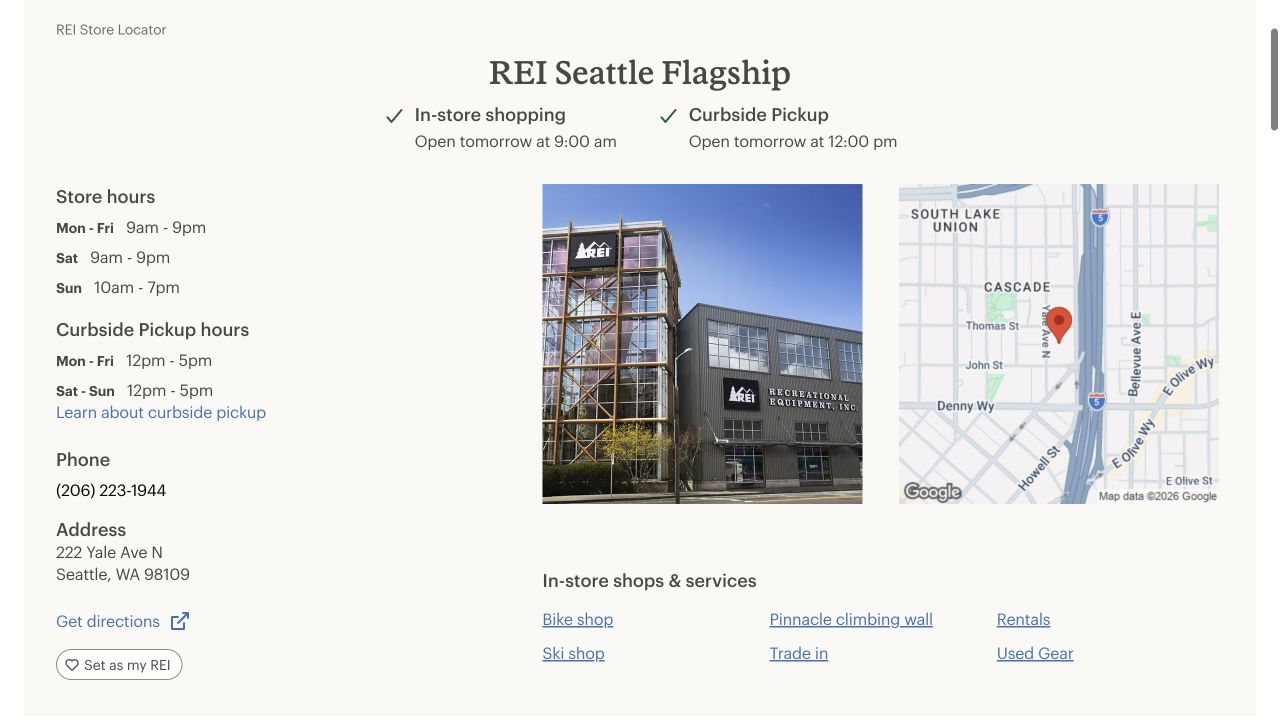
A real storefront page separates visit details from pickup details. The screenshot is a dated public-page observation, not a local ranking audit. Source. Desktop capture, October 8, 2026.
Use the principle, not the retailer’s exact layout. If your business has several customer journeys with different conditions, explain each accurately. A single ambiguous “open” label may not answer whether a specific service is available.
Real example: Roto-Rooter Seattle
Roto-Rooter’s Seattle page foregrounds local plumbing service and provides call and scheduling routes. Its body connects the location page with specific service destinations. Roto-Rooter’s Seattle page
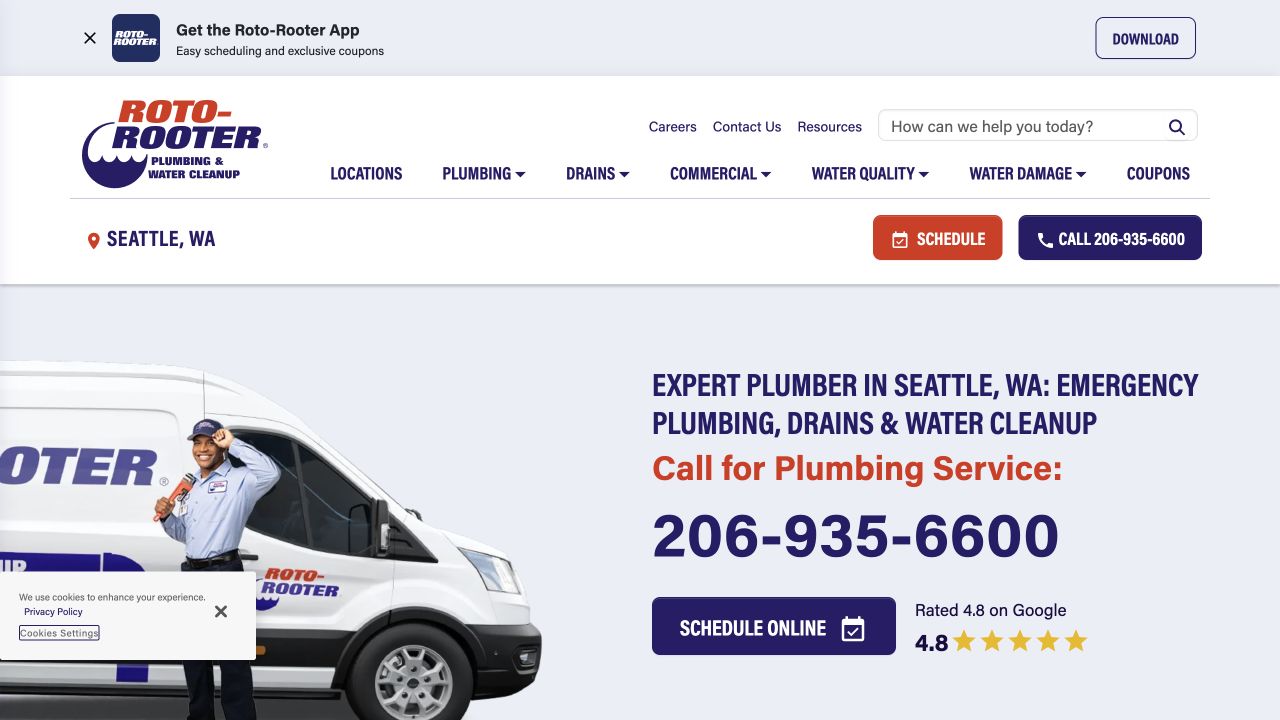
This public service page illustrates a direct contact journey. Displayed vendor ratings and claims were not independently verified; this is not a Business Profile eligibility finding. Source. Desktop capture, October 8, 2026.
A service business can learn from the clear next action while checking its own facts independently. Do not copy availability, response-time promises, or neighborhood claims that your operation cannot support.
Should you create a page for every city?
Create another destination when it serves a distinct task with meaningful, supportable information. A real location may have different access, services, staff, or hours. A genuine service area may have material coverage conditions or useful local evidence.
If the only difference is a replaced city name, review whether one coverage page would be more helpful. Google’s spam policies address doorway pages and scaled low-value content. Unique wording alone is not a substitute for useful differences. Google’s spam policies
Do not imply a physical office in a place where none exists. Website coverage and profile eligibility should remain consistent with the operation.
5. Research local customer questions
Begin with actual services and customer language. Review inquiries, sales conversations, and the questions your team repeatedly answers. Remove personal information before using that material in a research process.
Organize candidate queries by task:
| Query pattern | Reader task | Appropriate page information |
|---|---|---|
| Service plus location | Find a relevant provider | Genuine coverage and service scope |
| Service plus urgency | Assess availability | Verified scheduling and response conditions |
| Service plus problem | Understand whether the business can help | Specific work, limits, and next steps |
| Business name plus hours | Plan a visit or call | Current hours and exceptions |
| Product or service comparison | Evaluate options | Relevant tradeoffs and supporting evidence |
These patterns are planning examples, not measured keywords. Add search volumes only from an actual source, with its geography, period, and export date. A national US volume does not establish demand in your own service area.
Inspect the results for representative questions in the intended market. Record location and conditions rather than assuming that one result view represents everyone in a city.
AI can group an approved list of questions when the list is large. It is optional, and its suggestions still require business confirmation:
Group these de-identified customer questions by reader task.
Use this approved service list and actual coverage information.
For each group, suggest an existing page to improve or a distinct
new page only when the task cannot be answered well there.

Flag questions about unverified availability or unsupported services.
Do not invent search volume, cities served, offices, or customer results.
Preserve the original questions beside each proposed group.
This original prompt is a planning template, not an executed research result.
6. Audit local citations and correct material errors
A local citation is a public mention of business information, such as its name and contact details. It may appear in a directory, an association resource, a review platform, or an editorial page. A citation does not always include a link.
Start with the places customers actually use to find or evaluate the business. Then consider relevant industry and local resources where the business legitimately belongs. Check the live destination before paying for a submission service.
There is no useful universal quota that guarantees local rankings. A long list of irrelevant listings can consume effort while leaving an important old phone number uncorrected.
Use a citation register:
| Platform and URL | Claimed owner | Name/contact accurate? | Material issue | Action | Status | Recheck date |
|---|---|---|---|---|---|---|
| Enter actual listing | Confirm account owner | Compare with checked record | Describe the observed error | Correct or request correction | Pending or verified | Set date |
For a relocation, prioritize major customer destinations and obsolete records. Check for duplicates before adding new listings. Preserve legitimate location history where the platform requires a defined move or closure process.
A service-area business should not distribute a hidden residential address indiscriminately. Follow each platform’s rules and the actual customer-facing representation.
7. Request genuine reviews and respond usefully
Google requires reviews to reflect genuine experience and prohibits incentives for posting, changing, or removing reviews. Its guidance supports sharing a review link or QR code and replying professionally. Google’s review guidance
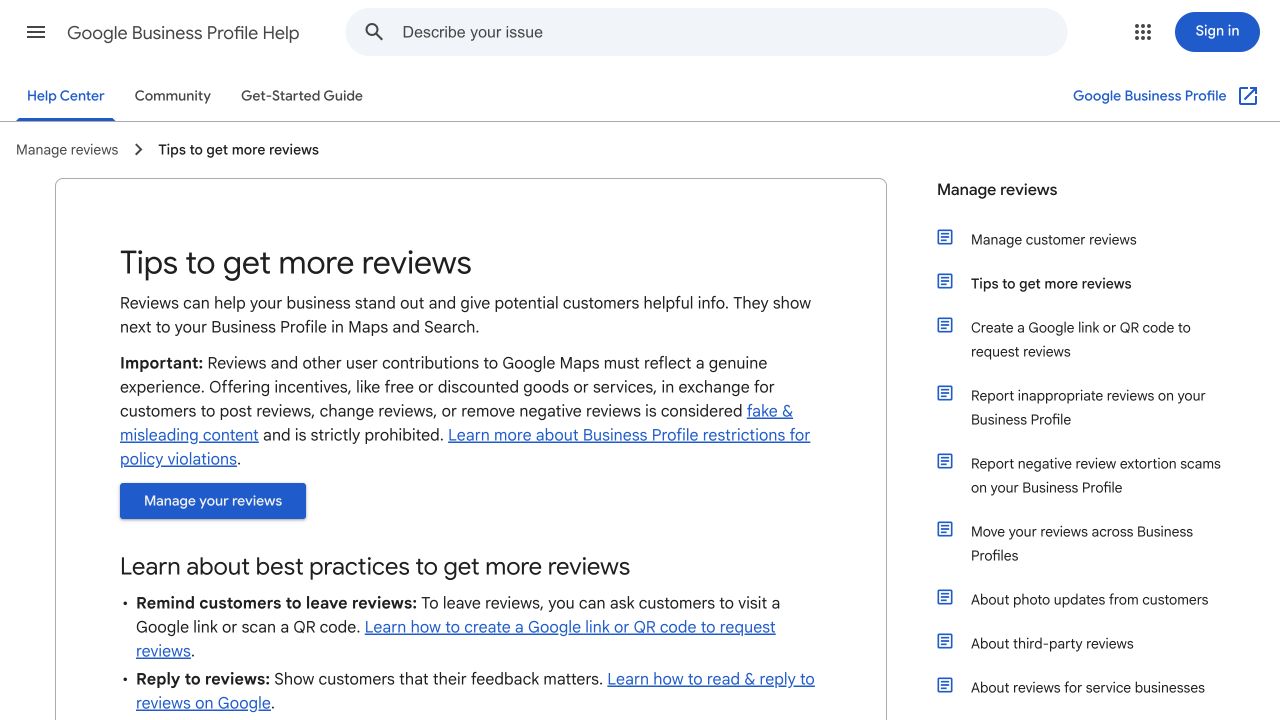
Google’s public guidance explains review requests and incentive restrictions. Source. Desktop capture, October 8, 2026.
Create a consistent customer follow-up process. Ask for honest feedback without composing the review for the customer or promising a reward. Keep the link easy to use and assign someone to monitor incoming feedback.
An original request template:
Thank you for choosing us. If you would like to share your experience,
you can leave an honest review here: [verified review link].
Your feedback helps us understand what worked and what we can improve.
Before using the template, replace the placeholder with the business’s actual checked link. This is suggested copy, not a message sent to customers.
For responses, acknowledge the specific concern and provide a constructive next step. Keep private customer details out of the public reply. When the issue needs investigation, move the conversation to an appropriate contact route.
Use recurring feedback to improve the operation and the website. Repeated confusion about parking, service coverage, or appointment preparation can reveal a useful information gap. Do not turn a private complaint into a public case study without authorization.
8. Check website access, markup, and contact routes
Inspect important pages for unintended index restrictions, error responses, broken links, and missing rendered information. Use descriptive headings and links so a reader can identify the relevant service or location.
Check forms, telephone links, booking destinations, and directions on desktop and mobile. Confirm that inquiries reach the right team. A visible button is not proof that the route works.
If you implement LocalBusiness structured data, use accurate page-supported facts and the appropriate type. Google documents required properties and recommends validation with the Rich Results Test. Valid markup does not guarantee a particular search appearance. Google’s LocalBusiness documentation
Do not expose a private home address through markup merely to satisfy a validator. Review whether the feature and its required information are appropriate for the business. Do not add invented ratings or services.
9. Turn the audit into verified corrections
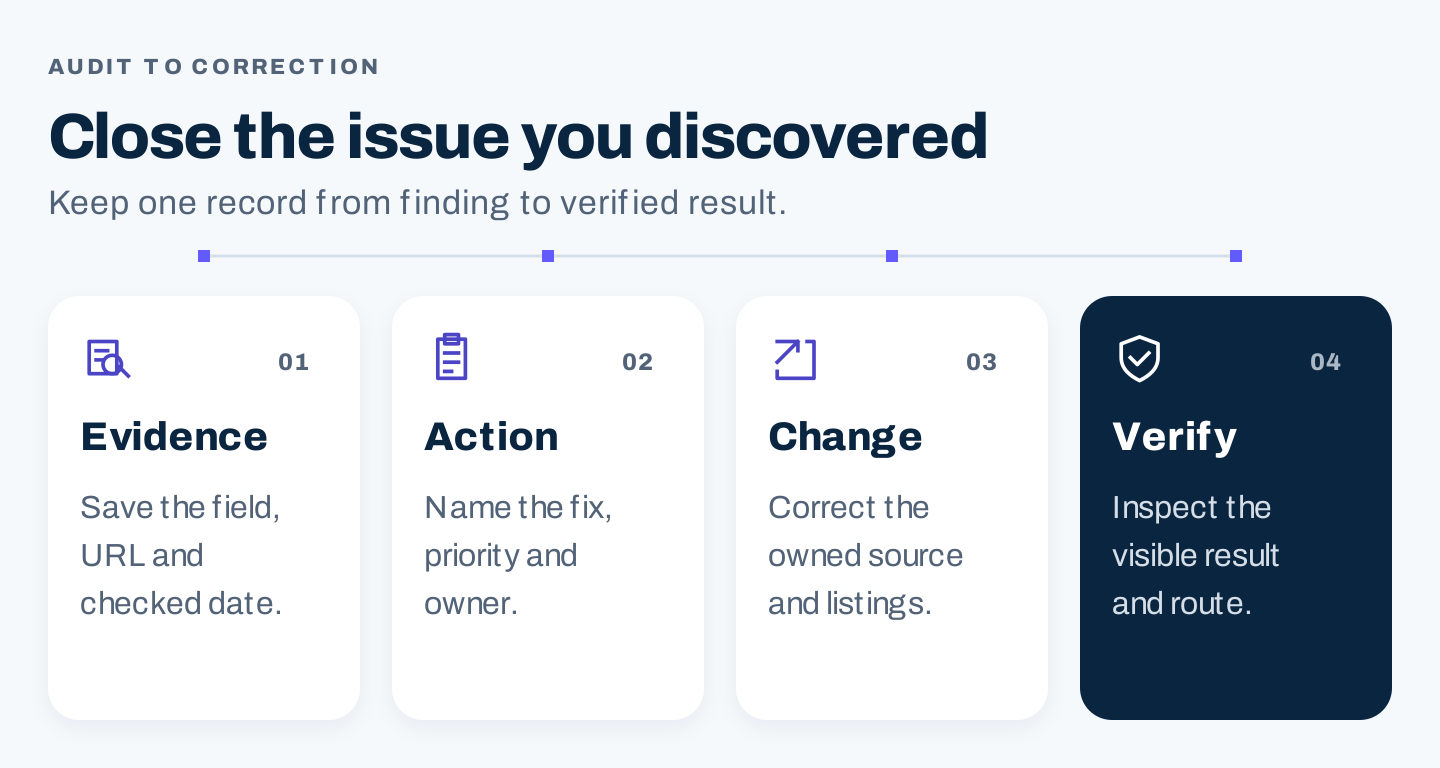
Original correction process: keep the evidence, assign the fix, correct the appropriate sources, and inspect the result.
Use one issue register across the profile, website, and important listings:
Issue ID and affected location:
Observed field, URL, and checked date:
Correct fact and confirming owner:
Customer impact:
Priority and rationale:
Correction owner and dependencies:
Submitted change and date:
Visible result and verification date:
Remaining gap and next check:
Prioritize misleading information and broken customer routes. Then address material answer gaps and relevant missing listings. Cosmetic improvements can follow once the customer can reach the correct service.
A multi-location team needs location-specific facts and owners. A centrally maintained template can still display the wrong hours or services if the underlying record is stale. Check representative locations and unusual cases, not only the flagship.
10. Measure customer actions with the right definitions
Track available profile interactions, website activity, and business outcomes separately. Google’s Business Profile documentation defines calls as clicks on the profile’s call button, not confirmed connected calls. Profile performance can include organic and Google Ads activity, and only applicable metrics appear. Google’s profile performance documentation
| Signal | What it helps assess | Limitation to preserve |
|---|---|---|
| Profile views and interactions | Discovery and available actions | Not all views or actions represent unique customers |
| Profile call clicks | Use of the contact button | Does not confirm a connected or qualified call |
| Website visits | Arrival at the destination | Not every local discovery creates a website visit |
| Qualified inquiries | Demand the business can serve | Requires an agreed definition and recorded outcome |
| Bookings or completed jobs | Business result | Attribution may involve multiple channels |
| Sampled local visibility | Presence under recorded conditions | Location, query, device, and date affect the observation |
Do not report one search from one location as the business’s universal map rank. Keep the observation conditions beside the result.
If customers use AI answers, record representative questions and the accuracy of the business information returned. Correct documented source gaps before concluding that a missing mention requires more content. For broader tracking, use the AI visibility tracking guide.
A practical first-month plan
In week one, confirm eligibility, business facts, ownership, and the most important customer routes. Save the current baseline.
In week two, correct material profile, website, and listing errors. Verify the public result after each change.
In week three, improve a priority service or location page using approved facts and useful evidence. Put the review request and response process into an owned workflow.
In week four, review completed corrections, available customer actions, and unresolved gaps. Assign ongoing updates and the next focused improvement.
This is an operating schedule, not a promise of map rankings within a month.
Local SEO audit checklist
- Confirm the real customer-facing business model and profile eligibility.
- Verify name, contact details, hours, services, and applicable address visibility.
- Inspect the public profile after changes.
- Give priority pages useful, location-specific or service-specific information.
- Research customer questions within genuine coverage and offerings.
- Correct material citation errors and duplicates.
- Request honest reviews and respond without revealing private details.
- Check access, supported markup, mobile usability, and contact destinations.
- Keep issue owners, verification records, and maintenance triggers.
- Report profile actions, visits, qualified demand, and business outcomes separately.
Start by closing the largest documented customer problem. A correct, useful local presence gives every later optimization a firmer foundation.