What Does SEO Actually Do? The Full Workflow, Mapped
SEO is six jobs: research, technical, on-page, content, off-page and measurement. See the daily tasks in each, and the free tools to do them.

SEO is six jobs that repeat: research what people search, keep the site technically open to Google, label each page on-page, publish content that answers the search, earn trust off-page, and measure what moved. Most of the daily work is small and unglamorous: checking Search Console, fixing what broke, and publishing or improving one page at a time.
This guide maps each job: what it involves, what you'd do on a normal day, the free tools for it, and how to tell it's working. It ends with a daily, weekly and monthly routine you can copy.
Rankauto publishes this guide. Tool details were checked on October 13, 2026.
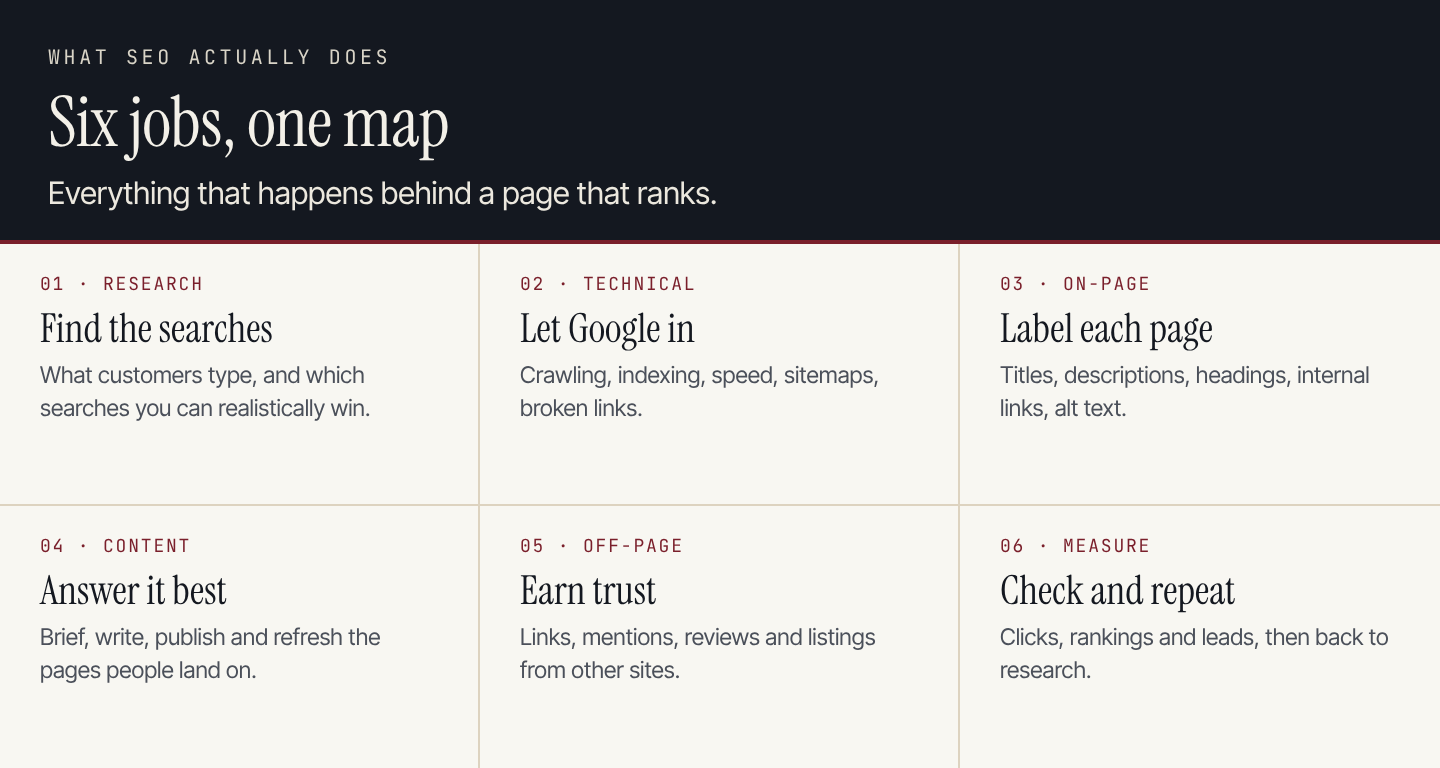
The six jobs form a loop. Measurement feeds the next round of research.
The six jobs at a glance
| Job | The question it answers | Typical tasks |
|---|---|---|
| 1. Research | Which searches should we try to win? | Keyword research, competitor checks, picking topics |
| 2. Technical | Can Google crawl, index and load the site? | Indexing checks, sitemaps, speed, broken links |
| 3. On-page | Does each page clearly say what it's about? | Titles, meta descriptions, headings, internal links |
| 4. Content | Is our page the best answer? | Briefs, writing, publishing, refreshing old pages |
| 5. Off-page | Do other sites vouch for us? | Links, mentions, reviews, business listings |
| 6. Measure | What changed, and what next? | Clicks, rankings, leads, monthly reports |
Google's own guide to hiring an SEO lists similar services: reviewing content and structure, technical advice, developing content, keyword research and, more recently, optimising for generative AI. Whether one person, an agency or a tool does the work, these are the jobs.
1. Research: find the searches worth winning
Every page that ranks starts with a search someone actually types. Research means finding those searches, estimating how many people make them, and judging which ones you can realistically rank for.
On a normal day: look up a handful of topics your customers ask about, note the monthly volume and difficulty, and check who ranks now. If the top results are big brands with strong pages, pick a narrower search.
A practical rule: a search with 800 people a month that you can rank for beats one with 14,000 that you can't. Small sites usually win first on specific, question-style searches.
Free tools:
- Google Keyword Planner gives search volume estimates. It's free with a Google Ads account, though it often shows ranges rather than exact numbers if you aren't running ads.
- Google Trends shows whether interest is rising or falling.
- Google Search Console lists the searches you already appear for, including ones you rank on page two for. These are often the fastest wins.
It's working when: you have a shortlist of searches, each matched to one page you have or will write. Our keyword choice guide goes deeper.
2. Technical: make sure Google can get in
Technical SEO is everything that lets Google find, read and show your pages. It's invisible when it works and quietly fatal when it doesn't. A page that isn't indexed can't rank, however good it is.
On a normal day: open Search Console and check the indexing and experience reports for new errors. Fix broken links, make sure new pages are in the sitemap, and confirm robots.txt isn't blocking anything important.
Free tools:
- Google Search Console shows indexing status, crawl errors and Core Web Vitals.
- PageSpeed Insights tests how fast a page loads on mobile and desktop.
- Screaming Frog SEO Spider crawls your site like a search engine. The free version crawls up to 500 URLs, enough for most small sites; the paid licence is $279 a year.
It's working when: your important pages are indexed and Search Console shows no new errors. Our SEO audit guide lists 22 checks in priority order.
3. On-page: tell Google what each page is about
On-page SEO is the set of labels and links on each page: the title tag, meta description, headings, internal links, image alt text and structured data. These are small fields, but they decide what shows in the search result and how clearly Google understands the page.
On a normal day: pick a page that ranks on page two, rewrite its title so it matches the search more clearly, tighten the meta description, and add a link to it from a related page.
Free tools:
- Google's Rich Results Test checks structured data and shows which rich results a page qualifies for.
- Ahrefs Webmaster Tools, now also called Ahrefs Free, is free for sites you verify and includes a site audit that flags on-page issues such as missing titles and duplicate descriptions.
It's working when: each important page has a unique, descriptive title and one clear topic, and the click-through rate on pages you've rewritten goes up.
4. Content: write the page that answers it best
Content is usually the biggest job on the map. It covers four steps: brief the page, write it, publish it, and refresh it when it slips or goes out of date. Search rewards a steady stream of useful pages more than an occasional burst.
On a normal day: draft or edit one page. Put the answer in the first one or two sentences, back claims with sources, and add the detail a reader needs to act. Once a quarter, list pages that have lost clicks and update them.
Free tools:
- Google Search Console shows which pages are losing clicks, so you know what to refresh.
- An AI assistant helps with briefs, outlines and rewrites, as long as a person checks the facts.
It's working when: new pages start appearing in Search Console for the searches you targeted. Our guides on writing an SEO blog post and content refreshes cover the process.
5. Off-page: get other sites to vouch for you
Off-page SEO is what happens on other websites: links to your pages, mentions of your brand, reviews and business listings. These signals tell search engines, and increasingly AI assistants, that real people trust you.
On a normal day: reply to a journalist or podcast request, follow up on a guest article, ask a happy customer for a review, or check that your business details are consistent across directories.
A warning: Google's spam policies treat buying links to manipulate rankings as link spam. Earn them instead.
Free tools:
- Google Business Profile manages your listing and reviews in Google Search and Maps. It matters most for local businesses.
- Ahrefs Webmaster Tools shows up to 1,000 backlinks to your verified site.
- Bing Webmaster Tools shows inbound links and Bing search data.
It's working when: new sites link to you without being paid, and your brand shows up in roundups and reviews.
6. Measure: see what moved, then fix what didn't
Measurement closes the loop. Check clicks, rankings and leads regularly so the next decision is based on data rather than a guess. Then feed what you learn back into research.
On a normal day: glance at Search Console for sudden drops. Once a week, look at which pages gained or lost clicks. Once a month, connect search traffic to leads or sales.
Free tools:
- Google Search Console shows clicks, impressions, average position and the searches behind them.
- Google Analytics 4 shows what visitors did after they arrived.
- Looker Studio can combine both into a simple monthly report.
It's working when: you can say which pages bring leads, and what you'll change next month because of it. Our SEO metrics guide lists what to track.
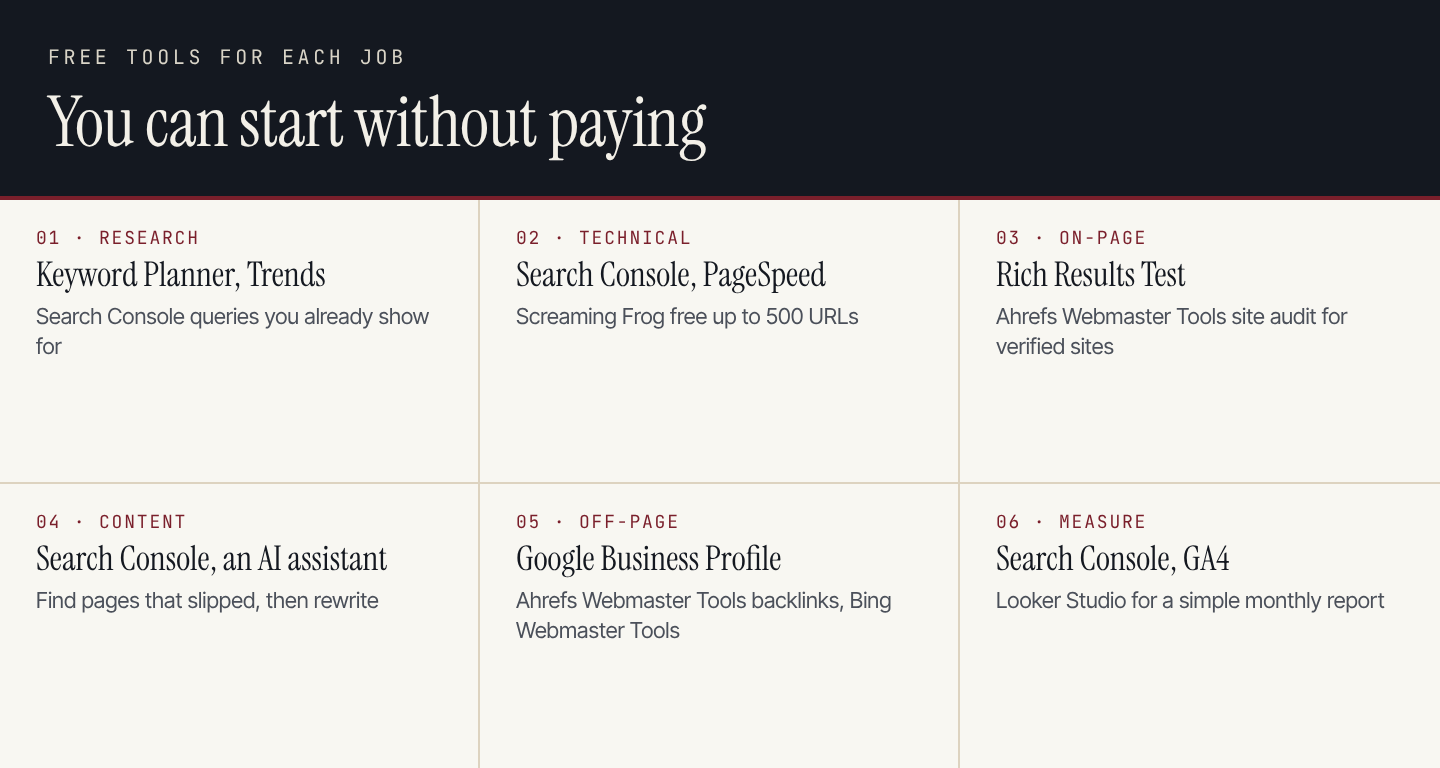
Every job on the map can start with free tools. Paid suites mainly save time and add data.
So what happens every day?
Put together, SEO is a routine rather than a project. Here's a realistic rhythm for a small business:
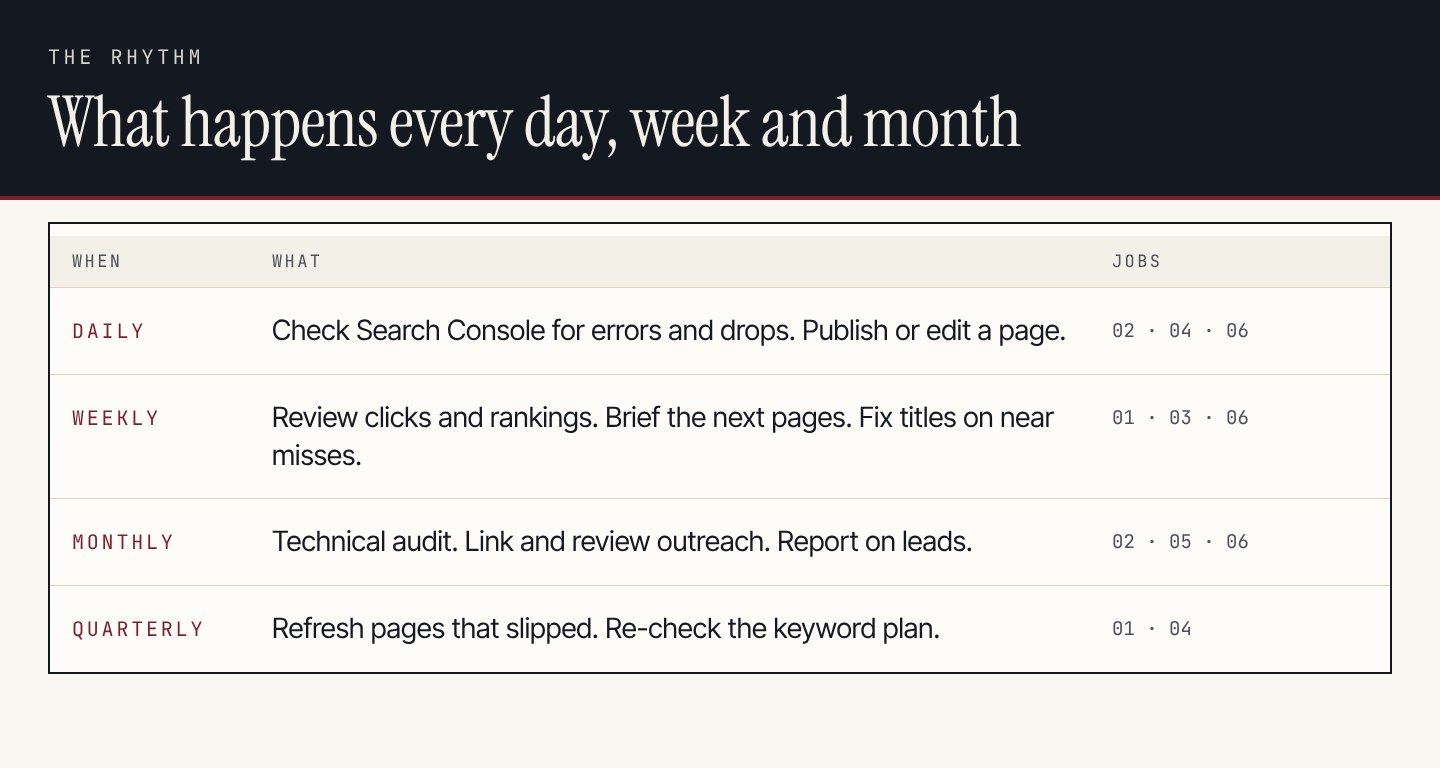
Each task maps back to one of the six jobs.
| When | What to do | Time it might take |
|---|---|---|
| Daily | Check Search Console for errors or sudden drops. Publish or edit one page. | 15 minutes, plus writing time |
| Weekly | Review clicks and rankings. Brief the next pages. Rewrite titles on near misses. | About an hour |
| Monthly | Run a technical audit. Do link and review outreach. Report on leads. | Half a day |
| Quarterly | Refresh pages that slipped. Re-check the keyword plan. | A day |
The time estimates are our rough guide for a small site, not a benchmark. The writing is what takes the hours.
If you only have two hours a week
Do the three things that move most small sites:
- Write or improve one page that answers a real customer question.
- Fix one near miss: find a page in positions 8 to 20 in Search Console and improve its title and opening.
- Check Search Console for new errors.
Skip the rest until those are a habit.
Prompts to speed up each job
These work in ChatGPT, Claude or Gemini. Give the assistant your own data where it asks for it.
Research:
I run [business] in [location]. My customers are [who].
List 20 questions they'd type into Google before buying from a business like mine.
Group them by stage: just learning, comparing options, ready to buy.
Mark which ones are specific enough for a small site to rank for.
On-page:
Here is a page title and meta description: [paste].
The search I want this page to rank for is: [search].
Write 3 alternative titles under 60 characters and 3 descriptions
of 140 to 155 characters. Keep them accurate to the page; don't promise
anything the page doesn't deliver.
Measure:
Here is my Search Console export for the last 28 days: [paste rows].
Find queries in positions 8 to 20 with more than 100 impressions.
For each, name the page and suggest one specific change to the title
or opening paragraph. Use only the data I gave you.
If you'd rather connect Claude to Search Console directly, our guide to Claude SEO tools shows how.
Where Rankauto fits
Rankauto covers four of the six jobs. It researches the searches your customers make, writes and fact-checks one article a day in your brand voice, fills in the on-page fields, and publishes to your site. It includes an SEO audit for the technical side. It doesn't do link building or outreach, and it has no backlink data, so off-page work stays with you. The plan is $49 a month per website with 30 articles, after a 3-day trial.
Questions about what SEO involves
What does an SEO do day to day?
Mostly small, repeated tasks: checking Search Console for errors, improving or publishing pages, rewriting titles on pages that almost rank, and doing occasional outreach for links and reviews. Larger work, such as audits and content refreshes, happens monthly or quarterly.
Which SEO job matters most?
It depends on what's broken. If pages aren't indexed, technical comes first. If they're indexed but nobody searches for them, research and content. For most small sites, consistent content on the right searches makes the biggest difference.
Can I do SEO myself?
Yes. Every job on the map can start with free tools, and the routine above fits into a few hours a week. The hard part is consistency, especially writing.
How is SEO different from AEO and GEO?
SEO is about ranking in search results. AEO and GEO are about being quoted or named in AI answers. They build on the same six jobs. Our guide on SEO vs AEO vs GEO explains the difference.